

After comparing 8 UK investing apps, my top picks are Trading 212 for mobile investing overall, eToro for beginners and social investing and InvestEngine for ETF investing. I compared fees, FX costs, ISA and SIPP access, automated investing and how each app handles everyday investing on a phone.
- Social investing with real-time insights
- Ready-made portfolios for diversified investing
- Tax-free savings with a competitive 4.8% AER Cash ISA
Capital at risk. T&Cs apply.
Watch – Top best investing apps in the UK explained
If you prefer a quick overview, watch our video explaining the best investing apps in the UK. The video breaks down which app is best for beginners, ETFs investing, low fees, tax wrappers and more.
How I tested and ranked these apps
I tested each app with a funded UK account in September 2026. I bought UK and US shares, set up recurring investments and checked the costs shown before confirming each order.
- 8 funded UK accounts
- £8,250 deposited
- 16 trades placed
- 6 recurring plans set up
- 8 withdrawals tested
- Tested on iPhone and Android
I then weighted costs 25%, ISA/SIPP 20%, app workflow 20%, automation 15%, investment choice 10% and research 10%. FCA authorisation was a must, not a scoring factor.
What are the best investment apps in the UK in 2026?
| App | Best for | App strength | Dealing | FX | ISA | SIPP | Fractional | Auto-invest | Min. | Biggest catch |
|---|---|---|---|---|---|---|---|---|---|---|
| Trading 212 | Overall | Pies make monthly investing simple | £0 | 0.15% | ✓ | ✓ | ✓ | Pies & AutoInvest | £1 | Basic research tools |
| eToro | Beginners & social investing | CopyTrader and social feed | $1–Who should use i2 stocks; £0 ETFs | Varies | Via Moneyfarm | ✗ | ✓ | Recurring from $25 | $25 recurring | Stock commission; separate ISA |
| XTB | Low cost + tools | Charts, screeners, news | £0 up to €100k/mo | 0.5% | ✓ (flexible) | ✗ | From £1 | Investment Plans* | £1 / £15 Plans | CFDs in the same app |
| IG | Research | Research, alerts, charting | £0 online | 0.7%† | ✓ | ✓ (£210/yr) | ✓ (GIA) | Not confirmed | £1 fractional | Higher FX; SIPP fee |
| Freetrade | Simplicity | Fewest steps to invest | £0 | 0.99% Basic | ✓ | ✓ | US shares | Standard plan and above | £0.10 per order | FX on Basic |
| InvestEngine | ETFs | Target-weight ETF portfolios | £0 (DIY) | N/A (GBP ETFs) | ✓ | ✓ | ✓ | AutoInvest from £10 | £100 to open | No individual shares |
| Lightyear | Global investing | Multi-currency account | £0 | 0.1% | ✓ | ✗ | Selected stocks | Plans & repeat orders | £1 | No SIPP; 0.6% card deposits |
| interactive investor | Larger portfolios & SIPPs | Wide choice incl. funds | £3.99 (Core) + £5.99/mo | 0.75% | ✓ | ✓ | ✗ | Free from £25/mo | £25/mo regular | Flat fee on small pots |
UK investment apps reviews
Below, I break down each of the eight apps in ranking order, covering who it suits, what it costs in fees and FX, which accounts it offers, and the main trade-off to know before you sign up.
1. Trading 212 – Best investment app overall
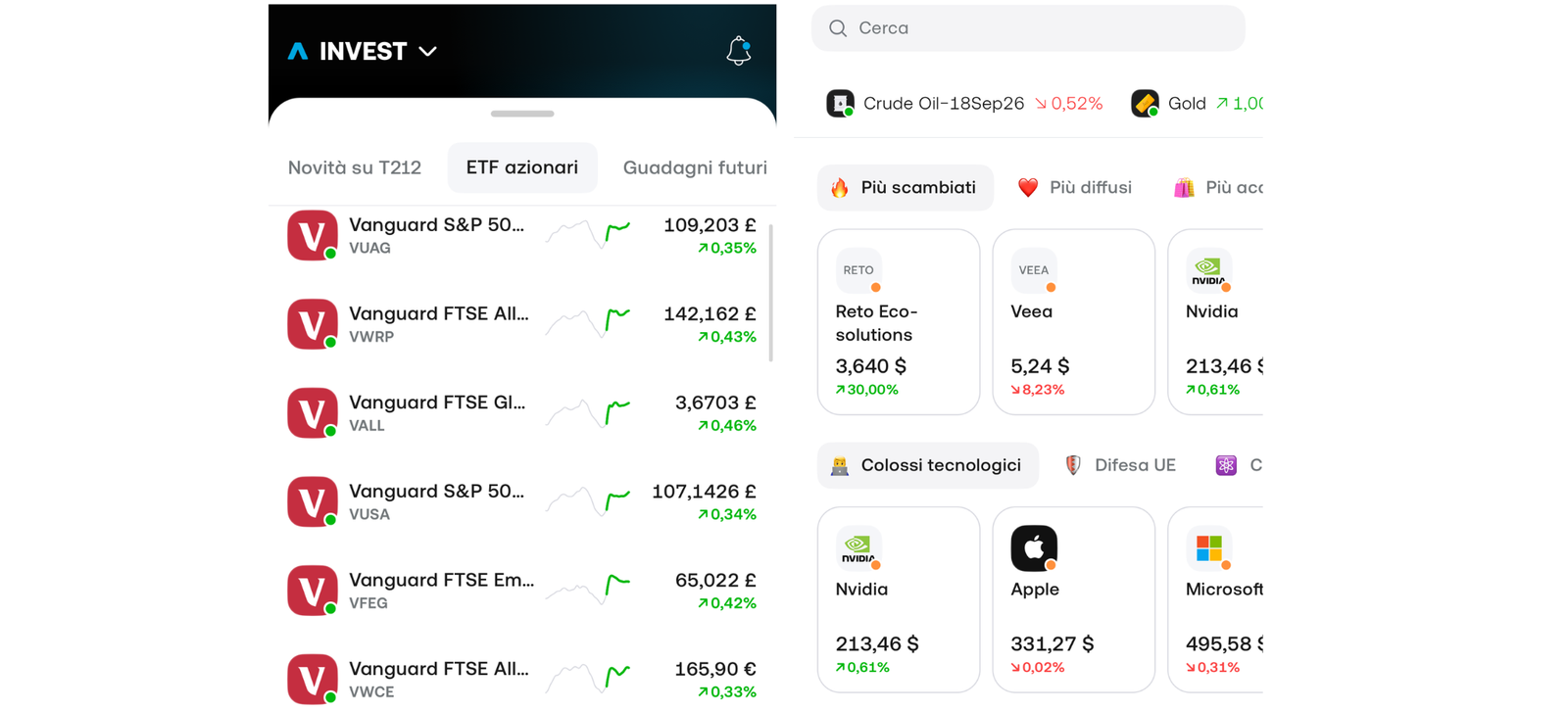
Trading 212 is our pick for the best investment app overall. It gave me the smoothest mobile journey in the test and backed it up with a very cheap cost structure: no commission, no platform fee and a 0.15% FX charge, across the Invest account, Stocks & Shares ISA and SIPP.
Building an automated ETF Pie was the strongest part of the app. The main trade-off is research depth, so I’d pick IG or XTB instead if you want to properly analyse a company before you buy it.
Key information
| Field | Data |
|---|---|
| Best for | Low-cost, mobile-first DIY investing |
| Account types | Invest (GIA), Stocks & Shares ISA, SIPP |
| Platform/account fee | £0 |
| Dealing fee | £0 |
| FX fee | 0.15% |
| Minimum investment | £1 |
| Investment range | Thousands of stocks and ETFs |
| Fractional investing | Yes |
| Automated investing | Pies + AutoInvest |
| FCA regulated | Yes |
| FSCS | Eligible claims subject to product/entity rules |
| App Store / Google Play | 4.7 / 4.6 (September 2026) |
What I tested: iPhone 16 Pro, iOS 26.6, app v26.9.2, Stocks & Shares ISA, £500 deposited by bank transfer, September 2026.
What was it like using Trading 212?
I funded a Stocks & Shares ISA with £500 through an Open Banking transfer, and the money was ready to invest about two minutes later. The first thing I bought was £250 of Microsoft as a fractional share.
Before I confirmed, the order screen showed £0 commission and a 37p FX charge (0.15% of £250). I’d rather see that before I tap buy than find it later on a statement, and not every app in this test does it that clearly.
Next I built a three-ETF Pie: 60% Vanguard FTSE All-World (VWRP), 25% Vanguard S&P 500 (VUAG) and 15% iShares Core FTSE 100 (ISF). I then turned on AutoInvest at £100 a month.
The whole thing took just under four minutes, and you set weights with sliders that stop at 100% on their own, so there’s no mental maths. Dividends can reinvest back into the Pie automatically. For a hands-off ISA, that’s what matters most.
The friction came when I wanted to compare Microsoft’s margins with Alphabet’s. The stock page gives you key stats, news and analyst ratings, but nothing like a proper screener or side-by-side fundamentals, so I ended up leaving the app to finish the research. At the end I withdrew £100, and it reached my bank the next working day.
How much does Trading 212 cost?
For most people, the only fee Trading 212 itself charges is 0.15% FX on non-GBP investments. There’s no commission or custody fee on Invest, ISA or SIPP. Stamp duty (0.5%) still applies to UK shares, but not to ETFs. The same £250 US purchase would cost £1.25 in FX at XTB (0.5%), £1.75 at IG (0.7%) and £2.48 on Freetrade Basic (0.99%).
Who should use it?
Anyone who wants one cheap app for an ISA, a SIPP and automated monthly investing, especially if they’re buying US shares or global ETFs.
Who should avoid it?
Investors who research individual companies in depth before buying. The app does the investing part brilliantly, but the analysis happens somewhere else.
Read our full Trading 212 review.
Trading 212 pros & cons
- 0.15% FX and no commission across GIA, ISA and SIPP
- Pies + AutoInvest is the best portfolio-automation tool in the test
- Costs are shown clearly before you confirm an order
- Research and fundamentals are shallow next to IG and XTB
- No screener for comparing companies properly
2. eToro – Best for beginners and social investing
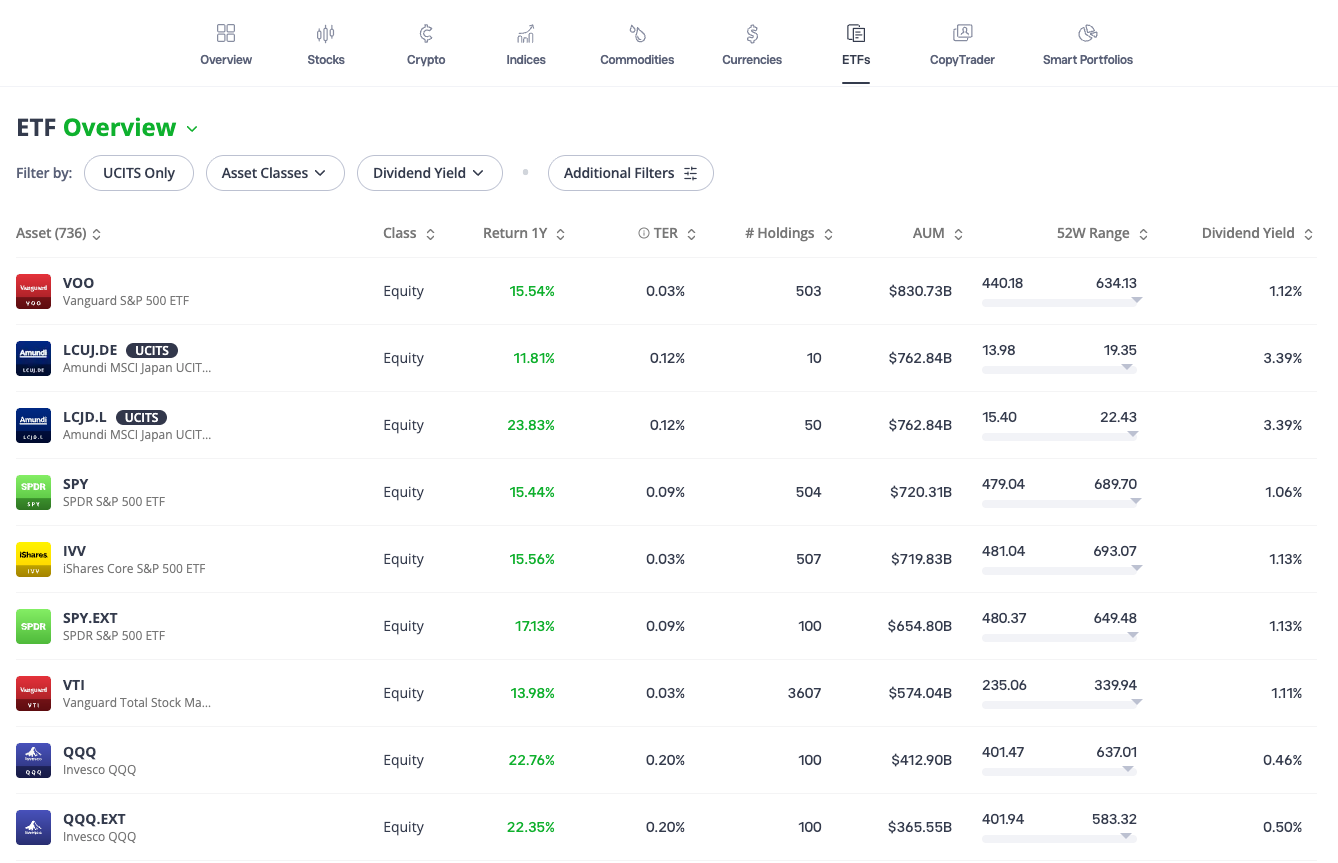
eToro is our pick for beginners and social investing because its discovery tools make it easier to understand what other investors are actually buying.
When I tested it, CopyTrader felt built into the app rather than bolted on, and buying a UK share took very little effort. The trade-offs are cost and structure.
Stocks now carry a $1–2 commission, and the ISA is provided through Moneyfarm, so I’d choose Trading 212 if you mainly want a cheap ISA.
Key information
| Field | Data |
|---|---|
| Best for | Beginners, social and copy investing |
| Account types | Investment account; Stocks & Shares ISA via Moneyfarm |
| Platform/account fee | £0; no inactivity fee listed |
| Dealing fee | Stocks: $1–2 per open and close, depending on exchange. ETFs: £0 |
| FX fee | Varies by location, payment method and Club tier (0.5% shown in our test) |
| Minimum investment | Recurring investments from $25 |
| Investment range | Stocks, ETFs, crypto and other assets |
| Fractional investing | Yes |
| Automated investing | Recurring investments, CopyTrader, Smart Portfolios |
| SIPP | No |
| FCA regulated | Yes |
| FSCS | Eligible claims subject to product/entity rules |
| App Store / Google Play | 4.3 / 4.2 (September 2026) |
What I tested: Samsung Galaxy S25, Android 16, app v612.0.1, GBP investment account, £800 deposited, September 2026.
What was it like using eToro?
I deposited £800 into the GBP account and started where a beginner probably would: the home feed. I searched for Lloyds, opened the stock page and put £300 into the shares. The buy flow is about as simple as it gets, and paying in pounds for a UK share meant there was no FX.
The ticket did show a £1 commission, though. eToro used to be known as “commission-free”, and that’s no longer true for stocks.
Next I previewed a £200 order in Amazon. The ticket split out a $1 commission and a £1.00 currency conversion charge (0.5%). I’d advise any beginner to screenshot that before confirming. I then bought £150 of an S&P 500 ETF, which came with no commission, because eToro’s ETF pricing is simpler than its stock pricing.
CopyTrader is the reason eToro is on this list. I filtered investors by risk score, drawdown and holding period, then worked through the copy flow as far as the funding step. You’ll need at least $200 to copy someone, and I found the stop-loss control on a copy easy to understand. That’s a feature no other app in this comparison has.
The weak spot was the ISA. Tapping through took me to a Moneyfarm-powered sign-up with its own questions and product terms, and it felt like signing up for a separate product rather than switching tabs. It also didn’t hold the individual shares I’d just been buying in the main account.
Charts and fundamentals are fine for basic checks but clearly lighter than IG or XTB. I set up a $25 recurring investment and withdrew £100, which arrived after two working days.
How much does eToro cost?
eToro charges £0 commission on ETFs and $1–2 per side on stocks, depending on the exchange. GBP withdrawals are free and there’s no inactivity fee listed. The bigger cost for UK investors is currency conversion on US shares.
On my £200 Amazon order, it came to £1.00 on top of the $1 commission. Rates vary by payment method and Club tier, so check the order ticket rather than relying on a headline rate.
Who should use it?
First-time investors who want to learn by watching real portfolios, and anyone who specifically wants copy investing alongside ordinary shares and ETFs.
Who should avoid it?
Cost-focused ISA investors and anyone who needs a SIPP. Trading 212, Freetrade and Lightyear all make the core investing job cheaper.
eToro pros & cons
- The most approachable home screen and buy flow in the test
- CopyTrader is fully built into the app
- £0 commission on ETFs; recurring investing from $25
- $1-2 per-side commission on stocks
- ISA sits in a separate Moneyfarm-powered journey; no SIPP
- Charts and research are basic
3. XTB – Best for free trades and top-tier education
XTB is our pick for low-cost investing with more advanced tools.
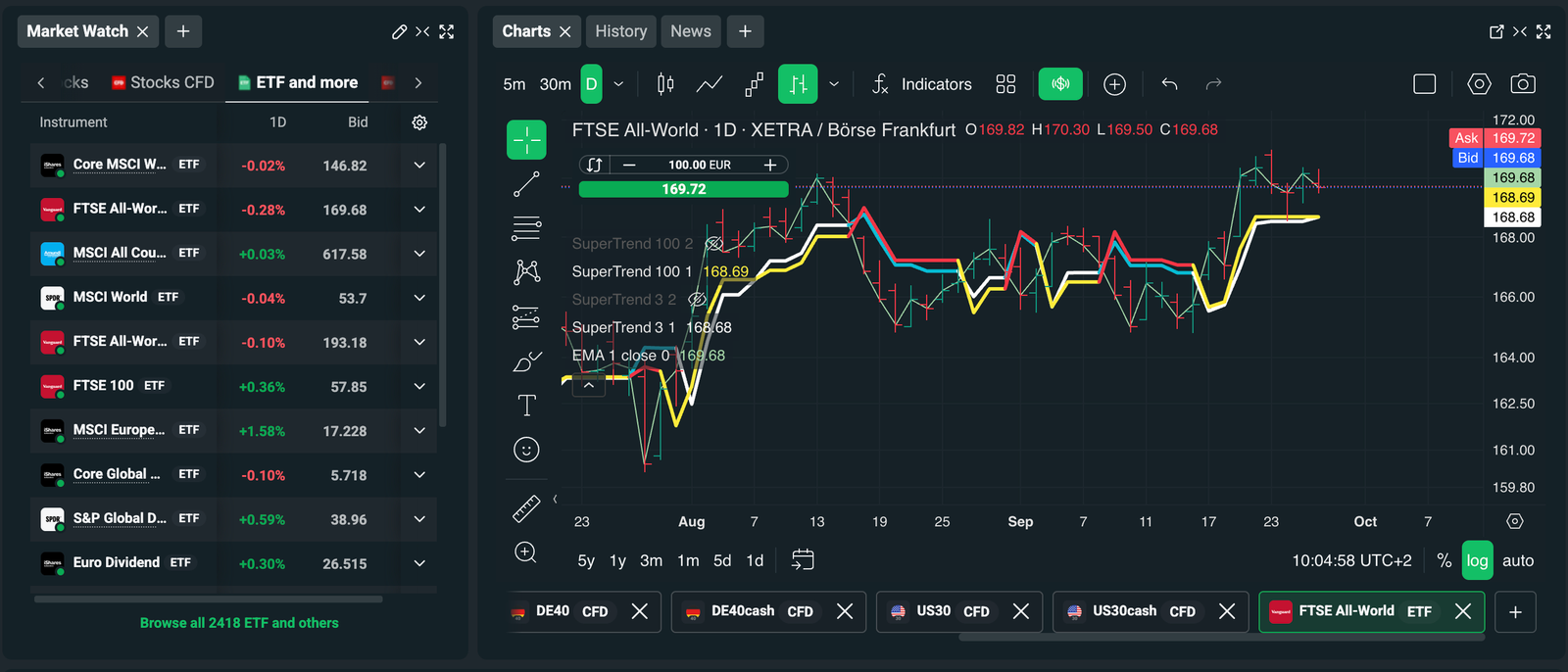
It keeps stock and ETF dealing commission-free up to €100,000 of monthly turnover and gives you noticeably better charts and analysis than the neo-broker apps. In my testing, the charting and news tools were the standout.
The trade-offs are a 0.5% FX fee and an app that also sells CFDs, so you have to check what you’re buying. If you want the simplest app with the cheapest FX, I’d choose Trading 212 or Lightyear instead.
Key information
| Field | Data |
|---|---|
| Best for | Low-cost investing with stronger charts and research |
| Account types | GIA, flexible Stocks & Shares ISA |
| Platform/account fee | £0 for active clients; no inactivity fee in the ISA |
| Dealing fee | 0% up to €100,000 monthly turnover; 0.2% (min £10) above |
| FX fee | 0.5% |
| Minimum investment | Fractional shares from £1; Investment Plans from £15 |
| Investment range | 9,100+ stocks and ETFs in the ISA |
| Fractional investing | Yes, from £1 |
| Automated investing | Investment Plans with Auto Invest (GIA only in our test) |
| SIPP | No |
| FCA regulated | Yes |
| FSCS | Eligible claims subject to product/entity rules |
| App Store / Google Play | 4.6 / 4.5 (September 2026) |
What I tested: Google Pixel 9, Android 16, app v2.84.0, GIA and ISA, £1,000 deposited, September 2026.
What was it like using XTB?
My hands-on test started with £1,000 into the standard account. When I searched for Nvidia, the results showed the real share and the CFD version close together.
Both carried labels, but I still had to check which one I’d opened before placing the order. That’s the biggest usability risk for a new investor here, and it’s why XTB isn’t my beginner pick.
I bought £400 of Nvidia as a real, fractional share. The preview showed no commission and a £2 currency conversion charge (0.5%). That’s more than Trading 212 or Lightyear would take on the same trade, but still far below Freetrade Basic’s £3.96.
Then I set up an Investment Plan: three ETFs, a £50 monthly Auto Invest and a £15 minimum. It was more fiddly than a Trading 212 Pie, taking 14 taps against nine.
Where XTB pulled ahead was analysis. The mobile charts have a proper indicator library, the news feed is tied to each instrument, and the screeners let me filter ETFs by region and cost in a way the simpler apps can’t.
Next I tried to create an Investment Plan inside the ISA, because XTB’s own help pages disagree on whether that’s possible. In my test the option wasn’t available from the ISA.
The Plans tab only offered to build a Plan in the GIA. So if automation matters to you, you’d be investing outside the tax wrapper. The ISA is flexible, so I could withdraw £100 and put it back in the same tax year without using any of my allowance. The withdrawal arrived the next working day.
How much does XTB cost?
Stock and ETF dealing is free up to €100,000 of monthly turnover. Above that, it’s 0.2% with a £10 minimum, which almost no long-term investor will reach. The cost you’ll actually notice is 0.5% FX on non-GBP investments. Uninvested cash can earn interest (up to 4% variable at the time of writing).
Who should use it?
Investors who want commission-free investing without giving up proper charts, screeners and news, and who can clearly tell a share from a CFD.
Who should avoid it?
Complete beginners, anyone buying mostly US shares on a tight cost budget, anyone who wants automated investing inside an ISA, and anyone who needs a SIPP.
Read our full XTB review.
XTB pros & cons
- Best charts, screeners and news of the low-cost apps
- Commission-free dealing up to €100,000 a month
- Flexible ISA; Investment Plans from £15
- 0.5% FX is more than three times Trading 212's rate
- CFDs sit in the same app as real investments
4. IG – Best investment app for research and experienced investors
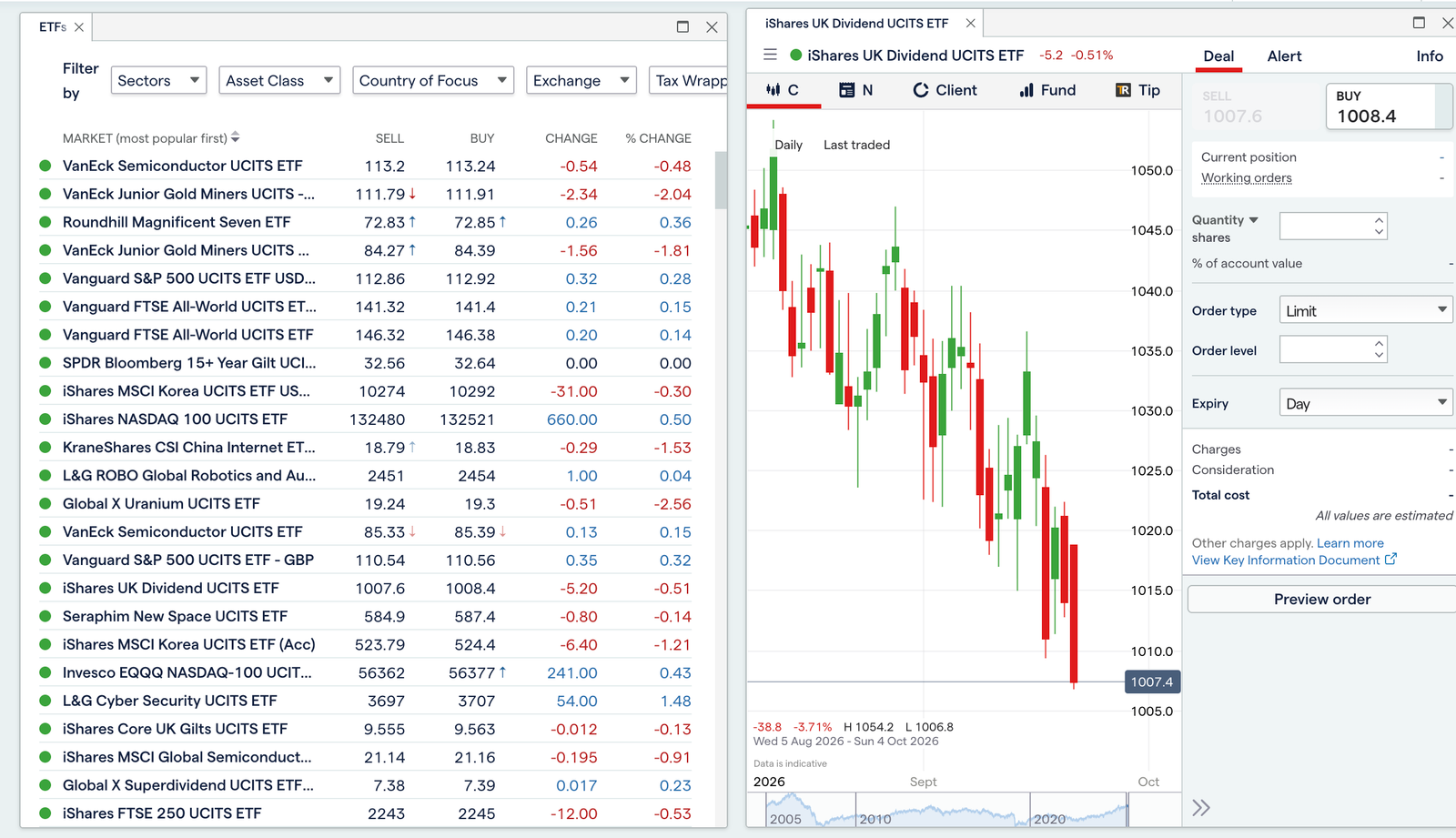
IG is our pick for research and experienced investors. It’s the app where I could research a company, set alerts around it and buy the shares without switching to anything else.
Research, alerts and charting were clearly stronger than the beginner-first apps. IG has also dropped its old £8 share-dealing commission, so online UK and US trades are now £0.
The trade-offs are a busier interface, a 0.7% FX charge and a £210 annual SIPP fee. For simple automated investing, I’d choose Trading 212.
Key information
| Field | Data |
|---|---|
| Best for | Research-led and experienced investors |
| Account types | GIA, Stocks & Shares ISA, SIPP |
| Platform/account fee | £0 on GIA and ISA; SIPP administration £210/year |
| Dealing fee | £0 online commission on UK, US, EU and AU shares and ETFs |
| FX fee | 0.7% |
| Minimum investment | Fractional shares from £1 |
| Investment range | 20,000+ shares, ETFs and investment trusts |
| Fractional investing | Yes, 6,400+ stocks (GIA) |
| Automated investing | Monthly regular investing on selected UK shares and ETFs |
| FCA regulated | Yes |
| FSCS | Eligible claims subject to product/entity rules |
| App Store / Google Play | 4.4 / 4.3 (September 2026) |
What I tested: iPhone 17, iOS 26.6, app v26.18.0, GIA and ISA, £2,000 deposited, September 2026.
What was it like using IG?
I deposited £2,000 and started by researching Unilever rather than buying it straight away. The stock page brought together fundamentals, broker sentiment and news, and the charts had enough indicators to check the trend without opening a desktop platform.
I set a price alert 5% below the current price and added it to a watchlist before putting in £800. The commission was £0, but £4 of stamp duty applied, as it would anywhere.
Next I put £700 into Alphabet. The ticket showed £4.90 in FX (0.7%). That’s the cost of IG’s otherwise free dealing, and it’s more than four times what Trading 212 would charge. I also tried a £50 fractional buy of Nvidia in the GIA, which worked cleanly.
The trade-off for the depth is weight. Going from search to a filled order took me eight taps on IG, compared with four on Trading 212.
The ISA and GIA also sit a menu apart in a way that took a few minutes to get used to. When I looked at the SIPP, the £210 annual administration fee was clear enough, but on a £30,000 pension that’s 0.7% a year before any other costs. My £200 withdrawal arrived the next working day.
How much does IG cost?
Online dealing is now commission-free on UK, US, EU and Australian shares. You’ll pay 0.7% FX on overseas investments, stamp duty on UK shares, and £210 a year if you open the SIPP.
Who should use it?
Investors who want to research, chart, set alerts and deal on a wide range of global shares from one app and mostly buy UK shares, where there’s no FX.
Who should avoid it?
Beginners who want a simple buy button, and investors with a small SIPP, where the flat £210 fee hurts most.
Read our full IG review.
IG pros & cons
- Strongest research, alerts and charting in the test
- £0 online commission, including US shares
- 20,000+ shares, ETFs and investment trusts
- 0.7% FX is one of the higher rates in the comparison
- £210/year SIPP fee
5. Freetrade – Best simple UK investment app
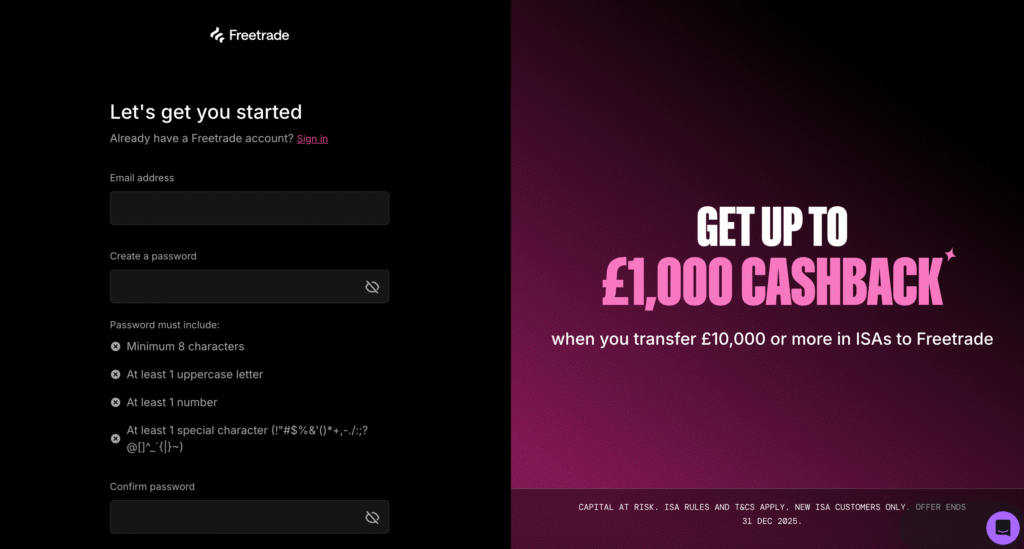
Freetrade is our pick for the best simple UK investment app. Its free Basic plan gives you a GIA, a Stocks & Shares ISA and a SIPP with no commission and no subscription.
In my testing, the buy flow was the cleanest in the comparison. The trade-off is FX: 0.99% on Basic, the most expensive rate here. That makes Freetrade best for UK-focused investors, and I’d choose Trading 212 or Lightyear instead if you mostly buy US shares.
Key information
| Field | Data |
|---|---|
| Best for | Straightforward UK share and ETF investing |
| Account types | GIA, Stocks & Shares ISA, Junior ISA, SIPP |
| Platform/account fee | Basic £0; Standard £4.99/month; Plus £9.99/month (billed annually) |
| Dealing fee | £0 |
| FX fee | 0.99% Basic / 0.59% Standard / 0.39% Plus |
| Minimum investment | £0.10 per order |
| Investment range | 8,600+ stocks, ETFs and investment trusts |
| Fractional investing | Yes (US shares) |
| Automated investing | Recurring orders on Standard and Plus |
| FCA regulated | Yes |
| FSCS | Eligible claims subject to product/entity rules |
| App Store / Google Play | 4.6 / 4.4 (September 2026) |
What I tested: iPhone 15, iOS 26.6, app v4.112.0, Basic plan, Stocks & Shares ISA, £400 deposited, September 2026.
What was it like using Freetrade?
I deliberately stayed on the free Basic plan and deposited £400 into the ISA. I bought £150 of Rolls-Royce first.
Freetrade does very little to distract you: search, one clean stock page, choose an amount, swipe to confirm. It took me four taps from the home screen, the fewest in the test alongside Trading 212.
Then I bought £150 of Apple as a fractional share. The preview showed a £1.49 FX fee (0.99%). That’s the catch with Basic. The same trade would cost 23p at Trading 212 and 15p at Lightyear. Anyone regularly investing in US shares should spend five minutes working out whether Standard’s 0.59% pays for itself. (It doesn’t at small amounts: £4.99 a month covers FX savings on roughly £1,250 of US buying each month.)
I also looked through the investment trusts and ETFs, which cover the UK market well, and checked the SIPP sign-up. Getting a pension on a free plan is rare in this market. When I tried to set up a monthly recurring order, the app showed the upgrade screen instead, because recurring orders sit on Standard and above.
Analyst ratings and EPS estimates also sit behind Standard, so on Basic the research is fairly thin. My £100 withdrawal arrived after two working days.
How much does Freetrade cost?
Basic has no subscription and no commission. Your only regular cost is 0.99% FX on non-GBP investments. Standard (£4.99/month) cuts FX to 0.59% and adds recurring orders and richer fundamentals. Plus (£9.99/month) cuts FX to 0.39% and adds extended-hours trading and more order types.
Who should use it?
Beginners and UK-focused investors who want a clean app with an ISA and SIPP and don’t want to pay a subscription.
Who should avoid it?
Anyone investing heavily in US shares on Basic, anyone who wants free automated investing, and investors who want in-depth research without paying for it.
Read our full Freetrade review.
Freetrade pros & cons
- Free GIA, ISA and SIPP with no commission
- Cleanest buy flow in the comparison
- Strong UK coverage, including investment trusts
- 0.99% FX on Basic is the highest in the test
- Recurring orders and richer research need a paid plan
6. InvestEngine – Best investment app for ETFs
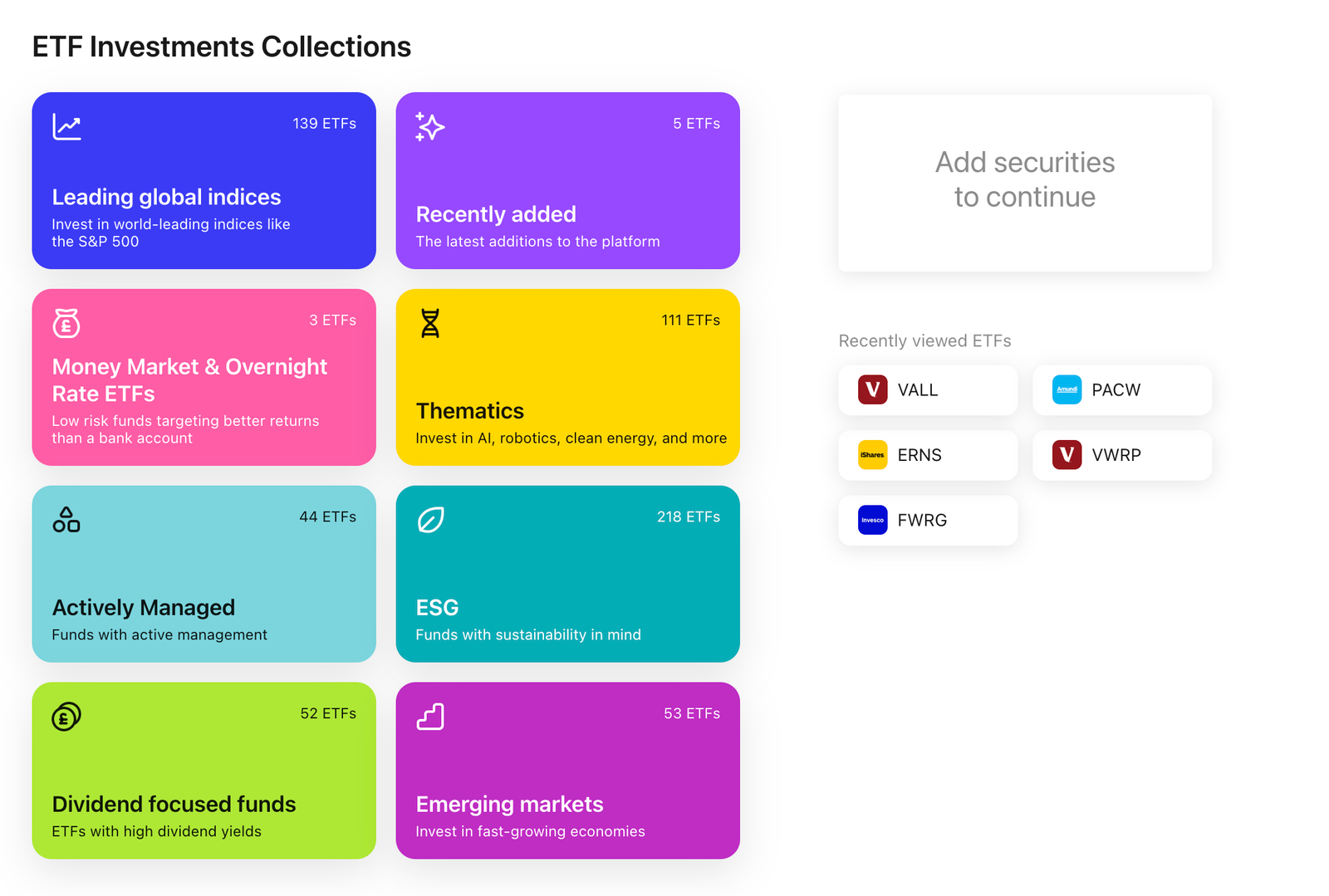
InvestEngine is our pick for ETF investing because it’s the only app here built entirely around low-cost, automated ETF portfolios, and the DIY service charges nothing for the platform or for dealing.
In my testing, setting target weights and letting a weekly Savings Plan fill them was the strongest part of the experience. The trade-off is obvious: you can’t buy individual shares.
If you want to pick stocks as well, I’d choose Trading 212 instead.
Key information
| Field | Data |
|---|---|
| Best for | DIY ETF portfolios and passive investing |
| Account types | GIA, Stocks & Shares ISA, SIPP; business accounts |
| Platform/account fee | £0 DIY; 0.25% Managed/LifePlan (ETF fund costs extra) |
| Dealing fee | £0 |
| FX fee | None on GBP-traded ETFs |
| Minimum investment | £100 per portfolio |
| Investment range | 870+ ETFs, ETF-only |
| Fractional investing | Yes |
| Automated investing | Savings Plans, automatic allocation and rebalancing |
| FCA regulated | Yes |
| FSCS | Eligible claims subject to product/entity rules |
| App Store / Google Play | 4.8 / 4.6 (September 2026) |
What I tested: iPhone 16, iOS 26.6, app v3.41.0, DIY Stocks & Shares ISA, £300 deposited, September 2026.
What was it like using InvestEngine?
I opened a DIY ISA and deposited £300. Instead of buying ETFs one at a time, I set up a portfolio of four at target weights: 50% iShares Core MSCI World, 20% Vanguard FTSE Emerging Markets, 20% Vanguard FTSE 250 and 10% iShares UK Gilts. InvestEngine spread the £300 across all four using fractional units, so no cash sat uninvested.
Next I set a weekly £25 Savings Plan. Each deposit automatically tops up whichever holding is furthest below its target, which does most of the rebalancing for you. Rebalancing the whole portfolio is one tap. The trade-off is timing: DIY orders are grouped into a trading window rather than filled instantly.
I placed my order mid-morning and it executed that afternoon. For a passive portfolio that doesn’t matter. It would frustrate anyone trying to time an entry.
The ETF filters (provider, asset class, region, cost) did their job, and I compared the portfolio view with Trading 212 Pies. InvestEngine felt more focused on allocation drift and less on day-to-day price moves. I also compared the DIY and Managed journeys.
Managed adds 0.25% and takes the ETF choice away. I withdrew £50, which reached my bank after three working days because the ETF units had to be sold and settled first.
How much does InvestEngine cost?
DIY portfolios have no platform, account or dealing fee. You only pay the underlying ETF costs, which on mainstream trackers are typically 0.1–0.25% a year. Managed and LifePlan portfolios add a 0.25% annual charge.
Who should use it?
Passive investors building an ETF portfolio in an ISA or SIPP who want automatic allocation and no platform fee.
Who should avoid it?
Anyone who wants individual shares, investment trusts or in-depth company research.
Read our full InvestEngine review.
InvestEngine pros & cons
- £0 platform and dealing fees on DIY
- Target-weight portfolios and Savings Plans handle rebalancing for you
- ISA and SIPP available
- ETFs only
- DIY orders fill in trading windows rather than instantly
7. Lightyear – Best for low-cost global investing
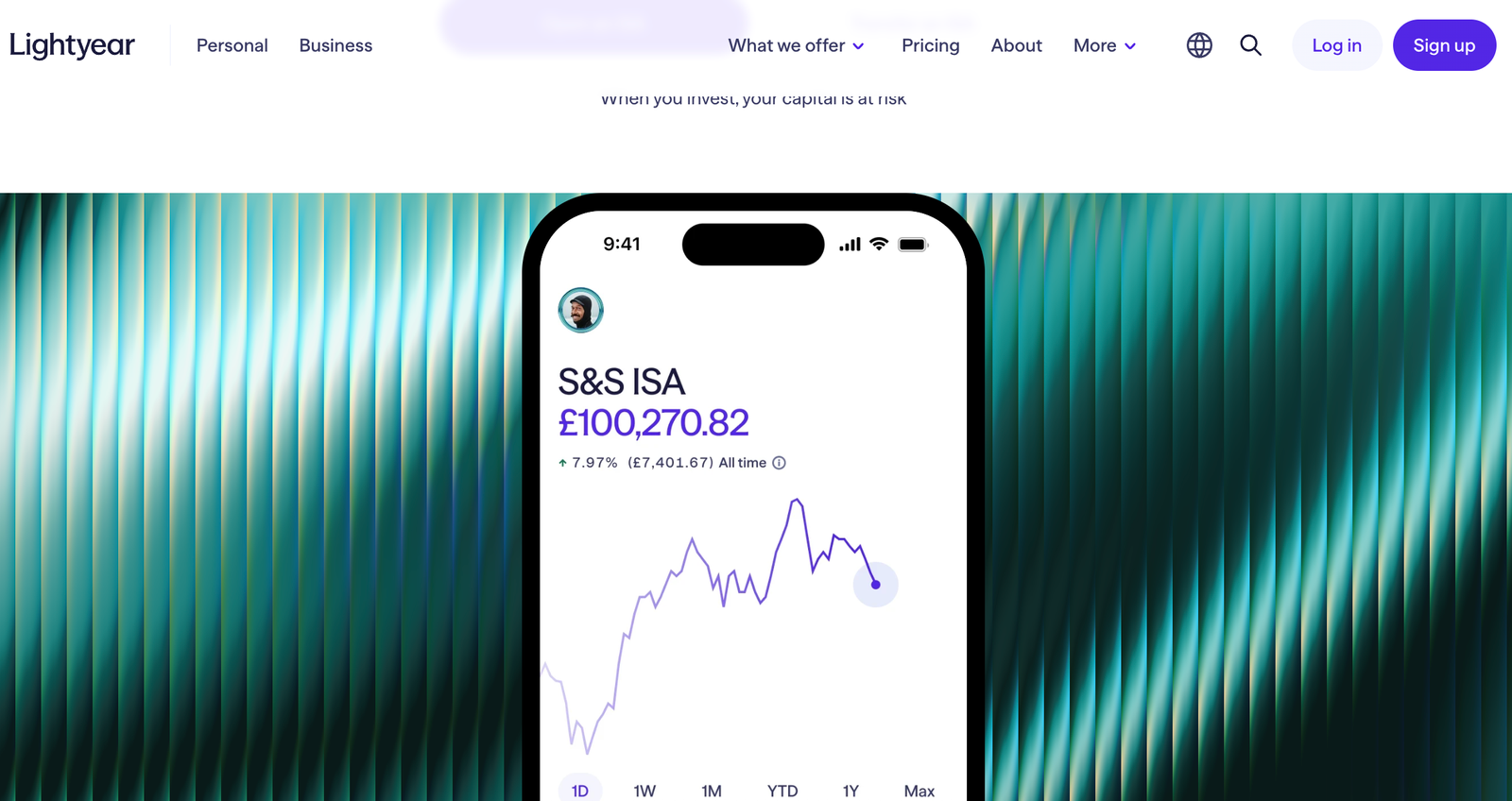
Lightyear is our pick for low-cost global investing because its 0.1% FX fee is the lowest in this comparison. It also charges no commission on UK, US and EU stocks and ETFs, and no account fee.
In my testing, the cost of a US share purchase was so small it hardly registered, and the multi-currency account let me hold dollars between trades. The trade-offs are a narrower account range (no SIPP) and a younger platform. If you want your pension on the same app, I’d choose Trading 212 instead.
Key information
| Field | Data |
|---|---|
| Best for | Low-cost international investing |
| Account types | GIA, Stocks & Shares ISA |
| Platform/account fee | £0 |
| Dealing fee | £0 on UK, US and EU stocks and ETFs |
| FX fee | 0.1% |
| Minimum investment | £1 |
| Investment range | ~6,000 stocks and funds |
| Fractional investing | Yes |
| Automated investing | Repeat Orders; Plans with weekly, fortnightly or monthly auto-invest |
| Deposits | Bank transfer free; card/Apple Pay/Google Pay 0.6% |
| SIPP | No |
| FCA regulated | Yes |
| FSCS | Eligible claims subject to product/entity rules |
| App Store / Google Play | 4.7 / 4.5 (September 2026) |
What I tested: iPhone 17 Pro, iOS 26.6, app v5.22.0, multi-currency GIA and ISA, £250 deposited, September 2026.
What was it like using Lightyear?
My test started with the deposit screen, because that’s where Lightyear’s one hidden cost sits. Bank transfers are free, but when I previewed a £250 Apple Pay deposit, it showed a £1.50 fee (0.6%). I cancelled and sent the £250 by bank transfer instead.
I bought £80 of Tesco first (stamp duty aside, no charge), then £120 of Apple. The FX line on the order read 12p (0.1%). The same purchase would cost 18p at Trading 212, 60p at XTB, 90p at interactive investor and £1.19 on Freetrade Basic.
Because the GIA holds GBP, USD and EUR, I converted £50 to dollars once and left it there for future US buys, rather than paying conversion on every order.
Next I built a Plan with three holdings at set percentages and turned on weekly auto-invest. It took about three minutes to set up, though there are fewer controls than with Trading 212 Pies. Company pages include the financials and news I’d expect, clearly presented.
The main hesitation was the thing no feature can fix: Lightyear is newer than most names on this list, and some investors will want a longer track record before moving a large ISA. My withdrawal arrived the next working day.
How much does Lightyear cost?
There’s no commission on UK, US or EU stocks and ETFs, and no account fee. FX costs 0.1%, and card, Apple Pay and Google Pay deposits cost 0.6%. Bank transfers in and out are free.
Who should use it?
Investors who regularly buy US or European shares and want the lowest FX cost available in a UK ISA app.
Who should avoid it?
Anyone who wants a SIPP on the same platform, or who funds by card and doesn’t want to switch to bank transfers.
Read our full Lightyear review.
Lightyear pros & cons
- 0.1% FX, the lowest in the comparison
- No commission or account fee
- Multi-currency GIA; Plans with auto-invest
- No SIPP
- 0.6% fee on card and wallet deposits
8. interactive investor – Best for larger portfolios and SIPPs
interactive investor is our pick for larger portfolios and pensions. Its flat monthly fee gets cheaper, as a percentage, the bigger your portfolio grows, and it offers an ISA, a SIPP and roughly 17,800 investments.
In my testing, setting up free monthly investing was the easiest part of the app. The trade-off is mobile UX: dealing takes more steps and the charts are well behind ii’s own website.
For small pots or a mobile-first experience, I’d choose Trading 212 instead.
Key information
| Field | Data |
|---|---|
| Best for | Larger portfolios, pensions and fixed-fee investors |
| Account types | Trading account (GIA), Stocks & Shares ISA, SIPP |
| Platform/account fee | Core £5.99/month (up to £100k); Plus £14.99; Premium £39.99 |
| Dealing fee | Core: £3.99 UK/US trades |
| FX fee | 0.75% on Core |
| Minimum investment | £1 to fund; regular investing from £25/month |
| Investment range | ~17,800 shares, funds, ETFs and investment trusts |
| Fractional investing | No |
| Automated investing | Free regular investing from £25/month |
| FCA regulated | Yes |
| FSCS | Eligible claims subject to product/entity rules |
| App Store / Google Play | 4.5 / 4.1 (September 2026) |
What I tested: Samsung Galaxy S24, Android 16, app v8.3.1, Core plan, Stocks & Shares ISA, £3,000 deposited, September 2026.
What was it like using interactive investor?
I used a larger deposit here, £3,000, because that’s who ii is built for. My first trade was £1,500 of Legal & General. The app asks you to pick the account before you choose the investment, and going from the home screen to a confirmed order took me seven steps.
That’s workable, but slower than any of the neo-broker apps. The ticket showed £3.99 commission and £7.50 stamp duty.
Setting up monthly investing was much easier. I put £25 a month into a global tracker fund, and it cost nothing to run. That’s how I’d actually use ii: drip money into funds and trusts that most of the app-first brokers don’t offer at all. Limit and stop-loss orders were also available when I checked.
Mobile charting was the weak point. The charts are basic, and I couldn’t find a way to chart my own portfolio’s performance over time in the app. The website’s far deeper indicator set doesn’t carry over to mobile. For research, ii works best as a website with an app attached. My £200 withdrawal arrived after two working days.
How much does interactive investor cost?
Core costs £71.88 a year for portfolios up to £100,000. That’s 0.72% on a £10,000 portfolio, but only 0.14% on £50,000 and 0.07% on £100,000. UK and US trades cost £3.99 each, FX is 0.75%, and regular investing is free. Above £100,000 you’ll need Plus (£14.99/month), which cuts FX to 0.25% on amounts above £50,000.
Who should use it?
Investors with £50,000+ across an ISA and SIPP who want funds, trusts and shares in one place and would rather pay a flat fee than a percentage.
Who should avoid it?
Beginners with small balances, where the flat fee takes a large share, and anyone who wants a slick mobile-first investing app.
Read our full interactive investor review.
interactive investor pros & cons
- Flat fee becomes very cheap on larger portfolios
- Full ISA and SIPP with ~17,800 investments, including funds
- Free regular investing from £25/month
- Expensive for small portfolios
- No fractional shares; 0.75% FX on Core
Best investment app for £100 a month
| App | £100/month into a global ETF: platform + dealing | Can you automate it? | £100/month into a US share: total cost |
|---|---|---|---|
| Trading 212 | £0 | ✓ AutoInvest | £1.80 (FX) |
| Lightyear | £0 | ✓ Plans | £1.20 (FX) |
| InvestEngine | £0 | ✓ AutoInvest | N/A (ETFs only) |
| XTB | £0 | ✓ in GIA | £6.00 (FX) |
| IG | £0 | ✓Recurring | £8.40 (FX) |
| Freetrade Basic | £0 if you buy manually; £59.88/yr for Standard to automate | Standard plan and above | £11.88 (FX) |
| eToro | £0 on ETFs (GIA; the ISA is a Moneyfarm product) | ✓ Recurring | £12–£24 commission + conversion fee |
| interactive investor Core | £71.88 subscription | ✓ Free regular investing | £128.76 (£71.88 plan + 12 × £3.99 trades + £9 FX) |
Best investment app by investor type
| If you are… | Best pick | Why |
|---|---|---|
| Investing monthly into an ISA from your phone | Trading 212 | £0 commission, 0.15% FX and Pies with AutoInvest |
| A first-time investor who wants to learn from others | eToro | CopyTrader and a social feed built into the app |
| Looking for the simplest free ISA or SIPP | Freetrade | GIA, ISA and SIPP on the free Basic plan |
| A hands-off ETF investor | InvestEngine | £0 DIY fees and automatic target-weight portfolios |
| Buying a lot of US or European shares | Lightyear | 0.1% FX and a multi-currency account |
| Wanting charts and screeners without paying commission | XTB | £0 commission up to €100k/month, with better analysis tools |
| Researching companies before you buy | IG | Research, alerts and 20,000+ shares and ETFs in one app |
| Managing £100k+ across an ISA and SIPP | interactive investor | Flat fee that falls as a % of your portfolio as it grows |
| Saving for a child | Freetrade | Junior ISA included on every plan |
UK investing apps I considered but didn’t rank
I looked at these too. Each one does something well, but a different job from a low-cost DIY investing app.
| App | Why it didn’t make my top 8 |
|---|---|
| AJ Bell | A strong all-round platform with an ISA, a SIPP, a Junior ISA and a Lifetime ISA. But you pay £5 per online share deal and a 0.25% custody fee (capped at £3.50/month for shares in an ISA), where the top apps charge no commission at all. |
| Hargreaves Lansdown | Excellent research and service, but it’s still one of the dearest options for app investors: £6.95 per online share deal, 0.35% custody and 0.99% FX on the first £10,000. |
| Vanguard Investor | Only offers Vanguard’s own funds and ETFs, so no individual shares. The £4 monthly minimum fee also works out to 0.96% a year on a £5,000 pot. |
| Moneybox | Built for automated saving and round-ups rather than choosing your own investments. It charges a £1/month subscription plus a 0.45% fee on most funds. |
| J.P. Morgan Personal Investing (formerly Nutmeg) | A managed portfolio service rather than a DIY app. Fees are 0.75% up to £100,000 and the minimum is £500, so it belongs in a robo-adviser comparison. |
| Plum | Good at automated saving, but investing sits behind a subscription tier. A Basic Stocks & Shares ISA costs 0.60% a year, and the SIPP adds 0.45%. |
How I scored and ranked the best investment apps in the UK
This guide builds on the research behind psyfi money’s full platform reviews. Here I’ve weighted it for one reader: someone in the UK who wants to manage long-term investments mostly from their phone.
Any existing psyfi money review rating is a separate assessment. The weights below only decide the order of apps on this page.
Before ranking anything, I checked that each app met four entry requirements. It had to be FCA authorised, open to UK residents, available on both iOS and Android, and able to buy real shares or ETFs rather than only CFDs. I didn’t give extra credit for meeting them.
| Ranking factor | Weight | What I assessed |
|---|---|---|
| Cost of regular investing | 25% | Platform or subscription fees, dealing commission and FX (0.1% Lightyear to 0.99% Freetrade Basic), modelled on a monthly ISA contribution |
| UK tax wrappers | 20% | Stocks & Shares ISA inside the app, SIPP availability and annual charges (such as IG’s £210), Junior ISA, flexible ISA rules |
| App investing workflow | 20% | Cost shown before you confirm an order, fractional buying, how clearly real shares are kept apart from CFDs, whether the ISA lives inside the main app |
| Automated investing | 15% | Pies, Plans, Savings Plans or recurring orders; minimums (XTB £15, ii £25); whether automation works inside the ISA or needs a paid tier |
| Investment choice | 10% | Shares, ETFs, investment trusts and funds available, from 870+ ETFs at InvestEngine to about 17,800 investments at ii |
| Research and tools | 10% | Fundamentals, charts, screeners and price alerts available in the app itself |
The most useful comparison was a model ISA investor putting £150 a month into a global ETF and £50 of that into a US share. On published fees, a year of FX on those US purchases costs about 60p at Lightyear, 90p at Trading 212, £3 at XTB, £4.20 at IG and £5.94 on Freetrade Basic.
On ii Core, the £71.88 a year in subscription fees comes before any dealing charge. These are modelled costs, not customer results, but they show how quickly FX rates and flat fees change the answer for small, regular contributions.
I gave cost, wrappers and automation 60% between them because this reader drip-feeds money into an ISA or SIPP for years, where small recurring charges add up. Research gets only 10%: a beginner doesn’t need 20,000 investments or 100 indicators, but they do need to see the full cost before they tap buy.
These weights set the order of apps in this guide. They don’t change or replace any wider psyfi money platform rating.
What should you look for in an investment app?
The best investment app depends on how you actually invest. Someone putting £100 a month into one global ETF needs something very different from someone buying US shares every week or moving a £200,000 pension.
Five things separate the apps in this comparison: total fees, account types, investment choice, the mobile experience and automation features.
Check the total cost, not just the dealing fee
£0 commission doesn’t make an app free. Most UK investment apps now advertise commission-free trading, so the real cost differences sit elsewhere:
- Platform or account fees. A flat fee of a few pounds a month costs more, as a percentage, the smaller your portfolio. A percentage fee costs more the bigger it gets. On a £5,000 pot, £4 a month is almost 1% a year.
- FX fees. This is the one most UK investors underestimate. If you put £3,000 a year into US shares, a 0.1% FX fee costs £3 and a 1% fee costs £30. You usually pay it again when you sell. Over ten years of regular US buying, that gap runs into hundreds of pounds.
- Fund and ETF charges. An ETF’s ongoing charge is taken by the fund provider, not the app. A £0 app holding a 0.5% fund can cost more than a paid app holding a 0.1% tracker.
- Stamp duty. UK shares carry 0.5% stamp duty whichever app you use. UK-listed ETFs don’t.
- SIPP fees. Some apps charge nothing for a pension, while others add a flat annual administration fee. That can undo their low trading costs on a small pension.
- Deposit and withdrawal charges. Bank transfers are usually free. Card, Apple Pay and Google Pay deposits sometimes aren’t.
Choose the right account type
The account matters as much as the app, and not every app offers every account.
- Stocks & Shares ISA: up to £20,000 a year, and gains and dividends are free of UK tax. For most people this is the default.
- SIPP: a personal pension with tax relief on contributions, but the money is locked away until at least 55 (rising to 57 in 2028). Worth checking if you’re self-employed or want to consolidate old workplace pensions.
- General Investment Account (GIA): no allowance and no tax shelter. Useful once your ISA allowance is used up, or for features some apps only offer outside an ISA.
- Lifetime ISA: a 25% government bonus on up to £4,000 a year for a first home or retirement, with a withdrawal penalty otherwise. Few of the apps above offer one.
If you want your ISA, SIPP and GIA in one place, rule out apps that only cover one or two before you compare fees.
Look at what you can actually invest in
Apps split broadly into those offering individual UK shares and US shares plus ETFs, those focused only on ETFs, and older platforms that also cover funds and investment trusts. Managed portfolios are a separate product, where someone else picks the investments.
A huge investment range is irrelevant if you only plan to buy two ETFs a month. The features that change day-to-day investing are usually more useful:
- Fractional shares: buy £50 of a £400 share instead of waiting to afford a whole one.
- Recurring investments and auto-invest: check whether they work inside the ISA or only in a GIA, and whether they cost extra.
- Dividend reinvestment: automatic, or manual.
- Overseas access: which markets you can reach, and at what FX cost.
- Watchlists and price alerts: basic on some apps, detailed on others.
Pay attention to the mobile experience
For most people, the app is the whole relationship with the platform, so how it handles everyday tasks matters as much as the price list. I compared each app on the jobs you’ll do repeatedly:
- funding the account
- finding an investment
- reading the order screen
- seeing the full cost before confirming an order
- checking portfolio performance
- setting up recurring investments
- finding research and tools
The biggest difference I found was cost transparency. Some apps put the FX charge on the order screen before you confirm. Others only show it after the trade. Apps also differ in direction. Some strip everything back so buying an ETF takes a few taps.
Others pack in charts, screeners and alerts that a beginner won’t use. Neither approach is better. It depends on whether you want to invest quickly or research first.
Is the investment app regulated?
Check which legal company actually provides your account, and confirm it’s authorised on the FCA register. Every app on this page is FCA regulated, but the entity behind the app is what counts if anything goes wrong.
FSCS protection applies if an authorised firm fails and can’t return your eligible money or investments. For eligible investment claims, it covers up to £85,000 per person per firm. It doesn’t protect you from normal investment losses.
If your shares fall 20%, that’s market risk, not something the FSCS pays out on. Cash held with an investment app may be protected differently depending on where it’s held, so check the app’s own FSCS page.
Which investment app is best for you?
There’s no single best investment app, only the best app for how you invest:
- £100-a-month ETF investor: the priorities are no platform fee, free recurring investing and fractional ETFs.
- Regular buyer of US shares: the FX fee matters more than anything else.
- Large SIPP or portfolio: a flat fee can work out far cheaper than a percentage once you’re into six figures.
- Beginner who wants simplicity: a short buy flow and clear cost display matter more than tools you won’t open.
- Experienced investor: research, charts, screeners and alerts inside the app are worth paying a little more for.
That’s why the apps above are compared across different use cases rather than ranked on headline price alone.
How to invest using a UK investing app?
1. Log in to the platform
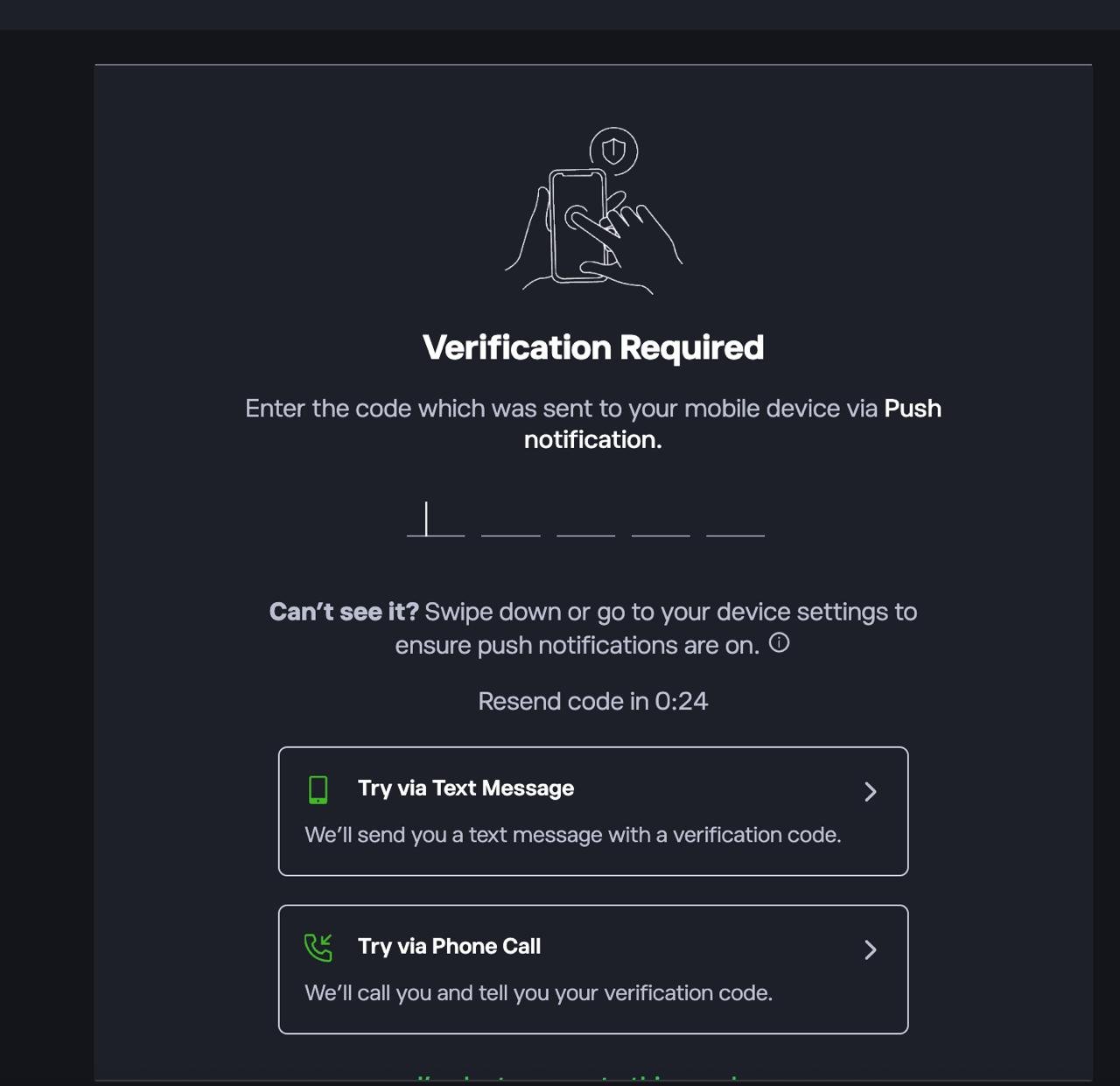
First sign up or log in to the platform. If prompted, complete 2FA by entering the code sent via push notification, SMS, or phone call.
2. Deposit funds into your account
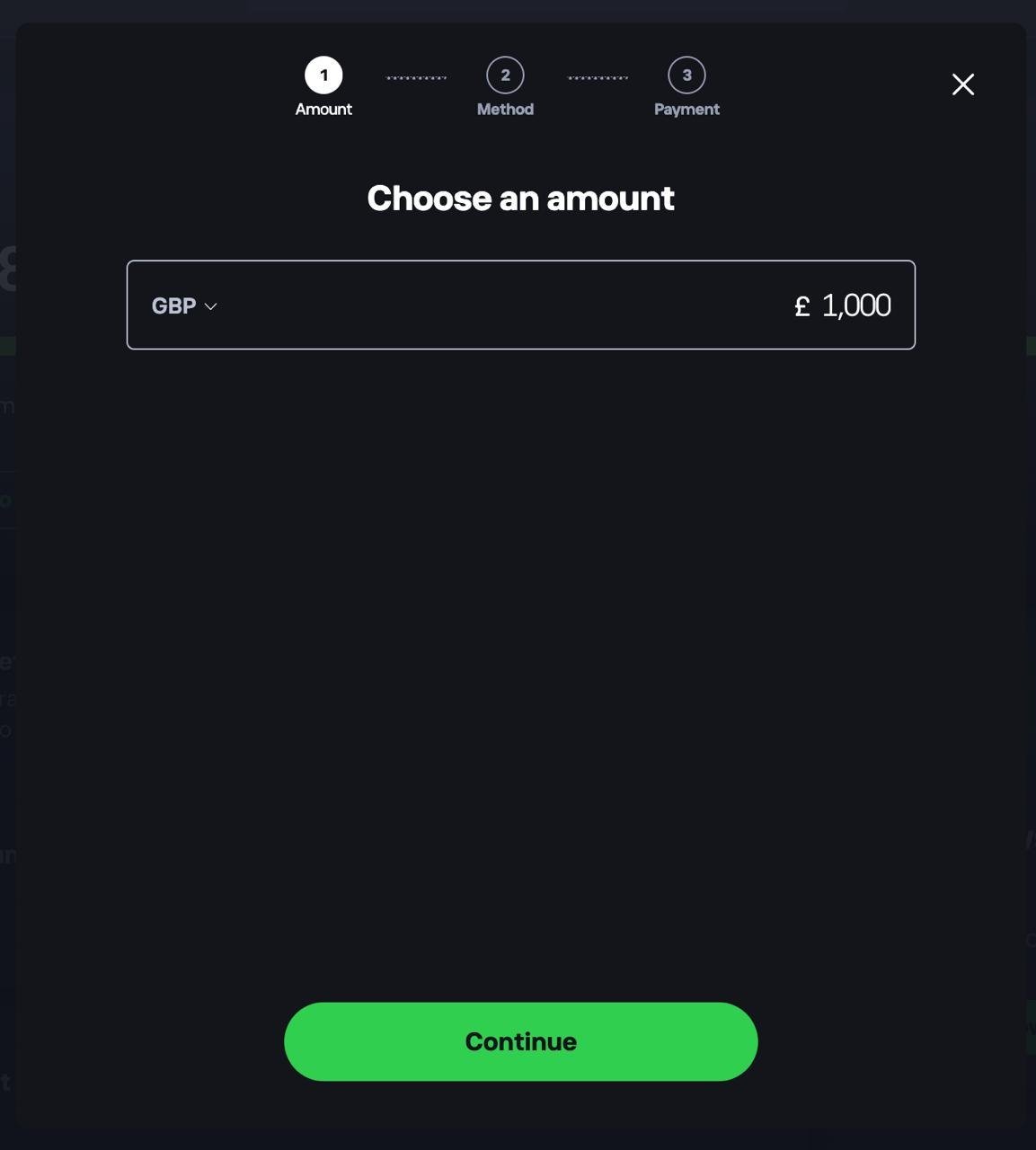
Head to your dashboard and choose to add funds. Select your currency, enter the amount you want to deposit, tap Continue, then choose a payment method.
3. Confirm your funds are available
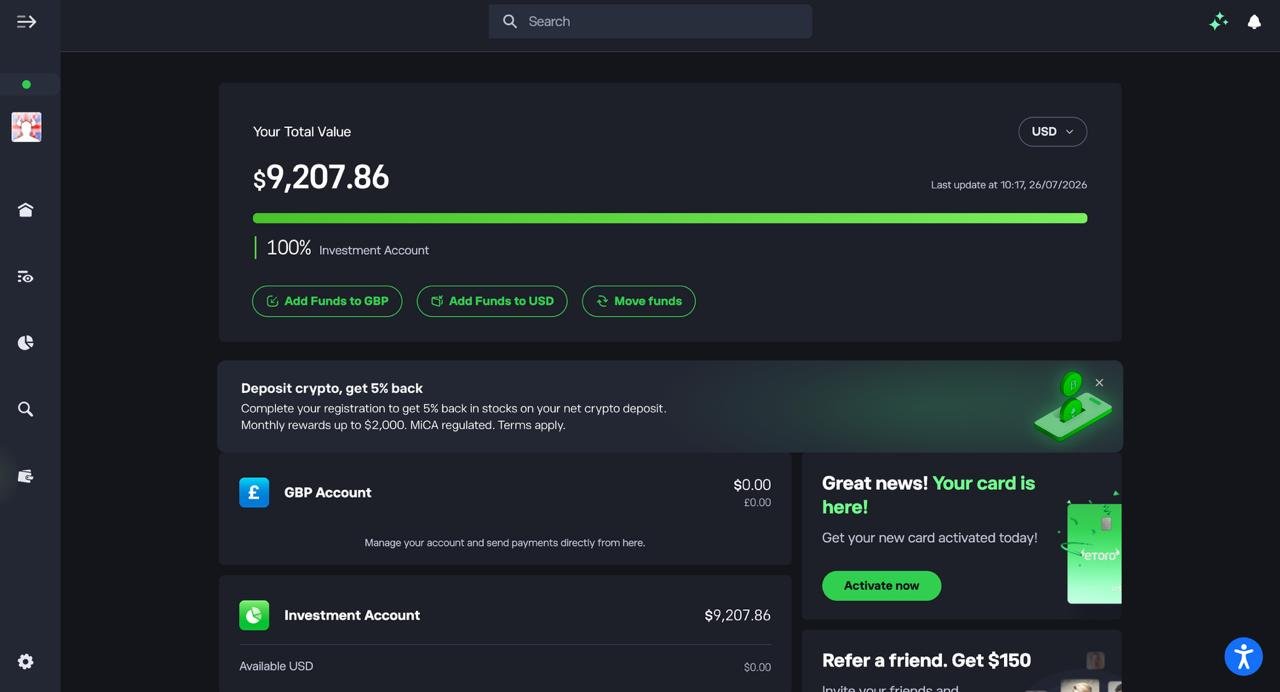
Check your dashboard to make sure your deposit has landed in your Investment Account before you start investing.
4. Find the investment you want
Search for the stock, ETF, or asset you want to invest in and open its overview page to check the price and performance before you commit.
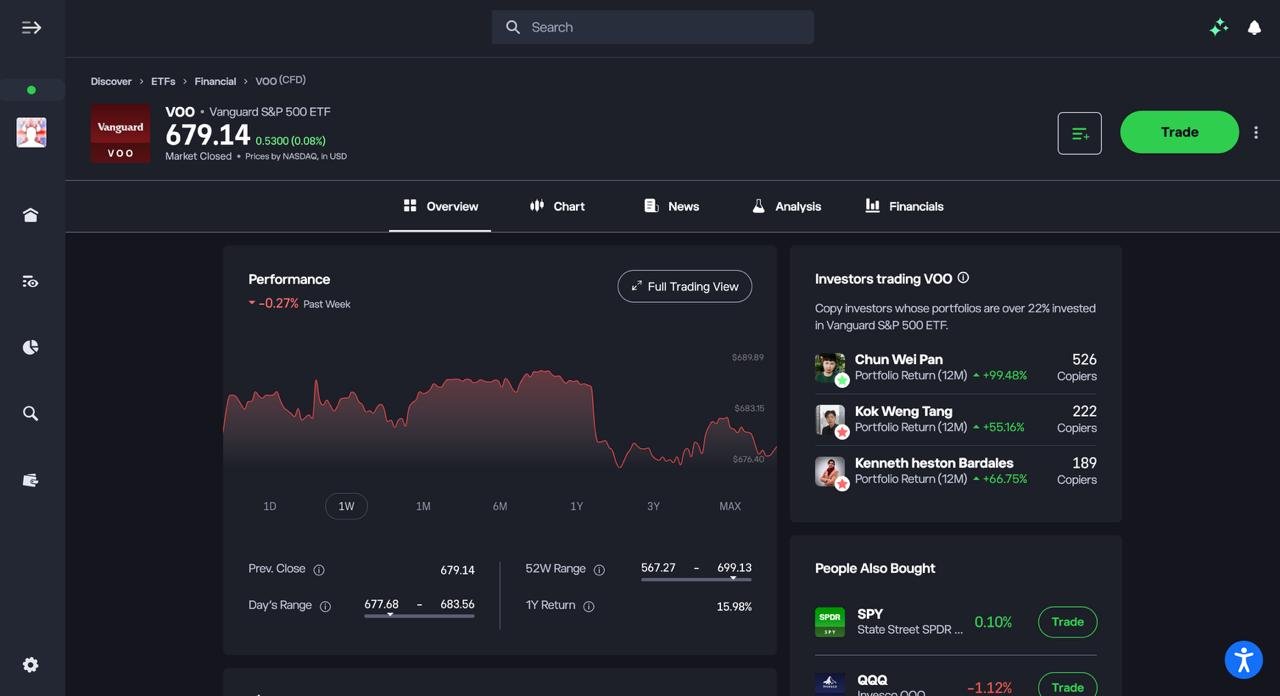
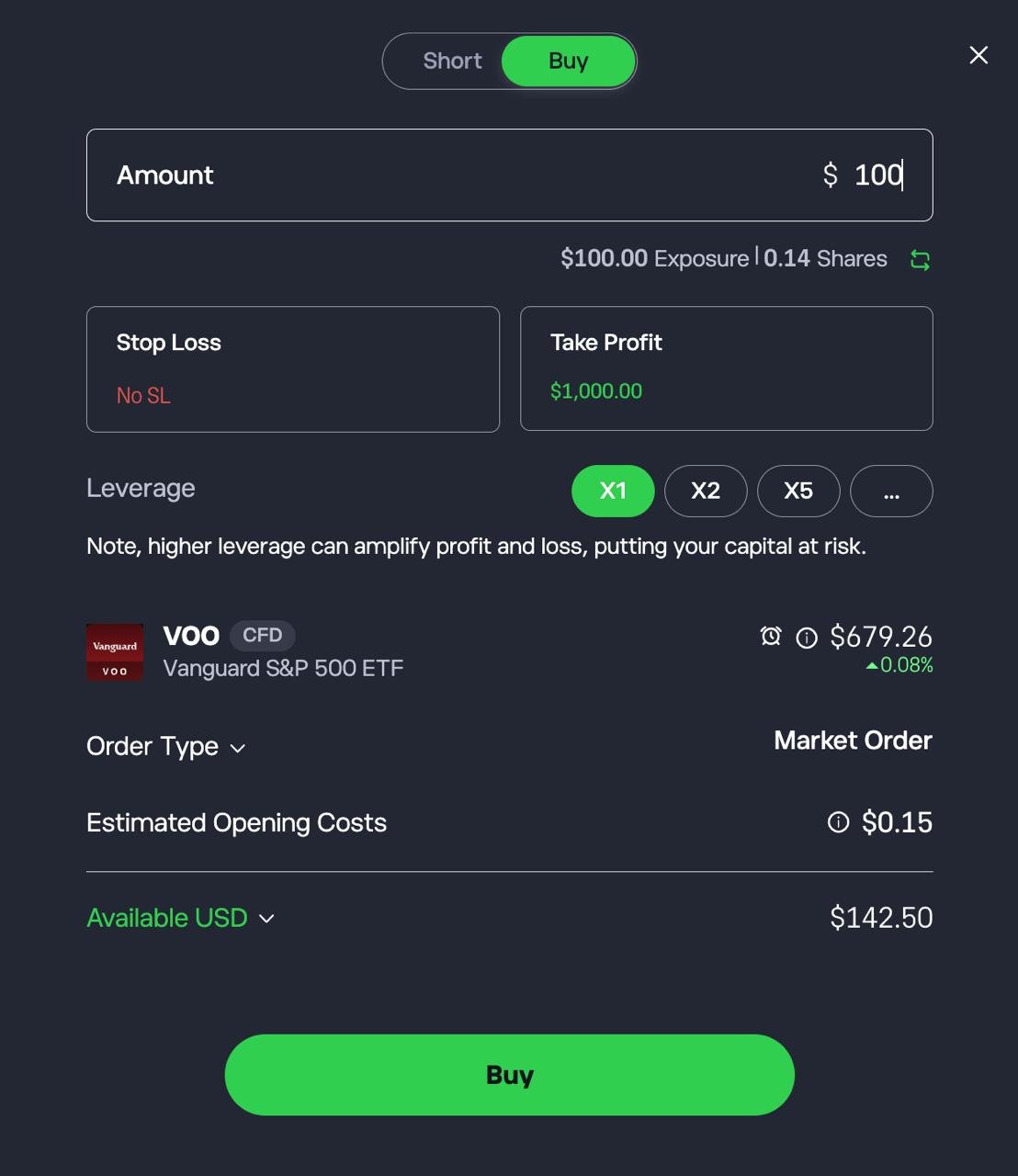
5. Set up and confirm your investment
Choose Buy, enter the amount you want to invest, optionally set a Stop Loss and Take Profit, then tap Buy to confirm.
FAQs
What apps can I use to invest in the UK?
UK investors can choose from commission-free apps like Trading 212, Freetrade and Lightyear, and from multi-asset apps like eToro, XTB and IG. There are also ETF-only platforms like InvestEngine and flat-fee platforms like interactive investor. Most offer UK and US shares and ETFs, and some add funds, investment trusts or managed portfolios. Check that the app offers the account type you need and is authorised by the FCA before comparing anything else.
Is investing through an app safe?
Investing through an app is as safe as the firm behind it, not the app itself. Check that the company is authorised on the FCA register, which means it must keep client money and assets separate from its own. If an authorised firm fails and can’t return your eligible investments, the FSCS can cover eligible claims up to £85,000 per person per firm. That protection doesn’t cover investment losses: if your shares fall in value, that’s market risk.
Do investment apps charge fees?
Yes, even the ones advertising £0 commission. The main costs are FX fees on overseas shares (from about 0.1% to 1% per conversion), platform or subscription fees, and ETF and fund charges. Stamp duty of 0.5% also applies to UK shares. Some apps charge extra for a SIPP or for card deposits. Compare the total cost for how you’ll actually invest, not the headline dealing fee.
Can beginners invest using apps?
Yes. Most apps let you start with £1 or less through fractional shares, and many offer recurring investments so you can invest a set amount every month. For a first investment, a low-cost global ETF inside a Stocks & Shares ISA is a common starting point. Avoid apps where it’s easy to confuse real shares with CFDs, which are leveraged products that carry much higher risk.
Do investment apps offer ISAs or SIPPs?
Most offer a Stocks & Shares ISA, but SIPP support varies. Trading 212, IG, Freetrade, InvestEngine and interactive investor all offer a SIPP. eToro, XTB and Lightyear don’t. Pension fees range from nothing to a flat annual charge, so check this if you want your ISA and pension in one app.
Can I transfer my ISA to a different investment app?
Yes. Start the transfer through your new provider and don’t withdraw the money yourself, or it loses its tax-free status and uses up allowance. Cash transfers usually take up to 30 days. Moving your investments without selling them (“in specie”) can take longer, and not every app accepts them. Check whether your current provider charges an exit fee, and whether your new app covers it.
What are the best investment apps for beginners UK?
For beginners, eToro is the most approachable thanks to its social feed and CopyTrader, although stocks carry a $1–2 commission. Freetrade has the simplest buy flow and a free ISA and SIPP. Trading 212 is the cheapest all-round option with automated Pies. InvestEngine suits beginners who just want a hands-off ETF portfolio.
More UK guides
- Best Investment Platforms UK
- Best Demo Trading Accounts UK
- Best Trading Apps UK
- Best Trading Platforms UK
- Best ETF Platform UK
References
- https://www.fca.org.uk/investsmart/right-investment-you
- https://www.fca.org.uk/firms/investment-platforms-consumers-investment-costs-good-poor-practic
- https://www.theguardian.com/money/2025/jun/21/investing-apps-beginners-robo-adviser-platforms-money
- https://businessschool.blogs.bristol.ac.uk/2025/07/22/passive-investing-and-its-impact-on-financial-markets/
- https://www.mmu.ac.uk/news-and-events/news/story/britons-are-less-likely-americans-invest-stocks-they-may-not-have-full
