

After testing 7 UK demo trading accounts, my top picks are eToro for beginners and copy trading, Capital.com for beginner CFD trading and IG for advanced traders and spread betting. I compared demo realism, starting balances, the risk tools you can practise, platform choice, expiry rules and what each broker charges once you move to a live account.

- CopyTrading lets you mirror experienced investors' trades
- Multi-asset access: stocks, crypto, ETFs, forex, commodities
- Beginner-friendly interface with social/community sentiment feed
Capital at risk. T&Cs apply.
How I tested and ranked these demo accounts
I opened a demo account with each of the seven brokers between 2 September and 6 October 2026, using only virtual funds. In each one I placed index, forex and share CFD trades with stop-losses attached, and checked the spread, margin and overnight cost shown before confirming each order.
- 7 UK demo accounts opened
- 31 markets traded, from the FTSE 100 to Bitcoin
- 2 margin rejections triggered deliberately, at Capital.com and Pepperstone
- 5 balance resets or top-ups tested
- 12 platforms used, including MT4, MT5, cTrader, TradingView and ProRealTime
- 1 expiry check: XTB’s demo was still active after 34 days unused
- Tested on iPhone, iPad, Android, Windows desktop and web browsers
I then weighted demo realism 25%, risk tools 20%, ease of starting 15%, live-account parity 15%, platform and charting choice 10%, demo duration and limits 10%, and cost of going live 5%. FCA authorisation, UK availability, free access with no deposit and live pricing were entry requirements, not scoring factors.
What are the best demo trading accounts in the UK in 2026?
| Broker | Best for | Virtual funds | Expiry | Markets | Platforms | MT4/5 | TradingView | Spread betting | Mobile |
|---|---|---|---|---|---|---|---|---|---|
| eToro | Beginners & copy trading | $100k | Unlimited | Stocks, ETFs, crypto, CFDs | eToro web/app | No | No | No | Excellent |
| Capital.com | Beginner CFD trading | £1k | No expiry | 5,500+ | Web/app, MT4, MT5, TradingView | MT4 only | ✓ | ✓ | Excellent |
| IG | Advanced traders & spread betting | £10k | Unlimited* | 16,000+ | IG web/app, ProRealTime, MT4, MT5, L2 Dealer | ✓ | ✓ | ✓ | Excellent |
| Pepperstone | Forex & algorithmic trading | Custom | 60–90 days inactivity** | FX, indices, shares, commodities, ETFs | Pepperstone, MT4, MT5, cTrader, TradingView | ✓ | ✓ | ✓ | Very good |
| XTB | All-round CFD practice | £100k | No expiry*** | 2,100+ | xStation | No | No | No | Very good |
| CMC Markets | Advanced charting | £10k | Unlimited**** | 12,000+ | Next Generation, MT4, TradingView | MT4 only | ✓ | ✓ | Good |
| Plus500 | Simple CFD trading | £40k, auto top-up | Unlimited | 2,800+ | WebTrader/app | No | No | No | Excellent |
Why use a demo account?
Demo accounts are ideal for learning how to trade and how markets work, testing trading strategies, and understanding platform features before risking real capital. They are especially useful for practising risk management and order execution in a safe environment.
The best demo trading account in the UK ultimately depends on your trading style, whether you prioritise copy trading, advanced analytics, mobile usability, or algorithmic forex strategies.
What type of demo account do you need?
| If you want to practise… | Look for… | Best pick on this page |
|---|---|---|
| UK shares | Stock/paper trading | eToro |
| ETFs | Investment/paper trading | eToro |
| Forex | Forex/CFD demo | Pepperstone |
| Spread betting | Spread betting demo | IG |
| CFDs | CFD demo | Capital.com |
| Options | Options paper trading | IG |
| Algorithmic strategies | MT4/MT5/cTrader/API demo | Pepperstone (MT4/MT5/cTrader) |
| Copy trading | Social/copy demo | eToro |
UK demo trading platform reviews
1. eToro demo account – Best for beginners & copy trading
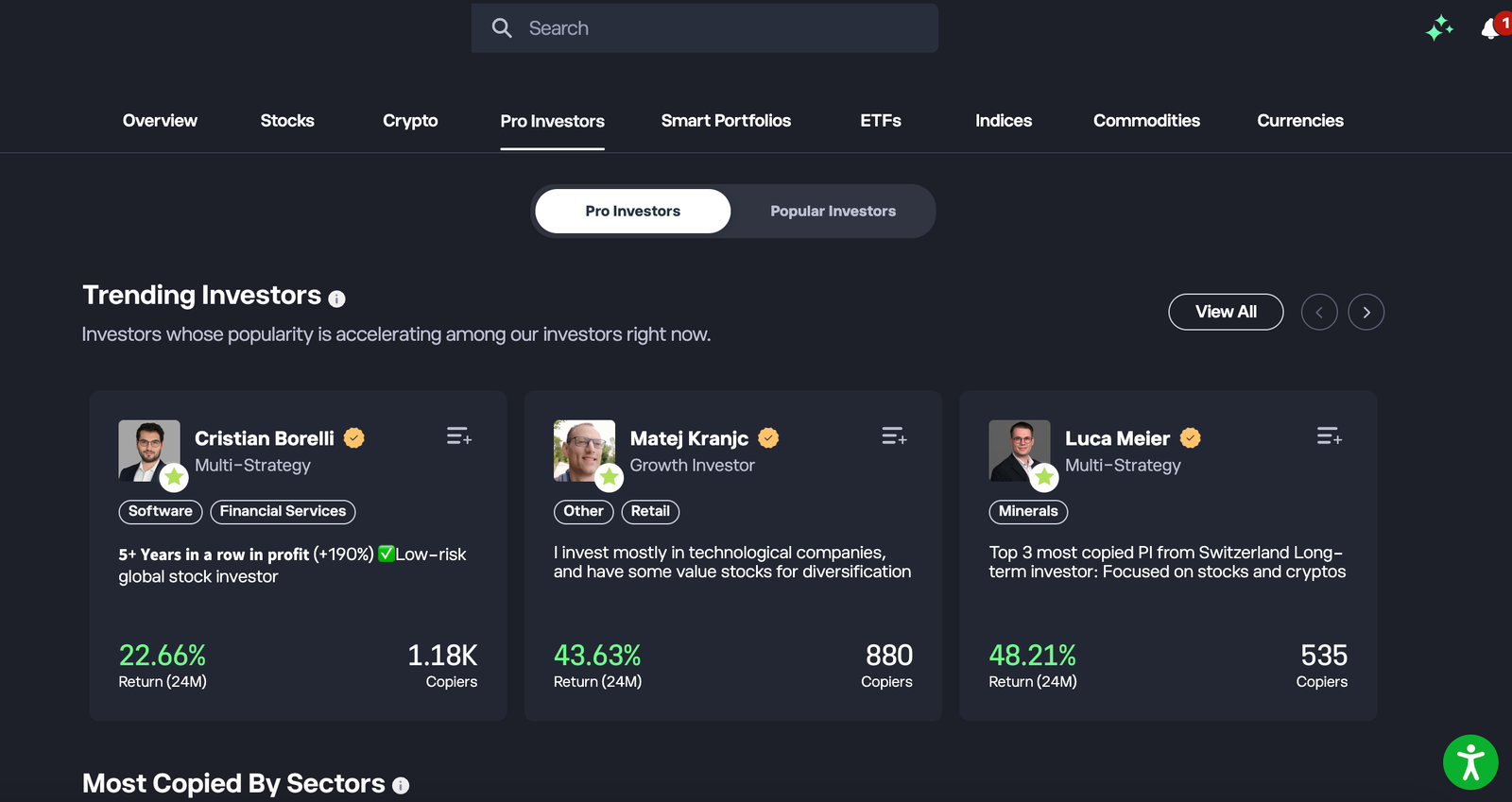
eToro is the best UK demo for beginners who want to practise real stocks, ETFs, crypto and copy trading in one simple app. The trade-off is depth: charting and order tools are thinner than MT4/MT5 or IG, and the $100,000 virtual balance makes oversized positions far too easy.
Key information
| Feature | eToro |
|---|---|
| Demo balance | $100,000 virtual (USD) |
| Demo duration | Unlimited |
| Reset/top-up | Yes, reset to $100,000 from the Virtual Portfolio menu |
| Platforms | eToro web and mobile app (same login as live) |
| Markets | Real stocks and ETFs, crypto, plus forex, indices and commodities as CFDs |
| Copy trading in demo | Yes — CopyTrader works with virtual funds |
| Leverage | FCA retail limits (30:1 major FX, 5:1 share CFDs) |
| Live stock/ETF fees | 0% commission advertised; $1–$2 per trade may apply depending on exchange |
| Live FX/withdrawal | 1.5% on GBP into the USD account; GBP account withdrawals free, USD account $5 |
| Spread betting | No |
| FCA / FSCS | FCA-regulated (eToro UK Ltd, FRN 583263); FSCS up to £85,000 (not crypto) |
| Main weakness | Basic order types and limited technical tooling |
What I tested: I tested eToro’s Virtual Portfolio on a UK retail account between September and October 2026, using the iPhone app and a desktop browser. I started with the $100,000 virtual balance and reset it once. I traded Apple shares, a Vanguard S&P 500 ETF, Bitcoin and a EUR/USD CFD, then copied one Popular Investor with $5,000, edited the allocation and stopped the copy.
How I tested eToro’s demo
My hands-on test started with a fresh sign-up. I reached the Virtual Portfolio in about four minutes, before uploading any ID, and switched between Real and Virtual from the top of the portfolio screen. That toggle matters: the demo is the live app, not a cut-down copy.
I bought $2,000 of Apple and $3,000 of an S&P 500 ETF as unleveraged trades, then practised buying Bitcoin with $1,000. Next I opened a EUR/USD position at 30:1 leverage. The order ticket showed the spread and an estimated overnight fee before I confirmed, which is more cost visibility than I expected in a demo.
The real test was CopyTrader. I allocated $5,000 to a Popular Investor with a two-year record and a risk score of 4. Their open positions were copied into my virtual portfolio within a minute. I then raised the allocation to $7,500 and set a copy stop-loss at 30%. Stopping the copy closed every mirrored position in one action.
Is eToro’s demo realistic?
Partly. Prices are live and the instrument list matches the real account. But the virtual portfolio does not apply the 1.5% conversion on GBP deposits into the USD account, so beginners never feel that cost. With $100,000 to play with, I also caught myself sizing positions I would never take with real money.
Who is eToro’s demo best for?
eToro suits beginners who want to learn investing and copy trading before risking money. It is the only demo here where you can rehearse following another trader end to end, which is why it also features among the top copy trading platforms we’ve tested. Choose IG, Pepperstone or CMC instead if you want to practise technical CFD or forex trading with advanced order types.
Read the complete eToro review here.
Pros and cons of the eToro demo account
- Unlimited demo access
- CopyTrader works fully in demo, so you can copy, adjust and stop a trader with virtual funds
- Simulates buying real shares and ETFs, not just CFDs
- CopyTrader available
- Demo access in about four minutes with no ID check, and one tap to switch between Real and Virtual
- Unlimited demo with a resettable $100,000 balance
- Limited advanced charting
- Not suitable for algorithmic trading
- Doesn't simulate the 1.5% FX conversion on GBP deposits into the USD account
- Basic order types, with no pending stop-entry orders
- No MT4/MT5, TradingView or spread betting
2. Capital.com demo account – Suited to beginner CFD trading
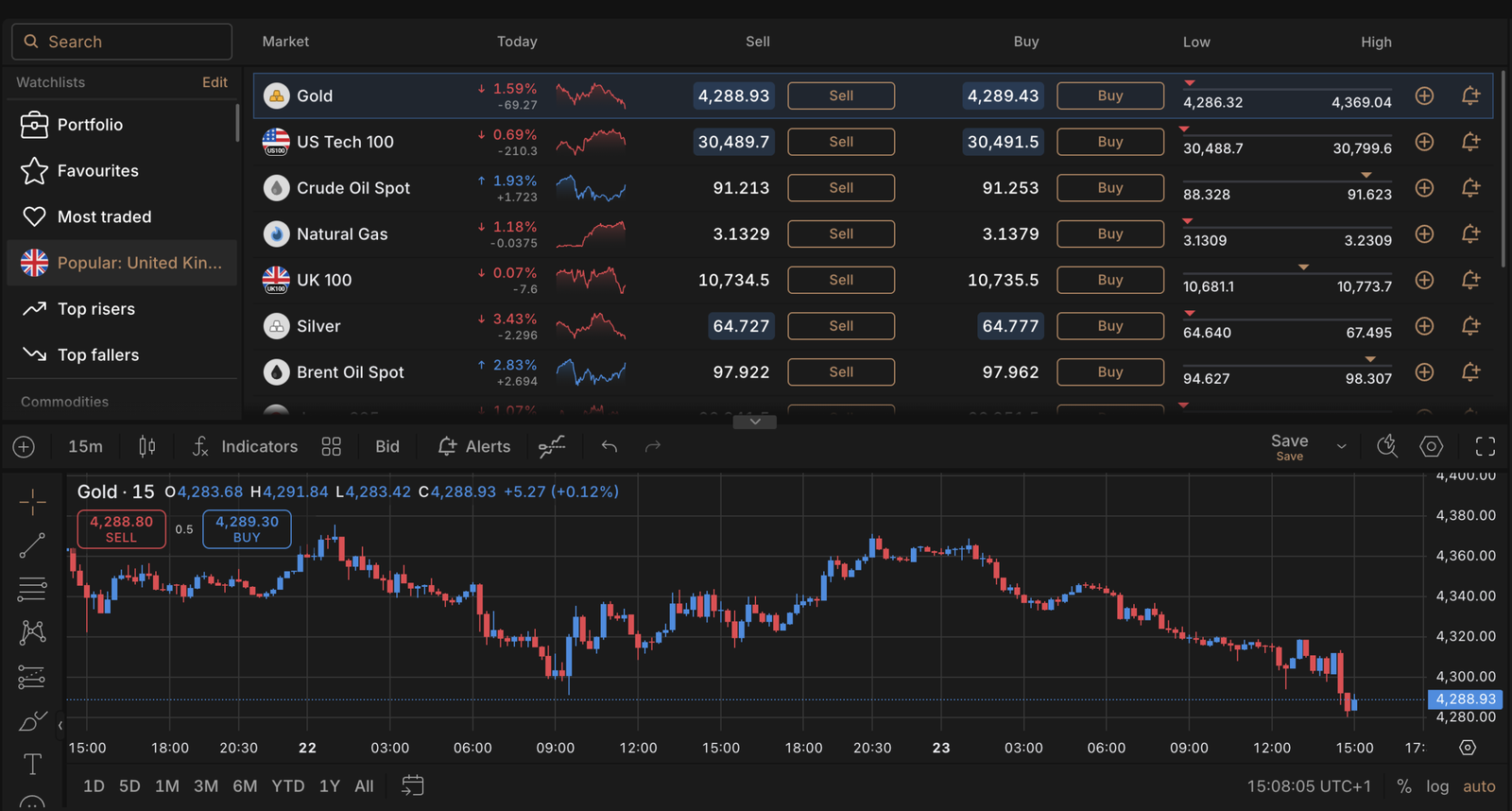
Capital.com’s demo is suited to a first-time CFD trader who wants a clean ticket, live prices and a balance small enough to feel real. The trade-off: demo fills are cleaner than live fills, and Capital.com’s own help pages say so.
Key information
| Feature | Capital.com |
|---|---|
| Demo balance | £1,000 virtual, resettable |
| Demo duration | No expiry |
| Platforms | Capital.com web and app, TradingView, MT4, MT5 |
| Markets | 5,500+ CFD markets incl. 120+ FX pairs; no crypto for UK retail |
| Spread betting | Yes (UK) |
| Live costs | No commission; EUR/USD typically 0.6–0.7 pips; overnight funding = benchmark (SONIA/SOFR) ± daily fee |
| Guaranteed stops | Yes, premium charged only if triggered |
| Minimum deposit | £20 by card |
| Inactivity / withdrawal fee | None |
| FCA / FSCS | Capital Com (UK) Ltd, FCA FRN 793714; FSCS up to £85,000 |
| Main weakness | CFD/spread bet only — no real share dealing |
What I tested: Capital.com, between September and October 2026 on the desktop web platform and then the Android app, starting with the CFD demo and moving to the spread betting demo. I used the £1,000 virtual balance and reset it twice. I traded the UK 100, GBP/USD, Gold and a Tesla CFD, and tried the guaranteed stop, a price alert, the TradingView connection and Trading Insights.
How I tested Capital.com’s demo
When I tested Capital.com, I signed up with an email and was inside the demo in about three minutes. The £1,000 balance was the first thing I noticed. Unlike $100,000 demos, it forced me to size trades the way I would with a modest live deposit.
I opened a UK 100 buy at £1 per point, then a GBP/USD CFD at 30:1. The ticket showed required margin in pounds and the cash value of my stop-loss as I dragged it, so I could see exactly what a 40-point stop would cost before placing it. I added a guaranteed stop on the UK 100 trade; the premium appeared on the ticket first, which is a lesson in itself.
A Tesla CFD at 5:1 then ate most of my free margin, and a second trade was rejected. That is a useful, honest demo moment: it shows how quickly share CFDs tie up capital. I reset the balance in two clicks and moved to the spread betting demo, where the same ticket works in £ per point.
Finally, I linked the account to TradingView and placed a gold trade from the chart. Trading Insights later flagged that I had widened a stop mid-trade, which is the kind of behavioural feedback beginners rarely get.
Does Capital.com’s demo teach you how live CFD trading works?
Mostly, but the execution is not identical to live trading. During my test, the demo displayed live-style prices, spreads and margin requirements, and showed the overnight funding cost before I placed a trade. My positions were also subject to the same basic margin mechanics I would expect when trading CFDs.
The important difference is execution. Capital.com’s help centre says demo orders can be filled instantly at the displayed price, whereas live orders can fill at a different level in fast markets. I also saw no slippage during my own US-market test, so I would treat the demo as a best-case execution environment, rather than assuming its fills represent what would happen with real money.
For practising position sizing, stop-losses, margin and how to trade CFDs, the demo is highly useful. For understanding real-world slippage and liquidity, it is less reliable.
Who is Capital.com’s demo suited to?
Capital.com suits beginner and early-intermediate CFD or spread betting traders who want realistic position sizing and clear risk maths. Choose eToro instead if you want real shares or copy trading, or IG if you need a far wider market list.
Read the complete Capital.com review here.
Pros and cons of the Capital.com demo account
- £1,000 default balance encourages realistic position sizing
- Ticket shows margin and the cash value of your stop-loss before you trade
- Spread betting demo alongside CFDs, plus TradingView, MT4 and MT5 access
- No expiry, and the balance resets in two clicks
- Demo orders can fill instantly at the displayed price, unlike live
- £1,000 runs out quickly on share CFDs at 5:1
- CFDs and spread bets only, with no real share dealing
65% of retail investor accounts lose money when trading spread bets and CFDs with this provider. You should consider whether you can afford to take the high risk of losing your money.
3. IG demo account — Best for advanced traders & spread Betting
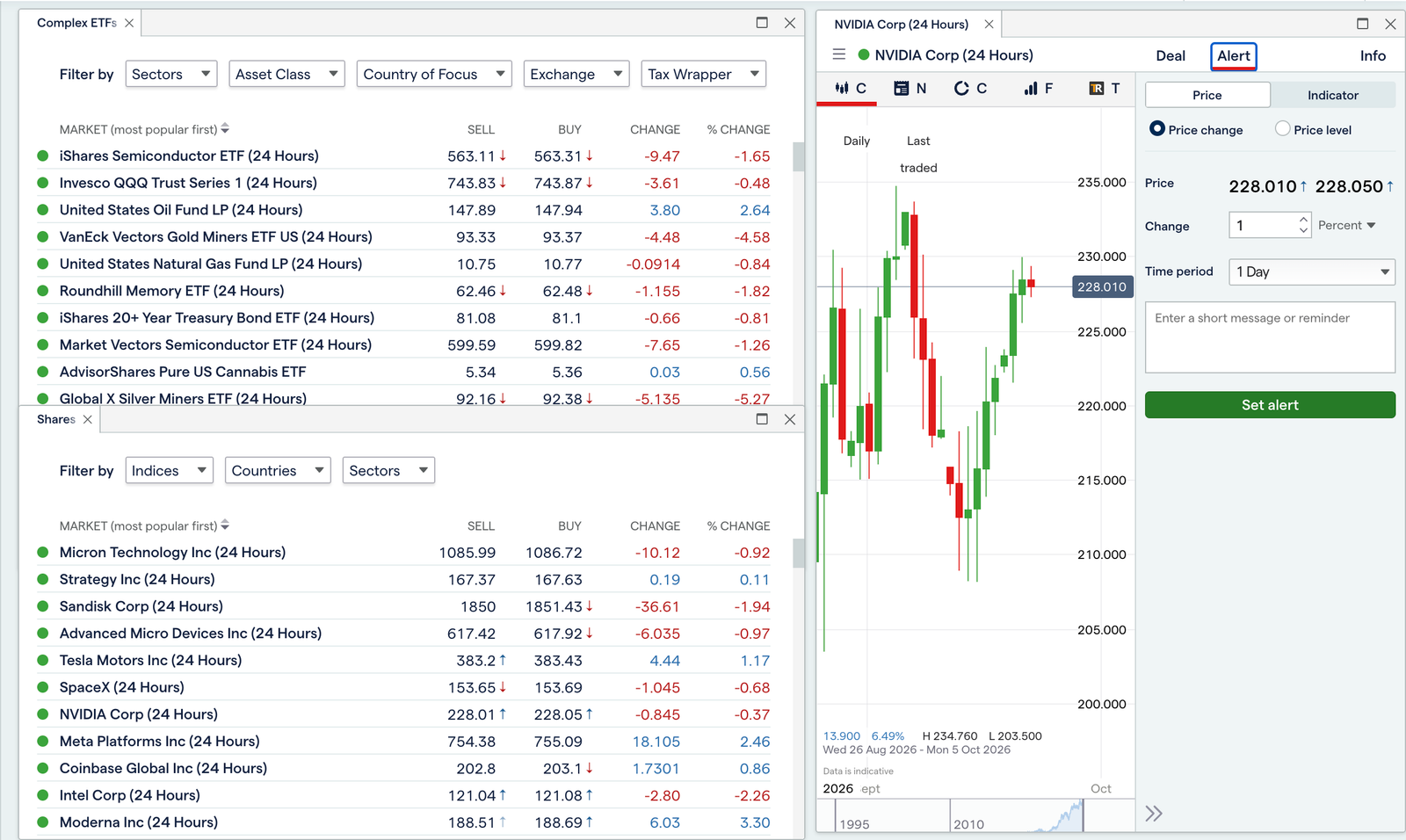
IG is the best UK demo for practising spread betting across a huge market list, with the most complete set of order and risk tools in this comparison. The trade-off is a busier platform that takes a beginner noticeably longer to learn, and MT4/MT5 demos that lapse after 60 days of inactivity.
Key information
| Feature | IG |
|---|---|
| Demo balance | £10,000 virtual |
| Demo duration | Main demo ongoing; MT4/MT5 demos expire after 60 days’ inactivity |
| Platforms | IG web and app, ProRealTime, TradingView, MT4, MT5, L2 Dealer |
| Markets | 16,000+ incl. FX, indices, shares, commodities, options |
| Spread betting | Yes — tax-free in the UK (tax rules can change) |
| Live spreads | FTSE 100 from 1 point; EUR/USD from 0.6 pips; FTSE 100 share bets from 0.10% |
| Guaranteed stops | Yes; UK share GSL premium 0.3–1.0% depending on volatility, charged only if triggered |
| Overnight funding | Charged on positions held past 10pm UK time |
| FCA / FSCS | IG Markets Ltd, FCA FRN 195355; FSCS up to £85,000 |
| Main weakness | Steeper learning curve; demo does not reproduce live slippage |
What I tested: IG between September and October 2026 on the desktop web platform, the iPad app and ProRealTime charts, using both the spread betting and CFD demos with £10,000 of virtual funds. I traded the FTSE 100, Lloyds shares, EUR/GBP, Brent crude and a weekly FTSE option, and tried a guaranteed stop, a trailing stop, a working order, a price alert and the MT4 demo.
How I tested IG’s demo
I went into the IG demo specifically to rehearse spread betting. With £10,000 of virtual funds, I placed a £2 per point buy on the FTSE 100 during London hours and saw the 1-point spread on the ticket. A 40-point stop meant £80 at risk, and the ticket showed that cash figure before I confirmed.
Next I bet £5 per point on Lloyds and attached a guaranteed stop. The minimum distance was enforced and the potential premium appeared in the ticket. This matters for beginners, because it shows that guaranteed protection costs money and cannot sit tight to the price.
I then set a working order to sell Brent crude on a break of support, with a trailing stop of 30 points. When the order triggered, the trailing stop followed the price as advertised. Opening a weekly FTSE option was the moment the platform felt heavy: the options chain and margin figures took a few minutes to decode.
Finally, I opened an MT4 demo for comparison. It worked, but IG’s warning that it expires after 60 inactive days is worth noting if you test sporadically.
How realistic is IG’s demo?
Realistic on prices and margin, less so on execution. IG states that demo markets don’t reproduce live slippage exactly. I also saw no out-of-hours price gaps or overnight interest on my demo positions, both of which a live spread bettor will meet.
Who is IG’s demo best for?
IG suits intermediate and advanced UK traders who want to practise spread betting, options and guaranteed stops across thousands of markets. Beginners who only need a few FX pairs and indices will learn faster on Capital.com or Plus500.
Read the complete IG review here.
Pros and cons of the IG demo account
- Spread bets, CFDs and options can all be practised in one demo
- The fullest order toolkit here, including guaranteed stops, trailing stops and working orders
- Widest platform choice: IG, ProRealTime, TradingView, MT4, MT5 and L2 Dealer
- £10,000 balance across a very large market range
- Strong education via IG Academy
- Busier platform, with option chains that take time to learn
- MT4/MT5 demos expire after 60 days of inactivity
- Demo doesn't reproduce live slippage, overnight interest or out-of-hours gaps
4. Pepperstone demo account — Best for forex & professional platforms
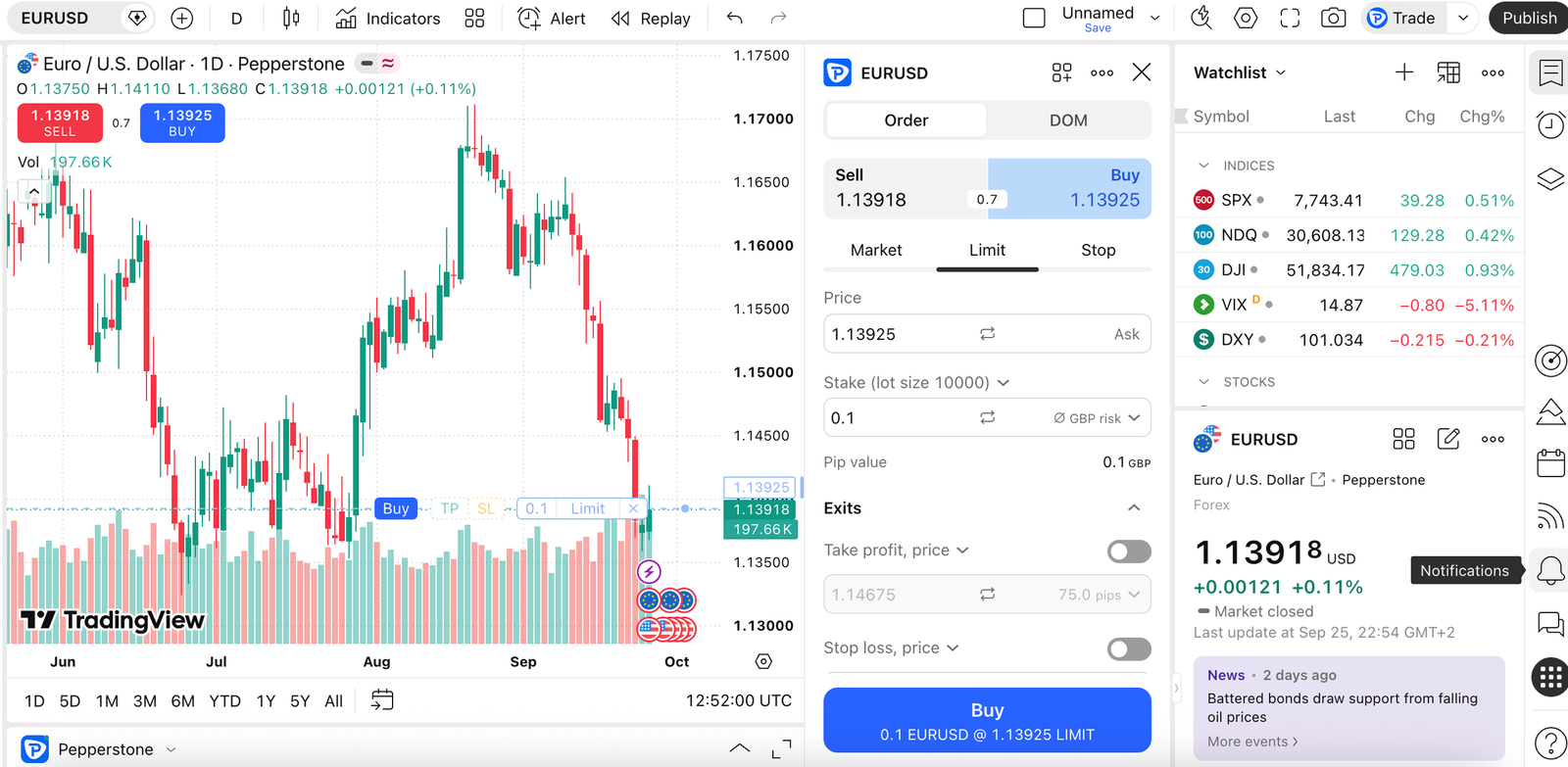
Pepperstone, one of the top forex brokers in the UK, is the best demo for forex traders who want to practise on the platform they will actually trade live, MT4, MT5, cTrader, TradingView or Pepperstone’s own. The trade-off is setup: each platform needs its own demo login, and they expire after 60–90 days of inactivity.
Key information
| Feature | Pepperstone |
|---|---|
| Demo balance | Chosen at setup, can be topped up (I used £10,000) |
| Demo duration | 60 days’ inactivity (Pepperstone, MT4, MT5); 90 days (cTrader, TradingView) |
| Platforms | Pepperstone, MT4, MT5, cTrader, TradingView |
| Markets | FX, indices, shares, commodities, ETFs as CFDs; no crypto for UK retail |
| Account types | Standard (spread only, EUR/USD from about 1.0 pip) or Razor (from 0.0 pips + £2.25 per lot per side on MT4/MT5; $6 round turn on cTrader/TradingView) |
| Spread betting | Yes (UK) |
| Automation | MT4/MT5 Expert Advisors, cTrader cBots |
| Minimum deposit | None |
| FCA / FSCS | Pepperstone Ltd, FCA FRN 684312; FSCS up to £85,000 |
| Main weakness | Fragmented logins and expiry rules; not built for beginners |
What I tested: Pepperstone between September and October 2026 on a Windows desktop (MT5 and cTrader), on the web (TradingView and Pepperstone’s own platform) and on the Android app. I started on a Razor demo, then a Standard demo, with £10,000 of virtual funds topped up once to £25,000. I traded EUR/USD, GBP/JPY, the Germany 40 and Gold, and ran a moving-average EA on MT5 and a sample cBot on cTrader.
How I tested Pepperstone’s demo
When I tested Pepperstone, I set up a £10,000 Razor demo and opened it first in MT5. I placed a 1-lot EUR/USD buy during the London session and saw a 0.1-pip spread, with £2.25 commission posted on entry and again on exit. Seeing commission line by line taught me more about Razor costs than any fee page.
I then tried a 10-lot GBP/JPY order to test realism. MT5 rejected it for insufficient margin, which Pepperstone says can happen in demo just as in live. I attached a simple moving-average EA to a Gold chart and let it run for two sessions; it opened and closed four trades unattended.
Next I logged into cTrader with separate credentials, placed a Germany 40 buy-limit with stop-loss and take-profit, and ran a sample cBot. Finally, I placed the same EUR/USD trade from a TradingView chart. The friction is real: four platforms meant four logins, each with its own expiry clock.
Which Pepperstone demo platform should you practise on?
Match the demo to how you plan to trade live. Here is how the five compared in my test:
| Platform | Ease of use | Charting | Automation | Mobile | Best for |
|---|---|---|---|---|---|
| Pepperstone | Easiest | Good, TradingView-powered | None | Strong app | Newer CFD traders |
| MT4 | Dated but familiar | Basic | EAs, huge library | Functional | Existing EA users |
| MT5 | Moderate | Better timeframes | EAs (MQL5) | Functional | Multi-asset algo traders |
| cTrader | Moderate | Clean, depth of market | cBots (C-sharp) | Good | Scalpers, manual FX |
| TradingView | Easy if you chart already | Best in test | Alerts only | Excellent | Chart-led discretionary traders |
How realistic is Pepperstone’s demo?
Close on pricing, weaker on execution. Pepperstone states demo prices are live but execution may not perfectly match live. My news-time EUR/USD trade filled without slippage. That doesn’t mean live execution would behave the same way during a major release, so I would treat the demo fill as best-case rather than evidence of live execution quality.
Who is Pepperstone’s demo best for?
Pepperstone suits forex and CFD traders who already know which professional platform they want, or who plan to run EAs or cBots. Beginners will find eToro, Capital.com or Plus500 quicker to learn, and occasional testers should note the inactivity expiry.
Read the complete Pepperstone review here.
Pros and cons of the Pepperstone demo account
- Practise on the same five platforms as live: Pepperstone, MT4, MT5, cTrader and TradingView
- Razor demo shows commission line by line (£2.25 per side on MT4/MT5)
- Runs Expert Advisors and cBots for algorithmic practice
- Enforces margin realistically and rejects oversized orders
- Each platform needs its own demo login
- Demos expire after 60–90 days of inactivity
- No slippage on news-time trades, so fills are best-case
- Not designed for complete beginners
5. XTB demo account — Best all-round CFD practice
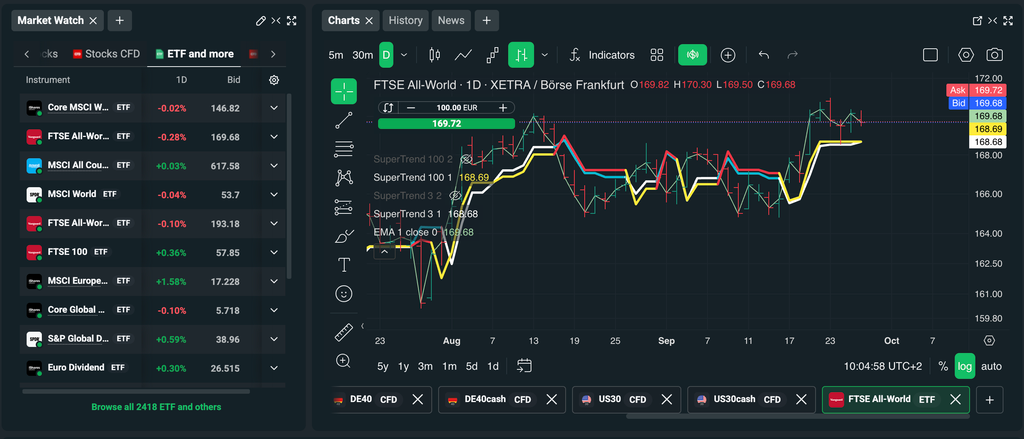
Among the top CFD trading platforms in the UK, XTB is the best all-round demo for active CFD traders who want analytics, a market scanner and education in one platform. The trade-off is lock-in: xStation is the only platform, so there is no MT4, MT5 or TradingView practice, and demo pricing on stock CFDs can lag.
Key information
| Feature | XTB |
|---|---|
| Demo balance | £100,000 virtual, GBP |
| Demo duration | UK help centre: no expiry (older XTB material and some reviews say 4 weeks) |
| How to open (UK) | Via the XTB mobile app |
| Platform | xStation web, desktop and mobile only |
| Markets | 2,100+ CFDs: FX, indices, commodities, stock and ETF CFDs; no crypto CFDs for UK retail |
| Live costs | No commission on standard CFDs; EUR/USD around 0.8–1.0 pip reported; 0.5% currency conversion |
| Inactivity fee | €10 a month after 12 months with no trading or deposit |
| Tools | Market sentiment, stock screener, trade calculator, heatmaps, news, education hub |
| FCA / FSCS | XTB Ltd, FCA FRN 522157; FSCS up to £85,000 |
| Main weakness | Proprietary platform only; demo ignores market depth and corporate actions |
What I tested: XTB between September and October 2026, opening the demo on the iPhone app and then using xStation web on a laptop. I used a standard CFD demo in GBP with £100,000 of virtual funds. I traded the UK 100, USD/JPY, Natural Gas, an Nvidia CFD and an S&P 500 ETF CFD, and tried the stock screener, trade calculator, pending orders, sentiment and education tab. To check expiry, I left the demo unused for 34 days (2 September to 6 October 2026) and logged back in; it was still active.
How I tested XTB’s demo
I opened the XTB demo from the iPhone app, as UK sign-ups now start on mobile, and had a £100,000 GBP account in about five minutes. I then moved to xStation on a laptop, where most of my testing happened.
Before my first trade, I used the trade calculator to size a USD/JPY position so a 25-pip stop risked £250. It showed margin, pip value and swap in one panel, which saved me the mental arithmetic other demos leave to you. I placed the trade with a stop-loss and take-profit attached, then set a sell-stop on Natural Gas below the previous day’s low.
Next I used the stock screener to filter US tech names by volume and opened a CFD on Nvidia at 5:1. This is where I hit the main friction: at the US open the demo price trailed the live quote, which XTB acknowledges for stock and ETF CFDs. Fine for practice, not for timing entries.
Does the XTB UK demo expire?
XTB’s current UK help centre says the demo does not expire, while older XTB pages and several third-party reviews say it lasts four weeks. I opened my demo on 2 September 2026, left it untouched, and logged back in on 6 October — 34 days later. It was still active, with my open USD/JPY position and balance intact. That supports the current UK help centre over the four-week rule many comparison sites still quote.
How realistic is XTB’s demo?
Good for FX and indices, weaker for stocks. XTB states that demo accounts do not pay corporate actions such as dividends, that stock and ETF CFD prices can be delayed, and that execution ignores market depth and order size. A large order fills as easily as a small one.
Who is XTB’s demo best for?
XTB suits active CFD traders who want one analytical platform with screeners, calculators and education built in. Choose Pepperstone instead if you want to practise on MT4, MT5 or TradingView, or IG and CMC for spread betting.
Read the complete XTB review here.
Pros and cons of the XTB demo account
- Built-in trade calculator shows margin, pip value and swap before you trade
- Stock screener, sentiment, news and education all inside xStation
- Large £100,000 GBP balance, and my demo was still active after 34 days unused
- Quick to open from the mobile app
- xStation is the only platform, with no MT4, MT5 or TradingView
- Stock and ETF CFD prices can lag live quotes
- Expiry guidance is inconsistent across XTB's own pages
6. CMC Markets demo account — Best for advanced charting
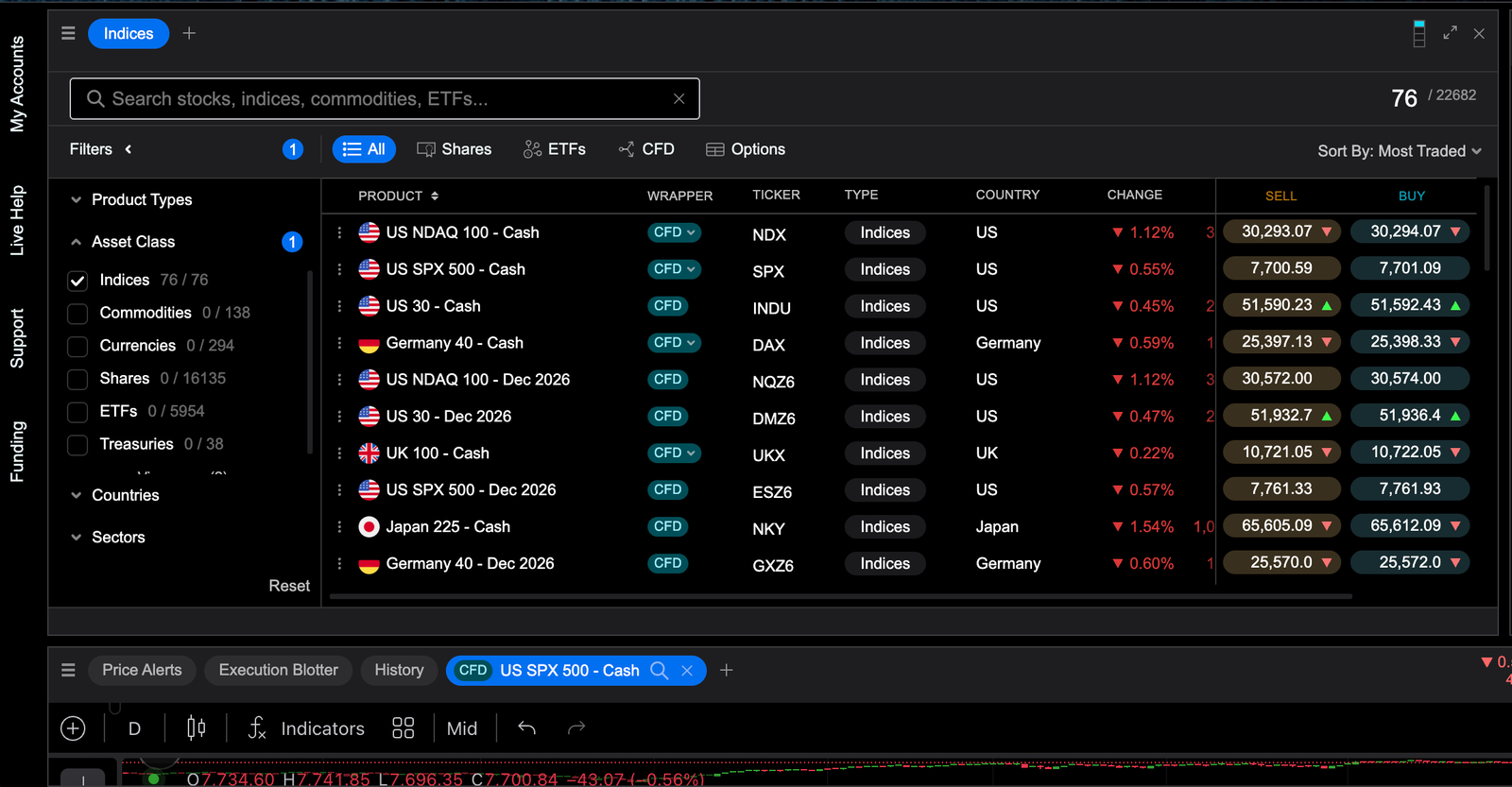
CMC Markets is the best demo for technical traders who want to practise serious charting, pattern recognition and spread betting on a professional platform. The trade-off is a steeper learning curve and UK share prices that are only available on the demo for the calendar month you activate it.
Key information
| Feature | CMC Markets |
|---|---|
| Demo balance | £10,000 virtual, top-up available |
| Demo duration | Unlimited (UK share data limited to the activation calendar month) |
| Platforms | Next Generation web and app, MT4, TradingView (depending on account) |
| Markets | 12,000+ incl. FX, indices, shares, ETFs, commodities, gilts and bonds |
| Spread betting | Yes (UK) |
| Live spreads | EUR/USD from 0.7 points, UK 100 from 1 point, Gold from 0.3 |
| Share CFD commission | UK 0.10% (min £9); US 2c per share (min $10); none on share spread bets |
| Guaranteed stops | Yes; premium refunded in full if not triggered |
| Inactivity fee | £10 a month on dormant accounts holding funds |
| FCA / FSCS | CMC Markets UK plc, FCA FRN 173730; FSCS up to £85,000 |
| Main weakness | Dense interface; UK share data expires on the demo |
What I tested: CMC Markets between September and October 2026 on Next Generation in a desktop browser and then the Android app, using the spread betting demo first and the CFD demo second, with £10,000 of virtual funds. I traded the UK 100, Gold, GBP/USD, Vodafone and a UK Banks share basket, and tried the pattern recognition scanner, chart drawing tools, client sentiment, price alerts and a guaranteed stop-loss order.
How I tested CMC Markets’ demo
I tested CMC as a chart-first trader. With £10,000 of virtual funds, I opened Next Generation on a desktop browser and spent about 20 minutes building a layout: a 4-hour Gold chart, a 15-minute UK 100 chart and the pattern recognition panel. That set-up time is the price of the depth.
The scanner flagged an ascending triangle on Gold. I placed a £3 per point spread bet directly from the chart, dragged my stop below the pattern’s lower trendline and added a GSLO. The ticket showed the premium, and when I closed the trade manually the premium was refunded, which CMC states will happen when the guaranteed stop isn’t hit.
Next I bet on the UK 100 at £2 per point with a 1-point spread during London hours, then set a price alert on GBP/USD at a round number. I tried a Vodafone spread bet and a UK Banks basket, which is a neat way to trade a sector in one ticket. The client sentiment panel showed the long/short split before I committed, a useful sense-check.
How much of CMC’s professional charting can you practise for free?
Almost all of it. The demo runs the same Next Generation platform as live, including the pattern scanner, drawing tools, sentiment and Reuters news. The main gap is UK shares: CMC limits UK share data on the demo to the calendar month you activate it, so share-focused practice gets cut short.
How realistic is CMC Markets’ demo?
Pricing, margin and GSLO mechanics matched what I would expect live. As with every demo here, fills were clean and I saw no overnight holding cost bite, so treat execution as best-case.
Who is CMC Markets’ demo best for?
CMC suits technical traders and UK spread bettors who want professional charting and pattern tools without paying for third-party software. Beginners will learn the basics faster on Capital.com or Plus500, and copy traders should look at eToro.
Read the complete CMC Markets review here.
Pros and cons of CMC demo account
- Pattern recognition scanner lets you trade directly from charts
- Guaranteed stop premium is shown on the ticket and refunded if not triggered
- Spread betting demo with sector baskets such as UK Banks
- Unlimited demo on the same Next Generation platform as live
- UK share data is available only for the calendar month you activate the demo
- Dense interface: about 20 minutes to set up a usable chart layout
- Steeper learning curve for beginners
7. Plus500 demo account — Best for simple CFD trading
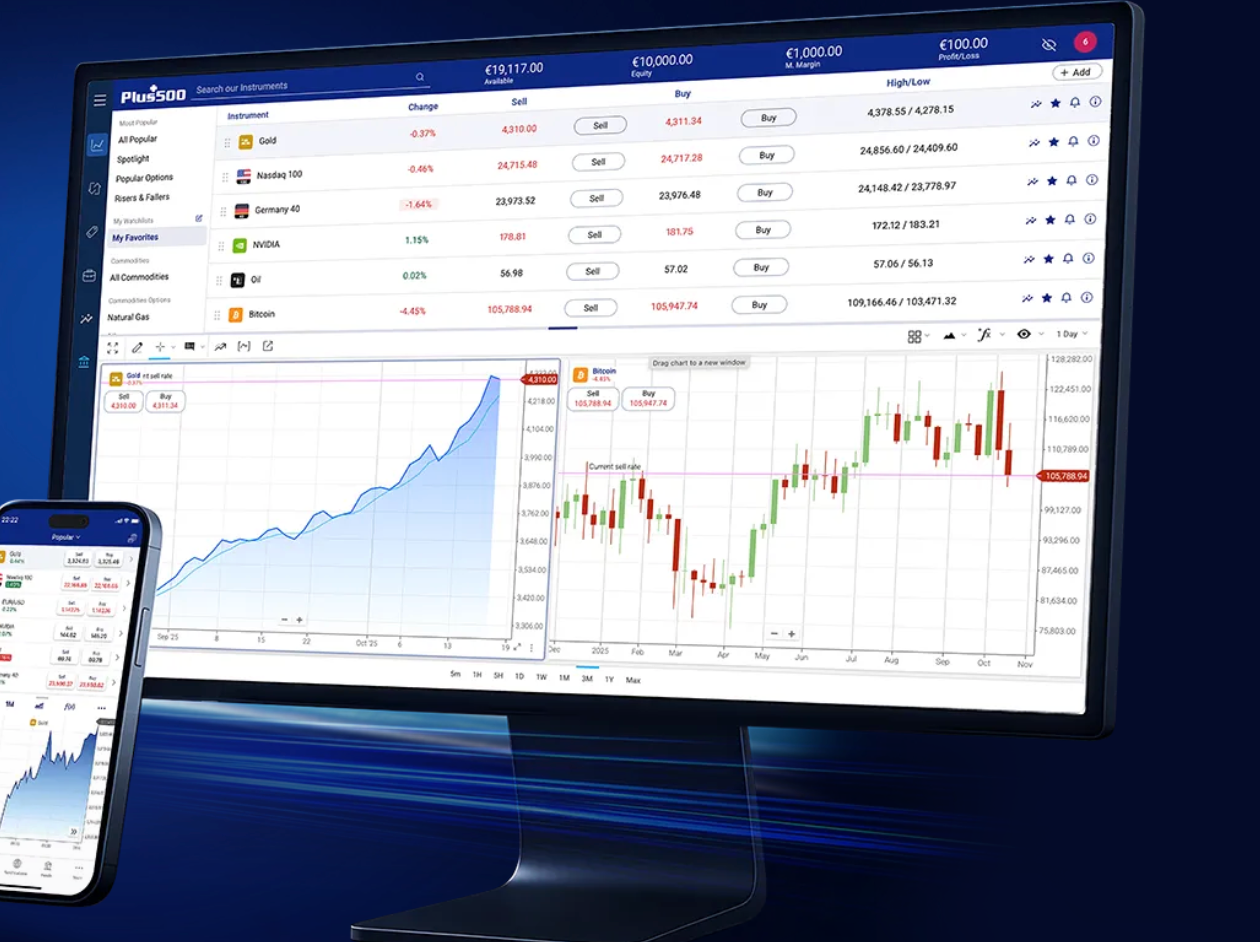
Plus500 is the simplest demo for learning basic CFD mechanics, buy, sell, stop, limit, without MT4, MT5 or a cluttered professional platform. The trade-off is that the simplicity can leave you underprepared: there is no spread betting, no third-party platform and the auto-refilling balance removes any sense of consequence.
Key information
| Feature | Plus500 |
|---|---|
| Demo balance | £40,000 virtual, auto top-up when low |
| Demo duration | Unlimited |
| Platform | Plus500 WebTrader and app only (no MT4/MT5) |
| Markets | 2,800+ CFDs: FX, indices, shares, commodities, options; no crypto for UK retail |
| Spread betting | No |
| Live costs | No commission; EUR/USD from 0.8 pips; currency conversion up to 0.7% |
| Guaranteed stops | Yes, paid through a wider spread |
| Inactivity fee | Up to $10 a month after 3 months without logging in |
| Minimum deposit | £100 by card |
| FCA / FSCS | Plus500UK Ltd, FCA FRN 509909; FSCS up to £85,000 |
| Main weakness | Thin analysis tools and no platform choice |
What I tested: Plus500 between September and October 2026 in demo mode on a UK account, starting on the Android app and then moving to WebTrader on a laptop. I began with the £40,000 virtual balance and deliberately drained it to test the auto top-up. I traded EUR/USD, the Germany 40, Brent Oil and an Amazon CFD, and tried the guaranteed stop, trailing stop, close at profit/loss, price alerts and +Insights.
How I tested Plus500’s demo
My hands-on test started on the Android app, and I was trading in demo mode in under three minutes. I bought EUR/USD first. The ticket had just three decisions — size, close at loss and close at profit — and showed the margin required as I typed. For a true beginner, that is the right amount of information.
I then shorted the Germany 40 and added a guaranteed stop. Instead of a separate premium, the ticket showed a wider spread, which is easy to miss if you don’t compare it with the standard quote. On Brent Oil I set a trailing stop and checked the instrument’s “Details” page, where the daily overnight funding percentage is listed.
To test the auto top-up, I opened an oversized Amazon CFD position and let losses pile up. Once the balance fell below the threshold, it was refilled. That is convenient, but it also removed any reason to respect my stop-loss.
Is Plus500’s simplicity an advantage for demo trading?
Yes for your first few weeks, less so after. The clean ticket teaches margin, stops and overnight costs faster than any other demo here. But you won’t practise MT4/MT5 workflows, depth of market or spread betting, so traders who plan to graduate will need a second demo.
Who is Plus500’s demo best for?
Plus500 suits complete beginners who want to understand how a CFD trade works before anything else. Move to Capital.com for a slightly richer beginner platform with spread betting, or IG and Pepperstone once you want professional tools.
Pros and cons of Plus500 demo account
- Fastest start: trading in demo mode in under three minutes
- Simplest order ticket, with size, close at loss and close at profit on one screen
- Overnight funding rate listed for each instrument
- Unlimited demo that tops itself up automatically
- Auto top-up removes any consequence for ignoring stop-losses
- Guaranteed stops are paid through a wider spread, which is easy to miss
- No spread betting, MT4/MT5 or TradingView
- Limited charting and analysis tools
Best demo accounts by trading type
Best forex demo account: Pepperstone
Pepperstone is the best forex demo because you practise on the platform you will trade live: MT4, MT5, cTrader, TradingView or Pepperstone’s own. On the Razor demo I saw EUR/USD at 0.0–0.2 pips in the London session, with £2.25 commission posted on each side of the trade, pricing that puts it among the lowest-spread forex brokers in the UK. The catch is that each platform needs its own login and expires after 60–90 days of inactivity.
Best spread betting demo account: IG
IG is the best spread betting demo and one of the top spread betting platforms for live trading, with £10,000 in virtual funds and 17,000+ markets I placed £ per point bets on the FTSE 100 and Lloyds, attached a guaranteed stop and set a trailing stop on Brent crude, all from the same deal ticket. CMC Markets is the stronger choice if your spread betting is driven by charts and pattern recognition.
Best stock trading demo account: eToro
eToro is the only demo here that simulates buying real shares and ETFs rather than share CFDs. I bought Apple and an S&P 500 ETF unleveraged from the $100,000 Virtual Portfolio. Bear in mind the demo doesn’t apply the 1.5% FX conversion UK users pay on GBP deposits into the USD account.
My pick for a CFD demo account: Capital.com
Capital.com is my pick for a CFD demo because the £1,000 balance forces realistic position sizing. The ticket shows margin and the cash value of your stop as you drag it. A Tesla CFD at 5:1 used up most of my free margin and my next trade was rejected, which taught me how quickly share CFDs tie up capital.
Best demo trading app: eToro
eToro has the best demo app overall, and it’s one of the most popular trading apps in the UK for live accounts too. It took me about four minutes to reach the Virtual Portfolio with no ID check, and switching between Real and Virtual is one tap. Plus500 is the faster app for a first CFD trade (under three minutes), but it does far less.
Best MT4 demo account: Pepperstone
Pepperstone is my pick for MT4 because the demo runs Expert Advisors and offers Razor pricing alongside the Standard account, the same mix that puts it among the top MT4 brokers for live trading. IG also offers an MT4 demo, but it expires after 60 days of inactivity and sits beside a proprietary platform most IG users prefer.
Best MT5 demo account: Pepperstone
Pepperstone is also the best MT5 demo. I ran a moving-average Expert Advisor on Gold for two sessions and it opened and closed four trades unattended. An oversized 10-lot GBP/JPY order was rejected for insufficient margin, just as it would be live.
Best demo account for beginners: eToro
eToro is the best demo for complete beginners who want to practise investing and copy trading together. I copied a Popular Investor with $5,000, raised the allocation to $7,500 and stopped the copy in one action. Beginners focused on leveraged CFD trading should start with Capital.com instead.
Best paper trading account: eToro
eToro’s Virtual Portfolio is the closest thing to paper trading in this comparison. It lets you build and track a portfolio of real stocks, ETFs and crypto with virtual money and live prices.
Editorial note: Interactive Brokers wasn’t part of this comparison, so I haven’t named it the best paper trading account. It can only take this slot if it is added to the testing.
Demo realism score
| Broker | Price realism | Spread realism | Order realism | Slippage | Platform parity | Overall | Biggest realism gap |
|---|---|---|---|---|---|---|---|
| Pepperstone | 9/10 | 10/10 | 10/10 | 5/10 | 10/10 | 8.8/10 | News-time EUR/USD trade filled with no slippage |
| IG | 9/10 | 9/10 | 10/10 | 5/10 | 10/10 | 8.6/10 | No out-of-hours gaps or overnight interest on demo positions |
| Capital.com | 9/10 | 9/10 | 9/10 | 5/10 | 10/10 | 8.4/10 | Demo orders fill instantly at the displayed price |
| CMC Markets | 8/10 | 9/10 | 9/10 | 5/10 | 10/10 | 8.2/10 | UK share data only for the activation month |
| eToro | 9/10 | 8/10 | 6/10 | 5/10 | 10/10 | 7.6/10 | 1.5% FX conversion not simulated |
| Plus500 | 9/10 | 8/10 | 7/10 | 5/10 | 8/10 | 7.4/10 | Auto top-up removes the cost of losses |
| XTB | 7/10 | 8/10 | 8/10 | 4/10 | 9/10 | 7.2/10 | Stock CFD prices lag; execution ignores market depth |
How I scored and ranked the best demo trading accounts in the UK
I start from Psyfi Money’s broader platform research, then apply a weighting built for one reader: someone in the UK who wants to practise leveraged trading before risking real money. The order in this guide reflects how well each demo prepares that person for a live account. Any existing Psyfi Money platform rating stays separate.
Before ranking, I set four entry requirements:
- the provider is FCA-authorised;
- the demo is open to UK residents;
- it costs nothing and needs no deposit;
- it uses live or real-time prices.
All seven providers clear these, so I didn’t give extra points for meeting them.
| Ranking factor | Weight | What I assessed |
|---|---|---|
| Demo realism | 25% | Live pricing, whether spreads, overnight funding and margin show on the ticket, whether the starting balance is realistic, and each broker’s own disclosures on demo vs live fills |
| Risk tools you can practise | 20% | Stop-loss, take-profit, guaranteed stops and how their premium is shown, trailing stops, pending orders, margin calculators |
| Ease of starting | 15% | Demo access without ID checks, balance reset or top-up, how clear the order ticket is for a first trade |
| Live-account parity | 15% | Same instruments as live, spread betting availability, CopyTrader access, whether the demo runs on the live platform |
| Platform and charting choice | 10% | MT4, MT5, cTrader, TradingView and ProRealTime access versus proprietary-only platforms |
| Demo duration and limits | 10% | Expiry and inactivity rules (60–90 days at Pepperstone, IG’s MT4/MT5 demos), CMC’s one-month UK share data, XTB’s conflicting expiry guidance |
| Cost of going live | 5% | Spreads, Razor commission, FX conversion and inactivity fees once practice ends |
The most useful comparison was a simple scenario: a beginner who plans to fund a live account with around £1,000 places an index trade, a major FX trade and a share CFD, each with a stop-loss. Only Capital.com defaults to roughly that size, although Pepperstone lets you choose your own balance. eToro, XTB and Plus500 hand out balances that make oversized positions easy, and Plus500 refills automatically. I also checked which demos showed the cash cost of a stop or a guaranteed stop before confirming the trade.
Realism and risk tools carry 45% between them because a demo’s job is to rehearse the habits that protect live money. A demo that hides costs or forgives every mistake teaches the wrong lessons, however polished it looks. Live costs get only 5% because the demo itself is free, but they still matter once a reader moves on. These weights decide the order on this page, and Psyfi Money’s broader platform ratings remain a separate assessment.
eToro stays first because it is the only demo where beginners can practise real investing and copy trading together, which outweighs its lower realism for this page’s main reader.” This is a judgement call, so it only works if you agree with it.
Demo trading platforms I considered but didn’t rank
| Platform | Why I considered it | Why it didn’t make the list |
|---|---|---|
| Interactive Brokers | Well-known paper trading account with very broad global market access | Built for experienced, multi-asset investors, so it isn’t comparable with CFD- and spread-betting-focused demos. It also wasn’t part of my test battery. |
| City Index | Spread betting, CFDs, MT4 and TradingView access in one demo | Demo is time-limited (12 weeks), and it overlaps closely with IG and CMC Markets without beating either on tools or market range |
| FOREX.com | MT4 and MT5 demos for forex traders | Demo is time-limited (90 days), and it covers the same ground as Pepperstone with fewer platform choices |
| Saxo | Professional-grade platform and research | Demo access is short (around 20 days), and the live account is aimed at higher-balance investors rather than people practising leveraged trading |
| Trading 212 | Practice mode is free, quick to open and easy to use | Practice mode is geared to share investing, where eToro already covers the beginner stock demo with copy trading on top |
| TradingView paper trading | Excellent charts and a free simulated trading account | Not a broker and not FCA-authorised, so it fails my entry requirements. Its simulated fills also don’t reflect any broker’s real spreads or margin rules. |
What is a demo trading account?
A demo trading account is a practice version of a broker’s trading platform that runs on virtual money. It uses live or near-live market prices, so you can open and close positions, set stop-losses and take-profits, and track profit and loss without risking a deposit. Some providers call this paper trading or virtual trading.
UK demo accounts usually cover the same leveraged products as the live account: CFDs, forex and, at some brokers, spread betting. A few also simulate buying real shares and ETFs. The demo shows you how the platform, the order ticket and margin work. It can’t show you how you’ll behave when the money is real.
What makes a good demo trading account?
A good demo account lets you practise the decisions you’ll make with real money, under conditions close to the live account. Brand recognition and a long feature list matter less than what you can actually rehearse.
| Criterion | What to look for | Why it matters |
|---|---|---|
| Demo realism | Live prices, spreads and overnight costs shown on the order ticket | Lessons only transfer if costs and prices behave as they do live |
| Virtual balance | A balance you can reset or set close to your planned deposit | A $100,000 balance makes oversized positions feel normal |
| Duration and expiry | No expiry, or clear inactivity rules | Some demos lapse after 30–90 days of inactivity |
| Markets | The instruments you plan to trade live, such as FTSE 100, EUR/USD, gold or US shares | Practising markets you won’t trade has little value |
| Order types | Market, limit and stop orders, trailing stops, guaranteed stops | You should be able to rehearse every order you’ll use live |
| Risk tools | Margin shown before you confirm, stop-loss cash value, guaranteed-stop premiums | These are the habits that limit live losses |
| Charting and research | Indicators, drawing tools, alerts, news, sentiment | Technical traders need the same analysis tools as on the live platform |
| Platform choice | Proprietary platform, MT4, MT5, cTrader or TradingView | Practise on the platform you’ll actually use live |
| Mobile and desktop | The same functions on both | Many UK traders place most of their trades on a phone |
| UK functionality | Spread betting, GBP balances, UK share data | Spread betting is tax-free in the UK under current rules, but only some brokers offer it in demo |
Regulation and demo quality are separate questions. FCA authorisation tells you how the broker is supervised and how client money is protected once you go live. It says nothing about whether the demo is realistic. I treat FCA authorisation as an entry requirement and judge the demo on its own merits.
What demo accounts don’t replicate
Even the most realistic demo leaves out the conditions that cause most beginner losses. Before you trust your demo results, know where the simulation stops:
- Emotional pressure: losing virtual money doesn’t trigger the hesitation, revenge trading or early profit-taking that real losses do.
- Position sizing: large default balances, and demos that reset or refill automatically, take away the cost of oversized trades.
- Execution and slippage: demo orders often fill instantly at the displayed price. Live orders can fill at worse levels, especially around news releases or market gaps.
- Liquidity and market depth: most demos fill any order size at the quoted price. Live, a large order can move the market against you.
- Costs: spreads may differ from live, and some demos skip FX conversion charges or never deduct overnight financing.
- Corporate actions: dividends and other share adjustments are often missing from share CFD positions in demo.
- Consequences: a demo account can’t margin-call your real savings.
Practising with a balance close to your intended deposit, and treating every stop-loss as real, narrows these gaps. It doesn’t close them.
How to place a trade on a UK demo trading account?
1. Log in to the platform
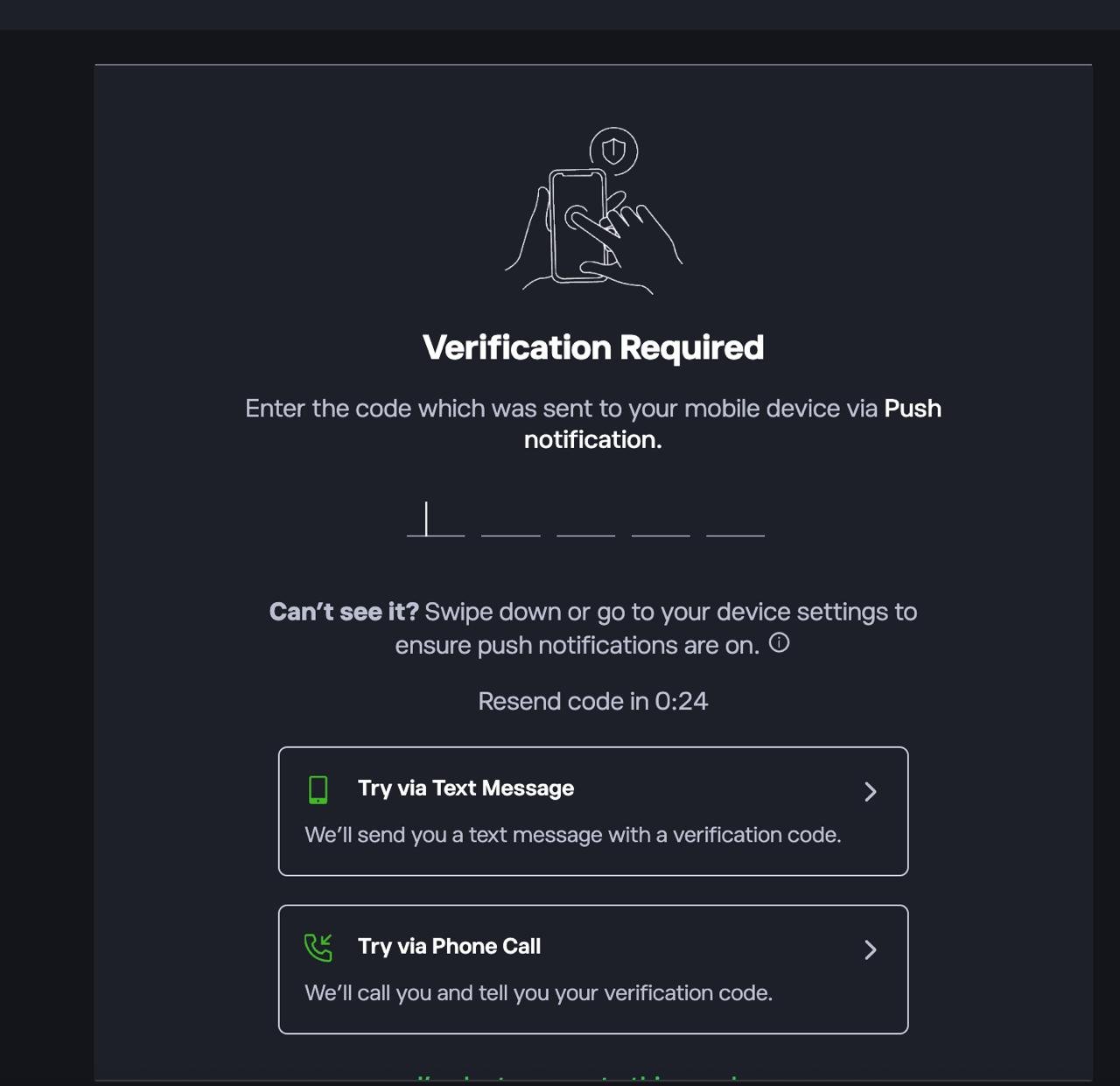
If prompted, complete 2FA by entering the code sent via push notification, SMS, or phone call.
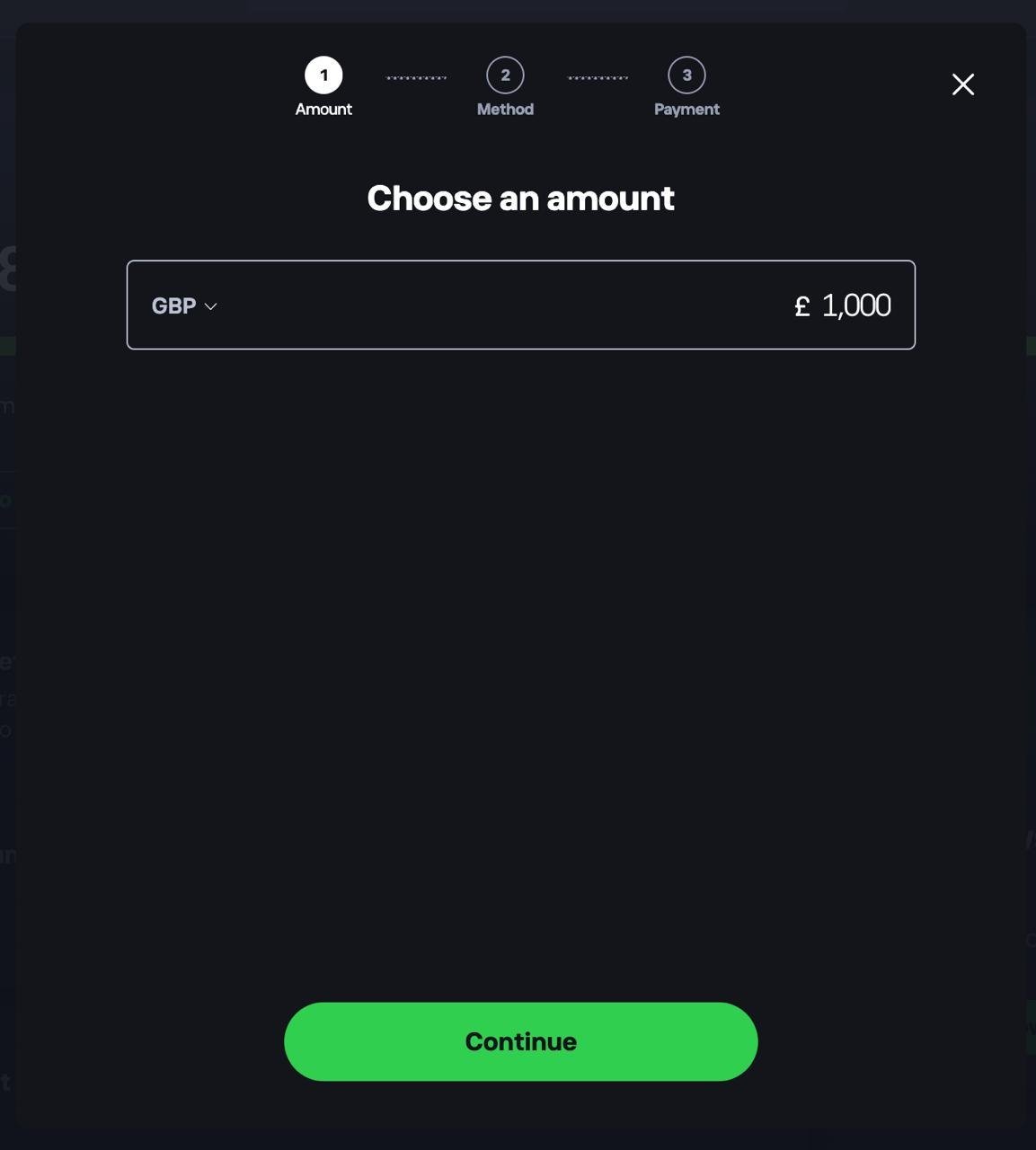
2. Deposit funds into your account
Head to your dashboard and choose to add funds. Select your currency, enter the amount you want to deposit, tap Continue, then choose a payment method.
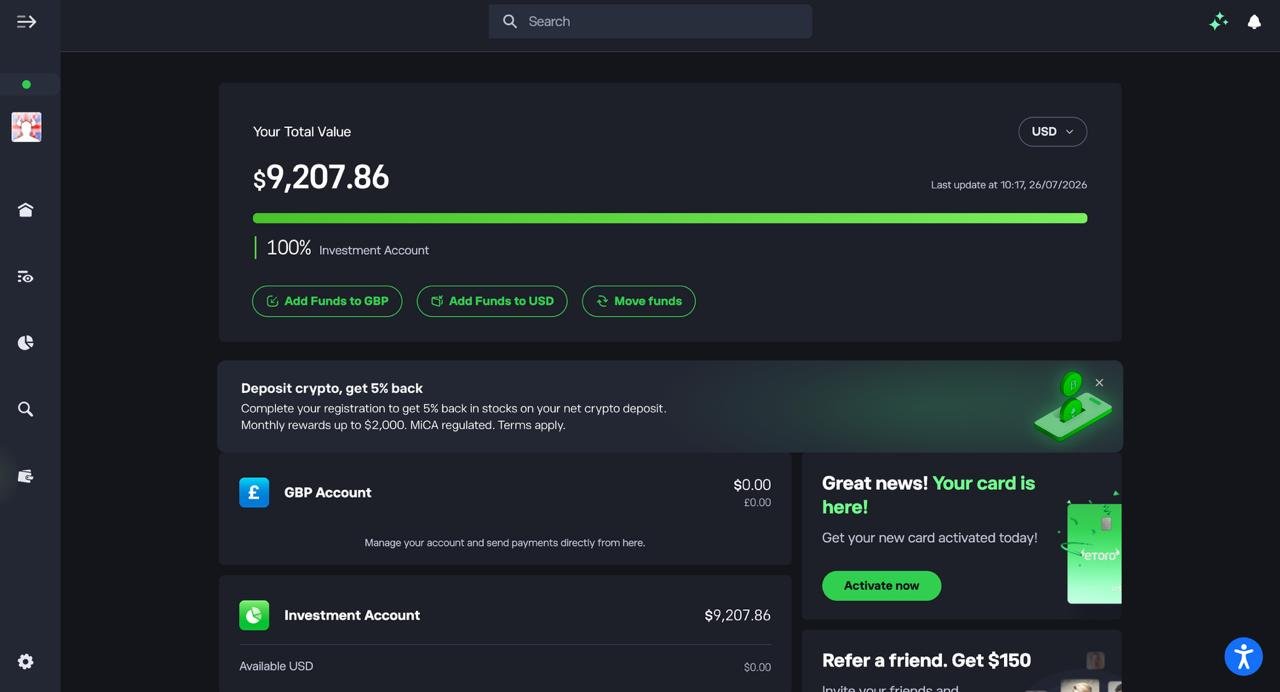
3. Confirm your funds are available
Check your dashboard to make sure your deposit has landed in your Investment Account before you start trading.
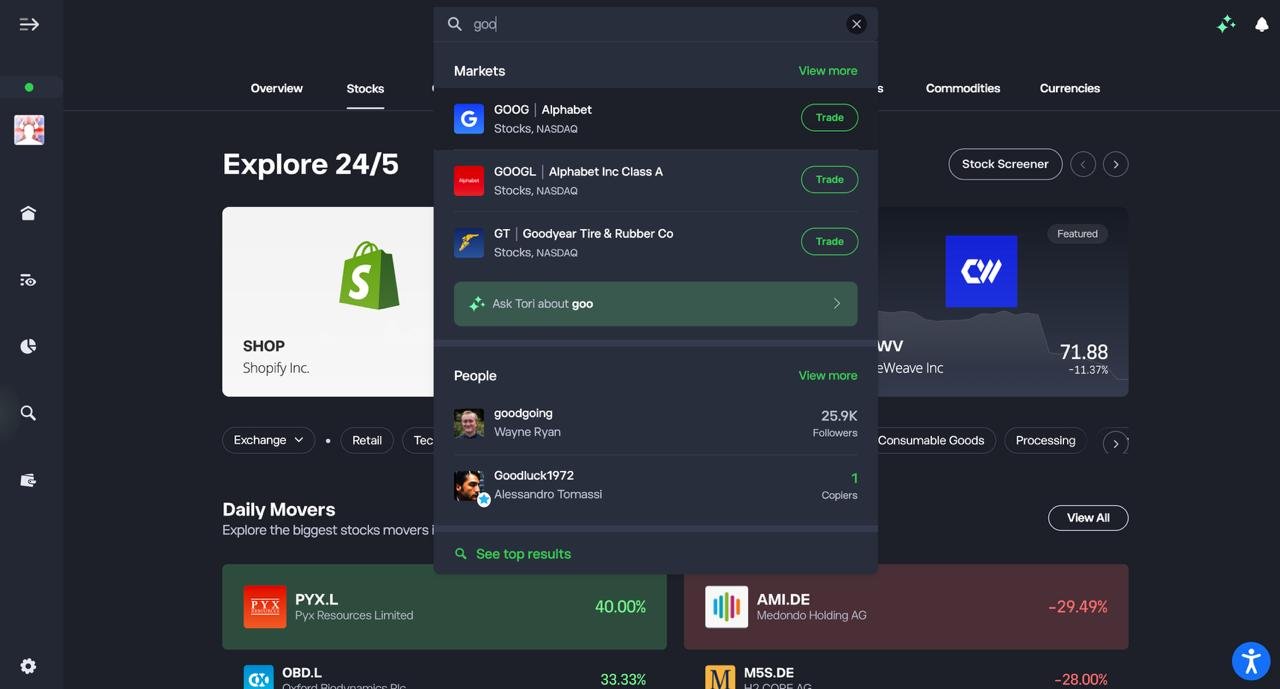
4. Search for the stock you want to trade
Use the search bar to type in the ticker or company name, then select it from the Markets results.
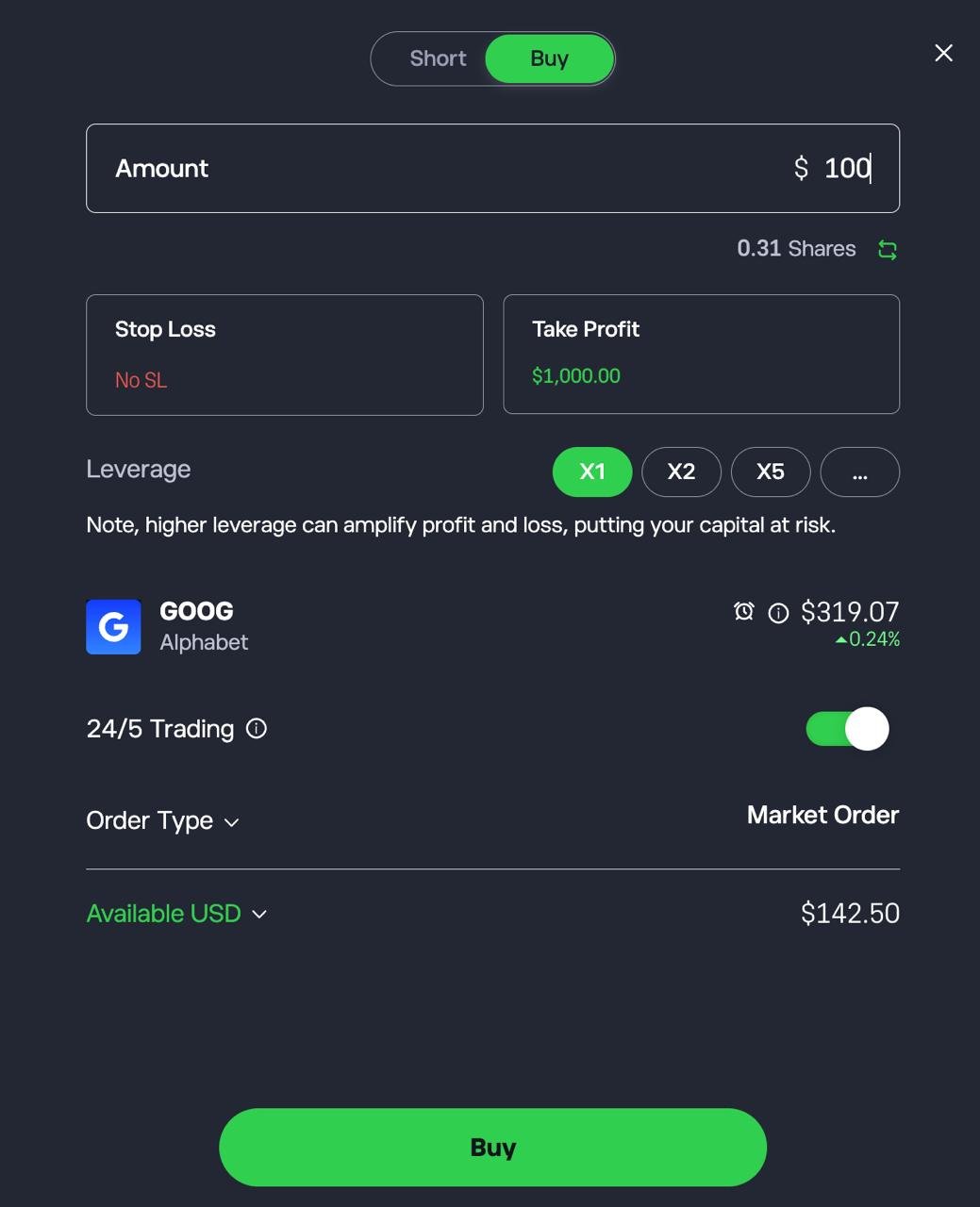
5. Set up and confirm your trade
Choose Buy or Short, enter the amount you want to invest, optionally set a Stop Loss and Take Profit, then tap Buy or Short to confirm.
FAQs
Are demo trading accounts really free to use?
Yes. Demo accounts use virtual funds, so there’s no deposit and no trading cost. Fees such as spreads, commission and inactivity charges only apply once you open a live account.
Do demo trading accounts use real market data?
Most use live or near-live prices, but execution is usually smoother than live trading. In my comparison, XTB’s stock CFD prices could lag, and CMC shows UK share data only for your first calendar month.
Can I open multiple demo trading accounts with different brokers?
Yes. Opening demos with two or three brokers is the easiest way to compare platforms, tools and costs before you fund a live account.
Is the Interactive Brokers demo account any good?
Interactive Brokers offers a well-known paper trading account with broad market access, aimed at experienced multi-asset investors. I didn’t include it in this comparison, which focuses on CFD and spread betting demos.
What is the best way to practise trading stocks?
Use a demo or paper trading account with live prices, and practise with the amount you actually plan to invest. eToro’s Virtual Portfolio lets you buy real shares and ETFs, but set your own budget, because its $100,000 balance is unrealistically large.
What is a paper trading account?
A paper trading account is a simulated account that uses virtual money and live prices, so you can practise trading and test strategies without financial risk. The term is often used interchangeably with “demo account”.
Is Saxo’s demo account any good?
Saxo offers a professional-grade platform with strong research, aimed at experienced, higher-balance investors. Its demo is time-limited, and I didn’t include it in this comparison.
What is the best demo trading app for beginners?
Look for an app with unlimited access, no ID check and a simple order ticket. eToro was my top pick for beginners, with copy trading available in demo. Capital.com is the better start if you want to learn leveraged CFDs.
Are there any free demo trading accounts?
Yes. Most FCA-regulated UK brokers offer free demo accounts with no deposit, including all seven on this page. Starting balances in my comparison ranged from £1,000 at Capital.com to £100,000 at XTB.
Is demo trading really useful?
Yes, for learning a platform, order types and risk tools. It can’t replicate slippage, real losses or emotional pressure, so strong demo results don’t guarantee live success.
What is the best spread betting demo account?
A good spread betting demo should offer £-per-point bets, guaranteed stops and the same markets as live. IG was my top pick, with CMC Markets the better choice for chart-led traders.
What is the best forex trading platform demo account?
If you’re still learning how to trade forex, choose a demo on the platform you plan to trade live, whether that’s MT4, MT5, cTrader or TradingView. Pepperstone was my top pick because it offers all four, but its demos expire after 60–90 days of inactivity.
