

After testing 8 UK banks and building societies, Revolut is my pick for in-app crypto, Monzo for exchange transfers and Lloyds for larger GBP payments.
I sent payments to Coinbase, Kraken and Binance, including payments at or above each bank’s published crypto limit when relevant, and tested withdrawals, debit-card purchases, first-time payees and support interventions.
How I tested and ranked these banks
I tested each of the 8 banks and building societies with a UK current account in September 2026 2026. At each one I sent test payments to Coinbase and Kraken as new payees, pushed the account to its published crypto limit, bought crypto on an exchange with the debit card, tried a payment to Binance and withdrew money back from the exchanges.
I also recorded every scam warning, hold and decline, and how long it took to release a stopped payment by chat or phone.
- 8 banks and building societies, 17 accounts (9 personal, 8 business)
- 87 payments to crypto exchanges, including limit tests at every bank
- £49,720 sent to exchanges
- 17 withdrawals back from exchanges
- 7 support contacts to release or explain a stopped payment
- Tested on iPhone, Android and Mac
I then weighted payment reliability 25%, exchange funding capacity 20%, built-in crypto and cost 15%, getting money back out 15%, how limits are counted 15%, and exchange compatibility and business banking 10%. Reliability covered first-payee holds, blocks and how long it took to release them.
Funding capacity covered the published per-payment and 30-day caps and what happened when I went just over them. Being a UK deposit-taker with FSCS-protected current accounts was a requirement for inclusion, not a scoring factor.
What are the best crypto-friendly banks in the UK in 2026?
| Bank | Buy crypto in app | Pay crypto exchange | Receive exchange funds | Published limit | Personal | Business | FSCS |
|---|---|---|---|---|---|---|---|
| Revolut | ✓ | ✓ | ✓ | No crypto cap (£1k/month exchange allowance on Standard) | ✓ | ✓ | £120k eligible deposits (crypto not covered) |
| Monzo | ✗ | ✓ | ✓ | £5k / 30 days | ✓ | ✓ (separate allowance) | £120k |
| Lloyds | ✗ | ✓ | ✓ | No crypto cap (daily payment limit applies) | ✓ | ✓ | £120k |
| Nationwide | ✗ | ✓ | ✓ | £1k/day Faster Payments + £1k/day card | ✓ | ✓ (via Virgin Money) | £120k (combined with Virgin Money) |
| Barclays | ✗ | ✓ | ✓ (counts towards limit) | £2.5k per payment / £10k per month | ✓ | ✓ (shared limit) | £120k |
| NatWest | ✗ | ✓ | ✓ | £1k / day, £5k / 30 days | ✓ | ✓ (separate limit) | £120k |
| HSBC | ✗ | ✓ | ✓ | £2.5k per payment / £10k / 30 days | ✓ | ✓ | £120k |
| Santander | ✗ | ✓ | ✓ | £1k per payment / £3k / 30 days | ✓ | ✓ (same limits) | £120k |
What does a crypto friendly bank actually look like?
A crypto-friendly UK bank is a bank or building society that permits some form of crypto-related banking activity, such as sending GBP to a crypto exchange, receiving GBP from an exchange or making permitted crypto purchases by card. Some providers also offer crypto services directly through their own apps.
Crypto-friendly does not mean every crypto transaction will be accepted. Banks can impose transfer limits, restrict particular exchanges or payment methods, and carry out fraud, scam and AML checks.
Are challenger banks or high street banks more crypto-friendly?
Challenger banks are often more crypto-friendly than high-street banks, but policies vary widely by provider. Some challengers allow Faster Payments to FCA-registered exchanges, while others restrict crypto entirely. High street banks tend to apply stricter controls, with more frequent blocks, delays, or transaction reviews.
UK crypto-friendly bank reviews
UK crypto friendly banks vary in fees, transfer limits, and crypto support, so the reviews below focus on ease of use, funding options, and suitability for UK users.
1. Revolut – Best for built-in crypto
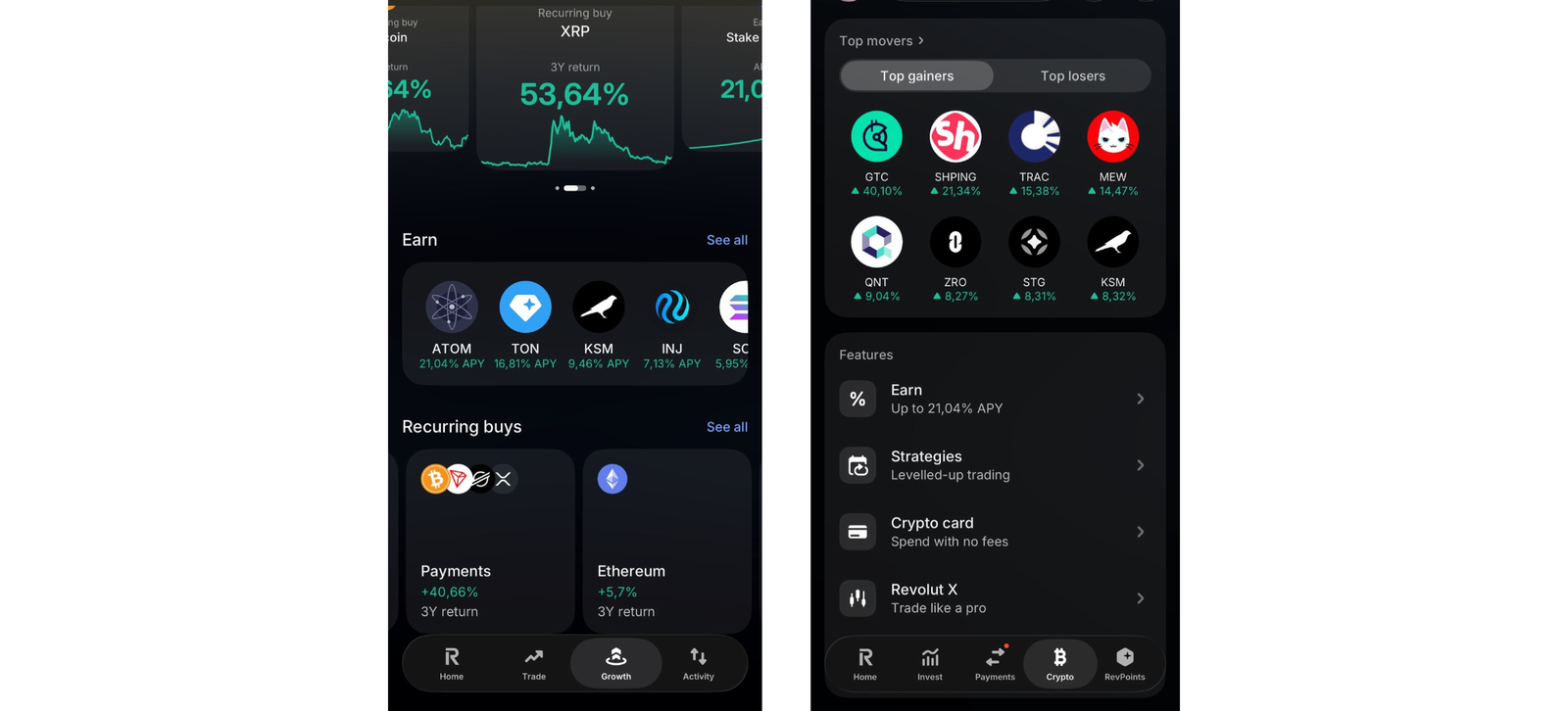
Revolut is the only UK bank where you can buy, hold and send crypto without leaving your banking app. Since March 2026 it has had a full UK banking licence. The trade-off is cost and friction: the in-app buy fee starts at 1.49% on the Standard plan, and my first transfer to Coinbase was paused for a manual check. Higher fees and limited crypto control mean it works best as a gateway, not a dedicated crypto trading platform.
Key information
| Feature | Information |
|---|---|
| Best for | Buying, selling and holding crypto inside a banking app |
| Account type | UK personal current account (Standard, Plus, Premium, Metal, Ultra) Revolut Business |
| Crypto available in-app | Yes: buy, sell, hold, deposit and withdraw (depends on the asset and network) |
| In-app crypto fee | 1.49% Standard/Plus, 0.99% Premium/Metal, 0.49% Ultra (under £10k 30-day volume) lower at higher volume |
| Revolut X | 0% maker / 0.09% taker |
| Crypto withdrawals | £1 or £3 service fee plus the network fee |
| Send GBP to exchanges | Yes, subject to payment checks |
| Receive GBP from exchanges | Yes |
| Debit-card crypto purchases | Yes |
| Crypto limit | No crypto payment cap. Exchange allowance: £1,000/month on Standard (1% above), £3,000/month on Plus (0.5% above), none on Premium, Metal or Ultra |
| Binance | No block. Revolut Pay works at Binance checkout, and crypto can be sent from Revolut to a Binance wallet, but payments can sometimes be restricted or flagged. Binance doesn’t onboard new UK users |
| FSCS | Eligible deposits up to £120,000; crypto isn’t covered |
| Banking licence | Full UK licence (restrictions lifted March 2026) |
| Last policy check | September 2026 |
What I tested: In September 2026, I tested Revolut on an iPhone 15 Pro with £2,500 across a Standard and a Business account. That covered in-app and Revolut X crypto buys, transfers to and from Coinbase and Kraken, a debit card purchase, and sending BTC to and from a Ledger.
What happened when I used Revolut for crypto?
Revolut worked best when I kept the crypto inside Revolut. Sending money out to an exchange was less smooth. I already had an account. Opening the account took six minutes, and one onboarding question asked what I’d use the account for; I ticked crypto. I topped up £2,500 and bought £200 of BTC from the main app. The purchase was instant, but the confirmation showed a £2.98 fee, which is the 1.49% Standard rate. I then moved another £200 into Revolut X, which took about ten seconds and used the same login. There I placed a limit order just below the market price. It filled three hours later with no maker fee. For anyone buying monthly, that difference is the most useful thing to know about Revolut.
The Standard plan’s allowance showed up soon after. I’d changed £800 into euros earlier in the month, so the £200 BTC buy used up my £1,000 exchange allowance. A £100 ETH purchase then cost £2.49: the 1.49% fee plus the 1% fair-use charge.
External transfers were where I hit friction. My first £100 payment to Coinbase, a new payee, was paused. The app asked me to open a chat, and the agent wanted to know who had told me about Coinbase and whether anyone was helping me invest. The payment went through 14 minutes later. After that, a £20 top-up to Coinbase went straight through. A £20 payment to Kraken showed only a scam warning and landed in under a minute, and so did £1,000 to Kraken later. A £50 debit card purchase on Kraken was approved.
Revolut was also the only bank here where Binance worked. From my existing Binance account, I chose Revolut Pay at checkout and approved a £20 top-up in the Revolut app. It was credited instantly. I also sent £30 of USDC from Revolut to my Binance wallet, which arrived in about five minutes for the £1 service fee plus network fee. Binance doesn’t accept new UK customers, so this only helps people who already have an account. Everyone else should look at a Binance alternative.
Money coming back was quick, with no questions. A £150 GBP withdrawal from Coinbase took about two minutes, and £400 from Kraken took about eight. I also sent £50 of BTC to my Ledger for the £1 service fee plus network fee, then sent £30 back, which was credited in about 25 minutes. A £20 payment to Kraken from Revolut Business behaved the same as the personal account.
What are Revolut’s crypto fees and limits?
In-app crypto trades cost 1.49% on Standard and Plus, 0.99% on Premium and Metal, and 0.49% on Ultra, at under £10,000 of 30-day volume. Revolut X charges 0% maker and 0.09% taker. Withdrawing crypto costs a £1 or £3 service fee plus the network fee. On Standard, the £1,000 monthly exchange allowance is shared with currency exchange, and there’s a 1% fair-use charge above it. There’s no separate cap on GBP payments to exchanges.
Can you send money from Revolut to Binance?
Yes, if you already have a Binance account. Revolut Pay worked at checkout inside the Binance app, and sending crypto from Revolut to a Binance wallet worked too. Direct bank transfers can still be flagged by compliance checks. Every other bank I tested declined Binance payments.
Is money in Revolut protected?
Only the cash is protected. Eligible bank deposits are covered by the FSCS up to £120,000. Crypto held in the app isn’t covered.
Who is Revolut best for?
Revolut is best for people who want to buy and hold crypto in the same app as their everyday banking, and who will use Revolut X to cut the cost.
Who should avoid Revolut for crypto?
Revolut is less suited to anyone who mainly wants to fund an outside crypto exchange quickly. Monzo cleared my exchange payments with less friction.
Pros and cons of Revolut for crypto users
- Crypto trading built into a fully licensed UK bank
- Supports 200+ cryptocurrencies
- Revolut X limit orders cost 0% maker
- No cap on GBP payments to exchanges
- Crypto can be withdrawn to your own wallet
- 1.49% in-app fee on Standard, plus 1% over the allowance
- The first exchange payment needed a manual chat check
- Custodial crypto model with limited transfers
- Crypto isn't FSCS-protected
2. Monzo – Best for exchange transfers
Monzo is the easiest UK bank for sending money to a regulated exchange like Coinbase or Kraken. It publishes its crypto rules clearly, and most of my payments cleared in seconds. The trade-off is a hard £5,000 rolling 30-day crypto allowance that can’t be raised, even on paid plans. It does not offer built-in crypto trading, making it better suited as a banking partner rather than an all-in-one crypto app.
Key information
| Feature | Information |
|---|---|
| Best for | Funding regulated exchanges |
| Account type | Personal current account; Monzo Business |
| Crypto available in-app | No |
| Send GBP to exchanges | Yes, including Coinbase |
| Receive GBP from exchanges | Yes, subject to risk checks |
| Debit-card crypto purchases | Allowed; counts towards the allowance |
| Crypto limit | £5,000 per rolling 30 days; can’t be increased |
| Binance | Blocked |
| Business accounts | Separate allowance from your personal account |
| FSCS | Eligible deposits up to £120,000 |
| Last policy check | September 2026 |
What I tested: In September 2026 I tested Monzo on a Google Pixel 8 with a personal and a Business Lite account, sending £4,900 to Coinbase and Kraken, trying a £150 payment over the £5,000 limit, and withdrawing £1,100 back.
What happened when I sent money to exchanges from Monzo?
Monzo was the least eventful bank I tested, which is exactly what you want when you fund an exchange. Opening the account took nine minutes, with no crypto questions. My first £20 to Coinbase went through the usual Confirmation of Payee check and a scam warning. That took three taps, and the money arrived before I’d switched apps. A £20 test to Kraken did the same, and a £100 top-up to Coinbase went through without any warning at all.
The only intervention came on the £1,000 payment to Coinbase. It was flagged, and an agent asked in chat whether the Coinbase account was in my name. It cleared eight minutes later. I also bought £50 of crypto on Coinbase with my Monzo debit card, which counted towards the allowance just like a transfer. Over the next four weeks I topped up to £4,900 in total. I then tried to send £150, and the app declined it, saying I’d reached my crypto allowance. That’s a hard stop, not a review.
Withdrawals were fast: £800 from Kraken landed in about nine minutes, and £300 from Coinbase in about two. Neither freed up any allowance, because the limit only counts money going out. A £20 payment from Monzo Business to Coinbase went through without touching my personal allowance.
What is Monzo’s crypto limit?
Monzo allows £5,000 of crypto payments in any rolling 30-day period, including debit card purchases. The allowance can’t be raised on any plan. It frees up gradually as older payments drop out of the 30-day window, not on a fixed date.
Which crypto exchanges work with Monzo?
Monzo says customers can use a range of exchanges, including Coinbase. Kraken worked in my test. Binance is blocked, and Monzo can still stop individual payments for risk reasons.
Who is Monzo best for?
Monzo is best for regular investors who fund a Coinbase or Kraken account with under £5,000 a month and want payments to clear in seconds.
Who should avoid Monzo for crypto?
Anyone moving more than £5,000 a month. Lloyds has no published crypto cap, and Barclays and HSBC allow £10,000.
Pros and cons of Monzo for crypto users
- Most payments to exchanges cleared in under a minute
- Clear, published crypto policy
- Incoming exchange withdrawals were quick
- £5,000 rolling limit can't be raised, and card purchases count towards it
- No in-app crypto trading
3. Lloyds Bank: Best high-street bank for larger exchange payments
Lloyds was the high-street bank I found most useful for larger exchange payments, because it doesn’t publish a crypto-specific cap. Your normal daily payment limit is the real ceiling. The trade-off is uncertainty: without a published rule, how a big payment will be treated comes down to Lloyds’ fraud checks on the day.
Key information
| Feature | Information |
|---|---|
| Best for | Larger bank transfers to exchanges |
| Account type | Personal current account; business account |
| Crypto available in-app | No |
| Send GBP to exchanges | Generally supported |
| Receive GBP from exchanges | Yes |
| Debit-card crypto purchases | Allowed |
| Credit-card crypto purchases | Blocked since February 2018 |
| Crypto limit | No crypto-specific cap; standard daily payment limit (adjustable in-app, up to £25,000 on most accounts) |
| Binance | Blocked |
| Business accounts | Exchange payments allowed, with payment-purpose checks |
| FSCS | Eligible deposits up to £120,000; crypto isn’t covered |
| Last policy check | September 2026 |
What I tested: In September 2026, I tested Lloyds on an iPhone 14 and a MacBook Air with a personal and a business account. I sent £14,290 to Coinbase and Kraken, including £5,000 and £8,000 payments, then raised my daily limit and withdrew £2,500 back.
What happened when I sent larger amounts from Lloyds?
Lloyds was the only big high-street bank where a payment above £2,500 went through without hitting a crypto cap. The account took 18 minutes to open online, and the app worked the same day, although the debit card took four working days to arrive. My first £20 to Coinbase brought up the standard payment-purpose questions: I picked “investment” and confirmed the account was mine. It settled in under a minute. A new £20 payee for Kraken got the same questions. Follow-up payments of £100 to each exchange, and then £1,000 to Coinbase, went through without any.
I then sent £5,000 to Coinbase, which would already be over the whole of Monzo’s 30-day allowance. Lloyds added a second screen asking if anyone had contacted me about the investment, and the money arrived two minutes later. Two days later I tried £8,000, and it was stopped by my ordinary £5,000 daily payment limit, not by a crypto rule. I raised the limit to £10,000 in the app’s settings, which took about a minute, then resent it, and it cleared. A £50 debit card purchase on Coinbase was approved.
Withdrawals caused no problems: £2,000 from Coinbase arrived in about three minutes, and £500 from Kraken in about ten, with no source-of-funds questions. From my Lloyds Business Account, a £20 payment to Coinbase got the same purpose questions and settled in under a minute.
Does Lloyds have a crypto limit?
No. Lloyds doesn’t publish a crypto-specific limit. Your account’s daily payment limit applies instead, which you can raise in the app up to £25,000 on most current accounts. Fraud checks can still hold any single payment.
Which crypto exchanges work with Lloyds?
Coinbase and Kraken both worked by Faster Payments, and a Coinbase debit card payment was approved. Binance is blocked, and Lloyds credit cards can’t be used for crypto.
Who is Lloyds Bank best for?
Lloyds is best for high-street customers who want to move several thousand pounds to a regulated exchange without a crypto-specific cap.
Who should avoid Lloyds for crypto?
Anyone who wants to know the rules in advance. Monzo, HSBC and Barclays all publish exact limits, so you know where you stand.
Pros and cons of Loyds for crypto users
- No crypto-specific cap
- Fast settlement once the checks were done
- Daily limit adjustable in the app
- No published policy to plan around
- Credit cards blocked
- Large payments bring extra fraud screens
4. Nationwide: Best building society for crypto
Nationwide is a workable option for smaller crypto purchases, with separate published £1,000-a-day limits for debit-card crypto purchases and Faster Payments. My testing produced a further Faster Payment decline that did not fully match that published structure, so I would confirm the applicable limit before relying on the full allowance.
Key information
| Feature | Information |
|---|---|
| Best for | Building-society members making small daily purchases |
| Account type | Adult and student current accounts (FlexDirect, FlexAccount, FlexPlus and others); business accounts through Virgin Money |
| Crypto available in-app | No |
| Send GBP to exchanges | Yes, within the daily limit |
| Receive GBP from exchanges | Yes |
| Debit-card crypto purchases | Yes, within the daily limit (includes Apple Pay and Google Wallet) |
| Credit-card crypto purchases | Not allowed |
| Crypto limit | £1,000/day for debit-card crypto purchases and £1,000/day for Faster Payments; limits apply separately to each current account |
| Binance | Card payments declined, and the block can’t be lifted; withdrawals to Nationwide accepted |
| Young people’s accounts | FlexOne: no crypto purchases |
| Business accounts | Through Virgin Money (moved to Nationwide on 2 April 2026): M Account for Business (turnover under £1m), Business Current Account (under £6.5m), Business Choice (over £6.5m) |
| FSCS | Eligible deposits up to £120,000, combined across Nationwide and Virgin Money |
| Last policy check | September 2026 |
What I tested: In September 2026, I tested Nationwide over three days on a Samsung Galaxy S24, using a FlexDirect account and a Virgin Money business account. I sent £2,120 to Coinbase and Kraken by Faster Payments and debit card, tried payments just over each £1,000 daily limit, and withdrew £780 back, including £30 from Binance.
What happened when I used Nationwide for crypto?
I wanted to see whether Nationwide treats card payments and Faster Payments differently, because its published policy describes separate £1,000 daily limits for the two methods. On my FlexDirect account, I sent £20 each to Coinbase and Kraken by Faster Payments, bought £100 of crypto on Kraken with my debit card through Google Wallet, then sent £860 more to Coinbase. That brought my Faster Payments total to £900 and my debit-card total to £100.
I then tried another £20 Faster Payment. It was declined, even though Nationwide’s published policy says the £1,000 daily Faster Payment limit applies separately from the £1,000 debit-card limit. I contacted Nationwide to understand the decline. The agent told me the payments were being treated as part of the same practical restriction, but that conflicts with the wording of Nationwide’s published policy. I therefore treat this as an observed test result, not evidence of a published combined £1,000 limit.
The next morning the limit had reset, and a £1,000 debit-card purchase on Coinbase went through. On day three, a £1,001 card purchase was declined, while a £100 Faster Payment to Coinbase went through.
Getting money back was straightforward. £500 from Coinbase arrived in about four minutes, £250 from Kraken in about twelve, and £30 from an existing Binance account in about fifteen.
My testing showed that Nationwide blocked payments to Binance while still accepting withdrawals from it. Since Virgin Money moved to Nationwide in April 2026, business customers are covered too. A £20 payment to Coinbase from a Virgin Money M Account for Business showed a scam warning and cleared in under a minute.
What is Nationwide’s crypto limit?
Nationwide allows up to £1,000 a day for crypto purchases made by debit card on adult and student current accounts. It also allows up to £1,000 a day for Faster Payments used to purchase crypto. Nationwide says these limits apply separately to each current account. Faster Payments covered by the restriction include payments made through the app, internet banking, Open Banking and in branch. Credit cards can’t be used to purchase crypto, and FlexOne accounts can’t buy crypto at all.
Can you withdraw from Binance to Nationwide?
Yes. Nationwide declines card payments to Binance but still accepts withdrawals from it. My £30 test arrived in about 15 minutes.
Who is Nationwide best for?
Nationwide is best for members who buy crypto in small, regular amounts and want a building society rather than a bank.
Who should avoid Nationwide for crypto?
Anyone moving a lump sum. Even using both methods (£1,000 by Faster Payments and £1,000 by debit card each day), £5,000 takes at least three days. And in my test, the second method didn’t always add capacity. Lloyds cleared the same amount in one payment.
Pros and cons of Nationwide for crypto users
- Published £1,000 daily limits for both debit-card purchases and Faster Payments
- Fast exchange withdrawals
- Limit resets daily
- My testing produced a Faster Payment decline that did not fully match the published limit structure
- No crypto purchases on credit cards or FlexOne
- Business accounts sit under the Virgin Money brand, not Nationwide
5. Barclays: Best major bank for capped monthly transfers
Barclays suits existing customers who want a published, relatively generous crypto limit: £2,500 per Faster Payment and £10,000 per calendar month. The trade-off is that the monthly cap counts across all your Barclays accounts, including joint and business ones, and it counts money coming in from exchanges too. My first small Coinbase payment was also stopped until I phoned the bank.
Key information
| Feature | Information |
|---|---|
| Best for | High-street customers wanting a clear monthly allowance |
| Account type | Personal, business and wealth accounts |
| Crypto available in-app | No |
| Send GBP to exchanges | Yes: £2,500 per Faster Payment (since 2 December 2025) |
| Receive GBP from exchanges | Yes; counts towards the £10,000 monthly limit |
| Debit-card crypto purchases | Separate £10,000 monthly limit; blocked on basic, student and children’s accounts |
| Credit-card crypto purchases | Barclaycard blocked since 27 June 2025 |
| Crypto limit | £10,000 per calendar month, in and out, across all your accounts |
| Binance | Blocked |
| Business accounts | Same limits, shared with your personal accounts |
| FSCS | Eligible deposits up to £120,000 |
| Last policy check | September 2026 |
What I tested: In September 2026, I tested Barclays on an iPhone 14 with a personal and a business account. I sent £8,640 to Coinbase and Kraken, pushed the £2,500 per-payment and £10,000 monthly limits, and found a £1,200 withdrawal counted towards the monthly limit.
What happened when I sent money to exchanges from Barclays?
Barclays gave me the roughest start of any bank, then the most predictable run once I was through. The account took 12 minutes to open in the app. My first £100 payment to Coinbase was stopped, and the app didn’t offer a way to release it. I phoned, answered questions about how I’d found Coinbase and whether the account was mine, and the payment was released after 25 minutes. After that, a £20 top-up to Coinbase went straight through, and a new £20 payee for Kraken showed only a scam warning.
After that, the published limits behaved exactly as written. I sent £2,500 to Kraken, and it arrived in about a minute. When I typed £2,501, the app declined it before the confirmation screen. Over the month I sent three £2,500 payments to Kraken and £1,000 to Coinbase, bringing my outgoing total to £8,640. A £200 debit card purchase on Coinbase was approved and didn’t reduce that allowance, which fits Barclays running a separate £10,000 card limit.
The most useful finding came next. I withdrew £1,200 from Kraken, which arrived in about 11 minutes. My next £200 payment out was declined, even though outgoing payments totalled only £8,640. The incoming £1,200 had counted too, taking me to £9,840. A £500 payment from my Barclays business account was also declined, which confirms the limit is shared across accounts. Because this is a calendar-month limit, not a rolling one, it resets on the first of the month, and a £300 Coinbase withdrawal the following month arrived in about two minutes.
What are Barclays’ crypto limits?
Barclays caps Faster Payments to crypto exchanges at £2,500 per payment and £10,000 per calendar month. The monthly limit counts crypto payments in and out, across all your Barclays accounts, including joint and business accounts. Debit card crypto purchases have their own £10,000 monthly limit and are blocked on basic, student and children’s accounts. Barclaycard can’t be used for crypto.
Do exchange withdrawals count towards Barclays’ crypto limit?
Yes. In my test, a £1,200 withdrawal from Kraken used up part of the £10,000 monthly allowance, and my next outgoing payment was declined because of it. Plan your cash-outs and top-ups in the same month together.
Who is Barclays best for?
Barclays is best for existing customers who invest up to £10,000 a month and want exact limits they can plan around.
Who should avoid Barclays for crypto?
Anyone who needs a new exchange payee to work straight away, or who shares the limit with a joint or business account. Active traders who move money in and out often will also use up the allowance quickly.
Pros and cons of Barclays for crypto users
- £10,000 monthly allowance, published in full
- £2,500 payments arrived in about a minute
- Calendar-month reset makes planning easy
- First payment stopped, and I had to phone to release it
- Incoming withdrawals count towards the limit
- Limit shared across joint and business accounts; Barclaycard blocked
6. NatWest: Best for small, regular exchange transfers
NatWest works for crypto investors who buy small amounts regularly. It allows £1,000 a day and £5,000 per 30 days to exchanges, and payments within those limits went through without fuss. The trade-off is that the caps are low and cover both bank transfers and debit cards. In my test, the limit also followed me across my personal accounts, not just the account I paid from.
Key information
| Feature | Information |
|---|---|
| Best for | Small, regular exchange payments |
| Account type | Personal, business and commercial accounts |
| Crypto available in-app | No |
| Send GBP to exchanges | Yes, within the limits |
| Receive GBP from exchanges | Yes, with no block or limit |
| Debit-card crypto purchases | Yes, within the same limits |
| Credit-card crypto purchases | Blocked since February 2018 (charge cards too) |
| Crypto limit | £1,000 a day and £5,000 per 30 days (since 16 March 2023) |
| Binance | Blocked |
| Business accounts | £100 test cleared; treated separately from my personal accounts in testing |
| FSCS | Eligible deposits up to £120,000 |
| Last policy check | September 2026 |
What I tested: In September 2026 I tested NatWest on a OnePlus 12 with two personal accounts and a business account. I sent £5,000 to Coinbase and Kraken over five days, tried payments past the £1,000 daily and £5,000 30-day limits (including from my second personal account), and withdrew £1,000 back.
What happened when I tested NatWest’s crypto limits?
NatWest was predictable within the limits and firm at them. The account took 15 minutes to open in the app. I sent £20 each to Coinbase and Kraken, which showed scam warnings and arrived almost at once. Then I sent £100 and £860 to Coinbase, which took me to exactly £1,000 for the day. A £50 top-up that evening was declined. I didn’t get a review; the payment simply didn’t go.
The next day I bought £1,000 of crypto on Coinbase with my NatWest debit card, which counted against the same limits as bank transfers. Over the following three days I sent £1,000 a day, reaching £5,000 in total. The more useful test came next. I tried £200 from my second NatWest personal current account, which hadn’t sent anything to an exchange, and it was declined too. NatWest’s current support pages contain conflicting wording: one says the limits apply separately to each account, while another says the limit includes attempted and rejected payments across all personal accounts and is applied per person. My test therefore supports the per-person interpretation in practice, and when I phoned, the agent confirmed that the limit covered my personal accounts together. My NatWest business account had its own allowance, and a £100 payment from it to Kraken cleared.
Money coming back wasn’t limited: £600 from Coinbase arrived in about five minutes and £400 from Kraken in about ten.
What are NatWest’s crypto limits?
NatWest limits payments to crypto exchanges to £1,000 a day and £5,000 in any 30-day period. The limits cover Faster Payments and debit cards. Credit and charge cards have been blocked for crypto since February 2018. Payments you receive from exchanges aren’t blocked or limited.
Does NatWest’s crypto limit apply across accounts?
In my testing, yes. My second NatWest personal account couldn’t send to an exchange once I’d reached the £5,000 30-day limit from the first account. NatWest’s current support pages are inconsistent on this point: one says the limits apply separately to each account, while another says attempted and rejected payments are counted across all personal accounts and that the limit is per person. I would therefore treat the per-person restriction as the safer practical assumption rather than relying on a second personal account to increase the allowance.
Who is NatWest best for?
NatWest is best for existing customers who buy crypto in small, regular amounts, up to about £1,000 a week.
Who should avoid NatWest for crypto?
Anyone investing more than £5,000 a month. Barclays and HSBC allow £10,000, and Lloyds has no crypto-specific cap.
Pros and cons of Natwest for crypto users
- Payments within the limits cleared quickly
- No limit on money coming back from exchanges
- Published limits with a clear start date
- £1,000 daily and £5,000 30-day caps
- The limit applies across all your personal accounts
- Credit cards blocked
7. HSBC: Best for predictable capped payments
HSBC has one of the clearest crypto policies of the big banks: £2,500 per payment and £10,000 per rolling 30 days, with the same limits for bank transfers and debit cards. The trade-off is that those two routes share a single allowance, and my first exchange payment was held before it cleared.
Key information
| Feature | Information |
|---|---|
| Best for | Existing HSBC customers making mid-sized exchange payments |
| Account type | Personal current account; HSBC Kinetic business account |
| Crypto available in-app | No |
| Send GBP to exchanges | Yes, within the limits (online, mobile, branch and phone) |
| Receive GBP from exchanges | Yes, unrestricted |
| Debit-card crypto purchases | Yes, same limits as transfers |
| Credit-card crypto purchases | Refused |
| Crypto limit | £2,500 per payment; £10,000 per rolling 30 days |
| Binance | Blocked |
| Business accounts | Exchange payments allowed |
| FSCS | Eligible deposits up to £120,000 |
| Last policy check | September 2026 |
What I tested: In September 2026, I tested HSBC on an iPhone 13 with an Advance account and an HSBC Kinetic business account. I sent £10,000 to Coinbase and Kraken by transfer and debit card, tested the £2,500 per-payment and £10,000 30-day limits, and withdrew £3,500 back.
What happened when I tested HSBC’s crypto limits?
The account took 20 minutes to open online, and the card came five working days later. My first payment to Kraken, just £20, went into a hold and showed as pending for about 40 minutes. I used the in-app chat while I waited. An agent replied in six minutes, said it was a routine check on a new payee, and the payment cleared the same day. A new £20 payee for Coinbase showed only a scam warning. After that, £100 to each exchange, £1,000 to Coinbase and £2,500 to Kraken all went through in a couple of minutes or less. When I tried £2,501, the payment was declined.
The question I wanted answered was whether cards and transfers draw on the same pot. They do. By then I’d sent £3,740. I added £2,500 to Coinbase, bought £1,500 of crypto on Coinbase with my HSBC debit card, then sent £2,260 more. That brought my 30-day total to exactly £10,000. A £100 card purchase after that was declined, even though I hadn’t used the card up to £10,000 on its own.
Money coming the other way was unaffected: £3,000 from Kraken arrived in about six minutes, and £500 from Coinbase in about three. From HSBC Kinetic, a £100 payment to Coinbase cleared in about a minute.
What are HSBC’s crypto limits?
HSBC allows up to £2,500 per crypto payment and £10,000 in total over a rolling 30-day period. The limits apply to digital banking, branch, phone and debit card payments combined. HSBC refuses credit card payments for crypto. Incoming payments from exchanges aren’t restricted.
Which crypto exchanges work with HSBC?
Kraken and Coinbase both worked within the limits.
Who is HSBC best for?
HSBC is best for existing customers who invest up to £10,000 a month and want the same rules whether they pay by card or transfer.
Who should avoid HSBC for crypto?
Anyone expecting a new exchange payee to work instantly, or planning to go over £10,000 by mixing cards and transfers.
Pros and cons of HSBC for crypto users
- £10,000 rolling allowance, published clearly
- Same rules for every payment method
- Exchange withdrawals not restricted
- First payment to a new exchange was held
- £2,500 per payment cap
- Credit cards blocked
8. Santander: Best for occasional small crypto purchases
Santander works only for occasional, small crypto purchases. It caps payments to exchanges at £1,000 each and £3,000 per rolling 30 days, the tightest allowance of the eight banks here. The limit covers almost every payment channel, including Open Banking and debit cards. My first payment to a new exchange was declined before I could get started.
| Feature | Information |
|---|---|
| Best for | Existing Santander customers making occasional small purchases |
| Account type | Personal current account; business current account |
| Crypto available in-app | No |
| Send GBP to exchanges | Yes, within the limits |
| Receive GBP from exchanges | Yes, not restricted |
| Debit-card crypto purchases | Yes; counts towards the same limits |
| Credit-card crypto purchases | Blocked |
| Crypto limit | £1,000 per payment; £3,000 per rolling 30 days |
| Channels covered | Mobile, online, phone, CHAPS, Open Banking and branch |
| Binance | Outgoing payments stopped; incoming allowed |
| Business accounts | Exchange payments allowed within the limits |
| FSCS | Eligible deposits up to £120,000 |
| Last policy check | September 2026 |
What I tested: In September 2026, I tested Santander on a Google Pixel 7 with an Edge account and a business account. I sent £3,000 to Coinbase and Kraken by transfer, Open Banking and debit card, tried payments past the £1,000 per-payment and £3,000 30-day limits, and withdrew £1,500 back.
What happened when I sent money to exchanges from Santander?
Santander stopped me at the first step. The Edge account took 18 minutes to open online, but my opening £20 payment to Coinbase, a new payee, was declined. I called, waited about 20 minutes in total, confirmed the Coinbase account was mine and that nobody had approached me about it, and the same payment went through when I resent it. A new £20 payee for Kraken showed only a scam warning, and a £100 top-up to Coinbase was instant.
From there the rules held firm. £1,000 to Kraken arrived in about two minutes, while £1,001 was declined. I then used Coinbase’s “pay by bank” option to deposit £500 through Open Banking, and bought £100 of crypto on Coinbase with my debit card. Both were approved, but both counted towards the same allowance, so there’s no way round the cap by switching channels. A final £1,260 to Kraken took me to exactly £3,000. After that, a £20 payment was declined.
Money coming back was fine: £1,200 from Kraken arrived in about seven minutes, and £300 from Coinbase in about two. From my Santander business account, a £100 payment to Coinbase cleared in about a minute.
What are Santander’s crypto limits?
Santander limits payments it identifies as going to crypto exchanges to £1,000 per payment and £3,000 in any rolling 30-day period. The limits apply to mobile, online, phone, CHAPS, Open Banking, branch and, in my test, debit card payments. Money coming in from exchanges isn’t restricted.
Is the £3,000 limit the real ceiling at Santander?
Yes. In my test, £3,000 was a hard stop, and Open Banking and debit card payments counted towards it just like a normal transfer.
Who is Santander best for?
Santander is best for existing customers who buy crypto occasionally, a few hundred pounds at a time, and don’t want to open another account.
Who should avoid Santander for crypto?
Anyone investing more than £3,000 a month, or anyone who wants their first payment to a new exchange to go through without a phone call. Monzo allows £5,000 and cleared my first payment in under a minute.
Pros and cons of Santander for crypto users
- Published limits that apply the same way on every channel
- Exchange withdrawals not restricted
- Fast settlement within the limits
- Tightest allowance here: £1,000 per payment, £3,000 per 30 days
- First payment to a new exchange declined
- Open Banking and debit cards count towards the cap
Cross-bank crypto friendliness test results
| Test | Revolut | Monzo | Lloyds | Nationwide | Barclays | NatWest | HSBC | Santander |
|---|---|---|---|---|---|---|---|---|
| Account opening | 6 min | 9 min | 18 min | 25 min | 12 min | 15 min | 20 min | 18 min |
| First Coinbase payment | £100 paused, chat, 14 min | £20, under 1 min | £20, purpose questions, under 1 min | £20, under 1 min | £100 stopped, phone, 25 min | £20, under 1 min | £20, about 1 min | £20 declined, phone, 20 min |
| First Kraken payment | £20, under 1 min | £20, under 1 min | £20, under 1 min | £20, under 1 min | £20, about 1 min | £20, under 1 min | £20 held, 40 min | £20, under 1 min |
| £1,000 transfer | Cleared | Flagged, 8 min chat | Cleared | Not tested (£900 in smaller Faster Payments) | Cleared | Cleared (daily max) | Cleared | Cleared (per-payment max) |
| Published crypto cap | None | £5k / 30 days | None | £1k/day card + £1k/day Faster Payments | £2.5k per payment; £10k / month | £1k / day; £5k / 30 days | £2.5k per payment; £10k / 30 days | £1k per payment; £3k / 30 days |
| Limit-boundary result | 1% fair-use fee over £1k exchange allowance | £150 declined at £4,900 | £8,000 blocked by £5k daily limit until raised | £20 Faster Payment declined after £900 Faster Payments + £100 debit-card crypto that day; £1,001 card purchase declined | £2,501 declined; £200 declined at £9,840 | £50 declined at £1,000; £200 declined at £5,000 | £2,501 declined; £100 declined at £10,000 | £1,001 declined; £20 declined at £3,000 |
| Debit card counts towards cap | n/a | Yes | n/a | Separate | No (separate £10k) | Yes | Yes | Yes |
| Incoming counts towards cap | n/a | No | n/a | No | Yes | No | No | No |
| Incoming withdrawal speed | 2–8 min | 2–9 min | 3–10 min | 4–15 min | 2–11 min | 5–10 min | 3–6 min | 2–7 min |
| Binance payment | Worked (Revolut Pay and USDC transfer) | Declined | Declined | Declined | Declined | Declined | Declined | Declined |
| Support needed | Chat, 14 min | Chat, 8 min | None | Phone, 9 min (query) | Phone, 25 min | Phone, 12 min (query) | Chat, 6 min | Phone, 20 min |
| Business account | £20 cleared | £20 cleared; separate allowance | £20 cleared after questions | £20 cleared (Virgin Money) | £500 declined; shared limit | £100 cleared; separate allowance | £100 cleared | £100 cleared |
Which UK banks allow crypto without a crypto-specific limit?
| Bank | Send GBP to exchange | Receive GBP | Card | In-app crypto | Key restriction |
|---|---|---|---|---|---|
| Revolut | ✓ No cap | ✓ | ✓ | ✓ | Fair-use fee above £1k/month (Standard); Business can’t receive crypto-trading funds |
| Lloyds | ✓ Daily limit applies | ✓ | ✓ | ✗ | Credit cards blocked |
| Halifax | ✓ crypto exchanges registered with the FCA under the MLRs | ✓ | Restricted for non-FCA exchanges | ✗ | Credit cards blocked; large transfers may be held |
Which UK banks block crypto?
| Bank | Send GBP to exchange | Receive GBP | Card | Key restriction |
|---|---|---|---|---|
| Chase UK | ✗ | ✓ | ✗ | Blocks all outgoing crypto payments |
| Starling | ✗ | ✗ | ✗ | Full ban since Nov 2022, incl. business |
| TSB | ✗ | Not stated | ✗ | Full ban on payments to exchanges |
| Metro Bank | ✗ | ✓ | ✗ | Outbound block since Nov 2024 |
| Co-op Bank | ✗ | Not stated | ✗ | Incl. multi-asset platforms; personal and business; no opt-out |
| Virgin Money | ✗ | Not stated | ✗ | Personal ban; business accounts follow Nationwide’s £1k/day |
| Kroo | ✗ | ✗ | ✗ | Incoming returned within 3 working days |
| Tide | ✗ | ✗ | ✗ | Business only; crypto businesses can’t hold an account |
Which UK banks allow crypto but impose limits?
| Bank | Send GBP to exchange | Receive GBP | Card | Key restriction |
|---|---|---|---|---|
| Monzo | ✓ £5k / rolling 30 days | ✓ | ✓ Counts towards limit | Limit can’t be raised; |
| Nationwide | ✓ £1k / day | ✓ | ✓ | Binance card payments blocked; no crypto on FlexOne |
| Barclays | ✓ £2.5k per payment, £10k / month | ✓ | ✓ £10k / month | Limit shared across all accounts; Barclaycard blocked |
| NatWest | ✓ £1k / day, £5k / 30 days | ✓ | ✓ Shares limit | credit cards blocked |
| HSBC UK | ✓ £2.5k per payment, £10k / rolling 30 days | ✓ | ✓ Shares limit | Credit cards blocked |
| Santander UK | ✓ £1k per payment, £3k / rolling 30 days | ✓ | ✓ Shares limit | Binance outgoing blocked; covers all channels |
Which bank do you need based on your crypto needs
| If you want… | Start with |
|---|---|
| Buy crypto inside your banking app | Revolut |
| Fund Coinbase/Kraken regularly | Monzo |
| Larger bank transfer capacity | Lloyds |
| Building society | Nationwide |
| Published £10k monthly limit | Barclays / HSBC |
| Small regular purchases | NatWest |
| Occasional small purchases | Santander |
Which UK banks have unclear crypto policies?
Most major UK banks now publish a clear crypto position, but a few leave gaps. Lloyds and Halifax don’t have a dedicated crypto policy page. Their approach has to be pieced together from general payment limits, credit card restrictions and reported blocks on Binance.
Bank of Scotland, also part of Lloyds Banking Group, publishes nothing specific about crypto. Virgin Money is in transition: its business accounts moved to Nationwide on 2 April 2026, and it isn’t yet clear whether its personal accounts will eventually move to Nationwide’s crypto limits.
Where a bank hasn’t published a policy, don’t assume that means it allows crypto. Check with the bank directly, or send a small test payment before moving a larger amount.
How I tested and ranked the best crypto-friendly banks in the UK
I started from Psyfi Money’s broader research on each bank and building society, then ran the same set of crypto payment tests on all eight. The weighting here is built for one reader: a UK customer who wants to buy crypto in a banking app, or send pounds to a regulated exchange, without being capped or blocked.
Any existing Psyfi Money review rating is a separate, broader judgement from the order in this guide. Each bank had to be a UK deposit-taker with FSCS-protected current accounts before I included it, so meeting that bar earned no extra points.
| Ranking factor | Weight | What I assessed |
|---|---|---|
| Payment reliability | 25% | How my first payments to Coinbase and Kraken were treated. They arrived in under a minute at Monzo, Lloyds, Nationwide and NatWest. Revolut needed a 14-minute chat, Barclays a 25-minute phone call, HSBC held the payment for 40 minutes, and Santander declined it until I phoned. |
| Exchange funding capacity | 20% | Published caps, and what happened when I tried a payment just over them. Monzo declined £150 once I’d sent £4,900. Barclays and HSBC declined £2,501. Lloyds only stopped £8,000 at my ordinary daily payment limit. |
| Built-in crypto and cost | 15% | Whether I could buy crypto in the app. At Revolut, a £200 BTC buy cost £2.98 (1.49%), and a Revolut X limit order cost £0. |
| Getting money back out | 15% | How fast exchange withdrawals arrived (2 to 15 minutes), whether I was asked where the money came from, and whether withdrawals counted towards the limit. At Barclays, a £1,200 withdrawal did. |
| How limits are counted | 15% | Whether the cap applied across payment methods and accounts. Nationwide’s published policy describes separate card and Faster Payment limits, although my test produced a further Faster Payment decline after both methods had been used. NatWest’s current support pages conflict on whether the limit is per account or per person; my test and support call indicated it operated across my personal accounts. |
| Exchange compatibility and business banking | 10% | Binance payments worked only at Revolut. Barclays declined a payment from the business account because the limit is shared with personal accounts. |
The most revealing part was running the same sequence at every bank: £20 each to Coinbase and Kraken as new payees, then £100 and £1,000 transfers, a payment just over the published limit, a debit card purchase and withdrawals back to the bank.
Running the same sequence brought out differences that a limits table hides. At Barclays, a £200 payment was declined when I’d sent only £8,640, because a £1,200 withdrawal had counted too. At Nationwide, a Faster Payment was declined even though I’d sent less than £1,000 by that method that day.
Reliability carries the most weight because a bank that stops or holds your first payment to an exchange isn’t crypto-friendly in practice, however generous its published limit. Built-in trading got 15%.
It matters to readers who want crypto in their banking app, but I didn’t want one feature to outweigh how well a bank handles ordinary exchange payments. These weights decide the order in this guide only; each bank’s broader Psyfi Money rating stays separate.
Banks I considered but didn’t rank
| Bank | Why I considered it | Why it isn’t in the main ranking | Current crypto position |
|---|---|---|---|
| Halifax | A major high-street brand in the same banking group as Lloyds | Lloyds already represents Lloyds Banking Group in my tests, and Halifax has no separate published crypto policy to compare against. | Transfers to FCA-registered exchanges allowed; credit cards blocked |
| Bank of Scotland | Also part of Lloyds Banking Group | Lloyds already represents the group, and I found no bank-specific crypto information to review. | Not enough evidence to say |
| Chase UK | A widely used digital bank with a clear crypto policy | It blocks outgoing payments to crypto exchanges, so my core tests (funding an exchange and pushing the account to its crypto limit) couldn’t be run. | Outgoing crypto payments blocked; withdrawals from exchanges allowed |
| Starling | A well-known digital bank for personal and business accounts | It blocks crypto payments in both directions, so none of the payment, limit or withdrawal tests would apply. | Crypto payments blocked in both directions since November 2022 |
| TSB | A high-street bank people often ask about for crypto | It blocks payments to crypto exchanges, and its policy could change following Santander’s acquisition. | Payments to crypto exchanges blocked |
| Metro Bank | A high-street bank with a published crypto restriction | It blocks outgoing payments to known exchanges on every payment method, so there was no allowance to test. | Outgoing payments to known exchanges blocked since November 2024; incoming allowed. |
| The Co-operative Bank | A high-street bank with a published crypto restriction | It blocks payments to crypto platforms with no opt-out, including multi-asset platforms, so the exchange tests couldn’t be run. | Payments to crypto platforms blocked on personal and business accounts. |
| Virgin Money | Its business accounts transferred to Nationwide on 2 April 2026 | Its business accounts now follow Nationwide’s rules, which I already cover, and its personal crypto policy is in transition. | Personal crypto payments reported as blocked; business accounts follow Nationwide’s limits. |
| Kroo | A digital bank with a published crypto policy | It rejects crypto payments in both directions and returns incoming ones, so none of the tests would apply. | Crypto card payments and transfers blocked; incoming crypto payments returned within 3 working days. |
| Tide | A business-only account provider | My ranking is built around personal current accounts, and Tide only offers business accounts. It also blocks crypto transactions. | Crypto transactions blocked; businesses dealing in crypto not accepted. |
What crypto transactions can a UK bank support?
| Crypto banking activity | What it means |
|---|---|
| Send GBP to an exchange | Transfer money from your bank account to a crypto exchange |
| Receive GBP from an exchange | Withdraw GBP from an exchange into your bank account |
| Buy crypto by debit card | Use a bank debit card to purchase crypto |
| Buy crypto in-app | Buy/sell crypto through the bank or its crypto partner |
| Receive crypto directly | Receive crypto into a wallet/service provided by the bank or crypto provider |
| Business crypto banking | Banking for companies receiving, sending or holding crypto-related funds |
Whichever route you use, the crypto usually stays on the exchange unless you move it. If you plan to hold for the long term, consider moving it to a crypto wallet you control.
Why do crypto-friendly banks still impose limits?
Allowing crypto payments and allowing unlimited crypto payments are different things. Most banks that permit exchange payments now cap them, mainly to limit exposure to investment scams, where losses tend to build over several payments.
The limits follow a few patterns:
- Per-payment caps: a ceiling on any single payment (Santander: £1,000).
- Daily caps: a ceiling per day (NatWest: £1,000).
- Rolling 30-day caps: a total that frees up gradually as older payments age out (Monzo: £5,000; HSBC: £10,000).
- Calendar-month caps: a total that resets on the 1st.
- Combined caps: Some banks apply one allowance across payment methods. HSBC, for example, applies its crypto limit across relevant digital banking and debit-card payments. Nationwide publishes separate £1,000/day limits for debit-card purchases and Faster Payments, although my testing produced a different practical outcome.
- Per-person or per-account counting: NatWest’s current support pages contain conflicting wording: one describes the limits as applying separately to each account, while another says they are per person and include attempted and rejected payments across personal accounts. My testing and support call indicated that the practical restriction operated across my personal accounts.
- Exchange-specific blocks: usually Binance, following the FCA’s consumer warning.
The structure matters as much as the headline figure. A £10,000 rolling limit behaves differently from a £10,000 calendar-month limit if you’re timing a large purchase. A cap counted per person can’t be avoided by paying from a second account.
Why can a bank still decline a crypto payment?
A payment within a bank’s published crypto limit can still be held or declined. Published limits are one layer of control, and banks also run fraud and anti-money-laundering (AML) checks on individual payments.
Common triggers include:
- New payees: a first payment to an exchange is more likely to get a scam warning, extra questions or a hold.
- Size and pattern: a payment much larger than your usual activity, or several in quick succession.
- Destination: exchanges on the FCA warning list, or those a bank has chosen to restrict.
- Scam indicators: answers to in-app questions suggesting a third party is directing the payment.
- Compliance checks: AML checks that may lead to source-of-funds questions.
- Account type: some basic, student and young people’s accounts block crypto payments entirely.
A declined payment is usually released after you answer the bank’s questions in the app, by chat or by phone. It’s a normal part of how banks process crypto payments, not a sign that the account is being closed.
Does Faster Payments matter for crypto?
Yes. Faster Payments is how most UK exchanges take GBP deposits and send withdrawals. It’s usually free and often lands within minutes.
But the payment rail and the bank’s crypto policy are separate. Faster Payments existing doesn’t mean your bank will let a particular payment through. Banks apply their crypto limits and exchange blocks on top of it, and a first payment to a new exchange also goes through Confirmation of Payee and any scam checks. Faster Payments explains how quickly an approved payment arrives, not whether it will be approved.
Are debit cards and bank transfers treated differently for crypto?
Often, yes. A single bank can have separate rules for:
- bank transfers (Faster Payments and CHAPS);
- debit card payments, including Apple Pay and Google Pay;
- credit card payments;
- Open Banking payments started from the exchange’s site.
Credit cards are the most consistent case: most major UK lenders now refuse crypto purchases on them. Debit cards vary. Some banks count them towards the same allowance as bank transfers. Others give them a separate limit or restrict card payments to particular platforms. Card deposits at exchanges also tend to carry higher exchange fees than bank transfers.
So check the method you’ll actually use, not just whether a bank “allows crypto”.
Can you receive money from a crypto exchange?
Usually yes, but it’s a separate question from sending money, and it’s easy to overlook until you want to cash out.
Several banks that restrict outgoing crypto payments say explicitly that withdrawals from exchanges are still accepted. Others block both directions. A few count incoming exchange payments towards a combined in-and-out limit.
For withdrawals, check:
- Whether incoming payments are accepted at all, and whether they count towards any limit.
- Name matching: the exchange account should be in the same name as the bank account.
- Monitoring: large or unusual incoming amounts can trigger transaction monitoring or source-of-funds questions, especially the first time.
It makes sense to plan withdrawals as carefully as deposits, particularly if you’re selling a large position, which can also have crypto tax implications.
What should you check before transferring a large amount of crypto?
- Does the bank permit this specific transaction type?
- Does it allow payments to your exchange?
- What’s the per-payment, daily or 30-day limit?
- Is the limit counted per account, per person or per payment method?
- Are incoming withdrawals accepted, and do they count towards the limit?
- Will a first payment to this exchange trigger extra checks? A small test payment first can help.
- Are there card restrictions or separate card limits?
- What fees or FX costs apply on the bank’s side and the exchange’s side?
- Is the account personal or business?
- Has the bank changed its crypto policy recently? Check its current help page, not an older guide.
What does FCA regulation mean for crypto banking?
UK cryptoasset businesses carrying on in-scope activities under the current framework may need FCA registration under the MLRs. MLR registration is not the same as FSMA authorisation.
That registration covers anti-money-laundering supervision only.
A new UK cryptoasset regime replaces this. The FCA published final rules on 30 June 2026. Its application gateway opens on 30 September 2026 and, as reported, closes on 28 February 2027, with the regime expected to start on 25 October 2027. Existing MLR registrations won’t convert automatically; firms have to apply for authorisation if their activities are in scope.
The new regime may change how banks view exchanges over time, but it doesn’t oblige any bank to process crypto payments. Banks’ own risk policies will continue to decide what they allow.
How do you choose a crypto-friendly bank in the UK?
You choose a crypto-friendly bank by comparing how clearly it supports crypto transactions, how often it blocks payments, and how well it handles compliance checks, limits, fees, and customer support. The best banks are transparent, consistent, and supportive of FCA-registered exchanges without unnecessary friction.
Check the bank’s published crypto policy
A genuinely crypto-friendly bank is clear about where it stands. Look for banks that explicitly allow payments to FCA-registered crypto exchanges and explain their controls. Avoid banks that rely on vague or case-by-case wording, as this often leads to inconsistent blocks and sudden payment failures.
- Look for explicit statements allowing crypto transactions
- Avoid unclear or discretionary policies
Compare transfer limits and payment rails
Payment infrastructure matters. Crypto-friendly banks usually support Faster Payments and provide realistic daily and monthly limits. Low caps can make even simple crypto purchases frustrating.
- Faster Payments support for exchange funding
- Clear daily and monthly limits for crypto transfers
Assess fees and FX costs
Fees can quietly erode your capital. Check whether GBP transfers to exchanges are free and how the bank handles FX if you use overseas platforms. Poor exchange rates or hidden FX markups can make a bank expensive for crypto use.
- No or low GBP transfer fees
- Competitive FX spreads for non-UK exchanges
Review customer support experience
When crypto payments are flagged, support quality matters. Crypto-friendly banks tend to resolve issues quickly and have staff familiar with crypto-related queries. Slow responses or uninformed support often signal future problems.
- Fast response times for flagged transactions
- Support teams familiar with crypto payments
What are the risks of using a UK bank for crypto?
The main risks of using a UK bank for crypto are delayed payments, temporary account freezes, and sudden policy changes. These issues are more likely during periods of market volatility or increased fraud activity, when banks tighten controls to meet FCA and AML requirements.
Account freezes and enhanced checks
Banks may pause accounts or payments when they detect large, unusual, or rapid crypto-related transfers. These checks are usually temporary, but they can disrupt access to funds and delay trades, particularly if you are moving larger sums.
- Triggered by large or unusual transfers
- Typically temporary, but disruptive
Transaction delays and rejected payments
Crypto-related payments are often delayed or declined, especially when using debit cards. High street banks are more prone to blocking transactions outright, while challenger banks may apply softer checks but still delay processing.
- Common with debit card purchases
- More frequent at high street banks
Is crypto protected by the FSCS?
FSCS protection applies to eligible cash deposits held with a UK-authorised bank, building society or credit union. It does not provide deposit protection for cryptoassets themselves.
This means keeping £10,000 of GBP in an eligible bank account is fundamentally different from holding £10,000 of Bitcoin with a crypto provider. The protection available depends on the product and the firm holding the money, so check the provider’s terms before relying on FSCS protection.
FAQs
What should I do if my UK bank blocks a crypto payment or freezes my account?
Contact your bank, confirm the payment is yours and that the exchange account is in your name. Most blocks are temporary fraud or anti-money-laundering (AML) checks. If you’ve hit the bank’s crypto limit, you’ll need to wait for it to reset.
Is Revolut safe for buying and holding crypto?
Revolut is a fully licensed UK bank, but crypto in the app isn’t FSCS-protected. Revolut holds it for you, so you don’t control the private keys unless you withdraw it to your own wallet.
Which UK banks allow crypto transactions?
Revolut, Monzo, Lloyds, Nationwide, Barclays, NatWest, HSBC and Santander allow payments to exchanges like Coinbase and Kraken. Of the eight banks I tested, Revolut and Lloyds had no published crypto-specific payment cap.
Do all UK banks accept cryptocurrency?
Most only process GBP payments to and from exchanges. Revolut is the exception: you can buy, hold and send crypto in its app.
Can UK banks track crypto?
Banks can see payments to and from crypto exchanges and monitor them for fraud and AML checks. They can’t see what you do on the exchange or on the blockchain.
Do UK banks support transfers to Binance?
Mostly no. Every bank I tested declined Binance payments except Revolut, where Revolut Pay and crypto transfers worked. Binance doesn’t accept new UK customers.
References
- https://www.fca.org.uk/firms/cryptoassets-information
- https://www.bankofengland.co.uk/the-digital-pound
- https://www.northumbria.ac.uk/about-us/academic-departments/newcastle-business-school/nbs-research/research-interest-groups/bcf/
- https://research.reading.ac.uk/economics/wp-content/uploads/sites/87/2023/09/emdp201909.pdf
