

After comparing 7 Coinbase alternatives available in the UK, my top picks are Kraken for low-cost active trading, eToro for beginners and social investing and Bitpanda for the widest choice of coins. I compared trading fees and spreads, GBP deposit and withdrawal costs, withdrawals to your own wallet, UK coin range and how easy it is to find each platform’s cheapest way to buy.
How I tested and ranked these platforms
I tested each platform with a funded UK account between September and October 2026. I bought and sold Bitcoin and other coins through each platform’s cheapest available route, comparing the cost shown before confirming with a live market price. I also sent crypto out to a self-custody wallet.
- 7 funded UK accounts
- £4,800 deposited
- 24 buy, sell and swap orders placed
- 6 crypto withdrawals to an external wallet
- 5 GBP withdrawals to a bank account
- Tested on iPhone, Android and desktop
I then weighted trading costs 30%, ease of switching from Coinbase 20%, GBP deposits and cash-outs 15%, self-custody withdrawals 15%, UK coin range 10% and features Coinbase doesn’t offer 10%. FCA registration for crypto was a must, not a scoring factor.
Coinbase alternatives compared
| Platform | Cost to buy crypto | GBP deposits | GBP withdrawals | Coins (UK) | Withdraw to own wallet | Custody | UK eligibility |
|---|---|---|---|---|---|---|---|
| Kraken | Pro: 0.40% maker / 0.80% taker for new accounts. Instant buy: 1% plus spread | Faster Payments free, £1 minimum | Faster Payments; fee shown at confirmation | Hundreds | Yes, flat fee per coin | Kraken holds your coins | Payward Ltd, FCA-registered for crypto |
| eToro | 1% to buy and 1% to sell, plus 0.75% FX on USD-priced coins | Free into GBP account | Free from GBP account; $5 from USD account | 100+ | Limited, depends on coin and account | eToro holds your coins (no crypto CFDs for UK retail) | eToro (UK) Ltd, FCA-authorised (FRN 583263); appropriateness test |
| Bitpanda | 0.99% BTC, 1.49% most altcoins, 2.49% Spotlight tokens, built into the price | Free by bank transfer | Free by bank transfer | 600+ | Yes, network fee only | Bitpanda holds your coins | Bitpanda Broker UK Ltd, FCA-registered (FRN 925234) |
| Crypto.com | Exchange: 0.25% maker / 0.50% taker. App buy: spread-based | Faster Payments | £1.90 fee, £70 minimum, only to the account you deposited from | 400+ | Yes, fee varies by coin | Crypto.com holds your coins | FCA-registered UK entity |
| Uphold | No commission; spread about 0.95% on BTC/GBP, up to about 1.5% on other coins | Free by bank transfer | Free by bank transfer | 250+ plus metals | Yes, network cost varies | Uphold holds your coins | FCA-registered for crypto |
| Revolut X | 0% maker / 0.09% taker. Main Revolut app: 1.49% on Standard/Plus | Free, instant from Revolut account | Free, instant back to Revolut account | 100+ | Yes, £1 or £3 service fee plus network fee | Revolut holds your coins | Revolut Ltd, FCA-registered; Revolut retail account needed |
| IG | 0.07% on BTC, ETH and SOL; 1.49% on other coins | Via a linked IG account | Via a linked IG account | 150+ | Yes, no IG fee; desktop only, £10,000 daily limit | IG holds your coins | IG Markets Ltd, FCA-authorised and FCA-registered for crypto; second IG account needed |
7 best Coinbase alternatives in the UK
1. Kraken – best for low-cost active trading
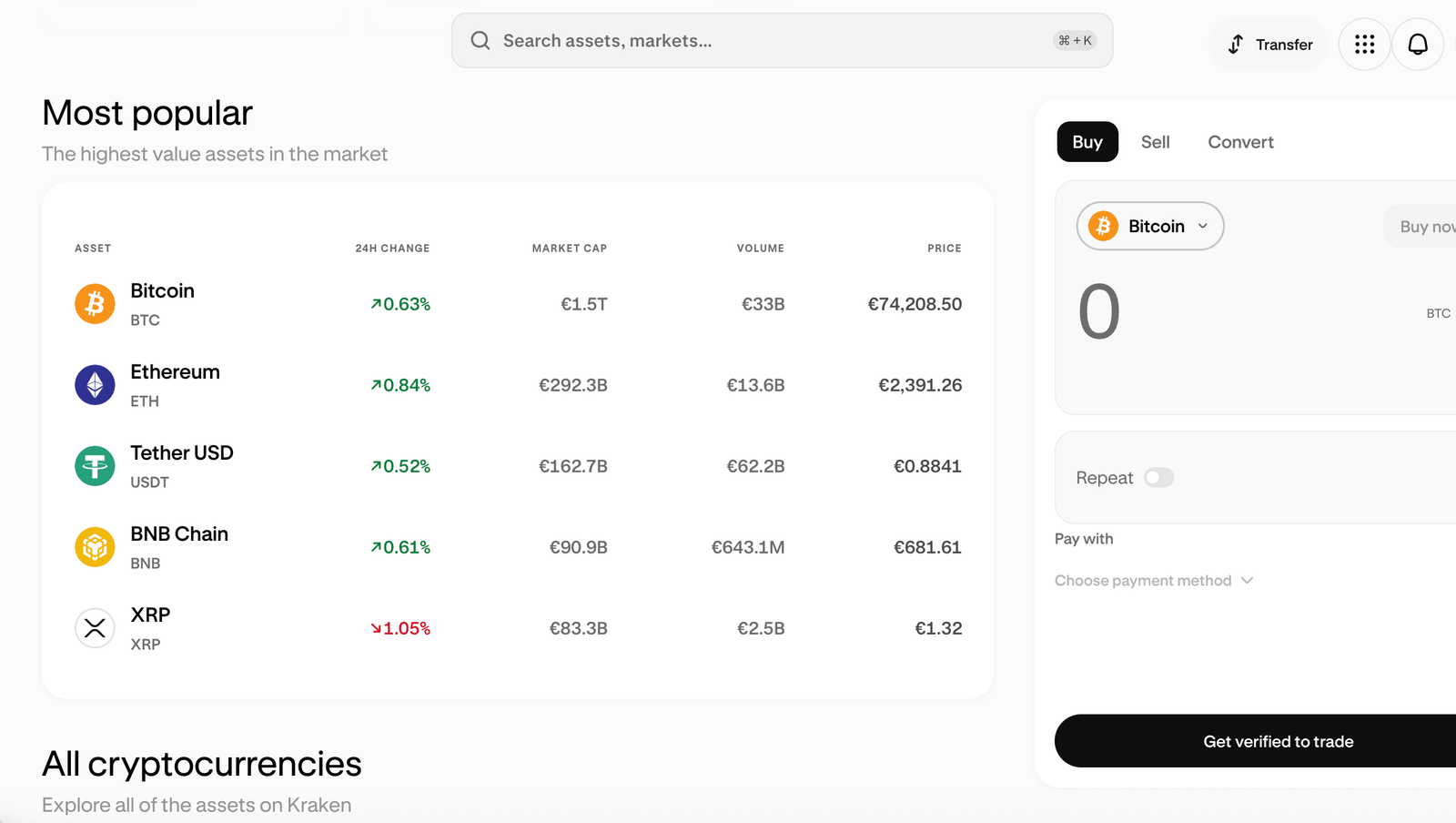
Kraken suits UK traders who are happy to place limit orders on an order book. Used that way, Kraken Pro undercuts Coinbase’s simple-buy pricing and gives you proper charting and order types. The trade-off is that new accounts now start on a 0.40% maker / 0.80% taker tier, and Kraken’s own instant-buy screen costs 1% plus a spread, so you only see the savings if you switch to Pro and trade with limit orders.
Key information
| Field | Details |
|---|---|
| Best for | Active traders comfortable with order-book trading |
| Platform type | Centralised exchange with Kraken app (instant buy) and Kraken Pro (order book) |
| Kraken Pro spot fees | Tier 1: 0.40% maker / 0.80% taker; Tier 2 ($2.5K+ 30-day volume): 0.30% / 0.60%; Tier 3 ($10K+ volume or $20K assets): 0.22% / 0.38% |
| Instant buy fee | 1% trading fee plus spread (waived up to $10K/month for Kraken+ members; spread still applies) |
| GBP deposits | Faster Payments free, £1 minimum; debit card 3.75% + £0.25 |
| GBP withdrawals | Faster Payments; fee shown at confirmation – check the live amount (third-party sources report £1.95) |
| External wallet | Yes, per-asset flat withdrawal fee and minimum |
| UK entity | Payward Ltd – FCA-registered cryptoasset firm (verify FRN on the FCA Register) |
| FSCS | No – cryptoassets are not covered |
| Main drawback | Fee savings depend on using Pro and limit orders; Tier 1 taker fee is high for small market orders |
What I tested: I tested Kraken on a new UK account (Tier 1 fees), using Kraken Pro on desktop and the Kraken app on iPhone, in October 2026. I deposited £1,700 by Faster Payments, made a £100 BTC instant buy in the app, placed a £500 BTC/GBP limit order and a £1,000 market order on Pro, then withdrew BTC to a self-custody wallet and £200 to my bank.
How did Kraken perform in my hands-on test?
I deposited £1,700 by Faster Payments and it landed in about six minutes. I started where most Coinbase switchers would, with the big Buy button in the Kraken app. A £100 Bitcoin purchase showed a £1.00 fee, and when I compared the quote with the live BTC/GBP book on Pro, the price was roughly 0.6% worse. That made it about as expensive as Coinbase’s simple buy, so the cheap trading Kraken is known for isn’t on that screen.
Kraken Pro is a separate interface you log into with the same credentials, and it took me a couple of minutes to find it from the app. Once I was in, I set a £500 limit order just under the best bid. It filled in 14 minutes at 0.40%, a £2.00 fee. I then placed a £1,000 market order to see the worst case, and that cost £8.00 at the 0.80% taker rate. The gap matters: market orders on a new account are now pricier than many people expect, because Kraken’s July 2026 fee overhaul moved the entry tier up from the old 0.25%/0.40%.
What does Kraken charge to buy Bitcoin?
Kraken Pro charges 0.40% for maker (limit) orders and 0.80% for taker (market) orders on a new account, falling to 0.30%/0.60% once you trade $2,500 in 30 days. Instant buys in the Kraken app cost 1% plus a spread. Holding assets on the platform can also unlock lower tiers, which is unusual and useful if you keep a large balance there.
Who is Kraken best for as a Coinbase alternative?
Kraken is best for traders who will use limit orders and build up some monthly volume. In my test, a limit order cost half as much as a market order, and the Tier 2 discount kicks in quickly for anyone trading more than about £2,000 a month. If you only want to tap Buy now and then, Kraken’s instant-buy pricing doesn’t save you much over Coinbase.
Read the complete Kraken review here.
Pros & cons
- Limit orders on Kraken Pro cost 0.40% on a brand-new account, falling with volume
- Free Faster Payments deposits from £1
- Holding assets on Kraken can qualify you for lower fee tiers
- Full order book, charts and advanced order types on web and mobile
- Tier 1 taker fee of 0.80% is expensive for small market orders
- Instant buy in the app costs 1% plus a spread
- Pro is a separate interface that new users can miss
- Kraken applies a GBP withdrawal fee, so check the amount at confirmation
2. eToro – best for beginners and social investing
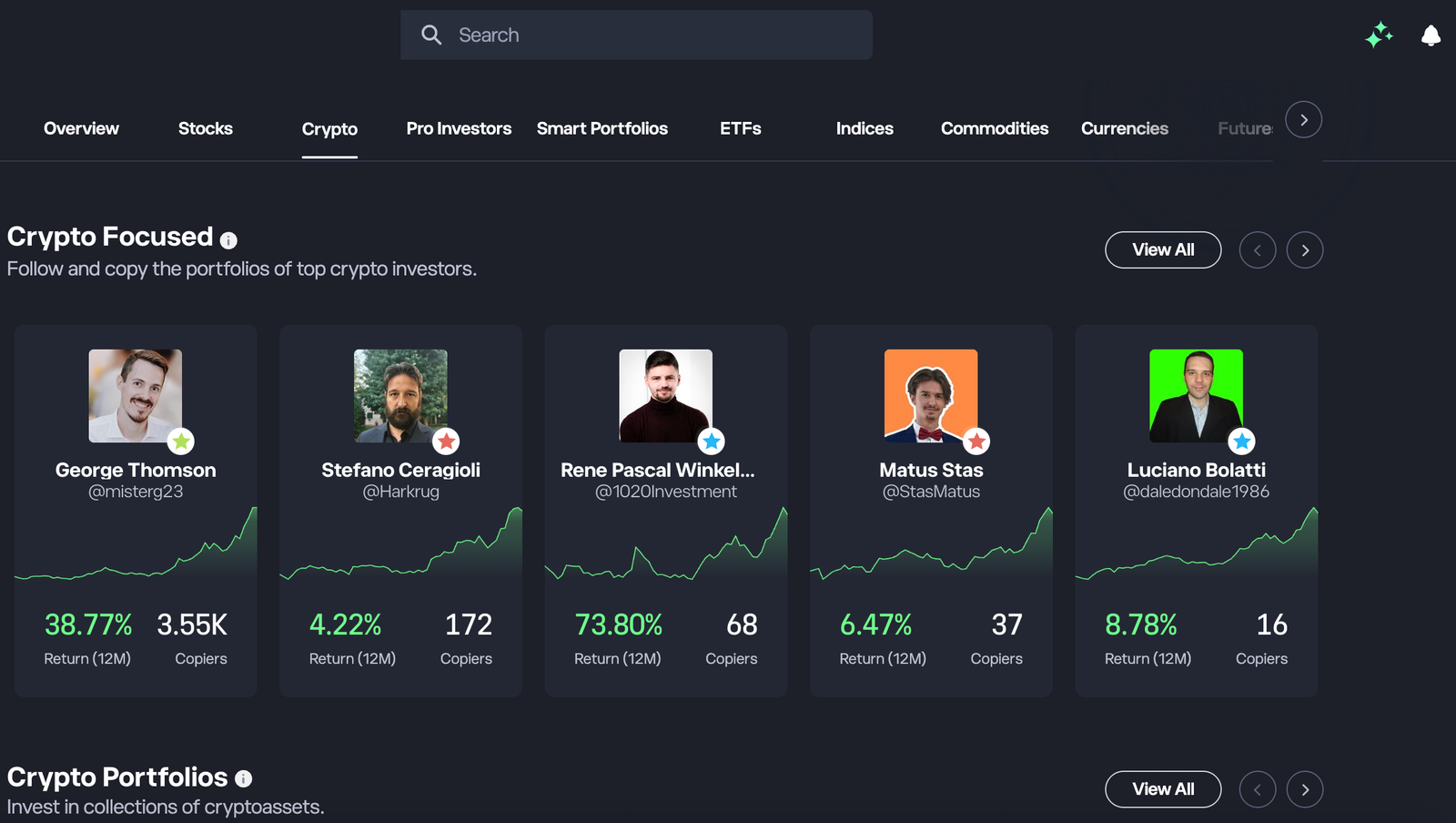
eToro is the easiest place on this list to buy your first crypto and see what other investors are doing with theirs. It also lets you hold Bitcoin alongside shares and ETFs in one account. You pay for that convenience: a flat 1% fee each time you buy or sell crypto, plus a currency conversion when GBP funds buy USD-priced coins. That makes it a worse fit for anyone chasing the lowest cost per trade.
Key information
| Field | Details |
|---|---|
| Best for | Beginners, copy trading and multi-asset investors |
| Platform type | Multi-asset investment platform with social feed and CopyTrader |
| Crypto fee | 1% when buying and 1% when selling crypto |
| Currency conversion | GBP account available; 0.75% conversion when GBP funds are used for USD-priced assets (verify current rate for crypto); 1.5% on non-USD deposits into the USD account |
| GBP deposits | Faster Payments into the GBP account with no conversion fee |
| GBP withdrawals | Free with no minimum from the GBP account; $5 fee and $30 minimum from the USD account |
| Minimum deposit | $50 (UK) |
| Crypto CFDs | Not available to UK retail clients – UK users buy the underlying crypto |
| External wallet | Asset- and account-dependent; check the current transfer route (the standalone eToro Money app closed in February 2026) |
| UK entity | eToro (UK) Ltd – FCA-authorised investment firm, FRN 583263; FCA-registered for cryptoassets |
| FSCS | Up to £85,000 for cash and securities; not for crypto |
| Main drawback | Roughly 1.75% to buy and again to sell with GBP funds |
What I tested: I tested eToro on a new UK account with a GBP account, using the Android app and desktop web, in October 2026. I deposited £300 by Faster Payments, bought £100 of BTC and £50 of ETH, copied a crypto-focused Popular Investor with $200, then sold the ETH and withdrew £50 to my bank.
How did eToro perform in my hands-on test?
Signing up took about 25 minutes, mostly because UK rules require eToro to ask several appropriateness questions before you can buy crypto. I deposited £300 into the GBP account by Faster Payments, and it landed in a few minutes with no conversion fee. When I searched for Bitcoin, the order screen was the simplest of any platform I tested: one amount box, an optional stop-loss and a clear warning that crypto isn’t protected by the FSCS.
My £100 Bitcoin purchase cost £1.00 in eToro’s crypto fee. Because BTC is priced in dollars, the trade also converted my pounds at 0.75%, adding about 75p. That brought the total to roughly £1.75, and I’d pay something similar again when I sold. Where eToro earned its place was CopyTrader,which makes it one of the most popular copy trading platforms in the UK. I filtered Popular Investors by crypto exposure and a 12-month drawdown under 20%, then copied one with $200 and a copy stop-loss. No other platform here offers anything like it.
What does eToro charge to buy crypto in the UK?
eToro charges 1% to buy and 1% to sell crypto. UK users who fund through a GBP account avoid deposit conversion fees, but USD-priced coins still trigger a GBP-to-USD conversion on the trade itself. Withdrawals from the GBP account are free. Withdrawals from the USD account cost $5, with a $30 minimum.
Who is eToro best for as a Coinbase alternative?
eToro is best for beginners and long-term holders who value a simple app, copy trading and holding crypto next to shares. It isn’t the cheapest way to buy Bitcoin. If you trade often or in large sizes, Kraken Pro, Revolut X or IG cost meaningfully less per trade.
Read the complete eToro review here.
Pros & cons
- Simplest crypto buying flow I tested, with clear risk warnings
- CopyTrader and Popular Investor stats are unique on this list
- Crypto, shares and ETFs in one FCA-authorised account
- Free GBP deposits and withdrawals through the GBP account
- 1% fee on every crypto buy and sell
- GBP-to-USD conversion adds cost on USD-priced coins
- External wallet transfers are more restricted than on a pure exchange
- No order book or maker/taker pricing for active traders
3. Bitpanda – best for broad asset selection
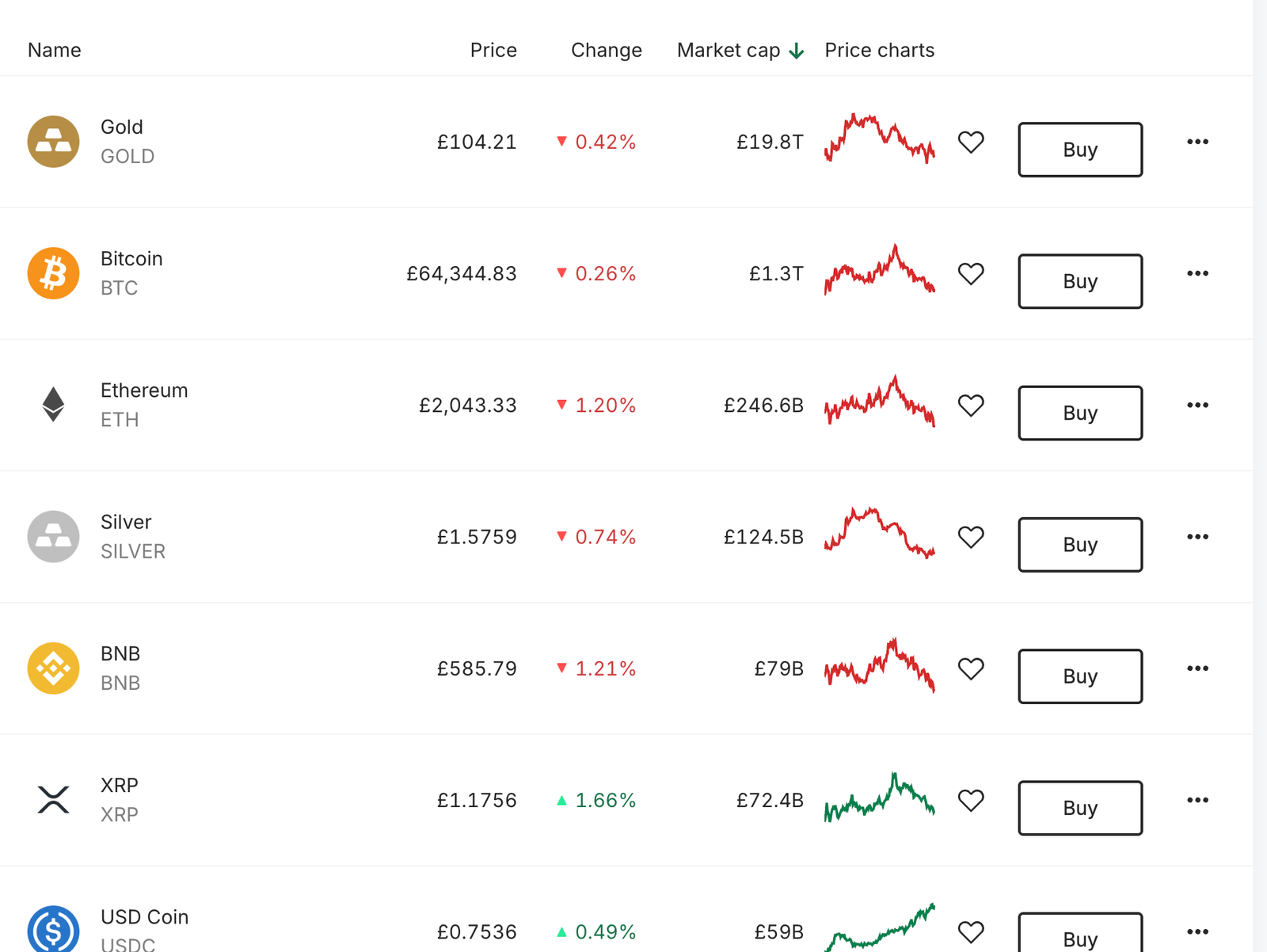
Bitpanda gives UK users the widest crypto menu on this list, with 600+ assets and a GBP wallet that makes funding painless. Fees are built into a firm quote rather than charged on an order book: 0.99% on Bitcoin, 1.49% on most altcoins and 2.49% on smaller ‘Spotlight’ tokens. That’s competitive with Coinbase’s simple buy, but it’s expensive compared with exchange-style trading.
Key information
| Field | Details |
|---|---|
| Best for | Investors who want access to smaller altcoins without using several exchanges |
| Platform type | Crypto broker app with limit orders, savings plans and staking |
| Trading fee | 0.99% Bitcoin and stablecoins; 1.49% most other crypto; 2.49% Spotlight and small-cap assets (included in the quoted price) |
| Crypto indices | 1.99% trading fee |
| GBP deposits and withdrawals | No Bitpanda fee on bank transfer; GBP wallet supported |
| External wallet | Yes – blockchain network fee only |
| Crypto selection | 600+ (verify UK catalogue) |
| Margin | Up to 3x on 120+ assets for eligible UK users |
| UK entity | Bitpanda Broker UK Ltd – FCA-registered cryptoasset firm, FRN 925234 |
| FSCS | No – cryptoassets are not covered |
| Main drawback | Fees sit inside the price, so the true cost only shows up when you compare with market rates |
What I tested: I tested Bitpanda on a new UK account with a GBP wallet, mainly in the iPhone app, in October 2026. I deposited £600 by Faster Payments, bought £100 of BTC, £300 of ETH and £50 of a Spotlight token, then withdrew ETH to a self-custody wallet and £150 to my bank.
How did Bitpanda perform in my hands-on test?
I deposited £600, and Bitpanda’s GBP wallet showed it within about nine minutes. I bought £100 of Bitcoin and checked the quote against a live BTC/GBP market reference taken at the same moment. The all-in cost came out at about 1.04%, almost exactly the published 0.99% tariff. Buying Ethereum cost a little more: a £300 purchase landed at around 1.53%, in line with the 1.49% altcoin rate.
The breadth is what stood out. I searched for a smaller token I couldn’t find on Kraken’s UK list or on Revolut, and bought £50 of it in under a minute at the 2.49% Spotlight rate. My frustration was that Bitpanda shows one quoted price instead of a fee line plus a spread, so you can’t easily see what you’re paying unless you check another price source. Withdrawing ETH to my own wallet cost only the network fee, which is better than Revolut’s £1–£3 service charge.
What does Bitpanda charge to buy crypto?
Bitpanda charges 0.99% on Bitcoin and stablecoins, 1.49% on most altcoins and 2.49% on Spotlight assets, all included in the quoted price. It charges no fee for GBP bank deposits or withdrawals, and crypto withdrawals cost only the blockchain network fee.
Who is Bitpanda best for as a Coinbase alternative?
Bitpanda is best for UK investors who want access to hundreds of altcoins in one regulated app, with free GBP movements. For large or frequent Bitcoin trades, an order-book platform such as Kraken Pro or Revolut X will cost less.
Read the complete Bitpanda review here.
Pros & cons
- 600+ cryptoassets, the widest range on this list
- Free GBP deposits and withdrawals via the GBP wallet
- Crypto withdrawals cost only the network fee
- Simple, flat pricing that varies by asset type rather than by volume
- Fees are embedded in the quote rather than shown separately
- 1.49% on most altcoins and 2.49% on small caps adds up
- Round-trip cost on Bitcoin is around 2%, versus 0.18% on Revolut X or 1.6% on Kraken Pro’s entry tier
4. Crypto.com – best for an integrated crypto ecosystem
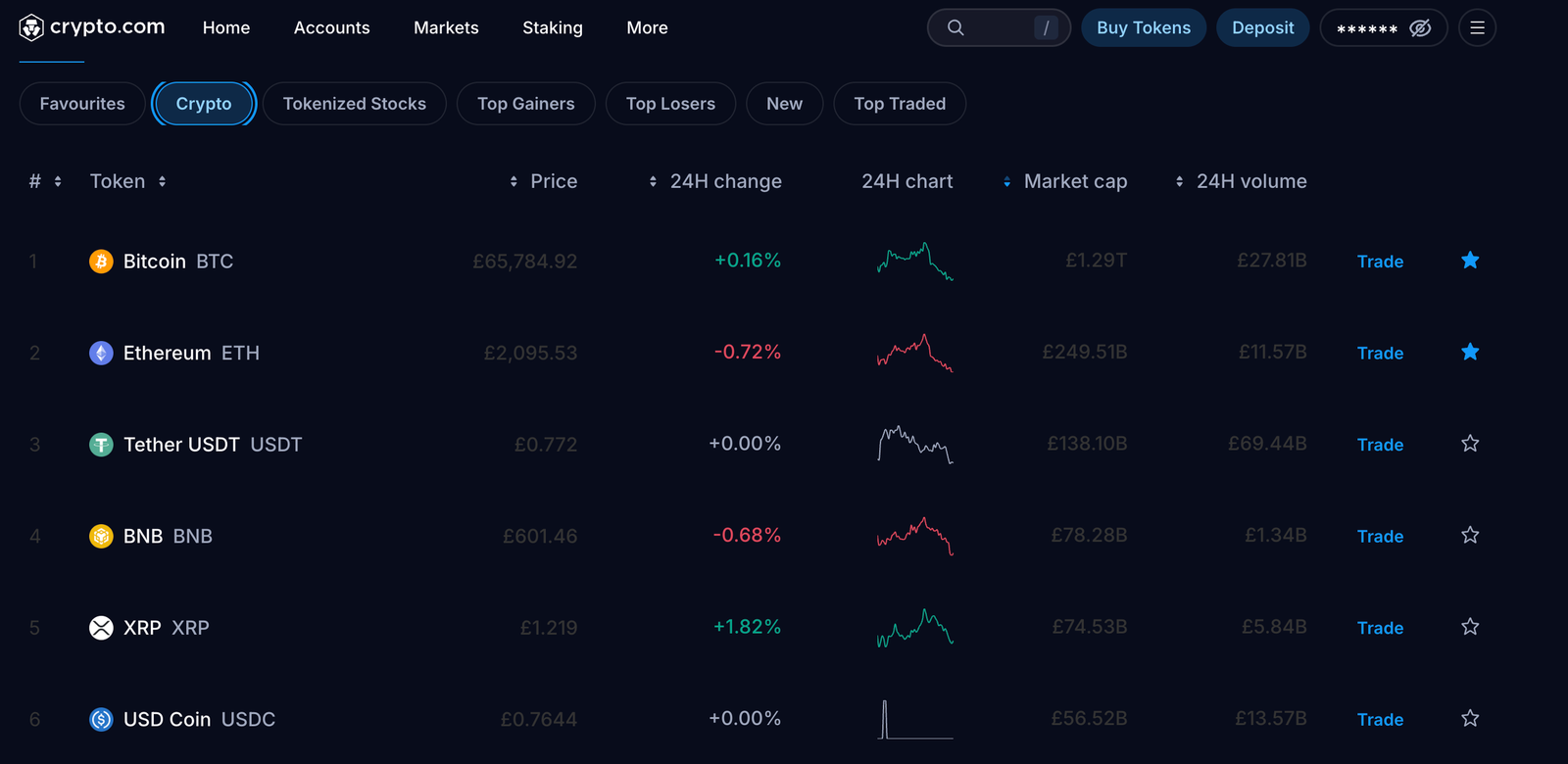
Crypto.com combines a beginner-friendly app with a separate, cheaper exchange, so you can start simple and move to an order book later without changing providers. The catch is that these are two different products with different prices. The app’s instant buy costs noticeably more than the Exchange’s 0.25% maker / 0.50% taker rates, and GBP cash-outs carry a £1.90 fee with a £70 minimum.
Key information
| Field | Details |
|---|---|
| Best for | Users who want an app, exchange and wider crypto features under one login |
| Platform type | Crypto.com App (instant buy) plus Crypto.com Exchange (order book) |
| Exchange spot fees | Level 1: 0.25% maker / 0.50% taker without CRO balance benefits (updated 8 October 2026) |
| App pricing | Spread-based quote; can differ from Exchange pricing |
| GBP deposits | Faster Payments in the app |
| GBP withdrawals | £1.90 fee, £70 minimum, only to the bank account you deposited from |
| Crypto selection | 400+ in the app (verify UK list) |
| External wallet | Yes, fees vary by coin and network |
| UK entity | Verify current UK entity and FRN on the FCA Register |
| FSCS | No – cryptoassets are not covered |
| Main drawback | App, Exchange and promotional prices are easy to confuse |
What I tested: I tested Crypto.com on a new UK account, using the Android app and the Exchange on desktop, in October 2026. I deposited £450 by Faster Payments, made a £100 BTC instant buy in the app and a £300 BTC/GBP limit order on the Exchange, then cashed out £70 to my bank and sent a stablecoin to an external wallet.
How did Crypto.com perform in my hands-on test?
I funded the app with £450 by Faster Payments, and it arrived in about 12 minutes. My first £100 Bitcoin purchase through the app’s Buy button showed no fee line at all. Comparing the quote with the Exchange’s order book at the same moment, I was paying roughly 1.3% over mid. That’s the cost of the convenient route, and it’s about what Coinbase charges.
I then moved £300 across to the Exchange, which was instant, and set a limit order. It filled at the 0.25% maker rate, a 75p fee. The difference between the two routes was the biggest single finding of this test. Cashing out was the low point. Crypto.com only lets you withdraw GBP to the bank account you deposited from, the minimum is £70, and the £1.90 fee is 2.7% of a minimum-size withdrawal. A £45 balance I had left over couldn’t be withdrawn at all.
What does Crypto.com charge to trade crypto?
Crypto.com Exchange charges 0.25% maker and 0.50% taker at Level 1 without CRO benefits. Instant buys in the Crypto.com App are priced through a spread instead. GBP withdrawals via Faster Payments cost £1.90, with a £70 minimum.
Who is Crypto.com best for as a Coinbase alternative?
Crypto.com is best for users who want an all-in-one crypto app but are willing to switch to the Exchange for larger trades. If you’ll only ever use the app’s Buy button, the saving over Coinbase is small, and the £70 cash-out minimum is a real annoyance for small balances.
Read the complete Crypto.com review here.
Pros & cons
- Exchange maker fee of 0.25% from the first trade
- Free, instant transfers between the app and the Exchange
- 400+ cryptoassets and a wide product range in one ecosystem
- Quick GBP deposits by Faster Payments
- App instant-buy pricing is much higher than Exchange pricing
- £1.90 GBP withdrawal fee and £70 minimum
- Withdrawals only go back to the bank account you deposited from
- Promotional and CRO-linked fee offers complicate the true cost
5. Uphold – best for multi-asset access
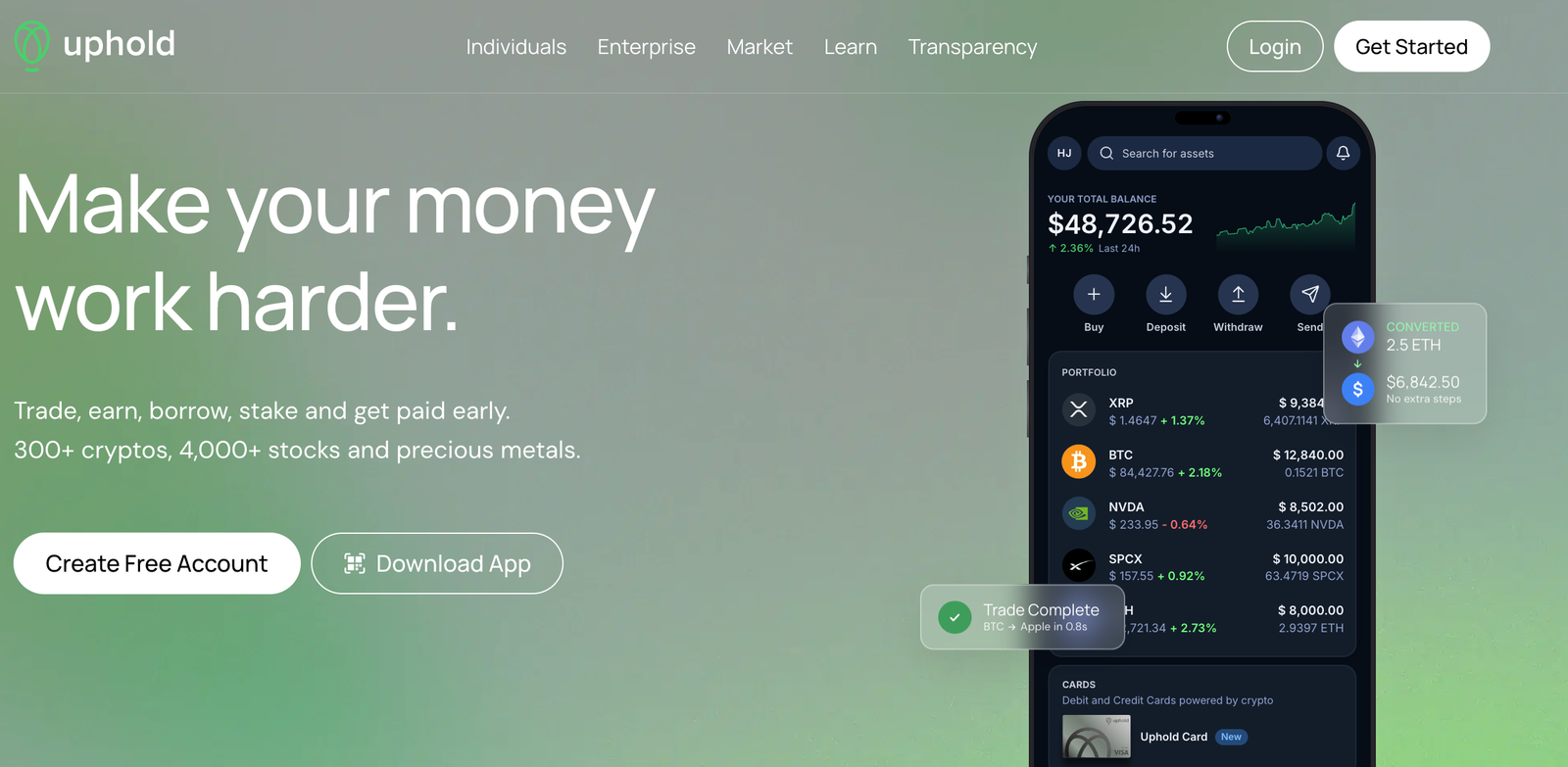
Uphold’s standout feature is ‘anything-to-anything’ trading. You can swap GBP, crypto and precious metals directly in one step, without routing through a base currency. It charges no explicit trading commission. Instead the cost sits in the spread, which independent tests put at roughly 0.8% to 1.5% depending on the asset, so it’s convenient but rarely the cheapest option for straightforward Bitcoin buying.
Key information
| Field | Details |
|---|---|
| Best for | Users who want to move between crypto, fiat and metals in one account |
| Platform type | Multi-asset trading platform (no order book) |
| Trading cost | No commission; spread varies by asset – independent tests report about 0.95% on BTC/GBP and up to around 1.5% elsewhere (verify live) |
| GBP deposits | Bank transfer / Faster Payments, no Uphold fee |
| GBP withdrawals | Bank transfer, no Uphold fee reported (verify) |
| Crypto selection | 250+ cryptoassets plus metals (verify UK list) |
| Card | UK Mastercard debit: 1% GBP cashback on GBP-funded purchases; £2.50 UK ATM fee |
| External wallet | Yes – network costs vary by asset; check total cost before confirming |
| UK entity | FCA-registered cryptoasset firm (verify entity and FRN) |
| FSCS | No – cryptoassets are not covered |
| Main drawback | Spread isn’t shown as a separate fee, and it varies by asset and time |
What I tested: I tested Uphold on a new UK account in the iPhone app in October 2026. I deposited £250 by Faster Payments, bought £100 of BTC, swapped £50 of BTC into XRP and put £40 into gold, then withdrew XRP to an external wallet and £60 to my bank.
How did Uphold perform in my hands-on test?
I deposited £250 and it arrived within about five minutes. Buying £100 of Bitcoin took three taps, and the screen showed only a ‘You get’ amount with no fee line. Against a market reference, the effective cost was about 1.05%. That’s broadly in line with the 0.95% BTC/GBP spread other testers have reported, and a little cheaper than Coinbase’s simple buy.
The useful part was the swap screen. I converted £50 of my Bitcoin straight into XRP, and then £40 of cash into gold, each in a single step. On other platforms that would mean selling to pounds and buying again, paying fees twice. The weakness is transparency. Spreads move with the asset and the market, and Uphold never shows them as a separate charge, so I’d always recommend checking the quote against a live price before confirming a larger order.
What does Uphold charge to buy Bitcoin?
Uphold charges no trading commission but builds a spread into every quote. Independent testing puts the BTC/GBP spread at around 0.95%, with other assets reaching about 1.5%. Uphold doesn’t charge for GBP bank deposits, and crypto withdrawals carry network costs that vary by asset.
Who is Uphold best for as a Coinbase alternative?
Uphold is best for people who hold a mix of crypto, cash and metals and want to move between them directly, especially if they’ll also use its UK debit card. If your only goal is buying Bitcoin as cheaply as possible, Uphold’s spread loses to order-book platforms.
Pros & cons
- Direct swaps between crypto, fiat and metals in one step
- No commission and no Uphold fee on GBP bank deposits
- 250+ cryptoassets plus precious metals
- UK debit card with 1% GBP cashback on GBP-funded spending
- Spread is built into the price and never shown as a fee
- Effective cost varies by asset and market conditions
- No order book or limit orders for cheaper execution
- Crypto withdrawal costs vary by network, so check each one
6. Revolut X – best for eligible users seeking order-book pricing
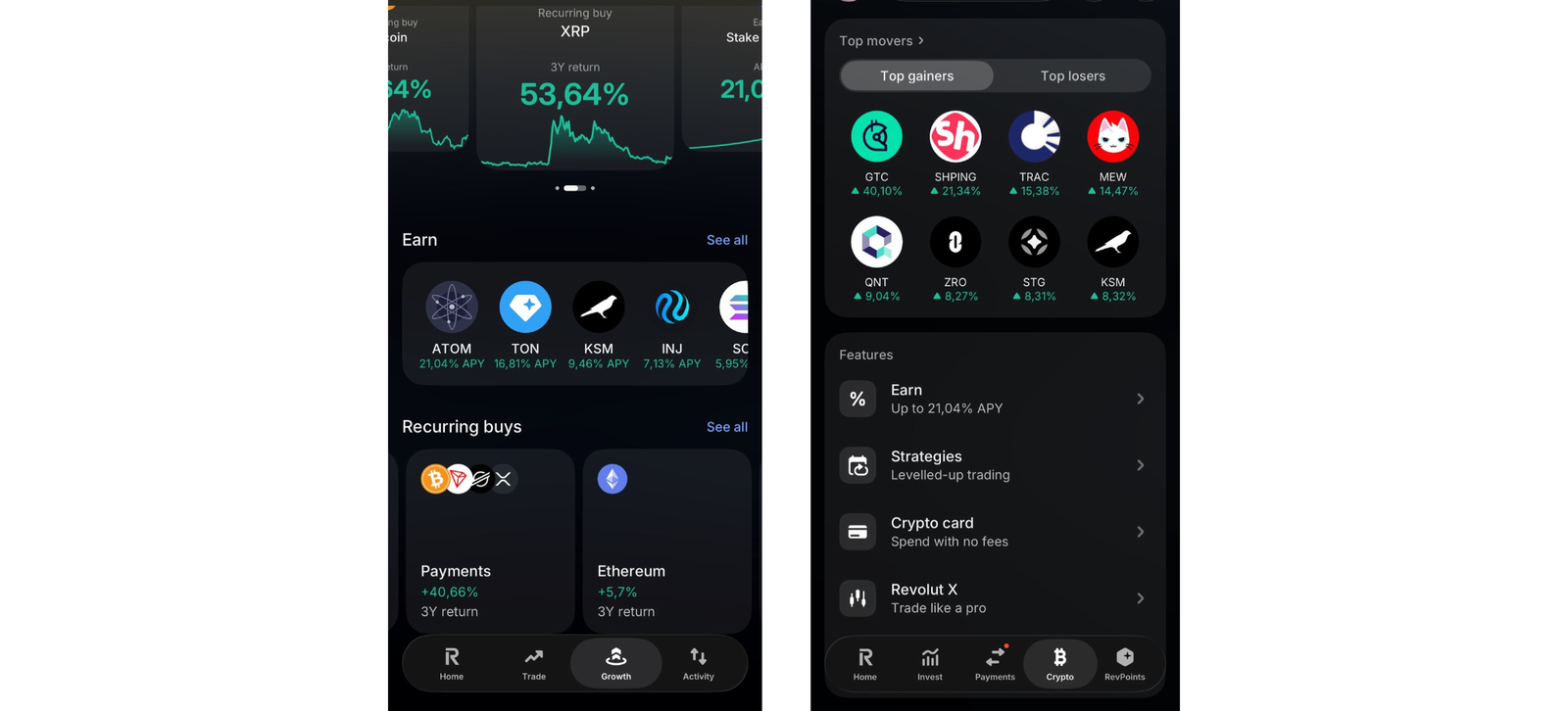
Revolut X is Revolut’s dedicated crypto exchange, and it’s the cheapest way to trade on this list for anyone who already banks with Revolut, one of the most crypto-friendly banks in the UK. It has flat fees of 0% maker and 0.09% taker regardless of volume, and free instant transfers from your Revolut account. The big caveat is that these rates don’t apply to crypto bought in the normal Revolut app, which charges 1.49% on the Standard plan.
Key information
| Field | Details |
|---|---|
| Best for | Revolut customers who want low-cost order-book trading |
| Platform type | Standalone exchange (web, iOS, Android) linked to a Revolut retail account |
| Revolut X fees | 0% maker / 0.09% taker, flat regardless of volume |
| Main Revolut app fees | Standard/Plus: 1.49% (minimum fees apply on small trades); Premium/Metal and Ultra: lower tiered rates |
| GBP funding | Free, instant transfers between your Revolut account and Revolut X |
| Crypto withdrawals | Revolut service fee of £1 for certain assets (e.g. XRP, XLM, DOT) or £3 for others, plus a variable network fee |
| Crypto selection | 100+ tokens at launch (verify current Revolut X list) |
| Eligibility | Requires a Revolut retail account; UK and EEA |
| UK entity | Revolut Ltd – FCA-registered cryptoasset firm (verify FRN) |
| FSCS | No – cryptoassets are not covered |
| Main drawback | You must be a Revolut customer, and the cheap rates only apply inside Revolut X |
What I tested: I tested Revolut X from an existing Revolut Standard account, on desktop and iPhone, in October 2026. I moved £1,000 across from my Revolut balance, compared the same £100 BTC buy in the main app and on Revolut X, placed a £600 BTC/GBP limit order and a £200 ETH market order, then withdrew BTC to a self-custody wallet.
How did Revolut X perform in my hands-on test?
I ran the same £100 Bitcoin purchase twice. In the regular Revolut app on the Standard plan, the confirmation screen showed a £1.49 fee. On Revolut X, the identical market order cost 9p. Moving £1,000 from my Revolut balance into Revolut X was instant and free, which removes the bank-transfer wait you get with every other exchange here.
The order book felt deep enough for retail sizes. My £600 limit order filled in nine minutes at a 0% maker fee, and a £200 ETH market order slipped only about 0.05% from the best ask. The friction came at the edges. Revolut X sits apart from the main app, so it took some digging to set up the first time. Withdrawing Bitcoin to my own wallet also added a £3 Revolut service fee on top of the network fee, which makes small withdrawals relatively costly.
What does Revolut X charge to trade crypto?
Revolut X charges 0% for maker orders and 0.09% for taker orders, with no volume tiers, so a £1,000 market order costs 90p. Crypto bought in the main Revolut app costs 1.49% on the Standard and Plus plans. External crypto withdrawals add a £1 or £3 Revolut service fee plus a network fee.
Who is Revolut X best for as a Coinbase alternative?
Revolut X is best for existing Revolut customers who trade regularly and are comfortable placing orders on an order book. For them it beats almost every other platform here on headline trading cost, only IG is cheaper, and only for BTC, ETH and SOL. If you don’t bank with Revolut, or you mostly want to withdraw small amounts to self-custody, the account requirement and withdrawal fees reduce the appeal.
Pros & cons
- Flat 0% maker and 0.09% taker fees with no volume tiers
- Free, instant GBP funding from a Revolut account
- Order book with limit orders on web and mobile
- All fees shown before you confirm an order
- Requires a Revolut retail account
- Main Revolut app charges 1.49% on Standard and Plus plans
- £1 or £3 service fee plus network fee on crypto withdrawals
- Smaller token range than Bitpanda or Crypto.com
7. IG Crypto – best for low-cost Bitcoin, Ethereum and Solana
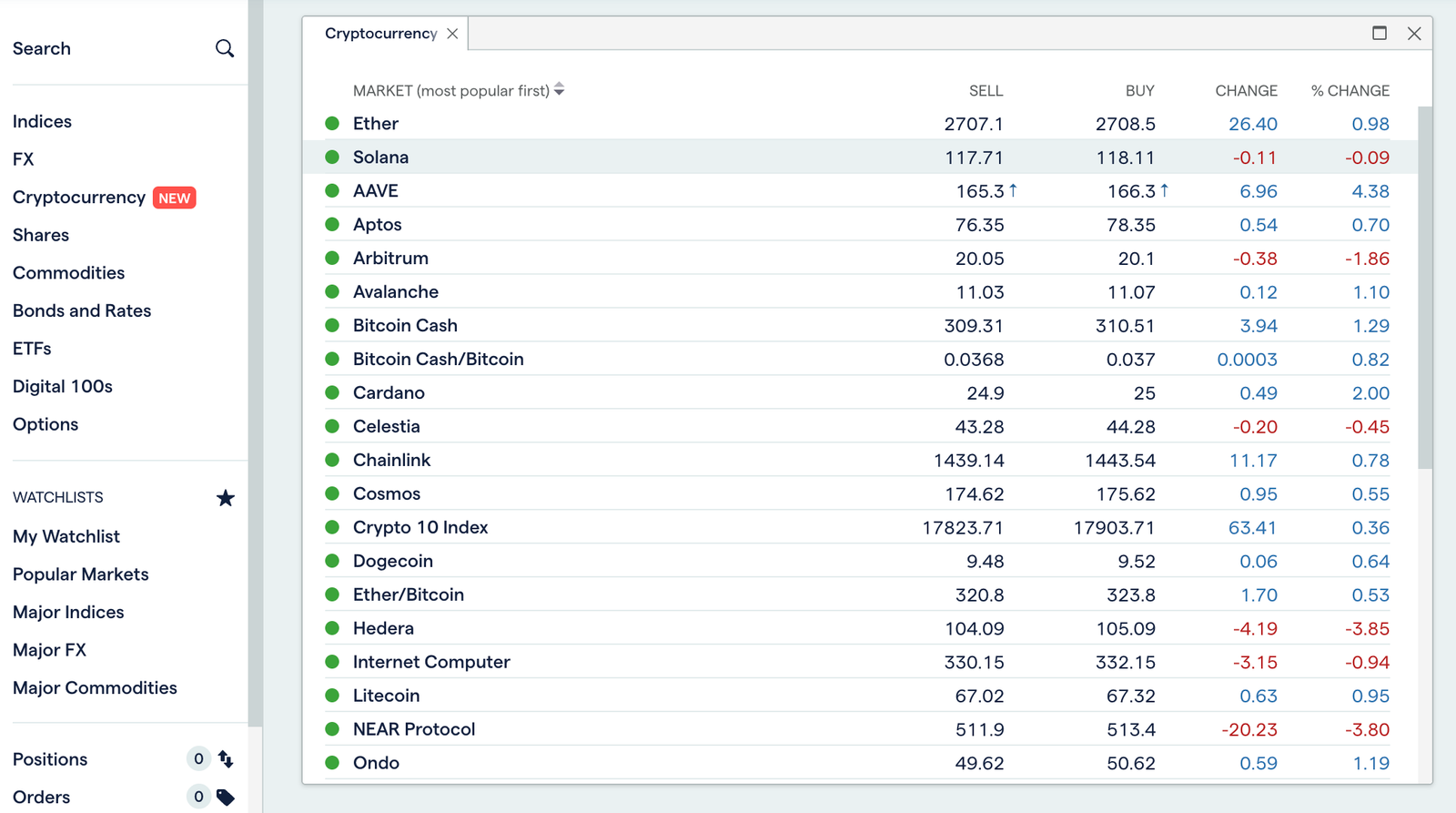
IG is the cheapest place on this list to buy the three biggest coins with no trading experience needed. It charges 0% commission on Bitcoin, Ethereum and Solana, with only a 0.07% external exchange fee included in the price. Everything else costs 1.49%, though, and IG’s crypto account can’t hold cash itself, so it works best for investors who already use, or want, an IG share-dealing account.
Key information
| Field | Details |
|---|---|
| Best for | Investors buying BTC, ETH or SOL alongside shares and ETFs |
| Platform type | Crypto investing account from a multi-asset broker |
| BTC, ETH and SOL | 0% commission; 0.07% external exchange fee charged by IG’s liquidity partner and included in the price (applies to swaps between the three too) |
| Other crypto | 1.49% fee to buy and sell |
| Minimum investment | £1 |
| GBP funding | Cash sits in a linked IG share dealing, CFD or spread betting account; standard IG payment methods |
| External wallet | Transfers out live since July 2026 on desktop web; no IG transfer fee; £10,000 daily limit; wallet ownership verification required |
| Crypto selection | 150+ cryptoassets (IG has since expanded the range; verify current count) |
| ISA/SIPP | Not available for crypto under UK rules |
| UK entity | IG Markets Ltd – FCA-authorised; FCA-registered cryptoasset firm since October 2025 (verify FRN) |
| FSCS | No – cryptoassets are not covered |
| Main drawback | The low fee applies only to three coins |
What I tested: I tested IG Crypto alongside an existing IG share dealing account, on the desktop platform and the IG app, in October 2026. I paid in £500 by debit card, bought £300 of BTC, £100 of SOL and £50 of a smaller altcoin, then withdrew SOL to a self-custody wallet.
How did IG Crypto perform in my hands-on test?
IG’s crypto account doesn’t hold cash, so I first paid £500 into my IG share dealing account, and the crypto account drew on that balance automatically. Buying £300 of Bitcoin showed a 0.07% external exchange fee of 21p, and the quote sat about 0.1% from a live market reference. £100 of Solana cost 7p. For buy-and-hold investors in the big three, that’s dramatically cheaper than Coinbase’s simple buy or eToro’s 1%.
The cheap pricing has a hard edge, though. A £50 purchase of a smaller altcoin was charged at 1.49%, the same as Bitpanda’s rate for most altcoins and in line with Revolut’s main app. Withdrawing my Solana to a self-custody wallet worked with no IG fee and arrived in about 22 minutes. I had to switch to the desktop platform and complete a wallet-ownership check first, which took longer than the transfer itself.
What does IG charge to buy crypto?
IG charges 0% commission on Bitcoin, Ethereum and Solana, with a 0.07% external exchange fee included in the price, so a £100 purchase costs 7p. Other cryptocurrencies cost 1.49% to buy and sell. IG charges no fee to transfer crypto out to an external wallet, but network fees can apply.
Who is IG Crypto best for as a Coinbase alternative?
IG Crypto is best for long-term investors who mainly want Bitcoin, Ethereum or Solana and like holding crypto in the same place as their shares and ETFs. If you trade a wide range of altcoins, or need mobile crypto withdrawals today, Bitpanda or Kraken will fit better.
Read the complete IG review here.
Pros & cons
- 0% commission on BTC, ETH and SOL with only a 0.07% external exchange fee
- £1 minimum and crypto held alongside an IG investment account
- No IG fee for transferring crypto out to your own wallet
- Large, FTSE 100-listed provider with an FCA-authorised UK entity
- 1.49% fee on every crypto outside the big three
- Requires a separate IG account to hold cash
- Transfers out are desktop-only for now, with a £10,000 daily limit
- No order book, maker/taker pricing or advanced crypto order types
Which Coinbase alternative is cheapest in the UK?
For Bitcoin, Ethereum and Solana, IG and Revolut X are the cheapest options here. On a £1,000 purchase they cost about 70p and 90p, against roughly £15 on Coinbase’s simple Buy screen. The table models a single Bitcoin purchase on each platform’s cheapest route for a new account. It uses each provider’s published fees, and independently reported spreads where the cost is built into the price. These are modelled figures, not results from real orders.
| Platform and route | £100 | £1,000 | £5,000 |
|---|---|---|---|
| IG (0.07% on BTC, ETH, SOL) | £0.07 | £0.70 | £3.50 |
| Revolut X (0.09% taker) | £0.09 | £0.90 | £4.50 |
| Crypto.com Exchange (0.50% taker) | £0.50 | £5.00 | £25.00 |
| Coinbase Advanced (0.60% taker, lowest tier) | £0.60 | £6.00 | £30.00 |
| Kraken Pro (0.80% taker, Tier 1) | £0.80 | £8.00 | £40.00 |
| Uphold (about 0.95% spread, reported) | £0.95 | £9.50 | £47.50 |
| Bitpanda (0.99% built into the price) | £0.99 | £9.90 | £49.50 |
| Coinbase simple buy (about 1.5%, reported) | £1.50 | £15.00 | £75.00 |
| eToro (1% fee plus 0.75% FX) | £1.75 | £17.50 | £87.50 |
Four things change the picture:
- Limit orders cost less. They’re free on Revolut X, 0.25% on Crypto.com and 0.40% on Kraken Pro.
- Kraken’s rate falls with volume. It drops to 0.30%/0.60% once you trade $2,500 in 30 days.
- IG’s cheap rate is narrow. It applies only to Bitcoin, Ethereum and Solana; every other coin costs 1.49%.
- Selling and cashing out cost extra. Most platforms charge again when you sell, and some charge to withdraw cash: Crypto.com’s £1.90 fee is 2.7% of its £70 minimum withdrawal.
How safe are Coinbase alternatives in the UK?
Crypto is legal in the UK, and every platform here works through a UK entity on the FCA register, but that protects you less than most people assume.
- FCA registration isn’t full regulation. Most crypto firms are only registered with the FCA under anti-money-laundering rules. That’s an entry check, not oversight of how they look after your coins. eToro and IG are fully FCA-authorised investment firms, but their crypto still isn’t covered by the FSCS. A full UK crypto regime is due to start on 25 October 2027.
- The platform holds your coins. On every platform here, the provider holds the private keys. If it fails or freezes withdrawals, you’re relying on how well it keeps client assets separate. Uphold and Kraken publish proof-of-reserves reports; for the others, check what each one publishes.
- Check the register yourself. Make sure the firm name and FRN on the FCA Register match the company named in the platform’s terms. Search the FCA Warning List too, because clone sites copy real exchange names.
- Lock down your account. Use an authenticator app or passkey rather than SMS codes. Turn on withdrawal-address allowlisting where it’s offered. For a large holding you don’t trade, a hardware crypto wallet removes the platform risk entirely.
How I scored and ranked the best Coinbase alternatives in the UK
I started from the research behind Psyfi Money’s ranking of the top crypto exchanges and its full platform reviews. For this guide, I weighted it around one reader: someone in the UK who uses Coinbase, or is considering it, and wants a cheaper or better-suited place to buy, hold and cash out crypto. Any existing Psyfi Money review rating for a platform stays separate from its position here.
Before ranking, each platform had to pass four checks:
- It serves UK retail customers through an FCA-registered or FCA-authorised UK entity.
- It accepts GBP deposits.
- It sells real cryptoassets rather than only derivatives.
- It publishes fees clear enough to model.
All seven platforms passed, so none of these checks earned extra points.
| Ranking factor | Weight | What I assessed |
|---|---|---|
| Cost to buy and sell | 30% | Modelled cost of £100 and £1,000 BTC orders on each platform’s cheapest available route, including maker/taker fees, fees built into the quoted price, published or independently reported spreads, and FX conversion |
| Switching from Coinbase | 20% | Whether the cheap route is the default or a separate interface (Kraken Pro, Crypto.com Exchange, Revolut X), and whether fees are shown as a separate charge or built into the price |
| GBP deposits and cash-outs | 15% | Faster Payments deposit fees, GBP withdrawal fees and minimums (for example Crypto.com’s £1.90 fee and £70 minimum), and same-account withdrawal rules |
| Self-custody withdrawals | 15% | Whether coins can be sent to a personal wallet, service fees on top of network fees (Revolut’s £1 or £3), daily limits, and desktop-only restrictions (IG) |
| UK coin range | 10% | Advertised UK asset counts, from about 100 on IG and Revolut X to 600+ on Bitpanda, and fee tiers for smaller altcoins |
| Distinct advantage over Coinbase | 10% | Features Coinbase doesn’t match for this reader: limit-order pricing, CopyTrader, direct crypto-to-metals swaps, or crypto held alongside an existing share account |
The most useful comparison was a modelled £100 Bitcoin purchase on each platform’s cheapest route, using only published fees. A taker order costs 9p on Revolut X and 80p on Kraken Pro’s entry tier. IG charges 7p, and eToro comes to roughly £1.75 once its 0.75% currency conversion is added. Where a fee is built into the quoted price, as on Bitpanda, Uphold and the app instant-buy screens, I used the published rate or an independently reported spread and treated it as indicative.
I gave cost 30% because most people searching for a Coinbase alternative are trying to pay less each time they buy Bitcoin or Ethereum. I gave switching friction 20% because the cheapest rate is often on a separate screen a Coinbase user may never find. Coin range got only 10%: someone leaving Coinbase rarely needs 600 tokens. These weights decide the order of platforms in this guide only, and any wider Psyfi Money rating for a platform stays as it is.
How to buy crypto using a UK Coinbase alternative?
1. Log in to the platform
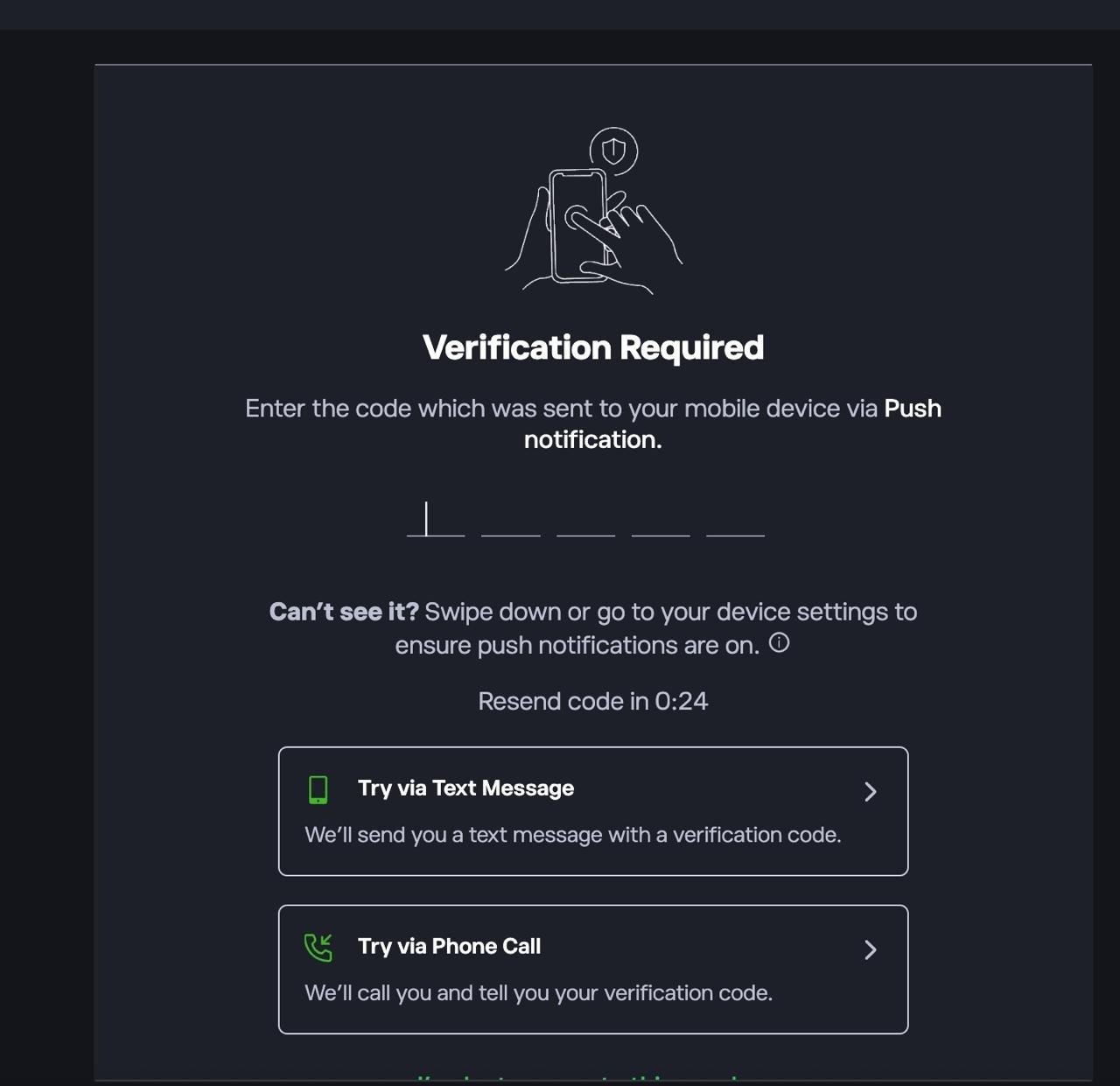
First sign up or log in to the platform. If prompted, complete 2FA by entering the code sent via push notification, SMS, or phone call.
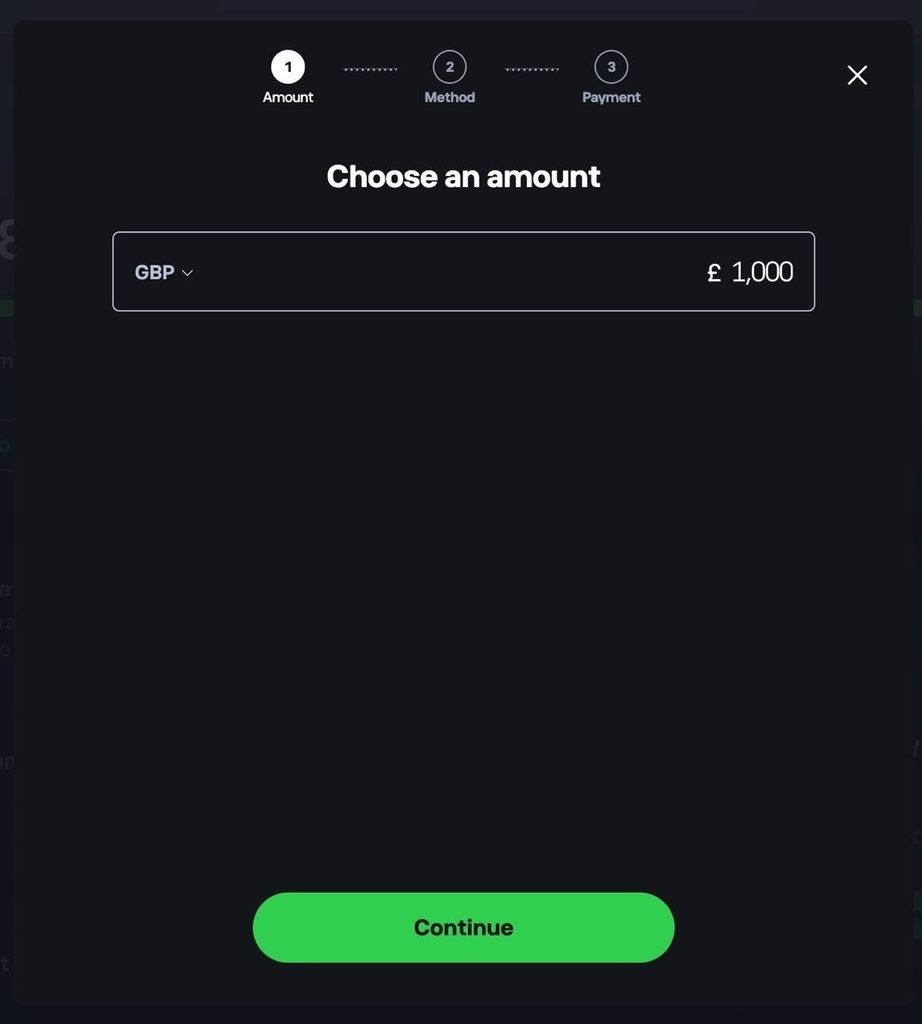
2. Deposit funds into your account
Head to your dashboard and choose to add funds. Select your currency, enter the amount you want to deposit, tap Continue, then choose a payment method.
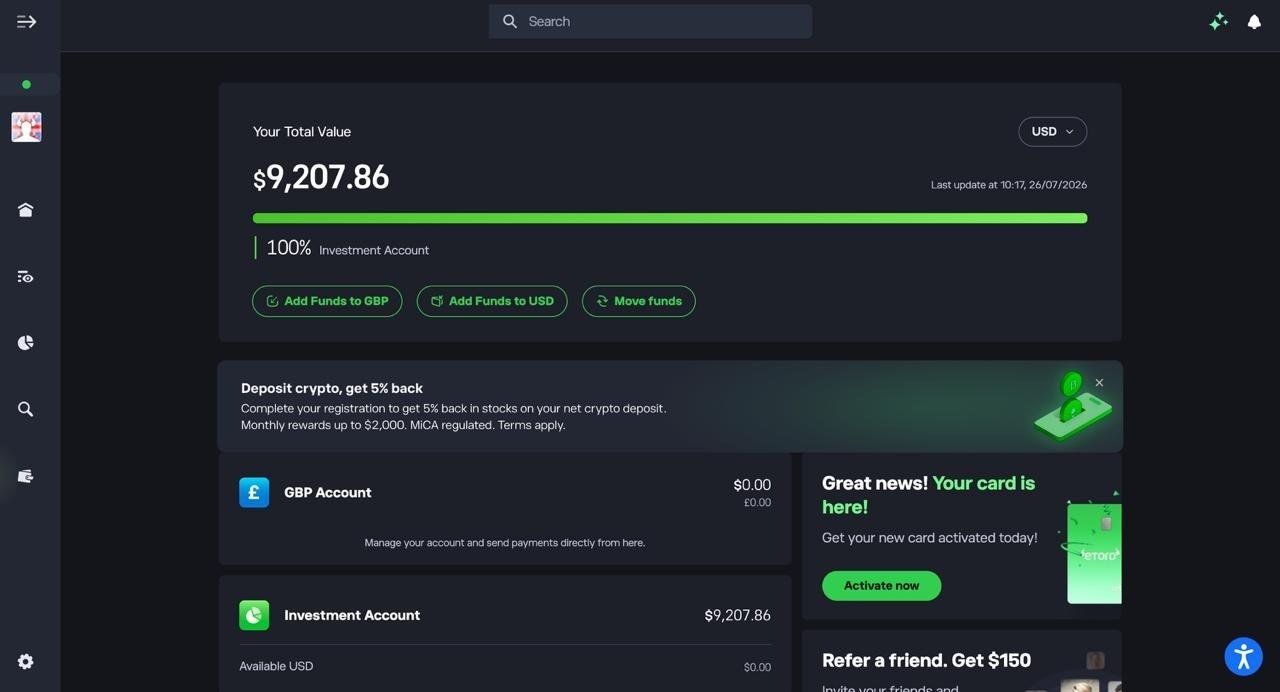
3. Confirm your funds are available
Check your dashboard to make sure your deposit has landed in your Investment Account before you start buying crypto.
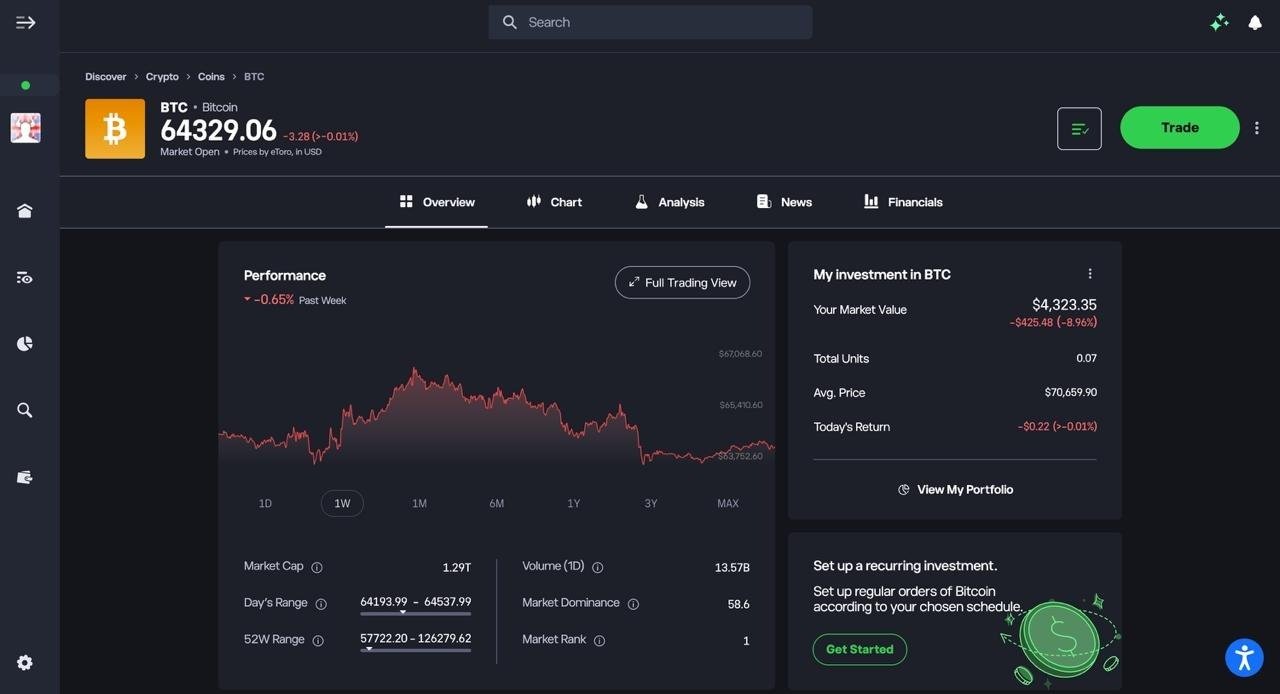
4. Find the crypto you want to buy
Search for the coin you’re after, such as Bitcoin, and open its overview page to check the current price and performance.
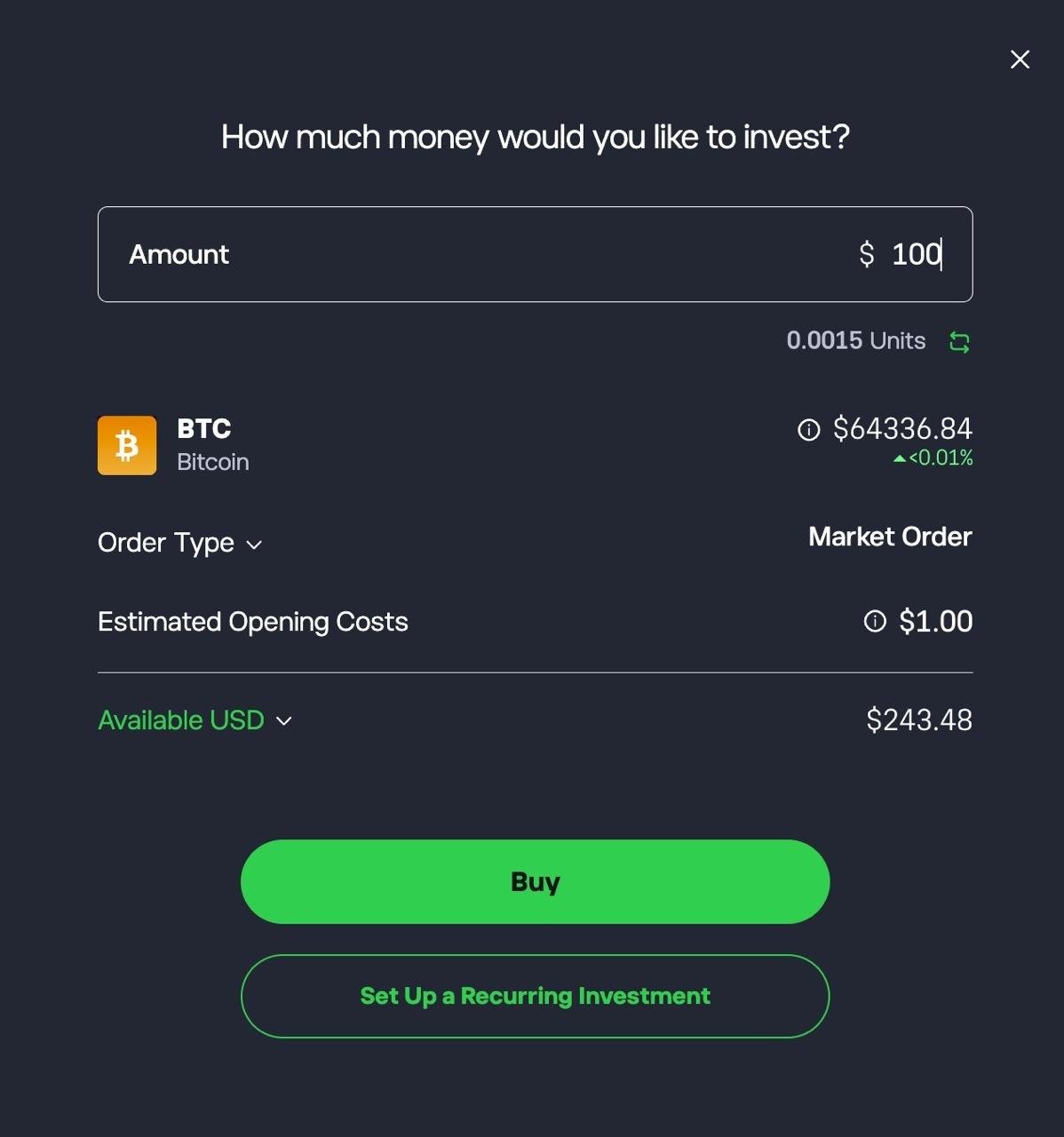
5. Set up and confirm your purchase
Enter the amount you want to invest, review the estimated units and opening costs, then tap Buy. You can also set up a recurring investment if you want to buy on a regular schedule.
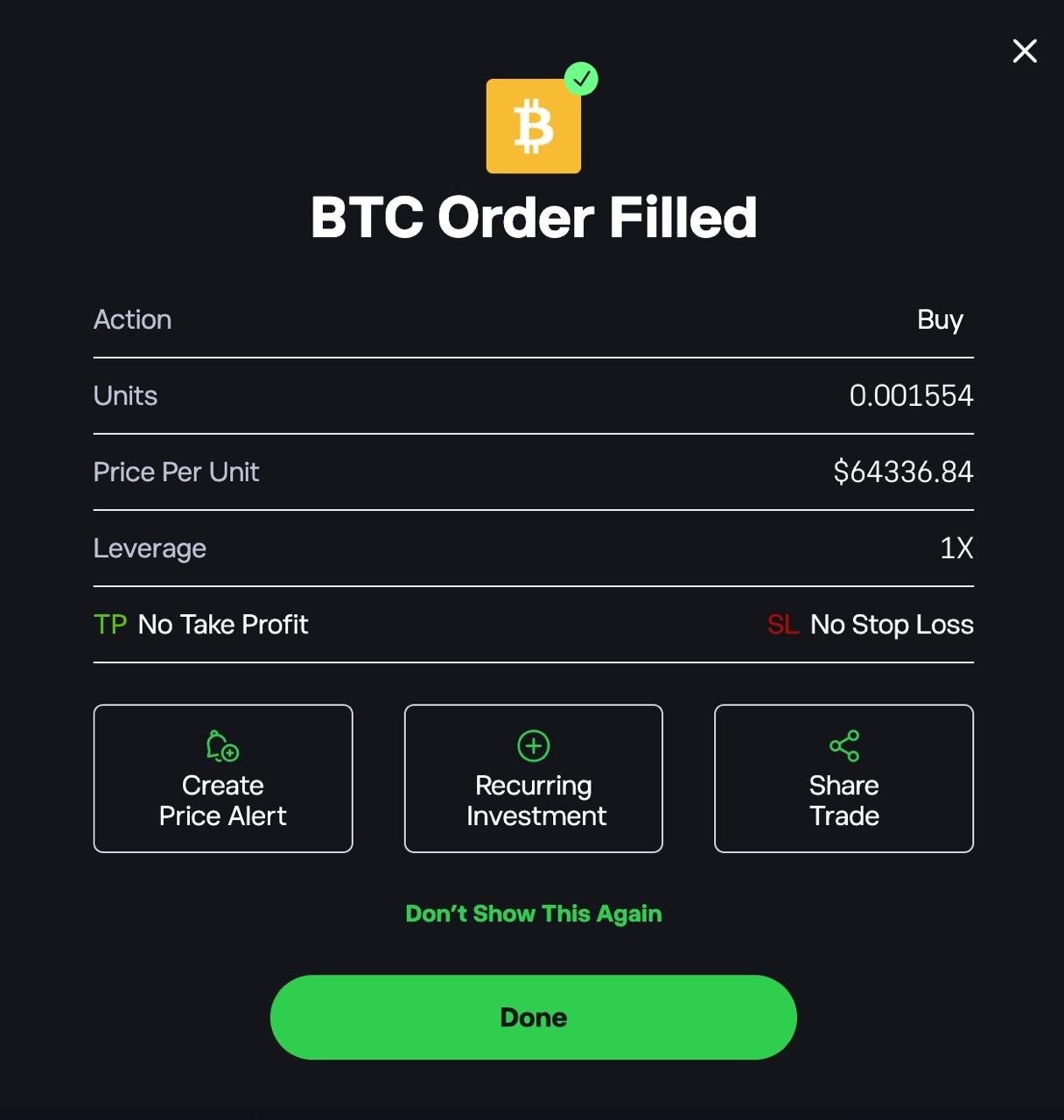
6. Check your order confirmation
Once your order goes through, you’ll see a confirmation showing the units bought, price per unit, and leverage. From here you can also set a price alert or share the trade.
FAQs
Is Coinbase or Kraken better in the UK?
Kraken is better if you’ll use Kraken Pro and place limit orders: maker orders cost 0.40% on a new account, falling with volume. For occasional market orders, Kraken’s entry-tier 0.80% taker fee is higher than Coinbase Advanced’s lowest tier, and Kraken’s app Buy button costs 1% plus a spread. Coinbase is simpler to start with; Kraken rewards traders who are willing to learn its Pro interface.
What is the cheapest Coinbase alternative?
For Bitcoin, Ethereum and Solana, IG is cheapest at a 0.07% external exchange fee, followed by Revolut X at 0.09% for market orders (limit orders are free). Kraken Pro and the Crypto.com Exchange are cheaper than Coinbase’s simple Buy screen, but only if you use their separate trading interfaces. Bitpanda and Uphold build their fee into the price, so compare the quote against a live market price.
Are there Coinbase alternatives with more cryptocurrencies?
Yes. Bitpanda, Kraken and Crypto.com each list a large selection of coins, including smaller altcoins that Coinbase doesn’t offer. Availability can differ for UK customers, so check the platform’s UK asset list before signing up.
Are Coinbase alternatives safe to use in the UK?
Look for platforms registered with the Financial Conduct Authority (FCA) for anti-money-laundering purposes, which you can check on the FCA register. Keep in mind that crypto isn’t covered by the Financial Services Compensation Scheme (FSCS), so your holdings aren’t protected if a platform fails.
