

After comparing 7 UK crypto exchanges, my top picks are Coinbase for first-time buyers, eToro for beginners and social investing, and Kraken for advanced order types and fast withdrawals. I compared the all-in cost of buying Bitcoin and Ethereum with pounds, GBP deposits and withdrawals, whether you can move coins to your own wallet, and security features, as well as how each exchange handles a first purchase.
- Earn passive rewards by staking ETH, SOL, ADA, and more
- Access Web3 lending and tokenization through eToro's wallet
- Themed crypto Smart Portfolios for diversified exposure
Capital at risk. T&Cs apply.
How I tested and ranked these exchanges
I tested each exchange with a funded UK account in September 2026. On every platform, I bought Bitcoin three times at different times of day, bought Ethereum, withdrew £200 to my bank and, where the exchange allowed it, sent crypto to my own wallet.
For each trade, I compared the price I got with the market price at the same moment, so the cost I recorded included the fee, the spread and any currency conversion.
- 7 funded UK accounts
- £5,200 deposited
- 39 trades placed
- 7 GBP withdrawals and 7 crypto withdrawals to a personal wallet
- Tested on iPhone, Android, and desktop
I then weighted costs 25%, ease of a first purchase 20%, GBP deposits and withdrawals 15%, self-custody 15%, security 10%, trading tools 10% and coin range 5%. FCA registration as a cryptoasset firm was a must, not a scoring factor.
What are the best crypto exchanges in the UK in 2026?
| Exchange | Best for | £500 BTC cost | Maker / taker | GBP withdrawal | Coins | Own wallet |
|---|---|---|---|---|---|---|
| Coinbase | First-time buyers | £9.75 Simple / £2.65 Adv | 0.25% / 0.50% | Free | ~250 | Yes |
| eToro | Copy investing | £7.10 | 1% flat + FX | Free | 100+ | Via eToro Money (2%) |
| Kraken | Advanced orders | £7.95 Instant / £4.10 Pro | 0.40% / 0.80% | £1.95 | 300+ | Yes (fixed fee) |
| Bitpanda | Coin choice | £7.45 | 0.99% BTC | Free | 600+ | Yes |
| IG | Crypto + investments | £0.60 | 0% + 0.07% (BTC/ETH/SOL) | Free | 150+ | Selected tokens |
| Crypto.com | App and card | £5.70 App | 0.25% / 0.50% (Exchange) | £1.90 (£70 min) | 350+ | Yes |
| Uphold | Multi-asset | £5.90 | Spread only | Free | 300+ | Yes |
Choose a crypto exchange based on your priorities
| If you are… | Recommended platform |
|---|---|
| Buying your first Bitcoin | Coinbase |
| Wanting the lowest trading costs | IG (BTC, ETH and SOL); Coinbase Advanced or Crypto.com Exchange for other coins |
| Buying crypto monthly | Bitpanda (Savings Plan from £1) |
| Trading actively | Coinbase Advanced (lowest fees) or Kraken Pro (more order types) |
| Wanting maximum coin selection | Bitpanda |
| Wanting to withdraw to a hardware wallet | Coinbase |
| Wanting crypto alongside stocks | IG (or eToro if you want copy trading) |
| Mainly depositing GBP by bank transfer | IG (free both ways; £200 withdrawal in 2 hours) |
| Wanting the simplest crypto mobile app | Coinbase (5 taps from login to a BTC purchase) |
Best crypto exchange reviews
1. Coinbase: Best for first-time UK crypto buyers
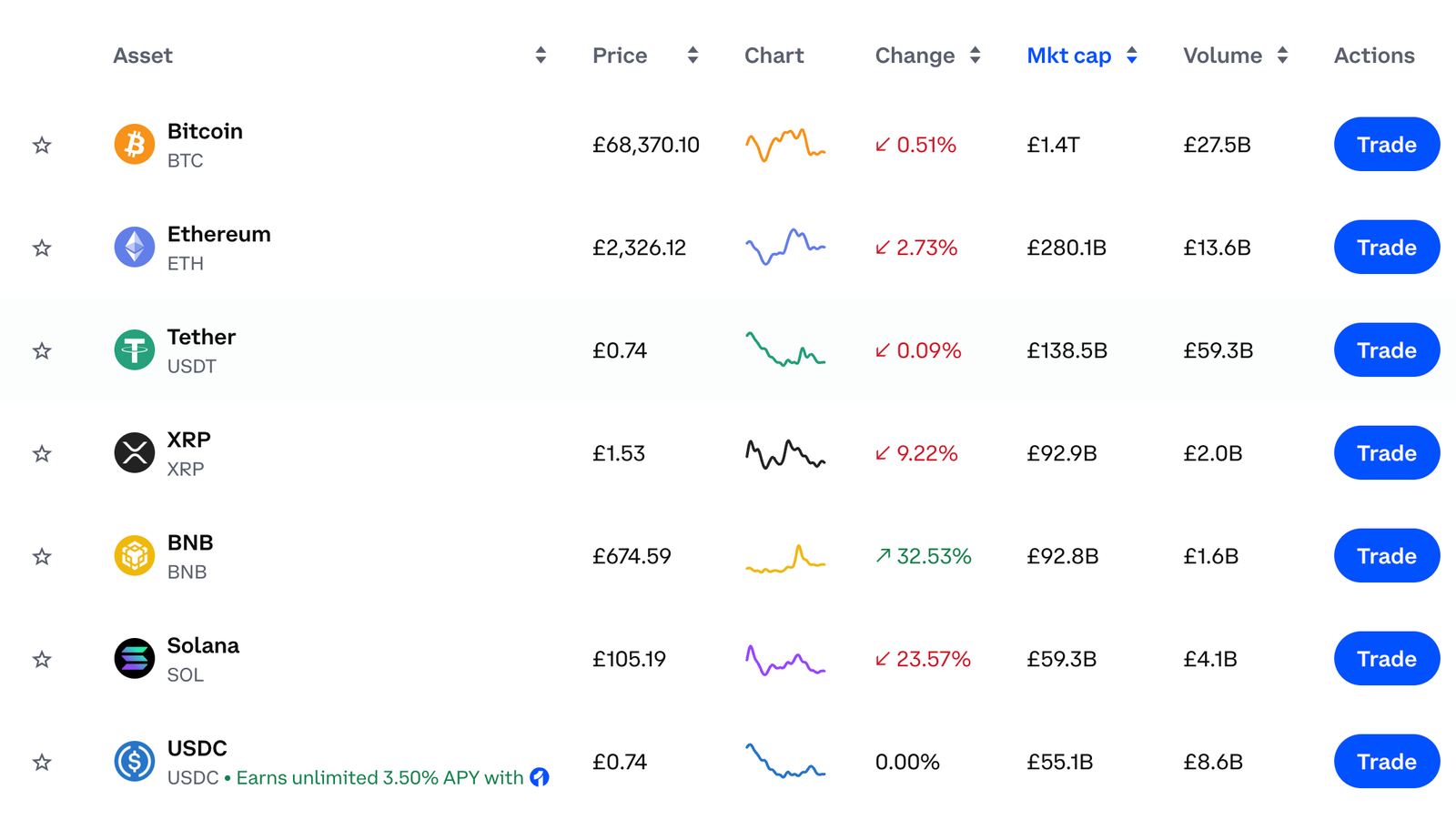
Coinbase gets a beginner from sign-up to owning Bitcoin, and to moving it to their own wallet, with less friction than any other exchange I tested. The trade-off is that the default Buy button is the expensive route. The same order on Coinbase Advanced cost me about a third as much, and Coinbase has cut Advanced fees again since my test.
| Feature | Information |
|---|---|
| Best for | First-time buyers who value brand trust |
| UK entity | CB Payments Ltd |
| FCA status | FCA-authorised EMI; registered cryptoasset firm (FRN 900635) |
| Crypto available | About 250 in the UK |
| Standard BTC fee | About 1.49% on a Simple Buy by bank transfer, plus a spread of about 0.5% |
| Advanced trading fee | 0.25% maker / 0.50% taker at entry tier (cut from 0.40% / 0.60% on 16 September 2026); lower with volume |
| GBP deposit | Faster Payments, free; debit card 3.99% |
| GBP withdrawal | Faster Payments, no Coinbase fee |
| External wallet | Yes, network fee only |
| Staking | Yes, including ETH and SOL |
| Security | Mandatory 2FA, passkeys, address allowlisting, Vault; about 98% of assets in cold storage |
| Minimum | £1 |
| Platforms | Web (Simple and Advanced), iOS and Android |
| FSCS | Crypto isn’t covered |
What I tested: On a MacBook Air (Chrome) and the iPhone app, September 2026, I opened a new UK account, deposited £650 by Faster Payments, and made three BTC buys each on Simple Buy and Advanced (£250 main order). I also bought £150 of ETH on Advanced, sent BTC to a Ledger, withdrew £200 GBP, and set up 2FA, a passkey, address allowlisting and Vault.
What was it like buying crypto on Coinbase?
Verification took about 8 minutes: one passport scan and a selfie. I transfered £650. The only wait was the FCA’s 24-hour cooling-off period for first-time crypto investors, so my first trade was the next morning.
I placed the same £250 BTC order twice. Through the default Buy button, the confirmation screen showed a £3.73 fee. Comparing the price I got with the market mid-price revealed about 0.45% of spread on top, so the true cost was 1.94%. I then opened Advanced in the browser. On a laptop screen it’s a proper trading view, with the order book, depth chart, price chart and a fee estimate all visible at once.
There, the same order as a market (taker) order cost £1.50, or 0.62% all-in. A £150 ETH order on Advanced came in at 0.64%. None of this is hidden, but a beginner who never clicks through to Advanced would never see it. The same order took me 5 clicks on Simple Buy and 6 on Advanced on the web. In the iPhone app, Advanced is squeezed into a toggle and took 7 taps.
A week after my test, Coinbase cut its UK entry-tier Advanced fees to 0.25% maker and 0.50% taker. The same £250 market order would now cost about £1.25 in fees, or roughly 0.53% all-in.
Sending BTC to my Ledger was the part Coinbase handles best. I added the address to the allowlist first, which puts a 48-hour hold on any new address. That’s annoying the first time, but it’s exactly what you want if your account is ever compromised. Once the hold lifted, the transaction broadcast within two minutes and arrived 18 minutes later, with about £1.10 in network fees. The £200 GBP withdrawal was slower: it took 72 hours to reach my bank.
How much does Coinbase charge to buy Bitcoin?
Coinbase charges about 1.49% on a Simple Buy funded by bank transfer, plus a spread of about 0.5%. Across my three runs, that came to 1.95% on average. Coinbase Advanced now charges 0.25% maker / 0.50% taker at the entry tier, after a cut on 16 September 2026.
At the old 0.60% taker rate, my all-in average was 0.63%. At today’s rates, the same orders would come to about 0.53%. Faster Payments deposits and withdrawals carry no Coinbase fee, and withdrawals to an external wallet cost only the network fee.
Who is Coinbase best for?
Coinbase is best for first-time UK buyers who want a trusted, well-known exchange and a simple route to self-custody. Once you’re comfortable, switch to Advanced to cut your costs.
Who should consider an alternative to Coinbase?
Frequent traders who place limit and stop orders will get deeper tools on Kraken Pro. Anyone who needs their GBP back quickly should note that my withdrawal took three days, against 14 minutes on Kraken. See the best Coinbase alternatives.
Pros and cons of Coinbase
- 8-minute KYC and fee-free Faster Payments deposits
- Advanced cut my BTC cost from 1.94% to 0.62%, and fees have been cut again since
- Address allowlisting, passkeys and Vault add real withdrawal protection
- Very beginner friendly interface
- 250+ cryptocurrencies
- Smooth and reliable mobile app
- Learn & Earn rewards for new users
- The default Buy button is the expensive route
- The £200 GBP withdrawal took 72 hours
- Crypto isn’t FSCS-protected
- Fee structure can be confusing
- No demo trading
Read the complete Coinbase review here.
2. eToro – Best for beginners and social crypto investing
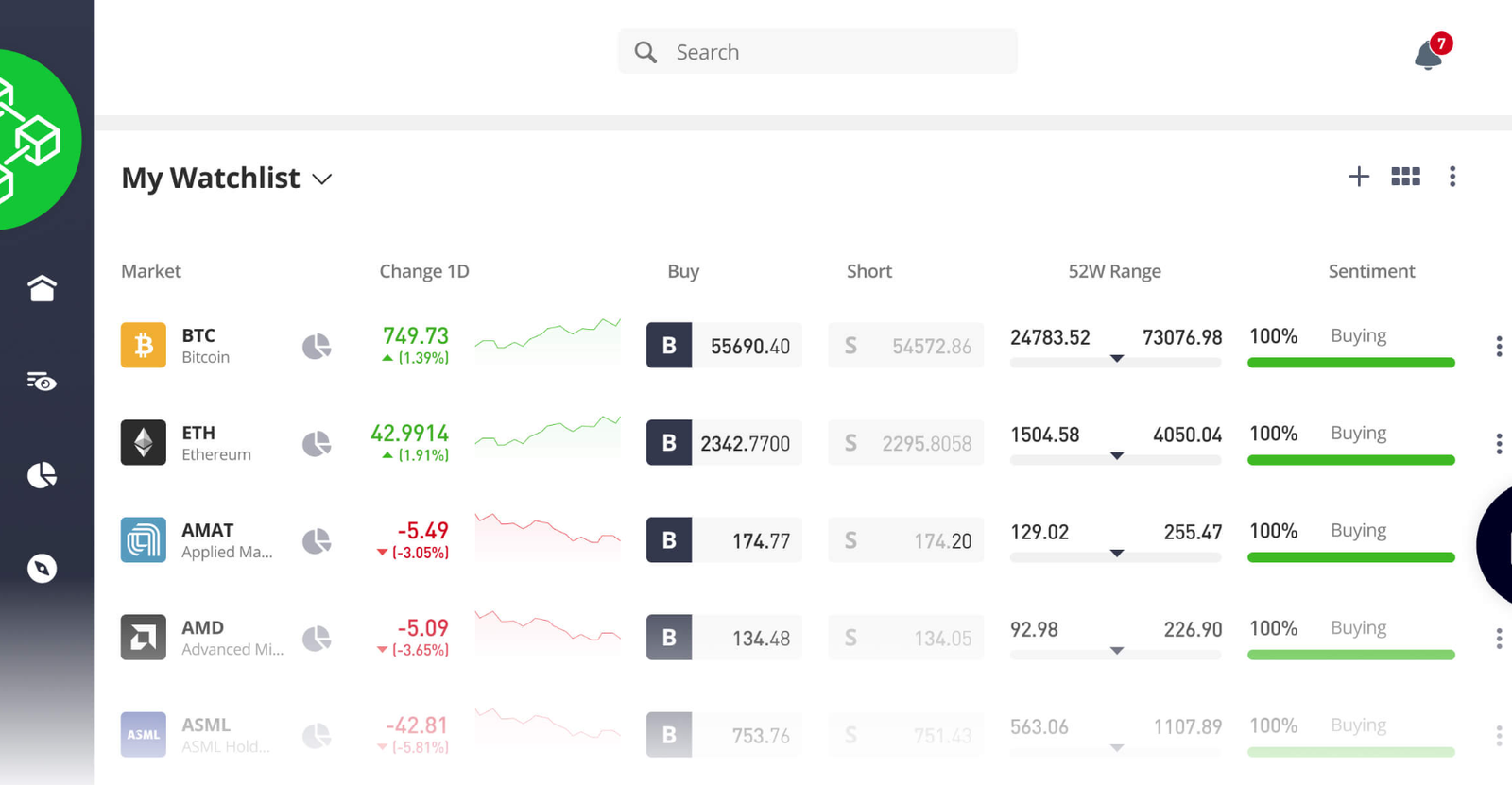
eToro is the easiest place to buy crypto if you also want shares, ETFs and CopyTrader in the same account, on the web or in the app. It isn’t the cheapest exchange. The flat 1% fee is fair on BTC, but ETH cost me noticeably more once the spread was included, and coins don’t leave eToro as easily as they leave Coinbase or Kraken.
| Feature | Information |
|---|---|
| Best for | Beginners who want crypto, stocks and copy trading together |
| UK entity | eToro (UK) Ltd |
| FCA status | FCA-authorised; registered for cryptoassets (FRN 583263) |
| Crypto available | 100+ |
| Crypto fee | 1% to buy and 1% to sell |
| FX | Crypto is priced in USD; GBP accounts pay about 0.4% (50 pips) on bank-funded conversions |
| GBP deposit | Bank transfer, debit card, PayPal; no deposit fee |
| GBP withdrawal | Free from a GBP account ($5 from a USD account) |
| External wallet | Limited: eligible coins move to the eToro Money wallet first (2% transfer fee) |
| Staking | Restricted for UK users |
| CopyTrader | Yes, no copy fee; $200 minimum per trader |
| Minimum | $10 per crypto trade |
| Platforms | Web, iOS and Android; separate eToro Money app for the wallet |
| FSCS | Crypto isn’t covered |
What I tested: On a Dell XPS 13 laptop (Chrome) and the Samsung Galaxy S24 app, in September 2026, I funded a GBP account with £600 by Faster Payments, made three BTC buys (£300 main trade), bought £200 of ETH, copied a crypto-heavy Popular Investor with about £160 for 30 days, moved £100 of BTC through eToro Money to a Ledger, and withdrew £200 GBP.
What was it like buying crypto on eToro?
eToro felt like an investing platform with crypto in it, not a crypto exchange, on the laptop as much as on the phone. For a beginner, that’s mostly a good thing. I verified in about 10 minutes and deposited £600 by Faster Payments, which showed up 38 minutes later.
When I placed my first trade after the cooling-off period, the ticket showed a GBP-to-USD conversion line before the trade itself. That’s easy to miss, because every coin on eToro is priced in dollars. On desktop, the trade ticket opens as a pop-up over the chart, with the fee and conversion lines visible before you confirm. It took 6 clicks from login, and 6 taps in the app. There’s no order book on either, just a buy/sell price.
My £300 BTC purchase cost the advertised 1% (£3.00) plus £1.20 of FX, so 1.40% all-in. My three BTC runs averaged 1.42%. ETH told a different story. When I bought £200 and compared eToro’s buy and sell prices, the 1% fee plus the spread came to about 2.40%, or 2.80% with FX. If you plan to hold anything other than Bitcoin, that’s the number to check.
CopyTrader was the reason to be here. The desktop filters made this far easier than on the phone. I filtered Popular Investors by crypto exposure, picked one with a risk score of 5 and a maximum drawdown I could live with, and copied them with the $200 minimum (about £160). When they added to SOL two days later, the trade appeared in my portfolio within seconds.
After 30 days the copy was down 3.1%, a reminder that copying doesn’t smooth out crypto’s volatility. Still, it’s a genuinely different way to get crypto exposure, and none of the pure exchanges in this list offer it. Cashing out was slower. My £200 GBP withdrawal reached my bank 48 hours after I requested it, with no fee.
Can you send crypto from eToro to your own wallet?
Indirectly. I moved £100 of BTC from the main account to the separate eToro Money wallet, which cost 2% (£2) and took 41 minutes to appear. From there it reached my Ledger in 25 minutes, for the network fee only. Not every coin, account or jurisdiction qualifies, and this was the step where eToro felt least like an exchange.
How much does eToro charge for crypto?
eToro charges 1% to buy and 1% to sell crypto. There’s also about 0.4% FX on GBP-to-USD conversions for bank-funded GBP accounts. There’s no deposit fee, and withdrawals from a GBP account are free. Moving crypto to eToro Money costs 2%. In my test, spreads varied by coin: BTC was 1.40% all-in, ETH 2.80%.
Who is eToro best for?
eToro is best for beginners who want crypto next to stocks and ETFs, or who want to copy experienced crypto investors rather than pick coins themselves.
Who should consider an alternative to eToro?
Anyone who wants low trading costs or plans to hold coins on a hardware wallet. Coinbase Advanced is cheaper, and lets you withdraw directly. See our eToro vs Coinbase guide.
Pros and cons of eToro
- Crypto, stocks and CopyTrader in one account
- Free GBP withdrawals from a GBP account (48 hours in my test)
- Fees shown clearly on every order ticket
- Very beginner friendly on web and mobile
- Single account for crypto, stocks, and ETFs
- Demo account for risk free practice
- Around 1 percent crypto fee is higher than some rivals
- USD pricing adds a 0.4% conversion cost
- External transfers go through eToro Money, at 2%
- Limited appeal for very advanced, low fee traders
Read the complete eToro review here.
3. Kraken: Best for advanced order types and fast GBP withdrawals
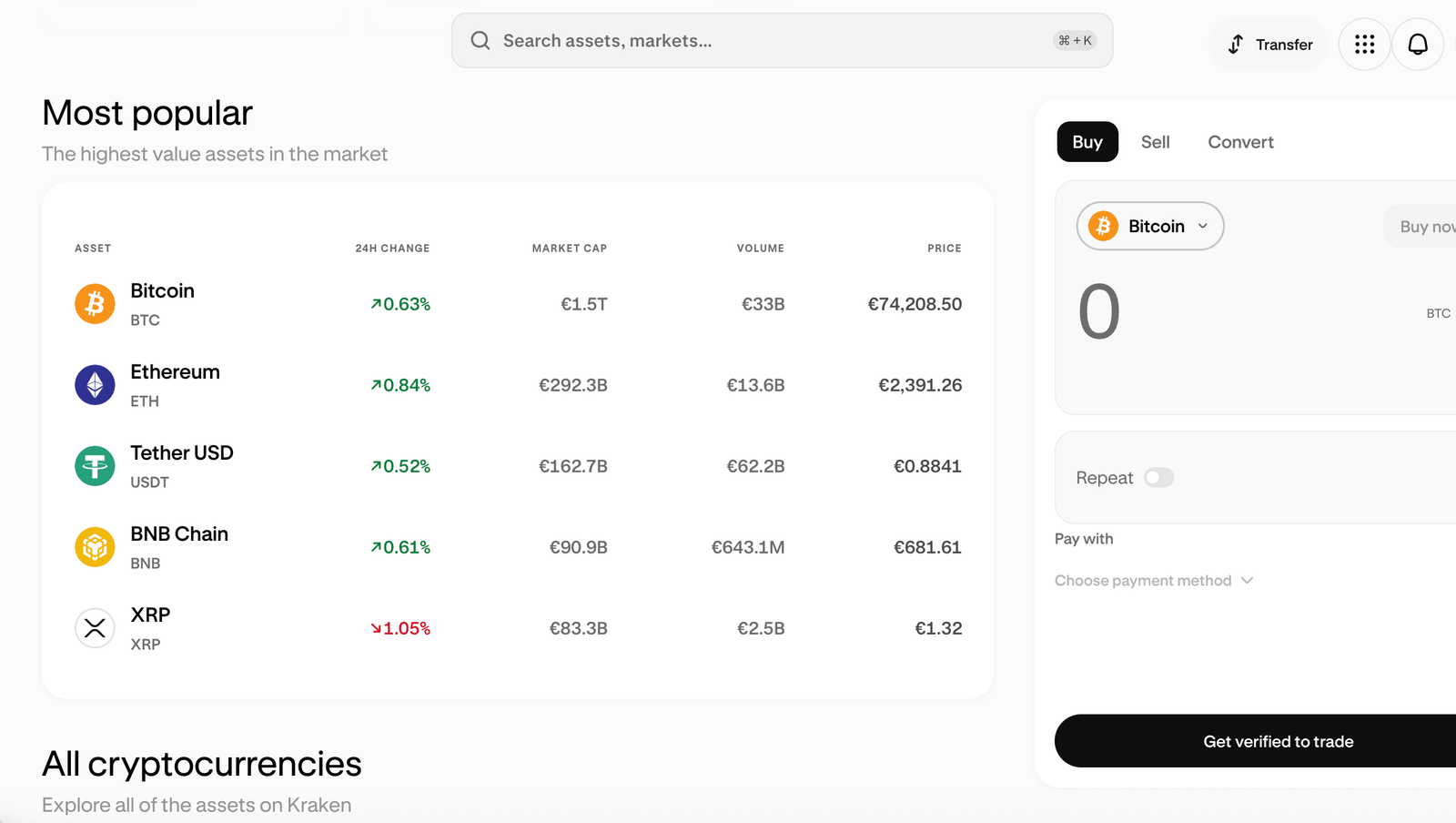
Kraken Pro has the most complete order tools here, with stop-loss and take-profit orders, and the fastest GBP withdrawals I recorded. It’s no longer the cheapest order book, though: entry-tier fees rose in July 2026, and Coinbase Advanced and Crypto.com Exchange now charge less.
| Feature | Information |
|---|---|
| Best for | Active traders who use limit orders |
| UK entities | Payward Ltd (crypto); Payward Services Ltd (e-money); Crypto Facilities Ltd (investment firm) |
| FCA status | Registered cryptoasset firm (FRN 928768); EMI (FRN 1010381) |
| Crypto available | 300+ |
| Instant Buy fee | Around 1% plus spread, shown before you confirm |
| Kraken Pro fee | 0.40% maker / 0.80% taker at entry tier; lower at higher volume |
| GBP deposit | Faster Payments, free |
| GBP withdrawal | Faster Payments, £1.95 fee, £5 minimum, near-instant |
| External wallet | Yes, fixed per-coin withdrawal fee; Bitcoin and Lightning networks for BTC |
| Order types | Market, limit, stop-loss, take-profit |
| Staking | Yes for UK clients: Auto Earn (flexible) and bonded staking |
| Platforms | Kraken web, Kraken Pro web, Kraken app and Kraken Pro app, one login |
| FSCS | Crypto isn’t covered |
What I tested: On a MacBook Air (Kraken and Kraken Pro in Chrome) and the Kraken Pro iPhone app, September 2026, I deposited £1,000 by Faster Payments, bought £100 of BTC via Instant Buy, placed three Pro BTC market orders (£250 main order) and a £600 ETH limit order with a stop-loss, switched on ETH Auto Earn, sent BTC to a Ledger and withdrew £200 GBP.
What was it like trading on Kraken Pro?
Kraken was slower to open than Coinbase. Verification took about 40 minutes because I had to upload a proof of address on top of my passport and selfie. My £1,000 Faster Payments deposit, sent with Kraken’s unique reference, landed in 11 minutes. After the cooling-off period, I bought £100 of BTC through the standard Kraken site’s Instant Buy first, to see what a beginner would pay. The preview showed a £0.99 fee, and the spread added another 0.60%, so 1.59% in total. I then opened Kraken Pro in another tab with the same login. On a laptop, you can rearrange the layout, so I put the order book, chart, open orders and trade ticket side by side. I placed a £600 ETH limit order just under the market price.
It filled overnight and cost £2.40 at the 0.40% maker rate, and a push notification from the Kraken Pro app told me when it went through. Straight after, I set a stop-loss about 8% below my entry. Kraken Pro handles this properly, which the beginner-focused apps in this list don’t. I also switched on Auto Earn for the ETH, which Kraken offers to UK clients. Only part of the balance earns rewards, and they’re paid weekly.
For comparison, a £250 BTC market order on Pro cost £2 at the 0.80% taker rate, and my three Pro BTC runs averaged 0.82%. That’s now well above Coinbase Advanced, which cut its taker fee to 0.50% in September.. Kraken also confirms that Instant Buy volume doesn’t count toward your 30-day Pro tier, which is one more reason not to mix the two. A market order on Pro web took 6 clicks from login; the Pro app took 8 taps.
Withdrawals were Kraken’s other strength. My £200 GBP withdrawal reached my bank in 14 minutes, the fastest in the test, although it cost £1.95. My BTC reached the Ledger in 22 minutes, but the fixed 0.0001 BTC fee (about £6) is poor value on small amounts.
Kraken Instant Buy or Kraken Pro: which is cheaper?
Kraken Pro is much cheaper than Kraken Instant Buy, especially with limit orders. In my test, a Pro maker order cost 0.40% all-in, against 1.59% for an Instant Buy. A beginner using the wrong interface can pay up to four times more for the same coin.
How much does Kraken charge?
Kraken Pro charges 0.40% maker and 0.80% taker at the entry tier, and those rates fall as your 30-day volume rises. Instant Buy on the standard Kraken site and app costs around 1% plus spread. GBP withdrawals by Faster Payments cost £1.95. Crypto withdrawals carry a fixed per-coin fee, so it makes sense to withdraw in larger batches.
Who is Kraken best for?
Kraken is best for active traders who want stop-loss and take-profit orders and fast GBP withdrawals, and who will use limit orders to keep fees down.
Who should consider an alternative to Kraken?
Beginners making occasional small market buys. Coinbase is quicker to set up, and Advanced’s 0.25% maker / 0.50% taker rates beat Kraken’s 0.40% / 0.80%.
Pros and cons of Kraken
- The most complete order tools here, with a real order book
- 490+ cryptocurrencies including major, alt, and niche tokens
- £200 GBP withdrawal in 14 minutes
- Stop-loss and take-profit orders on desktop and mobile
- Choice of standard interface and advanced Kraken Pro tools
- The 0.80% entry-tier taker fee is higher than Coinbase Advanced
- Instant Buy cost 1.59% all-in
- Slowest KYC in my test, and a £6 fee to send BTC out
- Interface and Pro features can be challenging for complete beginners
- Not every token is available to UK retail clients due to local rules
4. Bitpanda – Best for widest crypto selection in the UK
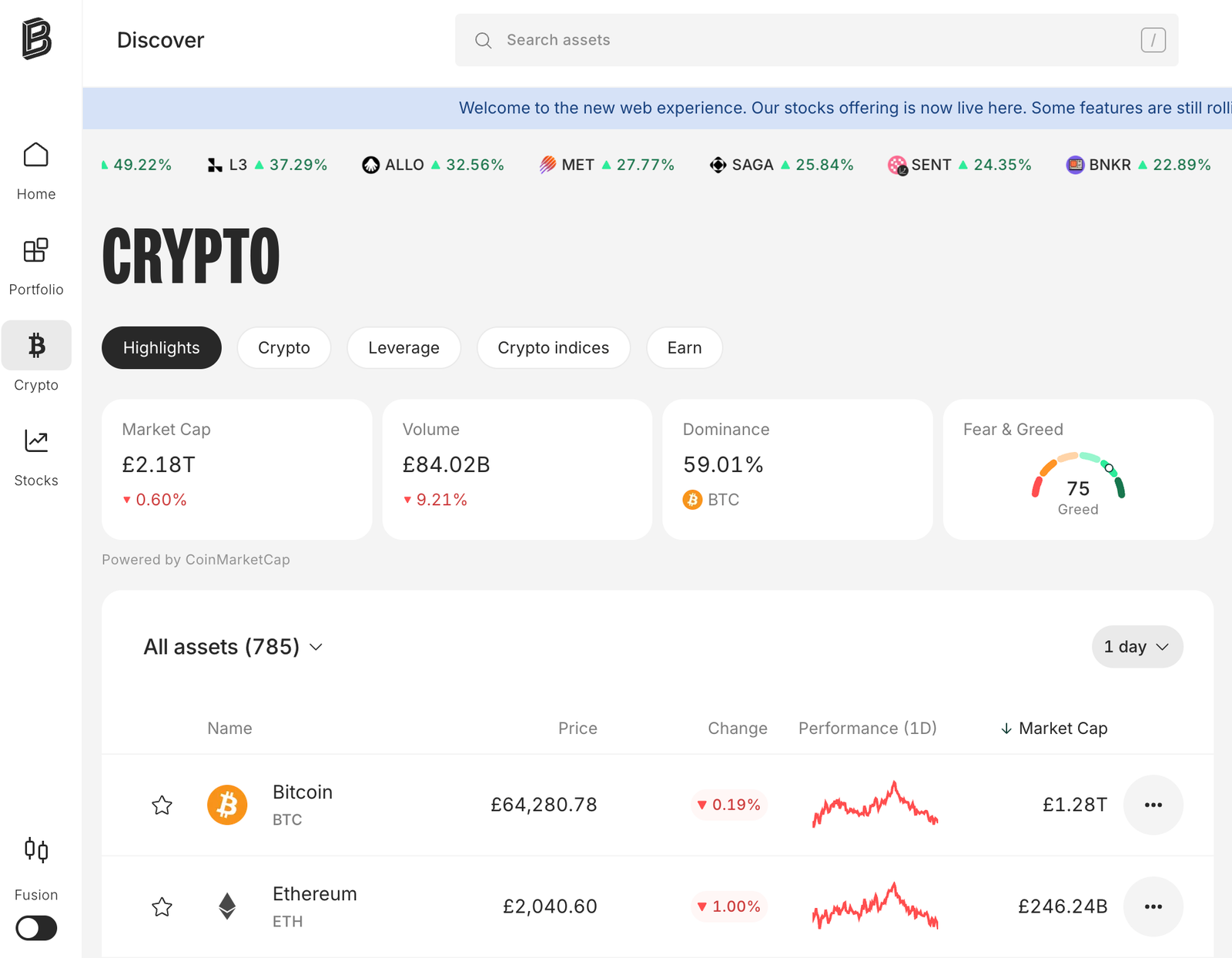
Bitpanda has the biggest crypto catalogue on this list, with 600+ assets and a clear, published fee for each tier of coin. The trade-offs are a slower onboarding with source-of-funds checks, and a catalogue that looks larger than what a UK user can actually trade.
| Feature | Information |
|---|---|
| Best for | Access to smaller altcoins |
| UK entity | Bitpanda Broker UK Ltd |
| FCA status | Registered cryptoasset firm (FRN 925234); FOS and FSCS don’t apply to crypto services |
| Crypto available | 600+ |
| BTC fee | 0.99% (also applies to stablecoins) |
| Altcoin fee | 1.49% on most; 2.49% on Spotlight coins |
| GBP deposit | Faster Payments, debit card, Apple Pay and Google Pay |
| GBP withdrawal | £0 fee |
| External wallet | Yes, network fee only |
| Staking | Yes, on supported assets |
| Recurring buys | Savings Plan from £1 |
| Platforms | Web, iOS and Android |
| Not in the UK | Stocks, ETFs and several other products |
| FSCS | Crypto isn’t covered |
What I tested: On a Dell XPS 13 laptop (Chrome) and the Google Pixel 8 app, September 2026, I deposited £500 by Faster Payments, made three BTC buys (£200 main trade), bought £100 of ETH and £50 each of three small-cap tokens, tried staking and a £25 weekly Savings Plan, sent BTC to a Ledger and withdrew £200 GBP.
What was it like buying crypto on Bitpanda?
Bitpanda had the most paperwork before my first trade. Verification took 25 minutes because my first laptop webcam capture of my passport was rejected for glare. I switched to the phone camera and it went through. Then came a source-of-funds questionnaire asking where my £500 had come from, the FCA appropriateness test, and the same 24-hour cooling-off period every new account had. None of it was difficult, but you can’t buy on impulse. My £500 Faster Payments deposit took 47 minutes to appear.
Once I was through, I bought £200 of BTC at the 0.99% fee (£1.98). Comparing the buy and sell prices at the same moment gave me about 0.48% of extra spread, so the real cost was 1.46%. My three BTC runs averaged 1.49%, and a £100 ETH buy came to 1.96%. So the headline fee isn’t the whole cost. The web platform doesn’t show the spread either, but with a laptop I could keep the buy and sell prices open side by side to work it out. That took 6 clicks from login, the same as taps in the app.
The real test was the catalogue. I picked three small-cap tokens that neither Coinbase nor Kraken list. Two bought without problems at 1.49%. The third showed a price chart and a Buy button, but the order was rejected with a “not available in your region” message. A 600+ figure tells you what Bitpanda lists. It doesn’t tell you what you can trade from the UK, so check your specific coin before you deposit.
Withdrawals were painless. My BTC reached the Ledger in about 20 minutes with only the network fee deducted, and £200 GBP arrived in my bank 18 hours after I requested it, with no fee.
How much does Bitpanda charge?
Bitpanda charges 0.99% on Bitcoin and stablecoins, 1.49% on most altcoins and 2.49% on Spotlight coins. There’s a spread on top: my BTC buys averaged 1.49% all-in. GBP withdrawals are free, and crypto withdrawals cost only the network fee.
Who is Bitpanda best for?
Bitpanda is best for UK investors who want smaller altcoins that the major exchanges don’t list, with £1 Savings Plans and direct withdrawals to their own wallet.
Who should consider an alternative to Bitpanda?
Anyone who mainly buys BTC and ETH. Kraken Pro and Coinbase Advanced are cheaper for the big coins, and onboarding on both is quicker.
Read the complete Bitpanda review here.
Pros and cons of using Bitpanda
- 600+ cryptocurrencies and crypto indices
- No deposit or withdrawal fees
- Staking and £1 Savings Plans
- Clean, beginner friendly web and mobile apps
- Transparent fee display before each trade
- Trading premiums can reach around 2.49 percent on some crypto assets
- Fewer advanced charting tools than pro trading platforms
- Limited non crypto products for UK users compared with EU offering
- The occasional coin is restricted in the UK
- Source-of-funds checks on top of the cooling-off period
5. IG: Best for crypto alongside traditional investments
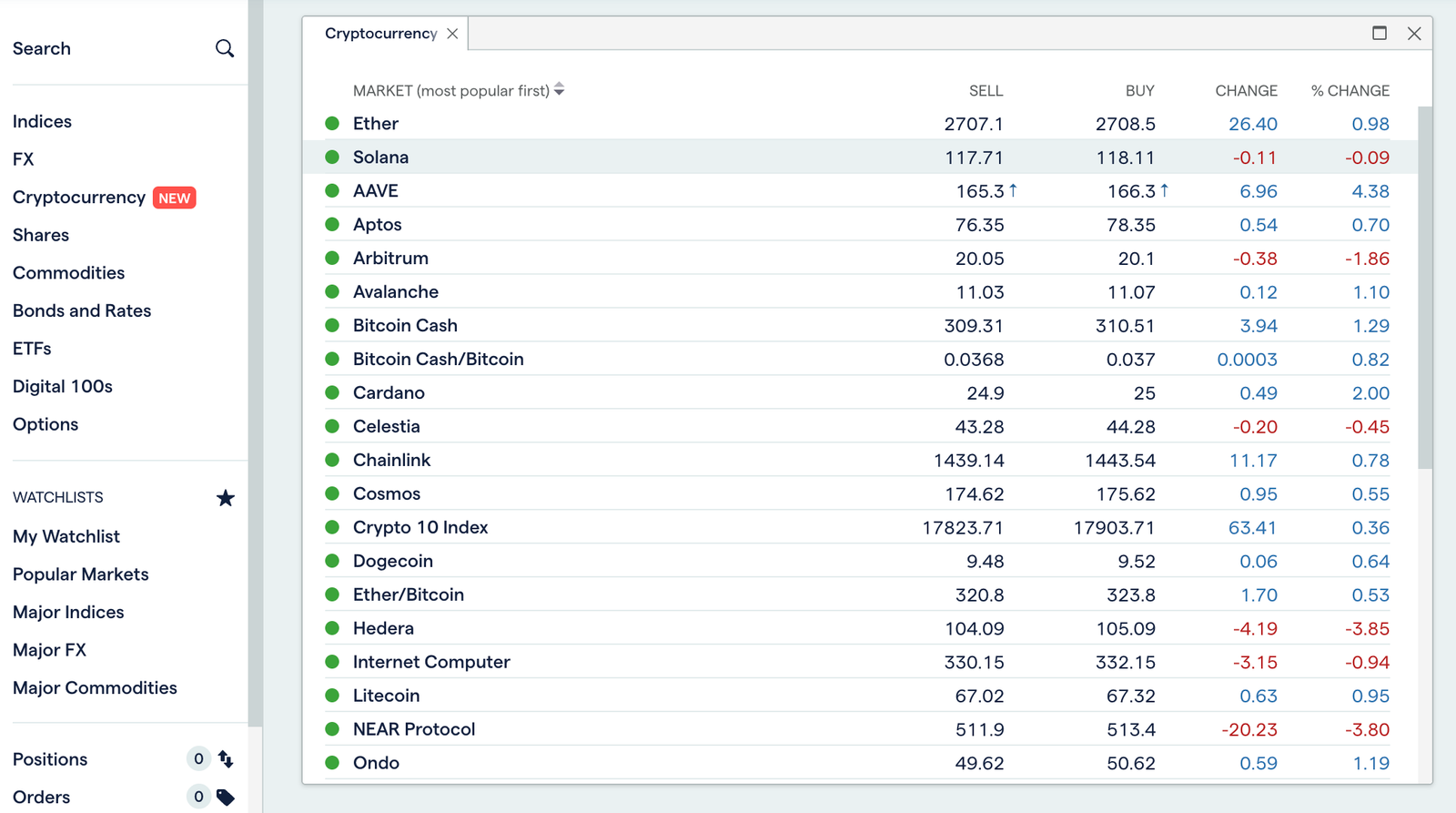
IG was the cheapest way I found to buy Bitcoin, Ethereum or Solana, and lets you manage crypto alongside shares, ETFs and an ISA in the same overall IG account. The trade-offs are that only selected tokens can be sent to your own wallet, there’s no staking, and every coin outside the big three costs 1.49%.
| Feature | Information |
|---|---|
| Best for | Multi-asset investors, especially existing IG customers |
| UK entities | IG Digital Assets Ltd (crypto); IG Markets Ltd (investments) |
| FCA status | IG Digital Assets Ltd joined the FCA cryptoasset register in September 2025; IG Markets Ltd is FCA-authorised (FRN 195355) |
| Custody | Coins held by Coinbase Prime |
| Crypto available | 150+ |
| BTC / ETH / SOL fee | 0% commission plus a 0.07% external exchange fee built into the price |
| Other crypto | 1.49% spread |
| GBP deposit | Debit card or bank transfer, no fee |
| GBP withdrawal | To your bank, no fee |
| External wallet | Selected tokens only (about 20, including BTC, ETH, SOL and XRP), via “Send”; 2FA and wallet ownership check required |
| Staking | No |
| ISA | Available for shares and ETFs; crypto isn’t held in the ISA (crypto exchange-traded notes (cETNs) are) |
| Platforms | IG web platform, iOS and Android |
| FSCS / FOS | Crypto isn’t covered |
What I tested: On IG’s web platform on a MacBook Air (Chrome) and the IG iPhone app, September 2026, I activated crypto on my existing share account, topped up £1,700 by Faster Payments, made three BTC buys (£1,000 main trade), bought £300 each of ETH and SOL and £100 of AVAX, sent BTC to a Ledger and withdrew £200 GBP.
Setup times reflect an existing IG customer, so they aren’t comparable with new sign-ups elsewhere.
What was it like buying crypto on IG?
I already had an IG share account, so switching on crypto took about five minutes. Most of that was the risk questions. Because I was already an IG client, there was no cooling-off wait. I topped up £1,700 by Faster Payments, which arrived in 4 minutes. My BTC appeared in the same portfolio view as my shares, which is exactly the point of IG. On desktop, crypto sits under its own tab, with ProRealTime-style charts that are better than most crypto-native exchanges offer, but there’s no crypto order book.
I bought £1,000 of BTC first. There was no commission line on the ticket, only a 0.07% external exchange fee built into the price: 70p. Measured against the mid-price, the all-in cost was 0.12%, and my three runs averaged the same. On the same order, eToro would charge £10 plus FX and Coinbase Advanced about £5 as a taker. I then bought £300 each of ETH and SOL on the same terms (ETH came to 0.13% all-in), and £100 of AVAX, which falls outside the zero-commission trio and cost a flat 1.49%. Each order took 7 clicks on the web deal ticket and 7 taps in the app. That split is IG’s pricing in a nutshell: the three biggest coins are the cheapest anywhere on this list, and everything else costs about the same as Coinbase’s Simple Buy.
Sending BTC to my Ledger worked, but it felt bolted on compared with a crypto-native exchange. IG’s “Send” option only covers a short list of supported tokens (about 20, including BTC, ETH, SOL and XRP), so AVAX had no Send button at all. Before the first transfer, IG asked me to confirm 2FA and verify that I owned the receiving wallet. With that step included, the BTC arrived about 35 minutes after I started, with only the network fee deducted. My £200 GBP withdrawal was quicker: it reached my bank in 2 hours.
Is IG a real crypto exchange?
Partly. You own spot crypto (not CFDs), held by IG’s custody partner, and you can send the major coins to your own wallet. But only selected tokens can leave IG, there’s no staking, and there’s no order book. It’s a low-cost way to buy the big coins, with self-custody as an option rather than the point.
How much does IG charge for crypto?
IG charges 0% commission on BTC, ETH and SOL, plus a 0.07% external exchange fee included in the price. My BTC buys averaged 0.12% all-in. Other coins carry a 1.49% spread. There’s no deposit or GBP withdrawal fee.
Who is IG best for?
IG is best for investors who already hold shares or an ISA with IG and want cheap BTC, ETH or SOL on the same screen.
Who should consider an alternative to IG?
Anyone who wants to stake, trade on an order book, or move smaller altcoins to their own wallet. Coinbase, Kraken and Bitpanda support on-chain withdrawals on far more coins.
Read the complete IG review here.
Pros and cons of IG
- 0.12% all-in on BTC, the cheapest in the test
- Crypto alongside shares, ETFs and an ISA in one app
- £200 GBP withdrawal in 2 hours
- Only selected tokens can be sent to an external wallet
- No staking
- 1.49% on every coin outside the big three
6. Crypto.com: Best all-in-one crypto app
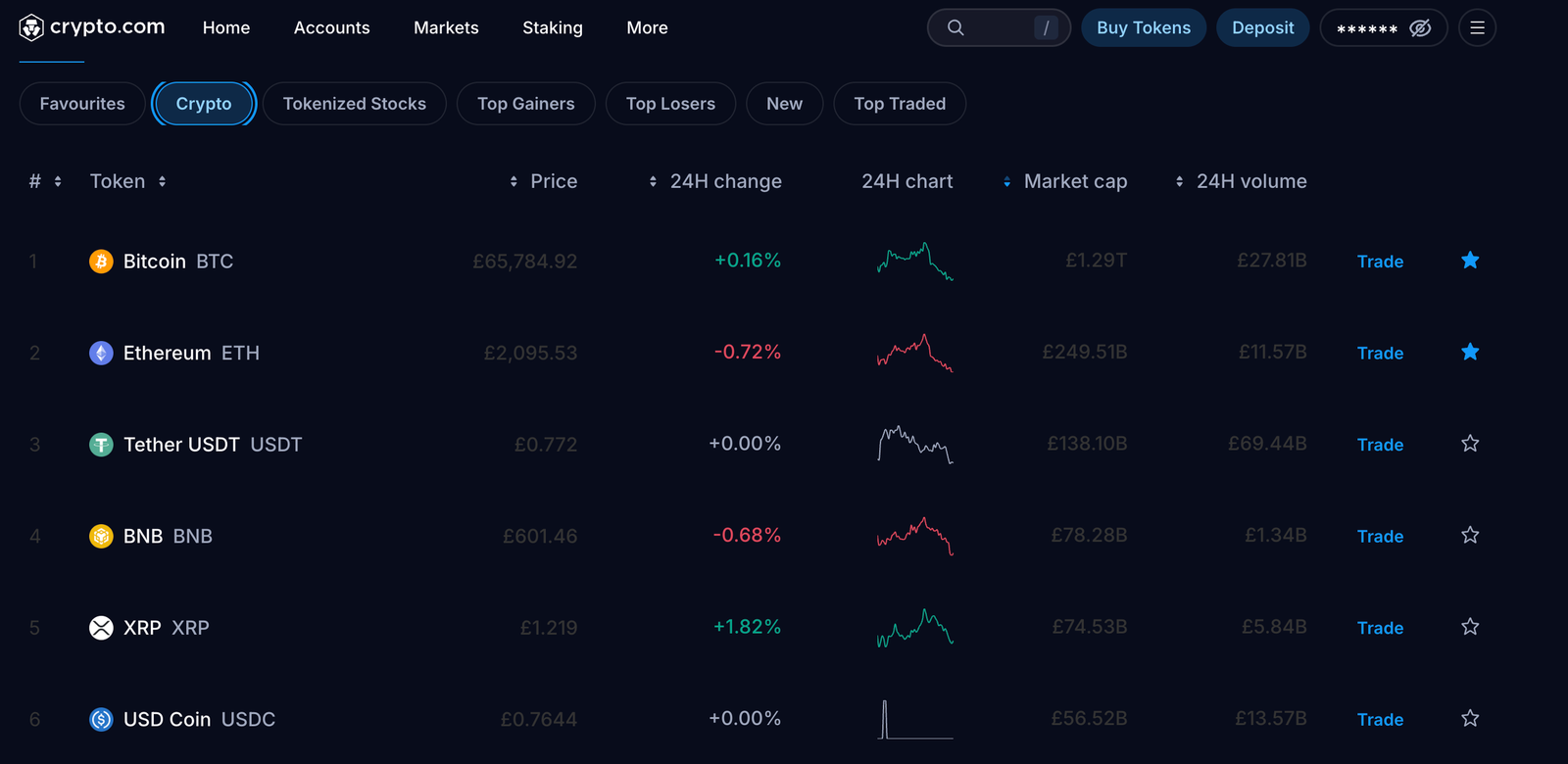
Crypto.com is the most complete crypto ecosystem on this list, with the exchange, a Visa card, rewards and external transfers all in one app. The trade-off is that pricing is harder to pin down than anywhere else I tested, and small GBP withdrawals are awkward.
| Feature | Information |
|---|---|
| Best for | Users who want crypto, a card and rewards in one app |
| UK entities | Foris DAX UK Ltd (crypto); ForisGFS UK Ltd (e-money, FRN 988571) |
| FCA status | Foris DAX UK Ltd is a registered cryptoasset firm (since August 2022); crypto itself isn’t FCA-regulated |
| Crypto available | 350+ |
| Purchase fee | Dynamic admin fee plus spread, shown on the trade preview |
| Card purchase fee | About 2.99% |
| GBP deposit | Faster Payments, free |
| GBP withdrawal | Faster Payments; £1.90 fee, £70 minimum, same account used to deposit |
| Withdrawal limits | £100,000 daily; £500,000 monthly |
| External wallet | Yes; optional address whitelist |
| Staking / rewards | Yes; best rates need a CRO lock-up |
| Card | Crypto.com Visa; rewards depend on tier and CRO lock-up |
| Exchange fees (web) | 0.25% maker / 0.50% taker at the base tier |
| Platforms | Crypto.com App (iOS and Android); Crypto.com Exchange on web and mobile |
| FSCS | Crypto isn’t covered |
What I tested: On a MacBook Air (Crypto.com Exchange in Chrome) and the iPhone 15 app, September 2026, I deposited £450 by Faster Payments, made three BTC buys in the app (£250 main trade), a £100 BTC market order on the Exchange web platform and a £100 ETH buy, sent ETH to MetaMask, withdrew £200 GBP, and checked the Visa card sign-up, security settings and support chat.
What was it like using Crypto.com?
Crypto.com packs more into one app than any other exchange I tested, and it shows: the home screen pushes the card, rewards and promotions before you reach the Buy button. Verification took about 15 minutes, including a short selfie video. My £450 Faster Payments deposit arrived within 3 minutes.
When I bought £250 of BTC, the preview showed a £1.25 admin fee, but not as a fixed percentage. Crypto.com says the fee varies with market conditions, volatility, liquidity and promotions. Comparing my fill with the mid-market price, there was another 0.60% of spread, so the all-in cost was 1.09%. Across three runs it ranged from 1.02% to 1.31%, the widest range in the test, and a £100 ETH buy came to 1.28%. That’s reasonable, but I couldn’t have predicted it before opening the preview. On every other exchange here, I could.
The desktop experience is a different product. The Crypto.com App has no full web version, so on my laptop I used the Crypto.com Exchange, which has an order book and published fees of 0.25% maker and 0.50% taker at the base tier. First I had to move £100 from my App wallet to my Exchange wallet, an extra step that isn’t obvious. A £100 BTC market order there cost 50p in fees plus a tight spread, 0.53% all-in, about half what I paid in the app. It took 7 clicks from login, against 6 taps in the app.
External transfers were smooth. I sent my ETH to a MetaMask wallet after an address confirmation and a 2FA prompt, and it arrived in about 10 minutes for roughly £2.60 in network fees. The whitelist is optional; if you switch it on, new addresses are locked for 24 hours. The GBP side was less friendly. The minimum withdrawal is £70, the money has to go back to the account I deposited from, and every withdrawal costs £1.90. My £200 arrived in 25 minutes.
Is the Crypto.com Visa card worth it?
Only if you’ll use it. The better cashback tiers require you to lock up CRO, Crypto.com’s own token, which exposes you to another volatile asset. The entry-level card is fine for spending crypto, but it isn’t a reason to trade here on its own.
How much does Crypto.com charge?
Crypto.com charges a dynamic admin fee plus spread on app purchases, shown on the trade preview. My app BTC buys averaged 1.14% all-in. The Exchange on web charges 0.25% maker and 0.50% taker at the base tier, and my one BTC market order there cost 0.53%. Card purchases cost about 2.99%. GBP deposits by Faster Payments are free, and GBP withdrawals cost £1.90, with a £70 minimum.
Who is Crypto.com best for?
Crypto.com is best for UK users who want trading, a crypto card, rewards and wallet transfers in one app, and who will actually use more than one of those features.
Who should consider an alternative to Crypto.com?
Cost-focused buyers who want a fixed, predictable fee. Kraken Pro and Coinbase Advanced publish exact maker/taker rates, and IG is cheaper for BTC.
Read the complete Crypto.com review here.
Pros and cons of Crypto.com
- Over 400 cryptocurrencies available
- Exchange, card, rewards and wallet transfers in one app
- Free Faster Payments deposits, credited in 3 minutes
- Anti-phishing code and an optional withdrawal whitelist
- Large feature set including staking, borrowing, and NFTs
- Competitive maker taker fees
- The app’s dynamic fee ranged from 1.02% to 1.31%, while the cheaper Exchange needs a separate wallet transfer
- £70 minimum and £1.90 fee on GBP withdrawals
- Best card perks require a CRO lock-up
- App navigation can feel complex for beginners
7. Uphold: Best for multi-asset investing
Uphold is the most flexible exchange on this list. It lets you swap directly between crypto, fiat currencies and precious metals in a single step, and it publishes its reserves. The trade-off is spread-based pricing that moved around from trade to trade, and trading tools that are basic compared with Kraken or Coinbase Advanced.
| Feature | Information |
|---|---|
| Best for | Holding crypto, metals and currencies in one account |
| UK entity | Uphold Europe Ltd |
| FCA status | Registered cryptoasset firm (FRN 938277); e-money agent (FRN 900577) of Optimus Cards UK Ltd |
| Assets | 300+ cryptoassets, precious metals (gold, silver, platinum), 25+ fiat currencies |
| Pricing | Spread-based; Uphold’s published guide is 1.4–1.6% on BTC/ETH, higher on altcoins and metals |
| GBP deposit | Bank transfer, free and instant; debit card 3.99% |
| GBP withdrawal | Bank transfer, no fee; 1–2 business days |
| External wallet | Yes |
| Proof of reserves | Public transparency page |
| Staking | 19 assets (No Flexible Staking) |
| Recurring buys | Yes |
| Platforms | Web, iOS and Android |
| FSCS | Crypto isn’t covered |
What I tested: On a Dell XPS 13 laptop (Chrome) and the Android app, September 2026, I deposited £300 by bank transfer, made three BTC buys (£150 main trade), swapped BTC directly into gold, bought £100 of ETH and £50 of XRP, sent the XRP to an external wallet, withdrew £200 GBP, and checked the transparency page and a £20 weekly recurring buy.
What was it like using Uphold?
Uphold’s trade screen works differently from every other exchange here, on the web and in the app. Instead of a Buy button, you pick a “From” asset and a “To” asset. On a laptop, that panel sits next to your balances, which made multi-asset swaps easy to follow. But there’s no order book, and the charts are basic line charts. After verifying in about 20 minutes, I sent £300 by bank transfer, and it was credited in under a minute with no fee.
I bought £150 of BTC first. By checking the quoted price against the mid-market rate, I worked out an effective spread of 0.94%. That was my best result. My other two BTC buys came in at 1.19% and 1.41%, for a 1.18% average, still below Uphold’s own 1.4–1.6% guide. Nothing on the screen told me what I’d paid. A £100 ETH buy cost 1.46%. A purchase took 7 clicks on the web and 7 taps in the app.
Then I tried the feature that sets Uphold apart: I swapped part of the BTC straight into gold in one transaction, without selling to GBP first. On any other exchange here, that would have meant a sale, a withdrawal and a purchase on a separate platform.
I also checked Uphold’s transparency page, which shows its assets and liabilities, before sending £50 of XRP to an external wallet. It arrived in seconds, although I had to enter a destination tag, which catches out beginners. My £200 GBP withdrawal reached my bank the next business day with no fee.
What can you trade on Uphold besides crypto?
Uphold lets UK users hold precious metals (gold, silver and platinum) and 25+ fiat currencies next to 300+ cryptoassets, and swap directly between any of them. That’s the main reason to pick it over a crypto-only exchange.
How much does Uphold charge?
Uphold builds its costs into the spread rather than charging a separate fee. My BTC buys averaged 1.18% (range 0.94–1.41%), against Uphold’s published guide of 1.4–1.6% for BTC/ETH, and spreads are wider on altcoins and metals. Bank deposits and GBP withdrawals are free, and debit card deposits cost 3.99%.
Who is Uphold best for?
Uphold is best for investors who want to move between crypto, metals and currencies without cashing out to GBP each time.
Who should consider an alternative to Uphold?
Active traders who need charting, limit orders and visible fees should use Kraken Pro. Anyone who wants the widest altcoin choice should look at Bitpanda.
Pros and cons of Uphold
- Direct swaps between crypto, metals and currencies
- Instant, free GBP bank deposits
- Public proof-of-reserves page
- No fee line; the spread varied from 0.94% to 1.41%
- Basic charting and order tools
- Spreads widen on altcoins and metals
What does a crypto exchange really cost?
The real cost of buying crypto is usually the trading fee plus a spread, and sometimes a currency conversion too. The headline fee alone can understate it by half. On the three exchanges that offer both (Coinbase, Kraken and Crypto.com), the biggest single saving comes from switching from the default Buy button to the advanced order screen.
| Cost layer | What it is | Where it applies on this page |
|---|---|---|
| Trading fee | A percentage charged on each buy or sell | 0% (IG on BTC, ETH and SOL) up to about 1.49% (Coinbase Simple Buy; IG on other coins) up to 2.49% (Bitpanda Spotlight coins) |
| Spread | The gap between the buy price and the market price | Built into instant-buy prices; about 0.5% on Coinbase Simple Buy; Uphold charges spread only (1.4–1.6% published on BTC/ETH) |
| Currency conversion | GBP converted to USD before the trade | eToro, about 0.4% on bank-funded GBP accounts |
| Card deposit | A fee for funding by debit card | 3.99% at Coinbase and Uphold |
| GBP withdrawal | A fee to cash out to your bank | £0 on most; £1.95 at Kraken; £1.90 at Crypto.com |
| Crypto withdrawal | Network fee, or a fixed exchange fee | Network fee only on most; fixed at Kraken (0.0001 BTC); 2% to move coins out of eToro |
What does £500 of crypto actually cost?
| Platform | BTC (observed average effective cost) | ETH | Deposit | Withdrawal | Self-custody |
|---|---|---|---|---|---|
| Coinbase | £9.75 (Simple Buy) / £2.65 (Advanced) | ~£10 (Simple Buy) / £2.70 (Advanced) | £0 | £0 | Yes |
| eToro | £7.10 | £14.00 | £0 | £0 | Limited (via eToro Money, 2% fee) |
| Kraken | £7.95 (Instant Buy) / £4.10 (Pro) | ~£8 (Instant Buy) / £4.10 (Pro market order) | £0 | £1.95 | Yes |
| Bitpanda | £7.45 | £9.80 | £0 | £0 | Yes |
| IG | £0.60 | £0.65 | £0 | £0 | Selected tokens only |
| Crypto.com | £5.70 (App) / £2.65 (Exchange) | £6.40 (App) | £0 | £1.90 (£70 min) | Yes |
| Uphold | £5.90 | £7.30 | £0 | £0 | Yes |
Will your bank let you pay a crypto exchange?
| Bank | Payments to crypto exchanges |
|---|---|
| Santander | £1,000 per payment; £3,000 per rolling 30 days |
| NatWest | £1,000 a day; £5,000 per rolling 30 days |
| Nationwide | £1,000 a day across all channels |
| HSBC UK | £2,500 per payment; £10,000 per rolling 30 days |
| Barclays | £2,500 per payment; £10,000 a month (£0 on basic and student accounts) |
| Monzo | £5,000 per rolling 30 days |
| Lloyds, Halifax | No crypto-specific cap; card payments to some platforms restricted |
| Starling, TSB, Co-operative Bank, Kroo | All crypto payments blocked |
| Metro Bank, Chase UK | Outgoing crypto payments blocked; incoming allowed |
Check out our guide for the best crypto friendly banks.
How do GBP deposits and withdrawals compare on crypto exchanges?
Every exchange on this page accepts free Faster Payments deposits. The differences show up in card fees and on the way out, when you cash out to your bank.
| Exchange | Card deposit | GBP withdrawal fee | Rules to know |
|---|---|---|---|
| Coinbase | 3.99% | £0 | — |
| eToro | No fee from a GBP account | £0 (GBP account) | About 0.4% conversion when GBP becomes USD |
| Kraken | £0.25 + 3.75% | £1.95 | £5 minimum |
| Bitpanda | Available | £0 | — |
| IG | No fee | £0 | — |
| Crypto.com | About 2.99% | £1.90 | £70 minimum; must go to the account you deposited from |
| Uphold | 3.99% | £0 | — |
Exchange, broker or app: which do you actually need?
| Type | Examples | Best for | Main trade-off |
|---|---|---|---|
| Exchange/order book | Kraken Pro, Coinbase Advanced, Crypto.com Exchange | Lower fees / active trading | More complex |
| Multi-asset broker | eToro, IG | Crypto + traditional investments | Some restrictions |
| Instant-buy app | Coinbase Simple Buy, Kraken Instant Buy, etc. | Quick purchases | Usually higher cost |
How to buy crypto using a UK crypto exchange?
1. Log in to the platform
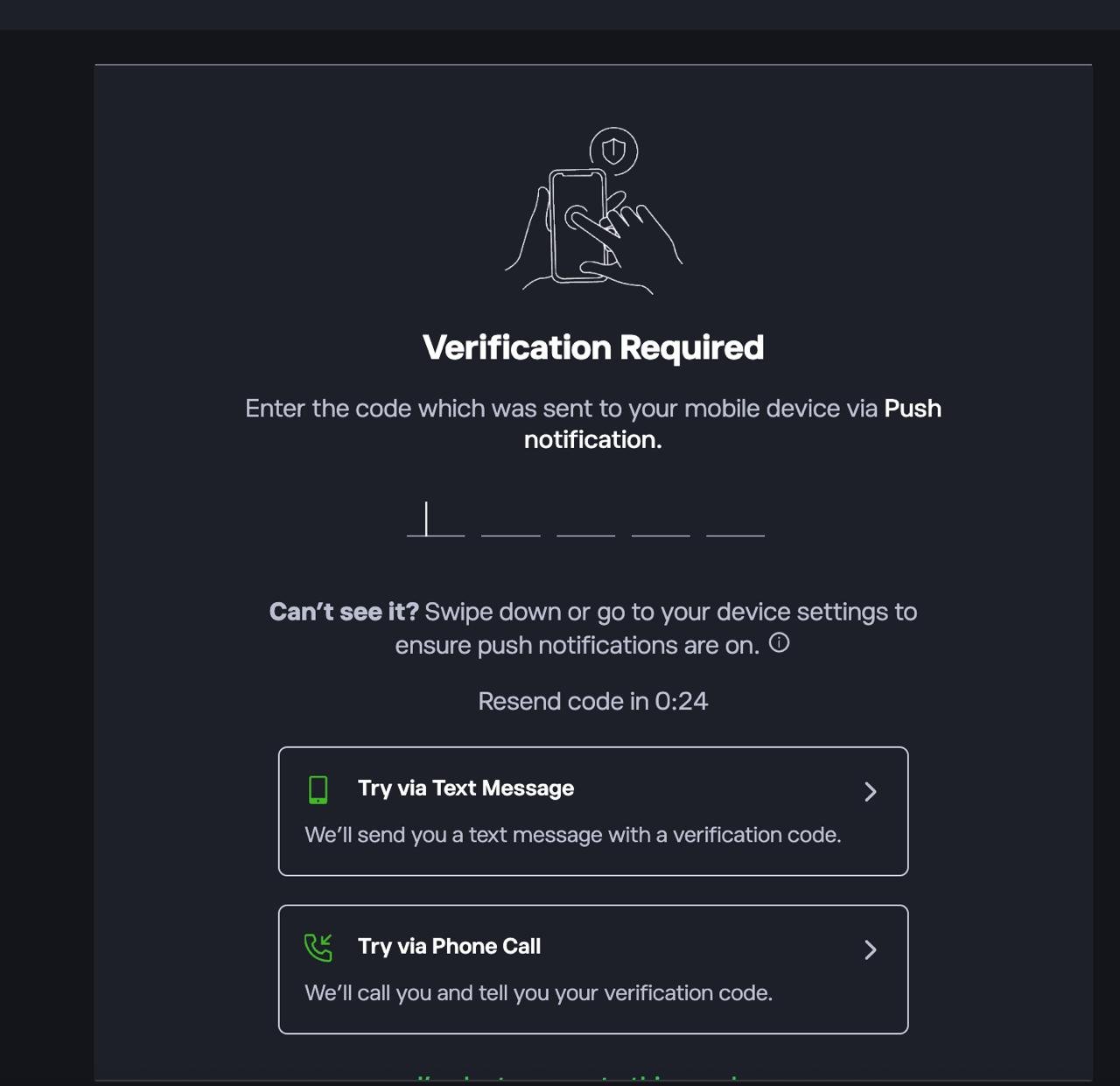
First sign up or log in to the platform. If prompted, complete 2FA by entering the code sent via push notification, SMS, or phone call.
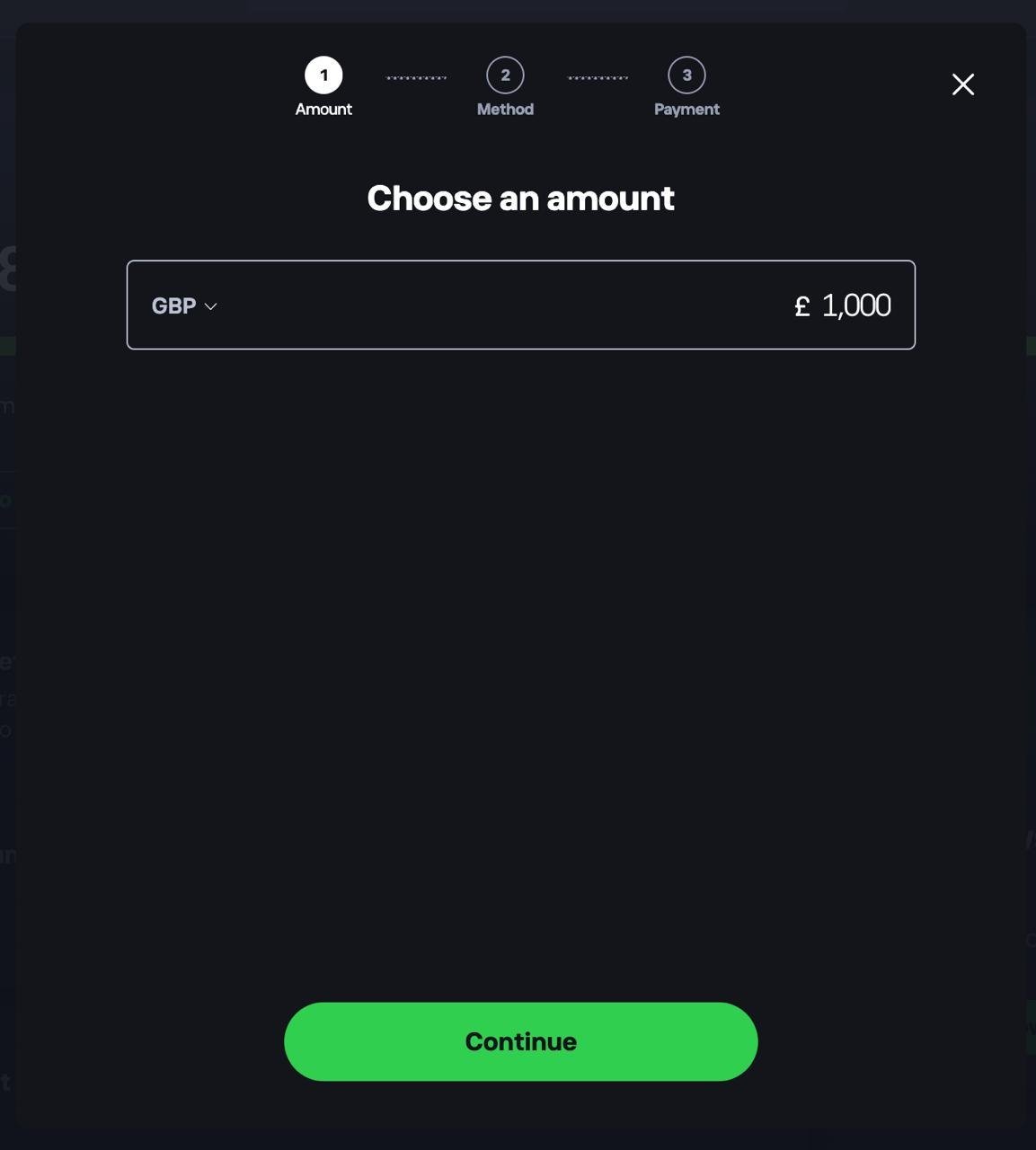
2. Deposit funds into your account
Head to your dashboard and choose to add funds. Select your currency, enter the amount you want to deposit, tap Continue, then choose a payment method.
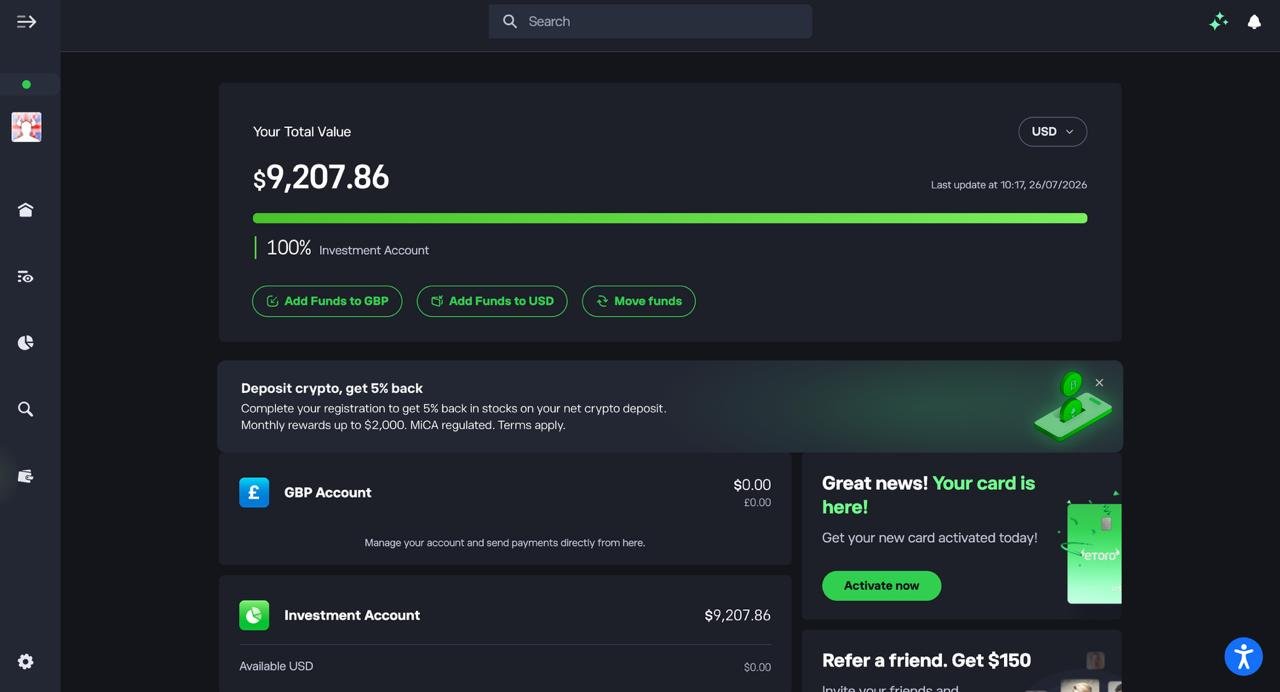
3. Confirm your funds are available
Check your dashboard to make sure your deposit has landed in your Investment Account before you start buying crypto.
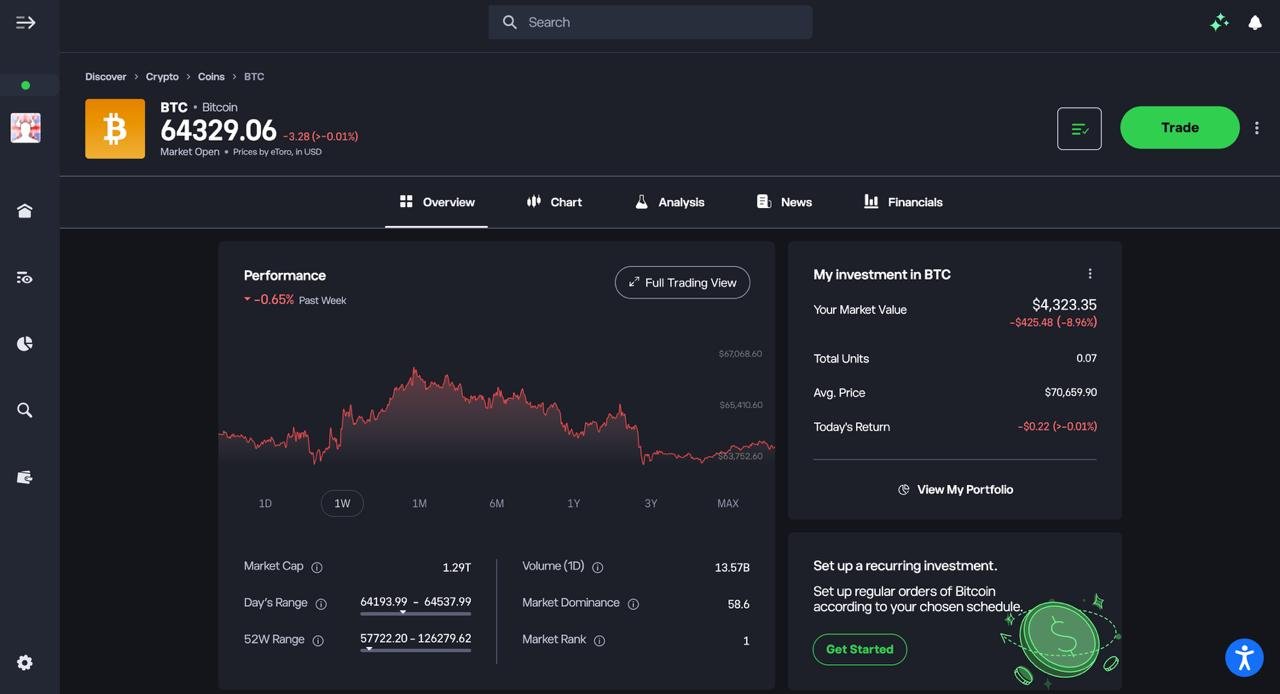
4. Find the crypto you want to buy
Search for the coin you’re after, such as Bitcoin, and open its overview page to check the current price and performance.
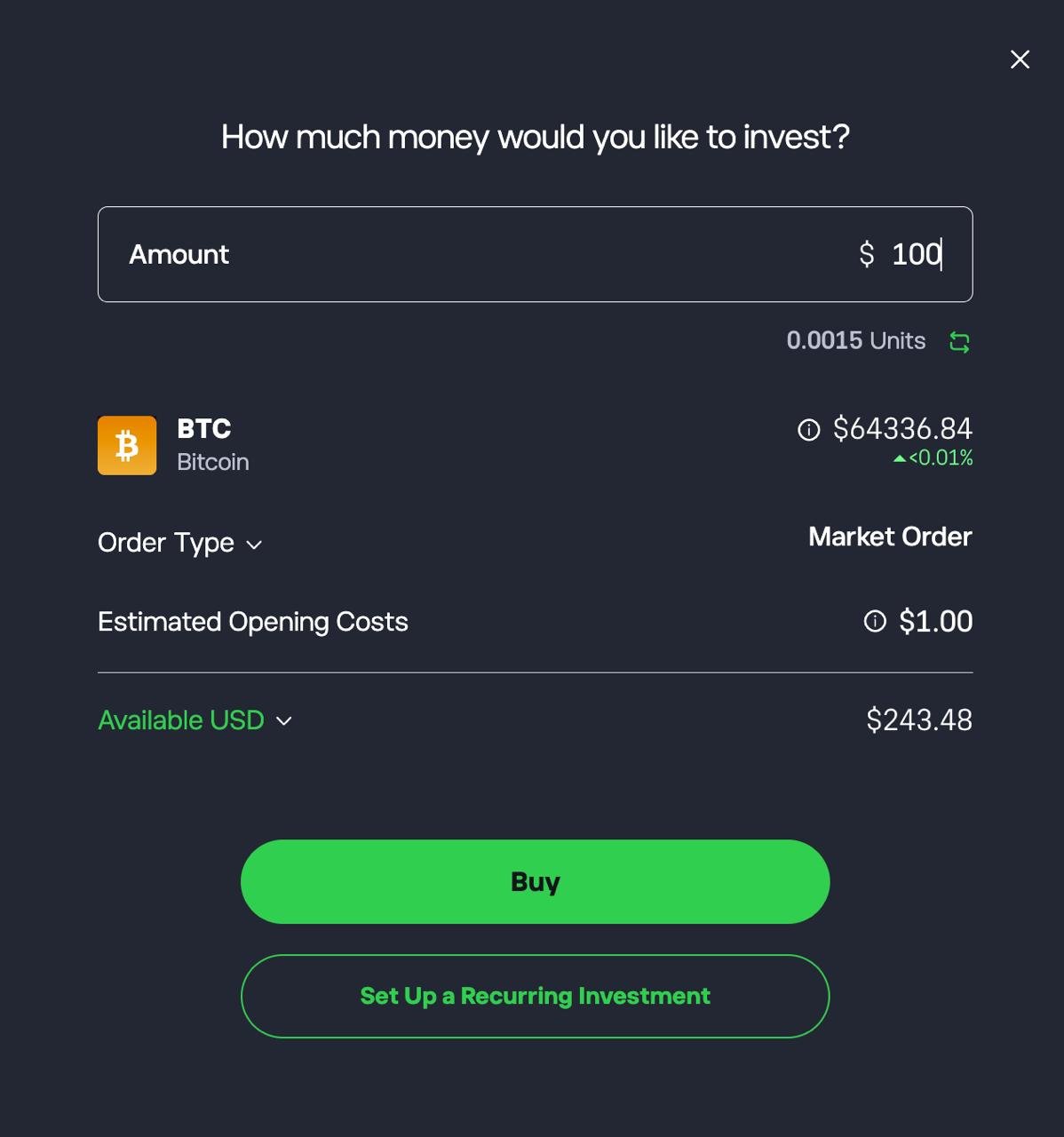
5. Set up and confirm your purchase
Enter the amount you want to invest, review the estimated units and opening costs, then tap Buy. You can also set up a recurring investment if you want to buy on a regular schedule.
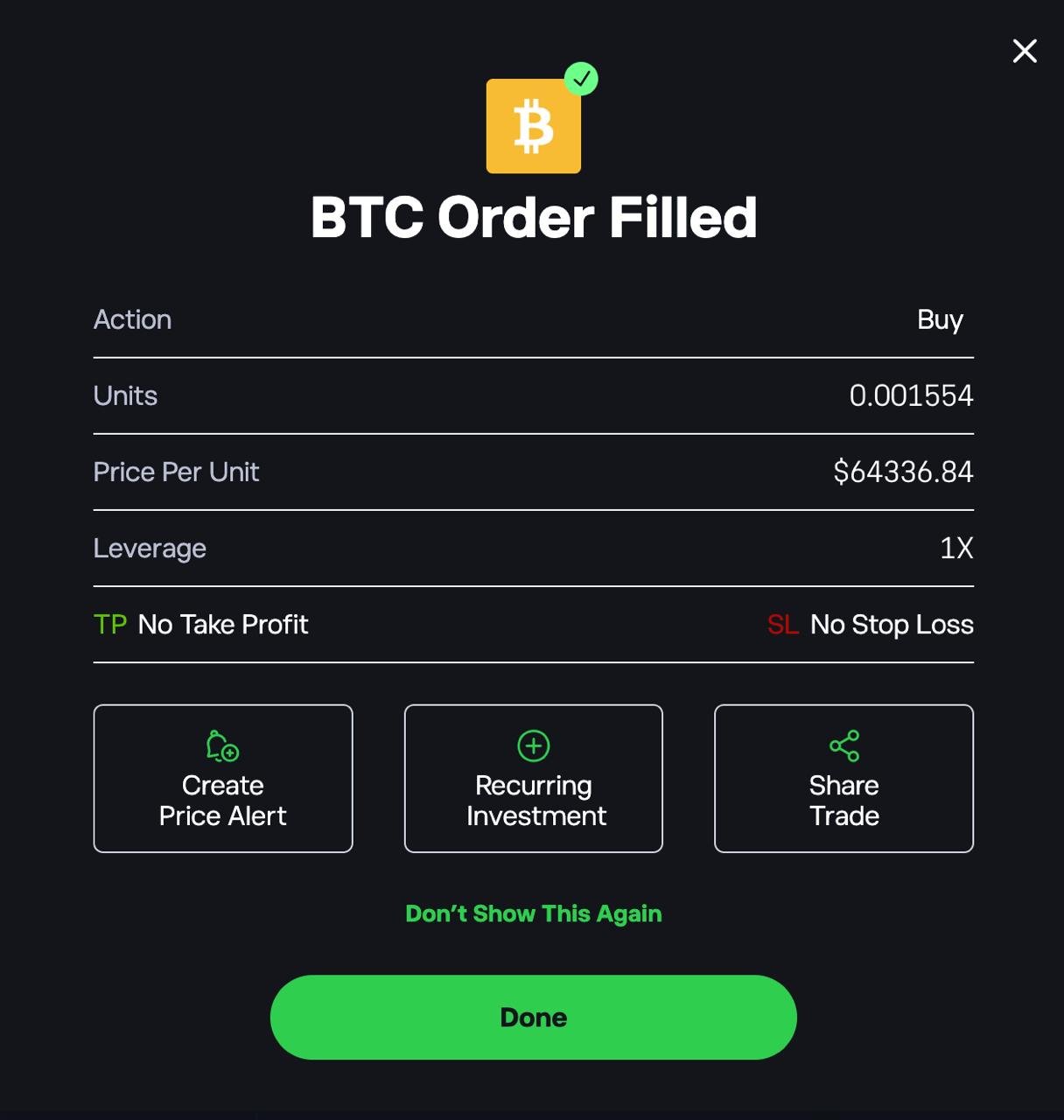
6. Check your order confirmation
Once your order goes through, you’ll see a confirmation showing the units bought, price per unit, and leverage. From here you can also set a price alert or share the trade.
How long does crypto exchange verification take?
In my tests, identity checks took between 8 and 40 minutes, but no new account could buy crypto on the same day. Coinbase was quickest at 8 minutes, followed by eToro (10), Crypto.com (15) and Uphold (20). Bitpanda took 25 minutes plus a source-of-funds questionnaire. Kraken was slowest at 40 minutes, because it also asked for proof of address. IG took 5 minutes, but only because I already had an account there.
Whichever exchange you choose, first-time crypto buyers have to pass a short appropriateness test and then wait through the FCA’s 24-hour cooling-off period. So plan for your first purchase to happen the day after you sign up.
How I scored and ranked the best crypto exchanges in the UK
I start from Psyfi Money’s broader platform research, then apply a weighting built for one reader: a UK investor buying crypto with pounds who may want to move it to their own wallet later. Any existing Psyfi Money review rating for a platform is separate from the order on this page.
Before ranking anything, I checked five things. Each platform had to be available to UK retail customers, run by an FCA-registered cryptoasset firm, and offer spot crypto rather than CFDs. It also had to accept GBP funding and publish pricing clear enough to compare. Every platform here passed, so regulation works as an entry check, not as extra points.
I weighted first-purchase simplicity heavily because the query is dominated by first-time and occasional buyers. Security was treated partly as a qualification criterion rather than a differentiator: platforms that failed our minimum UK regulatory/security checks were excluded.
| Ranking factor | Weight | What I assessed |
|---|---|---|
| Total cost of buying BTC and ETH with GBP | 25% | Published fees, spreads and GBP-to-USD conversion, comparing simple-buy routes with advanced order books (Coinbase Simple Buy vs Advanced, Kraken Instant Buy vs Pro) |
| First-purchase simplicity | 20% | How many steps it takes to go from sign-up to a first GBP purchase, whether fees are shown before you confirm, and whether the cheaper route is easy to find |
| GBP deposits and withdrawals | 15% | Faster Payments support, deposit fees, GBP withdrawal fees (£1.95 at Kraken, £1.90 with a £70 minimum at Crypto.com), and same-account rules |
| Self-custody | 15% | Whether you can withdraw on-chain to your own wallet, whether it goes through an intermediate wallet, transfer fees (such as eToro’s 2%), and supported networks |
| Security controls and transparency | 10% | 2FA, passkeys, address allowlisting, withdrawal holds, cold-storage disclosures and proof of reserves |
| Trading tools | 10% | Limit, stop-loss and take-profit orders, order-book access and volume-based fee tiers |
| Coin range for UK users | 5% | How many assets each platform lists for UK customers (about 100 to 600+), with test purchases to check that listed coins can actually be bought |
The most useful comparison was a £1,000 BTC purchase modelled from each provider’s published pricing. On those figures, IG costs about £0.70 (a 0.07% external fee). Coinbase Advanced and Crypto.com Exchange cost £2.50 as a maker order or £5 as a taker. Kraken Pro costs £4 or £8. Bitpanda charges £9.90, and eToro £10 plus conversion. Coinbase’s default Simple Buy is roughly £15 plus spread. These are modelled costs, not customer results, but they show that the route you choose on a platform can matter as much as the platform itself.
I gave cost and first-purchase simplicity the most weight because most people searching this query are making a one-off or occasional GBP purchase. For them, an expensive default button is the most likely way to overpay. Self-custody gets 15% because it separates a true exchange from a broker that only holds your coins. Coin range gets just 5%, since 600 assets rarely help someone buying Bitcoin. These weights set the order on this page. Any broader Psyfi Money platform rating stays separate.
Exchanges I considered but didn’t rank
I also looked at several well-known exchanges that UK readers search for. They didn’t make the ranking for one of three reasons: they aren’t FCA-registered or have left the UK market, they aren’t really exchanges, or I didn’t have enough verified UK data to rank them fairly yet.
| Exchange | UK status | Why I didn’t rank it |
|---|---|---|
| Binance | Not FCA-registered; stopped accepting new UK customers in October 2023 | New UK customers can’t open an account, so it failed my first check. |
| OKX | UK customers are served by a Seychelles company that isn’t on the FCA cryptoasset register | No GBP deposits or withdrawals for UK users, and no UK-registered company behind the service. |
| Bybit | Relaunched in the UK in December 2025 under a marketing approval from Archax, an FCA-authorised firm; not FCA-registered itself | Bybit doesn’t hold its own UK registration, and it hasn’t been clear which company UK customers contract with or what protections apply. |
| Gemini | Closed all UK customer accounts on 6 April 2026 | No longer available in the UK. |
| Bitget | Stopped serving new UK customers in 2023 | Not available to new UK customers. |
| MoonPay | FCA-registered | A way to buy crypto straight into a wallet, not an exchange: card purchases cost about 4.5%, and there’s no order book or GBP balance. |
| Bitstamp | FCA-registered (Bitstamp UK) | Close call. Its fee schedule is volume-based, but I didn’t have enough verified UK hands-on data on current GBP funding, withdrawals and the UK platform to rank it fairly. |
Can you withdraw crypto to your own wallet?
Five of the seven platforms let you withdraw crypto straight to your own wallet, usually for just the blockchain network fee, although some platforms charge a fixed withdrawal fee. IG and eToro are more restrictive, so check them first if you plan to use a hardware wallet.
| Exchange | Direct wallet withdrawal | Fee | Important restriction |
|---|---|---|---|
| Coinbase | Yes | Network fee | 48-hour hold on new addresses (if allowlisting is on) |
| Kraken | Yes | Fixed (0.0001 BTC) | Poor value on small amounts |
| Bitpanda | Yes | Network fee | — |
| Crypto.com | Yes | Network fee | 24-hour lock on new addresses (if whitelisting is on) |
| Uphold | Yes | Network fee | Some coins need a destination tag |
| IG | Selected tokens only | Network fee | About 20 tokens; wallet ownership check first |
| eToro | Via eToro Money only | 2% + network fee | Not every coin is eligible |
Are UK crypto exchanges regulated, and is your money protected?
Only partly. Every platform on this page is registered with the FCA as a cryptoasset firm under the Money Laundering Regulations. For crypto, that registration only covers anti-money-laundering checks. It isn’t the full FCA authorisation that banks and brokers hold, with conduct rules and a complaints route to the Financial Ombudsman.
eToro and IG are also fully FCA-authorised for their share and fund businesses, but their crypto services still sit outside full FCA regulation. Since October 2023, the FCA’s marketing rules have also controlled how exchanges sell crypto to you, which is why you’ll see risk warnings, an appropriateness test and a 24-hour cooling-off period before your first purchase. Full FCA authorisation for crypto firms is due to start on 25 October 2027.
| What you hold | Protection |
|---|---|
| Crypto on the exchange | No compensation cover from the Financial Services Compensation Scheme (FSCS). Custody isn’t regulated yet, so you rely on the exchange’s own security, terms and solvency. |
| GBP cash in your exchange account | Usually held by a separate e-money firm and kept apart from the exchange’s own money (“safeguarded”), but not FSCS-covered |
| Complaints | Usually handled only by the firm itself; the Financial Ombudsman generally can’t take complaints about crypto trading at a firm that’s only FCA-registered |
How is crypto bought on an exchange taxed in the UK?
Buying crypto with pounds isn’t taxed, but selling, swapping one coin for another, or spending it counts as a disposal for Capital Gains Tax. For 2026/27, gains above the £3,000 allowance are taxed at 18% for basic-rate taxpayers or 24% for higher and additional-rate taxpayers. Staking rewards are taxed separately, as income, on their value in pounds when you receive them.
If you buy the same coin more than once, HMRC’s matching rules decide your cost. A sale is matched first with coins bought the same day, then with coins bought in the following 30 days, and only then with the average cost of the rest. So download your full transaction history from your exchange each year.
Since 1 January 2026, UK exchanges have been collecting customers’ tax details and transaction data, and their first reports to HMRC are due in 2027, so undeclared gains will be easier to spot.
What is a crypto exchange and how does it work?
A crypto exchange lets you buy and sell cryptocurrencies such as Bitcoin and Ethereum with pounds, and usually holds the coins for you until you withdraw them. Most offer two ways to buy:
- An instant Buy button: simple, but the price includes a wider spread.
- An order book (Kraken Pro, Coinbase Advanced): you trade directly with other users at lower fees.
What should you look for in a UK crypto exchange?
Focus on the five things that change what you pay and how easily you can get your money and coins out:
- All-in cost: compare the fee plus the spread, not the headline fee alone. The advanced order screen is usually far cheaper than the default Buy button.
- GBP in and out: look for free Faster Payments deposits and low withdrawal fees and minimums. Also check that your bank doesn’t cap or block payments to crypto exchanges.
- UK status: check the exchange’s legal entity on the FCA register. Registration covers anti-money-laundering checks only, and crypto isn’t FSCS-protected.
- Withdrawals to your own wallet: check that you can send coins directly to your own wallet, and what it costs. Some platforms restrict this or limit it to selected tokens.
- Security: 2FA, address allowlisting, cold storage and proof of reserves.
Coin range matters less than it looks. Most UK buyers stick to Bitcoin and Ethereum, so 600 coins rarely beats lower fees.
What types of cryptocurrency exchanges can you use?
Investors can use three main types of crypto exchanges: custodial platforms, non-custodial brokers, and decentralised exchanges that run on smart contracts.
Each works differently, with a trade off between ease of use, control over your funds, security model, and the level of responsibility placed on the user.
- Custodial exchanges hold your assets for you and feel most like a traditional broker.
- Non-custodial services let you trade directly from your own crypto wallet, often via a simple interface.
- Decentralised exchanges (DEXs) connect buyers and sellers through on-chain liquidity pools, removing a central operator but requiring more technical knowledge and careful wallet security.
Which type of crypto exchange should you use?
If you’re buying crypto with pounds, you need a custodial exchange, which holds your coins for you, like every platform on this page. Decentralised exchanges (DEXs) and other non-custodial platforms don’t accept GBP deposits, offer no customer support and can’t recover lost funds. They only make sense once you already own crypto and want to swap tokens yourself.
The practical middle ground is to buy on a UK-registered exchange, then withdraw to your own wallet if you want full control of your coins.
FAQs
Which is the best crypto exchange in the UK?
The best overall crypto exchange in the UK is eToro, due to FCA oversight on key services, simple GBP deposits, strong security, and a beginner friendly interface. Coinbase and Bitpanda are also top choices for ease of use and asset range.
What is the best crypto exchange UK for low fees?
Kraken Pro and Crypto.com Exchange offer the lowest fees, with competitive maker taker pricing and tighter spreads than beginner-focused platforms.
What is the best crypto exchange to withdraw fiat UK?
Coinbase and Kraken are the best for withdrawing GBP, offering fast, low cost bank transfers through Faster Payments with clear withdrawal processes.
What is the best crypto trading platform for beginners?
eToro is the best for beginners due to its clean layout, simple buying process, social trading tools, and FCA-linked protections for fiat services.
What is the best cryptocurrency exchange for UK customers when it comes to cashing out your cryptocurrency to GBP?
Kraken is the strongest choice for cashing out to GBP, offering reliable withdrawals, low fees, and deep liquidity. Coinbase is a close alternative with fast bank payouts.
What is the safest crypto exchange UK?
Kraken is widely considered the safest, offering industry leading security, Proof-of-Reserves, ISO certification, and FCA registration. Coinbase is also highly trusted for UK users, with strong custody standards and a long regulatory track record.
What is the best crypto exchange for futures trading UK?
There is no FCA-regulated crypto exchange offering futures trading to UK retail investors, as the FCA bans crypto derivatives for retail users. Advanced traders who qualify as professional clients or use offshore platforms often choose Binance or OKX for deep liquidity and advanced futures tools, but these are not available to most UK retail users and carry higher regulatory and risk considerations.
