

After testing 5 UK crypto apps with real deposits and purchases, my top picks are Coinbase for beginners, eToro for copy trading, IG for investors who already hold shares or an ISA there, Bitpanda for coin choice and Kraken for active traders. I compared trading fees, GBP deposit costs, whether you can move coins to your own wallet, coin choice and how quickly each app gets you from sign-up to a first purchase.
- Earn passive rewards by staking ETH, SOL, ADA, and more
- Access Web3 lending and tokenization through eToro's wallet
- Themed crypto Smart Portfolios for diversified exposure
Capital at risk. T&Cs apply.
Watch – Top 3 best crypto trading apps in the UK explained
If you prefer a quick overview, watch our video explaining the best crypto apps in the UK, including eToro, Bitpanda, and Kraken. The video breaks down which app is best for beginners, low fees, and advanced crypto trading.
How I tested and ranked these apps
I tested each app with a funded UK account in September 2026. I bought crypto, compared the standard and advanced buy routes where an app offers both, and tried moving coins to a Ledger hardware wallet.
- 5 funded UK accounts (crypto added to an existing IG account)
- £3,899 deposited
- 8 crypto purchases across BTC, ETH, XRP and RENDER
- 1 copy-trading portfolio set up
- 4 withdrawals to a Ledger (Coinbase, eToro, Bitpanda and Kraken)
- Tested on iPhone and Android, with fee checks on desktop
I then weighted the cost to buy and sell 30%, getting to a first purchase 20%, moving coins to your own wallet 15%, GBP deposits 10%, coin choice 10%, trading tools 10% and fee transparency 5%. UK availability, FCA cryptoasset registration and owning the actual coins (not CFDs) were requirements to be included, not scoring factors.
- Social investing with real-time insights
- Ready-made portfolios for diversified investing
- Tax-free savings with a competitive 4.8% AER Cash ISA
Capital at risk. T&Cs apply.
What are the best crypto apps in the UK in 2026?
| Platform | Best for | BTC cost on £250 | Withdraw to your own wallet | GBP deposits | Coins | Main trade-off |
|---|---|---|---|---|---|---|
| Coinbase | Beginners | £3.73 on Standard (tested)£1.00–£1.50 on Advanced (modelled) | Yes, network fee only | Faster Payments free; debit card 3.99%; PayPal | 250+ | The default Buy button is the expensive route |
| eToro | Copy trading | £2.50 (modelled), plus 1% when you sell | Only via eToro Money, 2% transfer fee | Bank transfer, card and PayPal; no fee from a GBP account | 100+ | Costs 1% to buy and 1% to sell |
| IG | Existing IG investors | About 18p (tested) | Yes, for supported tokens | Bank transfer or debit card, no fee | 150+ | BTC, ETH and SOL are cheap, but other coins cost 1.49% |
| Bitpanda | Wide coin selection | From about £2.48, built into the spread (modelled) | Yes, network fee only | Faster Payments, debit card, Apple Pay and Google Pay; no fee | 600+ | Cost is built into the price, not shown separately |
| Kraken | Active traders | £1–£2 on Kraken Pro (modelled) | Yes, fixed per-coin fee (about £6 for BTC in my test) | Faster Payments / bank transfer | 300+ | Slowest sign-up (40 minutes); the withdrawal fee hurts on small amounts |
Quick answer: which crypto app should you choose?
| If you want… | Consider | Why |
|---|---|---|
| The easiest first purchase | Coinbase | Fastest KYC in my test and simplest interface |
| Copy trading | eToro | CopyTrader built into the investing platform |
| Crypto alongside an existing portfolio | IG | BTC, ETH and SOL at 0% commission + 0.07% exchange fee |
| The widest coin selection | Bitpanda | 600+ assets and direct wallet withdrawals |
| Active/order-book trading | Kraken Pro | Maker/taker pricing and limit orders |
Reviews of the best crypto trading apps in the UK
Below is a detailed breakdown of the best crypto apps in the UK, key features and who each platform is best suited for.
The reviews are ordered by use case; the methodology explains how I assessed each app.
1. Coinbase – Best crypto app for beginners
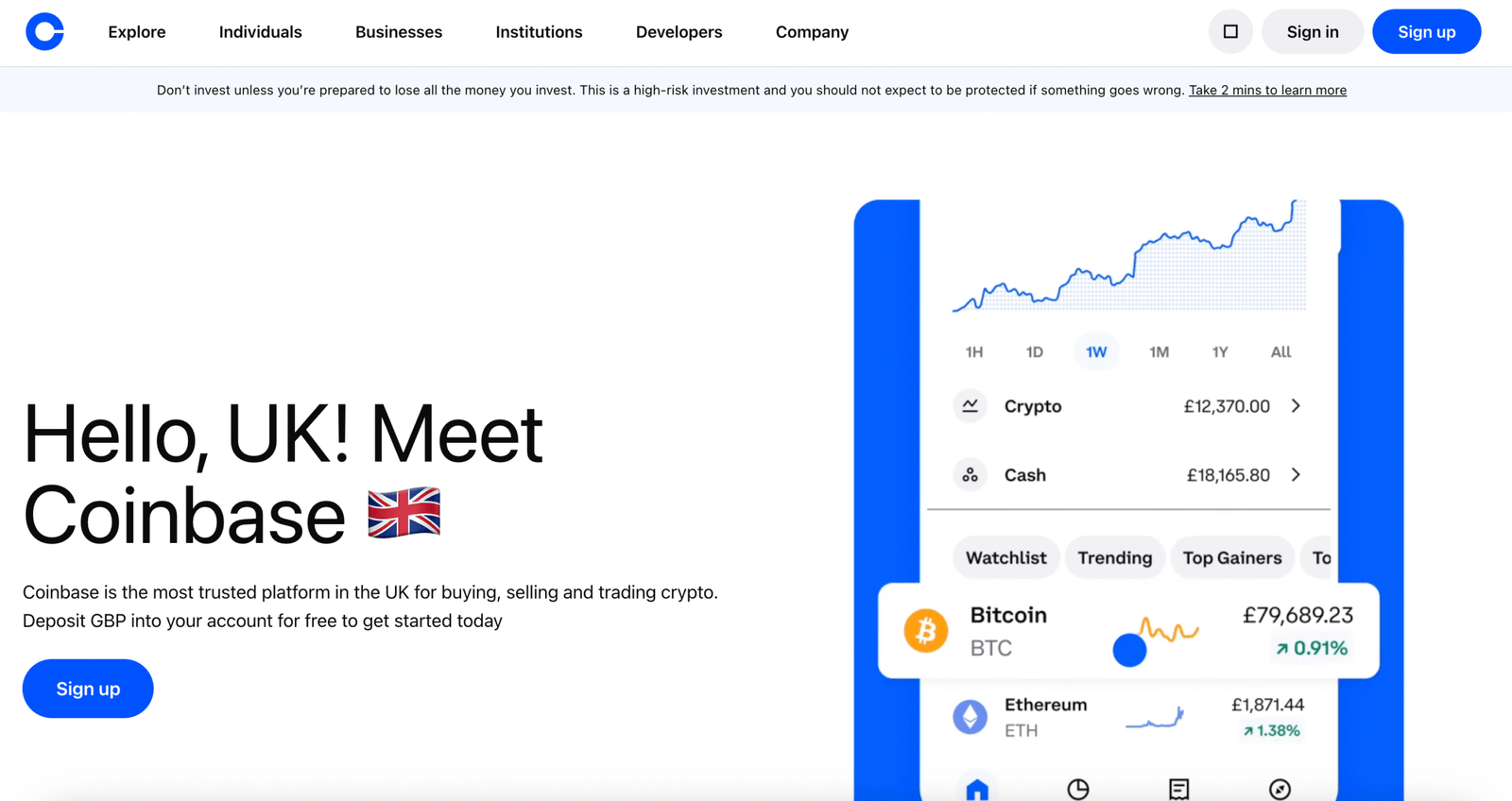
Coinbase is the easiest crypto app for a first purchase in the UK. Signing up, buying and sending coins to your own wallet each take a few taps. The trade-off is cost: the default buy route and card deposits are expensive, so switching to Coinbase Advanced matters more than any feature.
Key information
| Feature | Information |
|---|---|
| Best for | Beginners making a first crypto purchase |
| UK entity | CB Payments Ltd |
| FCA status | FCA-authorised e-money institution; FCA-registered cryptoasset firm (FRN 900635) |
| Cryptocurrencies | 250+ |
| Minimum investment | £1 |
| Trading fees | Standard buys about 1.49% by bank transfer; Advanced 0.40% maker / 0.60% taker at entry tier |
| GBP deposits | Faster Payments (free), debit card (3.99%), PayPal |
| Wallet withdrawals | Yes, network fee only |
| Mobile app | iOS and Android; Advanced available in the same app |
| Security | Mandatory 2FA; most customer crypto held in cold storage |
| FSCS | Crypto isn’t covered |
| Key differentiator | Fastest sign-up in my tests (8 minutes); Standard and Advanced in one app |
What I tested: In September 2026, I used a personal UK account in the Coinbase app on an iPhone 15. I deposited £500 by debit card, bought £250 of BTC on Standard and £200 of ETH on Advanced to compare the fees, and sent the ETH to a Ledger Nano X
What was it like buying crypto on Coinbase?
Coinbase got me from download to owning Bitcoin faster than any other app I tested. Identity checks took 8 minutes, with no documents rejected. I funded the account with £500 by debit card because it was the quickest option. The money landed instantly, but the fee was £19.95, or 3.99%, before I’d bought anything. If you’re not in a hurry, use a Faster Payments bank transfer, which is free.
After the 24-hour cooling-off period for first-time investors, I bought £250 of BTC through the standard Buy button. It went through in under a minute, and the confirmation screen showed a fee of about 1.49%, or £3.73.
Next I switched to Coinbase Advanced, which is a toggle in the same app and took about two minutes to get used to. I bought £200 of ETH at the market price there and paid the 0.60% taker fee, which came to £1.20. The same £200 on Standard would have cost about £2.98.
To finish, I sent the ETH to my Ledger. The address check and 2FA prompt were clear, and the coins arrived 18 minutes later with about £2 in network fees. I also did four Learn & Earn quizzes and received £8 of free crypto.
How much does Coinbase charge to buy crypto?
A Standard buy by bank transfer costs about 1.49%. Coinbase Advanced charges 0.40% maker and 0.60% taker at the entry tier, and fees fall as your volume grows.
Debit card top-ups cost 3.99%. Sending crypto to an external wallet costs only the network fee. Coinbase One, a monthly subscription, removes the fee on Standard trades, which only makes sense if you buy regularly.
Who is Coinbase best for?
Coinbase is best for first-time buyers who want the lowest-friction route to buying crypto and moving it to their own wallet.
Who should consider an alternative to Coinbase?
Larger buyers who hold $20,000+ on the platform can get lower fees on Kraken Pro. Anyone who mainly wants breadth of small-cap coins should look at Bitpanda. For more options, see the best Coinbase alternatives guide.
Pros and cons
- Fastest KYC in my tests (8 minutes)
- Coinbase Advanced cuts fees by more than half
- Easy withdrawals to external wallets
- 3.99% card deposit fee
- The default Buy button is the expensive route
- Crypto isn't FSCS-protected
Read the complete Coinbase review here.
2. eToro – Best for copy trading and multi-asset investing
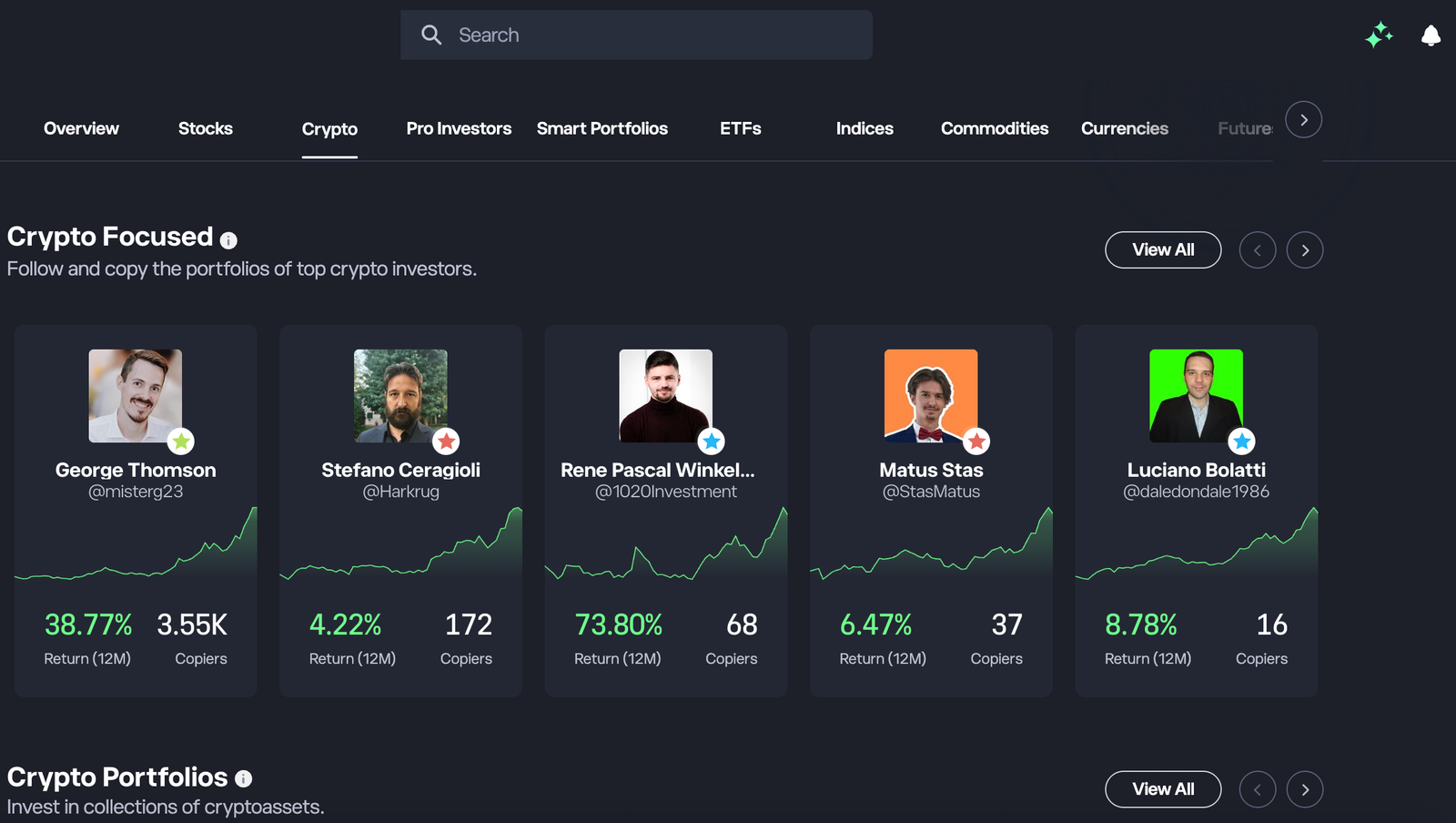
eToro is the best crypto app if you want to copy other investors or hold crypto next to shares and ETFs in one account. It was one of the most polished apps I tested. The trade-off is self-custody: you can’t send coins from your main account straight to a hardware wallet. Moving them out goes through the eToro Money wallet at a 2% fee.
Key information
| Feature | Information |
|---|---|
| Best for | Copy trading and multi-asset investors |
| UK entity | eToro (UK) Ltd |
| FCA status | FCA-authorised; FCA-registered for cryptoassets (FRN 583263) |
| Cryptocurrencies | 200+ |
| Minimum investment | £10 per crypto trade; $200 minimum to copy a trader |
| Trading fees | 1% to buy and 1% to sell crypto |
| GBP deposits | Bank transfer, debit card, PayPal; no deposit fee from a GBP account |
| Wallet withdrawals | Limited: via the eToro Money wallet, 2% transfer fee, then network fee only |
| Copy trading | CopyTrader, no copy fee; Copy Stop Loss |
| Mobile app | iOS and Android; separate eToro Money app for the wallet |
| FSCS | Crypto isn’t covered |
| Key differentiator | Copy crypto investors from the same account you buy in |
What I tested: In September 2026, I used an eToro (UK) GBP account on a Samsung Galaxy S24. I deposited £500 by debit card, bought £300 of BTC and put £200 into copying a crypto-focused Popular Investor. I then moved £100 of BTC to eToro Money and on to a Ledger.
What was it like buying and copying crypto on eToro?
eToro felt more like an investing app that includes crypto than a crypto exchange. For some people that’s exactly the point. When I tested it, I deposited £500 by debit card. It arrived instantly with no fee, which beat Coinbase’s £19.95 on the same amount. Verification took about 10 minutes.
I searched for Bitcoin, entered £300 and bought in under a minute. The order ticket showed the 1% fee up front, so £3 to buy, and another 1% when I sell. That’s cheaper than Coinbase’s Standard route but dearer than Advanced or Kraken Pro.
CopyTrader was the reason to be here. I filtered Popular Investors by crypto exposure and a risk score of 5 or lower, then checked each trader’s worst drawdown. Crypto traders’ curves are far choppier than equity traders’. I copied one with £200 and set the Copy Stop Loss to 25% before confirming. When they added to their ETH position the next day, it appeared in my portfolio within seconds.
The friction came when I tried to move coins to my Ledger. There’s no Send button in the main account. I had to install eToro Money and transfer £100 of BTC into it, which cost 2% (£2). Only then could I send it to an external address, for the network fee only. Not every coin on eToro can be moved this way.
How much does eToro charge for crypto?
eToro charges 1% to buy and 1% to sell crypto. There’s no copy fee, and no deposit fee from a GBP account. Moving crypto to the eToro Money wallet costs 2% (with minimum and maximum caps). Sending from that wallet to an external wallet costs only the network fee.
Is copying crypto traders on eToro risky?
Yes. Copied crypto trades are real crypto positions, and FCA rules stop UK retail clients using crypto CFDs, so there’s no leverage. But copying a volatile trader just copies their volatility. Set a Copy Stop Loss before you confirm, and check the trader’s maximum drawdown rather than their 12-month return.
Who is eToro best for?
eToro is best for beginners who want to copy experienced crypto investors, or who want crypto next to shares and ETFs in one account.
Who should consider an alternative to eToro?
Anyone who plans to keep coins in their own hardware wallet should look at Coinbase or Bitpanda, where withdrawals cost only the network fee, or Kraken, which charges a fixed fee per coin.
Pros and cons
- CopyTrader built into the crypto account, with no copy fee
- Crypto alongside stocks and ETFs
- Fees shown clearly on every order ticket
- 2% fee to move crypto into the eToro Money wallet
- No direct withdrawal from the main account
- 1% each way is dearer than exchange order books
3. IG – Best crypto app for existing multi-asset investors
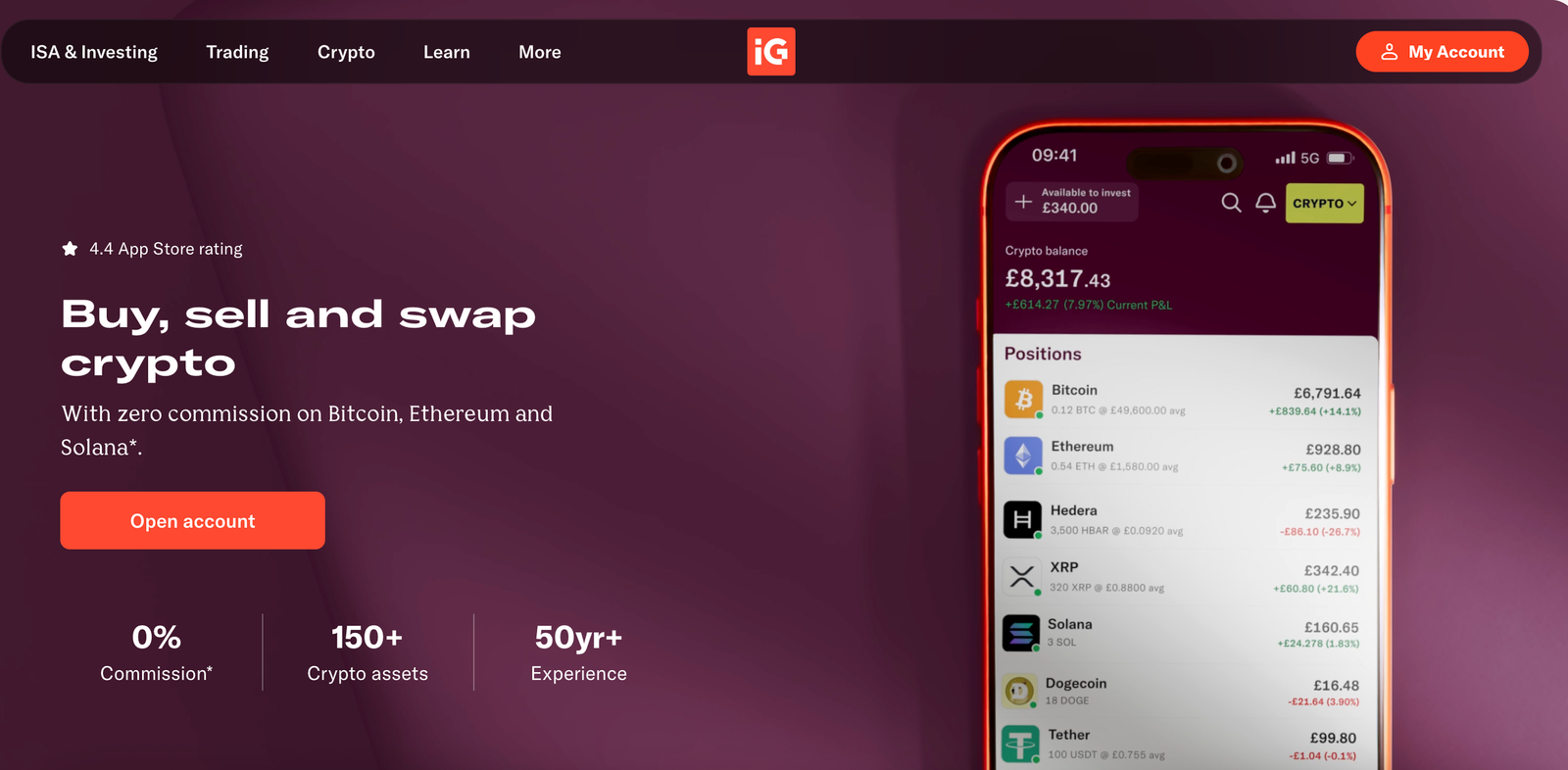
IG is the cheapest way I found to buy Bitcoin, Ethereum or Solana next to an existing share or ISA portfolio. It charges 0% commission on those three coins. The trade-off is that it’s built for investors rather than crypto specialists: the low pricing only covers three coins, and transfers in and out work only for IG’s list of supported tokens.
Key information
| Feature | Information |
|---|---|
| Best for | Existing IG customers and multi-asset investors |
| UK entity | IG Markets Ltd; crypto via IG Digital Assets Ltd |
| FCA status | IG Markets Ltd FCA-authorised (FRN 195355); IG Digital Assets Ltd FCA-registered for cryptoassets |
| Cryptocurrencies | 150+ crypto assets (IG’s figure) |
| Minimum investment | £1 |
| Trading fees | BTC, ETH, SOL: 0% commission, plus a 0.07% external exchange fee built into the price; other coins: 1.49% flat |
| GBP deposits | Debit card or bank transfer into your IG account, no fee |
| Wallet withdrawals | Yes, for supported tokens via Transfer Out (“Send” in the IG app); 2FA and a wallet ownership check required |
| Crypto ownership | Spot crypto (not CFDs), no leverage |
| Mobile app | Main IG app, next to shares, ISA and SIPP |
| FSCS | Crypto isn’t covered |
| Key differentiator | Near-zero cost on the three biggest coins |
What I tested: In September 2026, I added crypto to my existing IG share dealing account, using IG’s web platform on a MacBook Pro and the IG app on an iPhone. I deposited £300 by debit card and bought £250 of BTC (0% commission) and £50 of XRP (1.49%).
What was it like buying crypto on IG?
My setup and deposit times reflect an existing IG customer. They aren’t comparable with a new-customer sign-up on the other apps.
I already had an IG share dealing account, so adding crypto took about five minutes. Most of that was the FCA appropriateness questions on crypto risk. I topped up £300 by debit card, and it arrived instantly.
I bought £250 of BTC first. There was no commission line on the ticket. The only cost was the 0.07% external exchange fee built into the price, about 18p. To see how pricing works outside the big three, I then bought £50 of XRP, which costs a flat 1.49%, or about 75p. That gap is the whole story of IG’s crypto pricing. BTC, ETH and SOL are cheaper than anywhere else I tested, while everything else costs roughly Coinbase Standard rates.
Moving coins works differently from the crypto-first apps. IG accepts transfers in for about 20 tokens from exchanges such as Coinbase and Kraken and from self-hosted wallets. Its Transfer Out feature, labelled “Send” in the app, lets you move supported tokens to your own wallet. You need 2FA switched on and must verify that you control the destination wallet first. If you plan to move a coin later, check that it’s on IG’s supported list before you buy it.
Do you actually own crypto on IG?
Yes. IG’s UK crypto offer is spot crypto, not CFDs, and there’s no leverage. You can transfer supported tokens in from other platforms and wallets, and out to your own wallet using Transfer Out once 2FA is on and your wallet is verified.
Who is IG best for?
IG is best for investors who already use IG for shares or an ISA and want cheap BTC, ETH or SOL exposure on the same screen.
Who should consider an alternative to IG?
Anyone who wants to move a wide range of coins on-chain or use DeFi. Coinbase, Bitpanda and Kraken are crypto-first platforms with direct withdrawals built into their apps.
Pros and cons
- 0% commission on BTC, ETH and SOL (0.07% exchange fee)
- Crypto next to shares, ISA and SIPP in one app
- Spot ownership, not CFDs
- Transfers limited to IG's supported tokens
- 1.49% on every coin outside the big three
- Best value only if you already use IG
Read the complete IG review here.
4. Bitpanda – Best crypto app for coin selection
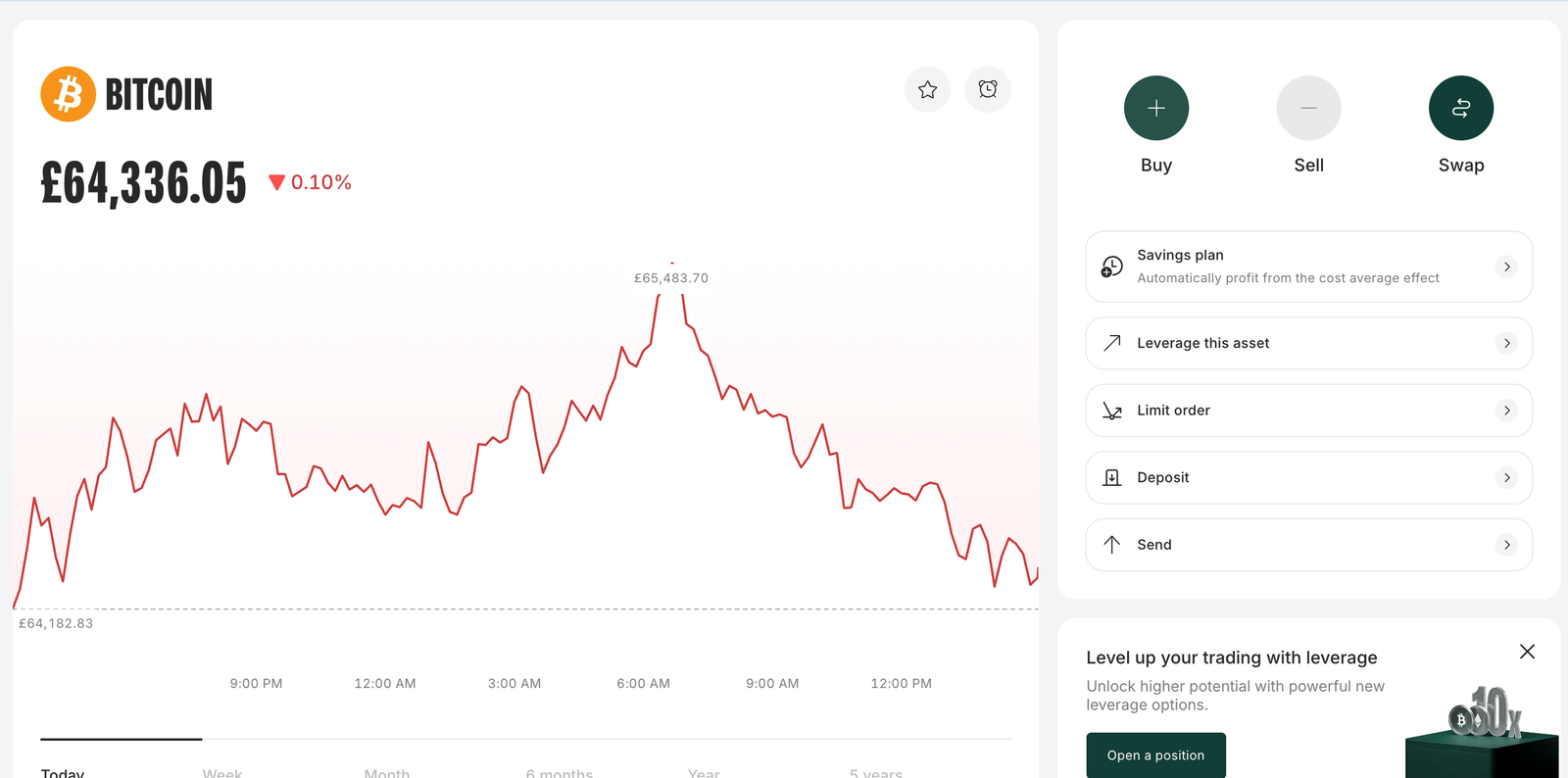
Bitpanda has the widest choice of any app I tested: 600+ cryptocurrencies from £1, with direct withdrawals to your own wallet. The trade-off is pricing transparency. Costs are built into a spread rather than shown as a fee, so you have to work out what you paid.
Key information
| Feature | Information |
|---|---|
| Best for | Wide cryptocurrency selection and smaller altcoins |
| UK entity | Bitpanda Broker UK Ltd |
| FCA status | FCA-registered cryptoasset firm (FRN 925234); not FCA-authorised |
| Cryptocurrencies | 600+ |
| Minimum investment | £1 |
| Trading fees | Spread-based: from 0.99% on major coins, up to about 2.49% on smaller coins |
| GBP deposits | Faster Payments, debit card, Apple Pay and Google Pay, no fee |
| Wallet withdrawals | Yes, network fee only |
| Margin | Up to 3x on 120+ assets |
| Mobile app | iOS and Android |
| FSCS | Crypto isn’t covered |
| Key differentiator | 600+ coins from £1 |
What I tested: September 2026, I used a personal UK GBP account in the Bitpanda app on a Google Pixel 8, and checked fees on desktop. I deposited £500 by Faster Payments and then £99 from Revolut. I bought £300 of BTC and £100 of Render (RENDER), a smaller-cap token, and sent £250 of BTC to a Ledger. I also checked how visible the spread is and the appropriateness test.
What was it like buying crypto on Bitpanda?
Verification took 25 minutes because the app rejected my first ID photo for glare. Then came the FCA appropriateness test (eight multiple-choice questions) and the 24-hour cooling-off period that UK rules impose on first-time crypto investors.
My first £500 Faster Payments deposit took 47 minutes to appear, long enough that I checked my banking app twice. A second, smaller £99 transfer from Revolut arrived within the same minute. Deposit speed seems to depend on which bank you send from.
I bought £300 of BTC, then £100 of Render (RENDER) to test how the app handles smaller tokens. Both filled in under a minute. What I didn’t get was a fee line. Bitpanda builds its cost into the price, from 0.99% on major coins and up to about 2.49% on smaller ones. To see what I’d actually paid, I compared the buy price with the sell price shown at the same moment.
Withdrawals were painless. I sent £250 of BTC to my Ledger, and it arrived in about 20 minutes, with only the network fee deducted.
Is Bitpanda’s pricing transparent?
Not fully. The costs are reasonable for a broker-style app, but they’re built into the spread and not shown as a separate fee. On smaller coins, the spread can be more than twice what you’d pay on BTC. Check the buy/sell gap before placing a large altcoin order.
Should you use Bitpanda’s margin trading?
Only if you understand leverage. It offers up to 3x on 120+ assets. When I opened a small 3x ETH position, I could only add a take-profit and stop-loss after it was open, which left it briefly unprotected. It’s a niche feature, not a reason to choose Bitpanda.
Who is Bitpanda best for?
Bitpanda is best for investors who want smaller altcoins that the bigger apps don’t list, with £1 minimums and direct withdrawals.
Who should consider an alternative to Bitpanda?
Cost-focused traders who want to see the exact fee on every order. Kraken Pro and Coinbase Advanced show explicit maker/taker fees.
Pros and cons
- 600+ cryptocurrencies from £1
- Direct withdrawals, network fee only
- Fee-free GBP deposits
- Spread-based pricing hides the real cost
- Slowest KYC of the beginner-focused apps
- Deposit speed varied a lot by bank
Read the complete Bitpanda review here.
5. Kraken – Best for active traders and low trading fees
Kraken is the strongest choice if you trade often and use limit orders. Kraken Pro gives you a real order book and explicit maker/taker fees, and it charged me less than a third of Coinbase Standard on the same order. The trade-off is a slower start: onboarding took the longest of the five, and entry-tier fees went up in July 2026.
Key information
| Feature | Information |
|---|---|
| Best for | Active traders who use limit orders |
| UK entity | Payward Ltd |
| FCA status | FCA-registered cryptoasset firm (FRN 928764) |
| Cryptocurrencies | 300+ |
| Minimum investment | £1 (Pro order minimums vary by coin) |
| Trading fees | Kraken app: 1% plus spread on instant buys. Kraken Pro Tier 1: 0.40% maker / 0.80% taker; lower at higher volume, or with $20,000 of assets held |
| GBP deposits | Faster Payments (free), debit card (3.75% + 25p), PayPal |
| Wallet withdrawals | Yes, fixed per-coin withdrawal fee |
| Advanced trading | Limit, stop and take-profit orders; price alerts; push notifications |
| Mobile app | Kraken app and Kraken Pro app |
| FSCS | Crypto isn’t covered |
| Key differentiator | Order-book trading with explicit maker/taker fees |
What I tested: In September 2026, I used a personal UK GBP account on Kraken Pro, both in the app on an iPhone 16 and on desktop. I deposited £2,000 by Faster Payments and placed a £1,500 BTC limit order on Kraken Pro. I compared the maker fee I paid with the instant-buy price in the standard Kraken app, then sent £500 of BTC to a Ledger.
What was it like trading crypto on Kraken?
Kraken took the longest to get started. Verification took 40 minutes, against 8 on Coinbase. Once I was in, I deposited £2,000 by Faster Payments, and it cleared in 11 minutes.
The standard Kraken app charges 1% plus a spread on instant buys, so I skipped it and switched to Kraken Pro. It uses the same login and took about a minute to find my way around. Instead of buying at market, I placed a £1,500 BTC limit order slightly below the current price. It didn’t fill until the next afternoon. A push notification told me when it did, so I didn’t need to keep checking.
Because I added liquidity to the order book, I paid the 0.40% maker fee: £6 on £1,500. The same purchase on Coinbase Standard would have cost about £22.35, and about £15 plus spread through Kraken’s own instant buy. For anyone buying in four figures, that difference adds up fast.
I then withdrew £500 of BTC to my Ledger. It arrived in 22 minutes, and the fixed withdrawal fee was about £6. That’s high on a small amount, so it makes sense to withdraw in fewer, larger batches.
How much does Kraken Pro charge?
Kraken Pro charges 0.40% maker and 0.80% taker at Tier 1, which covers under $2,500 of 30-day volume. Fees fall at higher tiers, and you can reach Tier 3 by holding $20,000 of assets on Kraken. Kraken raised its entry-tier rates on 9 July 2026, from 0.25%/0.40%. Use limit orders to pay the maker rate rather than the taker rate.
Who is Kraken best for?
Kraken is best for active traders and larger buyers who use limit orders and want an order book with explicit fees.
Who should consider an alternative to Kraken?
Beginners making a one-off £50 purchase will find Coinbase quicker to set up. Anyone who mostly buys small amounts at market should note that the 0.80% taker fee is now higher than Coinbase Advanced’s 0.60%.
Pros and cons
- Explicit maker/taker fees on Kraken Pro
- Push notifications for limit-order fills
- Direct withdrawals to external wallets
- Slowest KYC in my tests (40 minutes)
- Tier 1 fees rose in July 2026
- Instant buys in the standard app cost 1% plus spread
Read the complete Kraken review here.
What does £250 of Bitcoin cost on each app?
| Platform | Route | Fee | Approx. cost on £250 |
|---|---|---|---|
| IG | BTC spot purchase | 0.07% exchange fee | About 18p (tested) |
| Coinbase | Coinbase Advanced | 0.40% maker / 0.60% taker | £1.00–£1.50 (modelled) |
| Kraken | Kraken Pro | 0.40% maker / 0.80% taker | £1.00–£2.00 (modelled) |
| Bitpanda | Standard purchase | From 0.99%, built into the spread | From about £2.48 (modelled) |
| eToro | Standard crypto purchase | 1% to buy, plus 1% to sell | £2.50 (modelled) |
| Coinbase | Standard Buy button | About 1.49% by bank transfer | About £3.73 (tested) |
What does £1,000 of Bitcoin cost on each app?
| App | Route | Trading cost on £1,000 | Withdraw to your own wallet? | Cost to buy and move to your own wallet | What matters |
|---|---|---|---|---|---|
| IG | BTC spot purchase | About £0.70 (0.07% exchange fee) | Yes, for supported tokens (2FA and wallet check required) | About £0.70 + any transfer fee | Cheapest to buy; check the token is supported for Transfer Out |
| Coinbase | Coinbase Advanced | £4 (maker) to £6 (taker) | Yes | £4–£6 + network fee | The default Buy button would cost about £14.90 |
| Kraken | Kraken Pro | £4 (maker) to £8 (taker) | Yes | £4–£8 + fixed withdrawal fee (about £6 in my test) | Use limit orders to pay the lower maker rate |
| Bitpanda | Standard purchase | From about £9.90, built into the spread | Yes | From about £9.90 + network fee | No separate fee line, so check the buy/sell gap |
| eToro | Standard crypto purchase | £10 (1%) | Only via eToro Money | £10 + £20 (2% transfer fee, capped) + network fee | Another 1% when you sell |
Which UK crypto apps let you withdraw to your own wallet?
| Platform | External withdrawal | What I found |
|---|---|---|
| Coinbase | Yes | ETH reached Ledger in ~18 min |
| Kraken | Yes | BTC reached Ledger in ~22 min |
| Bitpanda | Yes | BTC reached Ledger in ~20 min |
| eToro | Limited | Must use eToro Money; 2% transfer fee |
| IG | Yes, supported tokens | Transfer Out with 2FA and a wallet ownership check |
Which crypto app has the most coins?
Bitpanda had the widest cryptocurrency selection in my five-app test, with 600+ assets. Kraken listed 300+, Coinbase 250+, eToro 100+ and IG 150+ according to the figures used in this review. Coin counts change frequently and can vary by UK eligibility, so treat these as a snapshot rather than a permanent list.
Which crypto app is best on mobile?
Coinbase is the best mobile app for most beginners. Signing up, buying and sending coins to a hardware wallet all happen in one app, and switching to the cheaper Advanced screen is a toggle in the same app. For active traders, Kraken Pro is the stronger mobile choice. It gives you a real order book and advanced order types, and a push notification told me when my limit order filled.
Which crypto app is best for beginners?
For most beginners it’s Coinbase, while eToro suits you better if you’d rather copy experienced investors.
Coinbase was the fastest app to get started on in my tests. Verification took 8 minutes and it’s also easy to move coins to your own wallet later. You’ll pay less if you fund your account by Faster Payments rather than debit card (which costs 3.99%) and buy through Coinbase Advanced instead of the default Buy button.
eToro is the better choice if you’d rather not pick coins yourself. You can copy other investors’ crypto portfolios with CopyTrader, and set a Copy Stop Loss to limit your losses. You can also hold crypto next to shares and ETFs in one account. My card deposit was instant and free, and the 1% fee showed on the order ticket before I confirmed. The trade-offs are 1% each time you buy or sell, and no direct withdrawals: moving coins out means transferring them to eToro Money first, at a 2% fee.
Which crypto app is best for active traders?
Kraken, using Kraken Pro. You get a real order book, limit, stop and take-profit orders, and explicit fees of 0.40% maker and 0.80% taker at the entry tier. My £1,500 limit order cost £6, against about £22.35 on Coinbase Standard. Kraken raised its entry-tier fees in July 2026, so if you mostly buy at market, Coinbase Advanced’s 0.60% taker fee is now slightly cheaper.
Which crypto app is best for buying and holding?
It depends on whether you want to hold the coins yourself. If you only want BTC, ETH or SOL, IG is the cheapest: about 70p per £1,000 in my model. You can move supported tokens out later with Transfer Out, but the FSCS doesn’t cover crypto while it’s on the platform. If you want to hold a wider range of coins or move them often, Coinbase Advanced and Kraken Pro keep costs at 0.40%–0.80% and allow direct withdrawals in the app.
Which crypto app is best for self-custody?
Coinbase for most people. It combines low Advanced fees with withdrawals that cost only the network fee, and my ETH reached my Ledger in 18 minutes. Bitpanda also charges only the network fee and suits you better if you want smaller coins. Kraken’s fixed BTC withdrawal fee (about £6 in my test) makes more sense if you withdraw in larger batches. eToro is the weakest choice if you want to hold your own keys, because moving coins into eToro Money costs 2%. IG supports Transfer Out for its supported tokens, but I didn’t test a withdrawal from it.
How I tested and ranked the best crypto apps in the UK
Every app here went through Psyfi Money’s wider review process. I also funded an account and bought crypto on all five on September 2026. For this guide, I weighted the results for one reader: someone in the UK buying crypto with pounds, often for the first time, who may later want to move the coins to their own wallet. Any Psyfi Money review rating for these apps is separate from the order below.
| Ranking factor | Weight | What I assessed |
|---|---|---|
| Cost to buy and sell | 30% | The fee on the route most people will actually use: Coinbase Standard (about 1.49%) vs Advanced (0.40%/0.60%), eToro’s 1% each way, IG’s 0.07% on BTC, ETH and SOL (1.49% on other coins), Bitpanda’s 0.99% to 2.49% spread, and Kraken Pro’s 0.40%/0.80% after the July 2026 rise |
| Getting to a first purchase | 20% | How long verification took me, ID re-uploads, the FCA appropriateness test and 24-hour cooling-off, and how easy the cheaper buy route is to find |
| Moving coins to your own wallet | 15% | Whether you can withdraw directly, and at what cost: network fee only (Coinbase, Bitpanda), a fixed per-coin fee (Kraken), 2% via eToro Money, or Transfer Out for supported tokens only (IG) |
| GBP deposits | 10% | Faster Payments, card, PayPal, Apple Pay and Google Pay; how long my deposits took to arrive |
| Coin choice | 10% | Range from 100+ to 600+ coins, £1 minimums, and how pricing changes outside the biggest coins |
| Trading tools | 10% | Limit and stop orders, fill notifications, order-book trading, and CopyTrader with Copy Stop Loss |
| Fee transparency | 5% | Whether the confirmation screen shows the fee as its own line or leaves you to work it out from the buy/sell gap |
The comparison that moved the order most was a £250 Bitcoin purchase followed by a move to a hardware wallet. I used the fees I actually paid where I’d tested that order, and each app’s published fees where I hadn’t. On buying cost alone, IG came to about 18p in my test, Coinbase Advanced to £1.00–£1.50 and Kraken Pro to £1.00–£2.00.
That compares with £2.50 on eToro (plus another 1% to sell), from about £2.48 in Bitpanda’s spread, and £3.73 on Coinbase Standard, the route Coinbase shows by default. The withdrawal step reshuffles that order: IG’s transfers cover only its supported tokens (such as BTC, ETH, SOL, XRP, and others), eToro charges 2% to move them, and Kraken’s fixed BTC withdrawal fee (about £6 in my test) is steep on a small balance.
Cost carries the most weight because a gap of a percentage point or more repeats on every purchase. Onboarding gets 20% because most readers of this page are buying for the first time and will face the appropriateness test and 24-hour cooling-off period before anything else.
I treated UK availability, FCA cryptoasset registration and spot ownership as entry requirements rather than scoring them, and I didn’t score FSCS protection because none of these apps’ crypto is covered. These weights decided which app won each ‘best for’ category
The cheapest crypto app isn’t necessarily the cheapest way to own crypto
IG had the lowest cost for Bitcoin in my test, at around 0.07%, but that pricing covers only BTC, ETH and SOL, and transfers out are limited to IG’s supported tokens.
If self-custody matters to you, the cheapest trade isn’t necessarily the cheapest overall option. Coinbase, Kraken and Bitpanda let you withdraw directly in the app, IG requires 2FA and a verified wallet before Transfer Out, and eToro requires you to move crypto through eToro Money first, with a 2% transfer fee.
That’s why I didn’t rank these apps on trading fees alone. I also tested how easy and expensive it was to move crypto from each platform to a Ledger hardware wallet.
How to buy crypto using a UK crypto app?
1. Log in to the platform
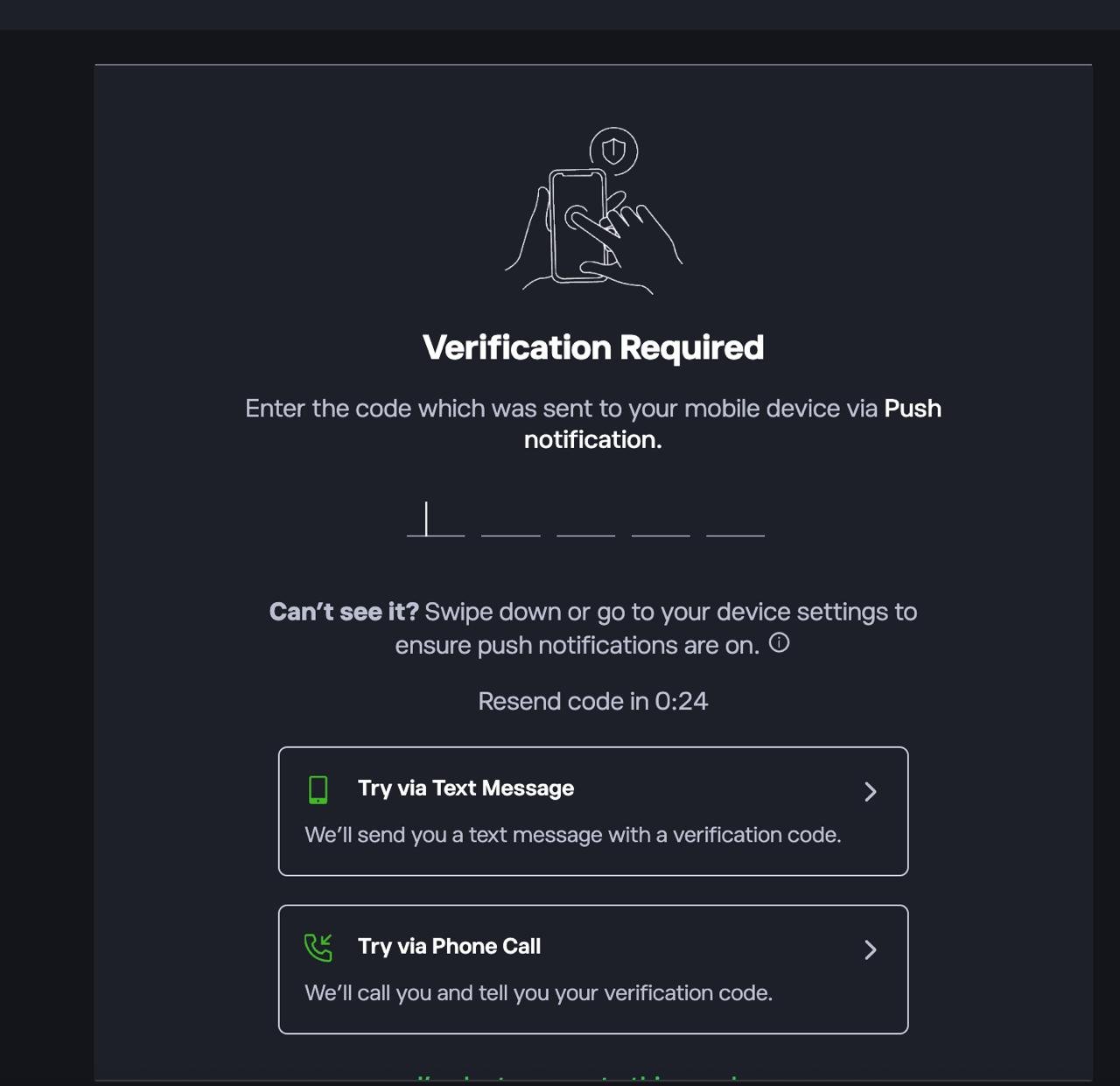
First sign up or log in to the platform. If prompted, complete 2FA by entering the code sent via push notification, SMS, or phone call. Complete the crypto appropriateness test. UK rules require first-time crypto investors to answer questions about the risks. After that there’s a 24-hour cooling-off period before you can buy. I’m using eToro as an example.
2. Deposit funds into your account
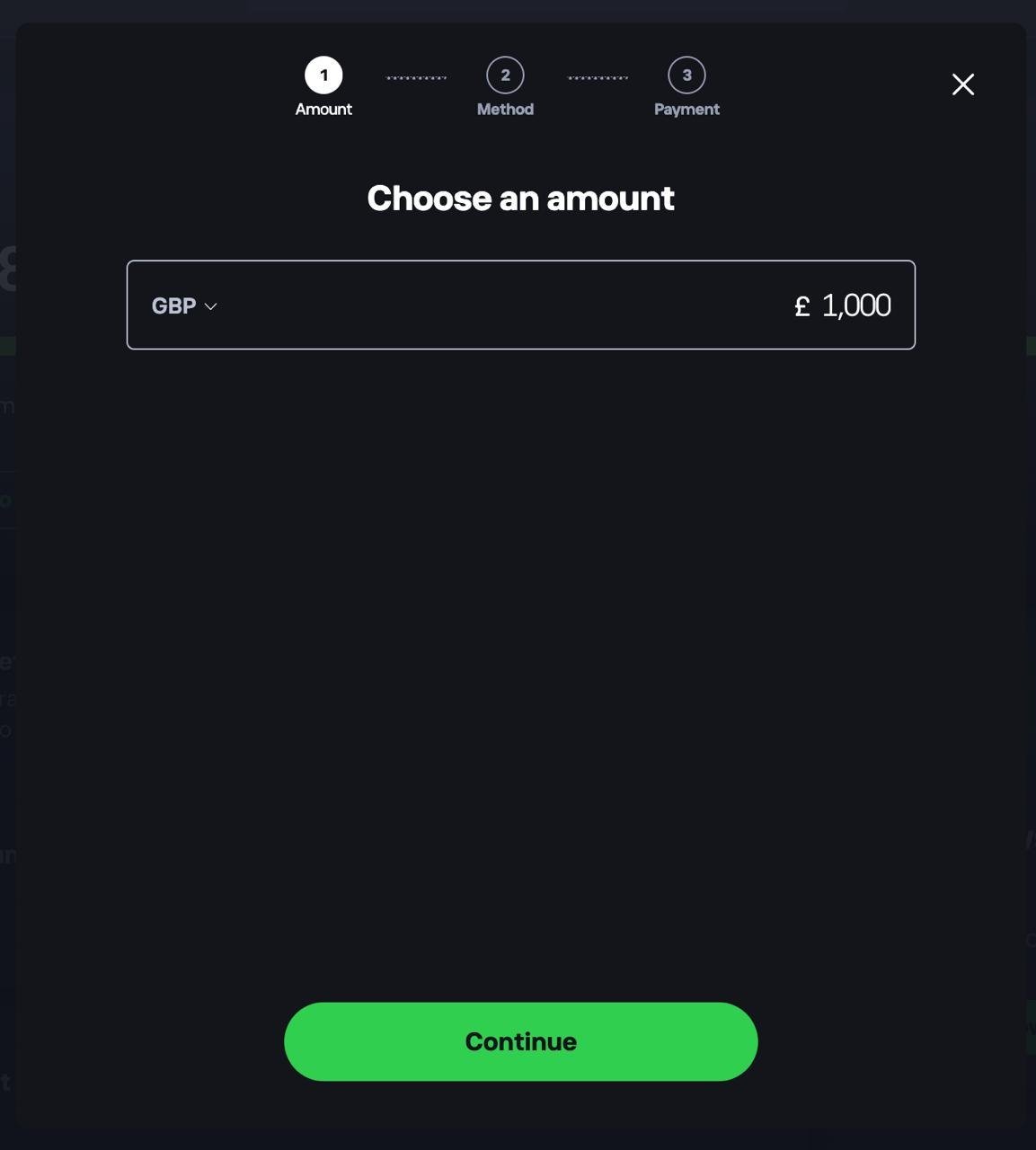
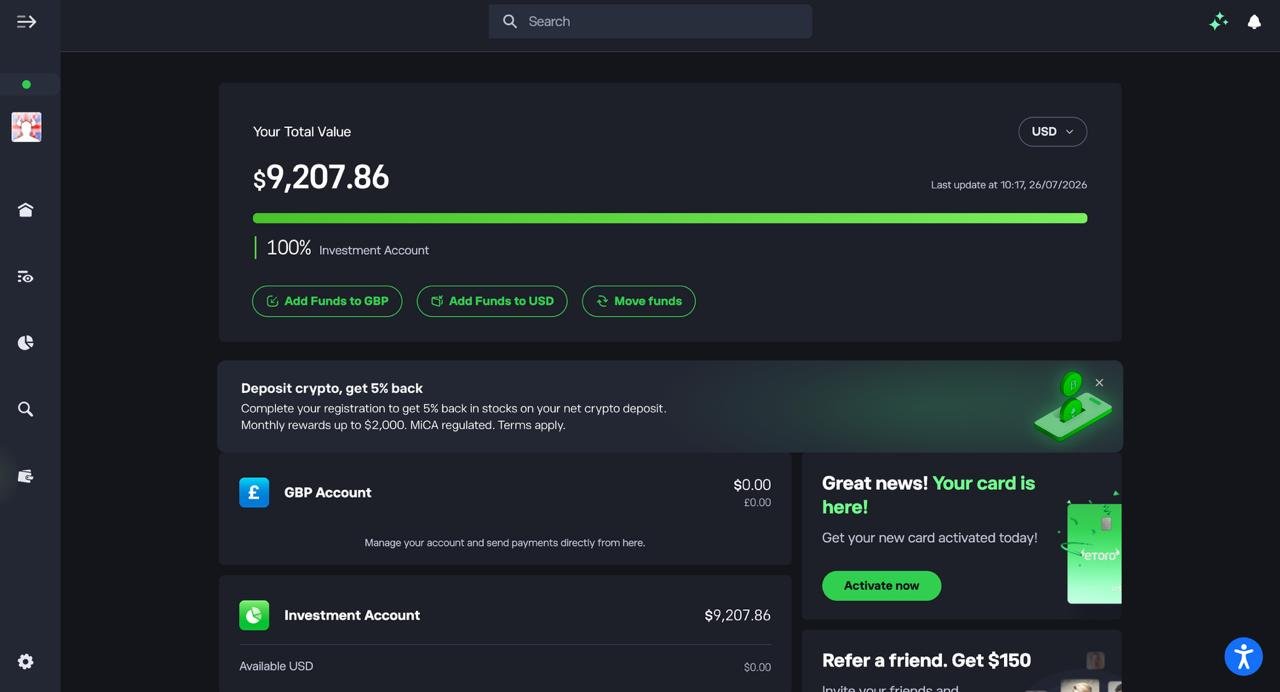
Head to your dashboard and choose to add funds. Select your currency, enter the amount you want to deposit, tap Continue, then choose a payment method.
3. Confirm your funds are available
Check your dashboard to make sure your deposit has landed in your account before you start buying crypto.
4. Find the crypto you want to buy
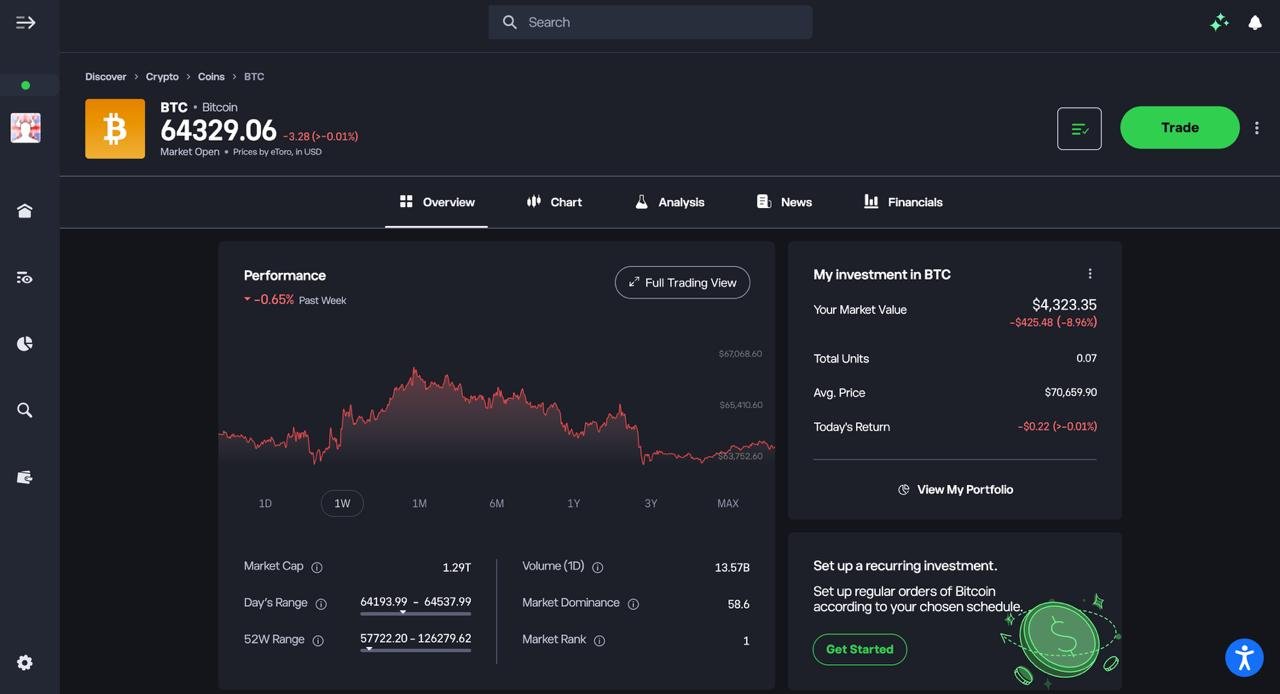
Search for the coin you’re after, such as Bitcoin, and open its overview page to check the current price and performance.
5. Set up and confirm your purchase
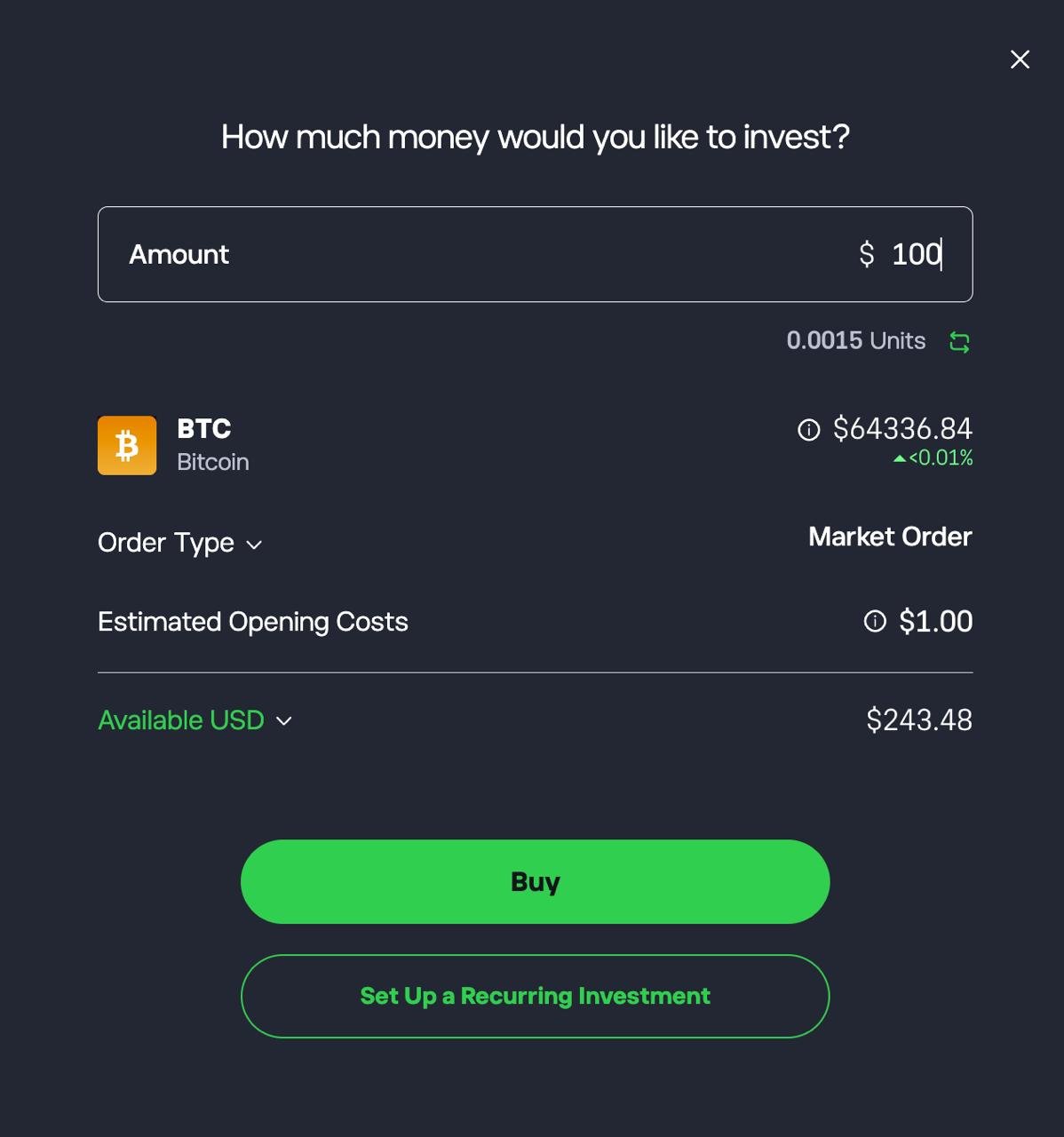
Enter the amount you want to invest, review the estimated units and opening costs, then tap Buy. You can also set up a recurring investment if you want to buy on a regular schedule.
6. Check your order confirmation
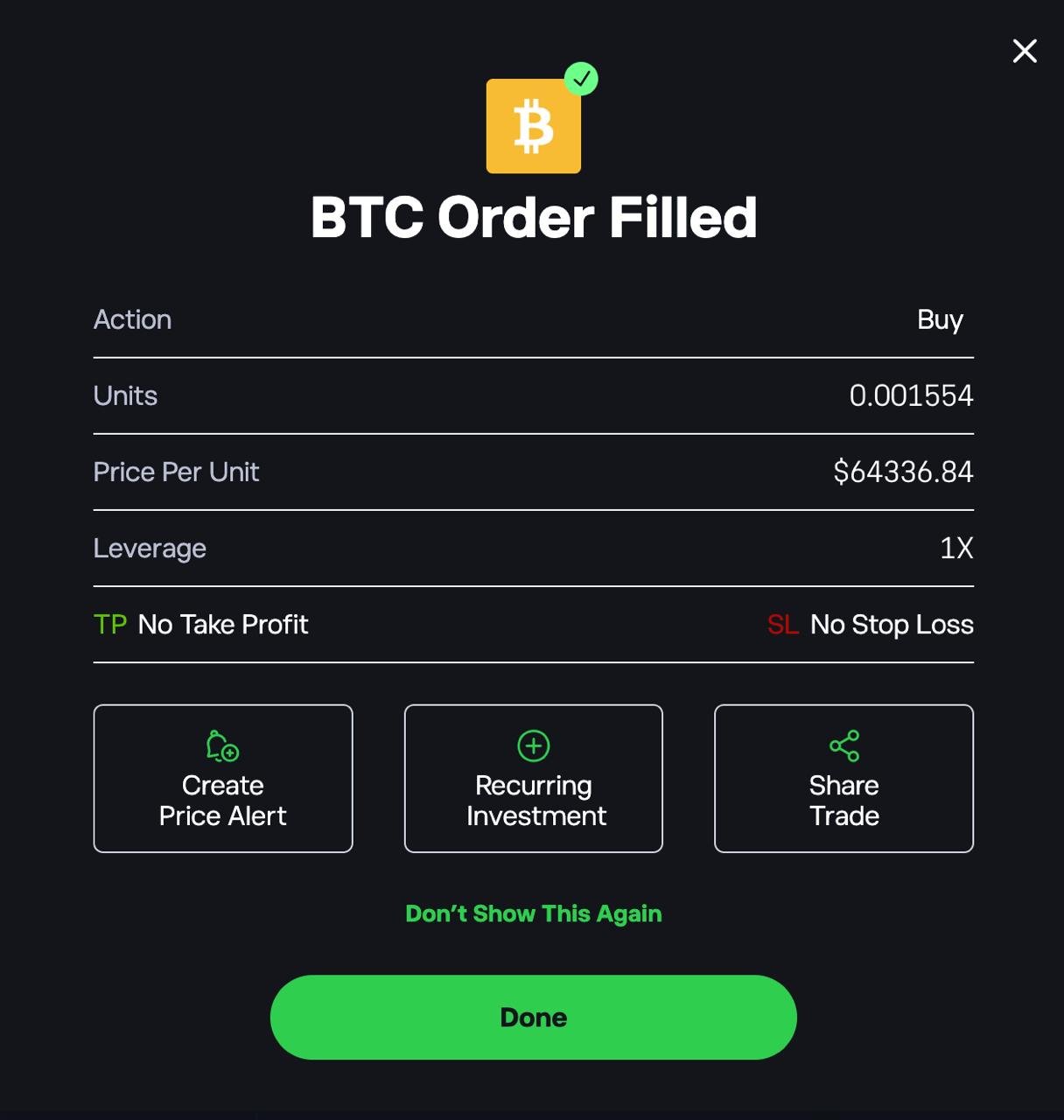
Once your order goes through, you’ll see a confirmation showing the units bought. From here you can also set a price alert or share the trade.
Decide where to keep your coins. You can leave them on eToro, or move them to your own wallet. On eToro, that means transferring them to the separate eToro Money app first, at a 2% fee, and then sending them to your wallet for the network fee only. Not every coin can be moved this way.
Complete list of crypto apps available in the UK
This section lists all major crypto apps available to UK users, covering FCA-registered platforms that support buying, selling, and managing digital assets with GBP.
- eToro – Best for copy trading and beginners. Crypto app with CopyTrader and fast GBP deposits
- Bitpanda – Widest crypto selection in the UK with £1 minimum trades
- Kraken – Low fees and strongest security for serious traders
- Coinbase – Easiest onboarding with Easiest onboarding and a £1 minimum
- Crypto.com – All-in-one app with cashback Visa card and staking
- Bitstamp – Long-established exchange with deep liquidity
- Uphold – Simple crypto buying with multi-asset support
- Revolut – Integrated crypto access inside a mainstream banking app
- PayPal – Easiest way to buy and sell major cryptocurrencies
- CoinJar – Beginner-friendly exchange with simple GBP trading
- Luno – Clean, Bitcoin-focused app for first-time buyers
- Zumo – UK-based, compliance-first crypto app
- Blockchain.com – Popular wallet and exchange combo with global reach
- Wirex – Crypto spending app with Visa card rewards
- Mode – UK Bitcoin app with recurring buys and simple storage
What is a crypto app?
A crypto app lets you buy, sell, hold and, depending on the provider, transfer cryptocurrencies such as Bitcoin and Ethereum. UK apps differ significantly in their fees, supported coins, trading tools and ability to withdraw crypto to your own wallet.
Some are dedicated crypto exchanges, while others combine crypto with shares, ETFs or other financial products.
Are crypto apps safe to use in the UK?
Security depends on both the provider and how you use the account. The apps I tested used measures such as two-factor authentication and identity verification, but crypto held with these providers is not covered by the FSCS in the same way as eligible bank deposits.
FCA registration is also not the same thing as FSCS protection or a guarantee that you cannot lose money. Check the provider’s current regulatory status and the protections that apply to the specific crypto service before depositing funds.
The crypto app fees that are easy to miss
| Hidden cost | How it works | Clearest example in my tests | What to check |
|---|---|---|---|
| The default buy route | The simple Buy screen can cost far more than the same app’s advanced or order-book route | Coinbase: £3.73 (about 1.49%) on £250 of BTC through the standard Buy button, against 0.60% (£1.20 on £200 of ETH) on Coinbase Advanced | Whether the app has an advanced route before you place a large order |
| Spread | A broker can show no separate fee and make its money through the price you’re quoted | Bitpanda: no fee line on the confirmation screen; the cost (from 0.99% on major coins, up to about 2.49% on smaller ones) was built into the price | The gap between the buy and sell prices, not just the fee line |
| Withdrawal fees | A cheap purchase can get expensive when you move the coins | Kraken: a fixed fee of about £6 to withdraw £500 of BTC, roughly 1.2% of that balance | The withdrawal fee compared with the amount you’re moving |
| Self-custody restrictions | You can own a coin without being able to move it to your own wallet | IG: transfers only for supported tokens, after 2FA and a wallet ownership check. eToro: coins have to go through eToro Money first, at a 2% fee. | Whether the specific coin you want can be withdrawn, before you buy it |
| Deposit method | An expensive way of paying in can wipe out a cheap trading route | Coinbase: a £500 debit card deposit cost me £19.95 (3.99%), while Faster Payments is free | The full cost: deposit, purchase and withdrawal together |
What UK investors should check before choosing a crypto app
Most crypto apps look alike at sign-up. The differences show up when something goes wrong, when you want to move your coins, or when you need to do your tax return. These are the checks I’d make first.
1. Which FCA status covers the crypto service. An app can be “FCA-regulated” for one thing and only registered for crypto. Most UK crypto firms are registered with the FCA under the anti-money-laundering rules. That registration covers financial-crime controls. It isn’t an assessment of the firm’s finances, custody or conduct towards customers.
Some firms, such as Coinbase and eToro, also hold full FCA authorisation for other services, like e-money or share dealing. That authorisation doesn’t extend to their crypto business. Check the FCA Register for the exact UK entity you’ll sign up with, not just the brand name.
Full FCA authorisation for crypto firms is still being introduced: applications open in September 2026 and the new regime takes effect in 2027.
2. Whether you’re buying spot crypto or a derivative. Spot means you own the coin. Crypto CFDs, futures and options are banned for UK retail customers, so any app offering them to you should raise questions. Margin products, like Bitpanda’s 3x trading, are a separate risk layer. Check whether they’re available to your account at all.
3. Whether you can withdraw the specific coin. Owning a coin and being able to withdraw it are different questions. On IG, only supported tokens can be transferred out, and you need 2FA and a verified wallet first.
On eToro, withdrawals go through eToro Money at a 2% fee, and not every coin qualifies. Check the coin you actually want to hold, not just the app’s general policy.
4. Who holds the coins. Unless you withdraw to your own wallet, the platform or a third-party custodian holds your crypto. If that firm fails, your claim depends on how the assets were held and on insolvency law, not on a compensation scheme.
5. What the FSCS does and doesn’t cover. The FSCS doesn’t cover crypto on any app in this guide. GBP balances aren’t automatically covered either. Cash held as e-money is safeguarded, not FSCS-protected, while cash at an investment firm may be held as client money.
The Financial Ombudsman generally can’t handle complaints about unregulated crypto activity.
6. The FCA risk warning. UK crypto promotions must carry the FCA’s standard warning: don’t invest unless you’re prepared to lose all the money you invest, and don’t expect to be protected if something goes wrong.
That’s also why first-time buyers face an appropriateness test and a 24-hour cooling-off period. Treat the warning as a plain description of the risk, not boilerplate.
7. What’s restricted for UK users. Features advertised globally, such as staking, margin, some tokens and rewards, may be limited or unavailable in the UK. The app’s UK terms are the reliable source, not its homepage.
8. Tax records and exports. In the UK, selling, swapping or spending crypto can each trigger Capital Gains Tax. Platforms have been collecting customer data for HMRC since January 2026 under the Cryptoasset Reporting Framework, with the first reports due in 2027, under the Cryptoasset Reporting Framework, but keeping accurate records is still your job.
Before you commit, check that the app lets you download a full transaction history as a CSV, including fees and GBP values.
Crypto app vs crypto exchange vs broker: what’s the difference?
An app is just how you access a service. It says nothing about how your order is priced or filled. An exchange is a trading venue: buyers and sellers meet on an order book, and you pay an explicit maker or taker fee.
A broker sits between you and the market and quotes you a price, usually with its cost built into the spread or charged as a flat percentage. Many platforms blur these lines, so the same app can put you on either kind of route.
Coinbase and Kraken are exchanges at heart, but both also offer a simpler broker-style buy route: Coinbase’s standard Buy button and Kraken’s instant buy.
Those simple routes cost more than trading on the order book through Coinbase Advanced or Kraken Pro. eToro and Bitpanda work more like brokers: you buy at a quoted price, either with a flat 1% fee (eToro) or a cost built into the spread (Bitpanda).
IG is a multi-asset investment platform that offers spot crypto next to shares and ISAs, with coins held by a third-party custodian rather than traded on an IG order book.
Should you move your crypto off the app and into your own wallet?
You don’t have to. Every app in this guide will hold your coins for you. But when a platform holds your crypto, it controls the private keys, and the FSCS doesn’t cover you if the firm fails. Moving coins to a personal crypto wallet removes that platform risk. In return, keeping them safe becomes your job.
Leaving your crypto on the app makes sense if:
- you’re investing small amounts, or buying to sell within months
- you’d rather not manage a recovery phrase yourself
- you mainly want BTC, ETH or SOL next to shares on IG, where buying them is cheapest
Moving it to your own wallet makes sense if:
- you’re holding a larger amount for the long term
- you don’t want to depend on one platform staying solvent and letting you access your account
- you want to use your coins elsewhere, such as another exchange or DeFi
If you do withdraw, a few habits prevent the most common mistakes:
- Send a small test amount first, then the rest once it arrives.
- Choose the right network. Sending a coin over a network your wallet doesn’t support can lose it for good.
- Check the full address on your wallet’s screen before confirming, not just the first and last few characters.
- Withdraw in fewer, larger batches from apps with a fixed fee, like Kraken.
- Store your recovery phrase offline and never type it into a website or app. Anyone who has it can take your coins, and no one can recover them for you.
FAQs
What is the best crypto app for beginners in the UK?
Coinbase for most beginners: verification took 8 minutes in my tests, and buying is simple. Use Faster Payments and Coinbase Advanced to avoid the 3.99% card fee and the 1.49% on the standard Buy button. If you’d rather copy experienced investors, eToro’s CopyTrader is the better fit, though it charges 1% each way and you can’t withdraw coins directly.
Which crypto app has the lowest fees?
It depends on the coin and whether you want to withdraw it. IG was the cheapest for Bitcoin, Ethereum and Solana: about 0.07%, or 18p on the £250 of BTC I bought. IG’s transfers out only cover its supported tokens, though. If you want to withdraw to your own wallet, Coinbase Advanced (0.40% maker / 0.60% taker) and Kraken Pro (0.40% maker / 0.80% taker) were the cheapest options I tested. Using limit orders gets you the lower maker rate on both.
Which crypto apps let you withdraw to a Ledger?
Coinbase, Bitpanda and Kraken all let you withdraw directly to an external wallet, and I sent coins to a Ledger from each. Coinbase and Bitpanda charge only the network fee. Kraken charges a fixed fee per coin, about £6 for BTC in my test. eToro only allows withdrawals through its separate eToro Money wallet, with a 2% transfer fee, and not every coin qualifies. IG lets you transfer supported tokens to an external wallet with Transfer Out once 2FA is on and you’ve verified the wallet.
What is the most legit crypto app?
No single app is the most legitimate, but you can run the same checks on any of them. Take Coinbase: its UK entity, CB Payments Ltd, is on the FCA register (FRN 900635) as a registered cryptoasset firm and an authorised e-money institution. Its parent company is listed on Nasdaq, so it publishes audited accounts. Before signing up to any app, search the exact UK entity on the FCA register and check that it isn’t on the FCA warning list.
Is it safe to keep crypto on an app?
It carries platform risk: if the firm fails or restricts your account, your coins depend on it, and crypto isn’t FSCS-protected. Use 2FA, and consider moving long-term holdings to your own wallet.
Can you withdraw crypto from IG?
Yes, for supported tokens. IG’s Transfer Out feature (“Send” in the IG app) lets you move crypto to an external wallet once you’ve switched on 2FA and verified that you control the destination wallet. IG also accepts transfers in for about 20 tokens, including BTC, ETH, SOL and XRP, from exchanges such as Coinbase and Kraken and from wallets such as Ledger and Trezor.
Is eToro good for buying cryptocurrency?
It’s good if you want to copy other investors or hold crypto next to shares and ETFs in one account. My deposit was instant and free, and the order ticket showed the fee up front. It costs more than exchange-style apps, though: 1% to buy and 1% to sell. If you plan to move coins to a hardware wallet, the 2% transfer fee to eToro Money makes it an expensive choice.
Are crypto apps covered by FSCS protection?
No. The FSCS doesn’t cover crypto held on any of the apps in this guide, even where the company is FCA-authorised for other services. An app’s FCA registration or authorisation says nothing about whether your coins are protected if the firm fails. GBP balances aren’t automatically covered either: e-money balances are safeguarded, not FSCS-protected.
What are the best Ethereum apps in the UK?
The best Ethereum apps in the UK are eToro, Coinbase, Kraken and IG. eToro is ideal for beginners, Coinbase offers the easiest onboarding, and Kraken suits users who want low ETH trading fees and more advanced tools. IG is the cheapest place to buy ETH, at 0% commission plus a 0.07% exchange fee.
What are the best apps to send Bitcoin UK?
Coinbase, Bitpanda and Kraken are among the best apps to send Bitcoin in the UK, offering reliable withdrawals, address whitelisting, and strong security controls.
