

After testing and comparing 8 UK trading apps, my top picks are eToro for beginners and copy trading, Capital.com for beginner CFD trading and spread betting, and IG for all-round trading. I compared spreads, commissions, FX costs, execution speed, order tickets, risk tools such as guaranteed stops, and access to platforms like MT4, TradingView and ProRealTime. I also looked at how each app handles opening, managing and closing trades on a phone.
- CopyTrading lets you mirror experienced investors' trades
- Multi-asset access: stocks, crypto, ETFs, forex, commodities
- Beginner-friendly interface with social/community sentiment feed
Capital at risk. T&Cs apply.
How I tested and ranked these apps
I tested each of the 8 trading apps with a funded UK account in September 2026. I opened CFD, spread-betting and share positions, set stop-losses and guaranteed stops, and recorded the spread, margin and overnight costs shown before confirming each trade. I also tracked how spreads changed around the US jobs report (NFP) and the Bank of England and Federal Reserve rate decisions.
- 8 apps, 11 funded UK accounts
- £4,400 deposited
- 200 orders placed across four execution-speed tests
- Spreads recorded around 3 major news events
- 4 withdrawals tested
- Tested on iPhone and Android.
I then weighted costs 25%, order tickets and risk tools 20%, ease of getting started 15%, market and product range 15%, platforms and charting 15%, and execution 10%. Costs covered spreads, commission, FX and overnight funding. FCA authorisation was a must, not a scoring factor.
What are the best trading apps in the UK in 2026?
| App | Best for | Real shares | CFDs | Spread betting | Demo | Product focus |
|---|---|---|---|---|---|---|
| eToro | Beginners & copy trading | ✓ | ✓ | — | ✓ | Shares + social/CFD |
| Capital.com | Beginner CFD trading | — | ✓ | ✓ | ✓ | CFDs/spread betting |
| IG | All-round trading | ✓ | ✓ | ✓ | ✓ | Multi-product |
| XTB | Charts & analysis | ✓ | ✓ | — | ✓ | Shares + CFDs |
| Pepperstone | Active/forex traders | — | ✓ | ✓ | ✓ | CFDs/forex |
| Trading 212 | Low-cost share trading | ✓ | ✓ | — | ✓ | Shares + CFDs |
| CMC Markets | Advanced analysis | — (separate CMC Invest) | ✓ | ✓ | ✓ | Multi-product |
| Plus500 | Simple CFD trading | — (separate Plus500 Invest) | ✓ | — | ✓ | CFDs |
Trading apps aren’t all the same
| If you want to… | You need to look for… |
|---|---|
| Buy and hold shares | Real share dealing |
| Invest in ETFs | ETF access |
| Trade forex | Forex/CFD account |
| Trade indices | CFDs or spread betting |
| Trade with leverage | CFD/spread-betting functionality |
| Copy other traders | Social/copy trading |
| Use an ISA | Stocks & Shares ISA |
| Use professional charting | TradingView/MT4/MT5/cTrader |
Best trading apps UK Reviews
Below you’ll find my top-rated UK trading apps, starting with the best choice for beginners.
1. eToro – Best for beginners and copy trading
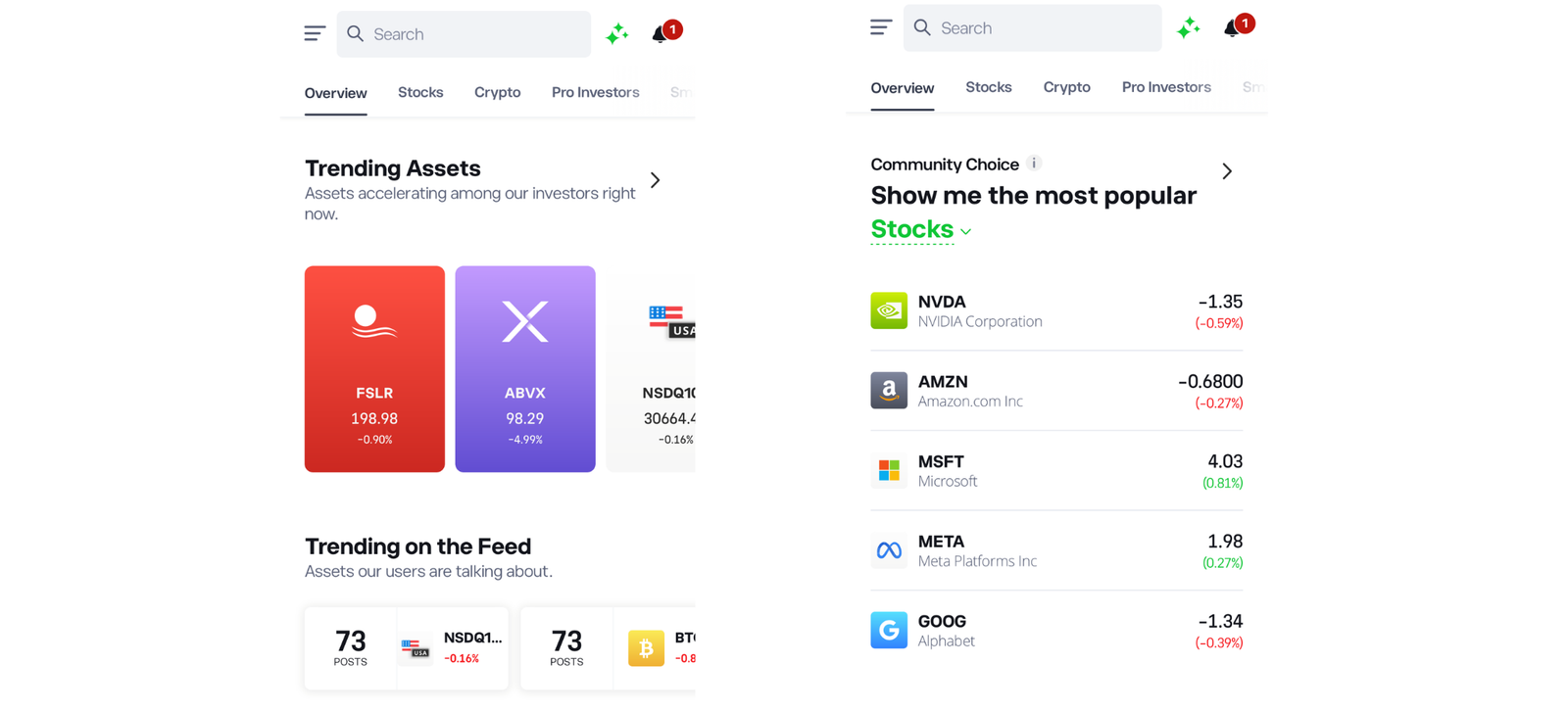
eToro was the easiest of the eight platforms I tested for combining real-share trading with copy trading. Its CopyTrader functionality is the main reason it ranks highly for this use case, although the FX conversion charge and stock commission can make it more expensive than its “commission-free” positioning suggests.
Platform overview
| Feature | Information |
|---|---|
| Best for | Beginners, social and copy trading |
| Trading products | Real stocks, ETFs, CFDs, crypto (real assets, not crypto CFDs, for UK retail clients) |
| Real shares | Yes |
| CFDs | Yes. Retail leverage capped at 30:1 on major FX, 20:1 on major indices, 5:1 on shares |
| Forex | Yes (CFDs) |
| Spread betting | No |
| Demo | Yes, $100,000 virtual portfolio |
| Minimum deposit | $50 first deposit (UK); $200 minimum to copy a trader |
| Trading fee | $1–2 per side on stocks, depending on exchange; £0 on ETFs |
| FX / spread | 0.5% conversion in my test; CFD stock spreads 0.15%; overnight fees charged at 22:00 UK time, tripled at weekends |
| Platforms | eToro web and mobile app (proprietary only; no MT4/TradingView trading) |
| FCA regulated | Yes, eToro (UK) Ltd, FRN 583263 |
| FSCS | Yes, up to £85,000 on eligible claims |
What I tested: September 2026, I deposited £800 into a GBP account on a Samsung Galaxy S25 (Android 16, app v612.0.1), bought £300 of Lloyds shares and an S&P 500 ETF, previewed a £200 Amazon order, tried CopyTrader’s search, risk filters and copy stop-loss, opened a $1,000 EUR/USD CFD at 30:1 with a stop-loss, checked the overnight fee, used the $100,000 demo portfolio and withdrew £100.
What was it like trading on eToro?
I deposited £800 into a GBP account and started from the home feed, which looks more like a social network than a broker. I searched for Lloyds and bought £300 of real shares. The ticket was the shortest of any app I tested: amount, confirm, done. It showed a £1 commission and no currency charge, which is the right result for a UK stock bought from a GBP balance.
US stocks are where the charges add up. I previewed a £200 Amazon order and the ticket showed a $1 commission plus a £1 conversion charge at 0.5%. That’s clearly displayed but easy to miss if you’ve taken “commission-free” at face value. A round trip on the same order would cost roughly $2 in commission plus conversion in both directions.
CopyTrader is what separates eToro from every other app on this list. I filtered traders by risk score, maximum drawdown and average holding period, which cut out the high-return, high-volatility profiles that fill the default rankings. When I set up a copy, the flow asked for a copy stop-loss. That limits how much of the allocation you can lose if the trader has a bad run, and it’s the setting I’d tell any beginner to check first. The minimum to copy one investor was $200, so spreading money across three or four traders takes a meaningful deposit.
For the trading side, I opened a $1,000 EUR/USD CFD from the same balance. Leverage is set with a slider that stops at 30:1 for major forex. At that level, the ticket took about £25 of margin and showed a spread of 1 pip. The overnight fee was shown in the order details rather than on the main ticket, and I had to tap through to see it. The default stop-loss was set far away, so I dragged it closer before confirming. It’s a workable CFD ticket, but less informative than Capital.com’s, which shows your loss at the stop in pounds. Switching to the $100,000 demo portfolio took one tap from the profile menu, and it’s a sensible way to try CopyTrader before you commit $200.
How much does eToro cost?
eToro charges $1–2 per side on stock trades, £0 on ETFs and, in my test, 0.5% to convert GBP to USD. CFD positions add a spread (0.15% on stock CFDs) and overnight fees, which are tripled for positions held over the weekend. Withdrawals from a GBP account are free.
Who is eToro best for?
eToro is best for new traders who want to learn by copying experienced investors while keeping real shares in the same app. The risk filters and copy stop-loss make copy trading safer than just following the leaderboard.
Who should avoid eToro?
Avoid eToro if you want spread betting, MetaTrader or TradingView execution, or the lowest cost on frequent US trades. Anyone who wants an ISA should know that eToro’s ISA runs as a separate managed product.
Read the complete eToro review here.
eToro Pros & cons
- Best copy-trading tools in the UK market
- Real shares and CFDs in one app
- Free demo account
- Fees shown clearly on the ticketFree GBP withdrawals
- High FX conversion fees on non GBP assets
- Higher crypto and forex spreads than specialist platforms
- No spread betting
- No third-party trading platforms
2. Capital.com – Suited to beginners who want CFD trading with fast execution
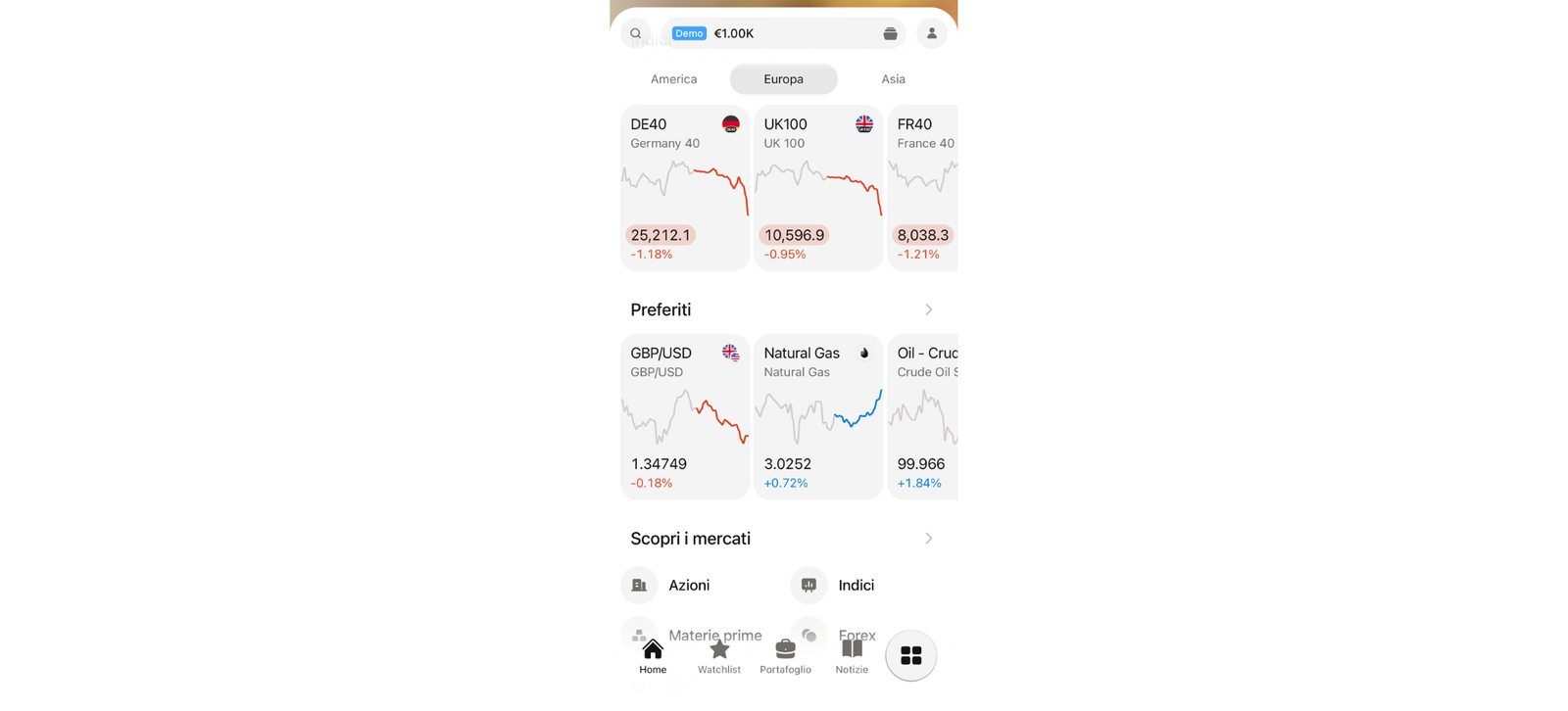
Of the eight apps I tested, Capital.com was the quickest to start CFD trading or spread betting with. I placed my first trade 12 minutes after signing up, and every ticket showed my margin, loss at the stop and overnight fee before I confirmed. The trade-off is that you can’t buy real shares, and experienced traders may find it limited.
Platform overview
| Feature | Information |
|---|---|
| Suited to | Beginner CFD traders and spread bettors |
| Trading products | CFDs and spread bets on indices, forex, shares and commodities; 5,500+ markets in my test |
| Real shares | No, for UK clients |
| CFDs | Yes |
| Forex | Yes |
| Spread betting | Yes |
| Demo | Yes |
| Minimum deposit | £20 (card) |
| Trading fee | £0 commission; costs are in the spread plus overnight funding |
| FX / spread | EUR/USD from 0.6 points; 0.7% currency conversion where applicable |
| Platforms | Capital.com app and web, TradingView, MT4 (CFDs only) |
| FCA regulated | Yes, Capital Com (UK) Ltd, FRN 793714 |
| FSCS | Yes, up to £85,000 on eligible claims |
What I tested: September 2026, I opened a GBP CFD account on an Android phone. I deposited £20 by debit card, then topped up to £250 in total. I traded EUR/USD, the US 500 and Apple with a stop-loss, take-profit and guaranteed stop, and connected TradingView and MT4. I also ran a 50-order speed test and tracked the EUR/USD spread around the US non-farm payrolls release.
What was it like trading on Capital.com?
I opened a GBP CFD account, deposited £20 by debit card and placed a small EUR/USD trade 12 minutes after starting the application. That was the quickest start of any app I tested. Before I confirmed, the ticket showed the margin, the potential loss if my stop was hit and the overnight fee. Most beginners only discover the overnight fee after it has been charged, so seeing it up front matters.
I set the stop and take-profit by dragging the lines on the chart rather than typing prices. On a phone this is quicker and cuts down on mistyped levels. After topping the account up to £250, I opened a US 500 CFD with a guaranteed stop, and the ticket showed the premium before I confirmed. I also opened a small Apple CFD. Because Apple is priced in dollars, Capital.com’s 0.7% currency conversion fee applies to the profit or loss.
The NFP release was the most useful test. The EUR/USD spread widened from 0.6 to 1.2 pips around the release. On my small position that cost pennies. On a one-lot (100,000-unit) trade, though, the spread cost goes from about £4.40 to £8.90. Across my 50-order test, median execution was 27ms, the fastest of the brokers I compared.
TradingView and MT4 both connected to my CFD account without trouble. MT4 is CFD-only at Capital.com, so if you want to spread bet through MetaTrader, you’ll need a different broker.
How much does Capital.com cost?
Capital.com charges no commission and no deposit, withdrawal or account fees. You pay the spread (EUR/USD from 0.6 pips in my test), overnight funding on positions held past the daily cut-off and a 0.7% currency conversion fee on instruments priced in other currencies.
Who is Capital.com suited to?
Capital.com is suited to first-time CFD traders who want to see their full risk on the ticket before every trade. The £20 minimum and the chart-based stop tools make it cheap and easy to learn with small stakes. It also offers spread betting, though I tested it with a CFD account.
Who should avoid Capital.com?
Avoid Capital.com if you want to own real shares, spread bet through MetaTrader, or need more advanced research than the app offers.
Read the complete Capital.com review here.
Capital.com pros & cons
- 0% commission and competitive spreads
- 5,500+ markets with fast execution (27ms median execution in my test)
- Margin, max loss and overnight fee on every ticket
- No deposit or withdrawal fees
- £20 minimum deposit
- TradingView integration
- No built-in copy trading
- Some advanced order types only available via MT4/TradingView
- No real shares for UK clients
- MT4 can't be used for spread betting
- 0.7% FX on foreign-currency CFDs
- preads doubled around NFP
65% of retail investor accounts lose money when trading spread bets and CFDs with this provider. You should consider whether you can afford to take the high risk of losing your money.
3. IG – Best all-round trading app
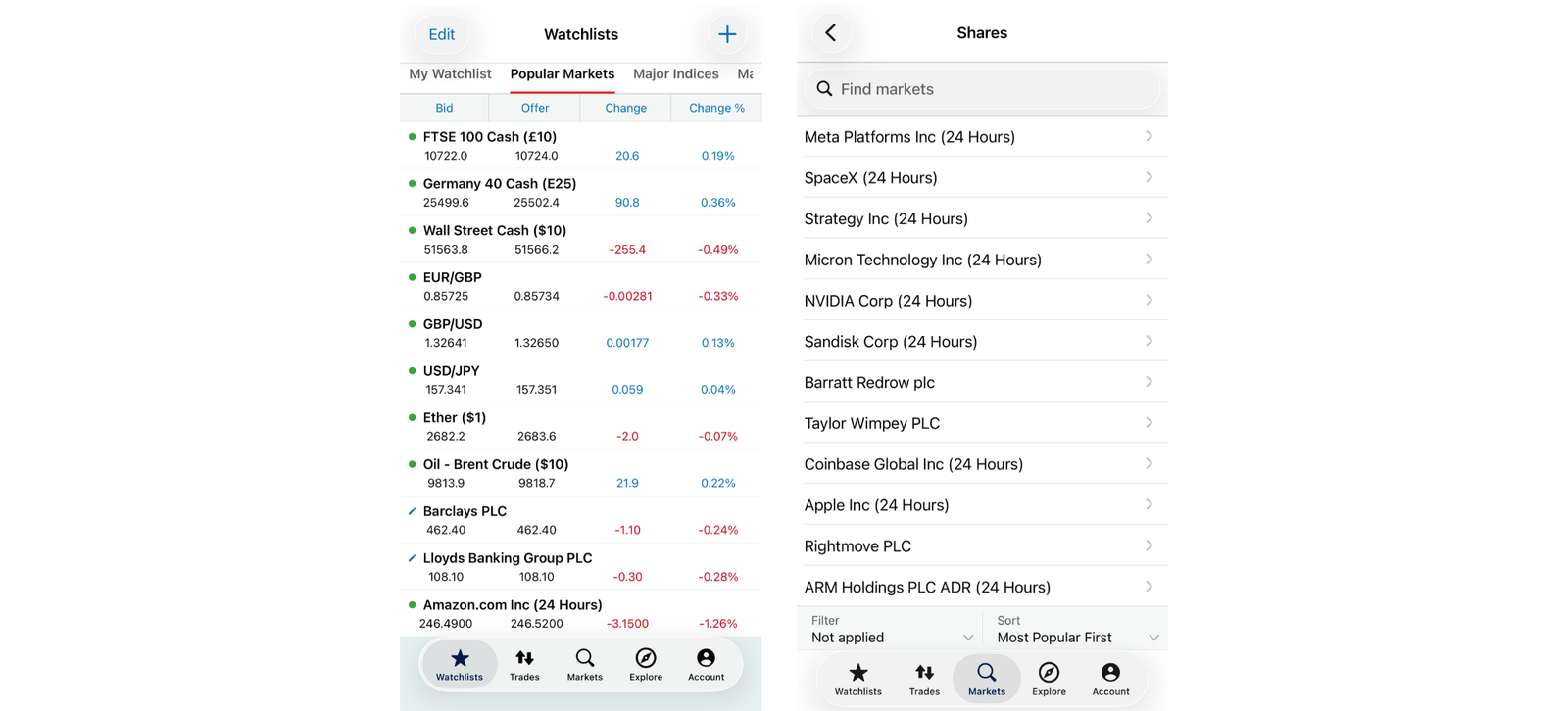
IG offers the widest range of products and platforms of any app I tested, with spread betting, CFDs, share dealing, 17,000+ markets, and MT4, MT5, TradingView and ProRealTime. It ranks third rather than first because the platform takes longer to learn than Capital.com’s, and its index spreads widened sharply outside core hours.
Platform overview
| Feature | Information |
|---|---|
| Best for | All-round trading and advanced platforms |
| Trading products | Spread bets, CFDs, share dealing, ISA/SIPP; 17,000+ markets in my test |
| Real shares | Yes |
| CFDs | Yes |
| Forex | Yes |
| Spread betting | Yes |
| Demo | Yes |
| Minimum stake | £0.50 per point on FTSE 100 DFB in my test |
| Trading fee | £0 commission on standard spread bets |
| FX / spread | EUR/USD from 0.6 points; FTSE 100 from 1 point in cash hours; 0.7% FX on share dealing |
| Platforms | IG app and web, MT4, MT5, TradingView, ProRealTime |
| FCA regulated | Yes, IG Markets Ltd, FRN 195355 |
| FSCS | Yes, up to £85,000 on eligible claims |
What I tested: September 2026, I opened a GBP spread-betting account on the IG app on an iPhone 16, deposited £500 by card, placed a FTSE 100 daily funded bet and EUR/USD trades with a guaranteed stop, connected TradingView and ProRealTime, ran 50 EUR/USD orders to test execution and compared FTSE spreads at three times of day.
What was it like trading on IG?
My account was open in 19 minutes and the £500 card deposit landed instantly. My first trade was a £2-per-point FTSE 100 daily funded bet on the iPhone app. Before I confirmed, the ticket showed the margin, the distance to my stop and the maximum loss if the stop was hit.
The most revealing test was placing the same FTSE bet at different times of day. The spread was 1 point mid-morning, 2 points at 19:30 and 4 points at 22:00. At £2 a point, that took the cost of opening from £2 to £8 without anything else changing. If you can only trade in the evening after work, this matters more than the headline spread.
On EUR/USD I placed 50 orders. Median execution was 88ms with no requotes. That’s slower than Capital.com’s 27ms in my testing, but it made no difference at the stakes I was trading.
IG’s platform range is where it pulls ahead. TradingView connected within minutes, and I used ProRealTime to build and backtest a simple automated strategy. Neither Capital.com nor eToro could do that. The downside is that the IG web platform has so many panels and menus that it took me a few sessions to find everything.
How much does IG cost?
IG charges no commission on standard spread bets. You pay the spread (EUR/USD from 0.6 points, FTSE 100 from 1 point in cash hours) and overnight funding. Share dealing carries a 0.7% FX charge on overseas stocks. Out-of-hours index spreads were up to four times wider in my test.
Who is IG best for?
IG is best for traders who want one account that covers spread betting, CFDs and real shares, with room to move up to ProRealTime, MT4 or TradingView as they gain experience.
Who should avoid IG?
Avoid IG if you mainly trade indices in the evening, where spreads widened sharply in my test, or if you want the simplest possible app for your first trade.
Read the complete IG review here.
IG pros and cons
- 18,000+ markets across shares, forex, indices, ETFs, and more
- MT4, MT5, TradingView and ProRealTime
- Clear risk figures on the ticket
- o requotes across 50 orders
- Steeper learning curve
- FTSE spread 4× wider at 22:00
- Slower execution than Capital.com in my test
- 0.7% FX on share dealing
4. XTB – Best for charting and trading tools
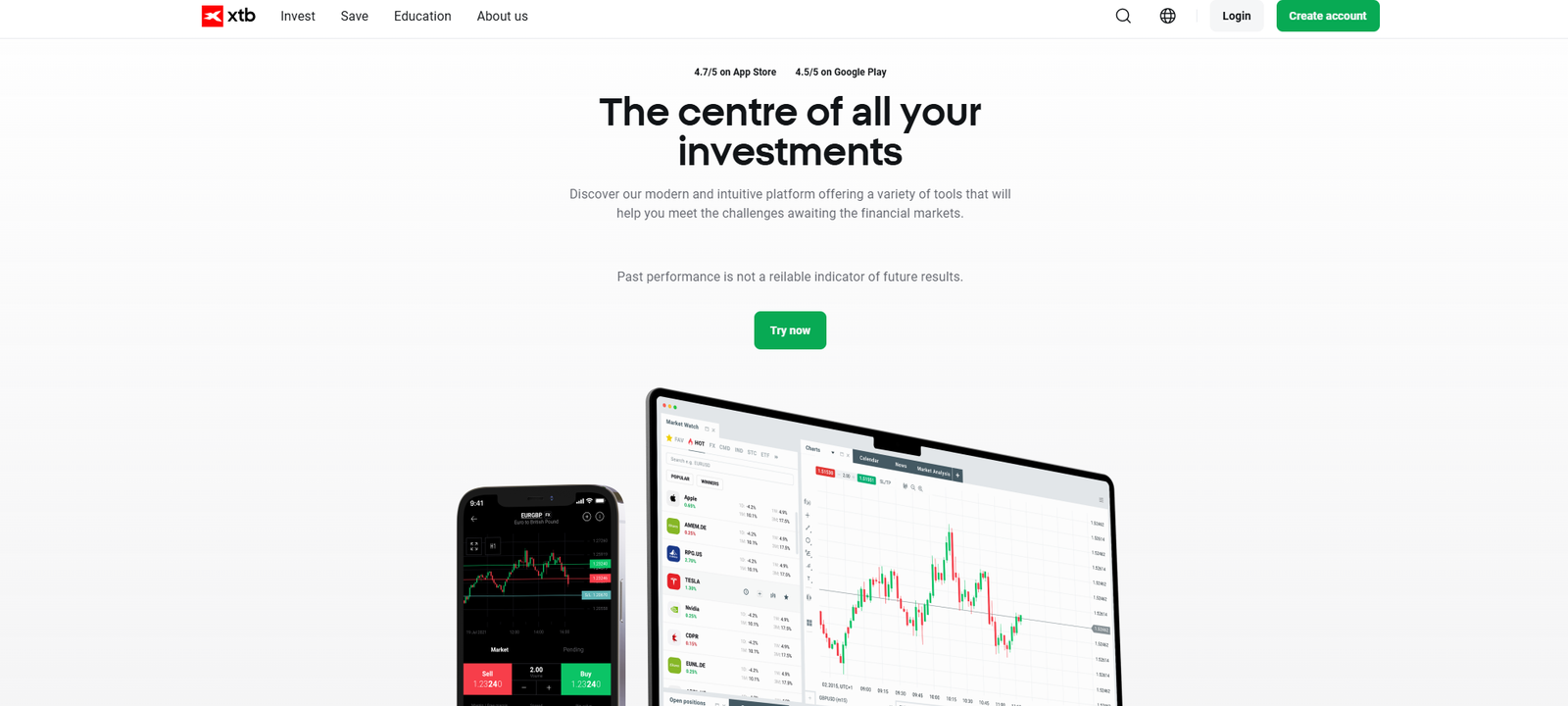
XTB is the best UK trading app for charting, screeners and market news in one place. Its xStation platform has more analysis tools than the beginner apps. The catch is that real shares and CFDs sit next to each other in search results, so you have to check which product you’re about to trade.
Platform overview
| Feature | Information |
|---|---|
| Best for | Charts, screeners and technical analysis |
| Trading products | Real shares and ETFs, CFDs on forex, indices, commodities and shares |
| Real shares | Yes, fractional from £1 |
| CFDs | Yes |
| Forex | Yes (CFDs) |
| Spread betting | No |
| Demo | Yes |
| Minimum deposit | £0 |
| Trading fee | 0% commission on shares/ETFs up to €100,000 monthly turnover |
| FX / spread | 0.5% currency conversion in my test |
| Platforms | xStation (web, desktop, mobile) |
| FCA regulated | Yes, XTB Limited, FRN 522157 |
| FSCS | Yes, up to £85,000 on eligible claims |
What I tested: I deposited £1,000 across a general investment account and an ISA on a Google Pixel 9 (Android 16, app v2.84.0), bought £400 of Nvidia as real fractional shares after finding the Nvidia CFD next to it in search, used the indicators, instrument news and ETF screeners, opened a 0.05-lot EUR/USD CFD and a US 500 CFD on xStation mobile with a stop-loss set in pips, checked the overnight swap and made a withdrawal.
What was it like trading on XTB?
I deposited £1,000 and searched for Nvidia. The first thing I noticed was that the real share and the Nvidia CFD appeared next to each other in the results. Both were labelled, but the labels are small, and I had to stop and check which one I was opening. On a trading app that’s a real risk: tap the wrong one and you’re holding a leveraged position with overnight costs instead of a share.
I bought £400 of Nvidia as real fractional shares. There was no commission, but the ticket showed a £2 currency conversion charge at 0.5%, more than three times Trading 212’s 0.15%.
Analysis is where XTB is strongest. The charts have a full set of indicators rather than the basic line and candle options on most apps, each instrument has its own news feed, and the ETF screeners let me filter by criteria rather than scroll a list. I could research a trade and place it without leaving the app, which I couldn’t do on eToro or Trading 212.
Next I switched to CFDs and opened a 0.05-lot EUR/USD position on xStation mobile. The ticket sizes positions in lots rather than pounds, which will confuse beginners: 0.05 lots is €5,000 of exposure, not £5. Before I confirmed, it showed about £145 of margin at 30:1, a 0.9-pip spread and the pip value. When I set a 20-pip stop-loss, the ticket converted it to a pound figure straight away, which is the number I actually wanted to see. The overnight swap wasn’t on the ticket; it was in the instrument specification. I also opened a small US 500 CFD and was able to trade straight from the chart I had just used for the RSI and moving-average analysis. That’s where XTB beats the simpler apps.
How much does XTB cost?
XTB charges 0% commission on shares and ETFs up to €100,000 of monthly turnover and 0.5% for currency conversion. CFD trades are priced through the spread plus overnight swap. EUR/USD was 0.9 pips in my test.
Who is XTB best for?
XTB is best for traders who want proper indicators, news and screeners inside the same app they trade from, and who hold both real shares and CFDs.
Who should avoid XTB?
Avoid XTB if you want spread betting, MetaTrader or TradingView execution, or low FX costs on frequent US share trades.
Read the complete XTB review here.
Pros & cons
- Strong charts, news and screeners
- ISA available
- Zero withdrawal fees
- Useful sentiment and market analysis tools
- 0% commission up to €100k/month
- Real shares and CFDs in one app
- Shares and CFDs easy to confuse in search
- 0.5% FX
- No spread betting
- xStation only; no MT4/MT5
5. Pepperstone – Best for active and forex traders
Pepperstone is the best UK trading app for active forex traders who care about execution and want MT4, MT5, cTrader or TradingView. My fills were fast and never worse than the price I requested. Onboarding is slower and there are no guaranteed stops, so it isn’t a beginner’s broker.
Platform overview
| Feature | Information |
|---|---|
| Best for | Active forex and index traders |
| Trading products | CFDs and spread bets on 1,350+ markets |
| Real shares | No |
| CFDs | Yes (Standard and Razor accounts) |
| Forex | Yes |
| Spread betting | Yes |
| Demo | Yes |
| Minimum deposit | £10 |
| Trading fee | £0 on spread bets; Razor CFD £2.25 per lot per side |
| FX / spread | EUR/USD from 0.6 points (spread bet); Razor from 0.0 pips + commission |
| Platforms | Pepperstone web/app, MT4, MT5, cTrader, TradingView |
| Guaranteed stops | No |
| FCA regulated | Yes, Pepperstone Ltd, FRN 684312 |
| FSCS | Yes, up to £85,000 on eligible claims |
What I tested: In September 2026 I opened a GBP spread-betting account and a Razor CFD account on an iPhone 16, deposited £400 by bank transfer, traded EUR/USD and USD/JPY, ran 50 EUR/USD orders on MT5 to test execution, placed limit orders in cTrader and checked the minimum stake in TradingView.
What was it like trading on Pepperstone?
Pepperstone was the slowest app to get started on. The application asked more detailed questions about my trading experience and finances than any other broker, and approval came the next morning. I funded the account with £400 by bank transfer.
I opened both a spread-betting account and a Razor CFD account so I could compare EUR/USD prices at the same moment. The spread bet showed 0.6 points with no commission. Razor showed 0.1 pips plus £2.25 per lot per side. When I worked it out for a one-lot trade (about £7.40 per pip with GBP/USD near 1.35), the round-trip Razor cost came to around £5.20, against roughly £4.40 for the equivalent spread bet. For that trade size, the commission-free route was cheaper, and spread-bet profits are usually free of UK capital gains tax.
I ran my 50-order execution test on MT5. Median fill time was 51ms, three orders filled 0.1 points better than requested and none filled worse. That’s the pattern active traders want to see, because slippage costs more over hundreds of trades than a small difference in headline spread.
I placed limit orders on USD/JPY through cTrader, then connected TradingView. The TradingView ticket accepted 0.1 as the minimum stake (£0.10 per point on my GBP account) and rejected 0.05, which is worth knowing if you’re testing strategies with very small stakes.
How much does Pepperstone cost?
Pepperstone charges no commission on spread bets, with EUR/USD from 0.6 points in my test. Razor CFD accounts have raw spreads from 0.0 pips plus £2.25 commission per lot per side. The minimum deposit is £10.
Who is Pepperstone best for?
Pepperstone is best for experienced forex and index traders who run strategies on MT4, MT5, cTrader or TradingView and want consistent fills with none filled worse in my 50-order test.
Who should avoid Pepperstone?
Avoid Pepperstone if you want real shares, guaranteed stops or a quick sign-up. Beginners will get more help from Capital.com’s order tickets.
Read the complete Pepperstone review here.
Pepperstone pros & cons
- No negative slippage in 50 orders
- MT4, MT5, cTrader and TradingView
- Fast execution and deep liquidity
- Spread betting and raw-spread CFDs
- £10 minimum deposit
- No guaranteed stops
- No real shares
- Overnight approval
- 1,350+ markets, fewer than IG or CMC
6. Trading 212 — Best for low-cost share trading
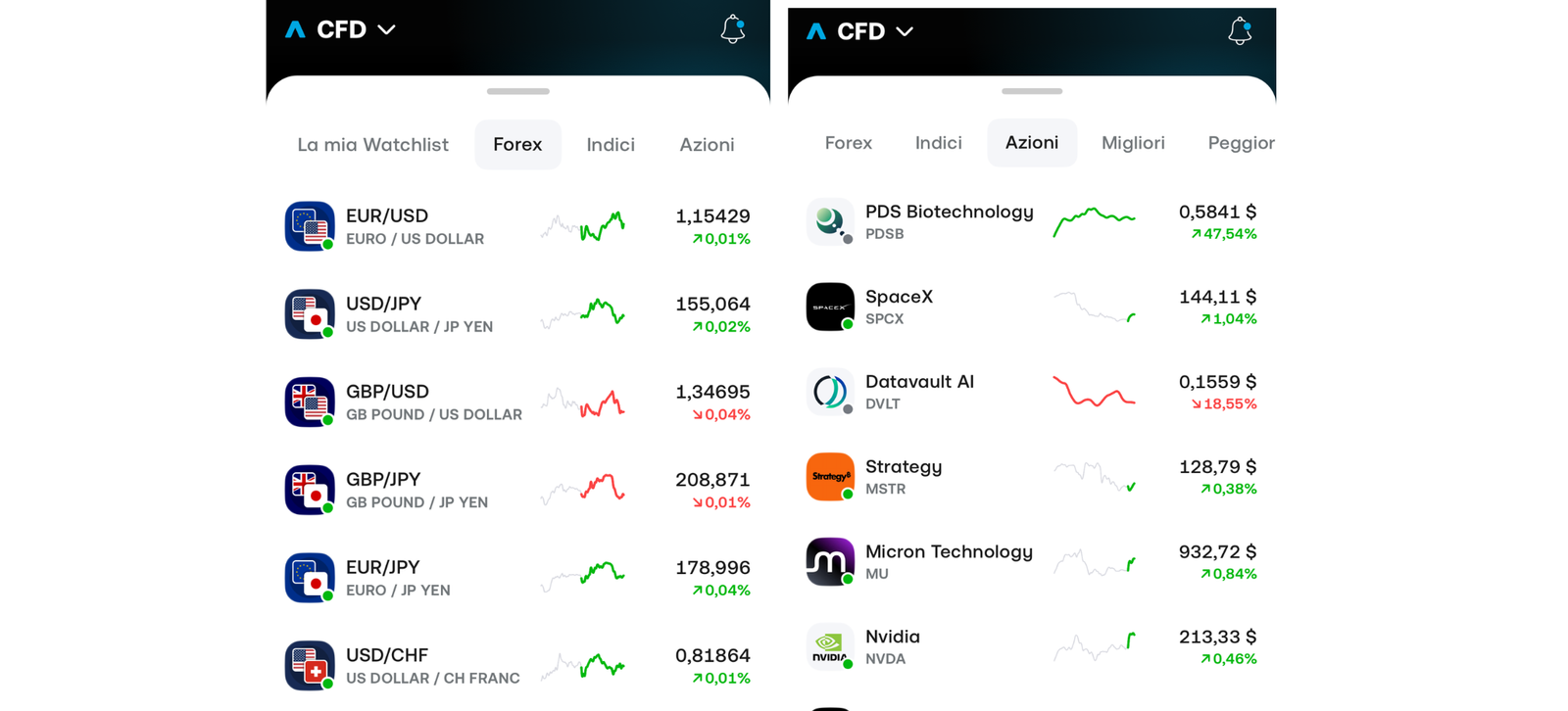
Trading 212 is the cheapest UK app for trading real shares from your phone, with £0 commission and 0.15% FX. It’s the right choice if “trading” to you means buying and selling stocks. It’s much less suited to forex or leveraged trading: there’s no spread betting, and its CFD account charges 0.5% FX.
Key information
| Feature | Information |
|---|---|
| Best for | Low-cost mobile share trading |
| Trading products | Real shares and ETFs (Invest, ISA, SIPP); separate CFD account |
| Real shares | Yes, fractional from £1 |
| CFDs | Yes, separate CFD account |
| Forex | FX CFDs only; no dedicated forex product |
| Spread betting | No |
| Demo | Yes |
| Minimum deposit | £1 |
| Trading fee | £0 commission |
| FX / spread | 0.15% on Invest/ISA; 0.5% on the CFD account |
| Platforms | Trading 212 app and web |
| FCA regulated | Yes, Trading 212 UK Ltd, FRN 609146 |
| FSCS | Yes, up to £85,000 on eligible claims |
What I tested: In September 2026 I deposited £500 by bank transfer into a Stocks and Shares ISA on an iPhone 16 Pro (iOS 26.6, app v26.9.2), bought £250 of Microsoft as a fractional share, built a three-ETF Pie with £100 a month of AutoInvest, checked the key stats, news and analyst ratings, withdrew £100, then funded the separate CFD account with £200 and opened a US 500 CFD at 20:1 with a stop-loss, checking the overnight interest.
What was it like trading on Trading 212?
My £500 bank transfer reached the ISA in about two minutes, one of the fastest deposits in my testing. I bought £250 of Microsoft as a fractional share. Before I confirmed, the ticket showed £0 commission and a 37p FX charge. The same US trade on eToro or XTB would have cost more than three times as much in conversion.
Building a three-ETF Pie took just under four minutes, and I set AutoInvest to £100 a month. It’s not a trading feature, but it shows how few steps the app needs.
Research is the weak point for anyone trading actively. Each stock has key stats, news and analyst ratings, but there’s no screener and no way to compare two companies’ fundamentals side by side. I had to research elsewhere before coming back to place trades.
To test Trading 212 as a trading platform, I opened the separate CFD account. It needs its own questionnaire and its own funding, so I deposited another £200. I opened a US 500 CFD using £100 of margin at 20:1. The ticket showed the margin and leverage clearly, but not the overnight interest. I found that on the instrument’s details screen: about 35p a night on my position. I added a stop-loss after opening the position rather than on the ticket, which is an extra step compared with Capital.com. Because the US 500 is priced in dollars, the CFD account’s 0.5% FX fee applied to my result. That’s more than three times the 0.15% on the share account, and it’s the main reason I’d keep Trading 212 for shares.
How much does Trading 212 cost?
Trading 212 charges no dealing commission and 0.15% FX on its Invest and ISA accounts. The CFD account is also commission-free but charges 0.5% FX, plus spreads and overnight interest.
Who is Trading 212 best for?
Trading 212 is best for people who want to trade real shares and ETFs from their phone at the lowest cost, particularly inside an ISA.
Who should avoid Trading 212?
Avoid Trading 212 if you want to trade forex seriously, spread bet or research stocks in depth within the app.
Read the complete Trading 212 review.
Trading 212 pros and cons
- £0 commission
- Deposit arrived in about 2 minutes
- ISA and SIPP available
- Fractional shares from £1
- No spread betting
- 0.5% FX on CFD account
- No screener
- No third-party trading platforms
7. CMC Markets — Best for market range and advanced analysis
CMC Markets is the best UK trading app for researching and trading from one platform. It has 21,000+ instruments, a pattern-recognition scanner and 115+ indicators, so I never needed TradingView. The drawback is that spreads widened sharply around the Bank of England decision, and there’s a £10 monthly fee after 12 months without trading.
Key information
| Feature | Information |
|---|---|
| Best for | Advanced analysis and market range |
| Trading products | Spread bets, CFDs and share dealing; 21,000+ instruments |
| Real shares | Yes, through CMC Invest |
| CFDs | Yes |
| Forex | Yes |
| Spread betting | Yes |
| Demo | Yes |
| Minimum deposit | £0 |
| Trading fee | £0 commission on spread bets |
| FX / spread | EUR/USD averaged 0.7 points in my test |
| Platforms | Next Generation (web), CMC app, MT4,MT5, TradingView |
| Guaranteed stops | Yes, premium refunded if not triggered |
| Inactivity fee | £10/month after 12 months without trading |
| FCA regulated | Yes, CMC Markets UK plc, FRN 173730 |
| FSCS | Yes, up to £85,000 on eligible claims |
What I tested: In September 2026 I opened a GBP spread-betting account on the CMC app on an iPhone 15, deposited £600 by debit card, traded GBP/USD, EUR/USD, the UK 100 and an AIM-listed small cap, used the pattern-recognition scanner with RSI and moving averages, placed a guaranteed stop-loss order, ran 50 orders to test execution and tracked spreads around the Bank of England decision.
What was it like trading on CMC Markets?
I deposited £600 by debit card and was trading 24 minutes after starting the application. I began on the Next Generation web platform, which is the reason to choose CMC. The pattern-recognition scanner found four emerging patterns on GBP/USD. I checked each one against RSI and moving averages before deciding which were worth trading. With 115+ indicators and saved chart layouts, I did all of that in one place. On IG I’d have opened TradingView or ProRealTime.
The market range is the other advantage. I found an AIM-listed small cap that wasn’t available on IG or Capital.com, and CMC let me spread bet it at 1p per point. If you trade smaller UK companies, this range can decide your choice of broker.
I placed a UK 100 bet with a guaranteed stop. The premium was shown upfront and refunded when the stop wasn’t triggered, which makes guaranteed stops cheaper to use routinely than I’d expected.
Costs were less impressive at volatile moments. EUR/USD averaged 0.7 points but widened to 1.6 points around the Bank of England decision, and my 50-order test had a 97ms median, the slowest of the brokers I timed. For analysis-led traders holding positions for hours or days that makes little difference, but scalpers should look at Pepperstone or Capital.com.
How much does CMC Markets cost?
CMC Markets charges no commission on spread bets. EUR/USD averaged 0.7 points in my test, guaranteed stops carry a premium that’s refunded if not triggered, and there’s a £10 monthly inactivity fee after 12 months without trading.
Who is CMC Markets best for?
CMC Markets is best for experienced traders who want to scan, chart and trade a very wide range of markets, including small UK stocks, without leaving the broker’s own platform.
Who should avoid CMC Markets?
Avoid CMC Markets if you scalp around news, where spreads and execution speed matter most, or if you trade rarely and could trigger the inactivity fee.
Read the complete CMC Markets review.
CMC Markets pros and cons
- 21,000+ instruments, including AIM small caps
- Pattern scanner and 115+ indicators
- Guaranteed stop premium refunded if not triggered
- Spread betting from 1p per point
- 97ms median execution, slowest tested
- EUR/USD 1.6 points at BoE decision
- £10/month inactivity fee
- Next Generation takes time to learn
8. Plus500 — Best for simple CFD trading
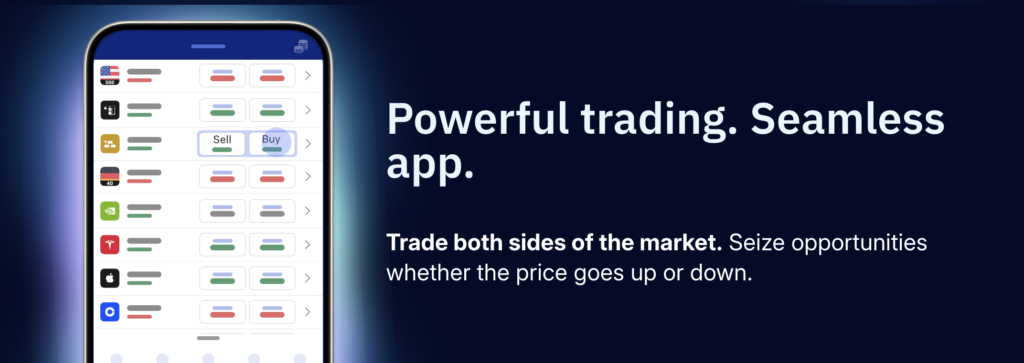
Plus500 is the simplest CFD app in this comparison. It has one proprietary platform, short order tickets and guaranteed stops, and I placed my first trade 31 minutes after applying. That simplicity costs you: EUR/USD was 1.3 pips against 0.6 at Capital.com and IG, the overnight fee isn’t on the ticket, and there’s no MT4, MT5, TradingView or spread betting.
Key information
| Feature | Information |
|---|---|
| Best for | Simple CFD trading |
| Trading products | CFDs on forex, indices, shares, commodities, ETFs and options; share dealing through the separate Plus500 Invest app |
| Real shares | Not in the CFD app (Plus500 Invest is separate) |
| CFDs | Yes |
| Forex | Yes (CFDs) |
| Spread betting | No, CFDs only in the UK |
| Demo | Yes, free with no time limit |
| Minimum deposit | £100 |
| Trading fee | £0 commission; costs are in the spread plus overnight funding |
| FX / spread | EUR/USD 1.3 pips in my test; currency conversion up to 0.7% on instruments priced in another currency |
| Platforms | Plus500 web and iOS/Android app only |
| Guaranteed stops | Yes, charged through a wider spread |
| Inactivity fee | £10/month after 3 months without logging in |
| FCA regulated | Yes, Plus500UK Ltd, FRN 509909 |
| FSCS | Yes, up to £85,000 on eligible claims |
| Retail CFD losses | 76% of retail accounts lose money (Plus500 UK website at time of writing) |
What I tested: In September 2026 I opened a GBP CFD account on the Plus500 app on an iPhone 15 Pro and a Samsung Galaxy S24, deposited £150 by debit card, traded the UK 100, EUR/USD, US 500 and a Tesla share CFD with a stop-loss, take-profit, trailing stop and guaranteed stop, compared spreads in normal conditions with those around the Fed decision, checked overnight funding and currency conversion, tried the demo account, price alerts and live-chat support, and withdrew £100.
What was it like trading on Plus500?
I applied on my iPhone, answered an appropriateness questionnaire about my trading experience and deposited £150 by debit card, £50 above the £100 minimum. I placed my first trade 31 minutes after starting: a UK 100 CFD at the retail maximum of 20:1. The ticket is among the shortest in this comparison. It has a buy/sell choice, position size, and toggles for close at loss, close at profit, trailing stop and guaranteed stop. It showed my margin and leverage, but not the overnight fee. I had to open the instrument’s details screen to find it, which Capital.com shows on the ticket itself.
Guaranteed stops are easy to add but not free. When I switched on the guaranteed stop, the UK 100 spread went from 1.6 to 2.6 points, and Plus500 wouldn’t let me set the stop as close to the price as with a normal stop. On EUR/USD, I opened a small position at a 1.3-pip spread, about double the 0.6 points I saw at Capital.com, IG and Pepperstone. Around the FOMC decision it widened to 2.8 pips. That’s a similar pattern to CMC’s 1.6 points at the Bank of England decision, but starting from a higher base.
I also opened a Tesla share CFD to check currency costs. Because it’s priced in dollars, profits and losses are converted to pounds at up to 0.7%, which was only listed in the instrument details. Charts on the web platform were adequate for basic analysis with the usual indicators. However, I couldn’t connect TradingView or run anything automated, as I could with IG, Pepperstone or CMC. Price alerts worked as expected on both phones.
The demo account opened with one tap and has no time limit, which is useful for practising with guaranteed stops before paying for them. Live chat answered a question about overnight funding in about four minutes, and my £100 withdrawal reached my card in two working days.
How much does Plus500 cost?
Plus500 charges no commission on CFDs; you pay the spread and overnight funding. EUR/USD was 1.3 pips in my test, currency conversion is up to 0.7% on instruments in other currencies, guaranteed stops are charged through a wider spread, and there’s a £10 monthly inactivity fee after three months without logging in.
Who is Plus500 best for?
Plus500 is best for occasional CFD traders who want a short, uncluttered ticket with trailing and guaranteed stops built in, and who won’t be trading often enough for wider spreads to add up.
Who should avoid Plus500?
Avoid Plus500 if you want spread betting, MT4, MT5 or TradingView, or the tightest forex spreads. Active forex traders will pay noticeably less at Pepperstone, Capital.com or IG.
Plus500 pros and cons
- One of the shortest order tickets tested
- Guaranteed and trailing stops
- Unlimited free demo
- Fast live-chat support
- EUR/USD 1.3 pips vs 0.6 at rivals
- Overnight fee not on the ticket
- No MT4, MT5, TradingView or spread betting
- £100 minimum deposit,£10/month inactivity fee after 3 months
Which trading app is best for you?
| If you want to… | Apps to consider |
|---|---|
| Start trading with a simple app | Capital.com, eToro |
| Buy UK and US shares | Trading 212, eToro, IG, XTB |
| Buy ETFs | Trading 212, eToro, IG, XTB |
| Trade shares cheaply | Trading 212 |
| Trade CFDs | Capital.com, IG, CMC Markets, Plus500 |
| Trade forex | Pepperstone, IG, Capital.com, XTB |
| Spread bet | IG, Capital.com, Pepperstone, CMC Markets |
| Copy other traders | eToro |
| Use advanced charting | IG, CMC Markets, XTB |
| Use TradingView | Capital.com, Pepperstone, IG, CMC Markets |
| Use MT4 or MT5 | Pepperstone, IG, CMC Markets (Capital.com offers MT4 for CFDs only) |
| Practise on a demo account | All eight |
| Use a Stocks & Shares ISA | Trading 212, IG, XTB (eToro’s ISA is a separate Moneyfarm-powered product) |
| Trade on mobile | All eight, with different features |
Which trading app has the lowest fees?
No single trading app is cheapest for every type of trade. An app with £0 commission can still charge you through spreads, currency conversion or overnight financing, so I compared the total cost of a trade rather than ranking apps by headline commission.
| App | Stock commission | FX | Typical spread tested | Overnight cost | Other fees |
|---|---|---|---|---|---|
| eToro | $1–2 per side on real shares; £0 on ETFs | 0.5% | EUR/USD 1 pip | Shown in order details, not on the main ticket; charged at 22:00 UK time and tripled at weekends | $200 minimum to copy a trader; free GBP withdrawals |
| Capital.com | No real shares for UK clients; £0 commission on CFDs and spread bets | 0.7% on foreign-currency CFDs | EUR/USD 0.6 pips (1.2 at NFP) | Shown on the ticket before confirming | Guaranteed stop premium; no deposit, withdrawal or account fees |
| IG | £0 on standard spread bets | 0.7% on share dealing | EUR/USD 0.6 points; FTSE 100 1 point (4 points at 22:00) | Overnight funding on spread bets and CFDs | Guaranteed stop premium |
| XTB | 0% on shares and ETFs up to €100,000 a month | 0.5% | EUR/USD 0.9 pips | Swap listed in the instrument specification, not on the ticket | No minimum deposit |
| Pepperstone | No real shares; £0 on spread bets, £2.25 per lot per side on Razor CFDs | None on GBP spread bets | EUR/USD 0.6 points (spread bet) / 0.1 pips (Razor) | Overnight financing on held positions | No guaranteed stops |
| Trading 212 | £0 | 0.15% (0.5% on the CFD account) | 0.5-point US 500 spread | About 35p a night on a US 500 CFD with £100 margin at 20:1 | CFD account funded separately |
| CMC Markets | £0 on spread bets | None on GBP spread bets | EUR/USD 0.7 points (1.6 at the BoE decision) | Overnight financing on held positions | £10/month inactivity fee after 12 months; guaranteed stop premium refunded if not triggered |
| Plus500 | No real shares in the CFD app; £0 on CFDs | Up to 0.7% | EUR/USD 1.3 pips (2.8 at FOMC) | Only on the instrument details screen, not on the ticket | £10/month inactivity fee after 3 months without logging in; guaranteed stops charged through a wider spread |
What would a £1,000 trade actually cost?
| Platform | Product | Amount invested/position size | Main cost I recorded | Approx. cost |
|---|---|---|---|---|
| Trading 212 | US share | £1,000 | 0.15% FX | £1.50 |
| XTB | US share | £1,000 | 0.5% FX | £5 |
| eToro | US share | £1,000 | 0.5% FX + $1 commission | £5.74 |
| IG | US share | £1,000 | 0.7% FX | £7 |
| Capital.com | EUR/USD spread bet | £1,000 position | 0.6-point spread | £0.05 |
| Pepperstone | EUR/USD spread bet | £1,000 position | 0.6-point spread | £0.05 |
| CMC Markets | EUR/USD spread bet | £1,000 position | 0.7-point spread | £0.06 |
| Plus500 | EUR/USD CFD | £1,000 position | 1.3-pip spread | £0.11 |
What would a £10,000 trade actually cost?
| Platform | Product | Amount invested/position size | Main cost I modelled | Approx. cost |
|---|---|---|---|---|
| Trading 212 | US share | £10,000 | 0.15% FX | £15 |
| XTB | US share | £10,000 | 0.5% FX | £50 |
| eToro | US share | £10,000 | 0.5% FX + $1 commission | £50.74 |
| IG | US share | £10,000 | 0.7% FX | £70 |
| Capital.com | EUR/USD spread bet | £10,000 position | 0.6-point spread | £0.51 |
| Pepperstone | EUR/USD spread bet | £10,000 position | 0.6-point spread | £0.51 |
| CMC Markets | EUR/USD spread bet | £10,000 position | 0.7-point spread | £0.60 |
| Plus500 | EUR/USD CFD | £10,000 position | 1.3-pip spread | £1.11 |
What are the best trading apps for advanced traders?
If you trade actively, the differences that matter are execution, order types, charting, spreads, market depth, platform integrations and automation, not how polished the mobile app looks. Here’s how all eight apps I tested compare on the tools experienced traders use.
| Platform | MT4 | MT5 | TradingView | cTrader | Advanced charts | Spread betting | Also offers |
|---|---|---|---|---|---|---|---|
| IG | ✓ | ✓ | ✓ | — | ✓ | ✓ | ProRealTime for automated trading and backtesting; 17,000+ markets |
| Pepperstone | ✓ | ✓ | ✓ | ✓ | ✓ | ✓ | Razor raw-spread CFD account; 51ms median fill on MT5 in my test |
| CMC Markets | ✓ | ✓ | ✓ | — | ✓ | ✓ | Pattern-recognition scanner; 115+ indicators on Next Generation |
| Capital.com | ✓ (CFDs only) | — | ✓ | — | ✓ | ✓ | 27ms median execution in my test, the fastest I recorded |
| XTB | — | — | — | — | ✓ | — | xStation only, with built-in news, screeners and indicators |
| eToro | — | — | — | — | Basic | — | CopyTrader for copying other traders |
| Plus500 | — | — | — | — | Basic | — | Guaranteed and trailing stops on a single proprietary platform |
| Trading 212 | — | — | — | — | Basic | — | Separate CFD account alongside share dealing |
How I tested and ranked the best trading apps in the UK
This guide builds on the account testing and research behind Psyfi Money’s platform reviews. The order here uses a separate weighting for UK traders choosing an app for CFDs, spread betting, forex or active share trading, not long-term investing, starting with beginners. Each platform’s existing Psyfi Money review rating stays separate from its position in this guide.
| Ranking factor | Weight | What I assessed |
|---|---|---|
| Total trading cost | 25% | Spreads on EUR/USD and FTSE 100, commission, FX conversion (0.15%–0.7%) and overnight funding, including how spreads changed around the NFP and Bank of England releases and outside core hours |
| Order ticket and risk controls | 20% | Whether margin, loss at the stop and overnight fees appear before confirming; stop-loss, take-profit and guaranteed stop availability |
| Getting started | 15% | Minimum deposit (£0 to £100), time from sign-up to first trade, and onboarding questions |
| Products available to UK traders | 15% | Real shares, CFDs, forex and spread betting, including which apps don’t offer spread betting |
| Platforms and charting | 15% | TradingView, MT4, MT5, cTrader and ProRealTime access, plus built-in indicators, scanners and screeners |
| Execution evidence | 10% | Median fill times across 50-order tests at four brokers, requotes and slippage |
I tested all eight apps with funded UK accounts. The most useful comparison was placing the same kind of trade at different times. With Capital.com, EUR/USD widened from 0.6 to 1.2 points around NFP. With CMC Markets, it went from 0.7 to 1.6 points around the Bank of England decision. With Plus500, it went from 1.3 to 2.8 pips around the Fed decision. On IG, a £2-per-point FTSE 100 bet cost £2 in spread mid-morning and £8 at 22:00.
I gave cost and order-ticket clarity the most weight because they decide what a trade actually costs and how much you can lose. That matters more to this reader than having the widest market list. Execution carries only 10% because I timed it at four brokers, not all eight. I treated FCA authorisation and availability to UK retail clients as entry requirements rather than scored factors. This weighting sets the order in this guide only, and each platform keeps its separate Psyfi Money review rating.
Platforms I considered but didn’t rank
I looked at more UK trading apps than the eight in this guide. I narrowed the shortlist to providers that offer a relevant UK trading product and that I could assess on the same core tests: spreads, order tickets, risk tools, overnight costs and platform access. I left out platforms I couldn’t compare on that basis rather than rank them on less evidence. Leaving a platform out of this guide doesn’t mean it’s a poor choice.
| Platform | Why I considered it | Why it didn’t make the final ranking |
|---|---|---|
| Saxo | A well-known FCA-regulated multi-asset broker offering share dealing, CFDs and forex through its SaxoTraderGO and SaxoTraderPRO platforms. | It wasn’t part of this round of hands-on testing, so I couldn’t compare its spreads, order tickets and overnight costs with the other eight on the same basis. |
| Interactive Brokers | Has very broad global market access and professional tools, and is popular with experienced UK traders for stock trading and forex. | Its pricing and Trader Workstation setup are built for advanced and professional users, so they differ a lot from the mobile-first apps compared here. It also wasn’t tested in this round. |
| City Index | A long-established UK spread betting and CFD provider with MT4 and TradingView access. | It wasn’t tested in this round. Its core offering overlaps closely with IG, CMC Markets and Pepperstone, which are already ranked. |
| Spreadex | A UK-based provider offering financial spread betting and CFDs alongside other betting products. | It wasn’t tested in this round, and the spread-betting category is already covered by four ranked providers. |
| Freetrade | A popular UK share dealing app with commission-free trades and a Stocks & Shares ISA and SIPP. | It focuses on real shares and ETFs, with no CFDs, forex or spread betting. That makes it a better fit for an investing app comparison than a trading app one. |
| Hargreaves Lansdown | The UK’s largest investment platform, with share dealing, funds, ISAs and SIPPs. | It’s built for long-term investing and doesn’t offer leveraged trading products, so it’s outside the scope of this comparison. |
| AJ Bell | A major UK investment platform offering share dealing, ETFs, ISAs and SIPPs. | Like Hargreaves Lansdown, it focuses on investing rather than active or leveraged trading, so it fits an investment platform comparison better. |
What stood out in my testing
- Headline commission wasn’t always the biggest cost. On a £10,000 US share round trip, FX alone cost £30 at Trading 212 (0.15%) and £140 at IG (0.7%), even though both charge £0 commission.
- Spreads widened around major news. EUR/USD went from 0.6 to 1.2 pips at Capital.com around the US jobs report and from 0.7 to 1.6 points at CMC Markets around the Bank of England decision. Timing mattered too: IG’s FTSE 100 spread was 1 point mid-morning and 4 points at 22:00.
- Order tickets varied in how much they showed. Capital.com and IG showed margin and the maximum loss at the stop before I confirmed, and Capital.com also showed the overnight fee. On eToro, XTB, Trading 212 and Plus500, I had to open a separate screen to find the overnight cost.
- Real shares and CFDs weren’t always clearly separated. On XTB, the Nvidia share and the Nvidia CFD appeared side by side in search with small labels. Choosing the wrong one gives you a leveraged position with overnight costs instead of a share.
- Getting started varied more than the market range. I placed my first trade on Capital.com 12 minutes after signing up. Pepperstone approved my account the next morning, and Trading 212’s CFD account needed a separate questionnaire and deposit.
What is a trading app?
A trading app is a mobile platform that lets you buy, sell or speculate on financial markets from your phone. Depending on the provider, you may be able to buy real shares and ETFs, trade CFDs and forex, or use spread betting. For desktop platforms, see the best trading platforms guide.
These products are not interchangeable. Buying a share means you own the underlying investment; a CFD or spread bet lets you speculate on price movements without owning the underlying asset. The costs, risks and protections can also differ.
That’s why I compare trading apps on more than headline commission: I look at the products available, spreads, FX costs, overnight financing, order types, charting, execution and the actual mobile experience.
Trading vs investing: what’s the difference?
Trading and investing both involve financial markets, but they usually have different goals. Investing typically means buying assets such as shares, ETFs or funds and holding them to build wealth over the longer term. Trading typically means taking shorter-term positions to profit from price movements. Holding periods vary: some investors sell within months, and some traders hold positions for weeks. Neither approach is better. The right one depends on your goals, your time and how much risk you can take on.
| Trading | Investing | |
|---|---|---|
| Typical objective | Profit from shorter-term price movements | Build wealth over the longer term |
| Typical holding period | Often minutes, hours, days or months | Often years or decades |
| Common products | CFDs, forex, spread bets, shares | Shares, ETFs, funds |
| Leverage | Common with CFDs and spread betting | Usually not used |
| Main costs | Spreads, commission, FX and overnight financing | Dealing fees, fund charges and FX |
| Key considerations | Execution, spreads, liquidity, charting | Diversification, fees, asset allocation |
| Useful platform features | Advanced charts, order types, alerts | Regular investing, ISAs, fractional shares, research |
| Main risks | Short-term volatility and losses magnified by leverage | Market falls and long-term investment risk |
If you’re looking to invest, check out the guide for the best investment apps.
Are trading apps safe?
A trading app can be secure without the underlying trading activity being low risk. When assessing a UK trading platform, I check FCA authorisation, client-money arrangements, account security, two-factor authentication and the protections that apply to the specific products offered.
FCA regulation does not remove investment risk. Shares can fall in value, while CFDs and other leveraged products can result in rapid losses. The protections available to you also depend on what you are trading and which legal entity provides the service.
How to choose a trading app in the UK
1. Decide what you want to trade
Real shares, ETFs, CFDs, forex and spread betting are different products.
2. Compare the total trading cost
Don’t look only at commission. Check:
- spread
- commission
- FX conversion
- overnight financing
- inactivity fees
- withdrawal fees
- guaranteed-stop premiums
3. Check the order types
For active traders, check whether the app supports:
- market orders
- limit orders
- stop-loss
- take-profit
- trailing stops
- guaranteed stops
4. Look at charting and research
Compare:
- technical indicators
- drawing tools
- screeners
- alerts
- economic calendar
- news
- TradingView
- MT4/MT5
- cTrader
5. Check regulation and protection
Verify the exact UK legal entity rather than simply looking for an FCA logo.
6. Check deposits and withdrawals
Look at:
- GBP support
- bank transfer
- debit card
- minimum deposit
- withdrawal fees
- processing times
7. Test the mobile experience
Use a demo account before you deposit. Check how quickly you can open and close a position, whether you can set a stop-loss on the order ticket or only after the trade opens, and whether the ticket shows the margin, spread and overnight fee before you confirm. Also check that the app clearly separates real shares from CFDs in search results.
What can you trade through UK trading apps?
| Product | What it means | Apps that offer it |
|---|---|---|
| Real shares | You own the underlying shares | eToro, IG, Trading 212, XTB |
| ETFs | Funds traded on an exchange | eToro, Trading 212, IG, XTB |
| CFDs | Speculate on price without owning the asset | Capital.com, IG, Pepperstone, XTB, Plus500, eToro, CMC, Trading 212 |
| Forex | Trade currency pairs | IG, Capital.com, Pepperstone, XTB, CMC, Plus500, eToro |
| Spread betting | UK derivative based on price movements | IG, Capital.com, Pepperstone, CMC |
| Crypto | Buy/sell crypto | eToro, IG |
Real shares and CFDs are different products. Some trading apps offer both and may display them close together when you search for a company. Always check the order ticket to confirm whether you are buying the underlying shares or opening a CFD position.
What to consider before you place your first trade
Go through these checks on the order ticket before you confirm:
- Check whether you’re buying the real asset or a CFD. Real shares mean you own part of the company. A CFD is a leveraged bet on its price, with overnight costs.
- Check the spread. It’s the gap between the buy and sell price, and you pay it on every trade. It can widen sharply around news and outside market hours.
- Check the commission. Many apps charge £0, but some charge per trade. eToro, for example, charges $1–2 per side on stocks.
- Check the FX conversion fee. Trading an asset priced in another currency can cost between 0.15% and 0.7% of the trade value, depending on the app.
- Check the overnight financing. Leveraged positions held past the daily cut-off are charged every night. Some apps show this only on a separate details screen.
- Check the required margin. Make sure you understand how much of your balance the position locks up and how much leverage you’re using.
- Set a stop-loss if appropriate. It limits how much you can lose if the price moves against you. A guaranteed stop costs extra but won’t slip in a fast market.
- Check the order size. Some platforms size trades in lots or points rather than pounds. 0.05 lots of EUR/USD is €5,000 of exposure, not £5.
- Review the estimated cost before confirming. If the ticket doesn’t show the full cost, look it up before you trade, not after.
Important: A platform may list the same company as both a share and a CFD. Check the order ticket carefully before placing the trade.
How to place a trade on a UK trading app?
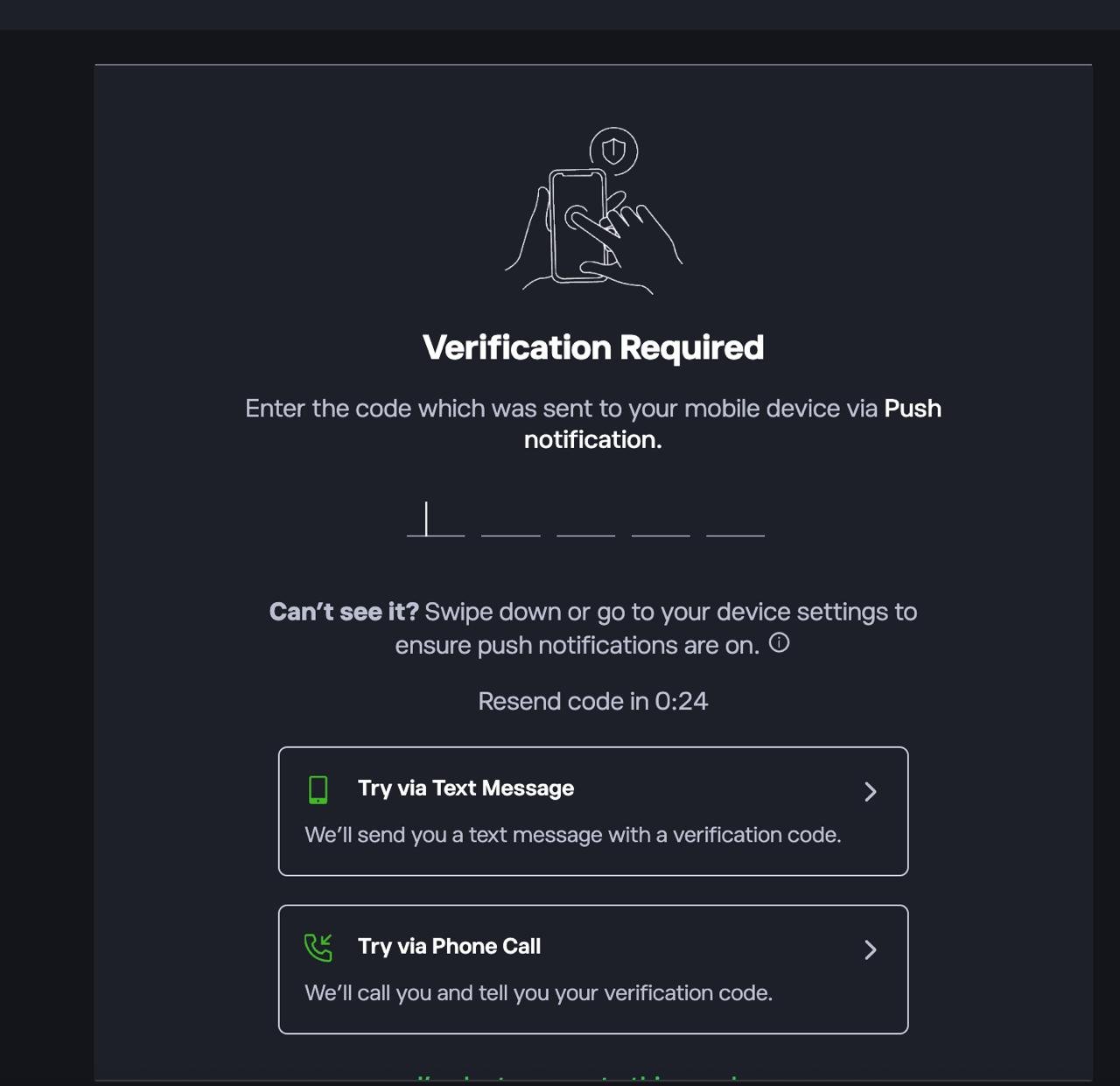
1. Log in to the platform
If prompted, complete 2FA by entering the code sent via push notification, SMS, or phone call. I’m using eToro as an example.
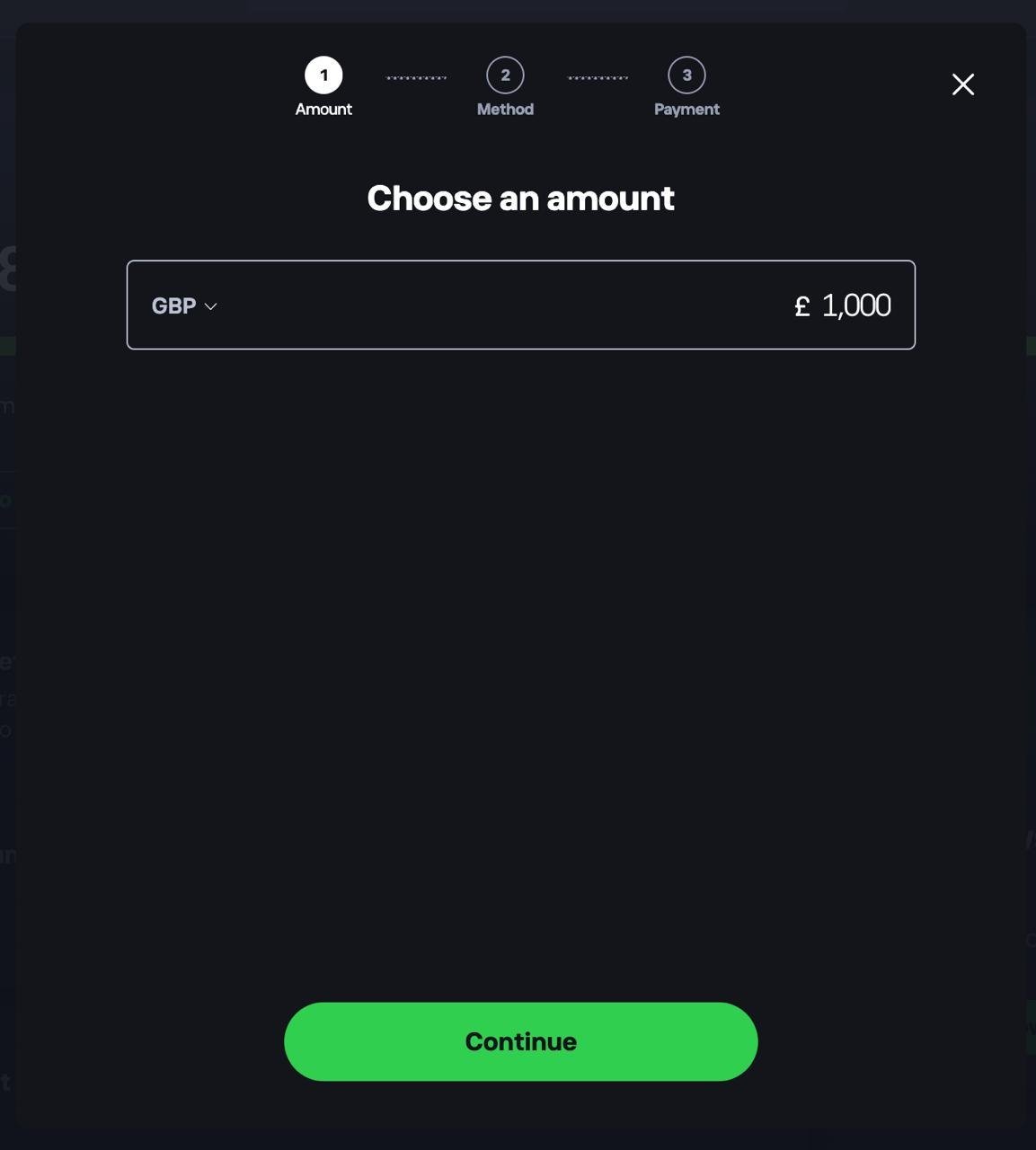
2. Deposit funds into your account
Head to your dashboard and choose to add funds. Select your currency, enter the amount you want to deposit, tap Continue, then choose a payment method.
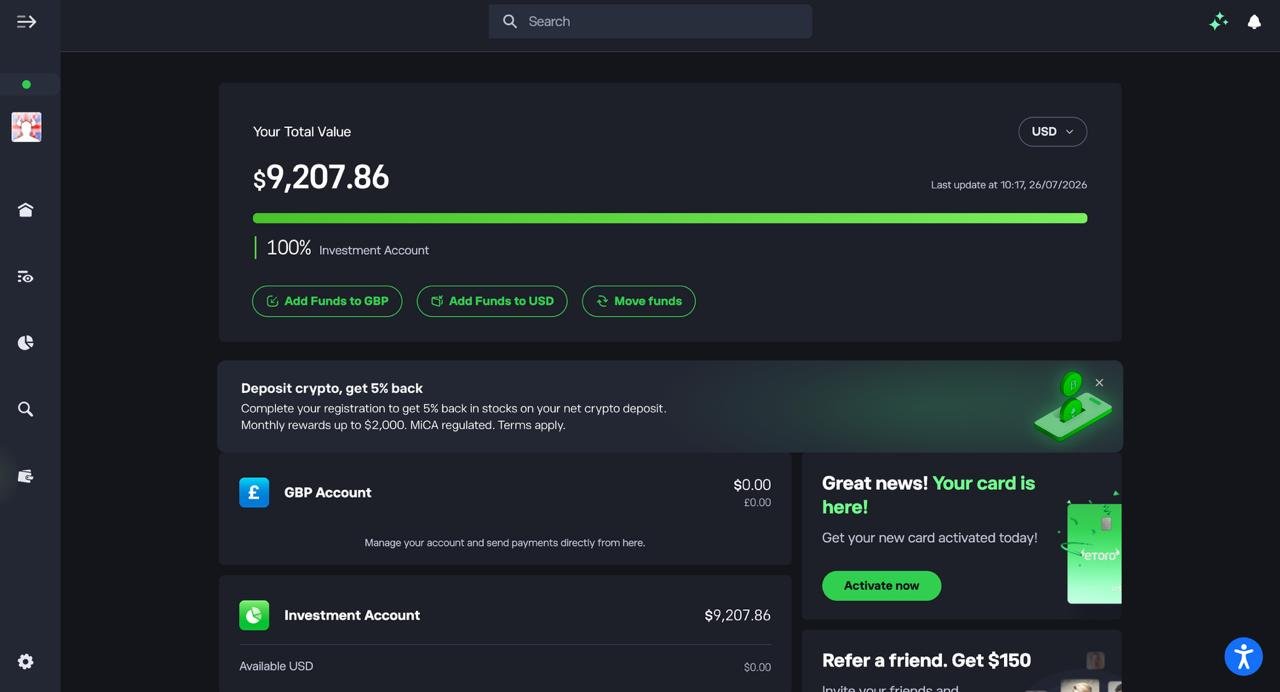
3. Confirm your funds are available
Check your dashboard to make sure your deposit has landed in your Investment Account before you start trading.
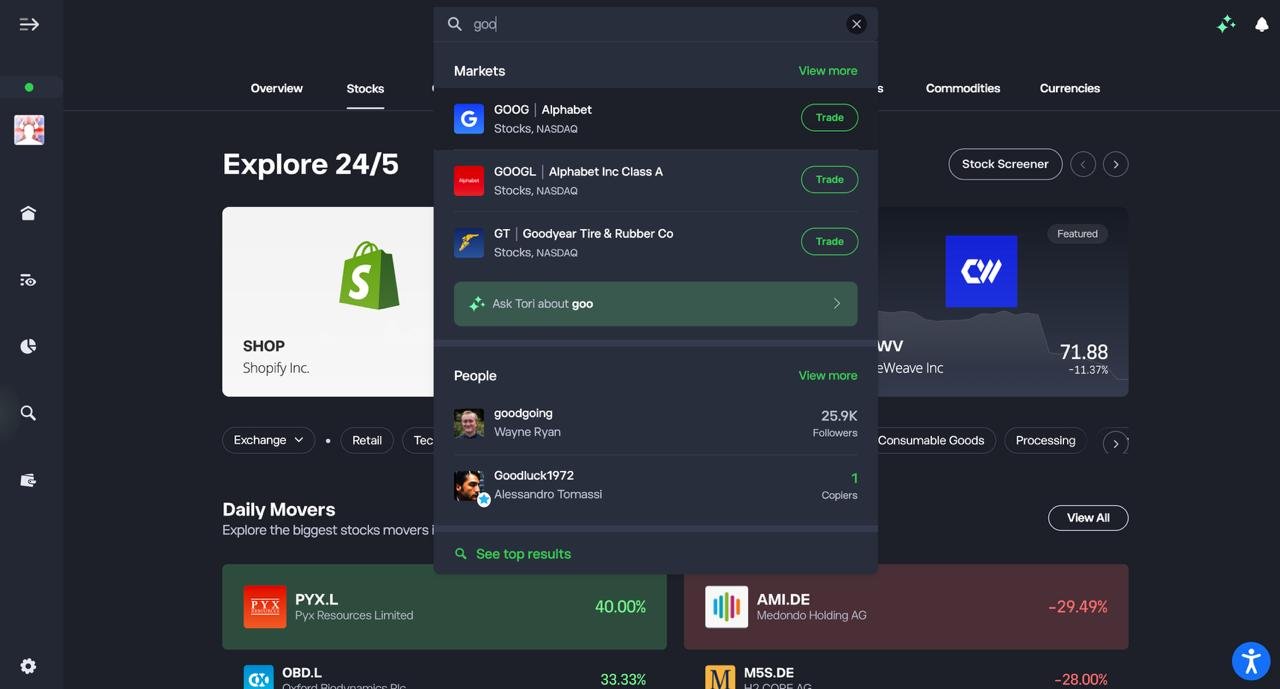
4. Search for the stock you want to trade
Use the search bar to type in the ticker or company name, then select it from the Markets results.
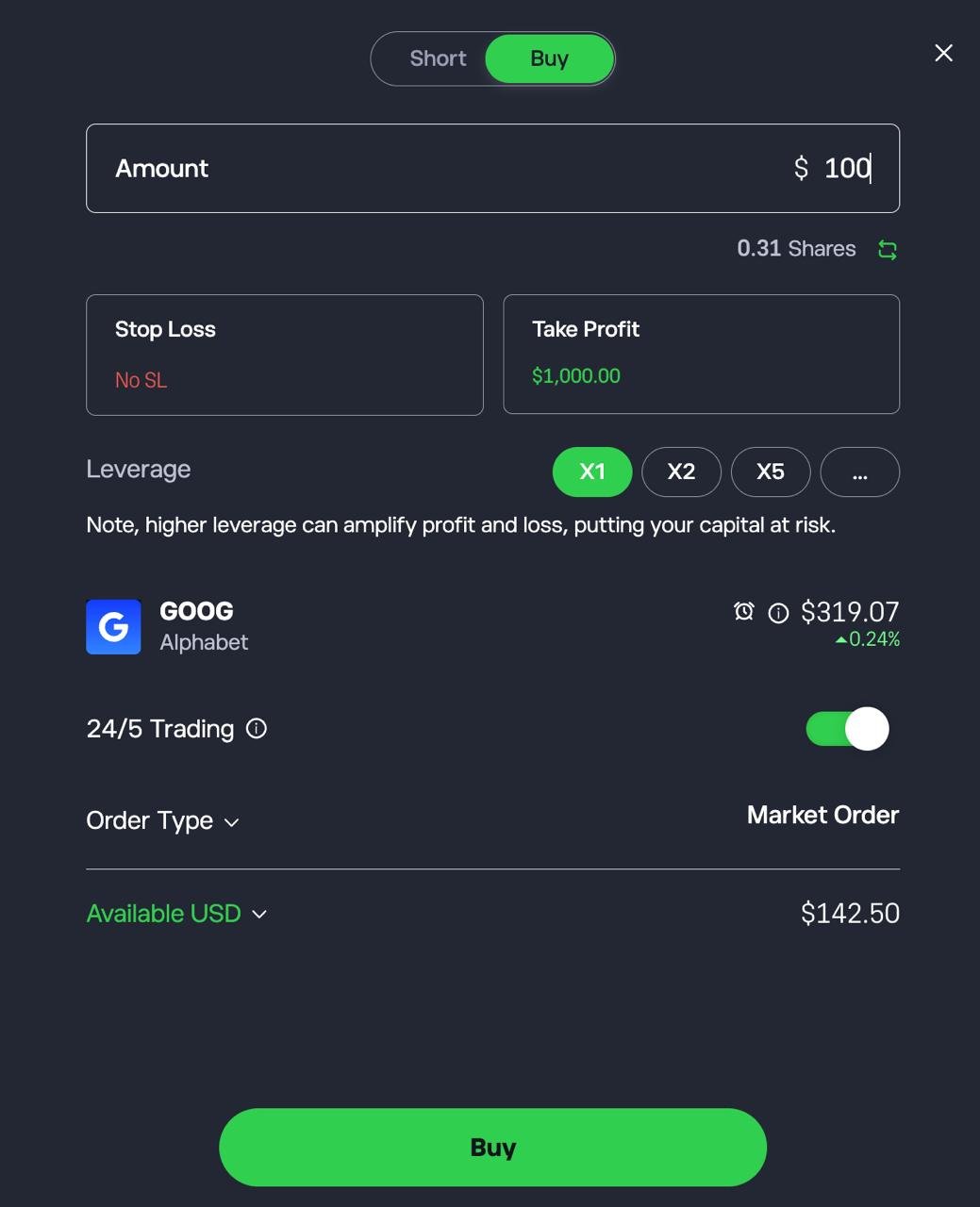
5. Set up and confirm your trade
Choose Buy or Short, enter the amount you want to invest, optionally set a Stop Loss and Take Profit, then tap Buy or Short to confirm.
Are trading apps legal in the UK?
Yes. Trading and investing through online platforms is legal in the UK. However, the regulatory status of individual providers and products varies, so check the FCA Register and the specific UK entity providing the service.
FCA authorisation does not mean that an investment is safe or that you cannot lose money. Leveraged products such as CFDs and spread betting carry additional risks and are subject to specific FCA rules and risk warnings.
Do you need experience to use a trading app or anyone can get started?
Anyone can start with a stock trading app. Most UK apps include tutorials, demo accounts, simple layouts and low minimum deposits, allowing complete beginners to learn to trade gradually.
Is it safe to store your investments in a trading app long-term?
Yes, for regulated stockbrokers. FCA-regulated platforms hold client assets in segregated accounts and cash may be FSCS protected up to £85,000.
However, CFD positions carry higher risk and are not eligible for Financial Services Compensation Scheme (FSCS) protection. Long-term stock investors should prioritise FCA oversight, strong security and low fees.
FAQs
Are trading apps safe to use?
Yes, trading apps are safe when they are FCA-regulated and use strong security such as encryption, segregated accounts, and two-step authentication. Your cash (not investments) may be protected up to £85,000 through the FSCS.
What is the best trading app in the UK?
The best app depends on how you trade. My top pick is eToro, because it combines real shares, CFDs and copy trading in one app that’s easy for new traders to use. If you want the widest choice of products and platforms, IG is the most complete option, covering spread betting, CFDs and real shares across 17,000+ markets with MT4, MT5, TradingView and ProRealTime. Capital.com is my pick for beginner CFD trading, Pepperstone for active forex trading and Trading 212 for low-cost share trading.
What is the best trading app for beginners in the UK?
eToro is the better choice for beginners who want to buy real shares and learn by copying experienced traders. Capital.com is my pick for beginners who want to trade CFDs or spread bet, because every order ticket showed the margin, maximum loss and overnight fee before I confirmed
What is the best free trading app in the UK?
Trading 212 is the closest to a free trading app in the UK, with no commission, no account fees and 0.15% FX on overseas shares. No trading app is completely free. Commission-free brokers make money from spreads, currency conversion and overnight funding. For CFDs and spread betting, Capital.com, IG and Pepperstone charge no commission, and EUR/USD spreads started from 0.6 points in my testing.
Which trading app has the lowest fees?
Trading 212 has the lowest fees for real shares, and Pepperstone, Capital.com and IG had the lowest spreads for forex. Buying £10,000 of a US share cost £15 in FX at Trading 212, against £50 at XTB, £50.74 at eToro and £70 at IG, and selling doubles each figure. On a £10,000 EUR/USD position, Pepperstone and Capital.com both cost about £0.51 at a 0.6-point spread, with IG’s 0.6-point spread working out the same. CMC Markets cost £0.60 and Plus500 £1.11. Spreads widen around news releases and outside core market hours: IG’s FTSE 100 spread went from 1 point mid-morning to 4 points at 22:00.
Which trading apps offer demo accounts?
All eight trading apps in this comparison offer a free demo account: eToro, Capital.com, IG, XTB, Pepperstone, Trading 212, CMC Markets and Plus500. eToro’s demo includes a $100,000 virtual portfolio, and Plus500’s demo has no time limit. A demo is the safest way to practise with leverage, stop-losses and guaranteed stops before you risk real money.
Which trading apps offer CFDs?
All eight apps I tested offer CFDs: eToro, Capital.com, IG, XTB, Pepperstone, Trading 212, CMC Markets and Plus500. UK retail leverage is capped at 30:1 on major currency pairs, 20:1 on major indices and 5:1 on shares. Most retail CFD accounts lose money, and Plus500 reports that 76% of its retail accounts do.
Which trading apps let you buy real shares?
eToro, IG, XTB, Trading 212 and CMC Markets (through CMC Invest) let you buy real shares. Capital.com and Pepperstone offer only CFDs and spread bets to UK clients. Plus500’s main app is CFD-only, and share dealing is in a separate Plus500 Invest app. Trading 212, XTB and eToro also offer fractional shares, so you can buy part of an expensive stock.
Which trading app is best for forex?
Pepperstone is the best trading app for forex. In my test of 50 orders on MT5, the median fill took 51ms, and no order filled at a worse price than requested. It also supports MT4, MT5, cTrader and TradingView. Capital.com recorded the fastest median execution at 27ms and is the better choice for beginners trading forex.
What is the difference between a trading app and an investing app?
A trading app is built for buying and selling frequently, often with leverage. An investing app is built for holding assets for the long term. Trading apps such as IG, Capital.com and Pepperstone focus on CFDs, spread betting, charting and fast execution. Investing apps focus on real shares, ETFs, ISAs and automated regular investing. Some apps do both. Trading 212, for example, offers an ISA alongside a separate CFD account.
