

After comparing 8 Australian investment apps, my top picks are CMC Invest for overall investing, Webull for low-cost long-term share and ETF investing, Pearler for automated long-term investing and eToro for social investing. I compared brokerage fees, FX costs, ASX and international market access, investment options and how each app handles everyday investing. I also looked at which platforms are best suited to beginners, active investors and people starting with smaller amounts.
- Social investing with real-time insights
- Ready-made portfolios for diversified investing
- Copy top-performing investors automatically
Capital at risk. T&Cs apply.
How I chose these apps
I compared eight investing apps that are open to Australian residents, operate under an AFSL and publish enough pricing to model. On each one I modelled the same three orders: an A$500 ASX ETF buy, a A$2,000 ASX share buy and A$2,000 converted into a US share. The order comes from seven weighted factors, led by trading cost (30%), CHESS ownership (15%) and market access (15%). The full methodology sets out every weight and scenario.
I used the same test setup on every app:
- One FX rate: AUD/USD 0.6500 (A$1 = US$0.65), with US-dollar fees converted at the same rate (US$1 = A$1.54, US$2 = A$3.08, US$3 = A$4.62).
- Test window: 3–14 November 2026.
- Same steps: a bank-transfer deposit, at least one ASX order, one international order where offered, and one withdrawal.
Best investment apps in Australia compared
Webull has the lowest costs of the eight apps, with A$0 brokerage on ASX ETFs and US shares and 0.50% FX. CMC Invest is the best all-rounder, and Raiz and CommSec Pocket are the simplest ways to start small.
| Platform | Best for | ASX ownership | ASX brokerage | US share brokerage | FX conversion cost | Main advantage |
|---|---|---|---|---|---|---|
| CMC Invest | All-round investing | CHESS-sponsored, own HIN | A$0 first buy under A$1,000 per security per day, then A$11 or 0.10% | A$0 (US, UK, Canada, Japan) | 0.60% per international order | ASX plus 15 international markets in one account |
| Webull | Low-cost long-term investing | CHESS-sponsored, own HIN | A$1 or 0.03%; ETFs A$0 | US$0 | 0.50% | Lowest costs plus screeners and charts for checking a stock before you buy |
| moomoo | Researching companies before investing | CHESS-sponsored, own HIN | A$3 or 0.03% | US$0.99 per order | 0.55% | Free US Level 2 data with 60 levels of depth |
| Stake | Simple ASX and US investing | CHESS-sponsored, own HIN | A$3 up to A$30,000 | US$3 up to US$30,000 | 0.55% when funding the US wallet | Flat, predictable fees |
| eToro | Social investing | Custodial (not CHESS-sponsored) | US$2 per stock trade; ETFs A$0 | US$2 per stock trade; ETFs US$0 | 0.75% (down to 0.15% by eToro Club tier) | CopyTrader from US$200 |
| Pearler | Long-term investing and automation | CHESS-sponsored, own HIN | A$6.50 | A$6.50 | 0.50% | Set-and-forget auto-invest |
| Raiz | Round-ups | Units in a managed fund (no HIN) | No brokerage; A$2.50–A$6.50/month plan fee | Not offered | Not applicable | Round-ups from A$5 |
| CommSec Pocket | Beginner ETF investing | CHESS-sponsored via CommSec | A$2 up to A$1,000, then 0.20% | Not offered | Not applicable | Invest from inside the CommBank app |
Brokerage is per buy or sell order. FX costs apply to each AUD–USD conversion, and ETF management fees are extra on every platform.
Best investment app in Australia by category
No single app is best for every Australian investor, so we name a winner in each category. Award rule: an app can only win a category if we tested it against that category’s criteria. If an app has the feature but we didn’t test it, it isn’t eligible.
| Category | What the winner must demonstrate | Winner | Why it won (tested evidence) | Runner-up | Supporting page to link |
|---|---|---|---|---|---|
| Best overall investment app | Strong combined performance across the criteria | CMC Invest | CHESS-sponsored ASX shares, 15 international markets, A$0 on the first ASX buy under A$1,000, A$12 all-in on a A$2,000 US trade | Webull | Best share trading platforms |
| Best for beginners | Ease of use, education, low barriers to entry | CommSec Pocket | A$50 minimum, 6-minute setup inside the CommBank app, 10 themed ETFs with plain-English descriptions, A$2 brokerage | Raiz | Best investment apps for beginners |
| Best for low-cost long-term share and ETF investing | Ownership, low ongoing costs, ETF access | Webull | CHESS-sponsored, no account fee, A$0 ASX ETF brokerage. Twelve monthly ETF buys cost A$0 a year, against A$78 on Pearler | Pearler | Best ETF platforms |
| Best for ASX shares | CHESS ownership, brokerage and workflow | Webull | A$1 on a A$2,000 ASX share (Stake and moomoo A$3, CMC A$11). Caveat: free quotes are snapshots, and above A$10,000 Stake’s flat A$3 is cheaper | Stake | Best ASX share trading platforms |
| Best for international shares | Market access and FX costs | CMC Invest | 15 markets, A$0 brokerage in the US, UK, Canada and Japan, 0.60% FX (A$12 on A$2,000) | Webull (A$10 on A$2,000, US and Hong Kong only) | Best platforms for US and international shares |
| Best low-cost micro-investing option | Low minimums and sensible fee economics | Pearler Micro | A$5 minimum and a flat A$2 a month (A$24 a year), the lowest ongoing cost of the micro options tested | Raiz | Best micro-investing apps |
| Best for automated long-term investing | Recurring contributions and portfolio automation | Pearler | Monthly auto-invest ran with no manual order; target-weight portfolio view; weekly Micro contributions | Raiz | Best auto-invest apps |
| Best for research | Data, screening and analysis tools | moomoo | Free US Level 2 data with 60 levels of depth, five years of financials, a revenue-growth screener on mobile and desktop | Webull (its Level 2 is a paid subscription) | Best trading platforms for research |
| Best for social investing | Copy trading and transparency about risk | eToro | CopyTrader from US$200 with a risk score and drawdown shown before you copy; demo account to test first | None: eToro was the only app tested with copy trading | Best copy trading platforms |
1. CMC Invest — Best investment app overall
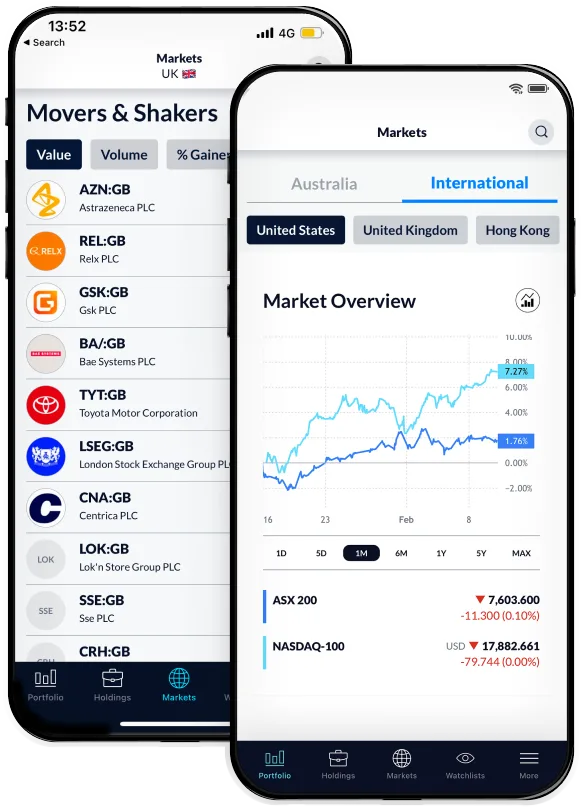
CMC Invest is my pick for the best investment app overall in Australia. In one account it combines CHESS-sponsored ASX shares, 15 international markets, and $0 brokerage on US, UK, Canadian and Japanese shares and ETFs. In my test, my first A$800 ETF buy cost nothing, and a A$2,000 US trade cost only the A$12 FX fee.
The trade-off is that the offer has conditions. Every international order pays a 0.60% FX fee. Once you’re outside the first-buy offer, ASX brokerage is A$11 or 0.10%, and that applies to every sale.
Key information
| Field | Details |
|---|---|
| Best for | All-round Australian and international investing |
| Australian provider | CMC Markets Stockbroking Limited |
| AFSL | 246381 |
| Account type | Individual share trading account |
| ASX ownership | CHESS-sponsored, own HIN |
| ASX brokerage | A$0 on the first buy under A$1,000 per security per day |
| Standard ASX brokerage | A$11 or 0.10%, whichever is greater (all other buys and all sells) |
| International brokerage | A$0 on US, UK, Canadian and Japanese shares and ETFs |
| Other international markets | A$59.95 or 0.59%, whichever is greater |
| International FX | 0.60% spread on every international order |
| International minimum | A$1,000 per buy order (some large US stocks excepted) |
| International markets | 15 |
| Account fee | None |
What I tested
- Device: iPhone 15 Pro, iOS 26.1 (spot-checked on a Samsung Galaxy S24, Android 16)
- App version: CMC Invest 6.4.2
- Account type: individual share trading account with my own HIN
- Deposit: A$5,000 by bank transfer
- Investments tested: A$800 of VAS, a A$300 VAS top-up the same day, A$1,500 of BHP, and A$2,000 of the US-listed VTI
- Withdrawal tested: A$300 to my linked bank account
- Test dates: 3–7 November 2026
My test results
| Test | Result |
|---|---|
| Account opening | 14 minutes to apply; HIN confirmed the next business day |
| Deposit speed | A$5,000 available in about 3 hours |
| A$800 VAS buy | A$0 brokerage shown on the ticket |
| A$300 VAS top-up, same day | A$11 brokerage (3.7% of the order) |
| A$1,500 BHP buy | A$11 brokerage |
| A$2,000 VTI buy | A$0 brokerage + A$12 FX (0.60%) |
| Withdrawal | A$300 arrived the next business day |
| Key friction | The free buy resets per security per day, not per order |
| Strongest feature | ASX and 15 markets under one CHESS-sponsored login |
My hands-on test
My hands-on test started with a A$5,000 bank transfer, which showed up as buying power about three hours later. My first order was A$800 of VAS. The ticket showed A$0 brokerage before I confirmed, which is how the first-buy offer is meant to work.
Then I ran into the condition most people will miss. When I topped up VAS with another A$300 later that day, the ticket showed A$11, or 3.7% of the order. The offer covers the first buy per security per day, not every small buy. My A$1,500 BHP order was also A$11, because it was above the A$1,000 cap.
Next I converted A$2,000 into VTI. There was no brokerage, but the ticket listed a A$12 FX charge (0.60%), and CMC holds no USD balance. So when I sell, the proceeds convert back to AUD and pay the spread again. That’s a real cost if you plan to switch between US holdings.
ASX and US holdings sat in one portfolio view in AUD, which made the mixed portfolio easy to track. I also set a price alert on BHP. My A$300 withdrawal arrived the next business day.
How much does CMC Invest cost?
CMC Invest charges A$0 brokerage on the first ASX buy under A$1,000 per security per day. After that it charges A$11 or 0.10%, whichever is greater, so the 0.10% only applies to orders above A$11,000. US, UK, Canadian and Japanese trades carry A$0 brokerage plus a 0.60% FX fee.
On our standard scenarios, an A$500 ETF buy costs A$0, against A$3 on Stake and moomoo and A$6.50 on Pearler. A A$2,000 ASX share buy costs A$11, against A$1 on Webull. A A$2,000 US trade costs A$12, against A$10 on Webull and A$15.62 on Stake.
Who is CMC Invest best for?
CMC Invest is best for investors who want ASX and international shares in one CHESS-sponsored account. It suits people who make one buy under A$1,000 per security per day, for example monthly ETF contributions. They pay no ASX brokerage, and US trades cost only the FX fee.
Who should avoid CMC Invest?
Investors who place several small top-ups in the same security on the same day should look elsewhere, as should anyone who sells often. Each of those orders pays A$11. Small US investors are also restricted by the A$1,000 international minimum, and Stake starts fractional US buys at US$10.
Read the complete CMC Invest review here.
CMC Invest pros and cons
Pros & cons
- CHESS-sponsored ASX investing with your own HIN.
- A$0 on the first ASX buy under A$1,000 per security per day.
- A$0 brokerage across US, UK, Canadian and Japanese markets.
- 15 international markets in the same account.
- A$11 or 0.10% on every sale and on buys outside the offer.
- 0.60% FX on every international order, with no USD balance.
- A$1,000 minimum on most international orders.
2. Webull — Best for low-cost investing with built-in research
Webull is my pick for low-cost long-term share and ETF investing, with research tools most investing apps don’t offer. It was the cheapest app in my test: A$0 on ASX ETFs, A$1 minimum on ASX shares, and A$0 on US shares, with a 0.50% FX fee. I deployed A$2,900 across three orders for A$4.50 in total costs.
The trade-off is an app designed with active traders in mind. Free ASX quotes are snapshots you refresh by hand, streaming ASX and Cboe data costs A$49.99 a month, and a buy-and-hold investor will rarely use much of the interface.

Key information
| Field | Details |
|---|---|
| Best for | Low-cost share and ETF investing with built-in research |
| Australian provider | Webull Securities (Australia) Pty Ltd |
| AFSL | 536980 |
| ASX ownership | CHESS-sponsored, own HIN |
| ASX share brokerage | A$1 or 0.03%, whichever is greater |
| ASX ETF brokerage | $0 |
| US share and ETF brokerage | $0 |
| AUD–USD FX | 0.50% |
| Real-time ASX quotes | Free snapshots |
| Streaming ASX/Cboe data | A$49.99/month |
| Markets | Australia, US, Hong Kong |
| Paper trading | Available |
| Platforms | Mobile, desktop and web |
What I tested
- Device: iPhone 15, iOS 26.1, plus the desktop app on a MacBook Air (macOS 26)
- App version: Webull 10.8.0
- Account type: individual account with my own HIN
- Deposit: A$3,000 by bank transfer
- Investments tested: A$1,000 of A200, A$1,200 of CSL, and A$700 converted to USD for a fractional Nvidia buy
- Tools tested: screener, technical indicators, paper trading, price alerts
- Withdrawal tested: A$90
- Test dates: 5–11 November 2026
My test results
| Test | Result |
|---|---|
| Account opening | 16 minutes; HIN confirmed in 2 business days |
| Deposit speed | A$3,000 available the same afternoon |
| A$1,000 A200 buy | A$0 brokerage |
| A$1,200 CSL buy | A$1 (0.03% is A$0.36, so the A$1 minimum applied) |
| A$700 to USD | A$3.50 FX (0.50%), US$452.73 received |
| US$450 Nvidia (fractional) | A$0 brokerage |
| Withdrawal | A$90, arrived the next business day |
| Key friction | Snapshot quotes need a manual refresh without the A$49.99 data plan |
| Strongest feature | Screener + indicators on desktop, synced to mobile watchlists |
My hands-on test
My hands-on test started with a A$3,000 deposit, which was available the same afternoon. My HIN came through two business days later. I bought A$1,000 of A200, and the ticket showed A$0. I then bought A$1,200 of CSL. At 0.03% the fee would have been A$0.36, so the A$1 minimum applied.
For the US leg I converted A$700, paid A$3.50 FX at 0.50%, and received US$452.73. A US$450 fractional Nvidia order then went through at A$0.
The research tools are where Webull earns its place, and they’re as useful to an investor as to a trader. Before buying CSL, I screened ASX healthcare stocks by market cap and P/E to see whether it was priced above its peers. Then I opened its five-year chart to see how the shares had held up through earlier sell-offs. RSI, MACD and Bollinger Bands are a few clicks away and synced to the mobile app, but for a long-term buy the valuation screen and the long-run chart mattered more. The friction came on mobile. Without the A$49.99 data plan, ASX prices were snapshots, so I had to tap to refresh before setting my limit price.
Paper trading used a virtual balance with the same order screens. It’s a useful way to practise limit orders before investing real money, although an ETF buyer won’t need most of the menus. My A$90 withdrawal arrived the next business day.
How much does Webull cost?
Webull charges $0 on ASX ETFs, A$1 or 0.03% on ASX shares (the 0.03% only applies above A$3,333), and $0 on US shares and ETFs plus 0.50% FX. On our scenarios that’s A$0 for an A$500 ETF, A$1 for a A$2,000 ASX share, and A$10 for a A$2,000 US trade. That beats CMC Invest (A$0, A$11, A$12) and Stake (A$3, A$3, A$15.62) on every scenario.
Who is Webull best for?
Webull is best for long-term investors who want the lowest costs in this comparison and like to check a company’s valuation and price history before they buy. ETF investors who are comfortable with a busier interface also benefit from its A$0 brokerage.
Who should avoid Webull?
Beginners who want a stripped-back app should avoid Webull. So should anyone who needs live streaming ASX prices on mobile but doesn’t want to pay A$49.99 a month.
Read the complete Webull review here.
Webull pros and cons
Pros & cons
- $0 brokerage on ASX ETFs and on US shares and ETFs.
- A$1 minimum brokerage on ASX shares.
- 0.50% FX, the joint-lowest in this test.
- Deep screener, indicators and paper trading.
- Streaming ASX/Cboe data costs A$49.99/month.
- Free ASX quotes are manual snapshots.
- The interface is heavy for occasional ETF buyers.
3. moomoo — Best for researching companies before you invest
moomoo is my pick for investors who research companies in depth before they buy. It’s the only app in this test with free US Level 2 data across 60 levels of market depth, and it pairs that with years of company financials and a fundamentals screener. ASX investing is CHESS-sponsored at A$3 or 0.03%, and US trades cost US$0.99.
The trade-off is a crowded interface built with active traders in mind, plus costs that stack up on the US side. My US trades paid 0.55% FX and US$0.99 per order, and whole-share orders added pass-through fees.

Key information
| Field | Details |
|---|---|
| Best for | Researching companies before investing |
| Australian provider | Moomoo Securities Australia Ltd |
| AFSL | 224663 |
| ASX ownership | CHESS-sponsored, own HIN |
| ASX brokerage | A$3 or 0.03%, whichever is greater |
| US brokerage | US$0.99 per order, plus pass-through fees |
| US fractional shares | Available; under one share pays 0.99% (capped at US$0.99) and no pass-through fees |
| AUD–USD FX | 0.55% spread |
| Hong Kong brokerage | HK$3 or 0.03%, whichever is greater, + HK$15 platform fee |
| US Level 2 data | Free |
| Market depth | 60 levels |
| Markets | Australia, US, Hong Kong |
What I tested
- Device: Samsung Galaxy S25, Android 16, plus moomoo desktop on Windows 11
- App version: moomoo 15.3.2
- Account type: individual account with my own HIN
- Deposit: A$4,000 by bank transfer
- Investments tested: A$2,500 of Macquarie Group (MQG), A$600 of an ASX ETF, and A$800 converted to USD for two US orders (one fractional)
- Tools tested: Level 2 order book, technical indicators, financial statements, screener
- Withdrawal tested: A$90
- Test dates: 6–12 November 2026
My test results
| Test | Result |
|---|---|
| Account opening | 12 minutes; trading-ready the next business day |
| Deposit speed | A$4,000 available in about 2 hours |
| A$2,500 MQG buy | A$3 (0.03% is A$0.75, so the minimum applied) |
| A$600 ETF buy | A$3, or 0.50% of the order |
| A$800 to USD | A$4.40 FX (0.55%), US$517.14 received |
| US$100 fractional Tesla buy | US$0.99 (0.99% of the order, capped; no pass-through fees under one share) |
| US$400 US share buy | US$0.99 + US$0.003 per share settlement fee |
| Withdrawal | A$90, arrived the next business day |
| Key friction | Over a dozen tabs on a stock page before you reach the trade button |
| Strongest feature | Free 60-level US Level 2 depth |
My hands-on test
When I tested moomoo, I deposited A$4,000, and it was available in about two hours. I bought A$2,500 of Macquarie Group for A$3. The 0.03% rate would have been A$0.75, and it only overtakes the A$3 minimum on orders above A$10,000. A A$600 ETF buy was also A$3, which is 0.50% of a small order.
I converted A$800 at 0.55%, paid A$4.40, and received US$517.14. I bought US$100 of Tesla as a fractional order and placed a US$400 order in another US stock. Each cost US$0.99. The fractional order paid no pass-through fees, because moomoo waives them on orders under one share. The whole-share order added a settlement fee of US$0.003 per share.
The research is what sets moomoo apart, and most of it helps investors, not just traders. Before buying, I compared five years of revenue and margins in the financials tab and screened US stocks by revenue growth. That told me more about each business than its price chart did. The free Level 2 book mattered as well: on a thinly traded stock, watching bids and offers across 60 levels showed how much I could buy near the quoted price before I set a limit order. Everything was available on mobile as well as desktop. The friction is navigation. A single stock page has more than a dozen tabs, and it took me a couple of sessions to find the trade button quickly.
My A$90 withdrawal arrived the next business day.
How much does moomoo cost?
moomoo charges A$3 or 0.03% on ASX trades (the 0.03% applies above A$10,000), US$0.99 per US order plus pass-through fees, and 0.55% FX. On our scenarios that’s A$3 for an A$500 ETF, A$3 for a A$2,000 ASX share, and A$12.52 for a A$2,000 US trade (A$11 FX + US$0.99). That’s cheaper than Stake (A$15.62) and Pearler (A$16.50) on the US trade. Webull is cheaper still on all three (A$0, A$1, A$10).
Who is moomoo best for?
moomoo is best for investors who read financial statements, screen on fundamentals and check order-book depth before they buy, and who want ASX, US and Hong Kong shares in one account.
Who should avoid moomoo?
Investors who want a simple app to buy a couple of ETFs a year should avoid moomoo. They would pay A$3 per trade for tools they won’t use, and Webull charges A$0 on ASX ETFs.
Read the complete moomoo review here.
moomoo pros and cons
Pros & cons
- Free US Level 2 data with 60 levels of depth.
- A$3 ASX brokerage up to A$10,000.
- US$0.99 US orders, including fractional shares.
- ASX, US and Hong Kong in one account.
- Pass-through fees on top of US$0.99 for whole-share orders.
- 0.55% FX on every conversion.
- Feature-dense interface with a learning curve.
4. Stake — Best for straightforward ASX and US investing
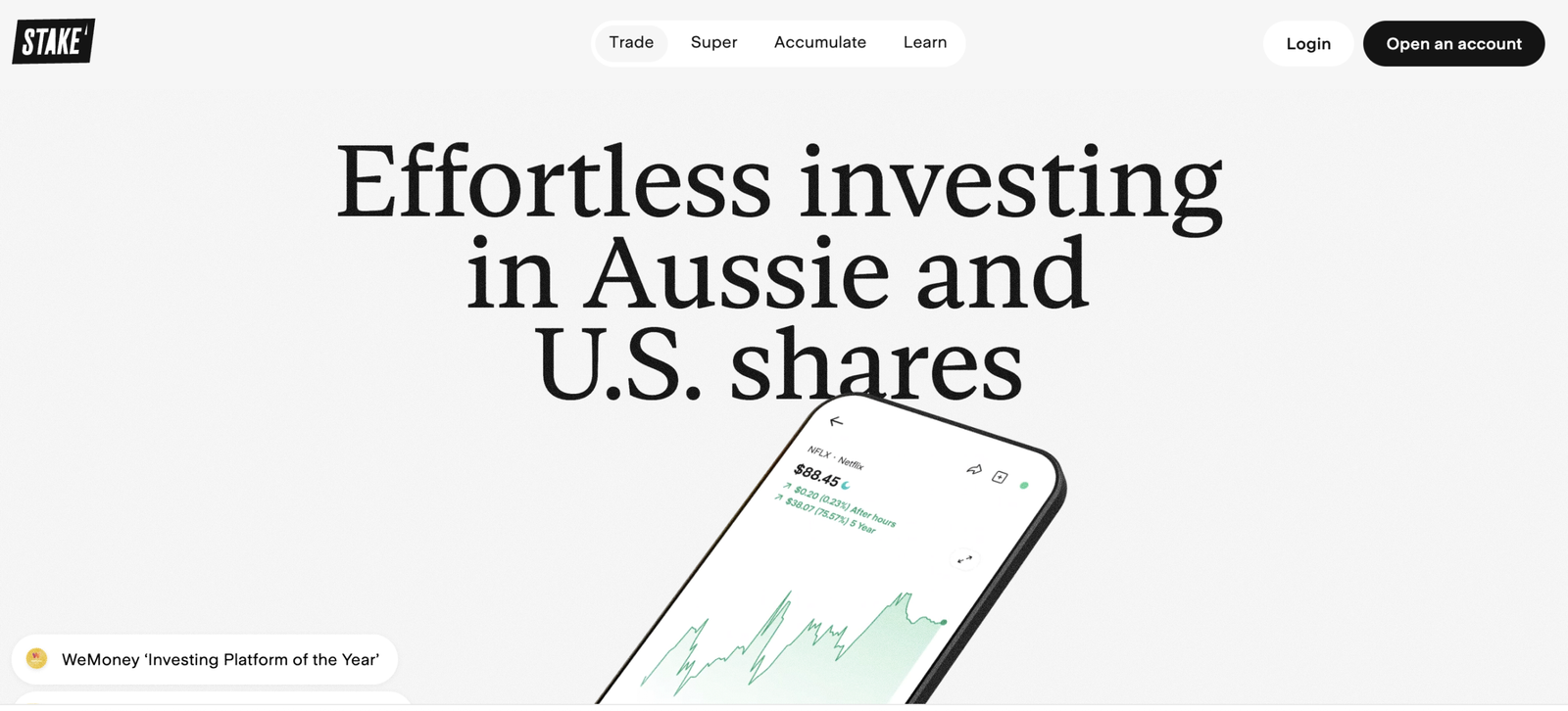
Stake is my pick for investors who want ASX and US shares in one simple app with flat, predictable brokerage. It’s A$3 per ASX trade up to A$30,000 and US$3 per US trade, with CHESS-sponsored ASX holdings and fractional US shares from US$10. In my test every fee appeared on the ticket before I confirmed, and none of them changed with the order size.
The trade-off is that the flat US$3 is steep on small orders. My US$10 fractional buy cost 30% in brokerage. US holdings are custodial rather than CHESS-sponsored, and moving money in and out of the US wallet costs 0.55% each way.
Key information
| Field | Details |
|---|---|
| Best for | Straightforward ASX and US investing |
| Australian operating entity | Stakeshop Pty Ltd |
| AFSL holder | Stakeshop AFSL Pty Ltd |
| AFSL | 548196 |
| ASX ownership | CHESS-sponsored, own HIN |
| ASX securities | 2,500+ |
| ASX brokerage | A$3 per trade up to A$30,000; 0.01% above |
| US securities | 11,000+ |
| US brokerage | US$3 per trade up to US$30,000; 0.01% above |
| US FX fee | 0.55% (minimum US$2), charged when you fund or withdraw from the US wallet |
| Fractional US shares | From US$10 |
| US ownership | Custodial |
| Card funding | 0.5% debit / 2.5% credit |
What I tested
- Device: iPhone 14, iOS 26.1
- App version: Stake 5.9.0
- Account type: Stake ASX (own HIN) and Stake Wall St
- Deposit: A$2,300 by bank transfer + A$200 by debit card
- Investments tested: A$1,000 of NDQ, A$800 of Woolworths (WOW), a US$10 fractional Apple buy and a US$350 US ETF buy
- Withdrawal tested: A$90 from the ASX cash balance
- Test dates: 7–13 November 2026
My test results
| Test | Result |
|---|---|
| Account opening | 11 minutes; HIN issued in 2 business days |
| Bank deposit | A$2,300 available the same day |
| Debit-card deposit | A$200 instantly, A$1.00 fee (0.5%), A$199 credited |
| A$1,000 NDQ + A$800 WOW | A$3 each |
| A$600 to Wall St | A$3.30 FX (0.55%), US$387.86 received |
| US$10 fractional Apple | US$3 brokerage (30% of the order) |
| US$350 US ETF buy | US$3 brokerage |
| Withdrawal | A$90, arrived the next business day |
| Key friction | Flat US$3 punishes small fractional orders |
| Strongest feature | Same flat fee on every order up to A$30,000 / US$30,000 |
My hands-on test
I deposited A$2,300 by bank transfer, and it cleared the same day. I added A$200 by debit card to test card funding: it arrived instantly, but Stake took A$1.00 (0.5%), leaving A$199. On a credit card the fee would have been A$5.00 (2.5%).
I bought A$1,000 of NDQ and A$800 of Woolworths. Both tickets showed exactly A$3, and on Stake that doesn’t change until an order passes A$30,000. The HIN appeared in the app two business days after sign-up.
The US side works differently. I moved A$600 into Stake Wall St, where the funding screen showed A$3.30 FX (0.55%) and US$387.86 received. The good news is that later US trades from that USD balance don’t pay FX again. Then I tested fractional investing with US$10 of Apple. It was easy to place, but the US$3 brokerage was 30% of the order. A US$350 ETF buy cost the same US$3, or 0.86%.
Watchlists and price charts were clean but basic. There’s no screener depth on the level of Webull or moomoo. My A$90 withdrawal from the ASX balance arrived the next business day. Withdrawing my remaining USD would have cost another 0.55%.
How much does Stake cost?
Stake charges A$3 per ASX trade and US$3 per US trade (0.01% above A$30,000 or US$30,000), plus 0.55% FX when you fund the US wallet. On our scenarios that’s A$3 for an A$500 ETF, A$3 for a A$2,000 ASX share and A$15.62 for a A$2,000 US trade (A$11 FX + US$3). Webull is cheaper on all three (A$0, A$1, A$10). Stake’s A$3 beats CMC Invest’s A$11 on any ASX order outside CMC’s free first buy.
Who is Stake best for?
Stake is best for investors who want a simple, flat-fee way to hold CHESS-sponsored ASX shares and US shares in one app. It suits orders of a few hundred dollars or more, where US$3 is a small share of the trade.
Who should avoid Stake?
Investors who want to drip US$10–US$50 into US stocks should avoid Stake, because US$3 is 6% to 30% of each order. It also isn’t the right app for anyone who wants automated investing or deep research tools.
Read the complete Stake review here.
Stake pros and cons
Pros & cons
- CHESS-sponsored ASX shares with your own HIN.
- Flat A$3 ASX brokerage up to A$30,000.
- 11,000+ US securities and fractional shares from US$10.
- FX charged on funding, not on every US trade.
- 0.55% FX each way between AUD and USD.
- US$3 is expensive on small fractional orders.
- Card funding costs 0.5% (debit) or 2.5% (credit).
- US holdings are custodial.
5. eToro — Best for social investing
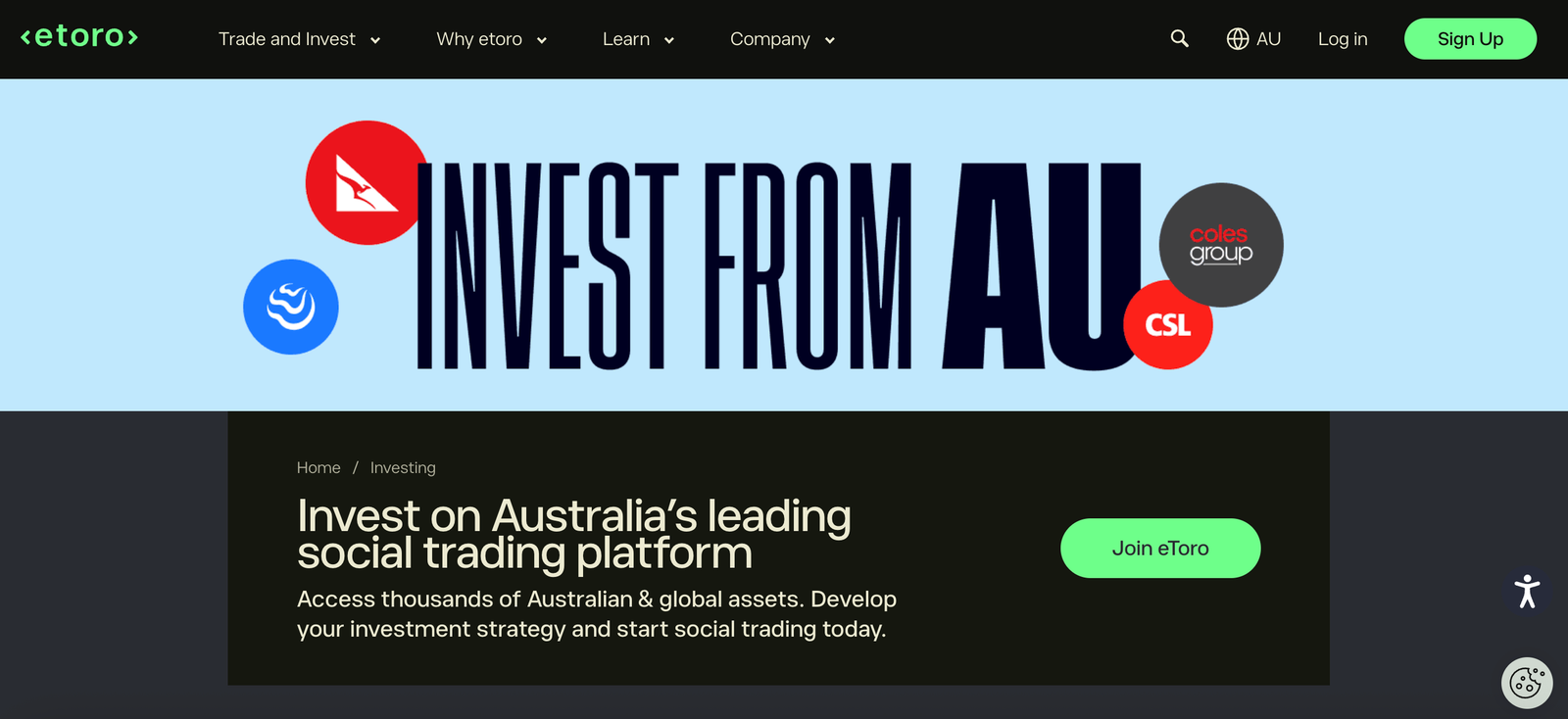
eToro is my pick for social investing in Australia, and it holds its own against the top copy trading platforms. CopyTrader lets you copy another investor’s portfolio from US$200, and none of the other seven apps here offers anything like it. In my test I funded an AUD account, bought an ASX ETF with no commission or conversion, and copied a portfolio for the minimum.
The trade-off is cost and complexity once you leave AUD. US trades paid a 0.75% conversion fee plus US$2 commission. Copied short or leveraged positions are CFDs, not shares you own.
Key information
| Field | Details |
|---|---|
| Best for | Social investing and CopyTrader |
| Australian provider | eToro AUS Capital Limited |
| AFSL | 491139 |
| Account types | Investment account with AUD and USD balances |
| Investment options | Shares, ETFs, crypto, CFDs and Smart Portfolios |
| Stock commission | US$2 to open and US$2 to close a stock position, ASX included |
| ETF commission | $0 |
| AUD–USD conversion | 0.75% base, down to 0.15% by eToro Club tier |
| ASX trades funded in AUD | No conversion fee |
| AUD withdrawals | Free |
| USD withdrawals | US$5 (US$30 minimum) |
| Inactivity fee | None (listed as free on eToro’s Australian fees page) |
| CopyTrader minimum | US$200 |
| Demo account | US$100,000 virtual portfolio |
What I tested
- Device: Google Pixel 9, Android 16
- App version: eToro 7.2.1
- Account type: investment account with an AUD balance
- Deposit: A$1,500 by bank transfer to the AUD account
- Investments tested: A$400 of an ASX-listed S&P 500 ETF (IVV), A$500 of Apple, and a US$200 CopyTrader allocation
- Withdrawal tested: A$200 from the AUD balance
- Test dates: 4–10 November 2026
My test results
| Test | Result |
|---|---|
| Account opening | 18 minutes, including a selfie ID check |
| Deposit speed | A$1,500 in the AUD balance within 10 minutes |
| A$400 IVV buy | A$0 commission, A$0 conversion |
| A$500 Apple buy | A$3.75 conversion (0.75%) + US$2 (A$3.08) = A$6.83, or 1.37% |
| CopyTrader US$200 | A$310.02 debited, including A$2.33 conversion |
| Withdrawal | A$200, free, arrived the next business day |
| Key friction | Positions under US$1 in a small copy are skipped |
| Strongest feature | Risk score and drawdown shown before you copy |
My hands-on test
When I tested eToro, I deposited A$1,500 into the AUD account by bank transfer, and it landed in about 10 minutes. I started with A$400 of IVV. Because both the ETF and my cash were in AUD, the ticket showed no commission and no conversion fee.
I then bought A$500 of Apple. The order screen showed the conversion separately: A$3.75 at 0.75%, plus a US$2 commission (about A$3.08). That’s A$6.83 in total, or 1.37% of the trade. It’s clear, but it’s more than double the A$2.50 FX that Webull would charge at 0.50%.
CopyTrader is the reason to be here. I filtered investors by risk score, 12-month return and maximum drawdown, then opened profiles to see their holdings and how often they trade. Copying needed US$200, which cost me A$310.02 including A$2.33 conversion. The friction: on a portfolio of about 40 positions, the smallest ones fell below eToro’s US$1 minimum position and weren’t copied, so my copy didn’t match exactly. Some copied positions also showed as CFDs because the trader held them short.
Smart Portfolios need a US$500 minimum, so I only browsed them. My A$200 AUD withdrawal was free and arrived the next business day.
How much does eToro cost?
eToro charges $0 commission on ETFs and US$2 per stock trade, plus a 0.75% AUD–USD conversion at the base tier. On our scenarios, an A$500 ASX ETF costs A$0 when funded in AUD. A A$2,000 US share costs A$18.08 (A$15 conversion + US$2), against A$10 on Webull and A$12 on CMC Invest. eToro Club members on the 0.15% tier pay A$3 conversion on the same trade, or A$6.08 in total.
Who is eToro best for?
eToro is best for investors who want to follow and copy other people’s portfolios, and who will check the risk score and drawdown before allocating. Like the top demo trading accounts, eToro’s US$100,000 demo lets you test a copy strategy before putting in US$200 of real money.
Who should avoid eToro?
Investors who want CHESS-sponsored ASX shares in their own name should avoid eToro. So should anyone who buys US shares often at the base tier: the 0.75% conversion is the highest FX rate in this comparison.
Read the complete eToro review here.
eToro pros and cons
Pros & cons
- CopyTrader with risk scores and drawdown data for each investor.
- $0 commission on ETFs; no conversion on AUD-funded ASX trades.
- AUD account with free deposits and withdrawals.
- US$100,000 demo account for testing strategies.
- 0.75% base conversion fee on US assets.
- US$2 to open and US$2 to close stock positions, copied trades included.
- Short or leveraged copied positions are CFDs.
- US$5 to withdraw from the USD account (US$30 minimum).
6. Pearler — Best for automated long-term investing
Pearler is my pick for long-term investors who want to set up regular investing once and then leave it alone. In my test I set up an automatic A$250 ETF purchase, and it executed on schedule with no input from me. The CHESS-sponsored holdings went to my own HIN.
The trade-off is the A$6.50 flat brokerage. It’s 2.6% of a A$250 order and 1.3% of my A$500 first buy. Pearler rewards investing larger amounts less often, so it’s the wrong choice for active trading.
Key information
| Field | Details |
|---|---|
| Best for | Long-term investing and automation |
| Australian provider | Pearler Investments Pty Ltd |
| AFSL holder | Sanlam Private Wealth Pty Ltd |
| AFSL | 337927 |
| ASX ownership | CHESS-sponsored, own HIN |
| ASX brokerage | A$6.50 per buy or sell |
| US brokerage | A$6.50 per buy or sell |
| US FX conversion | 0.50% |
| US ownership | Custodial |
| Initial ASX investment | A$500 minimum |
| Pearler Micro | From A$5, A$2/month flat, 10 ETF-tracking managed funds, round-ups available |
| Automated investing | Available |
| Account opening | Free |
What I tested
- Device: Google Pixel 8a, Android 16
- App version: Pearler 4.12.0
- Account type: Pearler direct account (own HIN) plus a separate Pearler Micro account
- Deposit: A$1,000 by bank transfer, plus A$5 into Micro
- Investments tested: A$500 of VDHG, a A$250 auto-invest order, and A$200 converted to USD for a fractional US ETF buy
- Automation tested: a monthly auto-invest order and weekly A$10 Micro contributions
- Withdrawal tested: the remaining A$30.50 cash
- Test dates: 8–14 November 2026
My test results
| Test | Result |
|---|---|
| Account opening | 15 minutes; HIN issued in 3 business days |
| Deposit speed | A$1,000 available the next morning |
| A$500 VDHG first buy | A$6.50 brokerage (1.3%) |
| A$250 auto-invest order | Executed on 12 November, A$6.50 (2.6%) |
| A$200 to USD | A$1.00 FX (0.50%), US$129.35 received, plus A$6.50 brokerage |
| Micro setup | A$5 first deposit, A$2/month fee |
| Withdrawal | A$30.50, arrived in 2 business days |
| Key friction | A$6.50 is a large share of small recurring orders |
| Strongest feature | Auto-invest ran with no manual order entry |
My hands-on test
My hands-on test began with a A$1,000 deposit that cleared the next morning. Pearler requires at least A$500 for the first ASX investment, so I put exactly that into VDHG. The A$6.50 brokerage showed clearly on the review screen before I confirmed: 1.3% of the order. My HIN arrived three business days after sign-up.
The automation is the main reason to choose Pearler. I set up a monthly A$250 auto-invest into the same ETF, and it executed on 12 November without me opening the app. It is genuinely set-and-forget. But the A$6.50 fee was 2.6% of that order. If I invested A$750 once a quarter instead, the same fee would be 0.87%. The portfolio view showed each holding’s weighting against my target split, which makes rebalancing a single decision.
For the US leg I converted A$200. I paid A$1.00 FX at 0.50%, received US$129.35, and paid A$6.50 brokerage on a fractional US ETF buy. That’s A$7.50, or 3.75% of A$200, so US investing on Pearler only makes sense in bigger amounts.
I opened Pearler Micro separately with A$5 and set A$10 weekly contributions into one of its 10 funds. The A$2 monthly fee is A$24 a year, or 4.8% of a A$500 balance. I withdrew the remaining A$30.50 from my direct account, and it arrived in two business days.
How much does Pearler cost?
Pearler charges A$6.50 per ASX or US trade, 0.50% on US conversions, and A$2 a month for Pearler Micro. On our scenarios that’s A$6.50 for an A$500 ETF (the highest of the brokerage apps here), A$6.50 for a A$2,000 ASX share and A$16.50 for a A$2,000 US trade. Stake and moomoo charge A$3 on both ASX scenarios.
Who is Pearler best for?
Pearler is best for buy-and-hold investors who want automatic, CHESS-sponsored ETF investing and are happy to invest A$500 or more per order to keep the A$6.50 fee near 1% or below.
Who should avoid Pearler?
Active traders should avoid Pearler, as should anyone investing A$100–A$250 at a time: A$6.50 is 2.6% to 6.5% of each order. Anyone who wants advanced charting should also look elsewhere.
Read the complete Pearler review here.
Pearler pros and cons
Pros & cons
- Auto-invest that runs without manual orders.
- CHESS-sponsored ASX holdings with your own HIN.
- Clear target-weight portfolio view.
- Pearler Micro from A$5 for small regular amounts.
- A$6.50 brokerage on every direct trade.
- A$500 minimum first ASX investment.
- US shares are custodial and pay 0.50% FX.
- Not built for active trading.
7. Raiz — Best for round-ups
Raiz is my pick for Australians who want to start investing with spare change and build the habit automatically. It starts at A$5 and invests round-ups from card purchases. In my test, 14 everyday purchases over 12 days generated A$6.85 in round-ups with no input from me.
The trade-off is the flat monthly fee on small balances. My Regular plan cost A$5.50 for the month, which was 11% of the A$50 I had invested by the end of the test.

Key information
| Field | Details |
|---|---|
| Best for | Round-ups and automated micro-investing |
| Platform operator | Raiz Invest Australia Limited (authorised representative of AFSL 434776) |
| AFSL | 434776, held by Instreet Investment Limited |
| Fund issuer | Instreet Investment Limited |
| Minimum investment | A$5 |
| Lite plan | A$2.50/month (A$30/year), 3 preset portfolios |
| Regular plan | A$5.50/month (A$66/year), 8 preset portfolios |
| Plus plan | A$6.50/month (A$78/year), 8 preset portfolios + custom portfolio |
| Additional account fee | 0.275% p.a. above A$26,000 (Regular) or A$28,000 (Plus) |
| Round-ups | Available |
| Recurring investments | Available |
| Withdrawal fees | Free |
What I tested
- Device: iPhone 15, iOS 26.1
- App version: Raiz 3.48.0
- Plan: Regular (A$5.50/month)
- Deposit: A$5 initial, A$20 weekly recurring, round-ups from a linked debit card
- Investments tested: the Aggressive preset portfolio
- Automation tested: round-ups and weekly recurring deposits
- Withdrawal tested: A$20
- Test dates: 3–14 November 2026
My test results
| Test | Result |
|---|---|
| Sign-up and questionnaire | 9 minutes, 7 risk questions |
| Initial A$5 investment | Invested within 2 business days |
| Round-ups | 14 purchases, A$6.85 over 12 days: A$5 invested at the A$5 threshold, A$1.85 still pending |
| Recurring deposits | 2 × A$20 = A$40 |
| Total invested | A$50 |
| Fees in the period | A$5.50 (11% of the balance) |
| Withdrawal | A$20, arrived in 3 business days |
| Key friction | The monthly fee outweighs returns on a sub-A$1,000 balance |
| Strongest feature | Round-ups that ran without any manual action |
My hands-on test
When I tested Raiz, sign-up took nine minutes, including a seven-question risk profile. The questionnaire recommended the Aggressive portfolio, and the app showed its asset split before I accepted. I made the A$5 minimum first investment and linked my everyday debit card.
Round-ups are the main event. A A$4.30 coffee rounded up A$0.70, a A$18.65 grocery shop A$0.35, and a A$52.10 fuel stop A$0.90. Over 12 days, 14 purchases added A$6.85 without me approving any of them. Raiz invested the first A$5 automatically when round-ups reached its A$5 threshold, and the other A$1.85 was still waiting when the test ended. I also set a A$20 weekly recurring deposit, which ran twice.
That left me with A$50 invested and A$5.50 in fees for the month. On a small balance the fee is the biggest factor. The Regular plan’s A$66 a year is 6.6% of a A$1,000 balance, and doesn’t fall below 1% until about A$6,600. The Lite plan (A$30 a year) gets there at A$3,000, but only offers three portfolios. The portfolio screen named the underlying ETFs and their weightings, which helped me understand what I owned. I couldn’t pick individual shares outside the Plus plan’s custom option.
My A$20 withdrawal was free and arrived in three business days.
How much does Raiz cost?
Raiz charges A$2.50, A$5.50 or A$6.50 a month depending on the plan, plus 0.275% p.a. on balances above A$26,000 (Regular) or A$28,000 (Plus), and the underlying ETF costs. There’s no per-trade brokerage. By comparison, Pearler Micro charges A$2 a month (A$24 a year). Putting A$500 a year into an ASX ETF through CommSec Pocket costs A$2 brokerage.
Who is Raiz best for?
Raiz is best for beginners who would otherwise not invest at all, and who want round-ups and recurring deposits to do the work. It suits people who expect to grow their balance into the thousands, where the flat fee becomes a small percentage.
Who should avoid Raiz?
Investors with balances below about A$3,000 who don’t need round-ups should avoid Raiz. So should anyone who wants to pick individual shares. A single CommSec Pocket or Webull ETF buy is cheaper than months of Raiz fees.
Read the complete Raiz review here.
Raiz pros and cons
Pros & cons
- Start from A$5.
- Automatic round-ups and recurring deposits.
- Diversified preset ETF portfolios.
- Free withdrawals.
- A flat monthly fee that is expensive on small balances.
- Limited control over holdings outside the Plus plan.
- Underlying ETF costs on top of the plan fee.
- The Lite plan is limited to three portfolios.
8. CommSec Pocket — Best for beginner ETF investing
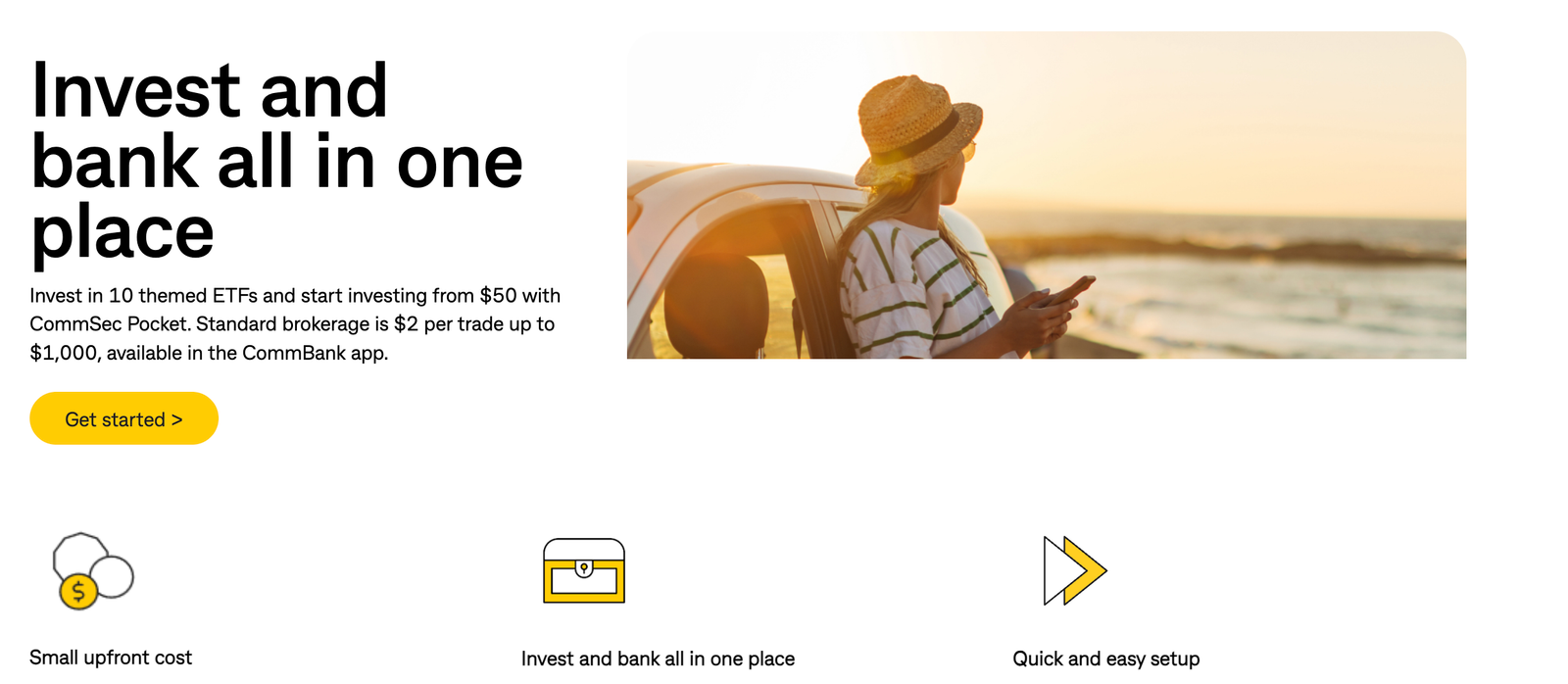
CommSec Pocket is my pick for beginners who bank with CommBank and want to invest in ETFs without learning a full trading platform. In my test, my first A$50 ETF buy took under four minutes from inside the CommBank app, and the money came straight from my everyday account.
The trade-off is choice and small-order cost. Pocket offers only 10 themed ETFs. The A$2 brokerage is 4% of a A$50 order, or 8% once you sell as well.
Key information
| Field | Details |
|---|---|
| Best for | Beginner ETF investing |
| Provider | Commonwealth Securities Limited |
| AFSL | 238814 |
| Investment options | 10 themed ETFs |
| Minimum investment | A$50 |
| Brokerage up to A$1,000 | A$2 |
| Brokerage above A$1,000 | 0.20% |
| Account opening | Free |
| Account-keeping fee | None |
| Management fee charged by CommSec | None |
| Underlying ETF fees | Vary by ETF |
| Platform | CommBank mobile app |
| Settlement | T+2 |
What I tested
- Device: iPhone 13, iOS 26.1
- App version: CommBank app 5.21
- Account type: CommSec Pocket, opened as an existing CommBank customer
- Deposit: debited directly from my linked CommBank account (A$1,300 in total)
- Investments tested: A$50 in the Tech Savvy option (NDQ), then a A$1,250 order
- Withdrawal tested: sold the A$50 holding and tracked T+2 settlement
- Test dates: 10–14 November 2026
My test results
| Test | Result |
|---|---|
| Account opening | 6 minutes, pre-filled from my CommBank profile |
| First A$50 buy | Under 4 minutes; A$2 brokerage (4%) |
| A$1,250 buy | A$2.50 brokerage (0.20%) |
| Sale of A$51.20 holding | A$2 brokerage |
| Settlement | Sold Wednesday, cash back Friday (T+2) |
| Key friction | Only 10 ETFs and no individual shares |
| Strongest feature | Investing from inside the banking app, no transfers needed |
My hands-on test
My hands-on test started inside the CommBank app. As an existing customer, I opened Pocket in six minutes because most details were pre-filled. There was no separate deposit step: orders are paid straight from the linked account.
I invested the A$50 minimum in the Tech Savvy option (NDQ). The confirmation screen showed A$2 brokerage, which is 4% of the order. The theme descriptions were short and in plain English, and each named the ETF and its focus, which helped me as a beginner. Comparing what each ETF actually held meant tapping through to the provider’s details.
To check the percentage fee, I placed a A$1,250 order. The fee was A$2.50, exactly 0.20%. Then I sold my original holding, worth A$51.20, for another A$2. So A$50 in and out cost A$4, or 8%. The sale went through on Wednesday, and the cash reached my account on Friday under T+2 settlement.
The portfolio screen showed each holding’s value and gain in dollars and per cent, which a beginner can understand at a glance.
How much does CommSec Pocket cost?
CommSec Pocket charges A$2 brokerage on orders up to A$1,000 and 0.20% above, with no account fee. On our scenarios that’s A$2 for an A$500 ETF and A$4 for a A$2,000 order. That’s cheaper than Stake and moomoo (A$3) on orders up to A$1,500 and cheaper than CMC Invest’s A$11 up to A$5,500. Webull’s A$0 ASX ETF brokerage is cheaper at every size.
Who is CommSec Pocket best for?
CommSec Pocket is best for CommBank customers making their first ETF investments, typically A$500–A$1,500 at a time. In that range brokerage is 0.4% of the order or less, and everything stays in one banking app.
Who should avoid CommSec Pocket?
Investors who want individual shares, the wider ranges on the top ETF platforms or research tools should avoid Pocket. So should anyone investing A$50–A$100 at a time, where A$2 is 2% to 4% of each order.
Read the complete CommSec Pocket review here.
CommSec Pocket pros and cons
Pros & cons
- Start from A$50.
- Built into the CommBank app, with no transfers needed.
- A$2 brokerage on orders up to A$1,000.
- No account-keeping fee.
- Limited to 10 ETFs within Pocket.
- No individual shares in Pocket.
- Brokerage becomes 0.20% above A$1,000.
- Underlying ETF management fees still apply.
What the same trade costs on each app
The same A$500 ASX ETF buy cost between A$0 (CMC Invest, Webull, eToro) and A$6.50 (Pearler). Raiz charges no brokerage but costs A$66 a year on its Regular plan.
| App | A$500 ASX ETF | A$2,000 ASX share | A$2,000 into a US share |
|---|---|---|---|
| CMC Invest | A$0* | A$11.00 | A$12.00 (A$0 brokerage + 0.60% FX) |
| eToro | A$0 | A$3.08 (US$2) | A$18.08 (A$15.00 FX at 0.75% + US$2) |
| Webull | A$0 | A$1.00 | A$10.00 (A$0 brokerage + 0.50% FX) |
| moomoo | A$3.00 | A$3.00 | A$12.52 (A$11.00 FX at 0.55% + US$0.99) |
| Stake | A$3.00 | A$3.00 | A$15.62 (A$11.00 FX at 0.55% + US$3) |
| Pearler | A$6.50 | A$6.50 | A$16.50 (A$10.00 FX at 0.50% + A$6.50) |
| CommSec Pocket | A$2.00 | A$4.00 (0.20%) | Not offered (global exposure via ASX-listed ETFs) |
| Raiz | No brokerage (A$5.50/month plan fee) | Not offered | Not offered |
*CMC’s A$0 applies only to the first buy under A$1,000 in that security that day. These figures cover brokerage and FX only. They leave out ETF management fees, pass-through fees of a few cents, and FX when sale proceeds are converted back to AUD. eToro’s figures use the base 0.75% conversion rate, which eToro Club tiers can cut to 0.15%.
How I scored and ranked the best investing apps in Australia
I started from Psyfi Money’s wider platform research, then weighted it for one reader: an Australian investor choosing an app to buy ASX shares and ETFs, with some US exposure. Before ranking, I checked that each app is available to Australian residents, operates under an AFSL or as an authorised representative, and publishes enough pricing to model. All eight passed, so I didn’t give extra points for those checks. Any existing Psyfi Money review rating for a platform is separate from the order in this guide.
| Ranking factor | Weight | What I assessed |
|---|---|---|
| Modelled trading cost | 30% | Brokerage plus FX on an A$500 ASX ETF buy, a A$2,000 ASX share buy and A$2,000 converted into a US share |
| ASX ownership structure | 15% | CHESS sponsorship with your own HIN, against custodial holdings (eToro, US shares) and managed-fund units (Raiz) |
| Market access and investment range | 15% | ASX, US and other markets (15 on CMC Invest), fractional US shares, Pocket’s 10-ETF limit |
| Small-balance economics | 10% | Minimums (A$5 to A$1,000 for international orders) and monthly fees as a percentage of A$500, A$1,000 and A$5,000 balances |
| Recurring and automated investing | 10% | Auto-invest, round-ups and recurring deposits, and the brokerage each automatic contribution pays |
| Research tools and data costs | 10% | Free US Level 2 depth, screeners, financials and charting, and paid add-ons such as Webull’s A$49.99/month ASX data |
| Fee conditions and simplicity | 10% | Conditions that change the cost, such as CMC’s first buy per security per day, Stake’s FX on funding, and US$3 on small fractional orders |
The most useful comparison was modelling the same three orders on every app at AUD/USD 0.65, rather than comparing headline brokerage. The A$500 ETF buy ranged from A$0 (CMC Invest, Webull, eToro) to A$6.50 (Pearler). The A$2,000 US trade ranged from A$10 on Webull to A$18.08 on eToro. For the micro-investing apps I modelled the annual plan fee instead: Raiz Regular’s A$66 is 6.6% of a A$1,000 balance, and Pearler Micro’s A$24 is 2.4%.
I gave modelled cost 30% because most readers on this page will place the same kind of order again and again, so a A$3 or A$11 difference compounds. CHESS ownership got 15% because direct ownership is the main structural difference between Australian apps. Research tools stayed at 10%, because Level 2 depth matters to few buy-and-hold investors. These weights set the order of platforms in this guide only.
Apps we considered but didn’t include
We considered several other Australian investment platforms before settling on our final eight. While many are good options, they either overlap with apps already featured or are better suited to a more specific type of investor.
- Tiger Brokers – Offers access to international markets and advanced trading tools, but overlaps with moomoo and Webull.
- Selfwealth – An established CHESS-sponsored broker, although its flat-fee structure can be less attractive for investors making smaller, frequent trades.
- Superhero – Offers low-cost ASX and US share trading, but its core appeal overlaps with Stake.
- Sharesies – Provides fractional investing and access to multiple markets, but its fee structure needs careful consideration for smaller portfolios.
- Interactive Brokers – Excellent for global market access and advanced trading, but may be unnecessarily complex for beginner investors.
- Vanguard Personal Investor – A strong option for people building portfolios around Vanguard funds, but has a narrower investment offering.
- Pepperstone – Better suited to anyone learning how to trade forex and CFDs than to buying and holding shares and ETFs for long-term investing.
How to invest using an Australian investing app
1. Log in to the platform
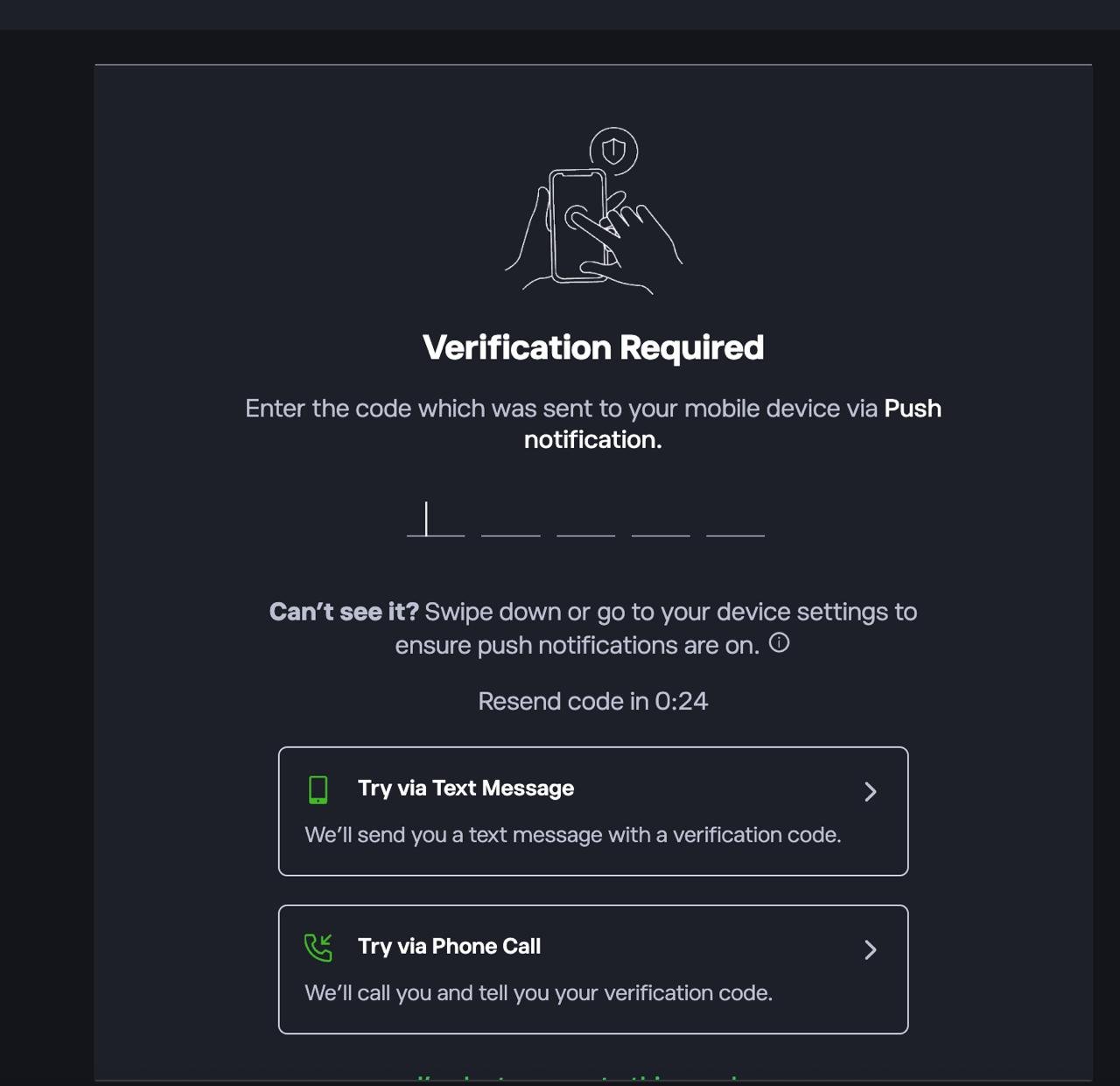
First sign up or log in to the platform. If prompted, complete 2FA by entering the code sent via push notification, SMS, or phone call.
2. Deposit funds into your account
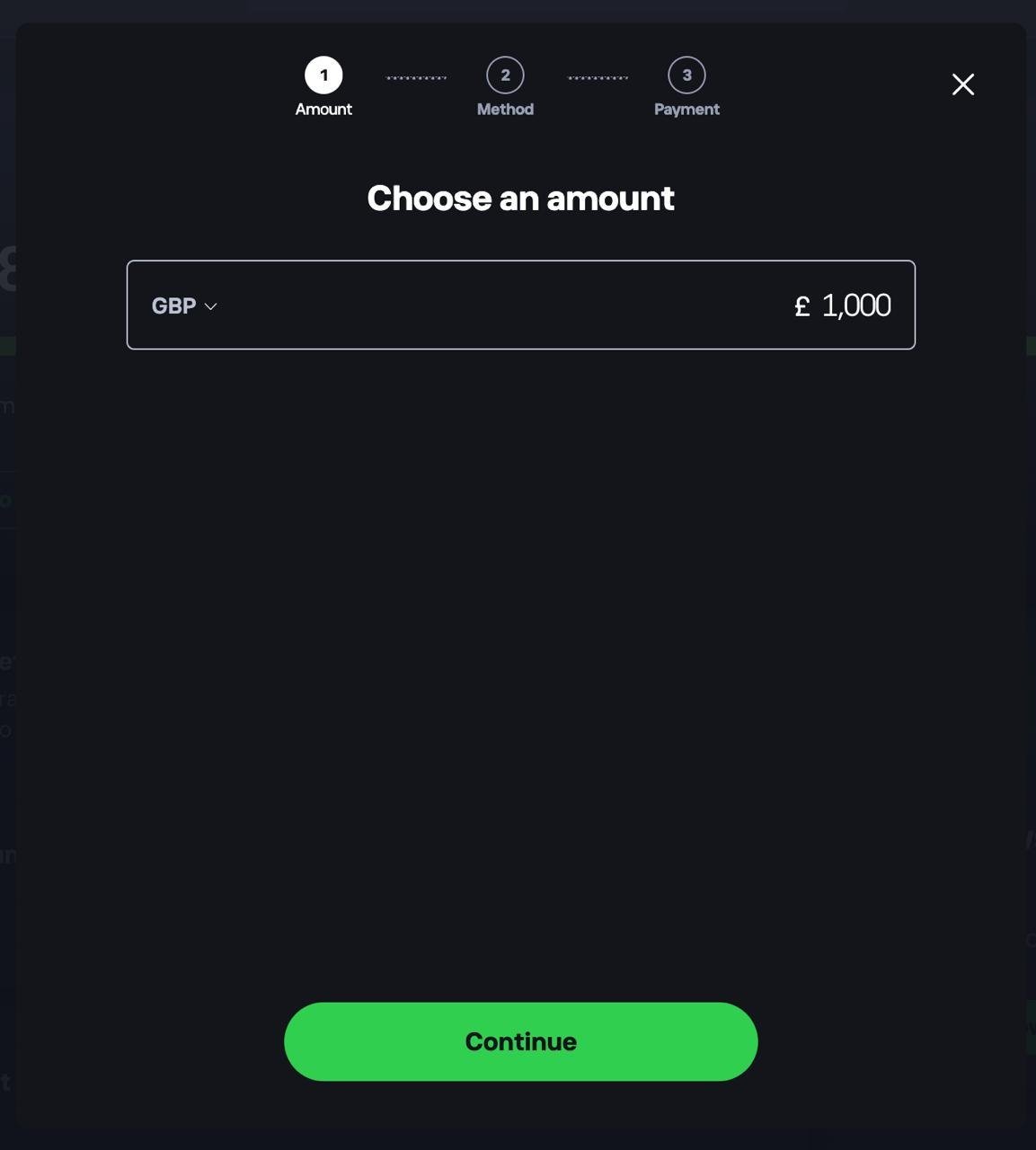
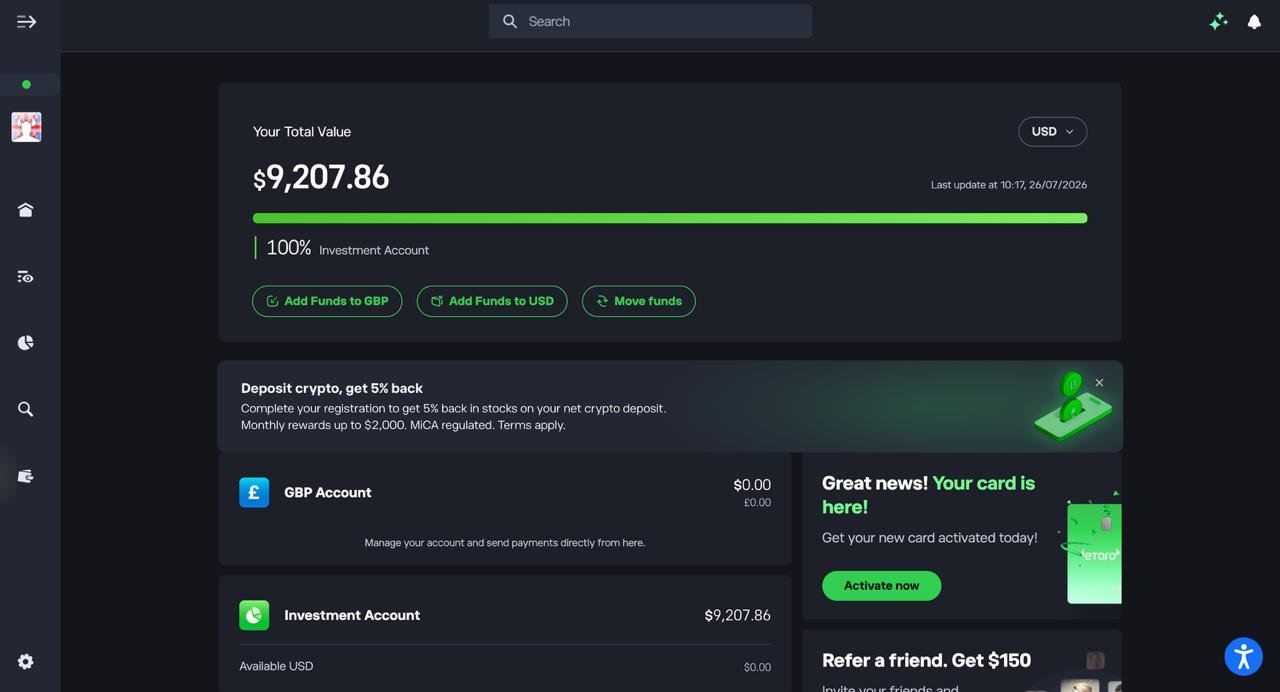
Head to your dashboard and choose to add funds. Select your currency, enter the amount you want to deposit, tap Continue, then choose a payment method.
3. Confirm your funds are available
Check your dashboard to make sure your deposit has landed in your Investment Account before you start investing.
4. Find the investment you want
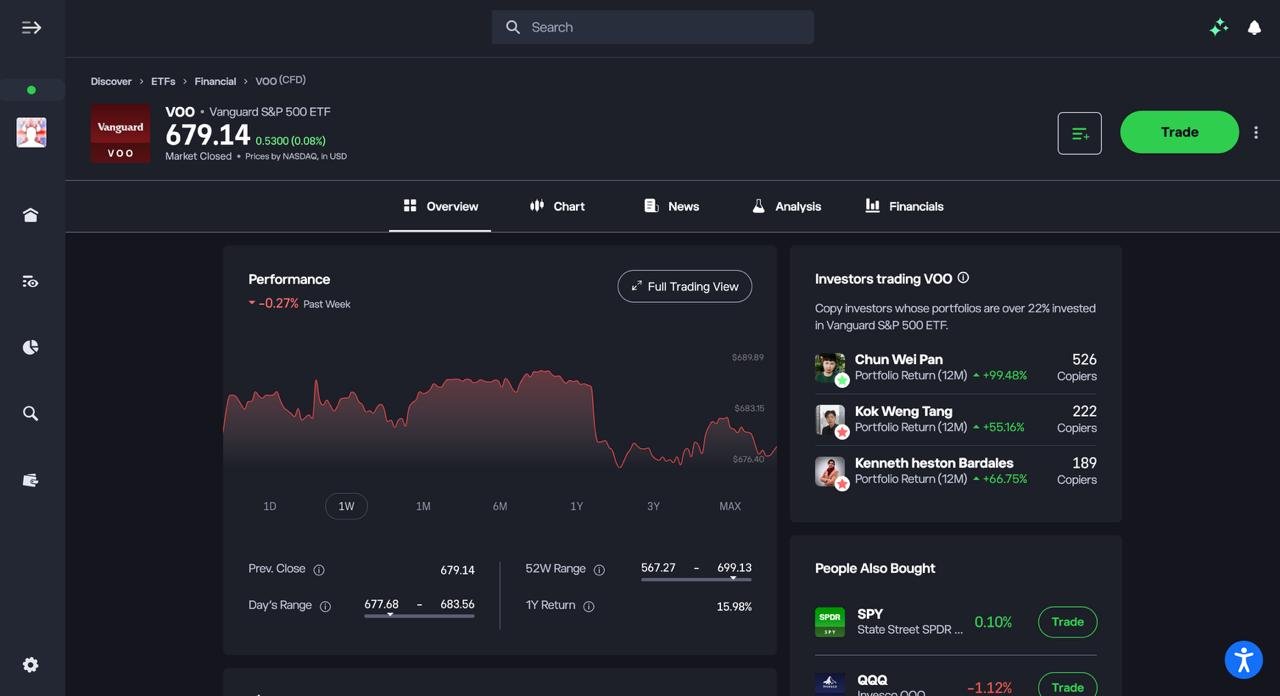
Search for the stock, ETF, or asset you want to invest in and open its overview page to check the price and performance before you commit.
5. Set up and confirm your investment
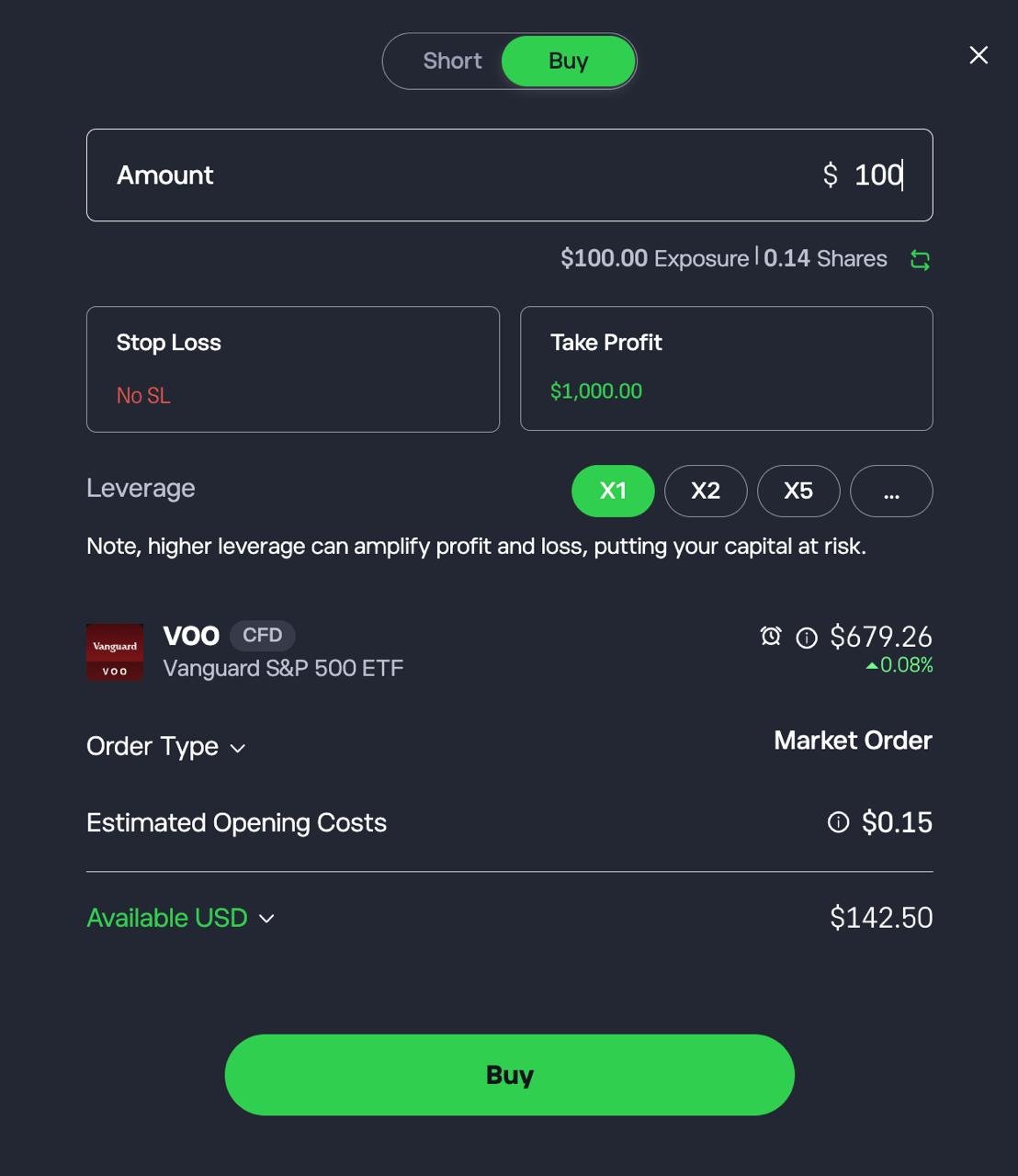
Choose Buy, enter the amount you want to invest, optionally set a Stop Loss and Take Profit, then tap Buy to confirm.
We haven’t included these platforms because we wanted each of our eight recommendations to serve a distinct purpose, rather than pad out the comparison with similar alternatives.
That said, some of these apps may be a better fit depending on your investment strategy, preferred markets and trading experience.
How much do Australian investment apps cost?
Australian investment apps charge in three ways: brokerage on each order, FX when you convert AUD to buy overseas shares, and monthly plan fees on some products. Across the eight apps I compared, brokerage runs from A$0 to A$6.50 an order, FX from 0.50% to 0.75%, and plan fees from A$0 to A$6.50 a month.
Brokerage
Brokerage is the fee for each buy or sell order, and most apps charge it on sales too. Webull charges A$0 on ASX ETFs, and CMC Invest charges A$0 on the first ASX buy under A$1,000 per security per day. Stake and moomoo charge A$3, and Pearler charges A$6.50.
Several apps switch to a percentage on larger orders. Webull’s 0.03% applies above A$3,333, moomoo’s above A$10,000 and CMC Invest’s 0.10% above A$11,000. Stake moves to 0.01% above A$30,000, and CommSec Pocket to 0.20% above A$1,000.
FX conversion
FX conversion is the percentage an app takes when it converts your AUD into USD. It ranges from 0.50% on Webull and Pearler, through 0.55% on moomoo and Stake and 0.60% on CMC Invest, to 0.75% on eToro’s base tier. On a A$2,000 US trade that’s A$10 to A$15 before brokerage. You usually pay it again when you convert sale proceeds back to AUD.
Subscription fees
Most apps here charge no account or subscription fee. The exceptions are the micro-investing products. Raiz costs A$2.50, A$5.50 or A$6.50 a month by plan, plus 0.275% a year above A$26,000 (Regular) or A$28,000 (Plus). Pearler Micro costs a flat A$2 a month. Webull’s streaming ASX data is an optional A$49.99 a month.
Example investor scenarios
The single-trade costs are in the table after the mini-reviews, so here I modelled a full year of investing. Each scenario is 12 monthly buys of A$500, or A$6,000 a year, with US figures at AUD/USD 0.65.
| App | A$500 a month into an ASX ETF | A$500 a month into US shares |
|---|---|---|
| CMC Invest | A$0 | A$36 (A$1,000 minimum, so 6 buys of A$1,000) |
| Webull | A$0 | A$30.00 |
| eToro | A$0 | A$81.92 |
| moomoo | A$36 | A$51.28 |
| Stake | A$36 | A$92.31 (the US$2 FX minimum applies) |
| Pearler | A$78 | A$108.00 |
| CommSec Pocket | A$24 | Not offered |
| Raiz | A$66 Regular plan fee, no brokerage | Not offered |
On the ASX ETF scenario, the gap between A$0 and A$78 a year is 1.3% of the money invested. On the US scenario, Stake’s flat US$3 and US$2 FX minimum hit hardest at A$500 an order. Webull’s 0.50% FX with no brokerage is cheapest.
How to choose an investment app in Australia
If you’re working out how to start investing, begin with how the app holds your investments and whether it’s licensed. Then compare what you can buy, what it costs for the way you invest, and the tools you’ll actually use.
CHESS vs custody
A CHESS-sponsored app registers your ASX shares in your own name under a Holder Identification Number (HIN). Under a custodial model, a custodian holds the shares on your behalf. CMC Invest, Webull, moomoo, Stake, Pearler and CommSec Pocket are CHESS-sponsored for ASX holdings. eToro is custodial, and Raiz issues units in a managed fund. US shares are custodial on every app here, because CHESS only covers ASX-listed securities. A HIN also makes it simpler to move your shares to another CHESS broker later.
ASIC and AFSL
Any app offering investments to Australians must hold an Australian Financial Services Licence (AFSL), or operate as an authorised representative of a licensee. You can check either on ASIC’s professional register. Stake and Raiz both use the authorised-representative model, which is common. I’ve listed every licence number in the key information tables above. Investments aren’t covered by the Financial Claims Scheme, which protects bank deposits, so the holding structure matters.
Investment products
What you can buy varies more than the headline “shares and ETFs” suggests. CommSec Pocket is limited to 10 ETFs and Raiz to preset portfolios. Stake and moomoo add US shares, and CMC Invest reaches 15 international markets. eToro also offers CFDs and crypto, though the top crypto exchanges list far more coins. If you want small US positions, check for fractional shares: Stake’s start at US$10.
Fees
Model the fees on how you’ll invest, not the headline brokerage. A monthly ETF buyer pays nothing on Webull or CMC Invest’s first buy, but A$78 a year on Pearler. A US investor pays FX on every conversion, and someone with a small balance pays the micro-investing plan fees as a share of a small sum. Check sell-side brokerage too: CMC Invest charges A$11 or 0.10% on every sale.
Platform functionality
Pick the tools that match your habits. Long-term investors benefit most from auto-invest (Pearler) or round-ups (Raiz), while the top robo-advisors go further and manage the whole portfolio for you. Investors who research before buying get more from screeners, company financials and order-book depth, such as moomoo’s free US Level 2 data or Webull’s valuation screens. More features aren’t automatically better for a beginner.
Security
Turn on two-factor authentication, and use a strong, unique password for each investing app. Stake holds customers’ AUD cash on trust in a client money account at an Australian bank, as client money rules require. Check how your chosen app holds cash before you deposit, and only withdraw to a bank account in your own name.
Investment apps vs trading apps
An investment app helps you buy and hold real shares, ETFs or funds for years. The top stock trading apps are built for frequent, short-term positions, often through leveraged products. Some of the top trading platforms do both, so check which product each order actually buys.
Real shares vs CFDs
When you buy a real share, you own it: on a CHESS-sponsored app it’s registered to your HIN, and you receive dividends. A contract for difference (CFD) is a contract with the provider on a price movement. You don’t own the asset, positions are usually leveraged, and losses can exceed what you put in, which is the first thing to grasp when learning how to trade CFDs. ASIC limits leverage for retail CFD clients, and providers must disclose what share of retail accounts lose money. On eToro, short or leveraged positions are CFDs, including ones opened through CopyTrader.
Long-term investing vs active trading
The two styles reward different features, and learning how to trade actively is a different skill from buying and holding. A long-term investor making 12 ETF purchases a year cares most about ownership, low brokerage and automation: Webull, CMC Invest and Pearler stand out. An active trader, like anyone comparing the top day trading platforms, cares about per-trade cost at volume, order types, charting and market depth: moomoo and Webull are the stronger choices here. Every app in this guide is built mainly for investing; none is built to compete with the top CFD trading platforms or the leading forex brokers.
Related guides
- Top options trading platforms, for investors moving beyond shares into US options
- Top automated trading platforms, for rule-based trading rather than auto-invest
- How to trade commodities without buying physical assets
- Every Psyfi Money platform review in one place
Final verdict: Which is the best investment app in Australia?
The best investment app in Australia ultimately depends on what you’re investing in, how often you trade and the level of control you want over your portfolio.
For most investors, CMC Invest is our best overall pick, thanks to its competitive brokerage, broad market access and range of investment options. However, it isn’t automatically the right choice for everyone.
If you want to follow other investors or build a portfolio around social investing, eToro is worth considering. Webull and moomoo are better suited to investors who value research tools and advanced features, while Stake offers a straightforward way to access Australian and US shares.
For long-term investors, Pearler stands out for automation and regular investing. If you’re starting with smaller amounts, Raiz makes micro-investing accessible, while CommSec Pocket provides a simple introduction to ETF investing.
Before opening an account, compare more than just headline brokerage fees. Look at currency conversion, ongoing account charges, ownership structures, available investments and the costs you’ll pay based on your actual investing habits.
Ultimately, the best platform is the one that makes it easier and more cost-effective to follow your investment strategy. Compare the options above, check the latest fees and product disclosures, and choose the app that fits how you plan to invest.
Frequently asked questions
What is the best investment app for beginners in Australia?
CommSec Pocket is the best investment app for beginners. It starts at A$50, sits inside the CommBank app and limits the choice to 10 themed ETFs with plain-English descriptions. Brokerage is A$2 on orders up to A$1,000. Raiz is the alternative if you’d rather invest spare change automatically from A$5.
What is the safest investment app in Australia?
No app makes an investment safe from market losses, but the structure behind it matters. Look for an app with an AFSL (or authorised-representative status) that you can check on ASIC’s register. CHESS sponsorship is the next thing to check, because your ASX shares are then registered in your own name under a HIN. Six of the eight apps here are CHESS-sponsored for ASX shares: CMC Invest, Webull, moomoo, Stake, Pearler and CommSec Pocket.
What is the cheapest investment app in Australia?
Webull was the cheapest app in my comparison. It charges A$0 on ASX ETFs, A$1 or 0.03% on ASX shares, and A$0 on US shares plus 0.50% FX. That’s A$10 all-in on a A$2,000 US trade. CMC Invest is also A$0 for an ASX ETF buy under A$1,000, as long as it’s your first buy of that security that day.
What is the best app for ASX shares?
Webull is the best app for ASX shares on cost. It’s CHESS-sponsored and charged A$1 on a A$2,000 ASX share buy, against A$3 on Stake and moomoo. Above A$10,000 an order, Stake’s flat A$3 (up to A$30,000) becomes cheaper than Webull’s 0.03%.
What is the best app for ETFs in Australia?
Webull is the best app for ETFs, because ASX ETF brokerage is A$0 at any order size and the holdings are CHESS-sponsored. Twelve monthly A$500 ETF buys cost A$0 a year on Webull, against A$36 on Stake or moomoo and A$78 on Pearler. If you want ETF buys to happen automatically, Pearler’s auto-invest is the strongest option.
What is the best app for micro-investing?
Pearler Micro is the best app for micro-investing on cost. It starts at A$5 and charges a flat A$2 a month (A$24 a year) across 10 ETF-tracking funds. Raiz is better if you want round-ups to do the work, but its plans cost A$30 to A$78 a year. That’s 6.6% a year on a A$1,000 balance on the Regular plan.
Can I buy US shares through Australian investment apps?
Yes. CMC Invest, Webull, moomoo, Stake, eToro and Pearler all let you buy US shares, but Raiz and CommSec Pocket don’t. You’ll pay FX of 0.50% to 0.75% on each AUD–USD conversion, and your US shares are held by a custodian rather than through CHESS. Stake and moomoo offer fractional US shares, which suit smaller amounts.
Do investment apps in Australia need an AFSL?
Yes. An app that offers financial products to Australians must hold an Australian Financial Services Licence or act as an authorised representative of a licensee. Stake, for example, is an authorised representative of Stakeshop AFSL Pty Ltd (AFSL 548196). You can check any provider’s licence on ASIC’s professional register before you sign up.
Are investment apps CHESS-sponsored?
Not all of them. CMC Invest, Webull, moomoo, Stake, Pearler and CommSec Pocket are CHESS-sponsored for ASX shares, so your holdings sit under your own HIN. eToro holds ASX shares through a custodian, and Raiz issues units in a managed fund. US shares are never CHESS-sponsored, because CHESS only covers ASX-listed securities.
Can I transfer shares between investment apps?
Yes, if both apps are CHESS-sponsored. You can move ASX shares from one HIN to another with a broker-to-broker transfer, without selling. Webull, for example, publishes transfer guides for incoming shares from CMC Markets, Stake, Selfwealth, Superhero and CommSec. Custodial holdings and managed-fund units, such as Raiz, usually have to be sold and the cash moved instead. Some brokers also charge a transfer fee, so check before you start.
