

After testing 8 crypto wallets, my top picks are eToro for beginners and convenience, Coinbase Wallet for a first self-custody wallet, and Ledger Flex as the best hardware wallet overall.
I compared who holds the keys, how recovery works, what it costs to buy crypto with pounds and move it, which coins can actually leave each wallet, and the security safeguards built into each one.
- Earn passive rewards by staking ETH, SOL, ADA, and more
- Access Web3 lending and tokenization through eToro's wallet
- Themed crypto Smart Portfolios for diversified exposure
Capital at risk. T&Cs apply.
How I tested and ranked these wallets
I tested all eight wallets myself in September and October 2026. I bought crypto with pounds, moved coins between platforms and wallets, made swaps, and restored each self-custody wallet from its backup. I checked every fee shown before confirming.
- 8 wallets tested: 5 software, 2 hardware, 1 custodial platform wallet
- 3 UK platform accounts funded with £1,000 in total (eToro, Coinbase, Bitpanda)
- About £2,000 in cash and crypto put through the wallets
- 8 crypto purchases, 5 swaps and 1 cross-chain bridge
- 4 withdrawals from platforms to my own wallets
- 6 wallets restored from a recovery phrase or backup
- Tested on iPhone, Android, and Mac
I then weighted custody and recovery at 25%, the cost to buy and move crypto at 20%, getting pounds in at 15%, transaction safeguards at 15%, coins that can actually move at 15%, and everyday usability at 10%.
Being available to UK users and having clearly published fees were musts for every wallet, and FCA registration was a must for custodial providers. None of them counted as scoring factors.
What are the best crypto wallets in the UK in 2026?
| Wallet | Best for | Wallet strength | Type | Custody | Cost | Buy with GBP | Recovery | Biggest catch |
|---|---|---|---|---|---|---|---|---|
| eToro | Beginners & convenience | Buy, hold and send in one app | Hot | Custodial | 1% to buy; 2% platform-to-wallet | ✓ | Account login | 2% transfer fee; one-way transfers |
| Coinbase Wallet | Self-custody beginners | No-account setup, Coinbase link | Hot | Self-custody | Free; up to 1% swaps | Via Coinbase | Phrase, or email/passkey sign-in | Networks cut in 2026 |
| Ledger Flex | Hardware wallet overall | 2.8″ touchscreen and Bluetooth | Cold | Self-custody | $249 list; £189 paid in my UK test | Via partners | 24-word phrase | Closed-source firmware |
| Trezor Safe 5 | Open-source security | Multi-share Backup | Cold | Self-custody | £109 | Via partners | 20-word backup, Multi-share | No Bluetooth; iPhone is view-only |
| Trust Wallet | Multi-chain mobile | 100+ blockchains | Hot | Self-custody | Free; on-ramp partner fees | Third-party only | 12-word phrase | No GBP deposit |
| Kraken Wallet | Active on-chain users | Two wallet types in one app | Hot | Self-custody | Free | Transfer in | Phrase, cloud backup or sign-in | Two sets of rules to learn |
| MetaMask | DeFi & Web3 | Works with nearly every dApp | Hot | Self-custody | Free; 0.875% swaps | Third-party only | Secret Recovery Phrase only | Swap fee; no account recovery |
| Bitpanda | Broad coin range | 600+ cryptoassets | Hot | Custodial | 0.99% BTC; up to 2.49% others | ✓ | Account login | Not self-custody |
UK crypto wallet reviews
Below, I break down each of the eight wallets in ranking order, covering who it suits, who holds the keys, what it costs to buy and move crypto, and the main trade-off to know before you use it.
1. eToro Crypto Wallet – Best crypto wallet for beginners and convenience
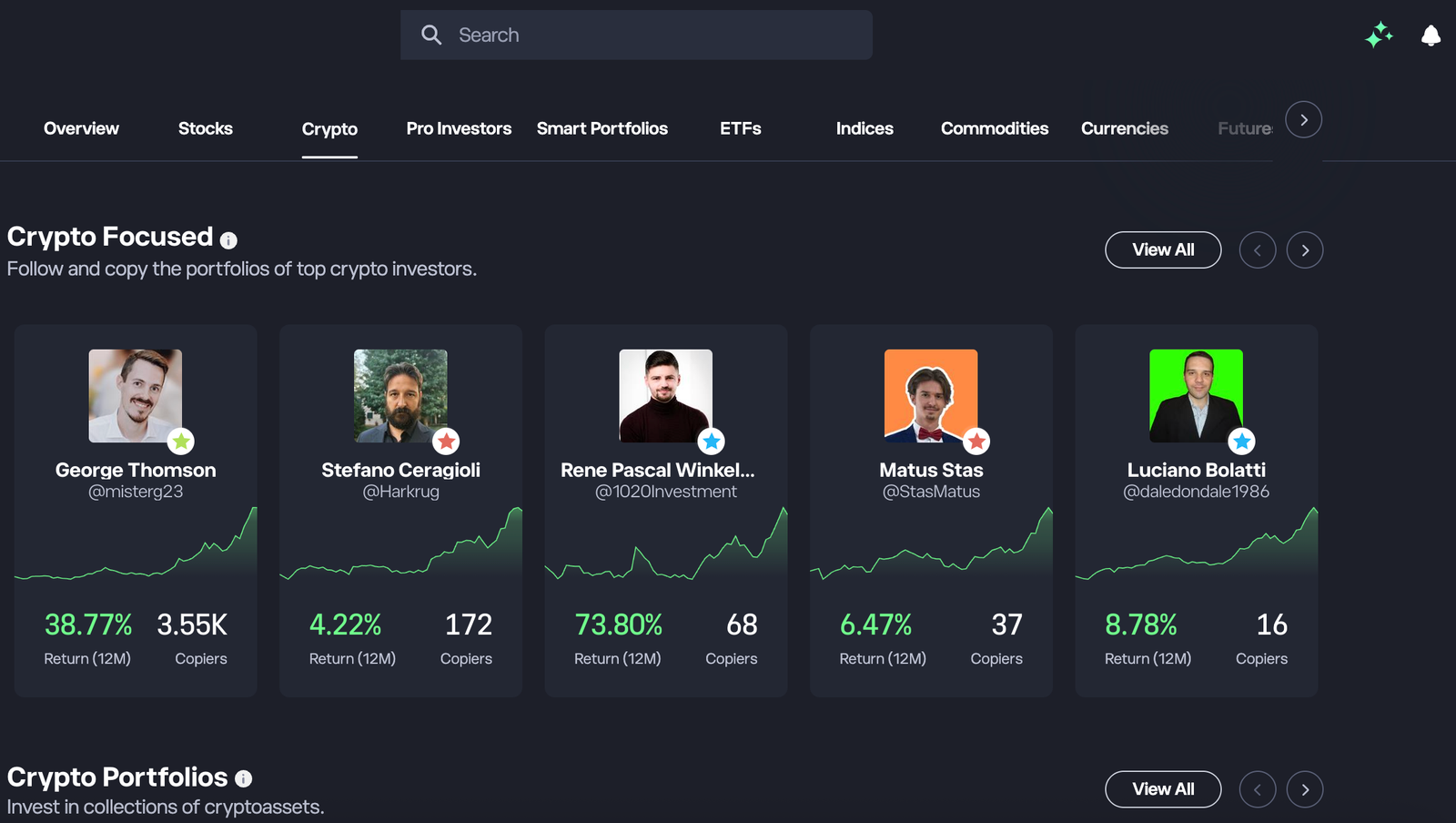
eToro’s crypto wallet is our pick for beginners and convenience because buying, holding, and sending crypto all happen inside one app, with no seed phrase to manage.
In my testing, going from a pound deposit to owning Bitcoin was the shortest journey of the eight.
The trade-offs are custody and cost. eToro holds the keys, and moving coins from the trading platform into the wallet costs 2% on top of the 1% buying fee.
If you want to hold your own keys, I’d choose Coinbase Wallet instead.
Key information
| Field | Details |
|---|---|
| Best for | Beginners, convenience, crypto alongside shares and ETFs |
| Wallet type | Hosted hot wallet in the Wallet tab of the main eToro app, called the eToro Crypto Wallet. Formerly the eToro Money crypto wallet, a separate app until 9 February 2026 |
| Custody | Custodial. eToro holds the keys and there is no seed phrase |
| Wallet price | Free to open and hold |
| Buying fee | 1% per crypto position for Bronze to Gold Club members, lower for Platinum. The market spread isn’t charged as a separate fee; currency conversion is charged separately |
| Transfer fees | 2% from the eToro platform to the wallet, minimum $1, maximum $100 per position. External sends and receipts: blockchain fee only |
| Limits | $50,000 per transaction, $200,000 a day |
| Supported assets | 100+ coins to trade. Around 40 can move to the wallet, including BTC, ETH, XRP, SOL, ADA, DOGE and USDC. Each coin has its own minimum position size |
| Platforms | iOS, Android, web |
| UK buying | Yes, from a GBP account funded by bank transfer or card |
| Recovery | Through your eToro account login |
| FCA registered | Yes. eToro (UK) Ltd is FCA-authorised and registered for cryptoasset activities |
| FSCS | Crypto holdings are not covered |
What I tested: iPhone 16, iOS 26.6, app v612.4.0, eToro UK account with GBP account, £650 deposited by bank transfer, September 2026.
What was it like using the eToro wallet?
Sign-up and ID checks took me 11 minutes. I then funded eToro’s GBP account with £650 by bank transfer, which arrived in under two minutes with no fee.
There was no separate wallet app to install. eToro closed the standalone eToro Money app on 9 February 2026, and the wallet now sits in the Wallet tab of the main app, two taps from my portfolio.
I put £600 into two Bitcoin buys, £100 and £500, to see what a small and a mid-sized purchase cost and whether both could leave the platform.
I left £50 as cash, because eToro needs at least $1 of available cash before it will process a transfer to the wallet. Each order ticket showed the 1% fee before I confirmed: £1 and £5.
Because I was paying in pounds, conversion took my effective cost to about 1.5% on both.
Moving coins out takes two steps.
First, I opened the £500 position in my portfolio, chose Edit Trade,e and transferred it to the wallet. eToro took 2% in Bitcoin, worth about £10, and the transfer sat as pending for 14 hours.
It is also one-way: coins in the wallet can’t go back to the trading platform.
Then I sent part of the balance to an external address. That step showed a £1.10 network fee and nothing from eToro, and it arrived in 26 minutes. A transfer back in from my own wallet took 31 minutes.
The friction came with the £100 position. The transfer was refused because it sat below eToro’s minimum transfer size for Bitcoin, which is 0.0036 BTC, roughly $250 of Bitcoin when I checked.
The only way out was to sell it back to pounds. Positions also have to be transferred in full. Anyone buying small amounts should check the minimum for their coin before planning to move it to their own wallet.
Two more limits are worth knowing. eToro’s Ethereum addresses are smart-contract based, and some exchanges and wallets can’t send to them, so I’d send a small test amount first.
Crypto held through CopyTrader or Smart Portfolios can’t be transferred to the wallet at all. Login used an SMS code by default, and a support ticket asking which coins can leave eToro got a correct answer in 19 hours.
How much does the eToro wallet cost?
eToro charges 1% each time you buy or sell crypto, and 2% to move a position from the trading platform into the wallet, capped at $100 per position.
Opening and holding the wallet is free, and sending to external addresses costs only the blockchain fee.
On my £500 Bitcoin purchase, getting the coins into the wallet cost about £15 in eToro fees, or 3%, before conversion and network costs. Moving Bitcoin from Coinbase or Kraken into their own wallet costs me £1 or less.
Who should use it?
Beginners who want to buy a major coin in pounds and hold it without managing keys, and existing eToro investors who want crypto beside their shares and ETFs.
Who should avoid it?
Anyone who wants self-custody or plans to move coins to a hardware wallet regularly, holders of coins outside eToro’s transfer list, and anyone whose positions are too small to meet eToro’s per-coin transfer minimum.
Pros & cons
- Buying, holding and sending sit in one app, next to shares and ETFs
- No seed phrase to lose
- No eToro fee on sends to, or receipts from, external wallets
- 3% in eToro fees to get coins into the wallet (1% to buy, 2% to transfer)
- Only around 40 coins can leave the trading platform, each with a minimum size, and transfers are one-way
- Custodial: you don't control the private keys
Read the complete eToro review here.
2. Coinbase Wallet – Best self-custody wallet for beginners

Coinbase Wallet is our pick for beginners moving to self-custody because it needs no exchange account to set up, and a linked Coinbase account gives you a simple way to buy in pounds.
In my testing, the transfer from Coinbase to the wallet over Base was the standout: 1p and under a minute. The trade-off is how much the product changed in 2026.
It dropped Dogecoin, Litecoin, X, RP, and several other networks in August, and the wallet type you pick at setup decides which chains you get.
If you hold coins on those networks, I’d choose Trust Wallet instead.
Key information
| Field | Details |
|---|---|
| Best for | Beginners who want self-custody with a familiar brand |
| Wallet type | Software hot wallet |
| Custody | Self-custody. Coinbase never holds or moves wallet assets |
| Wallet price | Free |
| Fees | Blockchain fee on every send. Up to 1% on in-app swaps; 1% in my test |
| Supported networks | Bitcoin, Solana, Ethereum and EVM networks including Base, depending on wallet type |
| No longer supported | Dogecoin, Litecoin, Bitcoin Cash, Ethereum Classic, Stellar, XRP, zkSync Era and custom networks, since the classic wallet closed on 15 August 2026 |
| Wallet types | Recovery-phrase wallet and email/social login wallet (EVM, Solana, Bitcoin). Passkey smart wallet (EVM only) |
| Platforms | iOS, Android, browser |
| UK buying | Through a linked Coinbase account, or card and Apple Pay routes |
| Recovery | Recovery phrase, or email, Google or Apple sign-in |
| FCA registered | Not applicable to the self-custody wallet itself. The provider is Coinbase Bermuda Technologies Limited, not a UK Coinbase entity |
| FSCS | Not covered |
What I tested: iPhone 16, iOS 26.6, app v30.2.1, recovery-phrase and email-login wallets, restore on a Google Pixel 9, £200 deposited to a linked Coinbase account by Faster Payments, September 2026.
What was it like using Coinbase Wallet?
I installed Coinbase Wallet without logging in to a Coinbase account, to confirm the two really are separate. They are.
The sign-in screen offered email, Google, Apple,e or a recovery phrase import, and an email wallet took me three minutes and five screens with no ID check.
The wallet type matters more than it looks. Passkey smart wallets are EVM-only, while recovery-phrase and email-login wallets cover EVM networks, Sola,na and Bitcoin.
I wanted a recovery-phrase wallet first, because it can be restored in other wallets. The app didn’t generate a new phrase, so I imported a 12-word phrase I had created elsewhere.
I could also export the email wallet’s private key from Settings after signing in again.
To get pounds in, I deposited £200 to a Coinbase exchange account by Faster Payments, bought ETH, SOL and BTC, and withdrew each to the wallet. Buying on Coinbase cost me about 2% in fees and spread.
I sent the ETH over Base, where the transfer cost 1p and landed in under a minute, as did Solana. Bitcoin cost 85p and took 22 minutes.
Next I swapped £20 of ETH to USDC on Base. The preview showed a 20p wallet fee, which is 1%, plus under 1p for the network.
Connecting to a DEX from the in-app browser took two taps, and every send showed its network fee before I confirmed.
The friction is what’s missing. The classic wallet closed on 15 August 2026 and took Dogecoin, Litecoin, Bitcoin Cash, Ethereum Classic, Stellar, XRP, zkSync Era, and custom networks with it.
Coins on those networks aren’t lost, but you need to import your phrase into another wallet to reach them.
The name has moved too: the app was Base App from July 2025 until 10 September 2026, and the old name still turns up. On my UK install, the perpetuals and prediction-market features the relaunched app promotes were not offered.
To finish, I deleted the app and restored the phrase on the Pixel 9. It took four minutes, and all four balances came back, including the USDC from my swap.
How much does Coinbase Wallet cost?
Coinbase Wallet is free to download and hold. Sends cost the blockchain fee. Swaps carry a fee of up to 1%, and my test swap was charged the full 1%, slightly above MetaMask’s 0.875%.
Moving coins in from Coinbase cost 1p on Base, under 1p on Solana, and 85p on Bitcoin. Buying those coins on Coinbase first cost about 2% in fees and spread.
Who should use it?
Beginners taking their first step into self-custody, especially existing Coinbase customers who want a short route from pounds to a wallet they control.
Who should avoid it?
Anyone holding XRP, Dogecoin, Litecoin, or other coins on the removed networks, and long-term holders with larger balances, who should pair it with a hardware wallet.
Pros & cons
- No exchange account, KYC or fee needed to create a wallet
- A linked Coinbase account gives a simple GBP route in
- Bitcoin, Solana and EVM networks in one app
- Dogecoin, Litecoin, XRP and several other networks were removed in August 2026
- Passkey smart wallets are EVM-only, which isn't obvious at setup
- Two rebrands in 14 months make help content hard to follow
Read the complete Coinbase review here.
3. Ledger Flex – Best hardware wallet overall
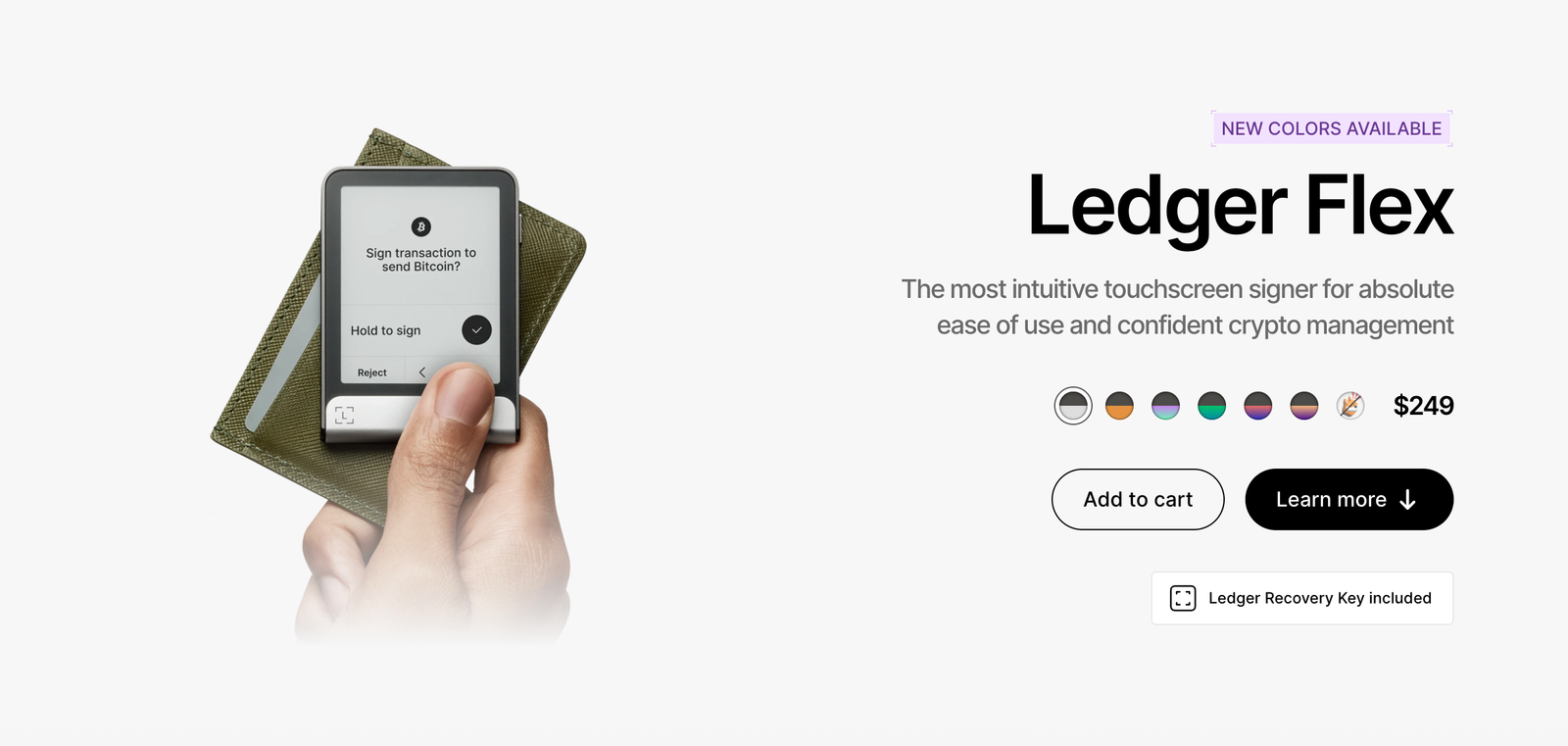
Ledger Flex is our pick for the best hardware wallet overall because its large touchscreen and Bluetooth make cold storage practical from a phone, including an iPhone.
In my testing, checking addresses on the 2.8″ screen was the standout. The trade-offs are the price, $249 list and £189 in my UK purchase, and closed-source firmware, so you are trusting Ledger’s code, not reading it.
If open-source code matters to you, I’d choose Trezor Safe 5 instead.
Key information
| Field | Details |
|---|---|
| Best for | Long-term holders who also want everyday access |
| Wallet type | Hardware / cold wallet |
| Custody | Self-custody. Keys stay on the device |
| Price | $249 list price, in US dollars. I paid £189 at the UK checkout |
| Fees | No wallet fee. Network fees on sends. Buying, swapping, and staking inside the app use third-party providers with their own fees. |
| Screen | 2.8″ E Ink touchscreen, 480 x 600 px |
| Connectivity | USB-C, Bluetooth, NFC |
| Secure element | CC EAL6+ |
| Supported assets | 500+ cryptoassets in the Ledger Wallet app, plus thousands more coins and tokens through third-party wallets |
| Companion app | Ledger Wallet (the new name for Ledger Live) on iOS, Android, Windows, macOS, Linux |
| Recovery | 24-word phrase. Ledger Recover is an optional paid subscription. Ledger sells the Flex with one year of Recover for $368.88, or $119.88 more than the Flex alone |
| UK buying | Through partners in the app. About 3.5% in fees on a £100 card quote in my test |
| FCA registered | Not applicable. A hardware device, not a regulated service |
| FSCS | Not covered |
What I tested: Ledger Flex bought from Ledger’s UK shop for £189, iPhone 16 on iOS 26.6 and a MacBook Air, Ledger Wallet app v4.6.0, £300 of BTC, ETH and SOL sent from an exchange, September 2026.
What was it like using the Ledger Flex?
I bought the Flex directly from Ledger, because a hardware wallet from a marketplace seller is a risk I wouldn’t take. It arrived in three working days with nothing extra to pay on delivery.
The box holds the device, a USB-C cable, and three recovery sheets.
Setup is a fixed sequence: choose a PIN, write down 24 words, confirm them, then pair with the Ledger Wallet app, which runs a genuine-device check.
From unboxing to my first receive address took 18 minutes, plus six for a firmware update. Ledger is renaming Ledger Live to Ledger Wallet, so you may still see the old name.
I then sent £300 of BTC, ETH and SOL from an exchange. For each one, I compared the receive address in the app with the address on the Flex.
A full Bitcoin address fit on one screen, which made the check quick enough to do every time. Bitcoin arrived in 24 minutes, Ethereum in two, and Solana in under a minute.
Sending worked the same way over Bluetooth: build the transaction on the phone, then review and approve on the device.
It took four taps, and my Bitcoin send showed a 90p fee in the app and again on the Flex before I approved it.
The test that mattered most was recovery. I reset the Flex to factory settings, then restored it from the 24 words on my recovery sheet. It took nine minutes, and all three balances reappeared.
The phrase follows the standard used by other wallets, so it can also restore your coins without a Ledger.
The friction was Ledger Recover, which was offered twice during setup. It is an optional, paid service that backs up an encrypted copy of your phrase with third parties and ties it to your ID.
You can ignore it, and most self-custody purists will. I also tried the extras: a £30 swap quoted about 0.9% below the mid-market rate, SOL staked at about 6%, and MetaMask connected over USB in two minutes.
How much does the Ledger Flex cost?
Ledger Flex costs $249 (£189 in my UK purchase), once, with no subscription and no wallet fee. Sends cost only the network fee.
That is roughly £80 more than a Trezor Safe 5 at £109, and more than three times Ledger’s $69 Nano S Plus.
Buying, swapping and staking inside Ledger Wallet run through third-party providers.
A £100 card purchase quote carried about 3.5% in fees in my test, so I’d buy on one of the top crypto exchanges and transfer in. Ledger Recover is optional and charged separately.
Who should use it?
Holders with a balance large enough to justify the price who still want to send, swap,p or stake from a phone. It suits iPhone users in particular, since it works fully over Bluetooth.
Who should avoid it?
Anyone who needs open-source firmware, and small holders, who can get the same EAL6+ secure element in Ledger’s $69 Nano S Plus.
Pros & cons
- Large E Ink screen shows full addresses and amounts before you approve
- Bluetooth and NFC make it practical with a phone, including iPhone
- EAL6+ secure element, with BTC, ETH, SOL and hundreds more in one app
- $249, more than three times a $69 Nano S Plus
- Closed-source firmware
- Ledger Recover adds a decision beginners may not understand
4. Trezor Safe 5 – Best open-source hardware wallet
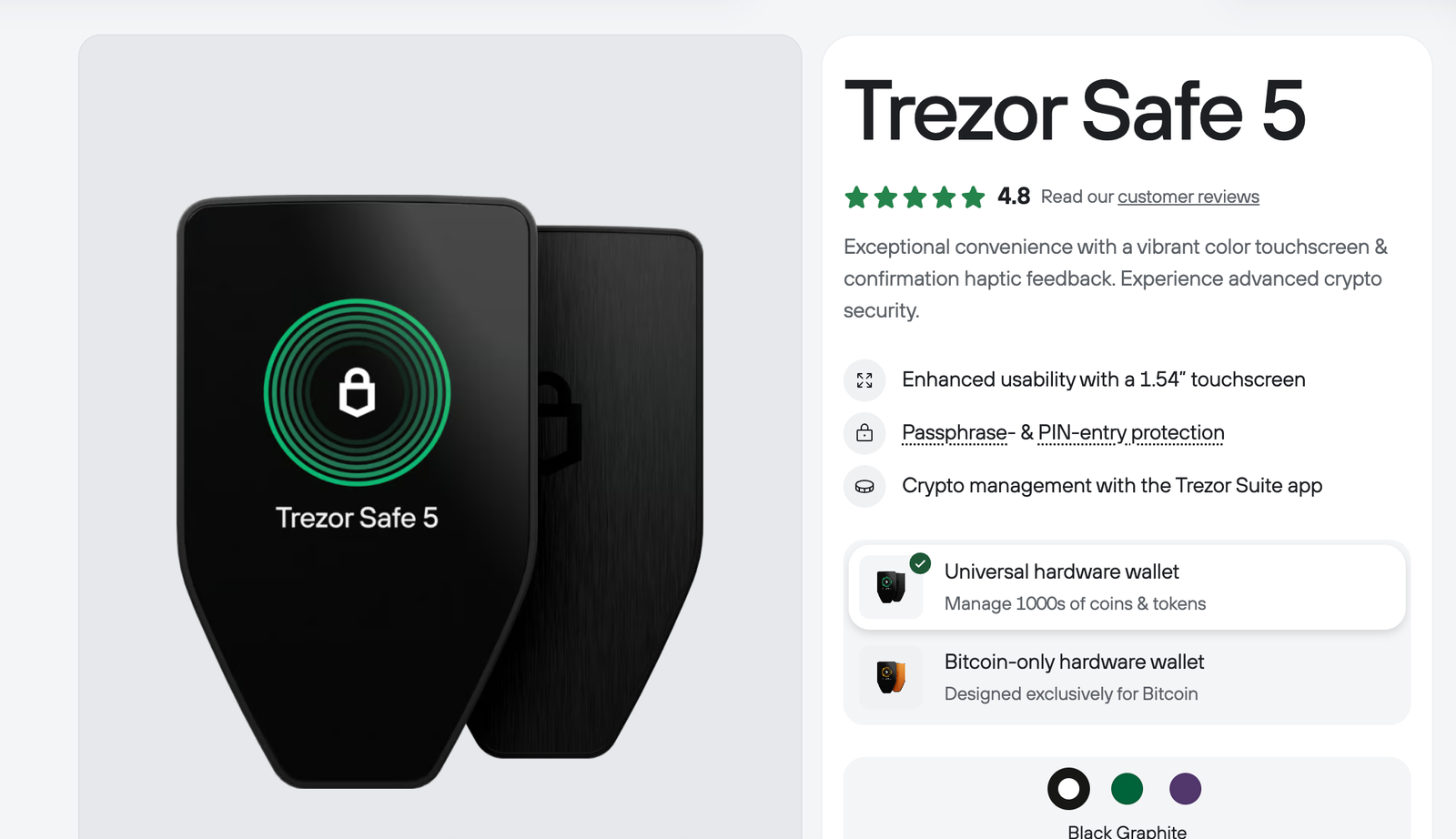
Trezor Safe 5 is our pick for the best open-source hardware wallet because its firmware can be audited by anyone and its backup can be split into several shares.
In my testing, restoring the wallet from two of three backup shares was the standout. The trade-off is connectivity: it is USB-C only, and on an iPhone it can’t send, swap, or set up a device.
If you run everything from an iPhone, I’d choose Ledger Flex instead.
Key information
| Field | Details |
|---|---|
| Best for | Security-first holders who value open-source transparency |
| Wallet type | Hardware / cold wallet |
| Custody | Self-custody |
| Price | £109 (October 2026) |
| Fees | No wallet fee. Network fees on sends. Buy and swap in Trezor Suite use a third-party provider.s |
| Screen | 1.54″ colour touchscreen with haptic feedback, Gorilla Glass 3 |
| Connectivity | USB-C only. No Bluetooth |
| Secure element | EAL6+ |
| Open source | Yes, firmware and design |
| Supported assets | Thousands of coins and tokens. Some are native to Trezor Suite;e, others need a third-party wallet. |
| Companion app | Trezor Suite on Windows, macOS, Linux, Android, a nd web. iOS is limited: no send, swap, app, or setup |
| Recovery | 12-, 20- or 24-word backup. Upgradable to Multi-share Backup (Shamir) |
| UK buying | Through partners in Trezor Suite. About 3.9% in fees on a £100 card quote in my test |
| FCA registered | Not applicable. A hardware device, not a regulated service |
| FSCS | Not covered |
What I tested: Trezor Safe 5 bought from Trezor’s shop, MacBook Air with Trezor Suite v26.9.2, Google Pixel 9 on Android 16, an iPhone 16 to check iOS, £250 of BTC, ETH and SOL sent from an exchange, October 2026.
What was it like using the Trezor Safe 5?
I ordered the Safe 5 from Trezor’s own shop and checked the packaging and device seals before plugging it in. It arrived in five working days with nothing extra to pay on delivery.
The box includes a USB-C to USB-C cable and two 20-word backup cards.
Setup runs through Trezor Suite on a computer, over the cable. Suite checks that the device is genuine, installs firmware, then walks through the PIN and backup.
The default backup is 20 words, not 24, and it matters that you don’t mix the two up when restoring.
From unboxing to my first receive address took 22 minutes, including the firmware install, two minutes fewer than the Ledger Flex once its six-minute firmware update is counted.
Multi-share Backup is the Safe 5’s best feature. I upgraded the single 20-word backup to a 2-of-3 set, which means three separate 20-word lists, any two of which restore the wallet.
The box has two backup cards, so I wrote the third share on a spare sheet. One lost or stolen card no longer costs you everything. The upgrade took 12 minutes.
I then sent £250 of BTC, ETH and SOL from an exchange and confirmed each receive address on the touchscreen before sharing it. The 1.54″ screen is much smaller than the Flex’s, so long addresses need more care to check.
Bitcoin arrived in 26 minutes, Ethereum in two, and Solana in under a minute. My Bitcoin send showed a 95p fee in Suite and on the device before I confirmed.
For the recovery test,t I wiped the device and restored it with two of the three shares. It took 11 minutes, and all three balances came back. The cost of Multi-share is admin: three lists to store in three places.
The friction was the phone. There is no swap, send, set up, or device management on iOS, and on my iPhone the app showed balances and receive addresses only.
The Pixel connected over USB-C and worked fully. I also connected MetaMask over USB in Chrome and got a £30 swap quote in Suite about 1.2% below the mid-market rate.
How much does the Trezor Safe 5 cost?
Trezor Safe 5 costs £109, once, with no subscription and no wallet fee. Sends cost only the network fee. That is roughly £80 less than the £189 I paid for a Ledger Flex.
Buying and swapping in Trezor Suite run through third-party providers. A £100 card purchase quote carried about 3.9% in fees in my test, so I’d buy on an exchange and transfer in.
Who should use it?
Long-term holders who mostly manage crypto from a computer and want code they can verify, and anyone worried about losing a single recovery phrase.
Who should avoid it?
Anyone who runs everything from an iPhone or wants Bluetooth. Ledger Flex, or Trezor’s newer and pricier Safe 7, fits that use better.
Pros & cons
- Open-source firmware that anyone can audit
- Multi-share Backup removes the single point of failure of one written phrase
- EAL6+ secure element, and cheaper than Ledger Flex
- USB-C only, with no Bluetooth
- iPhone users can view balances but not send
- Some coins need a third-party wallet, so the headline coin count overstates what Suite handles natively
5. Trust Wallet – Best multi-chain mobile wallet
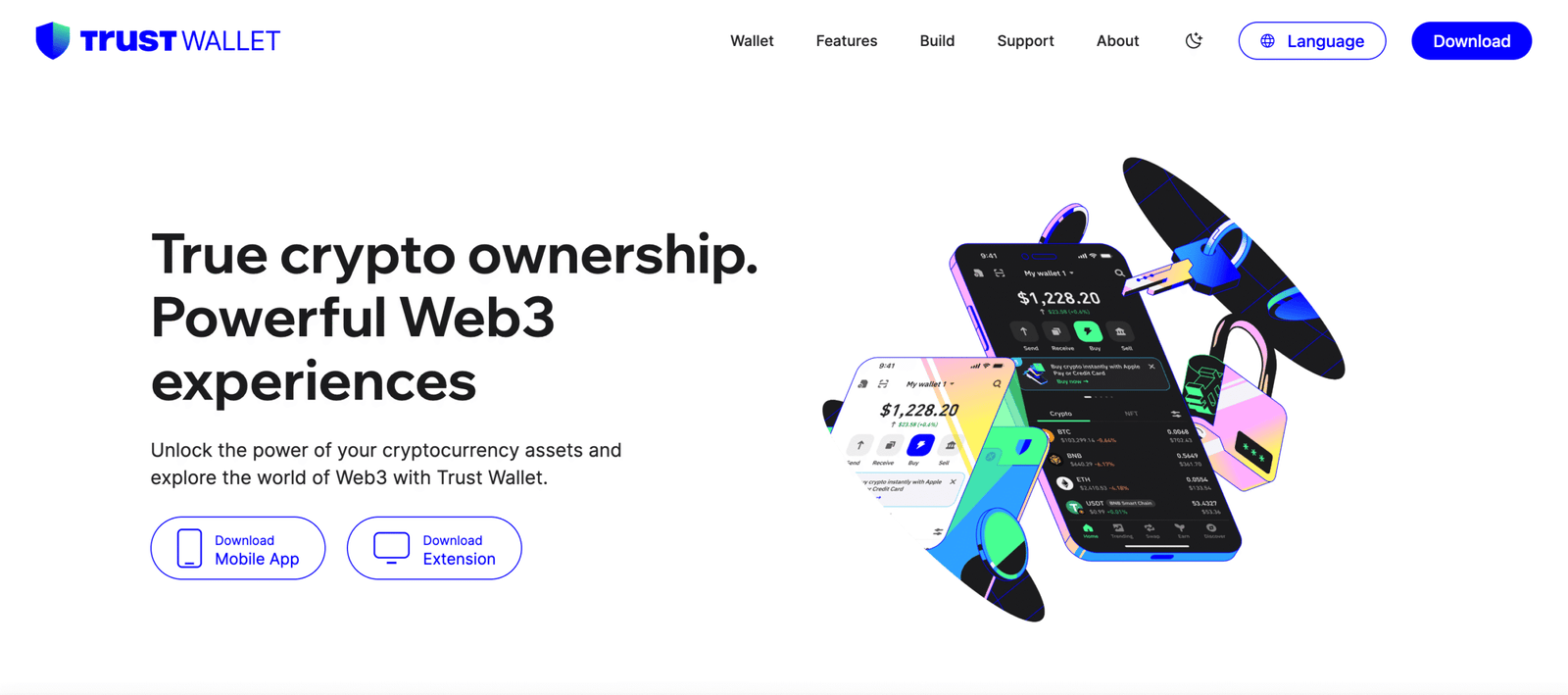
Trust Wallet is our pick for the best multi-chain mobile wallet because it holds coins from 100+ blockchains under one recovery phrase, with swaps and staking built in.
In my testing, having Bitcoin, SOL, ana and ETH on Base side by side with no extra setup was the standout. The trade-off for UK users is funding.
There is no direct GBP deposit, so pounds come in through a third-party card provider or a transfer from an exchange.
If you want to buy with pounds inside the wallet, I’d choose eToro or Coinbase Wallet instead.
Key information
| Field | Details |
|---|---|
| Best for | Mobile users holding assets on several chains |
| Wallet type | Software hot wallet |
| Custody | Self-custody, 12-word recovery phrase |
| Wallet price | Free |
| Fees | Network fee on sends. Swaps include a swap fee inside the quoted rate. Card purchases carry the on-ramp partner’s fee |
| Supported networks | 100+ blockchains |
| Supported assets | Millions of assets |
| swaps/stakingking | Yes, built in, for supported assets |
| Platforms | iOS, Android, browser extension |
| UK buying | Third-party on-ramps only, with no direct GBP deposit. My £50 card purchase cost 4.4% |
| Recovery | 12-word recovery phrase |
| Owner | Binance, since 2018 |
| FCA registered | Not applicable to the self-custody wallet itself |
| FSCS | Not covered |
What I tested: Google Pixel 9, Android 16, app v9.4.1, new 12-word wallet, £50 of Bitcoin bought by card in the app and £100 of SOL and ETH on Base sent from an exchange, September 2026.
What was it like using Trust Wallet?
I installed Trust Wallet on my phone and created a new wallet. There is no account to open and no ID check, so setup is only the 12-word recovery phrase.
I wrote it down offline, then deleted the app and restored it from the phrase before sending any money in. Setup took four minutes including the phrase check, and the restore took two.
Getting pounds in was the awkward part, because Trust Wallet has no GBP deposit. I tested both routes.
I bought £50 of Bitcoin by card through one of the in-app providers, which cost £2.20 in fees, or 4.4%, and took 14 minutes to arrive.
Then I sent £100 of SOL and ETH on Base from an exchange. Those transfers cost about 60p in total and arrived within three minutes.
The multi-chain side is the reason to choose it. Bitcoin, Solana, and ETH on Base sat under one phrase with nothing to configure.
The flip side is network selection, because the same stablecoin exists on several chains, each with its own receive address and fee.
After the swap below, the USDC sat as its own entry tagged Solana, and when I opened Receive for USDC the app made me pick a network first and named it above the address.
Next I swapped £20 of SOL to USDC. Swaps run through decentralised exchanges, and the preview showed a 0.7% fee inside the rate, about 14p, plus under 1p of gas.
I also staked some SOL at about 6% a year, and unstaking took three days.
The friction, beyond funding, is the browser extension’s history. A compromised extension update, version 2.68, led to about $7 million of thefts in December 2025.
Trust Wallet patched it and committed to reimbursing verified losses, and the mobile app was not affected. I installed the extension but didn’t fund it, and I’d avoid importing a phrase into any browser extension.
How much does Trust Wallet cost?
Trust Wallet is free to download and hold. Sends cost the network fee, and swaps carry a fee inside the quoted rate, which was 0.7% on my test swap.
Trust Wallet currently charges 0% on swaps between eligible stablecoins on the same network, except on Ethereum.
The cost that matters is funding. My card purchase cost £4.40 per £100, while transferring from an exchange cost about 60p. eToro and Bitpanda both let you buy in pounds for around 1.5%.
Who should use it?
Mobile-first users who already own crypto on an exchange and want to hold coins from several blockchains in one self-custody app.
Who should avoid it?
Anyone who wants to buy with pounds inside the wallet at a low fee, and holders of larger balances, which belong on a hardware wallet.
Pros & cons
- 100+ blockchains under one recovery phrase
- No account, email or KYC to create a wallet
- Swaps and staking inside a free app
- No direct GBP deposit, and card on-ramps are expensive
- Easy to pick the wrong network when a token exists on several chains
- The December 2025 browser extension breach
6. Kraken Wallet – Best for active self-custody and multi-chain users
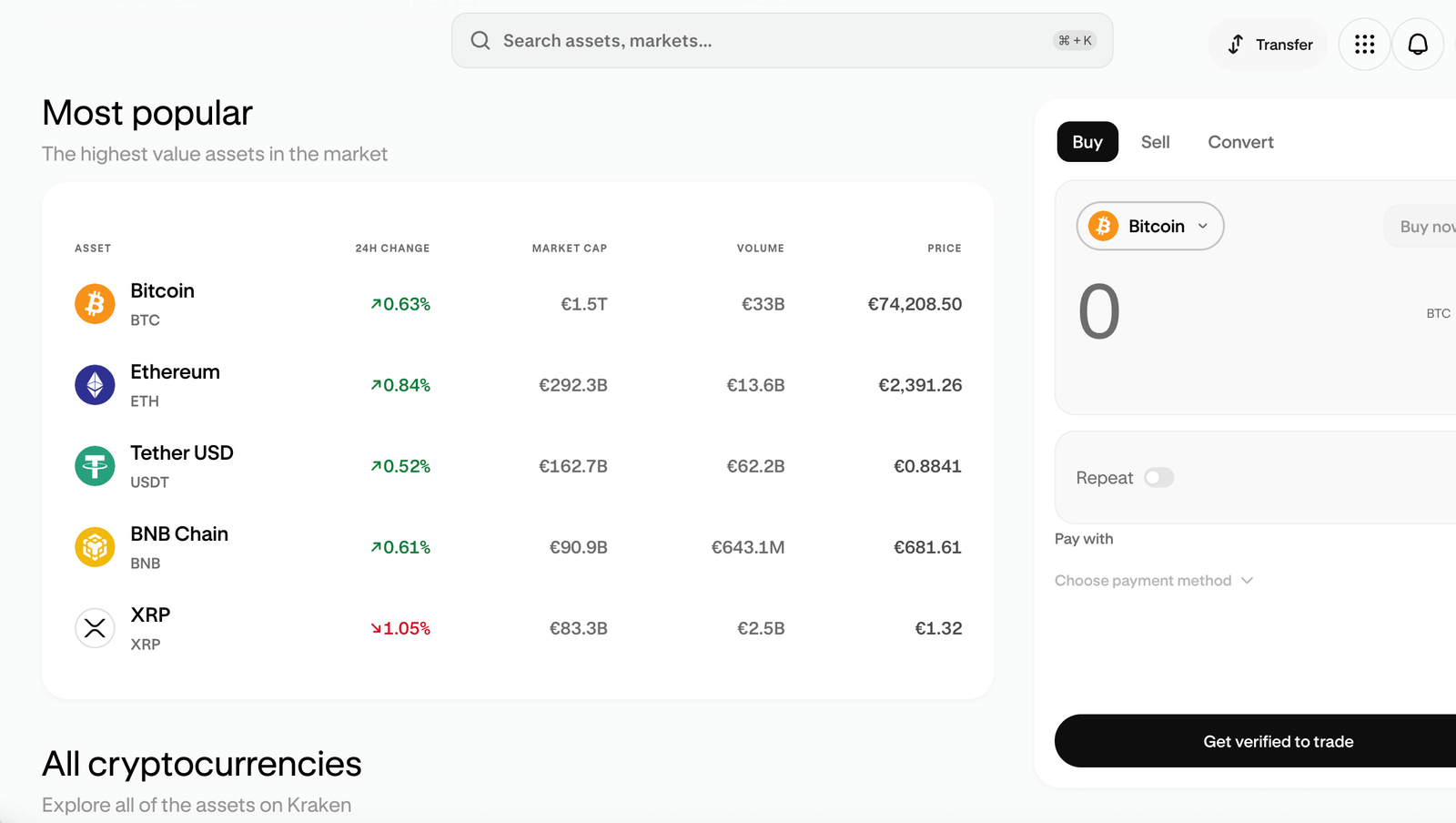
Kraken Wallet is our pick for active on-chain users because it offers two recovery models in one app: a classic seed-phrase wallet and a seedless embedded wallet whose keys you can still export.
In my testing, getting the embedded wallet running on a second phone in 40 seconds was the standout. The trade-off is complexity.
The two wallet types support different coins and recover in different ways, and a beginner has to keep track of both.
If you want one simple wallet with one recovery method, I’d choose Coinbase Wallet instead.
Key information
| Field | Details |
|---|---|
| Best for | Active on-chain users |
| Wallet type | Mobile on-chain hot wallet |
| Custody | Self-custody. Seed-phrase wallet, plus optional embedded wallet with exportable keys |
| Wallet price | Free |
| Fees | Network fee on sends. There is no fixed swap fee; each quote shows its fees before you confirm. In mtestes,t a swap showed a 0.8% fee and a £15 bridge cost 12p |
| Supported networks | Bitcoin, Ethereum, Solana, Base, Ink, Robinhood Chain, BNB Smart Chain, Polygon, Arbitrum, Optimism, Dogecoin and more |
| Seed-phrase wallet | 12-, 18- or 24-word phrase. Restore by phrase or encrypted cloud backup. Supports Dogecoin |
| Embedded wallet | Sign in by email, Google, Applep,ple or passkey. Works across devices. No Dogecoin. Network fees may be sponsored on supported EVM transactions |
| DeFi / NFTs / swaps | Yes, including bridging between networks |
| Platforms | iOS, Android, web |
| UK buying | Transfer in from Kraken or another exchange. No in-wallet GBP purchase in my test |
| Exchange account needed | No, for a seed-phrase wallet |
| FCA registered | Not applicable to the self-custody wallet itself |
| FSCS | Not covered |
What I tested: iPhone 16, iOS 26.6, app v2.31.0, seed-phrase and embedded wallets, a Google Pixel 9 as the second device, £120 sent from a Kraken account (£35 of BTC, £35 of SOL and £50 of ETH on Base), September 2026.
What was it like using Kraken Wallet?
I started by checking that the wallet works without a Kraken exchange account. I installed the app, skipped any Kraken login, ogin and created a seed-phrase wallet.
It took three minutes, and the app never asked for an account or an email.
Then I added the second type. The seed-phrase wallet had given me a recovery phrase to write down and the option of an encrypted cloud backup.
The embedded wallet opened with an email code and no phrase at all, and took 90 seconds. Its keys can still be exported, which is what separates it from a custodial account.
In my test,t the export took four steps in Settings after signing in again.
The two types don’t hold the same coins. Both support Bitcoin, Solana, and EVM networks, but only the seed-phrase wallet showed Dogecoin.
A seed-phrase wallet also can’t be converted into an embedded one later, so I’d decide which coins you hold before choosing.
I sent £120 from a Kraken account to the seed-phrase wallet: £35 of BTC, £35 of SOL and £50 of ETH on Base.
Bitcoin cost £1 and took 20 minutes, while Solana and Base each cost 2p or less and arrived in under a minute.
Fees may be sponsored on supported EVM transactions from an embedded wallet, so I moved £5 of the ETH to the embedded wallet and repeated one Base send from each wallet type.
The embedded wallet’s send cost nothing, and the seed wallet’s cost under 1p.
Next, I swapped £20 of the ETH to USDC on Base, which showed a 0.8% fee, and bridged £15 of ETH to Arbitrum, which cost 12p and took two minutes.
The friction is that recovery works three different ways. After deleting the app, the seed wallet came back by phrase in two minutes or by cloud backup in one, and the embedded wallet by signing in again in 40 seconds.
That flexibility is useful, but you have to remember which wallet uses which method.
How much does Kraken Wallet cost?
Kraken Wallet is free to download and hold. Sends cost the network fee, and supported EVM sends from an embedded wallet may be sponsored. There is no fixed swap fee; each quote shows it instead.
In my test,t a swap carried a 0.8% fee, between Trust Wallet’s 0.7% and MetaMask’s 0.875%.
There is no way to buy with pounds inside the wallet, so the real cost of funding is whatever your exchange charges. Buying on Kraken and withdrawing cost me about 1.5% plus a £1 Bitcoin withdrawal fee.
Who should use it?
Users who move between Bitcoin, Sola,na and EVM networks often, especially existing Kraken customers who want a short path from exchange to self-custody.
Who should avoid it?
Complete beginners, and anyone who wants one simple wallet with one recovery method.
Pros & cons
- Seed-phrase and seedless wallets in one app, with no exchange account required
- Embedded wallet keys can be exported, so you aren't locked in
- Swaps and bridging across Bitcoin, Solana, Base and other EVM networks
- Two wallet types with different coin support and recovery rules
- Mobile-first, with no direct GBP purchase inside the wallet in my test
- Cloud backup adds convenience but another account to secure
Read the complete Kraken review here.
7. MetaMask – Best DeFi and Web3 wallet
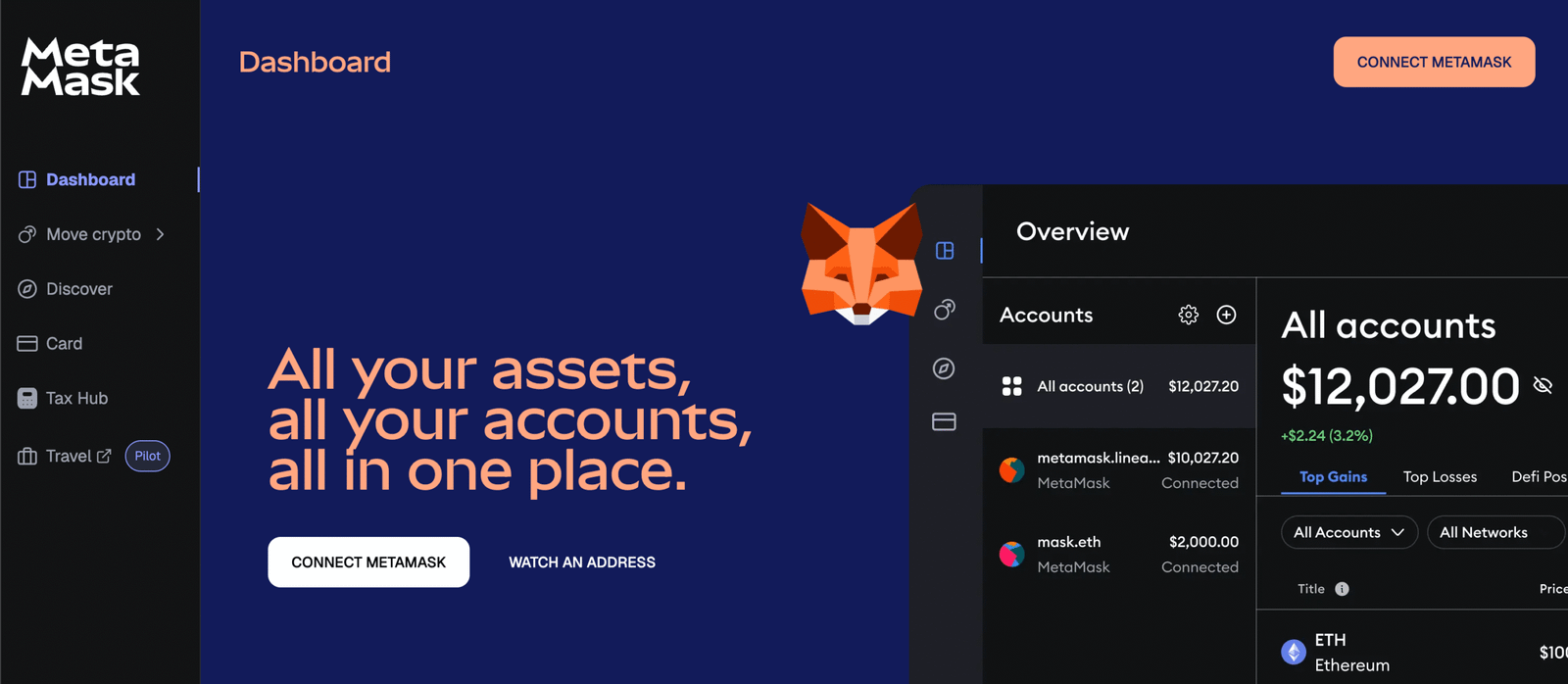
MetaMask is our pick for DeFi and Web3 because almost every dApp supports it, and it now covers Bitcoin, Solana, and Tron as well as EVM networks.
In my testing, connecting to a DEX and controlling exactly what I approved was the standout, helped by the Added Protection feature launched in September 2026.
The trade-offs are a 0.875% fee on in-wallet swaps and a learning curve that punishes careless approvals.
If you only want to buy Ethereum or Bitcoin and hold it, I’d choose Coinbase Wallet or a hardware wallet instead.
Key information
| Field | Details |
|---|---|
| Best for | DeFi and Web3 users |
| Wallet type | Software hot wallet |
| Custody | Self-custody. MetaMask cannot recover funds if the Secret Recovery Phrase is lost |
| Wallet price | Free |
| Swap fee | 0.875% MetaMask fee plus the network fee |
| Supported networks | Ethereum, Bitcoin, Solana, Tron, Base, Linea, Polygon, BNB Chain, Arbitrum, OP, Avalanche, Monad, Sei and more |
| DeFi /swaps/bridgess | Yes. Gasless swaps available |
| Hardware wallet support | Ledger, Trezor, Keystone and others |
| Security | Added Protection launched 17 September 2026 in the browser extension (v13.45), on the 13 EVM networks that support smart accounts. Mobile is to follow. No 2FA, as with most self-custody wallets |
| Platforms | Browser extension, iOS, Android |
| UK buying | Third-party on-ramps. Best £100 quotes in my test: 2.5% by bank transfer, 3.9% by card |
| Recovery | Secret Recovery Phrase only |
| FCA registered | Not applicable to the self-custody wallet itself |
| FSCS | Not covered |
What I tested: Chrome on a MacBook Air with extension v13.45, iPhone 16 on iOS 26.6 with app v7.62.0, £180 sent from an exchange (£80 of ETH on Base, £50 of SOL and £50 of BTC), October 2026.
What was it like using MetaMask?
I installed the MetaMask extension, created a wallet, and restored the same phrase on the mobile app, so I could test both. Setup took five minutes, including the recovery phrase check.
Then I sent in £180 from an exchange: £80 of ETH on Base, £50 of SOL, and £50 of BTC.
MetaMask was an Ethereum-only wallet for years, so I wanted to see whether the newer networks feel native. They did.
ETH on Base and SOL arrived in under a minute for 2p or less; Bitcoin took 24 minutes and cost 90p, and all three showed in one balance view.
Next, I swapped £50 of ETH to USDC on Base with the Swap button. The quote showed a 44p MetaMask fee, which is 0.875%, plus 1p for the network.
To see what the convenience costs, I swapped that USDC, about £49.50 after fees, back to ETH by connecting MetaMask directly to a DEX, where the MetaMask fee doesn’t apply.
That route cost about 14p all-in, so the Swap button cost me about 31p more on roughly the same amount.
The dApp connection is where MetaMask needs care. Before that USDC swap, the DEX asked for an unlimited USDC allowance, and I edited the spending cap down to the amount I was swapping before approving.
The confirmation screen also showed Added Protection, launched on 17 September 2026. It makes the transaction preview binding: if the real result differs from the preview, the transaction reverts, and you lose only the gas.
The toggle was on by default in the extension and didn’t appear in the iPhone app, where support is due later.
I then connected a Ledger so the keys stayed on the device while MetaMask handled the dApp connection. Pairing took three minutes over USB, and my first attempt failed until I opened the Ethereum app on the Ledger.
For anyone holding more than pocket money in DeFi, this is the setup I’d recommend.
The friction is that recovery is unforgiving. MetaMask cannot restore a wallet if the Secret Recovery Phrase is lost, and there is no 2FA to fall back on.
The extension is also where phishing sites aim, so every signature request needs reading. On my UK install, the perpetuals trading tab was not shown.
How much does MetaMask cost?
MetaMask is free to download and hold. It charges 0.875% on swaps and bridges made inside the wallet, plus the network fee. That is 44p on £50 and £8.75 on £1,000. Connecting directly to a DEX avoids the MetaMask fee.
Buying with pounds runs through third-party providers. The best £100 quotes in my test were 2.5% by bank transfer and 3.9% by card, so transferring from an exchange is cheaper.
Who should use it?
People who use DeFi, NFTs, or on-chain apps regularly and are comfortable reading what they sign. Paired with a hardware wallet, it is the standard setup for active users.
Who should avoid it?
First-time users and anyone who only wants to buy and hold Bitcoin or Ethereum. A hardware wallet is safer for that, and eToro or Coinbase Wallet is simpler.
Pros & cons
- Supported by almost every DeFi app
- Now covers Bitcoin, Solana and Tron alongside EVM networks
- Added Protection and spending caps reduce the worst approval mistakes
- 0.875% swap fee is higher than going direct to a DEX
- No account recovery if the phrase is lost
- Too many decisions for a first-time user
8. Bitpanda – Best for broad coin range
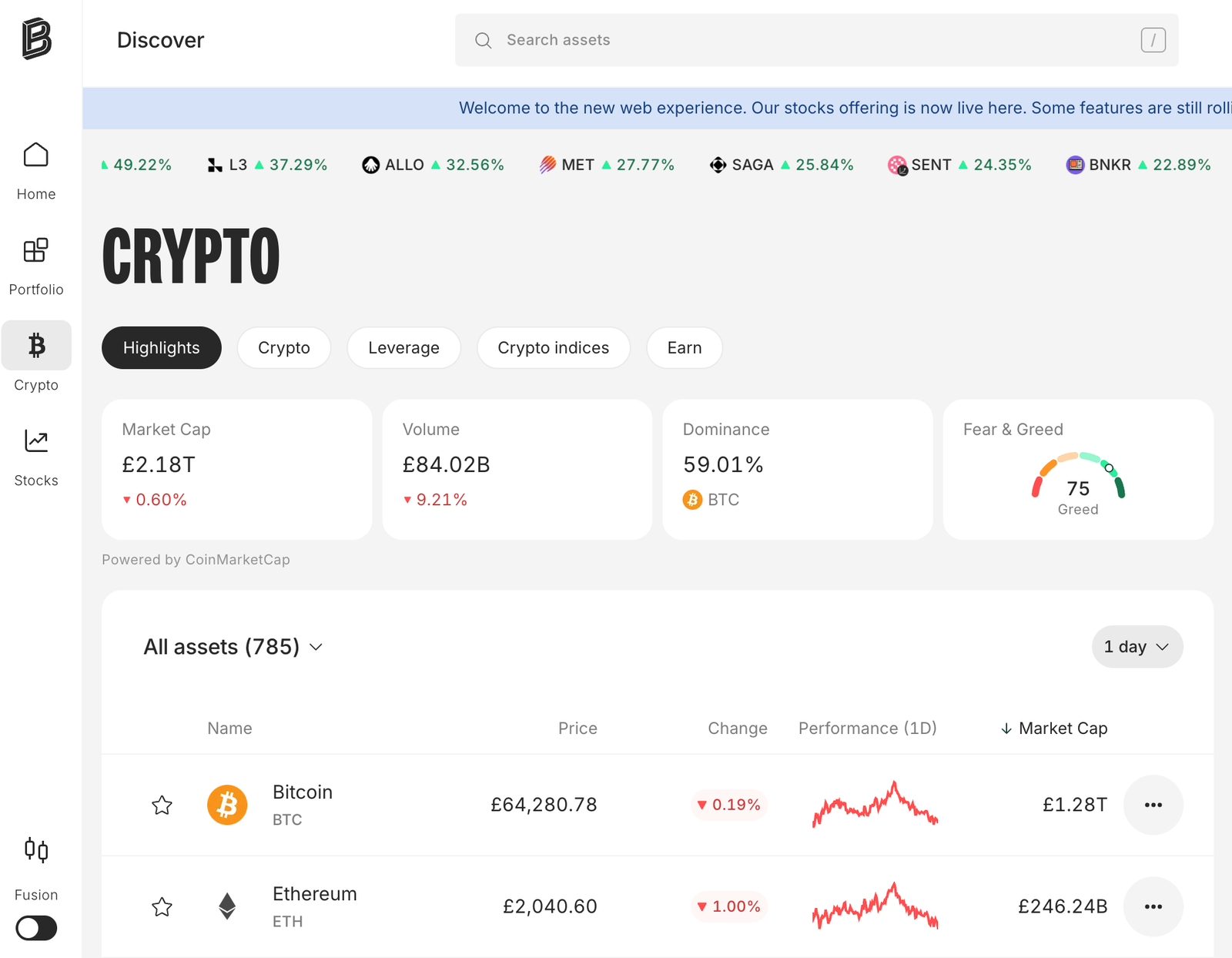
Bitpanda is our pick for broad coin range because it lists 600+ cryptoassets in one GBP-funded account, with no fee on GBP transfers.
In my testing, the range was the standout: eight of the ten small-cap coins I searched for were listed. The trade-offs are custody and cost outside Bitcoin.
It is a platform wallet, not self-custody, and fees on smaller coins run up to 2.49%.
If you want to control your own keys, I’d choose Coinbase Wallet or Trust Wallet instead.
Key information
| Field | Details |
|---|---|
| Best for | Broad coin selection from one GBP-funded account |
| Wallet type | Integrated hot wallet inside a crypto platform |
| Custody | Custodial. No recovery phrase |
| Wallet price | Free to open and hold |
| Trading fee | 0.99% premium on Bitcoin, and 0% to 2.49% on other coins, built into the displayed price. My £100 Bitcoin order cost about 1.4% against the mid-market price |
| Deposit / withdrawal | No Bitpanda fee on GBP deposits or withdrawals. Network fee on crypto withdrawals |
| Deposit methods | Bank transfer, Visa, Mastercard, Apple Pay, Google Pay |
| Minimum | From £10 deposit; trades from £1 |
| Supported assets | 600+ cryptoassets. Stocks, ETFs and precious metals aren’t available to UK customers |
| Platforms | iOS, Android, web |
| UK buying | Yes, directly in GBP |
| Recovery | Through your Bitpanda account login |
| FCA registered | Yes. Bitpanda Broker UK Ltd is registered for cryptoasset services |
| FSCS | Crypto holdings are not covered |
What I tested: iPhone 16, iOS 26.6, app v3.94.0, Bitpanda UK account, £150 deposited by debit card, October 2026.
What was it like using Bitpanda?
I opened a Bitpanda UK account and deposited £150 by debit card. Onboarding is longer than on a self-custody wallet. UK rules add an appropriateness test, which was eight multiple-choice questions, and a 24-hour cooling-off period for new customers.
Sign-up and the test took 14 minutes, and my first trade was allowed 24 hours later.
The card deposit itself was instant, carried no fee, and wasn’t blocked by my bank, which isn’t a given: the top crypto-friendly banks are the ones least likely to limit payments to crypto platforms.
Once I could trade, I bought £100 of Bitcoin. The order showed a 99p fee, and it worked out at about 1.4% against the mid-market price.
I followed it with a £20 altcoin order to see the higher rate, which showed a 50p fee, or 2.49%, before I confirmed.
The test that decides whether Bitpanda belongs on a wallets page is withdrawal. I sent Bitcoin to an external self-custody wallet and sent some back.
The withdrawal cost an 80p network fee, had a minimum of about £10, and arrived in 28 minutes. The deposit back was credited after 35 minutes with no fee.
The friction came when I checked other coins. I looked at ten listed coins, and seven could be withdrawn while three were buy-and-sell only. With 600+ assets listed, you can check the coin you want before you buy it.
The range is the strength. It is wider than eToro’s 100+ coins and far wider than a hardware wallet’s native list, and the search and filter tools cope with it.
I set up an authenticator app for 2FA in two minutes and exported my transaction history as a CSV, which is the record you need for crypto tax.
Custody is the limit. Coins on Bitpanda sit in a wallet that Bitpanda controls. FCA registration covers anti-money-laundering checks, not protection of your coins, and there is no FSCS cover.
How much does Bitpanda cost?
Bitpanda charges a 0.99% premium on Bitcoin and between 0% and 2.49% on other coins, built into the price you see. It doesn’t charge for GBP transfers, and crypto withdrawals cost only the network fee.
My £100 Bitcoin purchase cost about £1.40 all-in, close to eToro’s £1.50. Moving it to my own wallet then cost 80p. On eToro, the same £100 position couldn’t be left at all, because it sat below the Bitcoin transfer minimum.
Who should use it?
UK investors who want to buy a wide range of coins in pounds from one of the most popular crypto apps and are comfortable leaving custody with the platform.
Who should avoid it?
Anyone who wants to control their own keys. Use it to buy, then withdraw to Coinbase Wallet, Trust Wallet, or a hardware wallet if the coin supports it.
Bitpanda pros & cons
Pros & cons
- 600+ cryptoassets in one account
- No fee on GBP deposits or withdrawals, including by card
- Clear flat fee on Bitcoin
- Custodial, with no recovery phrase
- Up to 2.49% on coins other than Bitcoin
- Some coins can't be withdrawn, and the cooling-off period delays a first purchase
Read the complete Bitpanda review here.
How I tested and ranked the best crypto wallets in the UK
This ranking draws on the research and hands-on testing behind Psyfi Money’s provider reviews, weighted for one reader: someone in the UK deciding where to keep crypto they’ve bought with pounds.
The weights below set the order of this guide only. Any Psyfi Money review rating for a provider stays separate and isn’t changed by this ranking.
| Ranking factor | Weight | What I assessed |
|---|---|---|
| Custody and recovery | 25% | Who holds the keys and which recovery routes exist (phrase, Multi-share Backup, email or passkey sign-in, account login). Also whether I could restore each self-custody wallet after a reset or on a second device |
| Cost to buy and move crypto | 20% | Buying fees from pounds, eToro’s 2% platform-to-wallet charge, swap fees of 0.7% to 1%, card on-ramp costs of 3.5% to 4.4%, and device prices from £109 to $249 |
| Getting pounds in | 15% | Direct GBP deposits (eToro, Bitpanda), a linked exchange account (Coinbase, Kraken), or third-party on-ramps only, plus transfer minimums such as eToro’s 0.0036 BTC |
| Transaction safeguards | 15% | Secure-element certification, open-source firmware, checking addresses on the device screen, MetaMask’s Added Protection, and incidents such as Trust Wallet’s December 2025 extension breach |
| Coins that can actually move | 15% | Native coin support, networks removed in 2026, eToro’s list of around 40 transferable coins, and Bitpanda coins that can be bought but not withdrawn |
| Everyday usability | 10% | Setup time, iPhone versus Android support, how many wallet types a beginner has to manage, and whether fees show before confirming |
The comparison that separated the wallets most was getting Bitcoin bought with pounds into a wallet you can send from.
On eToro, £500 of Bitcoin cost about £15 in eToro fees to reach the wallet, and a £100 position couldn’t leave because it sat below the transfer minimum.
By contrast, Bitpanda charged about 1.4% to buy £100 of Bitcoin and 80p to withdraw it, and moving Bitcoin from Coinbase or Kraken into their own wallets cost £1 or less.
Custody and recovery carry the most weight because the biggest risk with a wallet is losing access, whether through a lost phrase, a failed restore, or a platform that controls your keys.
I treated UK availability, FCA registration for custodial providers,s and clearly published fees as entry requirements rather than points, and counted device price under cost instead of making it a separate factor.
These weights decide the order of this guide; they are not a second platform rating.
Other crypto wallets we considered
The eight wallets above made our final shortlist because they cover different needs, from buying crypto with pounds to self-custody, hardware storage and DeFi. However, they are not the only options available to UK users.
We considered several other wallets but did not include them in the hands-on comparison. They may still suit you depending on the coins you hold, your preferred device and how you use crypto.
Exodus
Exodus is a software wallet aimed at users who want to manage multiple cryptoassets through a desktop or mobile interface.
It is worth considering if you prefer a wallet with a more visual portfolio experience, although you should check current network support, purchase fees, es and hardware-wallet compatibility before choosing it.
Atomic Wallet
Atomic Wallet offers self-custody and supports a range of cryptoassets, with buying and swapping features available for supported assets. Compare its current fees, supported networks, risks,s and recovery options against the wallets in our main ranking before transferring funds.
Electrum
Electrum is a long-established Bitcoin wallet focused specifically on Bitcoin rather than managing a broad range of cryptocurrencies.
It may appeal to experienced Bitcoin users who want more control over transaction settings, but it is less suitable if you need one wallet for Bitcoin, Ethereum, Solana, and other networks.
Phantom
Phantom is worth considering for users active in the Solana ecosystem and supported blockchain networks. Its features and supported assets can change, so check that it supports the specific coins and networks you intend to use.
SafePal
SafePal offers software and hardware wallet options, making it an alternative for users who want self-custody across multiple devices. Compare the exact device model, supported assets, backup process, and total cost before deciding whether it fits your needs.
Why aren’t these wallets in our top eight?
Our ranking is based on the testing criteria outlined above, including recovery, costs, funding with pounds, transaction safeguards, transferable assets, and usability.
We did not apply the same hands-on testing process to every alternative listed here, so we have not assigned them a ranking or presented them as directly tested competitors.
If you are considering one of these wallets, verify its current features, fees,s and supported networks through its official documentation.
The best choice is the one that supports your assets and gives you a recovery process and security model you can manage confidently.
Which crypto wallet is best for you?
The best crypto wallet depends on whether you want convenience, control over your private keys, support for multiple blockchains, or a dedicated device for long-term storage. These are the main differences to consider before choosing.
Best crypto wallet for beginners
If you want to buy, hold, and send cryptocurrency without managing a recovery phrase, a custodial platform such as eToro may be easier to use.
The trade-off is that the provider controls custody, and moving your coins elsewhere can involve fees and restrictions.
If you want to learn self-custody from the beginning, Coinbase Wallet is an alternative worth considering, and comparing eToro vs Coinbase shows how far apart the two are on custody and fees.
You manage the wallet rather than relying on an exchange to hold your private keys, but you also become responsible for protecting your recovery credentials.
Best crypto wallet for Bitcoin
If you only want to buy and hold Bitcoin, focus on the cost of purchasing it, withdrawing it, and recovering access to it.
A platform wallet may be convenient for smaller purchases, while a hardware wallet may be more suitable for long-term self-custody.
Before buying, check the minimum withdrawal amount, the Bitcoin network fee, and whether the provider allows you to send Bitcoin to an external address.
Best crypto wallet for long-term storage
A hardware wallet such as Ledger Flex or Trezor Safe 5 is worth considering if you want to keep your private keys on a dedicated device.
Compare the purchase price, supported assets, recovery options, device compatibility,lity and the process for verifying transaction details.
A hardware wallet does not eliminate risk. You still need to protect your recovery backup, buy devices through trustworthy channels, and verify transactions before approving them.
Best crypto wallet for multiple cryptocurrencies
If you hold assets across several blockchains, check the exact networks and tokens supported by the wallet.
A product advertising thousands of supported assets may rely on third-party applications for some of them, and support for a token on one network does not necessarily mean support on another.
Trust Wallet and Kraken Wallet are options to compare for multi-chain use. Check compatibility with your existing assets before transferring funds.
Best crypto wallet for DeFi and Web3
If you regularly connect to decentralised exchanges, lending protocols or other Web3 applications, consider a wallet that supports the networks and applications you use.
MetaMask is a relevant option for EVM-based applications, while other wallets may be better suited to your particular mix of networks.
Pay attention to transaction approvals, network fees, and recovery arrangements. Never approve a transaction or sign a message without understanding what it authorises.
Should you choose a custodial or self-custody wallet?
The most important decision is who controls the private keys.
With a custodial wallet, a provider manages custody and account access. This can simplify the experience, but you depend on the provider’s policies, controls, and withdrawal facilities.
With a self-custody wallet, you control the keys or recovery credentials. That gives you greater direct control over your assets, but losing access to your recovery method can result in permanent loss of funds.
Compare the two models against your experience, security requirements,s and willingness to manage recovery yourself before deciding.
How to buy crypto using a UK crypto wallet?
1. Log in to the platform
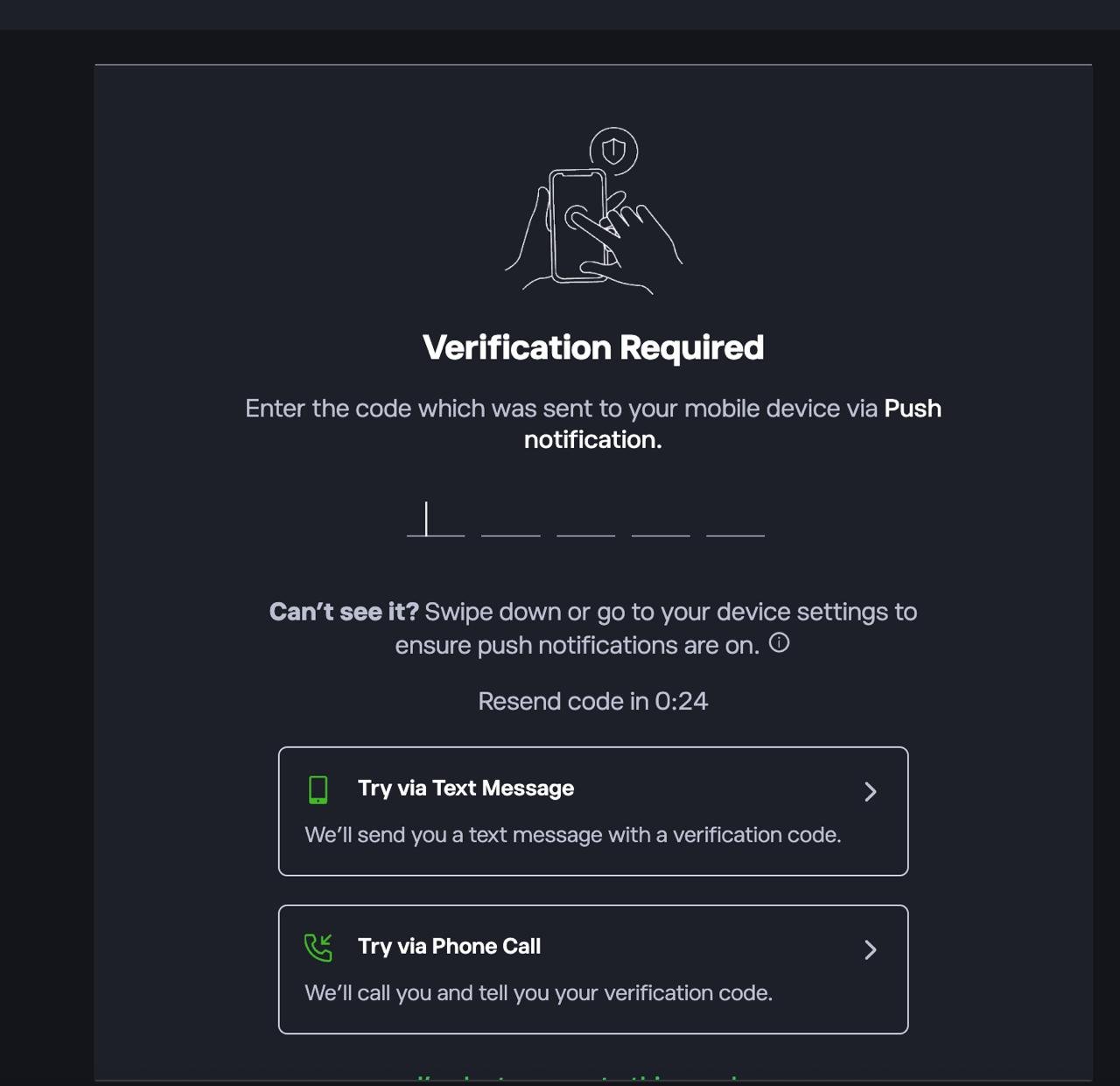
First, sign up or log in to the platform. If prompted, complete 2FA by entering the code sent via push notification, SMS, or phone call.
2. Deposit funds into your account
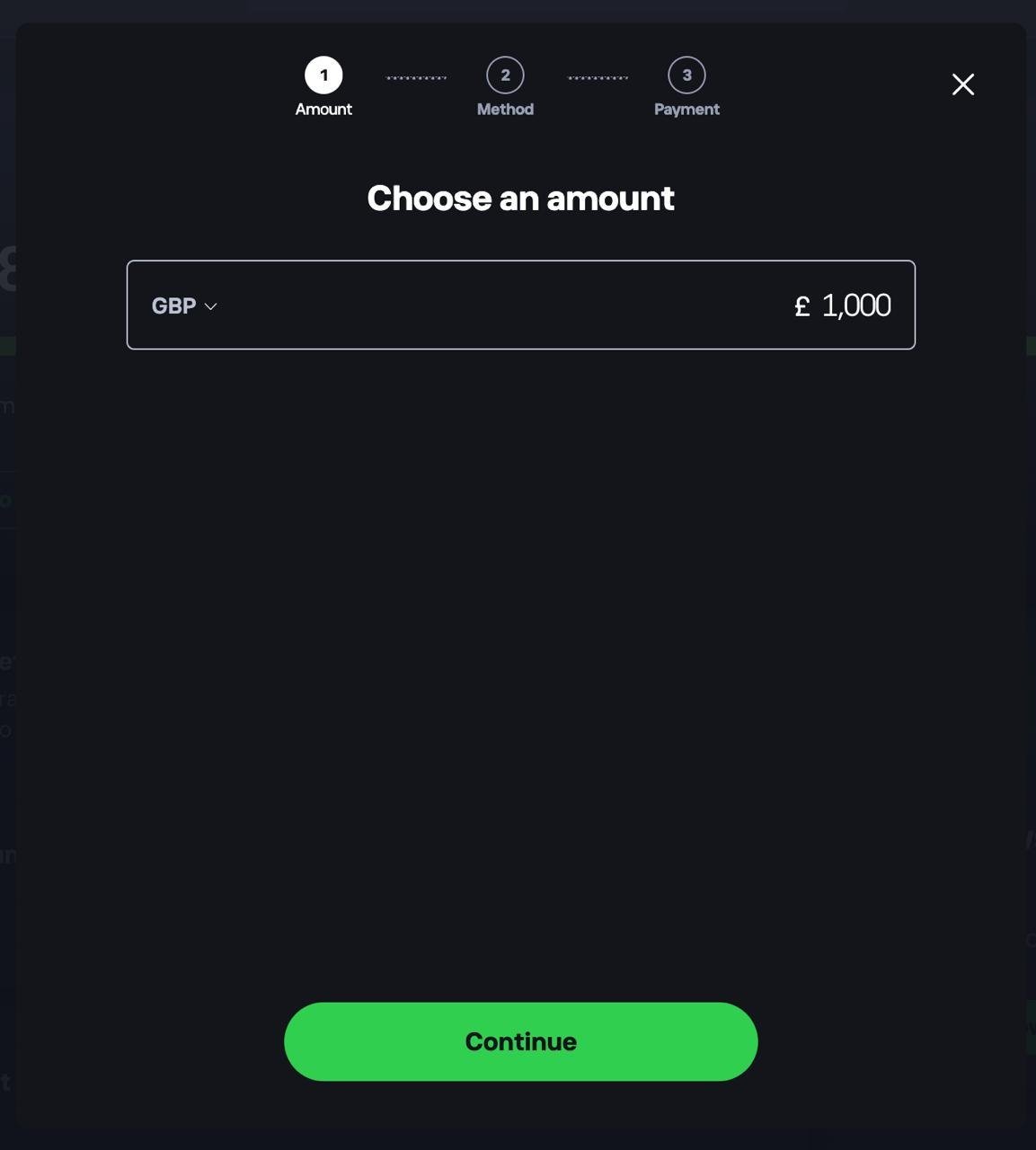
Head to your dashboard and choose to add funds. Select your currency, enter the amount you want to deposit, tap Continue, then choose a payment method.
3. Confirm your funds are available
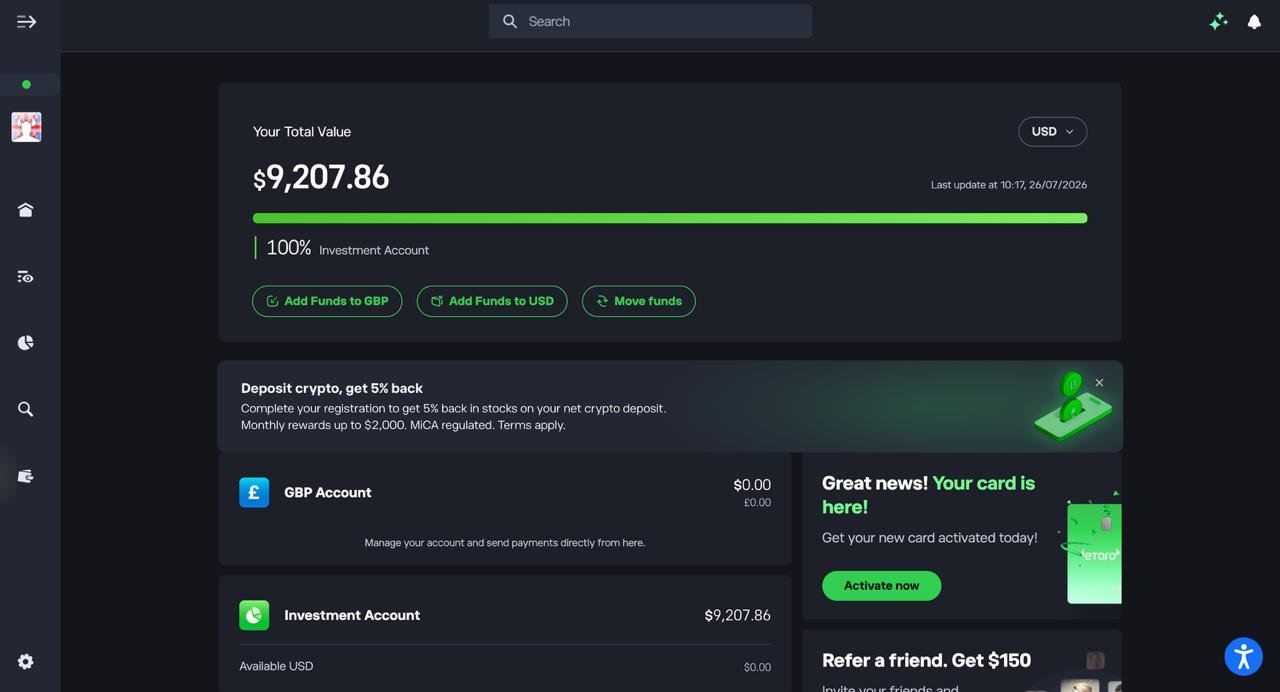
Check your dashboard to make sure your deposit has landed in your Investment Account before you start buying crypto.
4. Find the crypto you want to buy
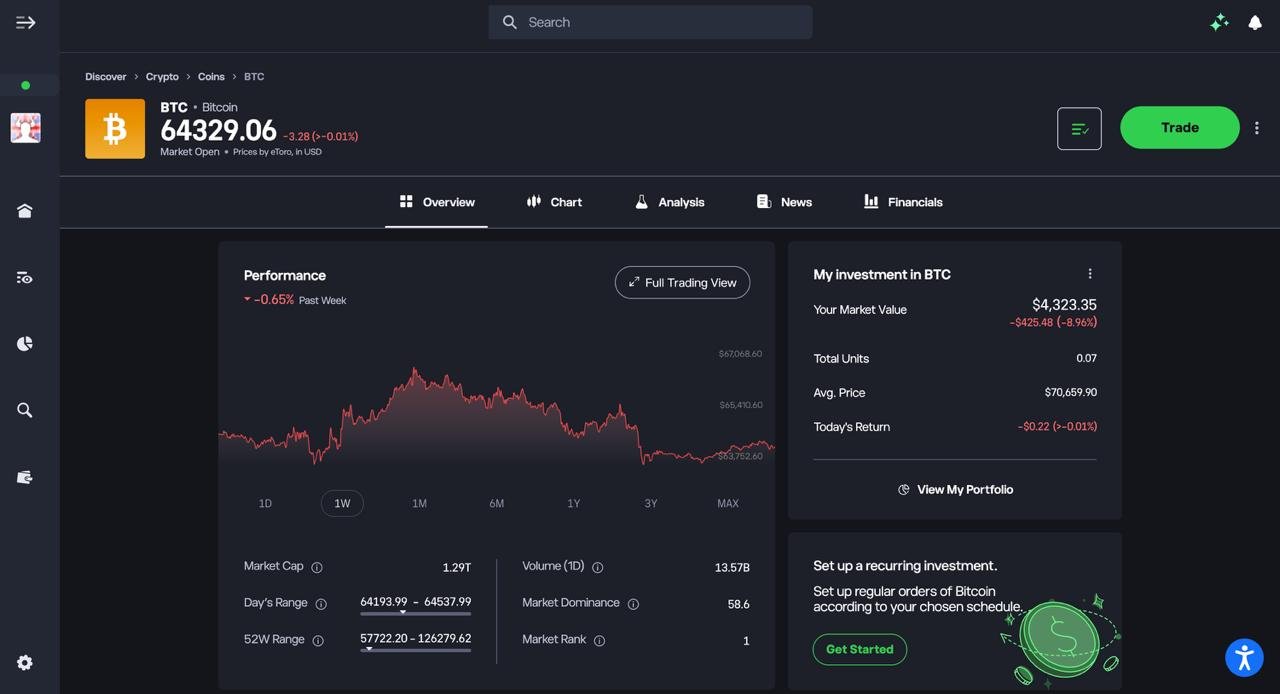
Search for the coin you’re after, such as Bitcoin, and open its overview page to check the current price and performance.
5. Set up and confirm your purchase
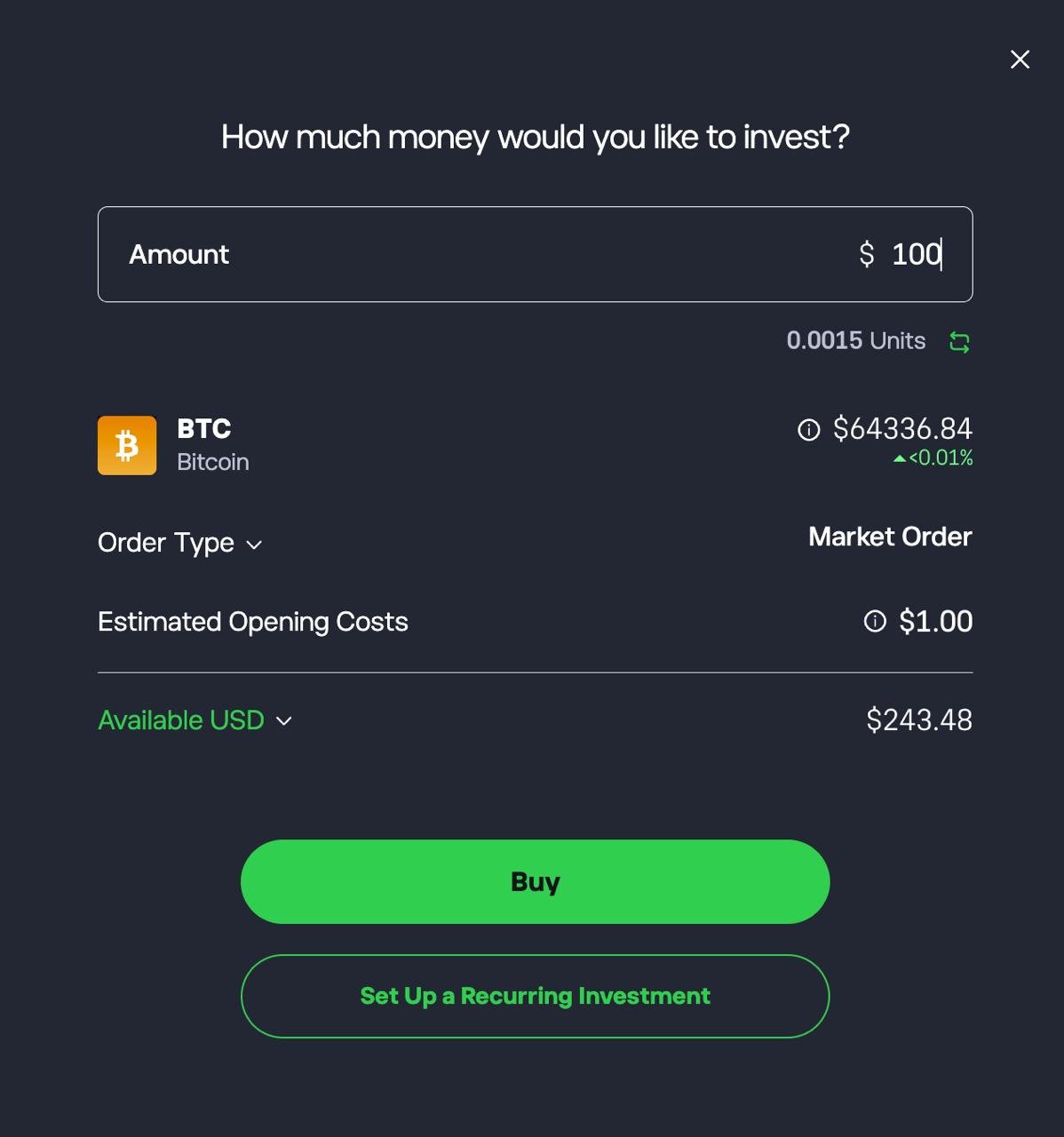
Enter the amount you want to invest, review the estimated units and opening costs, then tap Buy. You can also set up a recurring investment if you want to buy on a regular schedule.
6. Check your order confirmation
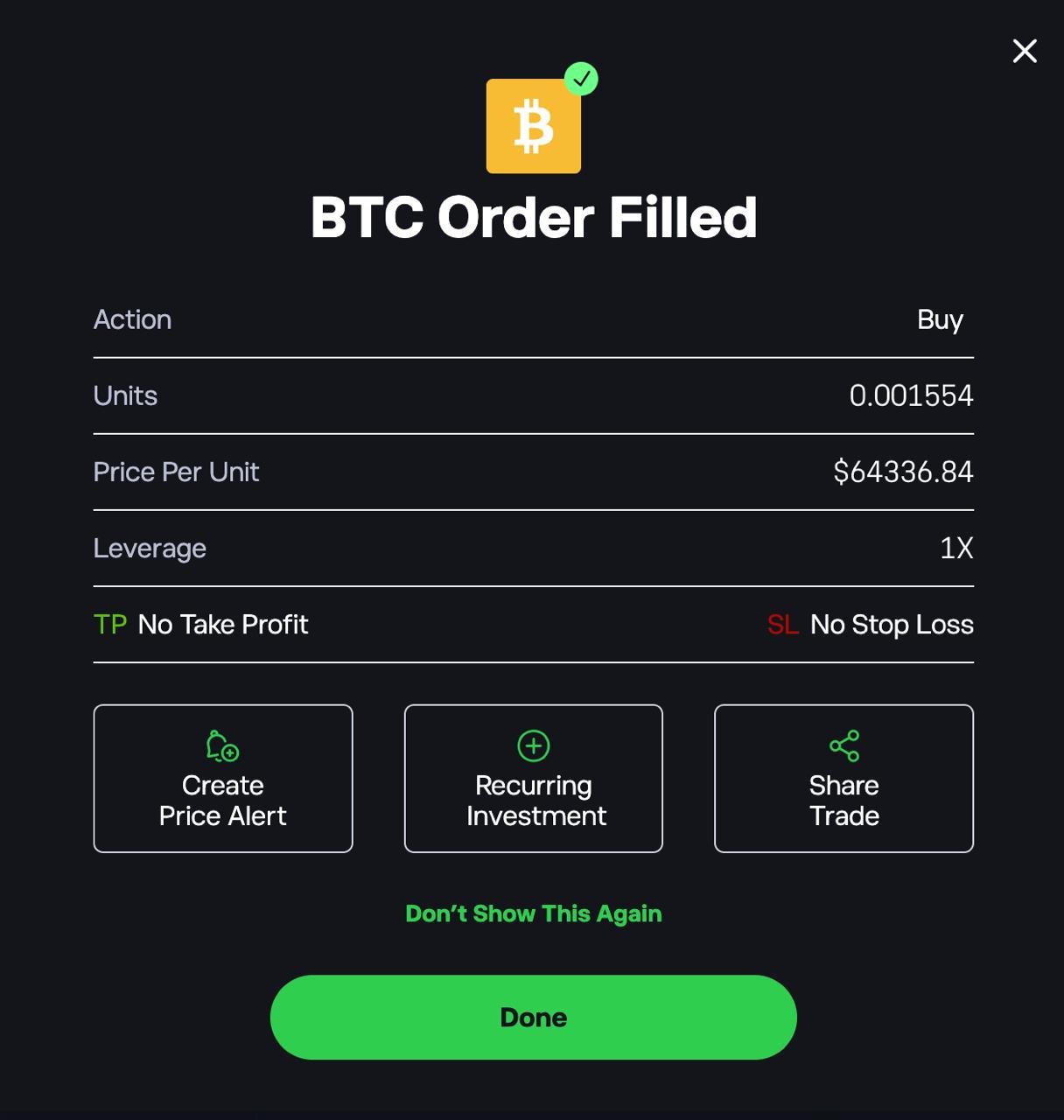
Once your order goes through, you’ll see a confirmation showing the units bought, price per unit, and leverage. From here, you can also set a price alert or share the trade.
How much does a crypto wallet cost in the UK?
A crypto wallet may be free to download, but buying, swapping, ng and transferring crypto can still cost money. Hardware wallets also have an upfront device cost.
To compare like with like, I used one journey: buying about £100 of Bitcoin with pounds and moving it into a self-custody wallet. I tested it with five of the eight products, though eToro only at £500.
Where my order size differed, I scaled the percentage fees to £100 and kept network fees as charged. The figures reflect my September–October 2026 tests, not guaranteed current quotes.
| Route | Approx. cost per £100 | How it breaks down |
|---|---|---|
| Bitpanda → own wallet | £2.20 | About 1.4% to buy (£1.40), plus an 80p network fee to withdraw |
| Kraken → Kraken Wallet | £2.50 | About 1.5% to buy (£1.50), plus a £1 Bitcoin withdrawal fee |
| Coinbase → Coinbase Wallet | £2.85 | About 2% in fees and spread to buy (£2), plus an 85p network fee |
| eToro → own wallet | Not possible at £100 | Below eToro’s 0.0036 BTC transfer minimum. On my £500 buy: about 1.5% to buy, 2% to move into the eToro wallet and £1.10 to send out, around £18.60 (3.7%) |
| Trust Wallet card purchase | £4.40 | 4.4% to a card partner, bought straight into the wallet (my test was £50 for £2.20) |
Ledger Flex, Trezor Safe 5, and MetaMask don’t sell Bitcoin themselves. I funded them from an exchange, so their journey cost is whatever that exchange charges, plus a network fee of 90p to 95p for Bitcoin in my tests.
The costs below are separate observations, not a ranking. A one-off device price, a percentage swap fee,e and a card purchase quote measure different things, so don’t read them as cheapest to most expensive.
| Wallet | Type of cost | What I saw |
|---|---|---|
| Ledger Flex | Device price (one-off) | £189 ($249 list) |
| Trezor Safe 5 | Device price (one-off) | £109 |
| Ledger Flex | Card purchase quote in the app | About 3.5% on £100 |
| Trezor Safe 5 | Card purchase quote in the app | About 3.9% on £100 |
| MetaMask | Purchase quotes in the app | 2.5% by bank transfer, 3.9% by card, on £100 |
| Coinbase Wallet | Swap fee | 1% on a £20 swap |
| MetaMask | Swap fee | 0.875% on a £50 swap |
| Kraken Wallet | Swap fee | 0.8% on a £20 swap |
| Trust Wallet | Swap fee | 0.7% on a £20 swap |
| Bitpanda | Purchase fee on other coins | 2.49% on a £20 altcoin order |
Actual costs vary by asset, payment method, network,rk and transaction size.
My advice: compare the total cost of buying and moving crypto, not just the advertised wallet fee. Check the final quote and withdrawal charges before confirming a transaction.
How to keep your crypto safe
Choosing a wallet is only part of security. How you manage access and approve transactions matters just as much.
- Understand custody. Custodial wallets rely on a provider to manage your keys. With self-custody, you control the keys and are responsible for recovery.
- Protect your recovery phrase. Keep it offline, secure, and private. Never share it with support agents or enter it on a website prompted by an unsolicited message.
- Check every transfer. Confirm the address, coin,n and network before sending. Consider a small test transaction first.
- Watch out for scams. Avoid suspicious links, fake support messages, es and unexpected requests to connect your wallet or sign transactions.
- Be careful with DeFi. Review token approvals and transaction details before interacting with decentralised apps or bridges.
- Secure your devices and accounts. Use strong, unique passwords and enable two-factor authentication on exchange and email accounts.
- Buy hardware wallets carefully. Use the manufacturer or an authorised seller, create your own recovery phrase, and verify transaction details on the device.
Hardware wallets such as Ledger Flex and Trezor Safe 5 can help protect private keys, but they cannot eliminate phishing, backup or user-error risks.
Cryptoassets can lose value, and you should not assume wallet holdings have the same protections as eligible bank deposits. Check a provider’s current UK regulatory status and the scope of any registration or authorisation before using its services.
Final verdict: Which crypto wallet should you choose?
The best crypto wallet in the UK depends on how you buy, store, re and use your cryptocurrency. eToro is my pick for convenience, Coinbase Wallet for beginners entering self-custody, and Ledger Flex for dedicated hardware storage.
Trezor Safe 5 is also worth considering if open-source hardware is a priority.
Before choosing, compare more than headline fees. Consider custody, supported coins and networks, withdrawal costs, and how you would recover access if something went wrong.
A free wallet is not necessarily the cheapest to use, and a hardware wallet is only as secure as the way you manage it.
Ultimately, choose a wallet that fits your experience and intended use, understand its limitations, and test the setup with a small amount before committing more. Fees and features change, so check the provider’s latest terms before making your decision.
Frequently asked questions
What is the best crypto wallet in the UK?
It depends on your needs. In this comparison, eToro suits users prioritising convenience, Coinbase Wallet suits beginners interested in self-custody, and Ledger Flex is my hardware-wallet pick.
Are crypto wallets free?
Many software wallets are free to download, but buying, swapping, ing and transferring crypto can incur fees. Hardware wallets also have an upfront purchase cost.
What is the difference between custodial and self-custody wallets?
A custodial provider manages the private keys for you. With self-custody, you control the keys and are responsible for protecting your recovery phrase and restoring access.
What is the safest crypto wallet?
No wallet is risk-free. Hardware wallets can help protect private keys, but security also depends on your recovery backup, device setup, and transaction habits.
Can I use a crypto wallet without an exchange account?
Yes. Many self-custody wallets can be created independently of an exchange account. You will still need a way to buy crypto or transfer it into them.
Do I need a hardware wallet for Bitcoin?
Not necessarily. A software wallet may suit everyday use, while a hardware wallet may be preferable for longer-term storage. Your choice should reflect your holding needs and ability to manage backups securely.
Can I lose my crypto if I lose my recovery phrase?
Yes. If you lose access to your wallet and have no usable recovery method, your crypto may become inaccessible. Someone who obtains your phrase may also be able to access your funds.
Are crypto wallets regulated in the UK?
Owning crypto is legal in the UK, but regulatory status depends on the provider and service. Check the relevant official register and do not treat registration as a guarantee against losses.
Is crypto protected by the FSCS?
Do not assume crypto held in a wallet has the same protection as eligible bank deposits. Check current official guidance and the provider’s terms.
Can I move crypto between wallets?
Usually, if the receiving wallet supports the asset and network. Check the address, network, and fee carefully, and consider a small test transfer first.
