

After comparing seven demo trading accounts available to Australians, eToro is my top pick for its beginner-friendly virtual portfolio, multi-asset practice and CopyTrader functionality. IG is a strong alternative for practising across forex, indices and share CFDs, while Pepperstone is my preferred choice for forex and CFD traders who want to practise on MT4, MT5, cTrader or TradingView.
I compared virtual balances, expiry rules, order functionality, demo-to-live differences, available markets and account flexibility.
- CopyTrading lets you mirror experienced investors' trades
- Multi-asset access: stocks, crypto, ETFs, forex, commodities
- Beginner-friendly interface with social/community sentiment feed
Capital at risk. T&Cs apply.
How I tested and ranked these demo accounts
I tested each demo account through its Australian sign-up flow in October 2026. I sized every practice trade against a realistic balance, set stops and take-profits, and checked what each order ticket showed for the spread, commission and margin before confirming.
- 7 demo and paper accounts opened
- 20 practice trades placed
- 4 virtual balance top-ups or reductions tested
- A$2,000 real deposit, needed only to unlock the Interactive Brokers paper account
- Tested on iPhone, Android, Windows and Mac
I then weighted access 20%, demo-to-live realism 20%, beginner fit 20%, markets 15%, order types and risk controls 15% and balance control 10%. An Australian entity holding an AFSL was a must, not a scoring factor.
Best demo trading accounts in Australia compared
| Platform | Best for | Demo balance | Expiry | Main advantage |
|---|---|---|---|---|
| eToro | Beginners | US$100,000 | No expiry | Virtual portfolio with CopyTrader |
| IG | Multi-market CFDs | A$20,000 | No usage limit | Access to IG’s advertised range of 18,000-plus markets; availability depends on the account and product. |
| Pepperstone | Forex and CFDs | You choose the amount | 60 days (MT4, MT5, Pepperstone); 90 days inactive (cTrader, TradingView) | Demos on five platforms, including MT4, MT5 and cTrader |
| CMC Markets | Charting | A$10,000 | Demo doesn’t expire; global equities end after 30 days | Next Generation platform with pattern recognition |
| Moomoo | Shares and options | US$1 million per paper account | No time limit | Free paper trading without a brokerage account |
| Tiger Brokers | International shares | US$100,000 | Not published; check the app | ASX, US and Hong Kong shares in one app |
| Interactive Brokers | Advanced trading | US$1 million | Linked to your funded live account | Trader Workstation and API testing |
Best demo trading account reviews
1. eToro: Best for beginners and copy trading practice
eToro is the easiest demo account in this list to start and the only one where I could practise copying other traders with virtual money. Every new account gets a US$100,000 virtual portfolio and switching between real and virtual takes two taps. The trade-off is that virtual trades carry no fees, so the demo understates what live trading in USD will cost an Australian.
Key information
| Field | Details |
|---|---|
| Demo cost | Free, included with every eToro account |
| Virtual funds | US$100,000; support can add up to US$100,000 or reduce the balance to a minimum of US$2,000 |
| Expiry | No expiry; my virtual portfolio was still active on 29 October |
| Demo markets | Stocks, ETFs, crypto, commodities, currencies and indices (leveraged products as CFDs) |
| Platforms | eToro web platform and mobile app (no MT4/MT5) |
| Copy trading in demo | Yes, CopyTrader works in the Virtual Portfolio; US$200 minimum per copied investor, copy stop-loss default 40% (adjustable from 5% to 95%) |
| Demo vs live | Virtual trades charge no fees; live trades in USD incur conversion and trading costs |
| Australian entity | eToro AUS Capital Limited, ACN 612 791 803, AFSL 491139 |
| Best for | Beginners and anyone practising multi-asset or copy trading |
What I tested
I tested eToro’s Virtual Portfolio on the iPhone app and desktop web from 5 to 12 October 2026, cutting the balance from US$100,000 to US$10,000 and trading an S&P 500 ETF, gold and one copied investor with stop-losses, take-profits and a copy stop-loss.
How did eToro’s demo account perform in testing?
It performed best of the seven for getting started quickly. My hands-on test began with a fresh Australian account: I selected Virtual Portfolio from the menu under my username and the US$100,000 balance was already there. That figure is too large to build realistic habits, so I opened a support ticket asking to cut it to US$10,000, which eToro allows down to US$2,000. With a smaller balance, a US$1,500 position meant 15% of my account and I sized trades more carefully.
I bought US$1,000 of an S&P 500 ETF, then opened a US$500 gold position at 1x leverage and set a stop-loss 3% below entry, which capped that trade’s risk at US$15. The stop and take-profit fields sit on the same order screen, which kept the risk setup to one step. I then copied a popular investor with US$2,000, well above the US$200 minimum, and lowered the copy stop-loss from the 40% default to 20%, which closes the whole copy if it loses US$400.
With the ETF, gold and copy open, I had US$3,500, or 35% of my virtual balance, at work. Over the next week the copy dipped to US$1,912 (-4.4%) on the Wednesday before finishing at US$2,046 (+2.3%), and watching that swing taught me more about drawdowns than any article.
What are the limits of eToro’s demo account?
The main limit is cost realism: eToro states virtual trading carries no fees, so my order tickets showed none. A live Australian account trades in USD, so the demo cannot show the conversion cost on an AUD deposit or the trading fees that apply to stocks and CFDs. There is also no MT4 or MT5 access, so traders who want to learn a third-party platform should look elsewhere.
Who is eToro’s demo account best for?
eToro’s demo suits beginners who want a simple, multi-asset practice portfolio and anyone weighing up the top copy trading platforms before risking money. It is less useful for forex traders who want to rehearse spread-and-commission maths on a professional platform.
Read the complete eToro review here.
eToro demo account pros and cons
Pros & cons
- US$100,000 virtual portfolio included with every account
- CopyTrader works in virtual mode, with an adjustable copy stop-loss
- Balance can be cut to as little as US$2,000 for realistic position sizing
- Two-tap switch between real and virtual portfolios
- Virtual trades show no fees, hiding live USD conversion and trading costs
- Balance changes need a Customer Service ticket
- No MT4 or MT5 access
2. IG: Best for multi-market CFD practice
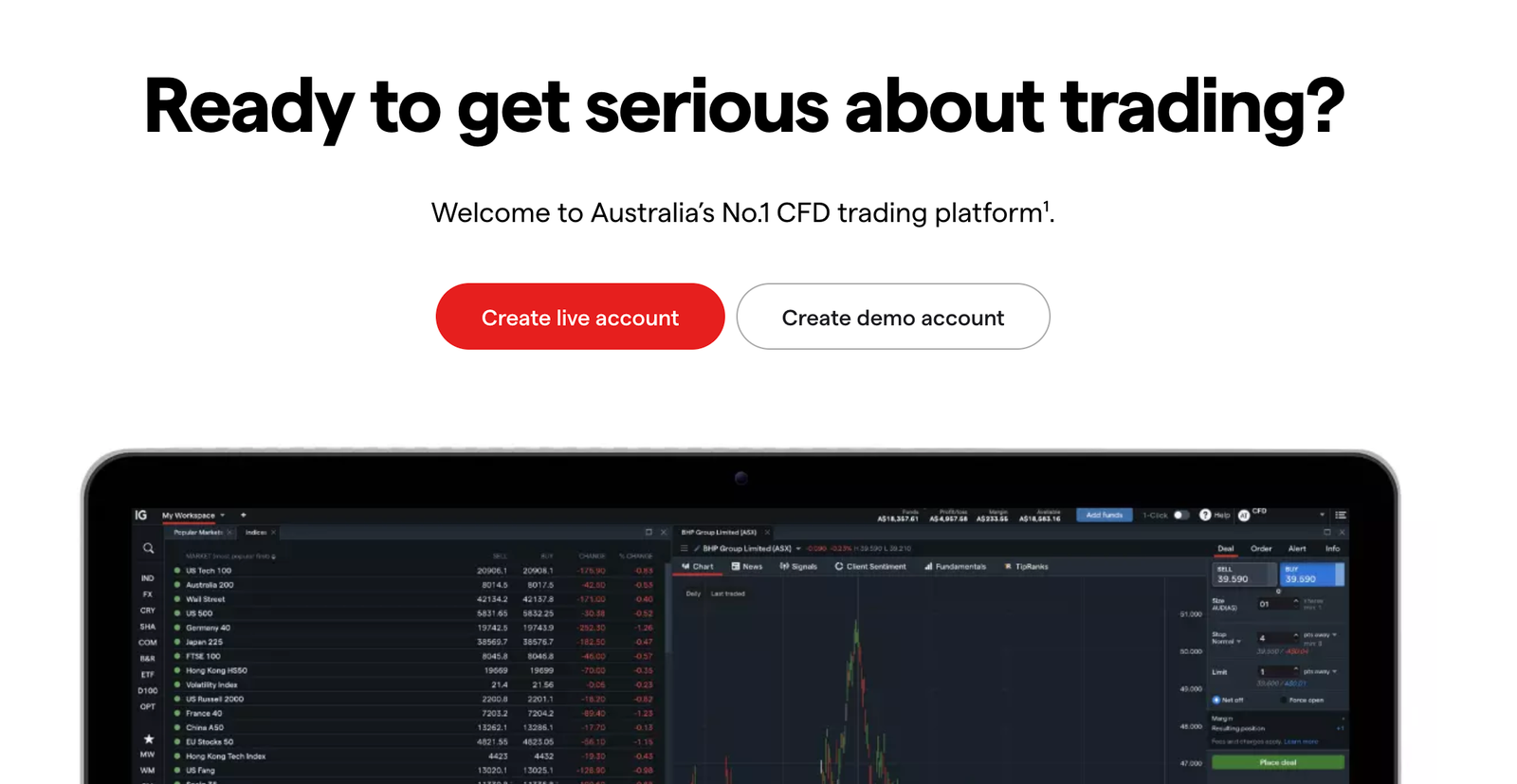
IG’s demo gives you A$20,000 in virtual funds and access to the same platform IG uses for its advertised range of 18,000-plus markets, so it is the best demo for practising across forex, indices, shares and commodities from one login. The trade-off is that IG’s demo fills never slip or get rejected for size, which makes execution look easier than it is.
Key information
| Field | Details |
|---|---|
| Demo cost | Free |
| Virtual funds | A$20,000 (IG platform); A$10,000 on the separate MT4 demo |
| Expiry | No usage limit on the main demo |
| Demo markets | Forex, indices, shares, commodities and crypto CFDs; MT4 demo limited to 80+ markets |
| Platforms | IG web platform, mobile apps, MT4 (separate demo) |
| Live pricing | EUR/USD from 0.6 pips; Australia 200 from 1 point; ASX share CFDs 0.08% commission per side, A$7 minimum per side |
| Demo vs live | No slippage, interest or dividend adjustments or out-of-hours moves; trades rejected only for insufficient funds |
| Australian entity | IG Australia Pty Ltd, AFSL 515106 |
| Best for | Intermediate traders practising across several asset classes |
What I tested
I tested IG’s A$20,000 CFD demo on a MacBook and iPhone on 15 October 2026, trading the Australia 200, EUR/USD and BHP share CFDs with stop-losses, working orders and price alerts.
How did IG’s demo work across different markets?
IG handled multi-market practice better than any other CFD demo I tried. Registration needed a valid email and personal details, and IG’s page notes it may contact you about its services. The A$20,000 balance was ready immediately.
At 11:15am AEDT on 15 October I opened a long Australia 200 position at A$5 per point with the index at 8,850, where the spread showed 1 point. That is A$44,250 of exposure for A$2,212.50 of margin at 20:1, and I set a stop-loss 40 points lower at 8,810, putting A$200, or 1% of the account, at risk. The ticket displayed the margin required and the stop distance in dollars before I confirmed, which is the number I actually want to see. I then set a working order to buy one mini EUR/USD contract (EUR 10,000) 20 pips below the market and added a price alert on the same chart. Finally I bought 100 BHP share CFDs at A$42.00 to see how commission is presented, because IG charges share CFDs commission rather than a wider spread.
The ticket showed A$7 commission to open, because 0.08% of A$4,200 is only A$3.36 and IG’s A$7 minimum per side applies, plus A$840 margin at 5:1. Closing costs another A$7, so on a small trade like this the minimum adds up to A$14 round-trip, about 0.33% of the position. On the phone I moved the index stop up twice, to 8,830 and then to breakeven at 8,850; the mobile ticket mirrored desktop closely.
What are the limits of IG’s demo account?
The main limit is execution realism. IG states demo trades have no slippage, no interest or dividend adjustments and no out-of-hours price movements, and that demo orders are never rejected on size or price, only on insufficient funds. When I deliberately sent an A$50-per-point index order, it was rejected only because the A$22,125 margin exceeded my A$16,947.50 of available funds; an A$30-per-point order, which carried A$265,500 of exposure but needed only A$13,275 of margin, filled instantly with no size check.
The MT4 demo is also separate, with A$10,000 and around 80 markets, so it is not a substitute for the main platform demo.
Who is IG’s demo account best for?
IG’s demo is best for traders who want to practise across several CFD markets and learn a full-featured platform before going live. Pure forex traders who care most about raw spreads and MT5 or cTrader will get more from Pepperstone.
Read the complete IG review here.
IG demo account pros and cons
Pros & cons
- A$20,000 virtual balance with no usage limit
- One login covers forex, indices, shares, commodities and crypto CFDs
- Tickets show margin, stop distance in dollars and share CFD commission
- Mobile app mirrors the desktop order ticket
- No slippage, and demo orders are never rejected for size
- Virtual balance is fixed at A$20,000
- MT4 demo is a separate login with A$10,000 and around 80 markets
3. Pepperstone: Best for forex and CFD demo trading
Pepperstone is the best demo for forex and CFD traders because it lets you open practice accounts on five platforms from one dashboard and choose the account type, leverage and virtual balance. The catch is expiry: Pepperstone, MT4 and MT5 demos close 60 days after creation, and expired demo data cannot be retrieved.
Key information
| Field | Details |
|---|---|
| Demo cost | Free |
| Virtual funds | You set the amount when requesting the demo |
| Expiry | Pepperstone, MT4 and MT5: 60 days after creation. cTrader and TradingView: 90 days of inactivity. Non-expiry MT4/MT5 available with a funded live account |
| Demo accounts allowed | Up to 5 without a live account, up to 10 with one |
| Platforms | Pepperstone platform, MT4, MT5, cTrader, TradingView |
| Top-ups | Self-serve in cTrader and TradingView; email support for MT4, MT5 and Pepperstone demos |
| Live forex pricing | Razor: from 0.0 pips plus A$3.50 per lot per side on MT4/MT5, US$3 per lot per side on cTrader or US$3.50 on TradingView (converted to AUD at the spot rate). Standard: from 1.0 pip, no commission |
| Demo vs live | No swap-free demos; cTrader copy trading restricted in demo |
| Australian entity | Pepperstone Group Limited, AFSL 414530 |
| Best for | Forex and CFD traders choosing a platform |
What I tested
I tested Pepperstone on Windows (cTrader and MT5) and Android, opening two Razor demos with A$25,000 each on 6 October and placing EUR/USD and AUD/USD trades with market, limit and stop orders on 14 October 2026.
How did Pepperstone’s demo work for forex trading?
It worked well for comparing platforms on the same pricing. When I tested Pepperstone, the sign-up asked for email, password, name, date of birth and mobile number, then dropped me into a dashboard with a Demo tab. I requested a cTrader Razor account in AUD with A$25,000, then a second demo on MT5 so I could compare the two.
At 6:02pm AEDT on 14 October, just after the London open, I bought 0.5 lots of EUR/USD on cTrader and the same 0.5 lots on MT5. Both showed a 0.1-pip spread, worth US$0.50 or about A$0.77 on that size, and each position tied up A$2,974 in margin at 30:1. The commission lines differed: cTrader charged A$2.31 per side (US$3 per lot converted to AUD), while MT5 charged A$1.75 per side from the flat A$3.50-per-lot rate.
Round-trip, MT5 cost A$3.50 in commission plus A$0.77 of spread, or A$4.27, while cTrader cost A$4.62 in commission plus the same A$0.77 of spread, or A$5.39, converting US dollar amounts at AUD/USD 0.65. That is a gap I would not have spotted without running both. On MT5 I placed a 0.3-lot sell limit on AUD/USD 15 pips above the market with a 25-pip stop-loss and a 50-pip take-profit, so I was risking US$75 (about A$115) to make US$150 (about A$231).
It filled overnight and I moved the stop to breakeven once the trade was 25 pips in profit. MT5’s one-click trading panel was faster for small adjustments, while cTrader showed depth of market and commission more clearly, which is the kind of difference you only notice by using both.
What are the limits of Pepperstone’s demo account?
The biggest limit is that the MT5 and Pepperstone demos expire 60 days after creation, even if you log in daily, and Pepperstone cannot recover expired demo data. Topping up MT5 also means emailing support (my request took 26 hours), whereas cTrader let me add A$25,000 myself in seconds. Pepperstone says demos do not apply interest, dividend adjustments or out-of-hours price moves, so overnight CFD costs will not show up in practice.
Who is Pepperstone’s demo account best for?
Pepperstone’s demo is best for Australians learning how to trade forex or index CFDs who want to pick between MT4, MT5, cTrader and TradingView before funding an account. Beginners who want a slower, simpler interface may find eToro or IG easier.
Read the complete Pepperstone review here.
Pepperstone demo account pros and cons
Pros & cons
- Demos on five platforms, including MT4, MT5, cTrader and TradingView
- You choose the account type, leverage and virtual balance
- Spread and commission information displayed on the demo ticket
- Self-serve top-ups in cTrader and TradingView
- Pepperstone, MT4 and MT5 demos expire 60 days after creation
- Expired demo data can't be recovered
- MT4 and MT5 top-ups need an email to support
- No interest or dividend adjustments in demo
4. CMC Markets: Best for platform depth and CFD market variety
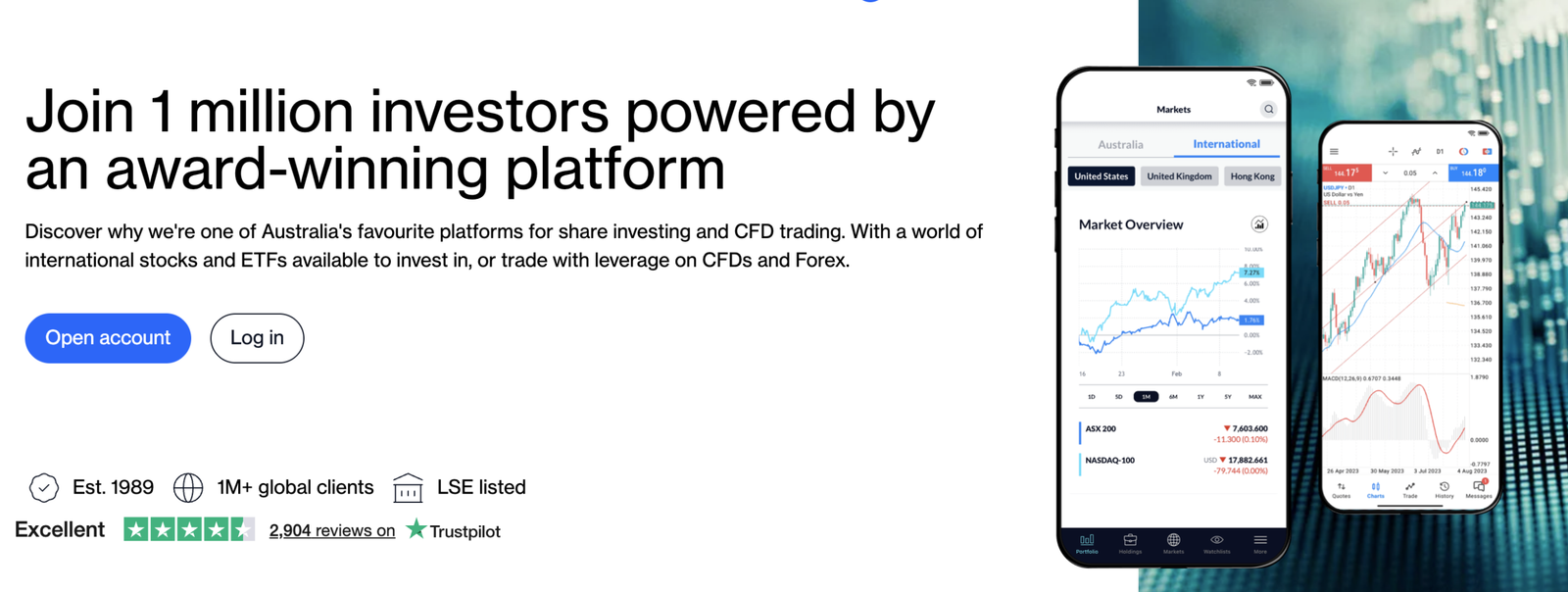
CMC Markets offers a demo with A$10,000 that never expires on its Next Generation platform, and its charting and order tools are the most detailed of the CFD providers here. The material limit for Australians is that the demo does not display prices for share CFDs, so you cannot practise ASX share CFD trading.
Key information
| Field | Details |
|---|---|
| Demo cost | Free |
| Virtual funds | A$10,000; add more via the Payments menu |
| Expiry | Next Generation demo stays open indefinitely; global equity markets limited to 30 days; MT4 demo has separate expiry rules |
| Demo markets | Forex, indices, commodities and other CFDs; share CFD prices not displayed in the Australian demo |
| Platforms | CMC Next Generation (web, mobile), MT4 |
| Live pricing | EUR/USD from 0.7 pips, spread only |
| Registration | Name, email, phone, password, then email verification code |
| Australian entity | CMC Markets Asia Pacific Pty Ltd, AFSL 238054 |
| Best for | Technical traders practising index, forex and commodity CFDs |
What I tested
I tested CMC’s Next Generation demo on Windows and Android on 19 October 2026, trading gold and EUR/USD with regular and guaranteed stops, checking an ASX share CFD and topping up A$10,000 through the Payments menu.
How did CMC Markets’ demo compare on platform depth?
It offered the most chart and order detail of the CFD demos. After entering my name, email, phone and password, CMC emailed a six-digit code and the A$10,000 account opened in the browser. I built a watchlist with gold, EUR/USD and the Australia 200, then ran the pattern-recognition scanner on gold’s four-hour chart, which flagged a possible breakout I would otherwise have missed.
When opening a CFD trade on gold, I bought 2 ounces at US$4,120; the ticket let me switch between units and position value and showed US$8,240 of exposure and about A$634 of margin at 20:1, with the 0.3-point spread above the price. I put a regular stop US$40 below entry on gold, then opened a 10,000-unit EUR/USD trade with a guaranteed stop 20 pips away, where the ticket priced the guaranteed stop premium at A$4.60 before I confirmed. EUR/USD showed a 0.7-pip spread, matching CMC’s published minimum.
Gold reversed and hit my stop for a US$80 loss, about A$123, leaving A$9,877, so I tested the Payments menu and added A$10,000 without contacting anyone.
What are the limits of CMC Markets’ demo account?
The largest limit is that the Australian demo does not display share CFD prices, which I confirmed when an ASX bank stock showed no quote. Access to global equity markets also lapses after 30 days (18 November for my 19 October demo), so the “never expires” promise applies to forex, indices and commodities rather than everything. The MT4 demo runs under different expiry rules and is not a like-for-like substitute for Next Generation.
Who is CMC Markets’ demo account best for?
CMC’s demo is best for chart-driven traders who want to practise forex and index CFDs, or learn how to trade commodities such as gold, on a detailed platform with no time pressure. Anyone mainly interested in ASX share CFDs should practise with IG instead.
Read the complete CMC Markets review here.
CMC Markets demo account pros and cons
Pros & cons
- Next Generation demo stays open indefinitely
- Pattern recognition and detailed order tickets, including guaranteed stop pricing
- Self-serve top-ups through the Payments menu
- Demo spreads matched published pricing, from 0.7 pips on EUR/USD
- Share CFD prices aren't shown in the Australian demo
- Global equity access ends after 30 days
- MT4 demo runs under separate expiry rules
5. Moomoo: Best for stock and options paper trading

Moomoo is the best paper-trading account for Australians who want to practise buying shares and US options, with US$1 million in virtual cash per paper account. Shares and ETFs cover the ASX, US and Hong Kong markets, while options practice is limited to US options. The trade-off is realism: paper trades settle T+0, so you can recycle cash in a way a live ASX account will not allow.
Key information
| Field | Details |
|---|---|
| Demo cost | Free; no brokerage account needed |
| Virtual funds | US$1,000,000 virtual cash per paper account (US$10 million for futures); a reset card restores the starting balance |
| Expiry | No time limit; no expiry shown in the app |
| Demo markets | Shares and ETFs: ASX, US and Hong Kong markets (I traded ASX shares and an ASX ETF). Options: US options only (I traded a SPY call). Moomoo advertises 10,000+ securities in total |
| Platforms | Mobile app, desktop app, web (web paper trading is stocks only) |
| Order types | Market and limit for supported assets; extra restrictions on multi-leg options |
| Demo vs live | T+0 settlement in paper; margin and fees may differ from live |
| Australian entity | Moomoo Securities Australia Ltd (Moomoo AU), AFSL 224663 |
| Best for | Share and options investors practising stock selection |
What I tested
I tested Moomoo’s paper trading on the iPhone and Mac apps on 20 October 2026 without opening a brokerage account, buying CBA shares, an ASX 300 ETF and a SPY call option within a self-imposed A$15,000 budget.
How did Moomoo’s paper trading work for shares and options?
It worked well, as long as you impose your own discipline. I downloaded the Australian app, registered with my mobile number and tapped the Paper Trade tab to activate the account. I did not need to open or fund a brokerage account.
To keep the test realistic I capped myself at A$15,000. I placed a limit order for 40 CBA shares at A$165.00, 4 cents below the market, and it filled 20 minutes later for A$6,600. I then practised investing in ETFs by buying 50 units of an ASX 300 ETF at A$108.00 with a market order (A$5,400), switched to the US paper account and opened the options chain on SPY, where I bought one near-the-money call with 30 days to expiry for US$9.80, or US$980 per contract (about A$1,508).
That left A$1,492 of my A$15,000 budget unspent. The chain showed a delta of 0.52 and implied volatility of 15% next to my strike, which explained why the premium rose about US$0.26 per share when SPY gained US$0.50 within the hour. On the web version I found I could only paper trade stocks, so options practice stays on the app or desktop.
What are the limits of Moomoo’s paper trading?
Paper trades settle T+0, so I could sell the ETF and redeploy the cash within minutes, which a live ASX account settling T+2 will not allow. Moomoo also notes that margin and fees in paper trading may differ from live. Multi-leg options carry additional restrictions in paper mode, and there are no CFDs or forex to practise.
Who is Moomoo’s paper trading account best for?
Moomoo is best for Australians practising share investing and US options who want market data and research tools in the same app. It is not the right demo for forex or CFD traders.
Read the complete Moomoo review here.
Moomoo paper trading pros and cons
Pros & cons
- Free paper trading without a brokerage account
- ASX, US and Hong Kong shares plus US options
- Options chain shows Greeks next to each strike
- Reset cards restore the starting balance and clear trade history
- A US$1 million virtual balance encourages unrealistic position sizes
- T+0 settlement is faster than the live ASX's T+2
- Web version is limited to stocks
- No CFDs or forex, and restrictions on multi-leg options
6. Tiger Brokers: Best for Australian and international share-market practice
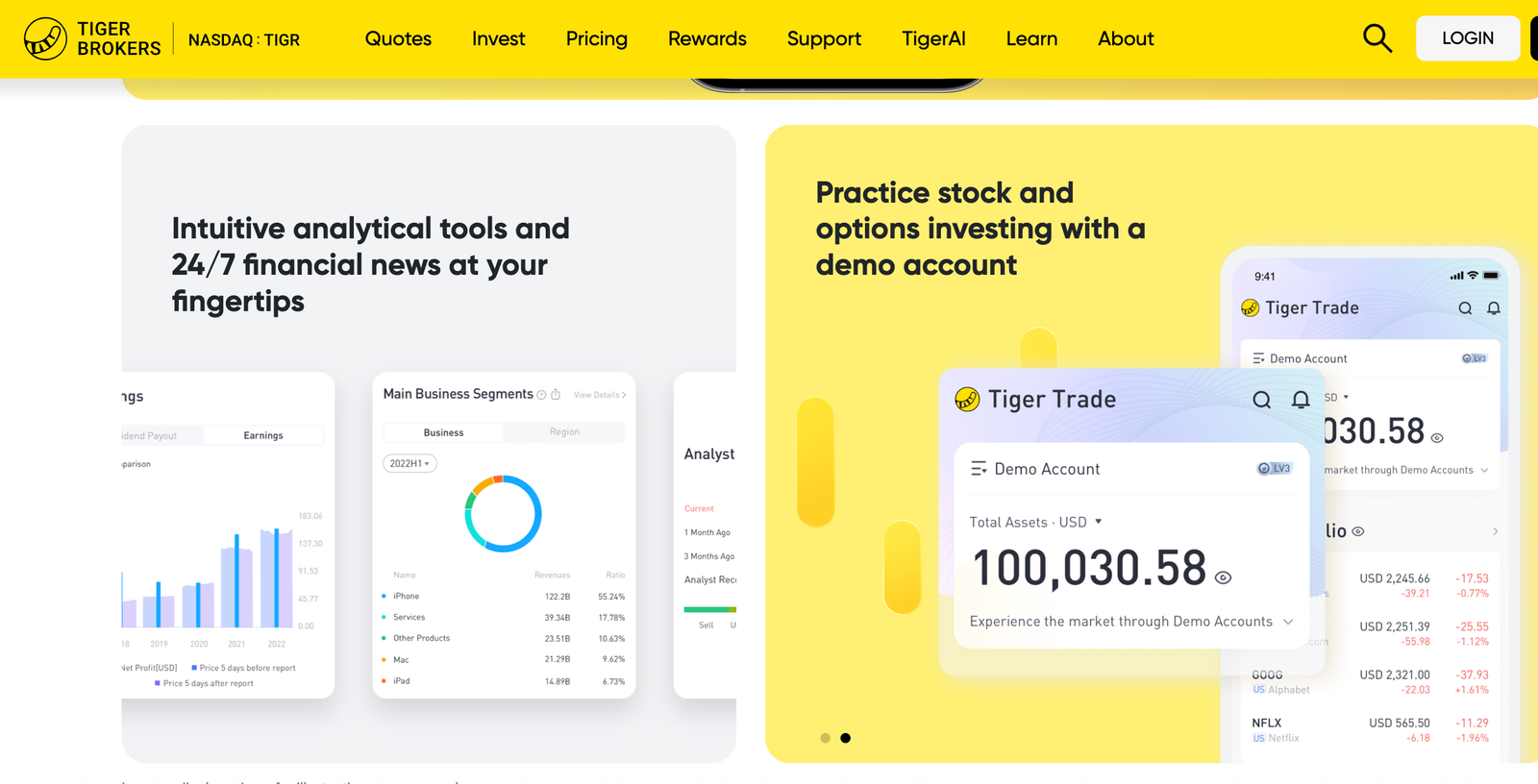
Tiger Brokers’ demo account is available to every Tiger Trade user without funding, and its Australian site advertises a US$100,000 virtual fund for practising stocks and options. It is a good fit for share investors who want ASX, US and Hong Kong practice in one app. The limitation is that the demo is app-led and holds its balance in USD, which makes ASX position sizing less intuitive.
Key information
| Field | Details |
|---|---|
| Demo cost | Free; no funded account required |
| Virtual funds | US$100,000 (per Tiger Brokers Australia site) |
| Expiry | Not published on Tiger’s Australian site; check the current terms in the app |
| Demo markets | Stocks and options, according to Tiger’s Australian site; I traded ASX, US and Hong Kong shares in the demo |
| Platforms | Tiger Trade mobile app (Demo Account on the homepage or Profile tab) |
| Live account note | ASX trades are CHESS-sponsored on live accounts |
| Australian entity | Tiger Brokers (Australia) Pty Limited, AFSL 300767 |
| Best for | Share investors practising across three markets |
What I tested
I tested Tiger Brokers’ demo account in the Android Tiger Trade app on 21 and 22 October 2026 without funding, buying an ASX ETF, Tencent in Hong Kong and Apple in the US with limit and market orders.
How did Tiger Brokers’ demo work for international shares?
It was the most practical demo for trying three share markets back to back. After registering, I tapped Demo Account on the homepage and the virtual fund appeared without any funding step.
On 21 October I started on the ASX with a limit order for 60 units of an Australian shares ETF at A$50.00 (A$3,000, about US$1,950), then switched to Hong Kong once that market opened at 12:30pm AEDT. My first attempt to buy 50 Tencent shares was blocked because the stock trades in board lots of 100, a rule I would rather learn on virtual money; the corrected order for 100 shares at HK$620 cost HK$62,000, about US$7,950.
I finished by buying 20 Apple shares at US$255 (US$5,100) just after the US open at 12:30am AEDT on 22 October, then tracked all three in the Portfolio tab, which split P/L by market. In total I had committed about US$15,000, or 15% of the virtual fund.
What are the limits of Tiger Brokers’ demo account?
The main practical limit is that the virtual fund is in USD, so every ASX and HK order involved a mental currency conversion. Tiger’s demo is also mobile-first, and its Australian site says little about expiry, resets or which order types the demo supports, so check the current terms in the app before relying on it for long-term practice. Because the demo does not include live brokerage, it will not show what each trade costs.
Who is Tiger Brokers’ demo account best for?
Tiger Brokers suits Australians learning how to invest who want to practise buying shares on the ASX, US and Hong Kong exchanges before opening a CHESS-sponsored live account. Active CFD or forex traders should use Pepperstone or IG instead.
Read our complete Tiger Brokers review here.
Tiger Brokers demo account pros and cons
Pros & cons
- Demo account opens without funding
- ASX, US and Hong Kong shares in one search bar and portfolio
- Applies real market rules such as Hong Kong board lots
- Covers options as well as shares
- Virtual balance is held in USD, even for ASX orders
- Mobile-first, with little published detail on demo terms
- Demo doesn't show live brokerage costs
7. Interactive Brokers: Best for advanced multi-asset paper trading
Interactive Brokers runs the most realistic paper trading environment here, using the full Trader Workstation with US$1 million in simulated equity, advanced order types, options analytics and API access. The barrier is access: in Australia the full paper account opens only once your live account is approved and funded.
Key information
| Field | Details |
|---|---|
| Demo cost | Free, but TWS paper account requires an approved and funded live account |
| Virtual funds | US$1,000,000 in paper equity |
| Setup | Requested in Client Portal once your live account is approved and funded; ready within 24 hours, with its own login and the same trading permissions, base currency and account type as your live account |
| Simulated alternative | IBKR GlobalTrader simulated account opens in seconds, before a live account |
| Demo markets | Multi-asset, global markets, subject to permissions and market data |
| Tools | TWS charts, market depth, options analytics, risk tools, API testing |
| Demo vs live | Simulated fills; real-time data only if you share your live data subscriptions |
| Australian entity | Interactive Brokers Australia Pty Ltd, AFSL 453554 |
| Best for | Experienced traders testing complex orders, options and algorithms |
What I tested
I tested Interactive Brokers’ paper account in TWS and IBKR Mobile on 22 October 2026, after opening and funding a live account with A$2,000, placing a bracket order on BHP, selling a SPY put spread and connecting a script through the TWS API.
How did Interactive Brokers’ paper account work for advanced trading?
It was the closest to live trading of any account I tested, once I got in. The Australian help pages say paper trading becomes available after your live account is approved and funded, so I deposited A$2,000 first. In Client Portal I went to the Paper Trading settings, chose a five-character username and received an email the next day saying the account was ready.
On 22 October in TWS I placed a bracket order for 200 BHP shares: a limit entry at A$42.00 with a profit target at A$44.10 and a stop-loss at A$40.95, risking A$210 to make A$420, with the two exits cancelling each other once one fills. I then used the strategy builder to sell a SPY 670/665 put spread for a US$1.40 credit; the risk tools showed a maximum profit of US$140 and a maximum loss of US$360 per spread before I sent it.
My first quotes were delayed, and I only got real-time prices after enabling market-data sharing between my live and paper accounts in settings. I also connected a simple script through the TWS API to the paper account on port 7497, which is the safest place to find bugs.
What are the limits of Interactive Brokers’ paper account?
The main limit is entry: you need an approved, funded live account before the TWS paper account appears. GlobalTrader’s simulated account is the workaround for complete beginners, but it is a much simpler app. TWS itself has a steep learning curve, and simulated fills should not be read as proof of how your orders would execute in a live market.
Who is Interactive Brokers’ paper account best for?
Interactive Brokers suits experienced Australian traders who want to rehearse complex orders, options strategies or automated systems in a professional-grade environment. Beginners will reach their first practice trade faster with eToro or IG.
Read our complete Interactive Brokers review here.
Interactive Brokers paper account pros and cons
Pros & cons
- Full Trader Workstation with the same order types as live
- US$1 million in paper equity
- Strategy builder and risk tools show maximum loss before an order is sent
- API testing on the paper port
- Paper account needs an approved, funded live account
- Quotes are delayed unless you share live data subscriptions
- TWS has a steep learning curve for beginners
The best demo account for each type of trader
Best demo account for forex and CFDs: Pepperstone
Pepperstone is the best demo for forex and CFD traders because you can practise on the platform you plan to use live, from MT5 to cTrader and TradingView. In my test, the same 0.5-lot EUR/USD trade cost A$4.27 round-trip on MT5 and A$5.39 on cTrader (the same A$0.77 spread plus A$3.50 or A$4.62 of commission), a difference a demo only shows when it prices commission. IG is the alternative if you also want index and share CFDs on one login.
Best demo account for ASX and international shares: Tiger Brokers
Tiger Brokers is the best demo for practising ASX, US and Hong Kong share purchases in one portfolio, and it opens without any funding. Its US$100,000 balance is held in USD, so ASX orders need a mental conversion. Moomoo is the alternative if you also want to practise US options in the same app.
Best demo account for beginners: eToro
eToro is the easiest demo for beginners: its US$100,000 virtual portfolio is ready when you sign up, and you can switch between real and virtual portfolios in two taps. CopyTrader is also available in virtual mode. The main limitation is that virtual trades don’t reproduce all live trading costs. See our eToro review for the hands-on test.
Best demo account for advanced traders: Interactive Brokers
Interactive Brokers is the strongest choice for experienced traders who want to practise complex orders, options strategies and automated trading in Trader Workstation. The full paper account requires an approved, funded live account, so it isn’t the easiest place to start. CMC Markets is a better alternative if you want detailed charting without that funding requirement.
Best demo account for options: Moomoo
Moomoo is the best free way to practise options, with an options chain that shows delta and implied volatility beside each strike and no brokerage account required. Multi-leg strategies carry extra restrictions in paper mode, so traders building spreads will get more from Interactive Brokers’ strategy builder, where my SPY put spread showed a maximum loss of US$360 before I sent it.
Best paper trading account for strategy testing: Pepperstone
Pepperstone is a strong choice for testing forex strategies because you can practise across MT4, MT5 and cTrader, including automated strategies. For API-based testing, Interactive Brokers offers a separate paper-trading environment with TWS API access.
How I tested and ranked the best demo trading accounts in Australia
I started from Psyfi Money’s broader research into the top trading platforms in Australia and the demo test run documented above, then weighted it for one reader: an Australian who wants a free practice account to rehearse trades before risking money. Every platform first had to clear three entry checks: an Australian entity holding an AFSL, a free demo or paper account, and published terms for the virtual balance and expiry, so regulation earns no extra points here. Any rating in the Psyfi Money broker reviews is assessed separately and does not set the order below.
| Ranking factor | Weight | What I assessed |
|---|---|---|
| Access without funding or deadlines | 20% | Whether an Australian can open the demo without a funded live account, time to first trade, and expiry rules such as Pepperstone’s 60-day MT5 limit, CMC’s 30-day global equities window and IBKR’s approved, funded account requirement |
| Demo-to-live realism | 20% | Whether tickets show the spread, commission and margin a live trade would carry: Pepperstone’s A$3.50 MT5 vs US$3 cTrader commission, IG’s A$7-per-side share CFD minimum, eToro’s fee-free virtual trades, Moomoo’s T+0 settlement and CMC’s missing share CFD prices |
| Beginner fit | 20% | How quickly a first-time trader can learn sizing and risk: eToro’s two-tap Real/Virtual switch and copy stop-loss, IG’s stop distance shown in dollars, against the TWS learning curve at IBKR |
| Markets Australians trade | 15% | ASX shares or share CFDs, the Australia 200, AUD forex pairs, US shares and options, and Hong Kong shares available inside the demo itself |
| Order types and risk controls | 15% | Stop-loss, take-profit and pending orders, plus CMC’s guaranteed stops, IBKR’s bracket and conditional orders and Moomoo’s limits on multi-leg options |
| Balance and reset control | 10% | Whether the virtual balance can be set to a realistic size and topped up or reset without support: Pepperstone’s chosen balance, eToro’s US$2,000 to US$100,000 range via support, IG’s fixed A$20,000 and Moomoo’s US$1 million |
The most useful comparison was a standard practice routine I ran on every account: size one trade to risk about 1% of a realistic balance, then check what the order ticket showed against what the same trade costs live. On Pepperstone, the same 0.5-lot EUR/USD trade came to A$4.27 round-trip on MT5 against A$5.39 on cTrader; on IG, 100 BHP share CFDs carried the A$7 minimum commission each way, A$14 or about 0.33% of the position round-trip; eToro’s virtual tickets showed no costs at all. That gap between practice and a first live trade separated the platforms more than headline market counts did.
Most Australians searching for a demo account are preparing for their first live trades, so access, realism and beginner fit carry 60% of the weight between them. Balance control gets only 10% because a self-imposed budget can work around an oversized balance, while missing share prices or a 60-day expiry cannot be worked around. These weights set the order of this guide only; each platform’s broader Psyfi Money rating is a separate assessment.
Platforms I considered but didn’t rank
| Platform | What the demo offers | Why it didn’t make the list |
|---|---|---|
| Plus500 | CFD demo with virtual funds that refill automatically when the balance runs low | Proprietary platform only, with no MT4 or MT5; IG and CMC Markets offer deeper tools for the same CFD practice |
| AvaTrade | CFD demo on MT4, MT5 and AvaTrade’s own platforms | Third-party reviews report a 21-day demo unless you ask for an extension, shorter than any demo above; Pepperstone covers MT4 and MT5 with more platform choice |
| Webull | Paper trading with 1 million in virtual cash for US shares, ETFs and options | Paper trading covers US markets only and needs a Webull account; Moomoo covers US options plus ASX shares |
| Swyftx | Crypto demo mode with 10,000 in mock currency that you can reset | Crypto only, outside this guide’s focus on shares, forex and CFDs |
How realistic are demo accounts compared with live trading?
Demo accounts are realistic for learning a platform and placing orders, but less realistic on costs and execution. Most of the seven demos I tested showed spreads close to the providers’ published pricing, but several left out the commission, overnight financing, slippage or order rejections that a live account applies.
| Factor | In the demo | In a live account | What I saw in testing |
|---|---|---|---|
| Prices and spreads | Live market prices on most demos | Prices may be live or indicative, depending on the provider and instrument; demo execution can still differ from live execution | Pepperstone showed 0.1 pips on EUR/USD and CMC showed 0.7 pips, matching their published pricing |
| Commissions | Shown on some order tickets and missing on others | Charged on every trade where the account carries commission | Pepperstone showed A$2.31 per side on cTrader and IG showed its A$7-per-side share CFD minimum; eToro’s virtual tickets showed no fees |
| Overnight financing | Not applied at Pepperstone or IG, according to both providers | Charged daily on leveraged positions held overnight | My AUD/USD position on Pepperstone’s MT5 demo was held overnight with no financing charge |
| Slippage | None at IG; orders fill at the quoted price | Orders can fill at a worse price in fast markets | Every demo market order I placed filled at the price on screen |
| Order rejection | IG rejects demo orders only for insufficient funds | Orders can be rejected for size, price or liquidity | IG filled an A$30-per-point index order with A$265,500 of exposure and A$13,275 of margin, with no size check |
| Market availability | Some markets are missing or time-limited | The full product range your account is approved for | CMC showed no ASX share CFD prices and limits global equities to 30 days; Moomoo’s web version is stocks only |
| Settlement | Moomoo paper trades settle T+0 | ASX share trades settle T+2 | On Moomoo I sold an ETF and reused the cash within minutes |
The biggest difference is behavioural rather than technical. Losing virtual money doesn’t feel like losing your own, and balances of US$100,000 at eToro and Tiger Brokers or US$1 million at Moomoo and Interactive Brokers make oversized positions feel normal. I got the most from each demo by shrinking the balance to a realistic deposit where the provider allowed it, as eToro does down to US$2,000, and by risking about 1% of that balance on each trade.
How to choose a demo account in Australia
Choose a demo account by the market you want to trade first, then check the platform, how long the demo lasts and the risk controls it lets you practise.
Start with the instrument. For forex and index CFDs, Pepperstone, IG and CMC Markets, three of the top-rated forex brokers in Australia, are the strongest demos here. For ASX and international shares, use Moomoo or Tiger Brokers. For US options, Moomoo and Interactive Brokers both offer paper trading, and eToro is the only one of the seven where you can practise copy trading.
Practise on the platform you’ll use live. Pepperstone offers demos on MT4, MT5, cTrader, TradingView and its own platform, so you can test them side by side. IG and CMC Markets also offer MT4 demos, but these are separate logins with their own balances and rules.
Check how long the demo lasts. IG, CMC Markets’ Next Generation demo and eToro have no expiry. Pepperstone’s own, MT4 and MT5 demos close 60 days after creation, while its cTrader and TradingView demos close after 90 days without a login. Interactive Brokers’ paper account only exists alongside a funded live account.
Make sure you can practise risk controls. The CFD and multi-asset demos I tested (eToro, IG, Pepperstone, CMC Markets and Interactive Brokers) offered stop-loss functionality, although available order types and conditions vary by provider and instrument. On Moomoo and Tiger Brokers I only placed market and limit orders. CMC Markets adds guaranteed stops, Interactive Brokers adds bracket and conditional orders, and eToro adds a copy stop-loss. The most useful order tickets show your dollar risk before you confirm, as IG’s did.
Decide whether you’re practising investing or leveraged trading. Investing means buying shares or ETFs outright on one of the top ETF platforms, such as Moomoo, Tiger Brokers or Interactive Brokers. Leveraged trading means CFDs on margin, which suits Pepperstone, IG or CMC Markets, with ASIC retail leverage capped at 30:1 on major currency pairs, 20:1 on major indices and gold and 5:1 on shares. eToro covers both, with real shares and CFDs in one virtual portfolio.
Match the balance to your real budget. A demo is only useful if your position sizes would make sense with real money. Pepperstone lets you set the balance when you open the demo, eToro will cut it on request, and on the others you can set yourself a notional budget, as I did with A$15,000 on Moomoo.
FAQs
Are demo trading accounts free in Australia?
Yes. All seven demo and paper accounts in this guide are free to use, and six can be opened without depositing any money. Interactive Brokers is the exception: its paper account is free, but only available once you have an approved and funded live account.
Do demo trading accounts expire?
It depends on the provider. IG, CMC Markets’ Next Generation demo and eToro have no expiry, Moomoo shows no time limit, and Tiger Brokers doesn’t publish an expiry for its Australian demo. Pepperstone’s own, MT4 and MT5 demos close 60 days after creation, its cTrader and TradingView demos close after 90 days without a login, and expired data can’t be recovered.
Can I withdraw virtual money or demo profits?
No. Virtual funds and any profits made in a demo have no cash value and can’t be withdrawn. Once a demo has taught you how to trade, you need a funded live account to trade with real money.
Can I practise ASX trading on a demo account?
Yes, but not with every provider. Moomoo and Tiger Brokers let you buy ASX shares in paper mode, and IG’s demo includes ASX share CFDs; I bought 100 BHP share CFDs on it. CMC Markets’ Australian demo doesn’t display share CFD prices, so it isn’t suitable for ASX practice.
What is the best forex demo account in Australia?
Pepperstone is the best forex demo in this guide, because you can practise on MT4, MT5, cTrader or TradingView and the demo ticket displays spread and commission information, although you should check whether each charge is actually applied in the simulation. IG is the better choice if you also want to trade indices and shares from the same demo login.
Can I get an MT4 or MT5 demo account in Australia?
Yes. Pepperstone offers both MT4 and MT5 demos, which expire 60 days after creation unless you have a funded live account and ask for them to be made non-expiring. IG offers an MT4 demo with A$10,000 and over 80 markets, and CMC Markets offers MT4 under separate demo rules.
What is the difference between paper trading and a broker demo account?
The terms overlap, but paper trading usually means simulated share and options investing, as at Moomoo, Tiger Brokers and Interactive Brokers. A broker demo usually means simulated CFD and forex trading on margin, as at Pepperstone, IG and CMC Markets. Both use virtual money, but a CFD demo also teaches how to trade CFDs with margin and leverage, while paper trading teaches buying and selling the underlying shares.
Can I learn to trade using a demo account before opening a live account?
Yes. A demo lets you practise placing orders, setting stops and understanding platform features without risking your own money. It doesn’t fully reproduce the psychology, execution or costs of live trading, so treat it as preparation rather than proof that a strategy will work.
