

After comparing 4 MT5 brokers, my top picks are Pepperstone for low-cost MT5 trading overall, FxPro for MT5 tools and IG for automated trading with a free VPS. I compared all-in EUR/USD costs, how many markets each broker actually offers on MT5, EA support and backtesting, withdrawal times, and whether UK clients are covered by an FCA-authorised firm.
How I tested and ranked these brokers
I tested each broker with a funded UK MT5 account between 15 September and 10 October 2026. I recorded EUR/USD spreads at London open, placed market orders around scheduled news, ran the same MQL5 EA on every account and checked how many markets each broker actually lists in MT5.
- 4 funded UK MT5 accounts
- £2,050 deposited
- 100 EUR/USD market orders placed
- 192 London-open spread checks
- Same EA run on all 4 brokers
- 4 withdrawals tested
- Tested on Windows, Mac, iPhone, Android and the MT5 web terminal
I then weighted all-in cost 30%, execution 15%, MT5 market range 15%, automation and backtesting 15%, funding and withdrawals 15% and platform tools 10%. An FCA-authorised UK entity was a must, not a scoring factor.
Best MT5 brokers at a glance
| Broker | Best for | Measured all-in EUR/USD cost (1 lot) | Minimum deposit | Symbols observed in my MT5 account | VPS | Test withdrawal (observed) |
|---|---|---|---|---|---|---|
| Pepperstone | Low-cost MT5 trading | 0.7 pips (Razor) | No account minimum (£10 lowest listed funding amount) | 1,286 CFD symbols | Sponsored above USD 1m traded in 60 days | 1 working day (debit card) |
| FxPro | MT5 tools | 0.8 pips (Raw+) | No fixed minimum | 1,148 symbols | BeeksFX, $30 a month (free for VIP and Elite accounts) | 1 working day (debit card) |
| IG | Free MT5 VPS | 0.8 pips | No minimum stated for bank transfers | 86 symbols, no shares | Free with £1,000+ in the MT5 account and a trade in the last 28 days | 2 working days (bank transfer) |
| Trading.com | Simple MT5 setup | 1.1 pips | No minimum stated (CFD account) | 1,183 symbols | None | 2 working days (debit card) |
Best MT5 Brokers UK – mini-reviews
1. Pepperstone – Best for low-cost MT5 trading
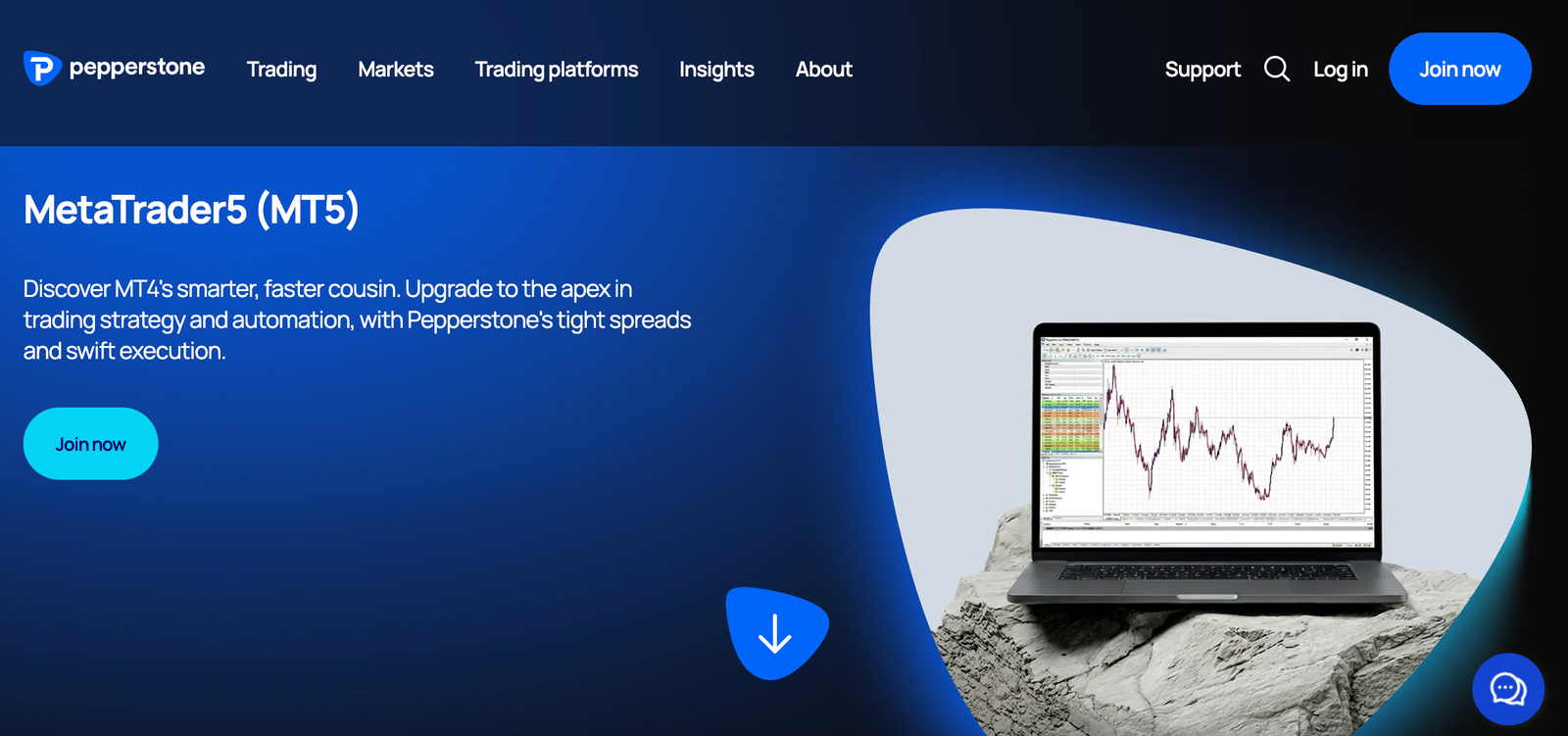
Pepperstone is the MT5 broker I would pick first if all-in forex cost matters most. Its Razor account pairs advertised raw EUR/USD spreads from 0.0 pips with a £2.25 per lot, per side commission, and in my side-by-side test it worked out 0.4 pips cheaper per round-turn lot than the Standard account. The trade-off is setup friction: MT5 symbols carry suffixes, so EAs need editing before they will trade, and free VPS hosting needs serious volume.
Pepperstone key information
| Field | Details |
|---|---|
| Best for | Lowest all-in FX cost on MT5 |
| UK legal entity | Pepperstone Limited |
| FCA status | Authorised, FRN 684312 (checked 6 October 2026) |
| MT5 account routes | Standard CFD, Razor CFD and spread betting |
| MT5 access | Desktop, web, iOS and Android |
| Minimum deposit | No minimum account deposit; £10 is the lowest funding amount Pepperstone lists, and limits can vary by payment method |
| EUR/USD pricing | Advertised: Razor raw spreads from 0.0 pips; Standard is the raw spread plus a 1-pip markup, with no commission. Measured at London open: 0.1 pips (Razor) and 1.1 pips (Standard) |
| Razor commission (GBP account) | £2.25 per lot per side (£4.50 round turn) on FX and spot gold |
| Retail leverage | Up to 30:1 on major FX, 20:1 on gold and major indices |
| Markets | Broker-wide: 1,444 CFDs or 1,432 spread bets (Pepperstone figure, data from March 2025). Observed on my MT5 Razor login: 1,286 .r CFD symbols in Market Watch |
| Automation | EAs permitted; VPS sponsored only above USD 1m traded in 60 days |
| Other charges | No inactivity, admin or market data fees; overnight funding applies |
| FSCS | Eligible clients may be able to claim compensation for qualifying claims, subject to FSCS eligibility rules and limits. FCA authorisation does not mean every product, loss or claim is protected. Check the relevant legal entity and your circumstances before relying on FSCS protection. |
| Execution data | 99.32% fill rate, Q4 2025 (broker-reported) |
What I tested: Windows desktop and iOS app, MT5, Razor and Standard CFD accounts, £500 deposited, £200 withdrawn to debit card, September and October 2026.
How did Pepperstone’s MT5 account perform in my test?
Pepperstone performed best when I measured cost rather than headline spread. My hands-on test started with a £500 debit card deposit into a Razor account, which landed in under 2 minutes. I then added a Standard account from the same client area so I could run identical trades on both pricing models without a second round of ID checks.
The first thing I noticed in MT5 Market Watch was the symbol suffixes. CFD markets end in .r and spread bets end in _SB, so a search for EUR/USD returned more than one line. That matters more than it sounds: my EA was hard-coded to “EURUSD” and sat idle until I changed the symbol input to EURUSD.r. It took about 15 minutes to diagnose, and anyone importing a bought-in EA should expect the same edit.
At London open I placed 1-lot EUR/USD market orders on both accounts within seconds of each other. On Razor, the trade history showed the £2.25 opening commission straight away, and the spread averaged 0.1 pips across my 48 observations. On Standard, the same trade carried 1.1 pips of spread and no commission. I repeated this around the US non-farm payrolls release on 2 October 2026 and recorded 21 of 25 fills with zero slippage. I also opened a 0.1-lot XAU/USD position on Razor, where spot gold starts from 0.08 points plus the same commission, to check that the cost model held beyond forex.
How much does Pepperstone charge on MT5?
Pepperstone charges £2.25 per lot per side on its Razor account for FX and spot gold, plus a raw spread from 0.0 pips. Its Standard account charges no FX commission but adds a 1 pip markup to the raw spread. At GBP/USD of roughly 1.32, the £4.50 round-turn Razor commission equals about 0.6 pips on EUR/USD, so Razor should beat Standard by around 0.4 pips per lot whenever raw spreads are equal. My measured costs matched that: 0.7 pips on Razor (a 0.1-pip average spread plus about 0.6 pips of commission) against 1.1 pips on Standard, a gap of 0.4 pips. Neither account charges an inactivity fee, but overnight funding applies to positions held past 5pm New York time.
Who is Pepperstone best for?
Pepperstone is best for active forex traders and EA users who trade majors frequently and want the lowest measurable cost per lot on MT5. Its broad MT5 range of shares, indices and ETFs also beats IG’s MT5 offer. The main caveat for automated traders is hosting: sponsored VPS needs USD 1m of volume over 60 days, so smaller EA traders will pay for their own server. Traders who want a free VPS at a lower balance should compare IG.
Read the complete Pepperstone review here.
Pros & cons
- Lowest measured all-in EUR/USD cost in my test: 0.7 pips on Razor
- No inactivity, admin or market data fees
- Widest MT5 range I tested, with 1,286 CFD symbols on my Razor login
- Spread betting available on MT5 alongside CFDs
- Symbol suffixes (.r and _SB) mean EAs need editing before they trade
- Sponsored VPS only above USD 1m traded in 60 days
- Standard account cost 1.1 pips, so the savings depend on choosing Razor
2. FxPro – Best for MT5 tools
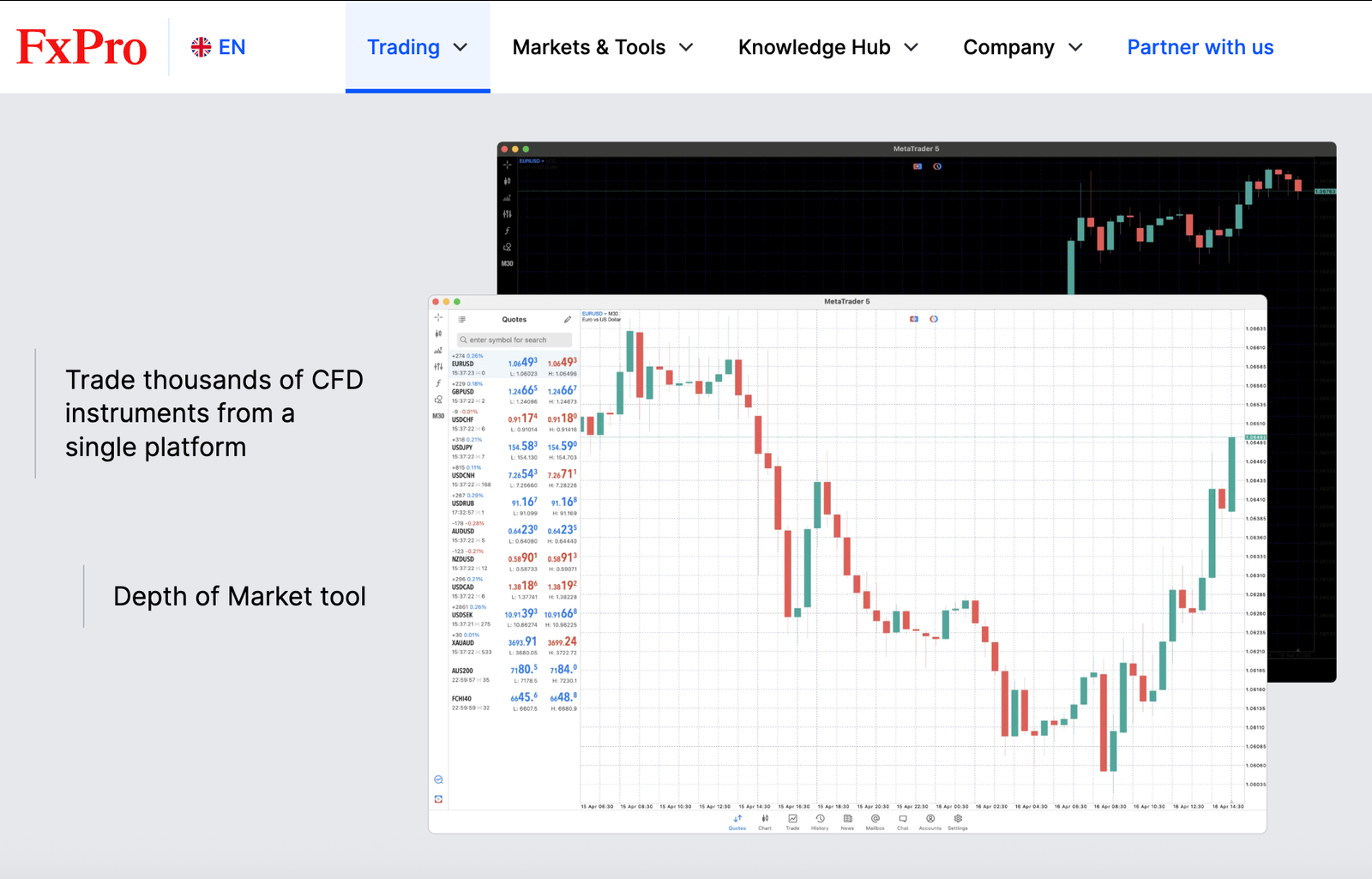
FxPro gives MT5 traders more built-in tooling than most UK rivals: Depth of Market, an integrated economic calendar, 38+ preinstalled indicators, 21 timeframes and a Trading Central plug-in. It also offers both a spread-only and a commission-based route on MT5. The trade-off is that the browser version is much thinner than desktop, and costs depend heavily on account choice. My round-turn EUR/USD cost was 0.8 pips on Raw+.
FxPro key information
| Field | Details |
|---|---|
| Best for | Discretionary MT5 traders who want extra tools |
| UK legal entity | FxPro UK Limited |
| FCA status | FRN 509956 (checked 6 October 2026) |
| MT5 account routes | Standard (spread-only) and Raw+ (zero spread plus commission). Raw+ was available on my FxPro UK Limited account, but FxPro’s site doesn’t say which accounts each entity offers |
| MT5 access | Windows, Mac, web, iOS and Android |
| Minimum deposit | No fixed minimum (FxPro recommends $1,000) |
| EUR/USD pricing | Advertised: Standard from 1.2 pips; Raw+ zero spread for most of the trading day. Measured at London open: 1.4 pips (Standard) and 0.1 pips (Raw+) |
| Commission | Raw+: $3.50 per lot per side (charged in USD and converted to GBP) |
| Platform tools | Depth of Market, economic calendar, 38+ indicators, 44 chart types, 21 timeframes, one-click trading, Trading Central |
| Automation | EAs and Strategy Tester supported; BeeksFX VPS at $30 a month, free for VIP and Elite account holders |
| Other charges | No FxPro deposit or withdrawal fees (bank or payment-provider fees may apply); overnight funding |
| FSCS | Eligible clients may be able to claim compensation for qualifying claims, subject to FSCS eligibility rules and limits. FCA authorisation does not mean every product, loss or claim is protected. Check the relevant legal entity and your circumstances before relying on FSCS protection. |
What I tested: Windows desktop, web terminal and iOS app, MT5, Standard and Raw+ accounts, £300 deposited, £150 withdrawn to debit card, September and October 2026.
How did FxPro’s MT5 account perform in my test?
FxPro was the most capable MT5 setup I tested for hands-on chart trading, as long as I stayed on desktop. When I tested it, I deposited £300 and split my trades between a Standard and a Raw+ account. Onboarding showed FxPro UK Limited as my contracting entity, which I cross-checked against the FCA Register before funding. After “Show all”, my MT5 login listed 1,148 symbols in Market Watch in total. FxPro advertises 2,000+ stock CFDs across its platforms. However, the advertised total and my MT5 Market Watch count may cover different instrument categories or platforms, so I would not interpret the difference as a like-for-like shortfall.
On desktop, I opened Depth of Market on EUR/USD and saw 10 price levels either side. That was useful context before a Germany 40 trade around the German Ifo business climate release on 24 September 2026, which I placed with one click straight from the chart and then dragged the stop-loss line to adjust risk. The economic calendar sits inside the terminal, so I didn’t need a separate tab to time the entry. Installing the Trading Central plug-in took 3 minutes and added its directional levels to my charts.
The friction came when I switched to the web terminal on a work laptop. FxPro’s browser MT5 offers 9 timeframes and 30 indicators, compared with 21 timeframes and 38+ indicators on desktop, so my M2 chart layout simply didn’t carry across. Anyone who plans to trade mostly from a browser should weigh that before choosing FxPro for its tools.
How much does FxPro charge on MT5?
FxPro charges no commission on its MT5 Standard account, where EUR/USD spreads start from 1.2 pips. Its Raw+ account offers zero spreads for most of the trading day plus a commission of $3.50 per lot per side, which equals about 0.7 pips round turn on EUR/USD. That makes Raw+ cheaper than Standard whenever the raw spread averages below roughly 0.5 pips, and my measured result was 0.8 pips on Raw+ (a 0.1-pip average spread plus 0.7 pips of commission) versus 1.4 pips on Standard. That 0.1-pip average fits FxPro’s description of zero spreads for most of the trading day. Commission is quoted in US dollars, so GBP accounts should expect a conversion. Overnight funding applies.
Who is FxPro best for?
FxPro is best for discretionary MT5 traders who trade from desktop and want Depth of Market, an in-terminal calendar and third-party analysis without installing extra software. EA traders will find the core MT5 automation identical to other brokers, so for them the deciding factor is cost: compare FxPro Raw+ with Pepperstone Razor using the measured figures above. Traders who rely on the browser terminal will lose much of FxPro’s tooling advantage. Raw+ was available on my UK account, but FxPro doesn’t publish which accounts each entity offers, so confirm before opening. On Standard, my cost was 1.4 pips, which would put FxPro behind IG on price.
Pros & cons
- Depth of Market, economic calendar and Trading Central built into MT5
- Both spread-only (Standard) and commission-based (Raw+) MT5 accounts
- Measured 0.8 pips all-in on EUR/USD with Raw+
- No FxPro deposit or withdrawal fees
- Web terminal has only 9 timeframes and 30 indicators, against 21 and 38+ on desktop
- Standard account cost 1.4 pips in my test, the highest on this list
- Raw+ commission is charged in US dollars, so GBP accounts face a conversion
- BeeksFX VPS costs $30 a month unless you hold a VIP or Elite account
3. IG – Best for UK traders who want a free MT5 VPS
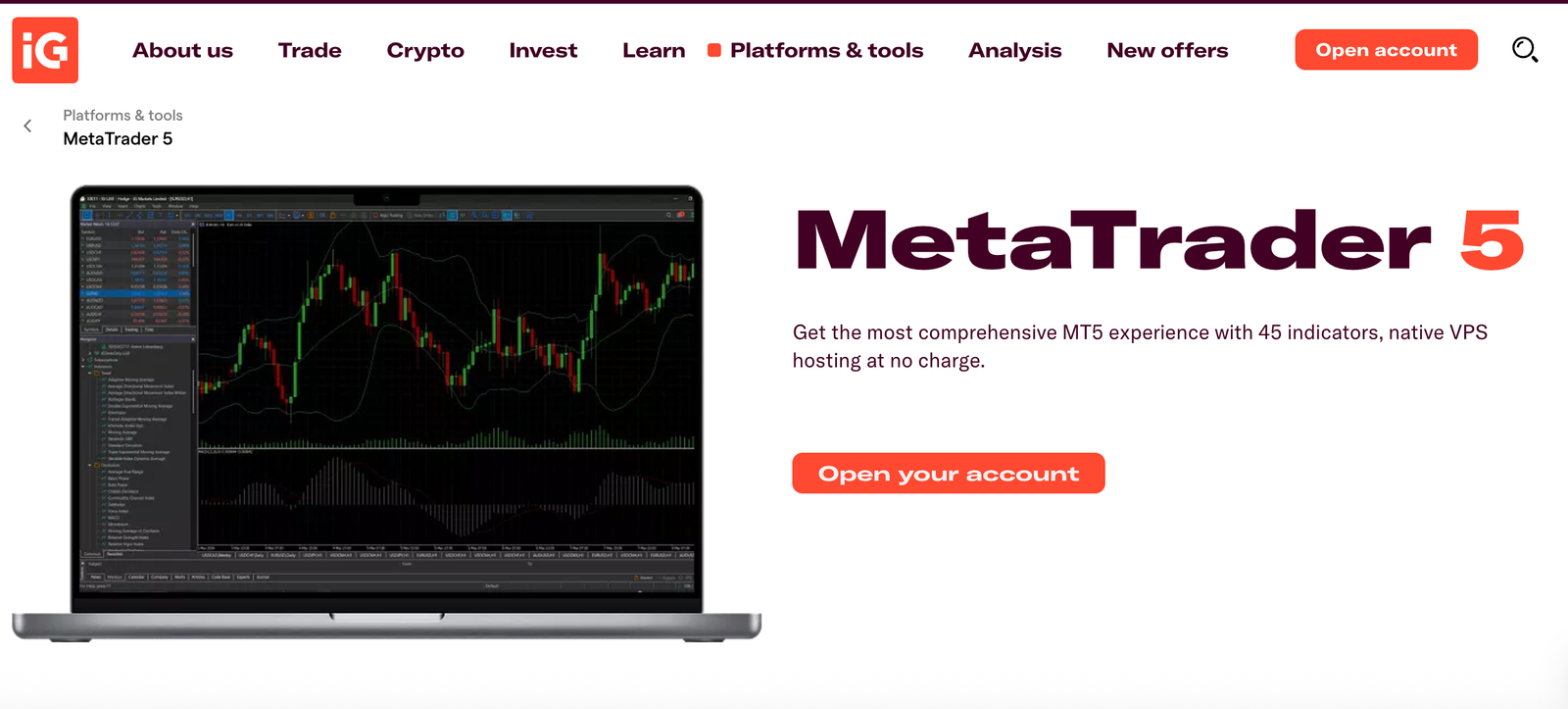
IG suits UK traders who want MT5 from a long-established broker, with built-in VPS hosting that is free if you keep £1,000 or more in your MT5 account and trade at least once every 28 days. It also adds 45 extra indicators and EAs at no cost. The trade-off is market range: IG’s MT5 account covers major FX pairs, key indices and selected commodities only, far fewer markets than IG’s own platform. My EUR/USD cost came in at 0.8 pips, versus 0.7 pips on Pepperstone Razor.
IG key information
| Field | Details |
|---|---|
| Best for | Automated FX and index trading with free hosting |
| UK legal entity | IG Markets Ltd (CFDs); IG Index Ltd (spread betting) |
| FCA status | IG Markets Ltd FRN 195355; IG Index Ltd FRN 114059 (checked 6 October 2026) |
| MT5 account routes | CFD and spread bet, added through My IG as a separate MT5 account |
| MT5 access | Windows, Mac, web terminal, iOS and Android |
| Minimum deposit | No minimum stated for bank transfers |
| EUR/USD pricing | No commission; IG’s main-platform minimum is 0.6 pips, and IG says MT5 spreads may differ |
| Commission | None on FX |
| Markets on MT5 | Major FX pairs, key indices and selected commodities; same list for CFD and spread bet; no share CFDs; crypto for professional clients only |
| Automation | EAs supported; native MT5 VPS free if you keep £1,000 or more in your MT5 account and have traded in the last 28 days, otherwise MQL5 subscription fees apply |
| Extra tools | 45 additional indicators and EAs, Autochartist, FX Blue |
| Other charges | No inactivity fee; free deposits and withdrawals; overnight funding applies |
| FSCS | Eligible clients may be able to claim compensation for qualifying claims, subject to FSCS eligibility rules and limits. FCA authorisation does not mean every product, loss or claim is protected. Check the relevant legal entity and your circumstances before relying on FSCS protection. |
What I tested: Mac desktop and web terminal, MT5, spread bet (IG Index Ltd) and CFD (IG Markets Ltd) accounts, £1,000 deposited, £300 withdrawn by bank transfer, September and October 2026.
How did IG’s MT5 account perform in my test?
IG’s MT5 account worked well for automated FX trading, but it felt like a separate product bolted onto an existing IG login. When I tested it, I funded £1,000 specifically because that is the balance IG requires for free VPS hosting. I then added the MT5 account through My IG using “Add another account”. IG issued a new six-digit MT5 login that differs from my normal IG details, and I had to pick the IG-Live server manually on first sign-in.
he demo was less obvious than with most demo trading accounts. IG doesn’t let you create an MT5 demo in My IG, so I opened it inside the platform via File, Open an Account, then the IG-Demo server. IG also warns it cannot reset MT5 demo passwords, so I saved mine immediately.
Next, I right-clicked Market Watch and chose “Show all”. The list stopped at 86 symbols: major FX pairs, key indices and a handful of commodities. I had planned to test a UK share CFD and couldn’t, because shares aren’t offered on IG’s MT5 account. I placed a £2 per point GBP/USD spread bet and a 0.5-lot EUR/USD CFD instead. Average EUR/USD spread at London open was 0.8 pips, and 19 of 25 market orders filled at the quoted price.
The VPS was the highlight. Clicking the MQL5 Virtual Hosting icon showed my nearest server and confirmed I qualified for the free tier, and my EA was running remotely within 4 minutes. That saved me the roughly £12 per month I would otherwise pay MetaQuotes or a third-party host.
How much does IG charge on MT5?
IG charges no FX commission on MT5 and builds its costs into the spread. Its main-platform EUR/USD minimum is 0.6 pips, but IG says MT5 spreads can differ, so I relied on the MT5 quotes I recorded: an average of 0.8 pips. The MT5 VPS is free if you keep £1,000 or more in your MT5 account and have traded in the last 28 days; below that, MQL5 subscription fees apply. Overnight funding applies to positions held overnight.
Who is IG best for?
IG is best for UK traders running EAs on major FX pairs and indices who would rather keep £1,000 in their account than pay for hosting. It also suits existing IG clients who want MT5 alongside their main account. Traders who want share CFDs or the widest MT5 market list should choose Pepperstone instead, and anyone trading purely on cost should compare the measured EUR/USD figures above before deciding.
Read the complete IG review here.
Pros & cons
- Free MT5 VPS with £1,000 or more in the account and a trade in the last 28 days
- 45 extra indicators and EAs, plus Autochartist and FX Blue, at no cost
- MT5 available for both CFDs and spread betting
- No FX commission, inactivity fee or deposit and withdrawal fees
- Only 86 symbols on MT5 in my test, with no share CFDs
- MT5 demo can't be created in My IG, and IG can't reset demo passwords
- MT5 uses a separate login and server from your main IG account
4. Trading.com – Best for a straightforward MT5 setup
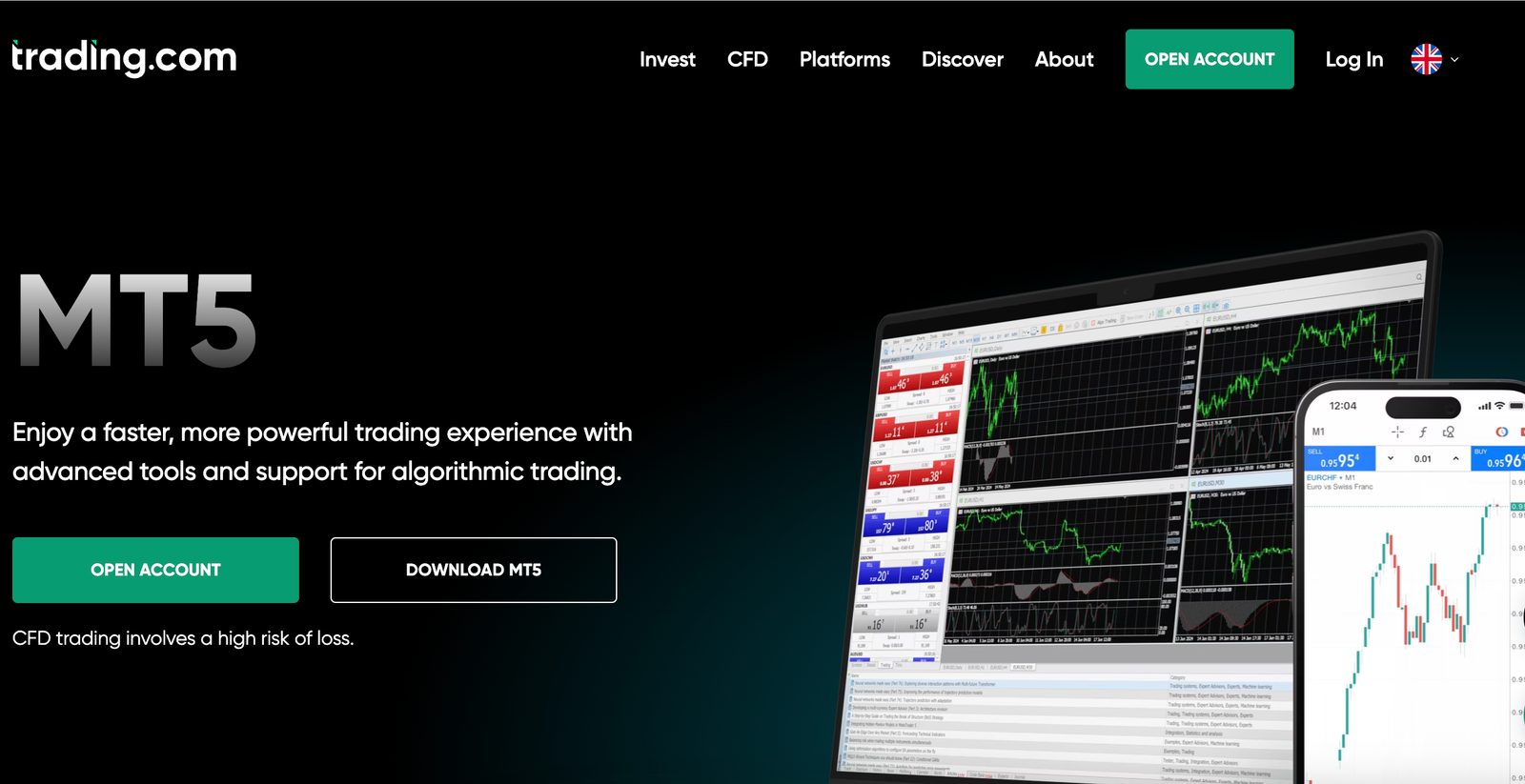
Verdict: Trading.com is the simplest MT5 route on this list: one spread-only account and no commission maths. Its UK MT5 page promotes 1,400+ instruments and multi-currency real-tick backtesting, and I counted 1,183 symbols in Market Watch. The trade-off is cost for active traders: there’s no raw-spread alternative, and I measured an average EUR/USD spread of 1.1 pips. It also charges an inactivity fee after 12 months.
Trading.com key information
| Field | Details |
|---|---|
| Best for | Simple, single-account MT5 access |
| UK legal entity | Trading.com Markets UK Limited |
| FCA status | FRN 705428 (checked 6 October 2026) |
| MT5 account routes | One spread-only CFD account |
| MT5 access | Desktop, iOS and Android |
| Minimum deposit | No minimum stated for the CFD account (the £50 minimum applies to its separate Investment Account) |
| EUR/USD pricing | Variable spread, with costs built into the spread |
| Commission | None on FX and CFDs (share CFDs were priced through the spread in my test) |
| Markets on MT5 | 1,400+ instruments across forex, shares, indices and commodities (broker claim); no crypto for UK clients |
| Automation | EAs supported; multi-currency backtesting on real ticks (no broker-sponsored VPS was offered at sign-up) |
| Other charges | Dormant fee of 10 a month in the account’s base currency (£10 on a GBP account) after 12 months with no activity across all CFD accounts; zero-balance accounts aren’t charged; overnight funding |
| FSCS | Eligible clients may be able to claim compensation for qualifying claims, subject to FSCS eligibility rules and limits. FCA authorisation does not mean every product, loss or claim is protected. Check the relevant legal entity and your circumstances before relying on FSCS protection. |
What I tested: Windows desktop and Android app, MT5, spread-only CFD account, £250 deposited, £100 withdrawn to debit card, September and October 2026.
How did Trading.com’s MT5 account perform in my test?
Trading.com was the quickest broker to get trading because there was nothing to choose. I tested it with a £250 debit card deposit, and with only one account type I skipped the Standard-versus-raw decision most other brokers here ask you to make. Connecting MT5 meant opening File, then Open an Account, and searching for the Trading.comUK-MT5 server. I was looking at live quotes 8 minutes after my deposit cleared.
Because the 1,400+ instrument figure is a marketing claim, I checked it first. After “Show all”, my CFD account listed 1,183 symbols in Market Watch, 217 fewer than the 1,400+ that Trading.com’s UK MT5 page advertises. I couldn’t find an explanation for the gap on Trading.com’s site, so check Market Watch for the markets you need before funding. I then opened a 0.5-lot EUR/USD position at London open and a small US 500 position. The EUR/USD spread averaged 1.1 pips, and 20 of 25 orders filled without slippage.
The backtesting claim was the part I most wanted to verify. I set up the Strategy Tester to run my EA on EUR/USD and GBP/USD together using “Every tick based on real ticks”. Real-tick data was available back to 1 April 2026, so a full six-month run was possible, and it finished in 6 minutes 12 seconds. For a trader validating an EA before going live, that data depth matters more than the instrument count.
How much does Trading.com charge on MT5?
Trading.com charges no commission on FX and builds its costs into a variable spread. There is no commission-based raw account, and my measured EUR/USD average was 1.1 pips. Trading.com’s UK Costs and Charges document sets a dormant fee of 10 a month in the account’s base currency, which is £10 on a GBP account like mine, after 12 months with no activity across all CFD accounts. If your free balance is below 10, it takes the whole balance, and empty accounts aren’t charged. Overnight funding applies to positions held overnight.
Who is Trading.com best for?
Trading.com is best for newer MT5 traders and occasional traders who want a single account with costs they can read off the spread. It is a weaker fit for scalpers and high-frequency EA traders, who will usually pay less per lot on Pepperstone Razor once commission is included. Traders who may leave the account idle for a year should factor in the inactivity fee.
Pros & cons
- One spread-only account, so there is no commission maths to do
- Multi-currency backtesting on real ticks, with six months of data in my test
- No commission on FX or CFDs
- No minimum deposit stated for the CFD account
- No raw-spread account, and EUR/USD averaged 1.1 pips in my test
- Dormant fee of £10 a month after 12 months without activity
- I counted 1,183 MT5 symbols, fewer than the 1,400+ advertised
- No broker-sponsored VPS
How I tested and ranked the best MT5 brokers in the UK
I started from the review process behind Psyfi Money’s ranking of the top trading platforms, then ran a dedicated MT5 test for UK traders and weighted the results for that reader. Any existing Psyfi Money review rating for these brokers stays separate. The weighting below only decides the order on this page.
| Ranking factor | Weight | What I assessed |
|---|---|---|
| Measured all-in EUR/USD cost | 30% | Average EUR/USD spread across 48 London-open observations, plus commission, as a round-turn cost per standard lot |
| Execution quality | 15% | Zero-slippage fills across 25 EUR/USD market orders per broker, including orders around scheduled news releases |
| Markets on the MT5 account | 15% | Symbols listed in MT5 Market Watch after “Show all”, compared with each broker’s advertised market count, including share CFDs |
| Automation and backtesting | 15% | Whether the same MQL5 EA ran without edits, real-tick Strategy Tester data and runtime, and VPS terms |
| Funding and withdrawals | 15% | Minimum deposit, how quickly a test deposit credited and the working days between requesting a test withdrawal and the money reaching my bank account |
| MT5 platform tools | 10% | Depth of Market, extra indicators and plug-ins, and how much the web terminal lost compared with desktop |
The clearest difference in my test was measured all-in EUR/USD cost per standard lot. Across the observation period, Pepperstone Razor came in at 0.7 pips, FxPro Raw+ and IG at 0.8 pips, and Trading.com at 1.1 pips. These are test-period results, not fixed prices.
I also recorded whether each market order filled at the quoted price under my test conditions. The sample comprised 25 EUR/USD market orders per broker, including selected orders around scheduled news releases. The results describe these orders only; the sample is too small to establish typical execution quality across different market conditions. I report observed withdrawal times separately because payment methods and processing stages differed between brokers.
I weighted measured cost at 30% because trading costs compound for frequent forex traders and automated strategies. FxPro and IG had the same measured EUR/USD cost in this test, so their final order depends on the scores for market range, automation, funding and platform tools, not on a claimed cost advantage. FCA authorisation of an eligible UK entity was an entry requirement, rather than a scoring factor. The ranking applies to this guide only, and remains separate from any broader Psyfi Money broker rating.
| Broker | All-in cost (30%) | Execution (15%) | MT5 market range (15%) | Automation & backtesting (15%) | Funding & withdrawals (15%) | Platform tools (10%) | Overall /10 |
|---|---|---|---|---|---|---|---|
| 1. Pepperstone | 10 | 9 | 9 | 6 | 10 | 6 | 8.7 |
| 2. FxPro | 9 | 8 | 8 | 7 | 9 | 10 | 8.5 |
| 3. IG | 9 | 7 | 4 | 10 | 7 | 8 | 7.7 |
| 4. Trading.com | 6 | 8 | 8 | 7 | 7 | 5 | 6.8 |
Brokers I considered but didn’t rank
As well as the four brokers in my ranking, I looked at other MT5 brokers that UK traders often search for. These are in alphabetical order, and this isn’t a ranking.
| Broker | Why I considered it | UK status | Why it isn’t ranked |
|---|---|---|---|
| ActivTrades | Lists MT5 among its platforms and offers spread betting to UK clients | FCA-authorised (ActivTrades Plc, FRN 434413) | Its UK spread betting page doesn’t publish spread figures, so I couldn’t compare its all-in cost on the same basis. Pepperstone, one of the leading spread betting platforms, already covers MT5 spread betting in my ranking. |
| Capital.com | FCA-authorised UK broker with a £20 minimum deposit, often listed as an MT5 broker | FCA-authorised (Capital Com (UK) Limited, FRN 793714) | Its UK site offers MT4 rather than MT5, and its help centre says it doesn’t offer MT5 integration, so it fails my MT5 entry requirement. |
| CMC Markets | Large UK broker with broad market coverage | FCA-authorised (CMC Markets UK plc, FRN 173730) | Its UK site offers MT4 for CFD trading, but I couldn’t confirm an MT5 account for UK retail clients. |
| Exness | Popular MT5 broker with raw-spread accounts | Exness (UK) Ltd is FCA-authorised (FRN 730729), but the FCA Register shows no permissions for investments | It doesn’t meet my entry requirement of an FCA-authorised UK entity with permission to offer CFD trading. |
| IC Markets | Widely used for raw-spread MT5 and EA trading | Not FCA-authorised; its global site is operated by Raw Trading Ltd, regulated by the Seychelles FSA | It fails my entry requirement of an FCA-authorised UK entity, and FSCS protection doesn’t apply. |
| Vantage | Lists MT5 and advertises forex spreads from 0.0 pips | FCA-authorised (Vantage Global Prime LLP, FRN 590299) | It wasn’t in this test round, so I have no measured costs to rank it against the other four. |
| XM | One of the best-known MT5 brands worldwide | Not FCA-authorised; its global site is operated by XM Global Limited, regulated in Belize | It fails my entry requirement of an FCA-authorised UK entity. |
The exclusion decisions reflect the scope of this comparison, not a universal judgement about each broker. “Not tested” means I did not collect comparable first-hand MT5 results for that broker. “Not eligible” means I could not establish that it met this guide’s UK regulatory and retail-MT5 entry requirements at the time of checking. Regulatory status, permissions and platform availability can change, so check the relevant official register and the broker’s current UK offering before opening an account.
What is MetaTrader 5 (MT5)?
MetaTrader 5 is trading software built by MetaQuotes. It is a platform, not a broker. You download it free and log in with an account from a broker, which decides what you can actually trade and what it costs.
The platform supplies the tools. These include charting across 21 timeframes, built-in indicators, a range of pending order types, Expert Advisors (EAs) for automated trading and a Strategy Tester for backtesting. It runs on desktop, in a browser and as an app, so it can work alongside or instead of other mobile trading apps.
The broker controls the commercial side: spreads, commissions, overnight financing, which instruments appear in MT5, leverage limits and any restrictions on EAs or account types. Two brokers can run identical MT5 software and still offer very different trading conditions.
MT5 vs MT4: which should you choose?
MT5 handles multi-asset trading better and has more analytical depth. It offers more timeframes, a built-in economic calendar, Depth of Market and multi-threaded backtesting on real tick data. MT4 remains widely supported and simpler, with a large library of established indicators and EAs.
Compatibility is the deciding issue for many traders. EAs written in MQL4 don’t run on MT5 without being rewritten in MQL5.
Choose MT5 if you trade forex alongside indices, commodities or shares, or want stronger backtesting. Stick with MT4 platforms if you rely on an MQL4 EA or indicator you can’t replace, or only trade forex and prefer the simpler setup.
How to choose an MT5 broker in the UK
- FCA authorisation: check the broker on the FCA Register, and confirm which legal entity your account sits with. Some brands onboard UK clients through offshore firms.
- All-in trading costs: compare spread plus commission per lot, not headline “from 0.0 pips” figures. Also check overnight financing and inactivity fees.
- Execution: broker-published fill and speed statistics are self-reported, so treat them as a guide rather than proof.
- Markets on MT5: many brokers list fewer instruments on MT5 than on their own platforms. Check whether shares, spread betting and raw-spread accounts are available on the MT5 login itself.
- Automation: confirm EA permissions, whether your account uses hedging or netting mode, and the VPS terms. Some VPS hosting is free, some is volume-linked and some is paid.
- Funding and support: check deposit methods, withdrawal times and fees, and whether support understands MT5-specific issues.
- FCA authorisation and FSCS eligibility are separate checks: confirm the firm’s permissions for the service you intend to use, and check whether the particular claim or activity would qualify for compensation.
Do all MT5 brokers offer the same features?
No. The software looks the same, but each broker configures its own MT5 server. Pricing, instrument lists, symbol names, execution conditions and leverage all vary by broker, even among the top forex brokers. So do account modes: hedging or netting depends on the broker and account setup. Some brokers also restrict certain EA strategies or offer only a narrow MT5 range compared with their main platform. Those differences matter more than the platform itself, and they’re what the comparison above focuses on.
FAQs
Which MT5 broker is best for UK forex traders?
Pepperstone was the best MT5 broker for UK forex traders in my testing. Its Razor account cost 0.7 pips all-in per standard lot on EUR/USD, and it offers 93 forex pairs on an FCA-authorised account. FxPro’s Raw+ account was close behind at 0.8 pips.
Which MT5 broker has the lowest trading costs?
Pepperstone had the lowest cost in my testing, at 0.7 pips all-in per standard lot on EUR/USD, made up of a raw spread plus £2.25 per lot per side. FxPro Raw+ and IG came in at 0.8 pips, and Trading.com at 1.1 pips.
Can UK traders use MT5 for spread betting?
Yes, but only with some brokers. Pepperstone offers spread betting on MT5, with spread-bet markets marked by an _SB suffix. IG offers MT5 spread bet accounts with the same market list as its MT5 CFD accounts. Most MT5 brokers only offer CFDs, so check before opening an account.
Which UK MT5 brokers allow Expert Advisors?
All four brokers in my ranking allow Expert Advisors on MT5: Pepperstone, FxPro, IG and Trading.com. I ran the same MQL5 EA on each one. The main difference was setup: on Pepperstone I had to change the EA’s symbol to EURUSD.r before it would trade.
Do UK MT5 brokers support hedging?
Yes, most UK MT5 brokers support hedging. MT5 has a hedging mode, which lets you hold opposite positions on the same market, and a netting mode, which combines them into one. IG supports both, and Pepperstone’s accounts are listed as suitable for hedging. Check which mode your account uses before you trade, because it changes how opposite orders are handled.
Do I need a VPS to run an MT5 EA?
No, but your EA only runs while MT5 is open and connected. A VPS keeps it running around the clock without leaving your own computer on. IG offers a free MT5 VPS if you keep £1,000 or more in your MT5 account and place a trade at least once every 28 days. Pepperstone only sponsors a VPS above USD 1 million traded in 60 days. Otherwise, MetaQuotes hosting cost me roughly £12 a month.
Is MT5 available on a demo account?
Yes. Most brokers in my ranking offer an MT5 demo account. At IG, you create the demo inside the MT5 platform itself, by choosing the IG-Demo server under File > Open an Account, rather than through My IG. IG can’t reset MT5 demo passwords, so save yours when you create it.
Can I trade indices, gold and shares through an MT5 broker?
Indices and gold, yes, at every broker I tested. Shares depend on the broker. Pepperstone, Trading.com and FxPro offer share CFDs on MT5. IG’s MT5 account has no shares at all, just major forex pairs, key indices and selected commodities.
How do I check whether an MT5 broker is FCA-authorised?
Search the firm on the FCA Register at register.fca.org.uk. Check that its status is “Authorised”, that it has permission to deal in investments, and that the website and trading names match the broker you’re using. Also check the FCA Warning List, because clone firms often copy the names and registration numbers of genuine brokers.
