

After comparing 8 UK MT4 brokers, my top picks are Pepperstone for active traders and EAs, CMC Markets for low-commission FX and risk-based sizing, and IG for MT4 spread betting. I compared commissions and spreads, MT4 tools and automation, spread betting on MT4, minimum deposits, and how each broker handles everyday MT4 trading on desktop and mobile.
How I tested and ranked these MT4 brokers
Between September and October 2026, I tested each broker with a funded UK MT4 account. I placed forex trades on desktop and mobile, ran Expert Advisors and checked the all-in cost of each trade, including commission and spread.
- 8 funded UK MT4 accounts
- £5,300 deposited
- 100+ MT4 orders placed
- 3 Expert Advisors run live
- 8 withdrawals tested
- Tested on Windows, Mac, iPhone and Android
I then weighted costs 30%, MT4 tools and automation 20%, spread betting on MT4 15%, entry and account setup 15%, MT4 market range 10%, and funding and withdrawals 10%. FCA authorisation and a UK retail MT4 account were requirements for inclusion, not scoring factors.
MT4 brokers at a glance
| Broker | Best for | Minimum deposit | EUR/USD spread | Commission | Key MT4 features | UK spread betting |
|---|---|---|---|---|---|---|
| Pepperstone | Active traders and EAs | £0 | From 0.0 pips (Razor); about 1 pip (Standard) | Razor: £2.25 per lot per side; Standard: none | Raw-spread Razor CFDs, spread-only Standard CFDs, Expert Advisors and a separate UK spread-betting account | Yes |
| CMC Markets | Low-commission FX and risk-based sizing | £0 | From 0.0 pips (FX Active, six majors) | FX Active CFDs: 0.0025% per side | Mini Terminal, stops set as % of account, extra indicators, London server | Yes |
| IG | MT4 spread betting | None by bank transfer; £1 by card | From 0.6 pips | None | 18 add-ons and indicators, EAs, VPS free with £5,000+ | Yes |
| Admirals | Advanced MT4 tools | Not confirmed for UK accounts | From 0.5 pips (Trade.MT4); from 0.0 pips plus commission (Zero.MT4) | None on Trade.MT4; per-lot commission on Zero.MT4 | MetaTrader Supreme Edition: Mini Terminal, Trade Terminal, alarms | No (not on MT4) |
| Capital.com | Beginners using MT4 | £20 | From 0.6 pips | None | EAs, custom indicators, Strategy Tester | No (own platform only) |
| FOREX.com | Dedicated forex trading | £100 | From 1 pip | None (standard MT4) | Reuters news, Trading Central, FX Blue apps, VPS for qualifying accounts | No (CFD-only MT4 account) |
| StoneX Trading | Built-in MT4 tools and news | £100 by card; no minimum by bank transfer | Variable | None on MT4 FX | FX Blue EAs and apps, economic calendar, integrated news | No (CFD-only MT4 account) |
| Trade Nation | Small-stake MT4 trading | Varies by payment method | Variable on MT4 | None | Micro lots, EAs, 30+ FX pairs plus indices and commodities | No (TN Trader and TradingView only) |
Best MT4 Brokers UK Reviews
1. Pepperstone — Best for active traders and EAs
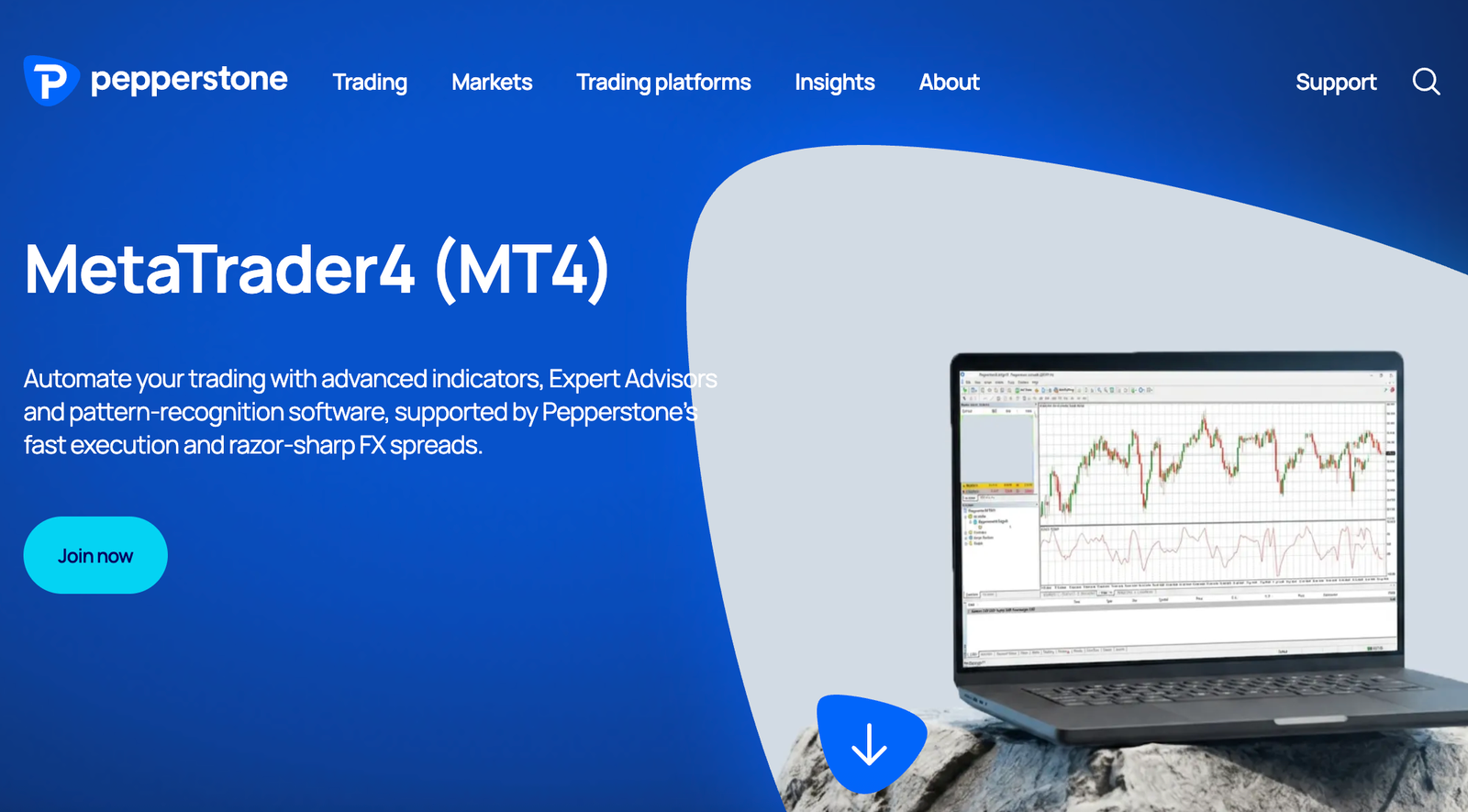
Pepperstone is the MT4 broker I’d choose for active forex trading. Its Razor account pairs raw spreads with a £2.25-per-side commission, and it worked out cheaper than the Standard account at every trade size I tried. The trade-off is readability: the commission sits outside the spread, so the MT4 ticket never shows you the full cost of a trade.
Key information
| Field | Details |
|---|---|
| Best for | Active forex traders and Expert Advisor users |
| UK entity | Pepperstone Limited, FCA FRN 684312 |
| MT4 accounts | Standard and Razor CFDs, plus a separate UK spread-betting account. |
| Minimum deposit | £0 |
| Razor FX commission | £2.25 per lot per side (£4.50 round turn) |
| Standard FX pricing | No commission; around 1 pip added to the raw spread |
| Maximum retail leverage | 30:1 on major FX pairs |
| Expert Advisors | Yes |
| FSCS | Up to £85,000 on eligible claims |
| Main limitation | Commission isn’t shown on the MT4 order ticket |
What I tested: In September 2026 I deposited £2,500 by debit card into a GBP Razor account, traded EUR/USD and GBP/USD at 0.1 and 0.5 lots on MT4 desktop and iPhone, compared costs against a Standard demo, ran a moving-average crossover EA and withdrew £500.
How did Pepperstone perform in my MT4 test?
My hands-on test started with the application itself: identity checks went through automatically and the account was approved in about 15 minutes. My £2,500 debit-card deposit was showing as free margin in MT4 within a few minutes.
I opened a 0.5-lot EUR/USD buy shortly after 8am, when the quoted spread was 0.1 pips. The ticket showed nothing else, but the Trade tab immediately posted £1.13 in commission against the position, so I logged both legs of every trade by hand to get a true round-trip figure.
Across 30 EUR/USD market orders, execution averaged about 77ms, and the Razor spread sat between 0.0 and 0.2 pips through the London session. I then placed the same trades on a Standard demo.
With roughly 1 pip added to the raw spread, Standard cost more at 0.1 lots as well as 0.5, which surprised me: the usual advice is that commission accounts only pay off at higher volumes.
During a US inflation release, EUR/USD briefly widened to about 1.5 pips on Razor before snapping back, and one of my orders filled 0.3 pips worse than requested. My crossover EA ran on a 15-minute chart for three sessions on the desktop terminal without any dropped connections.
A live chat question about VPS eligibility was answered in under two minutes, and my £500 withdrawal was back on my card two working days later.
How much does Pepperstone charge for MT4 forex trading?
Pepperstone charges £2.25 per lot per side on its Razor MT4 account, plus the raw spread, and no commission on its Standard account, where the cost is built into a wider spread. On a 1-lot EUR/USD round trip I worked out about £5.25 on Razor against about £8.27 on Standard. Spreads widen around major data releases on both accounts, so those figures reflect normal London-session conditions.
Who is Pepperstone best for on MT4?
Pepperstone is best for traders who place several forex trades a week or run Expert Advisors, because the cost saving grows with every lot traded. Beginners who want every charge in a single visible number may prefer the Standard account, accepting the higher cost for simplicity.
Read the complete Pepperstone review here.
Pros & cons
- Razor was cheaper than Standard at both trade sizes I tested
- MT4 CFDs and a separate UK spread-betting account
- No minimum deposit
- EA ran stably across several sessions
- Commission is not shown on the MT4 order ticket
- Spreads still widen around major news releases
- Two account types add a decision for new traders
Verdict: Pepperstone takes first place because it pairs very low Razor costs on CFDs with MT4 spread betting, no minimum deposit and a setup that doesn’t need a separate MT4 application. CMC Markets’ FX Active commission is slightly lower, but Pepperstone’s raw pricing covers every FX pair rather than six majors, and its account is simpler to open and run.
2. CMC Markets — Best for low-commission FX and risk-based sizing
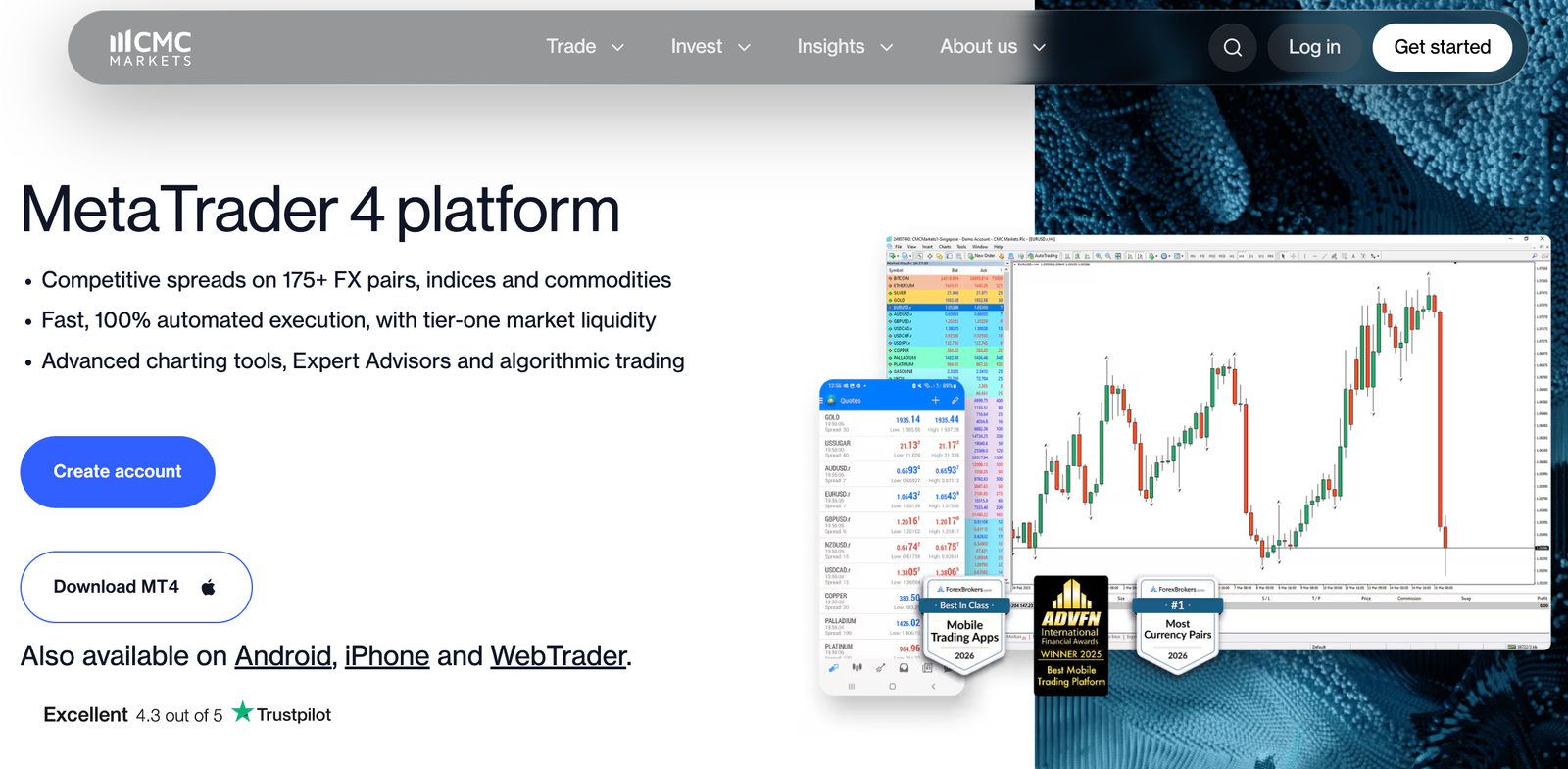
CMC Markets is a good fit for MT4 traders who want sharper order management, with a Mini Terminal that sizes stop-losses as a percentage of your account. Its FX Active account adds spreads from 0.0 pips on six major pairs for a 0.0025% commission. The trade-off is a separate application from CMC’s main platform, and no share CFDs on MT4.
Key information
| Field | Details |
|---|---|
| Best for | MT4 traders who want low FX commission and risk-based position sizing |
| UK entity | CMC Markets UK plc (FCA FRN 173730); CMC Spreadbet plc (FCA FRN 170627) |
| MT4 accounts | MT4 spread betting or CFD accounts; FX Active pricing applies to CFDs; separate application required |
| Minimum deposit | None |
| FX Active CFD pricing | From 0.0 pips on six majors, plus 0.0025% commission per side (about $2.50 per $100,000) |
| Other FX pairs on FX Active | Spreads 25% narrower than the standard account |
| Expert Advisors | Yes |
| Additional tools | Mini Terminal, extra indicators, EAs, London-based server |
| FSCS | Up to £85,000 on eligible claims |
| Main limitation | No share CFDs on MT4; narrower range than CMC’s own platform |
What I tested: In October 2026 I applied for an MT4 CFD account on FX Active CFD pricing, funded it with £750 by bank transfer, traded USD/JPY at 0.2 lots and a gold position on Windows desktop using the Mini Terminal, and withdrew £250.
How did CMC Markets perform in my MT4 test?
I already had a CMC account on its Next Generation platform, but MT4 needed a separate application, and my MT4 login and admin portal details arrived by email the next morning. I chose FX Active CFD pricing and funded the account with £750 by bank transfer, which cleared in about two hours.
When I looked for share CFDs to compare, they weren’t there: CMC only offers shares on MT5 and its own platform.
The Mini Terminal handled the risk-based sizing that sets CMC apart on MT4. I opened a 0.2-lot USD/JPY position and set the stop-loss as 1% of my account rather than in pips, and the terminal calculated the distance for me.
The commission was straightforward to verify: on my 0.2-lot USD/JPY position, the notional value was $20,000. At 0.0025% per side, that works out at $0.50 per side, or $1 for the round trip, before conversion into pounds.
USD/JPY quoted between 0.0 and 0.3 pips during the London session, which made this one of the cheaper majors I traded across the whole comparison, and fills from the London server averaged about 64ms. A 0.05-lot gold trade showed a wider spread of around 0.35 dollars.
The phone support line answered in under a minute when I asked how FX Active commission appears on statements, and my £250 withdrawal reached my bank the next working day.
Is CMC Markets’ FX Active account worth it on MT4?
Yes, for regular forex traders FX Active is usually the better MT4 option, offering spreads from 0.0 pips on six major pairs for a 0.0025% commission per side. That works out at about $2.50 per $100,000 traded, lower than Pepperstone’s Razor commission. The six majors are EUR/USD, GBP/USD, USD/JPY, AUD/USD, NZD/USD and USD/CAD; other pairs get a smaller 25% spread reduction.
Who is CMC Markets best for on MT4?
CMC Markets is best for disciplined forex traders who size every position by account risk and want tools that do that maths for them. If you want to trade shares through MetaTrader, it’s the wrong fit on MT4.
Read the complete CMC Markets review here.
Pros & cons
- FX Active commission of 0.0025% per side is among the lowest here
- Mini Terminal sets stops as a percentage of the account
- Spread betting and CFDs available on MT4
- No minimum deposit
- MT4 requires a separate application and login
- No share CFDs on MT4
- Zero spreads limited to six major pairs
Verdict: CMC Markets ranks second because FX Active has the lowest published FX commission in this comparison, and it is one of three brokers here confirmed to offer spread betting inside MT4. It sits just behind Pepperstone because its zero spreads cover only six major pairs, MT4 needs a separate application and share CFDs aren’t available on MT4.
3. IG — Best for MT4 spread betting
IG is the strongest choice if you specifically want to spread bet through MetaTrader. You pick an MT4 spread betting or CFD account, and the minimum spreads are the same either way, with EUR/USD from 0.6 pips. The trade-off is that MT4 only reaches a fraction of IG’s 17,000+ markets, and free VPS hosting requires a £5,000 balance.
Key information
| Field | Details |
|---|---|
| Best for | MT4 traders who want spread betting or a choice of spread betting and CFDs |
| UK entity | IG Index Ltd (spread betting, FCA FRN 114059); IG Markets Ltd (CFDs, FCA FRN 195355) |
| MT4 accounts | MT4 spread betting and MT4 CFD, added from the My IG hub |
| Minimum deposit | None by bank transfer; £1 by card |
| Minimum FX spreads | EUR/USD 0.6 pips; GBP/USD and EUR/GBP 0.9 pips |
| FX commission | None |
| Minimum trade size | 0.01 lots |
| Expert Advisors and add-ons | Yes; 18 included add-ons and indicators |
| VPS | Free with a £5,000 balance, otherwise £50 a month |
| FSCS | Up to £85,000 on eligible claims |
| Main limitation | Far smaller market list on MT4 than on IG’s own platform |
What I tested: In October 2026 I added an MT4 spread betting account to my IG login, funded it with £600 by bank transfer, placed GBP/USD and EUR/USD spread bets on MT4 desktop (Mac) and Android, tried the add-on pack and withdrew £200.
How did IG perform in my MT4 test?
When I tested IG, the first thing I noticed was that MT4 is an add-on rather than the default. The main IG account took about 20 minutes to open, including an appropriateness questionnaire on leveraged products.
I then logged into My IG, chose “Add an account”, picked MT4 spread betting and had a separate login within about five minutes. I funded it with £600 by bank transfer, which showed up the same afternoon.
MT4 still sizes trades in lots even on a spread betting account, so before placing anything I opened the contract specification to check what one lot meant in pounds per point. I then went short GBP/USD at £1 per point with a 20-point stop, so my maximum loss was £20 plus the spread.
The 0.9-pip spread cost me £0.90 on the way in. EUR/USD sat between 0.6 and 0.8 pips across my sessions, and fills averaged about 81ms with no requotes. The add-on Mini Terminal made setting stops in cash terms quicker than MT4’s default ticket.
The main surprise was the market list: many shares and niche markets I’d use on IG’s own platform simply weren’t there. I also checked VPS hosting, which would have cost £50 a month on my balance. My £200 withdrawal reached my bank the next working day.
Can you spread bet on MT4 with IG?
Yes, IG offers a dedicated MT4 spread betting account alongside an MT4 CFD account, with the same minimum spreads on both. Spread betting profits are generally free of UK Capital Gains Tax, although tax treatment depends on your circumstances. The catch is that MT4 covers mainly forex, indices and commodities, not IG’s full market range.
Who is IG best for on MT4?
IG is best for UK traders who want MT4’s charting and Expert Advisors while keeping the tax treatment of spread betting. If you trade larger balances it is also one of the few providers where VPS hosting becomes free at a clearly published threshold.
Read the complete IG review here
Pros & cons
- Choice of MT4 spread betting or CFDs with identical minimum spreads
- 18 add-ons and indicators included
- No minimum deposit by bank transfer
- Trades from 0.01 lots
- MT4 offers a fraction of the markets on the IG platform
- VPS costs £50 a month below a £5,000 balance
- Separate MT4 account adds a funding step
Verdict: IG ranks third because it offers MT4 spread betting and CFD accounts at the same minimum spreads, with no commission, from an established UK provider. It loses out to Pepperstone and CMC Markets on raw forex cost, and MT4 needs its own account inside My IG, but it suits traders who want commission-free spread betting on MT4.
4. Admirals — Best for advanced MT4 tools
Admirals is the pick for traders who want to upgrade MT4 itself. Its free MetaTrader Supreme Edition plug-in adds a Mini Terminal, Trade Terminal, alarm manager and extra indicators to every account, including demos. The trade-off is that the Trade.MT4 account reaches far fewer instruments than Admirals’ MT5 accounts, and the brand has scaled back its international business.
Key information
| Field | Details |
|---|---|
| Best for | Experienced traders who want plug-in tools inside MT4 |
| UK entity | Admiral Markets UK Ltd, FCA FRN 595450 |
| MT4 accounts | Trade.MT4 (spread only) and Zero.MT4 (raw spread plus commission) |
| Minimum deposit | Not confirmed for UK accounts (100 EUR/USD on Admirals’ EU site) |
| MT4 add-ons | MetaTrader Supreme Edition, free on live and demo accounts |
| Trade.MT4 range | Up to 37 FX pairs, plus indices, commodities and selected shares |
| Expert Advisors | Yes |
| FSCS | Up to £85,000 on eligible claims |
| Main limitation | Narrower instrument list on MT4 than MT5 |
What I tested: In October 2026 I deposited £200 by debit card into a Trade.MT4 account, installed the Supreme Edition plug-in on Windows desktop, traded EUR/GBP using its Mini Terminal, alarms and pivot indicator, checked the MT4 mobile app and withdrew £100.
How did Admirals perform in my MT4 test?
Admirals’ sign-up took about 15 minutes, and the Trade.MT4 account was ready as soon as my ID was approved. After a £200 card deposit, which arrived instantly, I downloaded the Supreme Edition plug-in from the client area and installed it into my MT4 terminal in about five minutes, with one restart.
The Mini Terminal was the stand-out: I set my risk at £2 and a 10-pip stop, and it worked out a position size of 0.02 lots for a EUR/GBP trade before I clicked buy. EUR/GBP quoted around 0.8 pips in the London session, and fills averaged about 88ms.
I also added the pivot point indicator and set an alarm to alert me when price reached the daily pivot, which triggered as a desktop pop-up and an email.
The limitation showed up when I checked my phone. The Supreme tools live in the desktop terminal, so on the standard MT4 app I was back to the basic order ticket. I also found the Trade.MT4 market list noticeably shorter than what Admirals advertises overall, because much of its range sits on MT5. My £100 withdrawal reached my card two working days later.
What is the Admirals MetaTrader Supreme Edition?
MetaTrader Supreme Edition is a free Admirals plug-in that adds trade-management tools, alarms and extra indicators to MT4 and MT5. It’s available on live and demo accounts. It runs inside the desktop terminal, so traders who mostly use the MT4 mobile app won’t benefit from it.
Who is Admirals best for on MT4?
Admirals is best for experienced desktop traders who want position sizing, alarms and extra indicators built into MT4 without paying for third-party plug-ins. Mobile-first traders, or anyone who wants a wide market list on MT4, should look elsewhere.
Pros & cons
- Supreme Edition plug-in is free on every account
- Mini Terminal sizes positions from a cash risk amount
- Choice of spread-only or raw-spread MT4 accounts
- Supreme tools do not work on the mobile app
- MT4 accounts reach fewer markets than MT5
- Group has scaled back its international operations
Verdict: Admirals ranks fourth because it pairs the most capable free MT4 plug-in in this comparison with a choice of spread-only and raw-spread accounts. It sits below IG because its MT4 market range is narrower and its Supreme tools only work on desktop.
5. Capital.com — Best for beginners using MT4
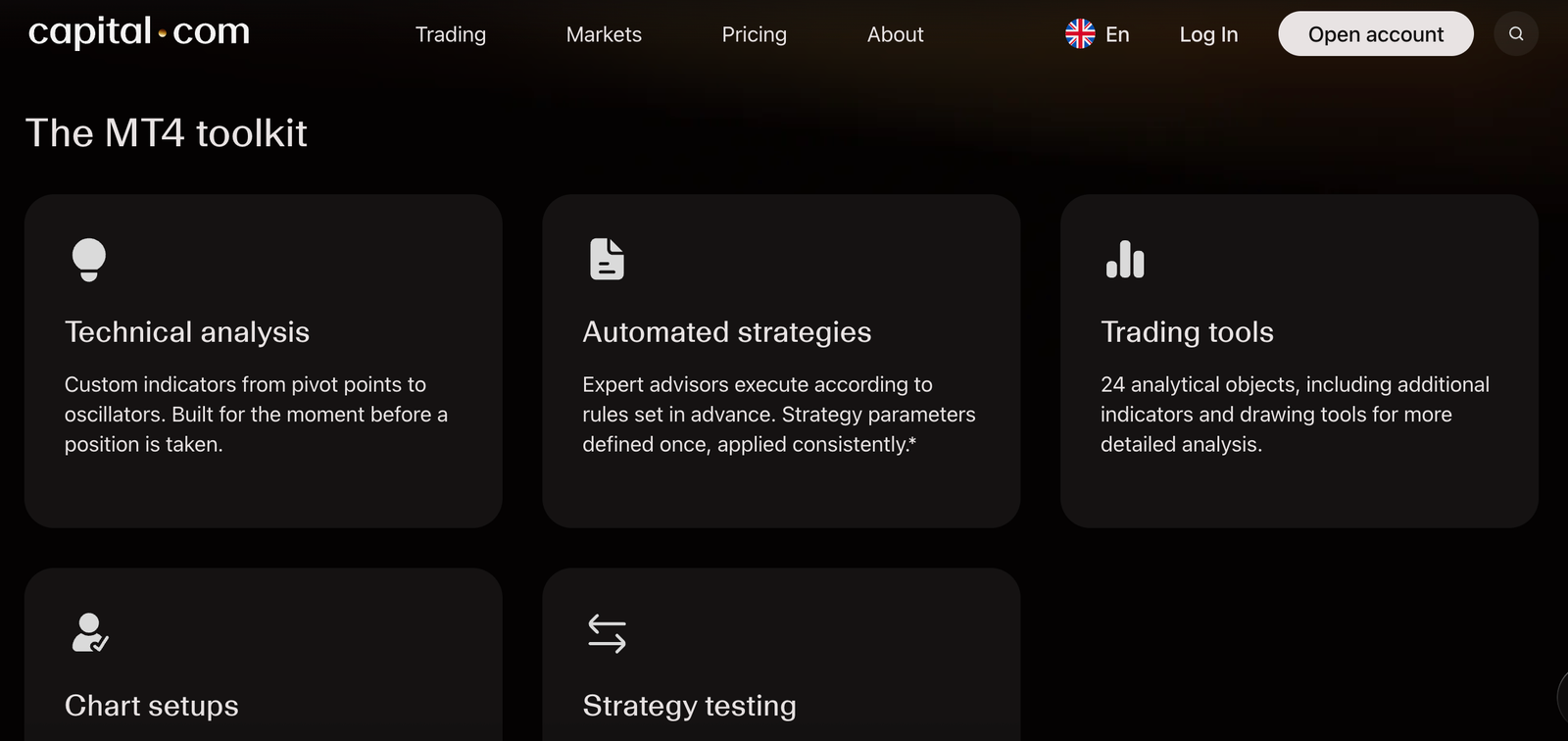
Capital.com is the easiest low-cost route into MT4 for newer traders, with a £20 minimum deposit, no FX commission and EUR/USD spreads from 0.6 pips. It also recorded the fastest median execution in my tests. The trade-off is that MT4 here is CFD-only, and several tools from Capital.com’s own app don’t carry over to MetaTrader.
Key information
| Field | Details |
|---|---|
| Best for | Beginners who want to start using MT4 with a small deposit |
| UK entity | Capital Com (UK) Limited, FCA FRN 793714 |
| MT4 accounts | Live and demo CFD accounts |
| Minimum deposit | £20 (€50 or equivalent by bank wire) |
| EUR/USD spread | From 0.6 pips |
| FX commission | None; spread-based pricing |
| Deposit and withdrawal fees | None charged by Capital.com |
| Expert Advisors | Yes, plus custom indicators and the Strategy Tester |
| Spread betting on MT4 | No; spread betting is on Capital.com’s own platform |
| FSCS | Up to £85,000 on eligible claims |
| Main limitation | Proprietary-platform tools, including guaranteed stops, are not on MT4 |
What I tested: In September 2026 I deposited £400 by debit card, created a live MT4 CFD account, ran 50 EUR/USD market orders to measure execution, backtested and then ran an EA at 0.01 lots, opened a small gold position and withdrew £100.
How did Capital.com perform in my MT4 test?
Opening the main Capital.com account took about 12 minutes, with my ID verified by a selfie check. I deposited £400 by debit card, which was available instantly, and created the MT4 account from Capital.com’s account settings in under 10 minutes.
The one stumble came at login: MT4 asked me to choose a server from a list of similar-looking Capital.com entries, and the email with the correct server name and separate MT4 password had landed in a promotions folder. A beginner could easily get stuck at that point.
Once connected, I ran 50 EUR/USD market orders at 0.01 lots and recorded a 27ms median, the fastest in my comparison, with no rejected orders. The spread sat at 0.6 to 0.7 pips during the London session, so a 0.1-lot round trip cost about £0.49 using the average spread I recorded, with no separate commission to calculate.
That makes the cost far easier for a newcomer to follow than a Razor-style account.
I also backtested a simple EA in the Strategy Tester before letting it trade live at 0.01 lots, and opened a 0.01-lot gold position to check the margin display, which clearly showed the 20:1 margin rate applied to gold.
What I missed was the guaranteed stop-loss option from Capital.com’s own app: on MT4 you only get standard stops. Support answered my server question on live chat in about three minutes, and my £100 withdrawal was back on my card the next working day.
Is Capital.com’s MT4 the same as its own app?
No, Capital.com’s MT4 account is a separate CFD account with its own login, and it doesn’t include features such as spread betting or guaranteed stops from the proprietary platform. You gain Expert Advisors, custom indicators and the Strategy Tester instead. Beginners who rely on guaranteed stops for risk control should weigh that difference before switching.
Who is Capital.com best for on MT4?
Capital.com is best for newer traders who want to learn MT4 and test simple automated strategies with a small deposit. Traders who want to spread bet through MT4 should look at Pepperstone, CMC Markets or IG instead.
Read the complete Capital.com review here.
Pros & cons
- £20 minimum deposit and no FX commission
- Fastest median execution in my tests at 27ms
- Costs are all in the spread, so easy to follow
- Full EA, custom indicator and Strategy Tester support
- No spread betting on MT4
- Guaranteed stops are not available on MT4
- Server selection at first login can confuse beginners
Verdict: Capital.com ranks fifth because it combines a £20 entry point with simple, commission-free pricing and the fastest execution in my tests. It sits below the four brokers above because its MT4 offer is CFD-only, it comes with fewer MT4 add-ons, and it lacks the guaranteed stops that make its own app beginner-friendly.
6. FOREX.com — Best for dedicated forex trading
FOREX.com is a forex-focused MT4 broker that builds Reuters news, Trading Central analysis and FX Blue apps into the terminal, with no commission on its standard MT4 account. The trade-off is a £100 minimum initial deposit, a 30-day limit on the MT4 demo, and VPS hosting that’s only free if your account qualifies.
Key information
| Field | Details |
|---|---|
| Best for | Forex-focused MT4 traders who want research inside the platform |
| UK entity | StoneX Financial Ltd (trading as FOREX.com), FCA FRN 446717 |
| MT4 accounts | Standard MT4 account; 30-day MT4 demo |
| Minimum deposit | £100 initial deposit |
| Deposit methods | Card (£100–£99,999, usually instant) or wire (1–2 business days) |
| FX pricing | Variable spreads from 1 pip, no commission on standard MT4 |
| Expert Advisors | Yes; FX Blue apps and EAs included |
| Research tools | Reuters news, FOREX.com research, Trading Central |
| VPS | Free for qualifying accounts |
| FSCS | Up to £85,000 on eligible claims |
| Main limitation | Higher entry deposit than Capital.com; conditional VPS |
What I tested: In September 2026 I deposited £400 by debit card into a standard MT4 account, traded AUD/USD and USD/CAD on Mac desktop and iPhone using Trading Central and Reuters news, checked VPS eligibility and withdrew £200.
How did FOREX.com perform in my MT4 test?
The FOREX.com application took about 20 minutes and was approved the same day. I deposited £400 by card, and once the card was verified the money was available instantly. Before trading I opened the Trading Central panel, which gave a technical view on AUD/USD with entry, target and stop levels.
I used it as a second opinion rather than a signal to follow, then opened a 0.1-lot AUD/USD buy with a stop just below the support level it flagged. The spread was around 1.2 pips, so the round trip cost about £0.90, all in the spread, and fills averaged about 90ms.
One detail worth knowing: the margin on that trade was higher than I expected because AUD/USD counts as a non-major pair, capped at 20:1 rather than 30:1. Reuters headlines appeared in MT4’s news tab, which saved me switching to a browser during a Canadian jobs release I traded on USD/CAD.
I also asked about VPS hosting through live chat, which replied in about four minutes. It’s free only for qualifying accounts, and my test balance didn’t qualify, so EA traders should check the conditions before relying on it. My £200 withdrawal reached my card in two working days.
How much does FOREX.com charge on MT4?
FOREX.com charges no commission on its standard MT4 account, with variable spreads published from 1 pip on forex. My 0.1-lot AUD/USD round trip cost about £0.90. There are no FOREX.com fees on card deposits or incoming wires, though overnight financing applies if you hold positions past the daily cut-off.
Who is FOREX.com best for on MT4?
FOREX.com is best for traders who mainly trade currencies and want news and technical analysis without leaving MT4. It’s owned by the same group as StoneX Trading, whose MT4 account has similar FX Blue tools but no Trading Central.
Read the complete FOREX.com review here
Pros & cons
- Reuters news and Trading Central integrated into MT4
- No commission on the standard MT4 account
- Card deposits usually available instantly
- FX Blue apps and EAs included
- £100 minimum initial deposit
- MT4 demo expires after 30 days
- Free VPS depends on account eligibility
Verdict: FOREX.com ranks sixth because its Reuters news and Trading Central integration give currency traders more research inside MT4 than any other broker here, which puts it just ahead of its sister brand StoneX Trading. Its spreads from 1 pip and £100 minimum deposit keep it below the brokers above.
7. StoneX Trading — Best for built-in MT4 tools and news
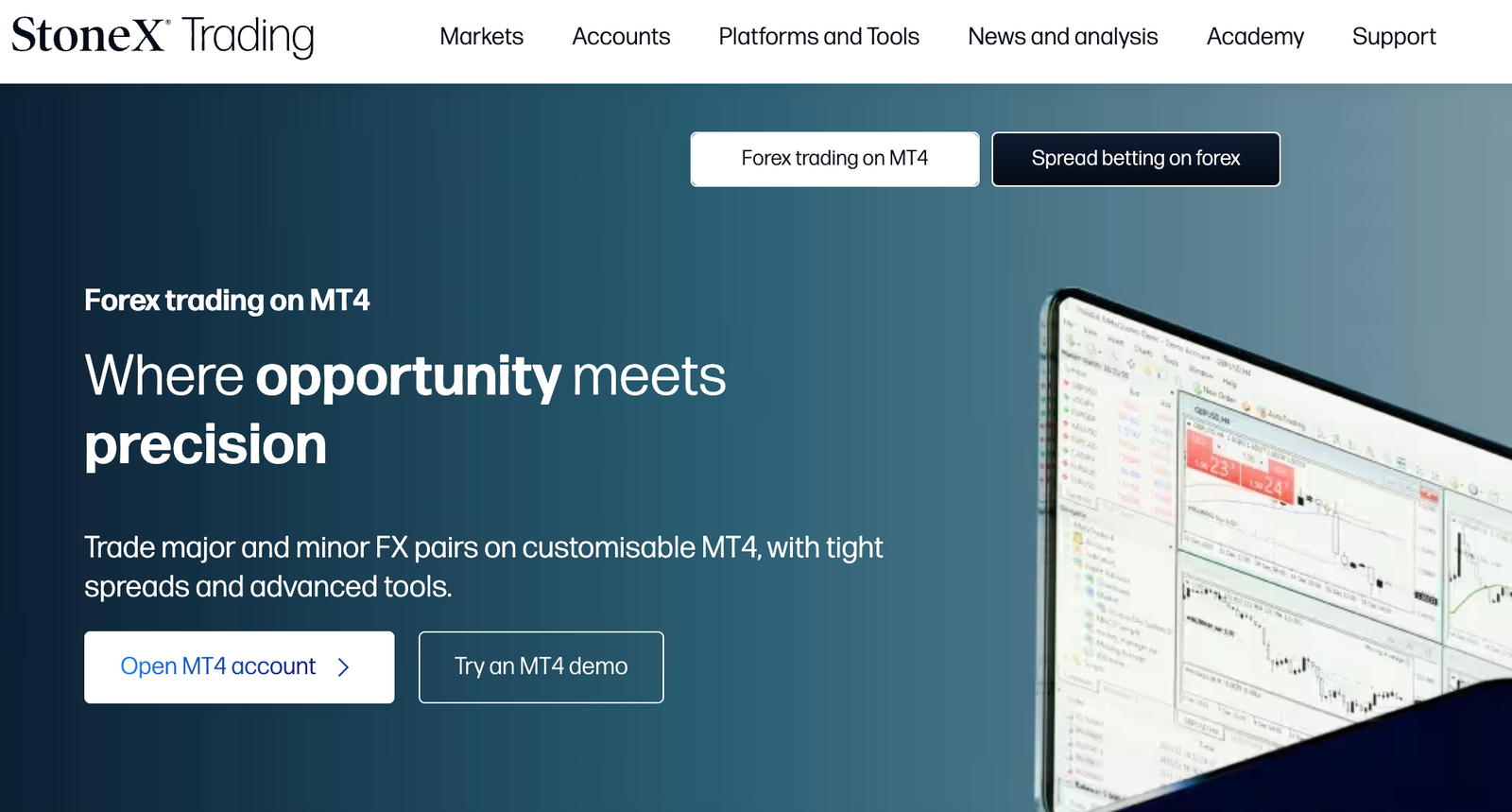
StoneX Trading, formerly City Index, suits MT4 traders who want more inside the terminal itself: FX Blue Expert Advisors and apps, integrated news and an economic calendar. Its pricing is spread-only on MT4 forex. The trade-off is a £100 card deposit minimum and a £100 minimum withdrawal, which makes small top-ups and test withdrawals awkward.
Key information
| Field | Details |
|---|---|
| Best for | Traders who want extra tools and news built into MT4 |
| UK entity | StoneX Financial Ltd (trading as StoneX Trading), FCA FRN 446717 |
| MT4 accounts | Live and demo MT4 accounts |
| Minimum deposit | £100 by card; no minimum by bank transfer |
| FX pricing | Variable spreads, no FX commission on MT4 |
| Minimum withdrawal | £100, or your full balance if lower |
| Expert Advisors | Yes, including FX Blue EAs |
| Included tools | FX Blue apps, integrated news, customisable economic calendar |
| FSCS | Up to £85,000 on eligible claims |
| Main limitation | Proprietary-platform analytics are not part of MT4 |
What I tested: In October 2026 I funded a live MT4 account with £300 by debit card, installed the FX Blue pack, traded EUR/JPY and EUR/USD from the Trade Terminal on desktop and Android, used the economic calendar and alarms, and withdrew £150.
How did StoneX Trading perform in my MT4 test?
The StoneX application took about 25 minutes, as it asked for proof of address on top of my ID, and the MT4 login arrived by email an hour after approval. I funded the account with £300 by card, and the balance was tradable straight away.
The tools are the reason to choose StoneX, so I installed the FX Blue pack first. It came as a single installer and needed an MT4 restart, and about 10 minutes later the Trade Terminal, alarm manager and other apps appeared under Expert Advisors.
I opened a 0.05-lot EUR/JPY position from the Trade Terminal, which let me set a stop and take-profit in pips and see the cash value before placing the order. EUR/USD quoted around 1.0 pip during the London session, and fills averaged about 96ms.
I then set an alarm on EUR/USD ahead of a eurozone data release that I’d spotted in the economic calendar. Being able to see the event, set the alert and manage the trade without leaving MT4 was the most useful part of the test.
My one irritation came at the end: I’d planned to withdraw £50, but the £100 minimum meant I had to take out £150 instead. It reached my bank two working days later.
What extra MT4 tools does StoneX Trading offer?
StoneX Trading adds FX Blue Expert Advisors and apps, integrated news and a customisable economic calendar to its MT4 platform. The FX Blue Trade Terminal was the standout in my test because it shows the cash value of stops and targets before you trade. Its proprietary web platform’s analytics are separate and don’t appear inside MT4.
Who is StoneX Trading best for on MT4?
StoneX Trading is best for intermediate traders who want a richer MT4 workspace without buying third-party plug-ins. Traders with very small balances may find the £100 card and withdrawal minimums restrictive.
Read the complete StoneX Trading review here
Pros & cons
- FX Blue EAs and apps included at no extra cost
- Economic calendar and news built into MT4
- Card deposits available to trade immediately
- Backed by Nasdaq-listed StoneX Group
- £100 minimum for card deposits
- £100 minimum withdrawal
- Spreads wider than raw-pricing accounts
Verdict: StoneX Trading ranks seventh because its FX Blue tools improve the MT4 workflow, but FOREX.com offers the same tools plus integrated Trading Central research. Its spread-only pricing also can’t match the raw-spread and commission accounts higher up the list.
8. Trade Nation — Best for small-stake MT4 trading
Trade Nation works well for traders testing MT4 strategies with small amounts, with micro-lot sizing and no commission. The important trade-off is that its MT4 account is CFD-only with variable spreads. The fixed spreads and spread betting Trade Nation advertises are on its TN Trader and TradingView platforms, not MT4.
Key information
| Field | Details |
|---|---|
| Best for | Small-stake traders and EA testers |
| UK entity | Trade Nation Financial UK Ltd, FCA FRN 525164 |
| MT4 accounts | Live and demo CFD accounts |
| MT4 pricing | Variable spreads, no commission |
| Fixed spreads | TN Trader and TradingView only |
| Spread betting | TN Trader and TradingView only, not MT4 |
| MT4 forex range | 30+ currency pairs, plus indices and commodities |
| Expert Advisors | Yes |
| FSCS | Up to £85,000 on eligible claims |
| Main limitation | MT4 doesn’t get Trade Nation’s headline fixed spreads |
What I tested: In October 2026 I deposited £150 by debit card into a live MT4 CFD account, ran a breakout EA on GBP/USD at 0.01 lots for a week on Windows desktop, opened a small UK 100 position and withdrew £100.
How did Trade Nation perform in my MT4 test?
Account opening took about 15 minutes, and I had to choose MT4 as my platform during sign-up rather than adding it later. I opened my Trade Nation account expecting MT4 to share the fixed spreads advertised on the homepage.
It doesn’t: once I connected MT4, GBP/USD was quoting variable spreads of around 1 pip during the London session and up to 2.5 pips late in the evening. That’s not unusual for MT4, but it’s an easy detail to miss if you sign up on the strength of the fixed-spread marketing.
Where Trade Nation earned its place was small-stake testing. After a £150 card deposit, which arrived instantly, I ran a breakout EA on GBP/USD at 0.01 lots for a week.
Each trade tied up about £33 of margin and cost around 7.5p in spread, so I could see how the strategy behaved with real fills rather than demo fills without risking much.
Over the week the EA placed 14 trades, with fills averaging about 112ms, the slowest in this comparison but not noticeable at that size. I also opened a 0.1-lot UK 100 CFD to check that indices were available on MT4, which they were.
Support confirmed by email within four hours that MT4 can’t be switched to fixed pricing, and my £100 withdrawal reached my card in two working days.
Does Trade Nation offer spread betting on MT4?
No, Trade Nation offers CFDs only on MT4 in the UK, with variable spreads. Its spread betting and fixed spreads are available on TN Trader and TradingView instead. If you want spread betting through MetaTrader specifically, Pepperstone, CMC Markets or IG are better fits.
Who is Trade Nation best for on MT4?
Trade Nation is best for traders who want to try MT4 or test Expert Advisors live with very small positions. Active traders chasing the lowest spreads will find cheaper MT4 pricing at Pepperstone.
Pros & cons
- Micro-lot trading keeps live EA testing cheap
- No commission on MT4
- Indices and commodities alongside 30+ FX pairs
- No spread betting on MT4
- Fixed spreads do not apply to MT4
- Spreads widened noticeably outside London hours
Verdict: Trade Nation ranks eighth because its variable MT4 spreads, CFD-only access and basic tool set put it behind the other brokers here. It still earns a place for traders who want to run an Expert Advisor live at micro-lot size for pennies per trade.
How I weighted this best MT4 brokers ranking
For this guide I applied a weighting built for UK traders who specifically want MetaTrader 4, not a broker’s own platform. Any existing Psyfi Money review rating is separate from the order here, which only reflects how well each broker suits MT4 trading.
| Ranking factor | Weight | What I assessed |
|---|---|---|
| MT4 trading costs | 30% | Commission per lot (Pepperstone Razor £2.25 per side, CMC FX Active 0.0025% per side), published minimum spreads, and a modelled monthly EUR/USD cost |
| MT4 tools and automation | 20% | Expert Advisor support, bundled add-ons (Admirals’ Supreme Edition, FX Blue at StoneX and FOREX.com, IG’s 18 add-ons, CMC’s Mini Terminal), Trading Central and VPS conditions |
| Spread betting on MT4 | 15% | Whether UK spread betting works inside MT4 (Pepperstone, CMC and IG) or isn’t available on MT4 (Admirals, Capital.com, FOREX.com, StoneX Trading and Trade Nation) |
| Entry and account setup | 15% | Minimum deposits from £0 to £100, card minimums, micro-lot sizing, and whether MT4 needs a separate application or login |
| MT4 market range | 10% | How much of each broker’s range reaches MT4, such as no share CFDs at CMC and a shorter list on Admirals’ Trade.MT4 |
| Funding and withdrawal terms | 10% | Published deposit methods and fees, minimum withdrawals (£100 at StoneX) and bank transfer processing times |
I didn’t compare headline spreads on their own. Instead, I modelled 10 round trips of 1 lot EUR/USD a month using each broker’s published pricing and a pip value of £7.52. Pepperstone Razor costs £45 in commission plus raw spreads, and CMC FX Active about £43.60 plus spreads. Accounts quoting from 0.6 pips start at about £45, and those quoting from 1 pip at about £75. I treated the spread-only figures as best cases, because “from” spreads are minimums rather than typical prices.
I gave costs the most weight because MT4 users tend to trade often or run Expert Advisors, and small per-lot differences add up quickly. I treated FCA authorisation and an available UK retail MT4 account as entry requirements rather than ranking factors. I recorded execution speed for all eight brokers, from Capital.com’s 27ms median to Trade Nation’s 112ms average in my recorded tests, but I left it out of the weighting.
My samples ranged from a handful of orders to 50, and some figures are medians while others are averages, so they aren’t comparable enough to score. I report them in each review instead. These weights set the order of this guide, and each broker’s wider Psyfi Money rating stays separate.
MT4 brokers I considered but didn’t rank
I also looked at other FCA-authorised brokers that offer MT4 to UK retail clients. Each one below is a reasonable choice, but none matched the eight ranked brokers on the factors I weighted most: all-in MT4 cost, bundled MT4 tools and spread betting inside MT4. The brokers are listed alphabetically, not ranked.
| Broker | FCA entity | Key MT4 facts | Why it isn’t in my ranking |
|---|---|---|---|
| ActivTrades | ActivTrades PLC, FRN 434413 | MT4, MT5, ActivTrader and TradingView. No minimum deposit. No FX commission, with spreads from 0.5 pips. It offers UK spread betting, but its site doesn’t confirm which platforms support it. | It publishes only indicative or target spreads, which makes the all-in cost hard to model. Pepperstone, CMC and IG already cover MT4 spread betting with clearer pricing. |
| FXCM UK | Stratos Markets Ltd, FRN 217689 | MT4 and Trading Station, with a UK spread betting account. Minimum deposit £50. EUR/USD spread of 0.9 pts in independent testing. | It costs more than Pepperstone and CMC on EUR/USD and has no standout MT4 add-on pack. FXCM’s own pages also disagree on which platforms support spread betting. |
| OANDA | OANDA Europe Ltd, FRN 542574 | MT4, TradingView and its own platform. No minimum deposit. EUR/USD from 0.6 pips. Inactivity fee of up to £20 a month after 12 months. MT4 Premium adds 28 apps and indicators. | It publishes only “from” spreads, which makes its all-in cost hard to compare with the ranked brokers. Its inactivity fee is the highest of the brokers I checked. |
| ThinkMarkets | TF Global Markets (UK) Ltd, FRN 629628 | Standard MT4 account with about 350 instruments. Minimum deposit $250. Spreads from 0.4 pips and zero commission, though other fees may apply. | Its minimum deposit is the highest I found, and its MT4 range is narrow. Spread betting runs on ThinkTrader and TradingView, and I couldn’t confirm it on MT4. |
| Tickmill UK | Tickmill UK Ltd, FCA ref. 717270 | Raw account with spreads from 0.0 pips plus $3 per lot per side, CFDs only. Starting deposit of 100 in the account currency. Retail leverage up to 30:1. | Its commission is close to Pepperstone’s Razor, but it doesn’t offer spread betting and needs a minimum deposit. Pepperstone has neither drawback. |
Not eligible
- XTB removed MT4 from XTB (UK) Limited on 15 March 2024 and moved those accounts to xStation.
- AvaTrade no longer accepts new UK clients.
- eToro, Plus500 and Trading 212 run their own platforms and don’t offer MT4.
How to choose an MT4 broker in the UK
Start with the all-in cost of the trades you’ll actually place, not the headline spread. A raw-spread account with commission can cost more than a spread-only account on EUR/USD in busy hours, and less on wider pairs or at quieter times. Then check four things:
- Account type: whether you can spread bet or only trade CFDs on MT4. Several of the top spread betting platforms keep spread betting on their own software rather than MT4.
- FCA authorisation: check the specific UK entity and its permissions on the FCA Register. Applicable UK retail CFD protections can include leverage limits, margin close-out rules and negative balance protection. FSCS compensation may be available for eligible claims if a firm fails, subject to the scheme’s rules; it does not cover ordinary trading losses.
- Execution: look for published execution statistics, server location and how the broker handles requotes. Treat claims of “fast execution” with caution unless figures are given.
- Markets: many brokers offer only part of their range on MT4. Share CFDs are often missing, as at CMC Markets, or limited, as at IG.
What are the best MT4 brokers for automated trading?
For Expert Advisors (EAs), the broker matters less than its terms. Most UK MT4 brokers run MQL4 EAs and custom indicators, but check whether scalping, hedging or high order frequency is restricted in the account terms. A virtual private server (VPS) keeps an EA running when your computer is off. IG’s VPS is free with a £5,000 balance and costs £50 a month below that. FOREX.com offers free VPS hosting to qualifying accounts, and Pepperstone also sets eligibility conditions. Pepperstone suits high-volume EAs on cost. Admirals’ free Supreme Edition and the FX Blue apps at StoneX and FOREX.com add trade-management tools, but they run on the desktop terminal only.
What are the best MT4 brokers for low spreads?
The lowest advertised spread does not always mean the lowest overall trading cost. Raw-spread accounts such as Pepperstone Razor and CMC FX Active charge commission on top of the spread, while spread-only accounts build the trading cost into the quoted spread.
When comparing MT4 brokers, check the spread and commission for your chosen account, the currency pair you trade and the time of day. Also account for overnight financing if you hold positions beyond the daily cut-off. Published minimum spreads are not guaranteed spreads, and actual costs can vary with market conditions.
What are the best MT4 brokers for beginners?
If you’re still learning how to trade forex, look for a free demo, a low minimum deposit and a simple account setup:
- Capital.com: the easiest start, with a £20 minimum deposit and all costs built into the spread. Its MT4 login and server selection can trip up first-timers.
- IG: offers a demo and no minimum deposit by bank transfer, but MT4 is added as a separate account inside My IG.
- FOREX.com: its MT4 demo includes £10,000 in virtual funds but expires after 30 days.
Whichever you choose, practise on a demo trading account first. Most retail CFD accounts lose money, and the published loss rates sit between roughly 65% and 85% depending on the broker.
MT4 vs MT5: which should UK traders choose?
Stay on MT4 if your Expert Advisors and indicators are written in MQL4, because they don’t run on MT5 without being rewritten. MT5 adds more timeframes (21 against MT4’s 9), more pending order types, a built-in economic calendar and market depth. At many brokers it also reaches more markets, such as share CFDs at CMC and most of Admirals’ range. If your strategy works on MT4 and your broker supports it, switching isn’t necessary. Consider one of the leading MT5 brokers if you need shares or multi-asset trading on MetaTrader.
Is MT4 legal in the UK?
Yes. MT4 is trading software made by MetaQuotes, and using it is legal. What matters is the broker behind it. For UK retail clients, check that the specific entity offering the account is authorised for the relevant service. Applicable protections depend on the entity, product and circumstances. Verify the firm’s permissions and any compensation eligibility rather than assuming every protection applies to every account. Be wary of MT4 accounts offered through offshore brokers, because you lose FCA protections and FSCS cover. Also watch for clone firms using the names of real brokers: check the FCA Register and contact the firm using the details listed there.
Is MT4 suitable for forex and CFDs?
Yes. MT4 was built for forex and works well for CFDs on indices and commodities, which makes it a common starting point when learning how to trade CFDs. What you can trade still depends on the broker and account:
- Spread betting: Pepperstone, IG and CMC offer it on MT4. Admirals, Capital.com, FOREX.com, StoneX Trading and Trade Nation offer MT4 as CFD-only.
- Shares: share CFDs are often limited or unavailable on MT4.
- Crypto: crypto CFDs aren’t available to UK retail clients.
Check the broker’s MT4 instrument list, not its headline market count, before you open an account.
Final verdict: Which MT4 broker should you choose?
Pepperstone is my top MT4 broker for active forex traders and Expert Advisors. CMC Markets suits traders seeking FX Active pricing and risk-management tools, while IG is best for spread betting through MT4. Beginners may prefer Capital.com for its £20 minimum deposit and simple spread-based pricing.
If you don’t need MetaTrader, the most popular forex brokers are worth comparing too. Either way, compare account costs, check available markets and verify FCA authorisation before opening an account. Practise on a demo first, as leveraged trading carries a significant risk of loss.
FAQs
What is the best MT4 broker in the UK?
Pepperstone is my top pick overall, because it combines low Razor pricing on CFDs with MT4 spread betting and no minimum deposit. CMC Markets ranks second for its FX Active CFD pricing and Mini Terminal tools, and IG third for spread betting on MT4. For beginners, Capital.com is the easiest start, with a £20 minimum deposit.
Which MT4 broker has the lowest spreads?
Pepperstone’s Razor account and CMC Markets’ FX Active account both quote EUR/USD from 0.0 pips, but they add a commission. In my 1-lot EUR/USD CFD cost example, the round trip came to £4.89 at Capital.com, £5.25 at Pepperstone Razor and £5.86 at CMC FX Active. The cheapest broker for you depends on your trade size, the pairs you trade and the time of day.
Which UK MT4 brokers support Expert Advisors?
All eight brokers in my ranking support Expert Advisors (EAs) on MT4: Pepperstone, CMC Markets, IG, Admirals, Capital.com, FOREX.com, StoneX Trading and Trade Nation. Check the account terms for limits on scalping, hedging or very high order frequency before you run an EA live.
Can I use MT4 with an FCA-regulated broker?
Yes. Every broker in this guide offers MT4 through an FCA-authorised UK entity. You can confirm the firm reference number on the FCA Register. FCA authorisation provides important protections for eligible UK retail clients, but the protections available and any FSCS eligibility depend on the entity, product and circumstances.
Can I use MT4 for spread betting in the UK?
Yes, at some brokers. Pepperstone, IG and CMC Markets offer spread betting through MT4. Admirals, Capital.com, FOREX.com, StoneX Trading and Trade Nation offer MT4 for CFDs only. Spread betting profits are generally free of UK Capital Gains Tax, but tax treatment depends on your circumstances.
What is the difference between MT4 and MT5?
MT4 runs Expert Advisors written in MQL4, while MT5 uses MQL5, so MT4 EAs don’t run on MT5 without being rewritten. MT5 adds more timeframes (21 against MT4’s 9), more pending order types, a built-in economic calendar and market depth. At many brokers it also gives access to more markets, such as share CFDs.
Can I use MT4 without a broker?
Only for practice. You can download MT4 and open a demo account, but live trading needs an account with a broker that offers MT4. The broker holds your money and executes your trades, so its FCA status matters more than the platform.
Do UK MT4 brokers charge commission?
It depends on the account. Raw-spread accounts charge commission: £2.25 per lot per side at Pepperstone Razor, 0.0025% per side at CMC FX Active, and a per-lot commission on Admirals’ Zero.MT4. Spread-only accounts at IG, Capital.com, FOREX.com, StoneX Trading, Trade Nation and Admirals’ Trade.MT4 charge no FX commission, because the cost is built into the spread.
Can I run MT4 Expert Advisors on a VPS?
Yes. A virtual private server (VPS) keeps MT4 and your EA running when your computer is off. Some brokers include one if you meet their conditions: IG: free with a balance of at least £5,000, otherwise £50 a month. FOREX.com: free for qualifying accounts. Pepperstone: subject to its own eligibility conditions. You can also rent a VPS from a third-party provider.
Is MetaTrader 4 still available to UK traders?
Yes. Pepperstone, IG, CMC Markets, Capital.com and the other brokers in this guide still offer MT4 to UK retail clients. Some brokers have dropped it: XTB removed MT4 for UK clients on 15 March 2024. Check that a broker still opens new MT4 accounts before you apply.
