

The best crypto wallet in Australia depends on the job you need it to do. For holding crypto long term on a device you control, my pick is the Ledger Nano S Plus.
For Ethereum and Web3 apps, it’s MetaMask. For buying in AUD at low cost, it’s CoinSpot’s Markets screen, paired with a self-custody wallet once you’ve bought.
These products aren’t interchangeable.
Hardware and software wallets let you hold your own keys, while exchanges and investment platforms hold your crypto for you.
I’ve compared eight options and picked one for each category instead of ranking them against each other.
- Earn passive rewards by staking ETH, SOL, ADA, and more
- Access Web3 lending and tokenization through eToro's wallet
- Themed crypto Smart Portfolios for diversified exposure
Capital at risk. T&Cs apply.
Compare crypto wallets in Australia
Each product below is the pick for one category. The custody column shows who holds the keys, which is the first thing to settle before you compare fees.
| Product | Category pick | Custody model | Key costs | Main limitation |
|---|---|---|---|---|
| eToro (platform and eToro wallet) | Best for crypto alongside shares and ETFs | Custodial: eToro holds the keys on the platform and in the eToro wallet | 1% each way; 0.75% AUD conversion; 2% to move crypto into the eToro wallet | Custodial throughout; transfers out are one way and for eligible assets only |
| Ledger Nano S Plus | Best for hardware self-custody across a broad asset range | Self-custody: you hold a 24-word recovery phrase | ~A$139 device; third-party fees to buy, swap or stake | No iOS support; small two-button screen |
| Trezor Safe 3 | Best for open-source-oriented hardware security | Self-custody: you hold a 20-word backup | ~US$59 device; confirm AUD price | No send, swap or setup on iOS; narrower native coin list |
| MetaMask | Best for Ethereum and Web3 | Self-custody: you hold a 12-word Secret Recovery Phrase | Free; 0.875% on MetaMask Swaps, plus network fees that vary | Phishing and token-approval risk sit with you |
| Phantom | Best for Solana | Self-custody: you hold the recovery phrase | Free; 0.85% on most swaps, plus network fees that vary | No Arbitrum, Optimism or BNB Chain |
| Zengo | Best for self-custody without a conventional seed phrase | Self-custody via MPC: signing is split between your phone and Zengo’s server | Free to hold and send; swap fee shown on each quote, up to 4% | Recovery depends on your email, cloud account and face scan |
| CoinSpot | Best for low-cost AUD buying through Markets | Custodial: CoinSpot holds the keys until you withdraw | 0.1% Markets orders; 1% Instant Buy, limit and recurring orders | The cheap route sits behind the Markets tab |
| Swyftx | Best for recurring purchases and a demo account | Custodial: Swyftx holds the keys until you withdraw | 0.6% trading fee plus a spread in the quoted price | Spread isn’t shown as its own line |
Exchanges and investment platforms aren’t self-custody wallets
CoinSpot and Swyftx are exchanges: you buy crypto in AUD and they hold it until you withdraw.
eToro is an investment platform, where crypto sits alongside shares and ETFs; its eToro wallet is a separate hosted product with its own fees.
None of them gives you the control of a self-custody wallet, where only you hold the keys.
That doesn’t make one type simply safer. A custodial account exposes you to provider and account-access risk.
Self-custody exposes you to lost backups, phishing and wrong-network transfers.
Many Australians use both: one of the top crypto exchanges to buy in AUD, then a wallet to hold.
What it costs to buy $1,000 of Bitcoin
Buying on an exchange and withdrawing to your own wallet isn’t the same journey as buying inside an investment platform, so I’ve kept the two apart.
Figures come from published fees checked on 23 October 2026 and leave out network fees, which vary by coin and by how busy the network is.
Scenario A: buy $1,000 of BTC on an Australian exchange and withdraw to self-custody
Assumptions: AUD deposited by free PayID transfer, one buy order, and the full BTC amount withdrawn to a wallet you control.
| Route | Trading fee | Other costs | Total before network fee |
|---|---|---|---|
| CoinSpot Markets | 0.1% ($1.00) | Flat BTC withdrawal fee, shown on the wallet page before you send | About $1 |
| CoinSpot Instant Buy | 1% ($10.00) | Same flat BTC withdrawal fee | About $10 |
| Swyftx | 0.6% ($6.00) | Spread in the quoted price; network fee deducted from the amount sent | About $6 plus spread |
Scenario B: buy and hold BTC inside an investment platform (eToro)
eToro prices Bitcoin in US dollars, so $1,000 AUD first incurs the 0.75% conversion ($7.50), then the 1% fee on the remaining $992.50 (about $9.93).
That’s about $17.40 to buy BTC and hold it on the platform. Selling later costs another 1%, plus conversion if you take the money out in AUD.
Moving that Bitcoin out is a separate step with its own conditions. eToro’s crypto transfer page lists Australia and BTC as eligible, subject to account eligibility.
Moving BTC from the platform into the eToro wallet costs 2% (about $19.65 here, within eToro’s minimum and maximum caps), and sending on from the eToro wallet to your own wallet costs the network fee.
Transfers are one way, and only real buy positions qualify, not CopyTrader or Smart Portfolio holdings.
That exclusion matters, since CopyTrader is what puts eToro among the top copy trading platforms.
Because this route adds a custodial hop and depends on eligibility, I haven’t set a single total beside the exchange figures.
eToro – Best for crypto alongside shares and ETFs
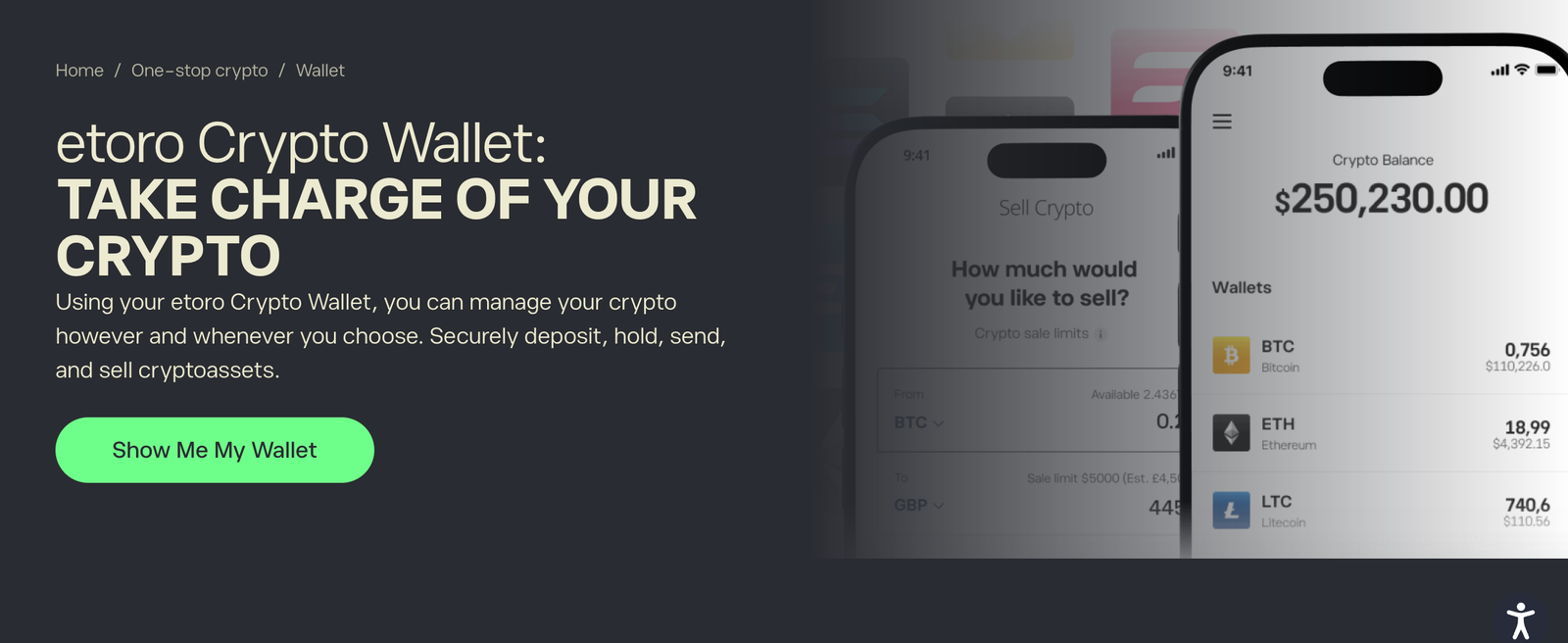
eToro, one of the top ETF platforms, is my pick for Australians who want crypto in the same account as their shares and ETFs.
Buying was simple, and the 1% fee was shown before I confirmed, but costs stack once you add the 0.75% AUD conversion, and moving coins into the eToro wallet costs another 2%.
The combined portfolio view was the strongest part.
The main trade-off is control: eToro holds your crypto on the platform and in the eToro wallet, so neither gives you the control of a Ledger or Trezor.
If you want your own keys, I’d buy on an AUD exchange and send to a self-custody wallet instead.
Key information
| Field | Details |
|---|---|
| Best for | Crypto exposure inside a share portfolio |
| Product type | Investment platform, plus a separate hosted eToro wallet |
| Custody | eToro holds the keys on the platform and in the eToro wallet |
| Platform buy/sell fee | 1% each way (0.8% for Gold and Platinum Club members) |
| Platform AUD conversion | 0.75% when AUD funds buy USD-priced crypto |
| Platform → eToro wallet | 2%, with minimum and maximum caps; one way; eligible assets and buy positions only |
| eToro wallet send/receive | No eToro fee; network fee applies |
| eToro wallet limits | $50,000 per transaction, $200,000 per day |
| Minimum position | $10 |
| Cryptoassets | 100+ on the platform; not all are transferable to the wallet |
| Licence and registration | eToro AUS Capital Limited, AFSL 491139. |
What I tested: iPhone 17 with the eToro and eToro Money apps, eToro web platform on a MacBook Pro, Australian AUD account, $750 deposited by bank transfer, October 2026.
What was it like using eToro?
I deposited $750 into my AUD account by bank transfer, and it was ready to invest the same business day. The first thing I bought was $400 of Bitcoin.
The order ticket showed the $4.00 fee (1%) before I confirmed.
It took a second look to spot the $3.00 conversion charge (0.75%), because eToro prices Bitcoin in US dollars.
Next I put $150 into Solana and set a price alert 8% below my entry.
Seeing crypto beside shares and ETFs in one portfolio is where eToro feels like one of the top investing apps rather than an exchange.
How much does eToro cost?
eToro charges 1% to buy and 1% to sell crypto on the platform, with no storage fee.
On $1,000 of Bitcoin bought with AUD, the 0.75% conversion and 1% fee come to about $17.40.
Buying the same amount costs about $1 on CoinSpot’s Markets screen and $6 plus spread on Swyftx.
Moving the BTC into the eToro wallet adds 2%, about $19.65 here, before any network fee.
Who should use it?
Investors who want a small crypto allocation inside a broader share portfolio and are happy for eToro to hold it.
Who should avoid it?
Anyone who mainly wants to hold their own keys or move crypto between wallets often. Buy on an AUD exchange and send to a self-custody wallet instead.
Read the complete eToro review here.
Pros & cons
- Crypto, shares and ETFs in one portfolio
- 1% fee shown before you confirm an order
- Positions from $10
- 0.75% AUD conversion on top of the 1% fee
- 2% fee to move crypto into the eToro wallet
- Custodial on both the platform and the wallet; transfers out are one way
Ledger Nano S Plus – Best for hardware self-custody across a broad asset range

The Ledger Nano S Plus is my pick for holding a broad range of crypto on a hardware wallet you control.
It costs about A$139, uses an EAL6+ Secure Element, and supports 500+ assets in the Ledger Wallet app and 15,000+ with third-party wallets.
Approving every send on the device itself was the strongest part.
The main trade-off is convenience: it’s cable-only, has a small two-button screen and doesn’t work with iPhones, so I’d pick the Bluetooth Nano X or Ledger Flex instead if you use iOS.
Key information
| Field | Details |
|---|---|
| Best for | Long-term storage across many coins |
| Product type | Hardware wallet |
| Custody | You hold the 24-word recovery phrase |
| Price | About A$139 from Ledger; Australian resellers often lower |
| Secure Element | ST33K1M5, CC EAL6+ |
| Screen | 1.1” monochrome OLED, 128 × 64 px |
| Connectivity | USB-C to USB-A cable; no Bluetooth or battery |
| Compatibility | Windows 10/11, macOS, Ubuntu, Android 10+; not iOS or Chromebook |
| Assets | 500+ in Ledger Wallet; 15,000+ with third-party wallets |
| Buy, swap, stake | Third-party providers with their own fees |
What I tested: Ledger Nano S Plus with Ledger Wallet on a MacBook Pro, iPhone 17 for the mobile check, $200 of BTC withdrawn from CoinSpot, October 2026.
What was it like using the Ledger Nano S Plus?
Setup took about 30 minutes, and most of that was writing down the 24-word recovery phrase and confirming each word on the device.
I then installed the Bitcoin app from the My Ledger tab.
I withdrew $200 of Bitcoin from CoinSpot to the Nano S Plus.
Before sharing the receive address, I checked it on the device screen against the laptop, character by character.
The coins arrived after one confirmation, about 20 minutes later.
To test sending, I returned some Bitcoin to an exchange. The device showed the amount, the full address and the network fee before I approved with both buttons.
Scrolling a 42-character address across several screens was slow, but that pause is what stops clipboard-swap malware.
The friction came on my iPhone 17: the Nano S Plus wouldn’t connect at all, as Ledger warns, so every step had to happen on the MacBook Pro.
How much does the Ledger Nano S Plus cost?
The device costs about A$139 direct from Ledger, with no subscription. Holding costs nothing and sending costs only the network fee.
Buying, swapping and staking inside Ledger Wallet go through providers such as MoonPay, which add their own fees.
The Trezor Safe 3 costs about US$59 before AUD conversion and shipping.
Who should use it?
Desktop or Android users who want broad coin support in a hardware wallet for under A$140.
Who should avoid it?
iPhone users, and anyone who wants open-source firmware. The Trezor Safe 3 suits the second group better.
Pros & cons
- Every send is approved on the device itself
- Widest native coin support of the two hardware wallets here
- EAL6+ Secure Element
- No iOS support
- Small screen makes address checks slow
- Third-party fees for buying, swapping and staking
Trezor Safe 3 – Best for open-source-oriented hardware security
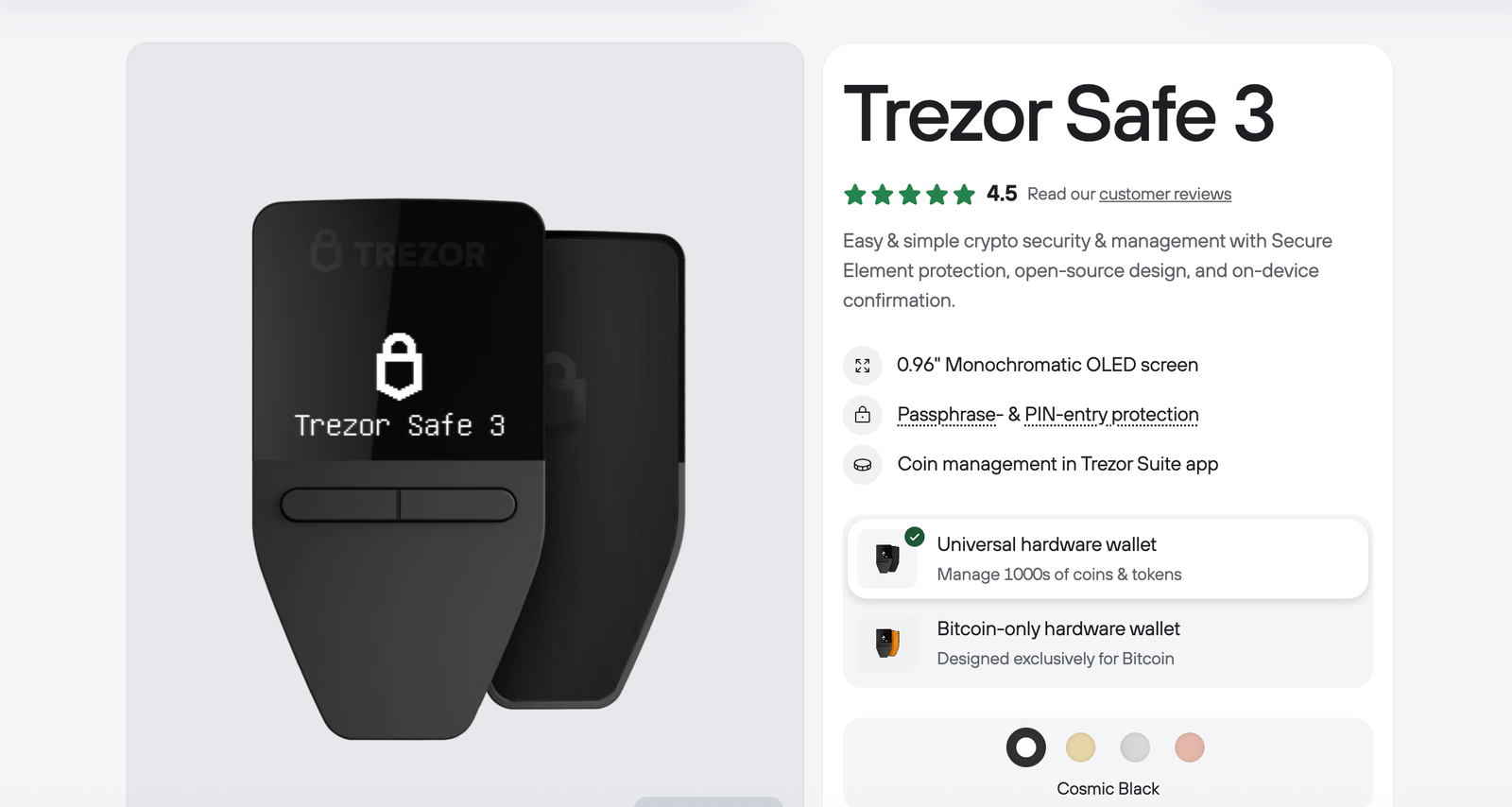
The Trezor Safe 3 is my pick for hardware security built around open-source software.
It costs about US$59, pairs an EAL6+ Secure Element with a 20-word backup, and adds passphrase wallets, coin control and Tor in Trezor Suite.
Its firmware and the Suite app are open source; the Secure Element is a certified third-party chip, so not every component is.
The hidden passphrase wallet was the strongest part.
The main trade-off is reach: native coin support is narrower than Ledger’s and you can’t send from an iPhone, so I’d pick the Ledger Nano S Plus instead if you hold long-tail tokens.
Key information
| Field | Details |
|---|---|
| Best for | Open-source software and privacy tools |
| Product type | Hardware wallet |
| Custody | You hold a 20-word backup (12 and 24 words also supported) |
| Price | About US$59 on trezor.io; confirm the AUD checkout and shipping cost |
| Secure Element | Certified EAL6+ chip; open-source firmware |
| Screen and input | 0.96” monochrome OLED; two buttons |
| Connectivity | USB-C to USB-C cable |
| Protection | PIN and passphrase |
| Privacy | Coin control and Tor in Trezor Suite |
| Mobile | iOS can view balances and receive only |
| Assets | Thousands of coins and tokens via Suite and third-party apps |
What I tested: Trezor Safe 3 with Trezor Suite on a MacBook Pro, iPhone 17 for the mobile check, $150 of BTC from CoinSpot and $100 of ETH from Swyftx, October 2026.
What was it like using the Trezor Safe 3?
Setup took about 25 minutes. Trezor Suite installed the firmware, then the device generated a 20-word backup.
That’s four fewer words to write down than Ledger’s 24, which makes the backup quicker to record and check.
It isn’t safer in itself: what protects you is keeping whichever backup you have offline and private.
BTC from CoinSpot and ETH from Swyftx both arrived before I’d finished my coffee. I confirmed each receive address on the device screen before copying it.
Next I added a passphrase. Suite opened a second, empty wallet beside the standard one, so anyone holding only the 20 words would see a decoy.
Entering the passphrase with two buttons was fiddly, so I switched to typing it in Suite on the laptop.
I sent the $100 of ETH to MetaMask, confirming the amount, address and fee on the device.
The friction came on my iPhone 17: I could see balances and generate a receive address, but sending wasn’t available.
How much does the Trezor Safe 3 cost?
The Safe 3 costs about US$59 on trezor.io, with no subscription; confirm the AUD price and shipping at checkout.
Sending costs only the network fee, and coin control and Tor are free in Suite. The Ledger Nano S Plus costs about A$139 direct from Ledger.
Who should use it?
Bitcoin and Ethereum holders who value open-source software, passphrase wallets and privacy tools at an entry-level price.
Who should avoid it?
Readers holding long-tail tokens, or anyone who manages crypto mainly from an iPhone.
Pros & cons
- Open-source firmware and Suite app
- Certified EAL6+ Secure Element
- Passphrase wallets, coin control and Tor built in
- No sending or setup on iOS
- Two-button passphrase entry is slow
- Narrower native coin list than Ledger
MetaMask – Best for Ethereum and Web3
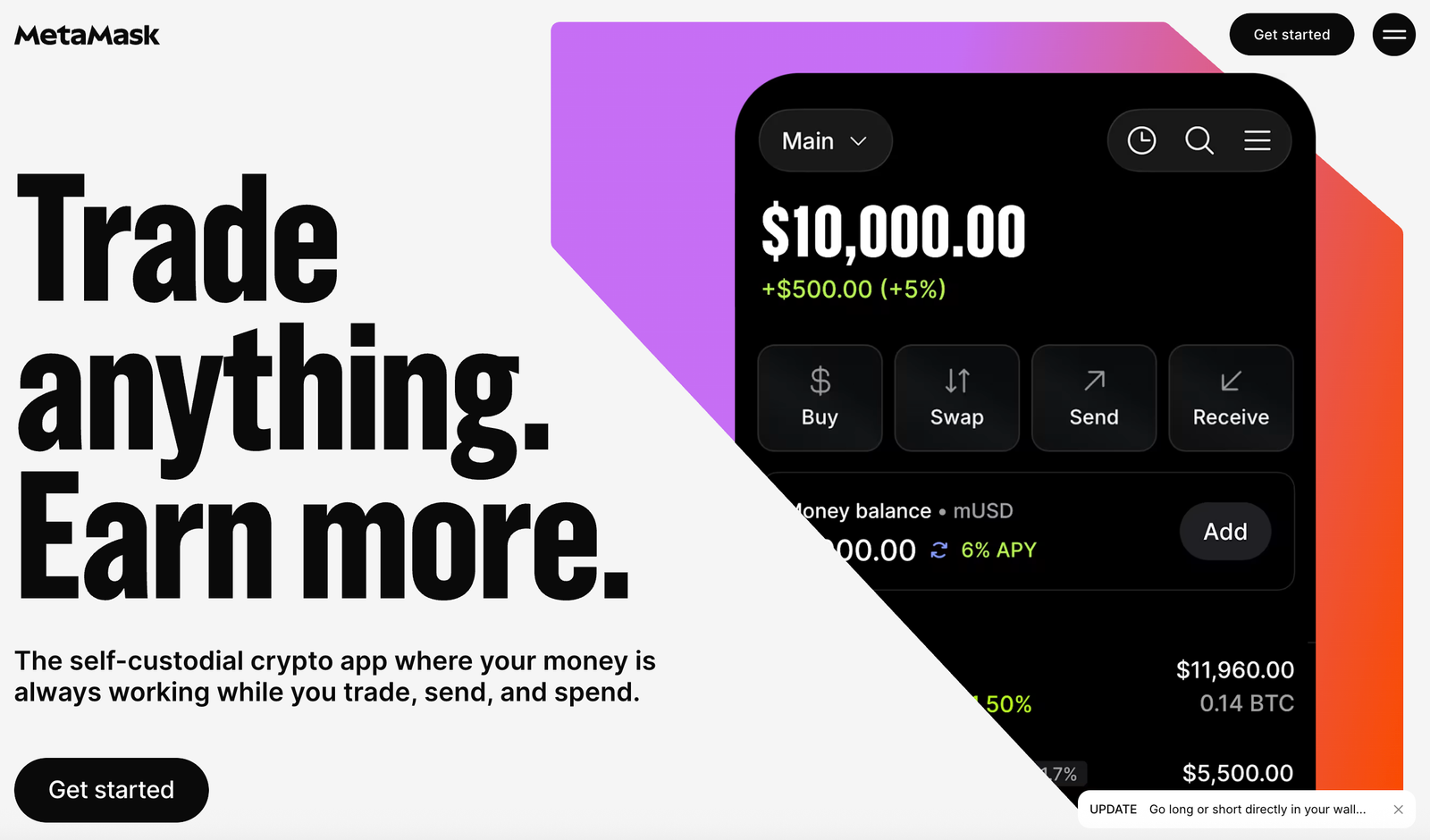
MetaMask is my pick for using Ethereum, layer-2 networks and Web3 apps.
It’s free, runs as a browser extension and mobile app, and charges 0.875% on MetaMask Swaps, plus network fees that vary by transaction.
Connecting to apps was the strongest part: MetaMask is one of the most widely supported wallets among Ethereum apps, so connecting is rarely a problem.
The main trade-off is responsibility: you approve every token permission yourself, so I’d pair it with a Ledger or Trezor for larger balances.
Key information
| Field | Details |
|---|---|
| Best for | DeFi, layer-2 networks and Web3 apps |
| Product type | Self-custody software wallet |
| Custody | You hold the 12-word Secret Recovery Phrase |
| Platforms | Browser extension and iOS/Android app |
| Cost to create | Free |
| Networks | Ethereum, EVM layer-2s (e.g. Linea, Base, Arbitrum), Solana and Bitcoin; which assets and networks you can use depends on the feature (sending, swaps or bridging) |
| Swap fee | 0.875% on MetaMask Swaps |
| Other costs | Network gas, which varies by network and congestion; quoted rate; third-party liquidity costs |
| Hardware support | Ledger and Trezor |
| AUD on-ramp | Third-party providers in the app; fees vary |
What I tested: MetaMask Chrome extension on a MacBook Pro and the mobile app on iPhone 17, $200 of ETH from Swyftx plus $100 of ETH from the Trezor test, October 2026.
What was it like using MetaMask?
Installing the extension and backing up the 12-word phrase took about 10 minutes. I then imported the same wallet on my iPhone 17.
I received $200 of ETH from Swyftx on Ethereum mainnet, plus the $100 sent from my Trezor. Next I swapped $100 of ETH into USDC from the Swap tab.
The quote showed the rate, the $0.88 MetaMask fee (0.875%) and estimated gas as separate lines.
On mainnet, gas could outweigh the service fee at busy times. For later small swaps I switched to a layer-2 network, which took two taps in the network menu.
The friction came when I connected to a decentralised exchange. The USDC spending approval defaulted to a large amount, so I edited it to the exact figure.
That one screen is where beginners most often give away more than they mean to. Finally, I sent the USDC back to an exchange.
How much does MetaMask cost?
MetaMask is free to install and charges nothing to hold, send or receive; you pay only network fees, which change with the network and how busy it is.
MetaMask Swaps carry a 0.875% service fee, so a $100 swap costs $0.88 before gas.
Phantom charges 0.85% on most swaps, and Zengo’s swap quotes can reach 4%.
Who should use it?
Readers who use Ethereum apps, DeFi or layer-2 networks and want one widely supported wallet.
Who should avoid it?
Anyone who only wants to buy and hold in AUD. An exchange plus a hardware wallet does that with less to manage.
Pros & cons
- Widely supported by Ethereum apps
- Swap quotes show fees as separate lines
- Pairs with Ledger and Trezor
- Mainnet gas can exceed the swap fee
- Token approvals are easy to over-sign
- Recovery phrase security rests on you
Phantom – Best for Solana
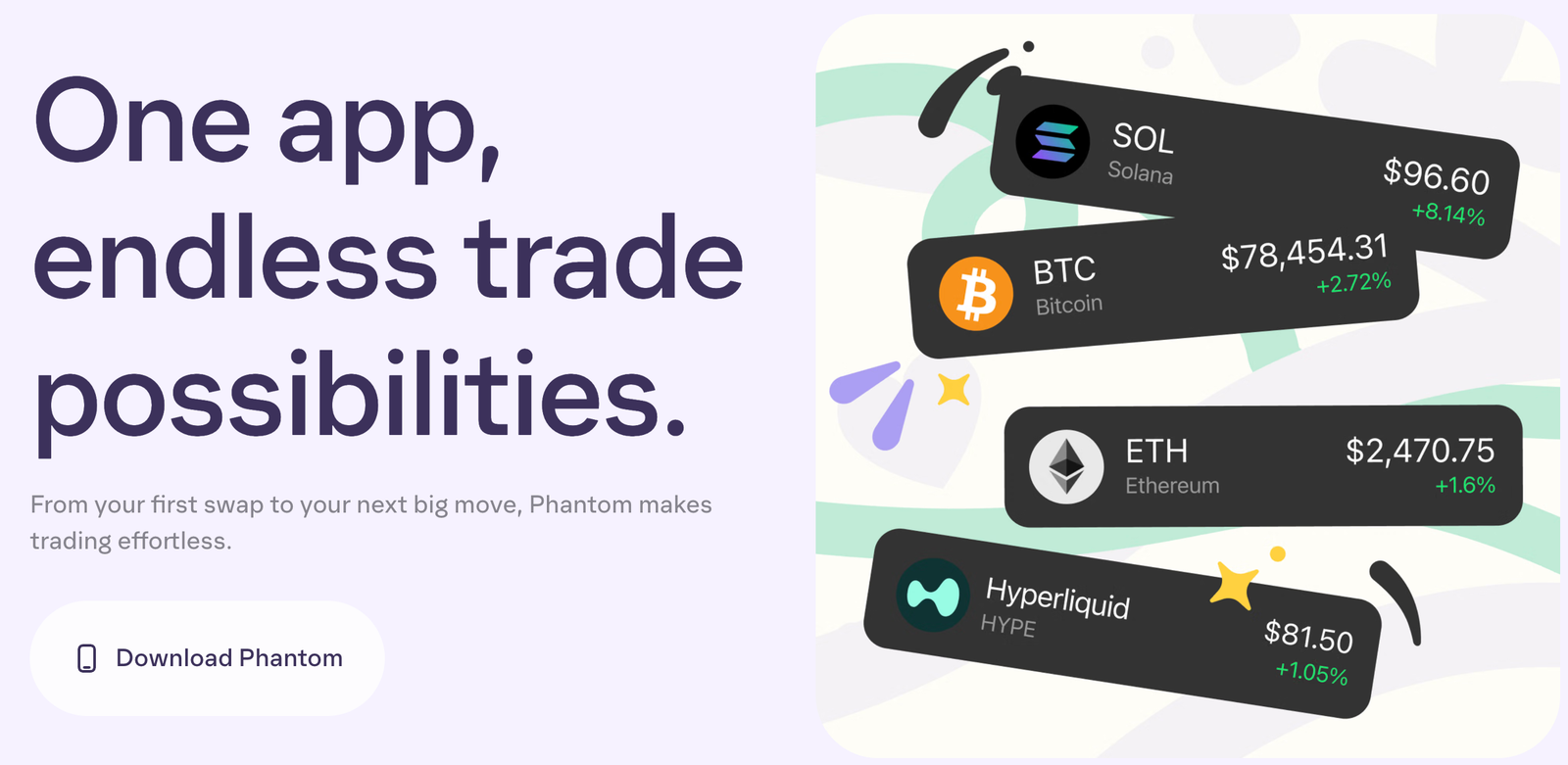
Phantom is my pick for Solana users.
It’s free, supports Solana, Bitcoin, Ethereum, Base, Polygon, Sui, HyperEVM and Monad, and charges 0.85% on most in-wallet swaps, plus network fees that vary by chain and transaction.
Speed on Solana was the strongest part.
The main trade-off is network coverage: there’s no Arbitrum, Optimism or BNB Chain, so I’d pick MetaMask instead if you’re active across EVM layer-2s.
Key information
| Field | Details |
|---|---|
| Best for | Solana swaps, staking and NFTs |
| Product type | Self-custody software wallet |
| Custody | You hold the recovery phrase |
| Platforms | Chrome, Brave, Edge and Firefox extensions; iOS and Android |
| Networks | Solana, Ethereum, Bitcoin, Base, Polygon, Sui, HyperEVM, Monad; supported tokens depend on the network |
| Not supported | Arbitrum, Optimism, BNB Chain, Avalanche, custom RPC networks |
| Swap fee | 0.85% on most swaps, plus network fees that vary by transaction |
| Cross-chain | Indicative ~0.3% provider fee plus the 0.85% Phantom fee; the quote shows the actual total |
| Staking | Native SOL staking |
| Hardware support | Ledger |
What I tested: Phantom on iPhone 17 and the Brave extension on a MacBook Pro, $250 of SOL from Swyftx, October 2026.
What was it like using Phantom?
Setup took about eight minutes, including backing up the recovery phrase and turning on Face ID.
My $250 of SOL appeared within seconds of Swyftx releasing it.
I swapped $60 of SOL into USDC.
The quote showed the $0.51 Phantom fee (0.85%) as its own line, and the Solana network fee was a fraction of a cent on that transaction.
Next I moved $40 of that USDC from Solana to Base. The quote showed about $0.46 in combined provider and Phantom fees, and I needed gas on both chains.
I then staked part of the remaining SOL in four taps.
The friction came when I tried to receive USDC on Arbitrum: there was no Arbitrum option.
To finish, I sent the rest of the USDC to an exchange, matching Solana to Solana.
How much does Phantom cost?
Phantom charges nothing to hold, send or receive. Most swaps carry a 0.85% fee, so a $60 swap costs $0.51 before network fees, which vary by chain and transaction.
Cross-chain moves add a provider fee of around 0.3%, which came to about $0.46 in total on my $40 transfer. MetaMask Swaps cost 0.875%.
Who should use it?
Solana users who want swaps, staking and NFTs in one polished mobile wallet.
Who should avoid it?
Heavy users of Arbitrum, Optimism or BNB Chain, which Phantom doesn’t support.
Pros & cons
- Fast, low-cost Solana transfers
- Fees shown as their own line in quotes
- Native SOL staking
- No Arbitrum, Optimism or BNB Chain
- Cross-chain moves add provider fees
- Wrong-network sends can lose funds
Zengo – Best for self-custody without a conventional seed phrase
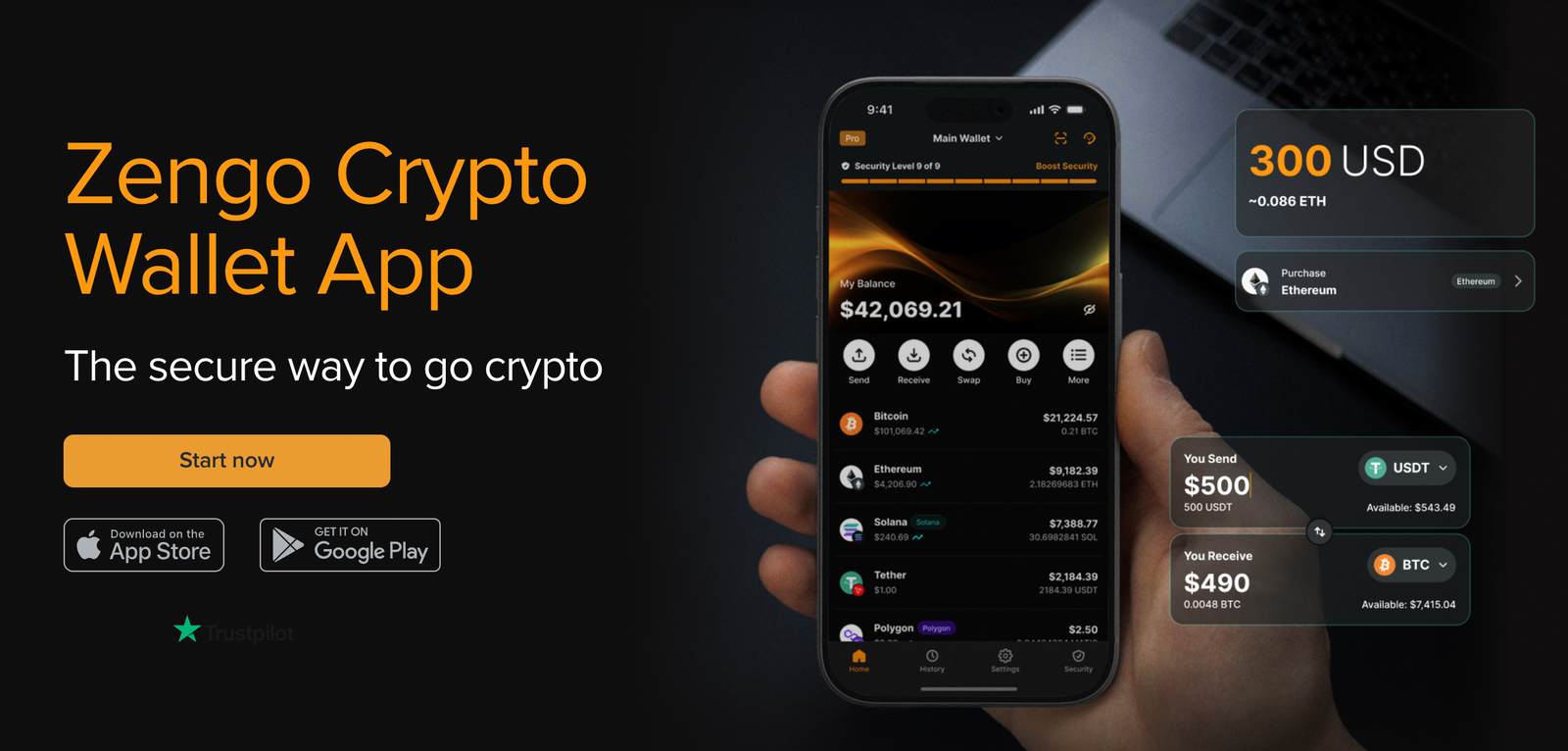
Zengo is my pick for beginners who want self-custody without a conventional seed phrase.
Instead of one private key backed up as a list of words, Zengo uses multi-party computation (MPC): signing is split between a key share on your phone and a share on Zengo’s servers, and a transaction needs both.
Zengo can’t move your funds on its own, but this isn’t the same as holding a single key yourself.
Recovering the wallet after deleting the app was the strongest part.
The main trade-off is in-app cost: Zengo’s fee schedule allows swap fees of up to 4%, so I’d buy on CoinSpot or Swyftx and send to Zengo rather than trade inside the app.
Key information
| Field | Details |
|---|---|
| Best for | Beginners nervous about seed phrases |
| Product type | Self-custody mobile wallet (MPC) |
| Custody | Self-custody via MPC key shares on your phone and Zengo’s server; no seed phrase |
| Recovery | Email, an encrypted recovery file in your cloud account and a 3D face scan |
| Send, receive, store | No Zengo fee; network fees apply |
| Swap fee | Up to 4% under Zengo’s fee schedule; the exact fee is shown on each quote and depends on the asset pair and provider |
| Buy and sell | Third-party providers; processing, spread, gateway and FX fees may apply |
| Zengo Pro | Up to 50% off purchase fees; limited free layer-2 gas |
| Support | 24/7 in-app live chat |
What I tested: Zengo on an iPhone 17, deleted and recovered on the same phone, $200 of ETH from CoinSpot, October 2026.
What was it like using Zengo?
Setup took about six minutes, with no words to write down. I verified my email, saved an encrypted recovery file to iCloud and recorded a 3D face scan.
I received $200 of ETH from CoinSpot, then swapped $50 of it into Bitcoin. The quote for that pair showed a $1.75 exchange fee (3.5%) before I approved.
To test recovery, I deleted the app and restored the wallet on the same iPhone 17. It took about ten minutes using my email, the cloud file and a face scan.
That’s also the weak point to plan for: losing access to your email or cloud account matters here as much as losing a seed phrase does with other wallets.
The friction came when I priced a $100 card purchase.
The quote stacked a processing fee, spread and AUD-to-USD conversion, so buying on an AUD exchange and sending to Zengo was cheaper.
I finished by sending the Bitcoin to my Trezor, paying only the network fee.
How much does Zengo cost?
Zengo charges nothing to hold, send or receive crypto.
Swap fees are set per quote, up to 4% under its fee schedule; my $50 ETH-to-BTC quote came to $1.75 (3.5%).
Card purchases add processing, spread and FX fees. CoinSpot’s Markets fee is 0.1%.
Who should use it?
Beginners who want to hold their own crypto but worry about losing or leaking a seed phrase.
Who should avoid it?
Frequent traders, who’ll pay more in swap fees than they would on an exchange.
Pros & cons
- No seed phrase to lose or leak
- Recovery worked after reinstalling the app
- Full fee breakdown before you approve
- Swap fees can reach 4%
- Card purchases stack several fees
- Recovery depends on your email and cloud account
CoinSpot – Best for low-cost AUD buying through Markets

CoinSpot is my pick for buying crypto cheaply in AUD, as long as you use the Markets screen.
PayID deposits are free, market orders cost 0.1% and there are 500+ coins to choose from.
Free, near-instant PayID funding was the strongest part.
The main trade-off is that Instant Buy, limit orders and recurring buys all cost 1%, and CoinSpot holds your coins until you withdraw, so I’d move long-term holdings to a Ledger or Trezor.
Key information
| Field | Details |
|---|---|
| Best for | Low-cost AUD buying across many coins |
| Product type | Custodial exchange |
| Custody | CoinSpot holds the keys until you withdraw |
| Market orders and OTC | 0.1% |
| Instant Buy, Sell and Swap | 1% |
| Limit, stop and take-profit orders | 1% |
| Recurring buy | 1% |
| AUD deposits | Free by PayID, direct deposit, card and PayPal; cash 2.5% |
| AUD withdrawals | Free to bank; 2% to PayPal |
| Crypto withdrawals | Flat network fee shown on each coin’s wallet page |
| Assets | 500+ coins |
| Australian registration | Registered with AUSTRAC as a digital currency exchange provider |
What I tested: CoinSpot app on iPhone 17 and desktop site on a MacBook Pro, individual account, $1,000 deposited by PayID, October 2026.
What was it like using CoinSpot?
Verification took about 12 minutes, and my $1,000 PayID deposit landed about three minutes later.
Tapping Buy on Bitcoin opened Instant Buy by default, and my $450 order went through in seconds for a $4.50 fee (1%).
Next I placed a $300 Bitcoin order on the Markets screen and paid $0.30, a tenth of the Instant Buy rate.
A $200 Ethereum limit order still cost $2.00, because limit orders sit in the 1% tier.
That left $43.20 after fees, and I withdrew $40 to my bank. I then sent $200 of Bitcoin to my Ledger, $150 to my Trezor and the $200 of Ethereum to Zengo.
The wallet page showed the flat network fee before each send, and the Ledger transfer arrived in about 20 minutes.
The friction is the layout. The cheap route sits behind the Markets tab, not the Buy button most beginners tap first.
How much does CoinSpot cost?
CoinSpot charges 0.1% on market orders and 1% on Instant Buy, limit orders and recurring buys. My three trades cost $6.80 in total: $4.50, $0.30 and $2.00.
The same $450 Instant Buy at Swyftx’s 0.6% would cost $2.70 plus spread.
Who should use it?
Australians who want free AUD funding and a big coin list, and who then move their holdings to their own wallet.
Who should avoid it?
Anyone who won’t use the Markets screen. At 1%, Instant Buy costs more than Swyftx’s 0.6% fee, though Swyftx also adds a spread.
Read the complete CoinSpot review here.
Pros & cons
- Free, fast PayID deposits
- 0.1% market orders
- 500+ coins
- Instant Buy, limit and recurring orders cost 1%
- The cheap route sits behind the Markets tab
- Exchange custody until you withdraw
Swyftx – Best for recurring purchases and a demo account

Swyftx is my pick for beginners who want to practise first and then buy on a schedule.
Demo mode lets you try orders without real money, Auto Invest handles recurring buys, and the trading fee is 0.6% on every order type.
The demo account and Auto Invest were the strongest parts for beginners.
The main trade-off is that the fee rate is fixed but your total cost isn’t: the quoted price includes a spread that varies by asset and market conditions, and it isn’t broken out as its own line.
For larger one-off buys, I’d use CoinSpot’s 0.1% Markets screen instead.
Key information
| Field | Details |
|---|---|
| Best for | Recurring purchases and practising in demo mode |
| Product type | Custodial exchange |
| Custody | Swyftx holds the keys until you withdraw |
| Trading fee | 0.6%; VIP tiers by 30-day volume down to 0.1% |
| Spread | Separate from the fee; varies by asset and market conditions |
| AUD deposits | Free by bank transfer and PayID |
| Card deposits | 0% surcharge via Stripe or Banxa; Banxa spread up to 2.5% |
| AUD withdrawals | Free; dishonour fee up to $40 if sent to the wrong account |
| Crypto withdrawals | Network fee deducted from the amount sent |
| Assets | 440+ cryptocurrencies |
| Extras | Demo mode, Auto Invest, SMSF accounts |
| Australian registration | Registered with AUSTRAC as a digital currency exchange provider |
What I tested: Swyftx app on iPhone 17 and desktop site on a MacBook Pro, individual account, $650 deposited by PayID, October 2026.
What was it like using Swyftx?
I started in demo mode with a practice Bitcoin trade, which, like the top demo trading accounts, made the order screen familiar before real money moved.
My $650 PayID deposit then cleared in about two minutes.
I began buying Ethereum with a $300 order, and the review screen showed a $1.80 fee (0.6%).
Next I set a $250 limit order on Solana, which carried the same 0.6%, or $1.50.
That left $96.70. I withdrew $50 to my bank, which landed the same day, and set Auto Invest at $25 a week into Bitcoin from the rest.
I then withdrew the $250 of Solana to Phantom, $200 of Ethereum to MetaMask and $100 to my Trezor.
Swyftx deducted the network fee from each amount, so the wallets received slightly less than I typed.
The friction was the spread. The quoted Ethereum rate sat slightly above the live chart price, so my true cost was higher than the $1.80 fee line.
How much does Swyftx cost?
Swyftx charges 0.6% on every order, plus the spread in the quoted rate. My two trades cost $3.30 in fees: $1.80 and $1.50, before spread.
On CoinSpot, the same $550 would cost $0.55 through the Markets screen but $5.50 through Instant Buy.
Who should use it?
Australians who want a demo account, recurring buys and the same fee rate on every order type.
Who should avoid it?
Large one-off buyers who are comfortable using an order book. CoinSpot’s 0.1% Markets fee is cheaper.
Read the complete Swyftx review here.
Pros & cons
- Same 0.6% fee rate on every order type
- Free AUD deposits and withdrawals
- Demo mode and Auto Invest
- Spread isn’t shown as its own line
- 0.6% costs more than CoinSpot’s 0.1% Markets fee
- Exchange custody until you withdraw
Other crypto wallets we considered
The eight options above cover the main use cases in this guide, but they aren’t the only crypto wallets worth considering.
Trust Wallet is an alternative for users who want a mobile-first wallet with broad multi-chain support.
Base App may appeal to people exploring the Base ecosystem and its on-chain applications.
For Bitcoin-focused self-custody, Blockstream Jade and COLDCARD are worth researching as hardware alternatives, particularly if you prefer a wallet designed around Bitcoin rather than a broad range of cryptocurrencies.
We kept the main comparison focused on products that illustrate distinct choices around custody, recovery, network support and buying crypto in AUD.
Before choosing an alternative, check its current Australian availability, supported assets, device compatibility, recovery process and total transaction costs.
A wallet’s feature list matters less than whether it supports the assets you hold and the way you intend to use them.
How I chose and compared these products
This page doesn’t give the products an overall score.
They do different jobs, and a single number would compare a hardware wallet with an investment platform as if one could replace the other.
Instead, I picked one product per category and explained why it fits and where it falls short.
These are editorial picks based on the checks and tests below, not independently verified rankings.
I assessed every product for one reader: an Australian beginner or intermediate who wants to buy crypto in AUD and keep it somewhere safe.
My starting point was Psyfi Money’s broader platform reviews and research. Any existing Psyfi Money platform rating stays separate from this page.
Entry checks
Every product had to pass these checks before I considered it. They’re pass-or-fail, not points:
- Available to Australian residents
- Fees published on an official page
- Lets users hold crypto, either in their own wallet or in a custodial account
- For exchanges and investment platforms that hold customers’ crypto: listed on AUSTRAC’s register of digital currency exchange providers, checked on 23 October 2026
What “Australian registration” means here
AUSTRAC registration means a business is enrolled under Australia’s anti-money laundering and counter-terrorism financing (AML/CTF) laws, which require identity checks and reporting of suspicious transactions.
AUSTRAC’s register now uses the term virtual asset service providers. Registration isn’t a financial services licence.
It doesn’t mean AUSTRAC supervises how a platform holds or safeguards your crypto, and it doesn’t protect your balance if the platform fails.
The eight products aren’t regulated in the same way:
- CoinSpot and Swyftx are exchanges registered with AUSTRAC.
- eToro: eToro AUS Capital Limited holds an Australian financial services licence (AFSL 491139) for its financial products. Crypto held on eToro isn’t automatically covered by the same protections as its shares and ETFs.
- Ledger, Trezor, MetaMask, Phantom and Zengo are self-custody wallets. They don’t hold customers’ crypto, so they aren’t registered as exchanges. For these I checked that the product is sold or downloaded through the developer’s official channels and that recovery works as described.
The Corporations Amendment (Digital Assets Framework) Act 2026 will bring platforms that hold crypto for customers under the Australian financial services licensing regime.
It commences on 9 April 2027, followed by a six-month transition period.
Until then, check a platform’s status on ASIC’s professional register as well as AUSTRAC’s.
What I assessed
Custody and recovery mattered most, followed by total cost in AUD.
Moving crypto in and out, security features, and asset and network coverage came next, with device compatibility last.
I used these to choose the pick within each category; I didn’t add them up into a single score.
| Factor | What I assessed |
|---|---|
| Custody and recovery | Who holds the keys; 24-word, 20-word and MPC recovery; passphrase options; custodial accounts vs self-custody |
| Total cost in AUD | Trading fees (0.1% to 1%), AUD conversion, swap fees (0.85% to 4%), wallet transfer fees, hardware purchase price |
| Moving crypto in and out | Withdrawal fees, network selection, transfer restrictions and limits, free AUD deposits and withdrawals |
| Security features | EAL6+ Secure Element, on-device confirmation, open-source software, approval and permission controls |
| Asset and network coverage | Coins supported natively; networks supported and missing (e.g. Phantom has no Arbitrum or BNB Chain) |
| Device compatibility | iOS and Android support, browser extensions, desktop requirements (Nano S Plus has no iOS support) |
Custody comes first because a wallet guide exists to answer who controls the coins, and a custodial account can’t fully do that job.
Cost comes second because Australians fund in AUD, and conversion and transfer fees widen the gaps between platforms.
The $1,000 Bitcoin cost comparison above uses published fees only, with network fees left out because they vary.
How I tested
I tested each product with my own money in October 2026, using an iPhone 17 and a MacBook Pro. Each review lists the devices, amounts and transfers I used.
Hot wallets vs cold wallets: which is right for Australians?
The main difference between a hot wallet and a cold wallet is how you access and protect your crypto.
Hot wallets are software wallets designed for convenient access, while hardware wallets keep private-key signing operations on a dedicated device.
The right choice depends on how often you transact, which networks you use and how much responsibility you want to take for securing your crypto.
| Feature | Hot wallet | Hardware wallet |
|---|---|---|
| Examples in this guide | MetaMask, Phantom, Zengo | Ledger Nano S Plus, Trezor Safe 3 |
| Access | Mobile app or browser extension | Dedicated physical device |
| Typical use | Everyday transactions, Web3 apps, DeFi and NFTs | Longer-term self-custody and transaction signing |
| Upfront cost | Usually free to install | Requires purchasing a device |
| Main security consideration | Device security, phishing and malicious transaction approvals | Device security, recovery backup and the transactions you approve |
| Convenience | Quick access to supported apps and networks | An extra device and confirmation step |
| Recovery | Depends on the wallet’s recovery system | Usually involves a recovery backup; the exact method varies by device |
When should you choose a hot wallet?
A hot wallet makes sense if you regularly interact with decentralised applications, trade tokens or use networks such as Ethereum and Solana.
MetaMask is a natural starting point for Ethereum and Web3 users, while Phantom is worth considering if you mainly use Solana.
Zengo takes a different approach to recovery through multi-party computation (MPC), rather than a conventional seed phrase.
That can appeal to people who are uncomfortable managing a list of recovery words, although you still need to protect the accounts and recovery methods on which access depends.
Hot wallets are convenient, but convenience does not remove the need to verify addresses, check networks and understand the permissions you approve.
When should you choose a hardware wallet?
A hardware wallet is worth considering if you want to hold crypto yourself over a longer period and prefer to approve transactions on a dedicated device.
Ledger Nano S Plus and Trezor Safe 3 are the two hardware options compared in this guide.
Both require you to protect your recovery backup. If you lose access to the device, that backup may be essential for recovering your funds.
A hardware wallet also cannot protect you from every mistake: approving a malicious transaction or exposing your recovery information can still put your crypto at risk.
Can you use both?
Yes. Some people keep a smaller amount in a software wallet for regular transactions and hold longer-term funds using a hardware wallet.
You can also buy crypto through an Australian exchange and withdraw it to a wallet you control.
This setup separates the buying process from long-term storage, but introduces additional steps and potential withdrawal fees.
Check that the asset, network and destination wallet are compatible before sending anything.
Our take: choose a hot wallet for convenient access to supported apps and networks, and consider a hardware wallet when dedicated-device transaction signing and self-custody fit your needs.
Neither option removes the need for secure recovery and careful transaction checks.
Which crypto wallet is best for Bitcoin in Australia?
The best Bitcoin wallet depends on whether you want to buy BTC in Australian dollars, hold it yourself or use it alongside other cryptocurrencies.
An exchange can be convenient for buying Bitcoin, but an exchange account is not the same as a self-custody wallet.
For this guide, the main options to compare are Ledger Nano S Plus and Trezor Safe 3 for hardware self-custody, and CoinSpot or Swyftx for buying Bitcoin with AUD before withdrawing it.
| Option | Best suited to | Main trade-off |
|---|---|---|
| Ledger Nano S Plus | People who want hardware self-custody alongside a broad range of crypto assets | Requires a separate device and a secure recovery backup; no iOS support |
| Trezor Safe 3 | People who value open-source firmware and hardware-based transaction confirmation | Requires a separate device and recovery backup; check compatibility with your assets and devices |
| CoinSpot | Australians who want to buy BTC with AUD and may later withdraw to their own wallet | CoinSpot holds the crypto until you withdraw; buying fees depend on the order method |
| Swyftx | Australians who want to buy BTC and use recurring purchases | The trading fee is only part of the cost; the quoted spread and withdrawal costs also matter |
Bitcoin-only or multi-asset wallet?
A Bitcoin-only wallet is designed specifically around Bitcoin.
A multi-asset wallet can be more convenient if you hold BTC alongside Ethereum, Solana or other supported assets.
Neither approach is automatically better.
A Bitcoin-only wallet may suit someone who wants a focused Bitcoin setup, while a multi-asset wallet can reduce the need to manage several separate products.
Check the wallet’s actual Bitcoin support, recovery method, device compatibility and transaction fees before deciding.
What does it cost to buy and store Bitcoin?
The purchase fee is only one part of the cost.
You may also need to account for the difference between the quoted price and the market price, withdrawal fees and the network fee for moving BTC.
In our comparison, CoinSpot’s Markets screen has a published trading fee of 0.1%, compared with 1% for Instant Buy.
Swyftx’s stated trading fee is 0.6%, with a spread that can affect the total cost.
These figures should be checked against the providers’ current fee pages before you buy.
A hardware wallet also has an upfront purchase cost.
After that, sending Bitcoin typically involves a network fee, while optional buying or swapping services may introduce additional provider fees.
Our take: if you mainly want to buy Bitcoin in AUD, compare the full purchase cost on CoinSpot and Swyftx first.
If you want to hold BTC yourself, assess Ledger Nano S Plus and Trezor Safe 3 based on recovery, compatibility and how you plan to use the wallet.
Buying Bitcoin and choosing where to store it are two separate decisions.
How to keep your crypto wallet safe
A crypto wallet is only as secure as the combination of its design, your recovery arrangements and the decisions you make when sending or approving transactions.
Self-custody gives you control over your crypto, but it also makes you responsible for protecting the information needed to access it.
Use the following checklist when setting up a new wallet.
1. Protect your recovery method
Follow the wallet’s official setup instructions and make sure you understand how recovery works before transferring significant funds.
For wallets that use a recovery phrase, write it down accurately and keep it somewhere secure and offline.
Never share it with someone claiming to be customer support, and never enter it into a website or form because an unsolicited message tells you to.
Wallets using alternative recovery systems, such as MPC, have different requirements.
Understand which email, cloud account, device or recovery file you need to retain access to.
2. Verify every transaction
Before sending crypto, check the destination address, asset and network.
The same token name can exist on multiple networks, and a wallet supporting an asset on one network does not necessarily support it on another.
Where appropriate, consider a small test transfer before sending a larger amount.
A test can help confirm that the address and network work as expected, but it does not eliminate the risk of a later mistake.
3. Treat transaction approvals seriously
When using a decentralised application, read the transaction details before approving them.
Token approvals can grant an application permission to access tokens, sometimes beyond the amount you intend to transact.
Be cautious of unexpected signature requests, unfamiliar websites and offers that require you to connect your wallet urgently.
A transaction that appears routine can still authorise an action you did not intend.
4. Download wallets from official sources
Use the developer’s official website or verified app-store listing.
Fake wallet applications, cloned websites and impersonated support accounts can be designed to steal recovery information or trick you into signing malicious transactions.
Never rely on a search advertisement or unsolicited message alone to establish that a wallet download is legitimate.
5. Plan for a lost device
Before relying on a wallet, understand what happens if your phone, computer or hardware device is lost or damaged.
Confirm how recovery works, what information you need and whether you can access it without the original device.
For MPC wallets, check the recovery requirements and protect the accounts involved.
For hardware wallets, keep your recovery backup separate from the device and protect it from unauthorised access.
6. Choose the right level of protection
A hardware wallet can add a dedicated transaction-signing step, but it is not a guarantee against fraud or mistakes.
A software wallet can be suitable for regular transactions if you manage device security and approvals carefully.
There is no universal wallet that eliminates every risk. Choose a setup you can operate safely and understand its limitations before moving significant funds.
Important: losing access to a wallet and losing the ability to recover its funds are not necessarily the same thing.
Recovery depends on the wallet’s design and whether you still have the required backup information.
Which crypto wallet should you choose?
If you’re unsure which product fits your needs, start with how you intend to use crypto rather than choosing the wallet with the longest feature list.
- You want to hold crypto yourself over the long term: compare Ledger Nano S Plus and Trezor Safe 3. Consider recovery, supported assets, device compatibility and the importance of on-device transaction confirmation.
- You use Ethereum, DeFi or Web3 applications: start with MetaMask, particularly if compatibility with Ethereum applications and supported layer-2 networks matters to you.
- You mainly use Solana: consider Phantom for its Solana-focused functionality, while checking its current network support against the assets you hold.
- You want self-custody without a conventional seed phrase: assess Zengo’s MPC model and recovery process. Make sure you understand its dependencies and the fees shown for any swaps or purchases.
- You need to buy crypto using AUD: compare CoinSpot and Swyftx on the actual order method you plan to use, including spreads, deposit options and withdrawal fees.
- You want crypto alongside shares and ETFs: eToro may fit that investment-platform use case. Check its custody model, applicable fees and the eligibility conditions for moving supported crypto into its separate wallet.
Before making your choice
Ask yourself five questions:
- Do I want to control my own keys, or am I comfortable with a provider holding my crypto?
- Which coins and networks do I actually use?
- Will I transact regularly or mainly hold crypto?
- What will buying, swapping and withdrawing cost me?
- Can I safely manage the wallet’s recovery process?
Answering these questions should narrow the shortlist considerably.
You do not need the wallet with the most features; you need one whose custody model, costs and compatibility match your requirements.
How to buy crypto in Australia and move it to your own wallet
Buying crypto through an Australian exchange and holding it in a self-custody wallet are separate steps.
An exchange can provide a route to buy crypto with AUD, while a self-custody wallet lets you manage the relevant private keys yourself.
The following walkthrough shows how to buy crypto in Australia, using CoinSpot and a hardware wallet as an example.
The exact screens, fees and transfer times depend on the provider, asset and network.
Step 1: Compare the buying costs
Before depositing money, check the exchange’s current trading fees, quoted price, AUD funding options and withdrawal fees.
CoinSpot illustrates why the order method matters: its published Markets fee is 0.1%, while Instant Buy has a published fee of 1%.
Swyftx has a stated 0.6% trading fee, but its spread can also affect the total price you pay.
Compare the route you will actually use rather than assuming the lowest advertised percentage guarantees the lowest final cost.
Step 2: Set up your destination wallet
If you’re using a hardware wallet, obtain it through an official source and follow the manufacturer’s setup instructions.
Create and secure the recovery backup before transferring crypto.
Make sure the wallet supports the asset and network you intend to use.
Don’t assume that a wallet supporting Bitcoin can also receive every token, or that support for an asset on one network means support on every network.
Step 3: Generate and verify a receive address
Open the wallet’s receive function and select the correct asset and network. Follow the instructions to display the receive address.
For a hardware wallet, verify the address on the device screen where the product supports this feature.
Compare the address and network with the withdrawal details on the exchange before confirming.
Step 4: Make the withdrawal
On the exchange, select the asset you want to withdraw, enter the destination address and choose the matching network.
Check the withdrawal fee and the amount expected to arrive.
If you choose to make a small test transfer, wait until it arrives and confirm that the destination wallet displays the correct asset before proceeding with a larger transfer.
A test transfer costs money and is not a substitute for checking the address and network carefully.
Step 5: Confirm receipt and keep records
Once the transfer has been processed, check the transaction status and confirm that the expected asset has arrived.
Transfer times vary with network conditions, transaction fees and provider processing.
Keep records of your purchases, transaction details, fees and transfers.
These records can be useful when reviewing your holdings and preparing Australian tax records.
A transfer between wallets you control is not the same as selling crypto, but tax treatment depends on the actual transaction and circumstances.
What does this process cost?
Your total cost may include:
- The exchange’s trading fee.
- Any spread or price difference included in the quoted rate.
- A withdrawal fee charged by the exchange.
- The applicable network transaction fee, where separately charged.
Don’t automatically add every possible fee together: some providers incorporate certain costs into a quote or deduct the network fee from the amount sent.
Check the actual fee breakdown for your transaction to avoid double-counting.
The key takeaway: compare the cost of buying crypto separately from the cost of storing and moving it.
A low-cost exchange can be a useful starting point, but the destination wallet still needs to support the asset and network you choose.
Conclusion: Which crypto wallet should you choose in Australia?
The best crypto wallet in Australia depends on how you buy, store and use your crypto.
For long-term self-custody across a broad range of assets, the Ledger Nano S Plus is our hardware pick.
Trezor Safe 3 is worth considering if open-source firmware and privacy features matter to you, while MetaMask and Phantom suit different Web3 users.
Zengo offers an alternative for people who prefer an MPC-based recovery system.
If you’re buying crypto with AUD, compare CoinSpot’s Markets fees with Swyftx’s trading fee and spread before choosing where to buy.
eToro is a different option for investors who want crypto alongside shares and ETFs, but its custody model and transfer conditions deserve careful consideration.
Before committing, check the latest fees, supported assets, device compatibility and recovery requirements.
Choose the wallet that fits your intended use, not simply the one with the lowest advertised fee or the longest feature list.
Frequently asked questions
What is the best crypto wallet in Australia?
There is no single best wallet for every Australian. Ledger Nano S Plus and Trezor Safe 3 are hardware options for self-custody, MetaMask suits many Ethereum and Web3 use cases, Phantom is geared towards Solana users, and Zengo offers an MPC-based alternative to a conventional seed phrase. CoinSpot and Swyftx are exchange options for buying crypto in AUD, while eToro serves a different investment-platform use case.
What is the safest type of crypto wallet?
Hardware wallets can add a dedicated device for transaction signing, but they do not eliminate every risk. Recovery backups, phishing, malicious transaction approvals and mistakes when selecting a network can still result in losses. The right setup depends on your needs and how well you can manage its security and recovery requirements.
Which crypto wallet is best for Bitcoin?
For hardware self-custody, compare Ledger Nano S Plus and Trezor Safe 3 based on recovery, device compatibility and asset support. If your main requirement is buying Bitcoin with AUD, compare exchange fees and withdrawal conditions separately. A wallet’s Bitcoin support does not mean every token or network is supported.
Are crypto wallets free in Australia?
Many software wallets are free to download, but transactions may incur network fees, swap fees or charges from third-party providers. Hardware wallets have an upfront device cost. Exchange and investment-platform fees depend on the product, transaction type and applicable terms.
What is the difference between a crypto exchange and a wallet?
An exchange lets you buy or sell crypto and may hold it on your behalf. A self-custody wallet lets you control the private keys used to manage your crypto. Some services combine multiple functions, so check who controls the keys and whether you can transfer the asset to an external address.
Do I need a hardware wallet?
Not everyone needs one. A hardware wallet may be worth considering if you want self-custody and prefer a dedicated device for approving transactions. If you regularly use Web3 applications, a software wallet may be more convenient. Your choice should reflect how you use crypto, the amount of responsibility you’re comfortable taking on and your recovery plan.
Can I transfer crypto from an Australian exchange to my own wallet?
Many exchanges support withdrawals to external wallets, subject to asset support, account eligibility, limits and other conditions. Before sending, confirm that the destination supports the exact asset and network, check the fees and verify the address. Some investment platforms have more restrictive transfer rules than exchanges.
What happens if I lose my wallet or recovery phrase?
The answer depends on the wallet’s recovery design. A hardware device can often be replaced if you retain the required recovery backup. A conventional software wallet may rely on a recovery phrase, while an MPC wallet may use a different combination of device and account recovery methods. If the required recovery information is lost, access to funds may be permanently lost.
